sketchucation logo sketchucation
    • 登入
    Oops, your profile's looking a bit empty! To help us tailor your experience, please fill in key details like your SketchUp version, skill level, operating system, and more. Update and save your info on your profile page today!
    🔌 Smart Spline | Fluid way to handle splines for furniture design and complex structures. Download

    [Plugin] Sketchup Ivy

    已排程 已置頂 已鎖定 已移動 Plugins
    732 貼文 172 Posters 314.8k 瀏覽 172 Watching
    正在載入更多貼文
    • 從舊到新
    • 從新到舊
    • 最多點贊
    回覆
    • 在新貼文中回覆
    登入後回覆
    此主題已被刪除。只有擁有主題管理權限的使用者可以查看。
    • charly2008C 離線
      charly2008
      最後由 編輯

      John,

      I've tried the modified folder but no change. Even if the textures folder was deleted, wisteria, and ivy leaves appear the same. I do not understand, this is crazy!

      Charly
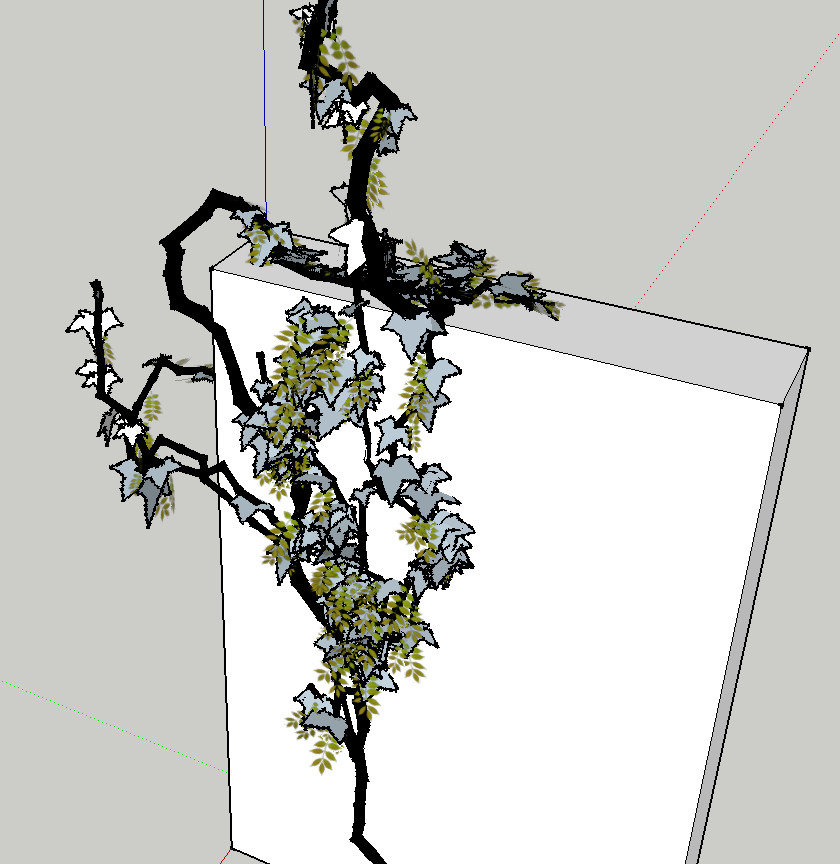

      Textures Folder deleted

      He who makes no mistakes, makes nothing

      1 條回覆 最後回覆 回覆 引用 0
      • charly2008C 離線
        charly2008
        最後由 編輯

        Dear members,

        I need an idea from you. How can I eliminate this material Wisteria? I've searched the entire hard disk, but these "Wisteria.png" is nowhere to be found. But these png must be stored somewhere. I feel like a beginner.

        Charly
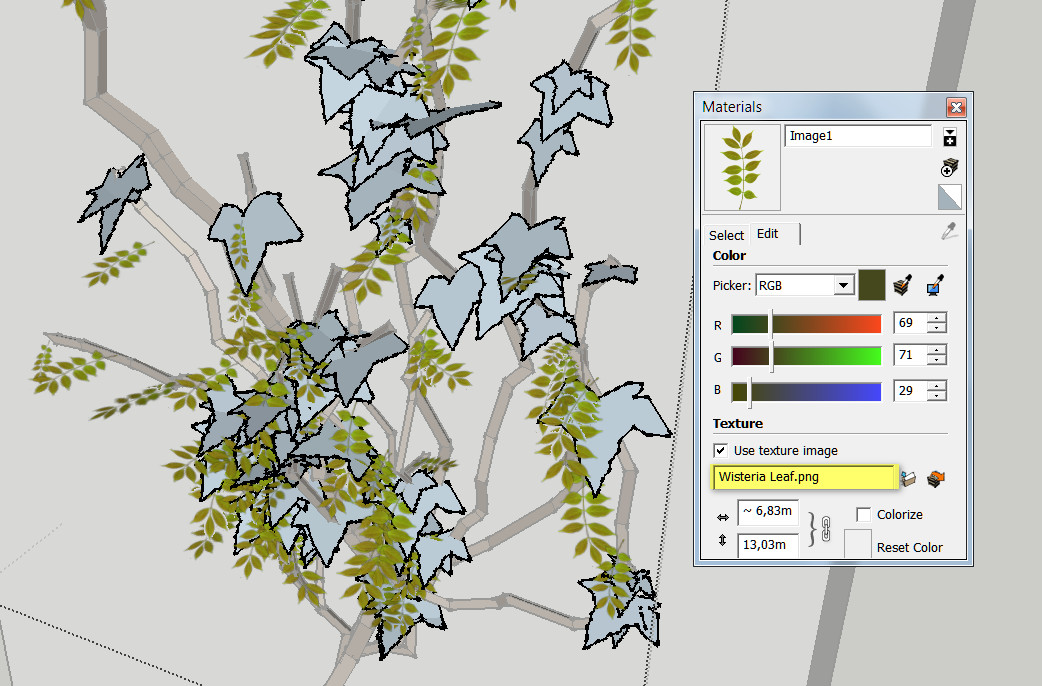

        2011-11-28_161042.jpg

        He who makes no mistakes, makes nothing

        1 條回覆 最後回覆 回覆 引用 0
        • charly2008C 離線
          charly2008
          最後由 編輯

          Problem solved. The png was saved in my template.

          He who makes no mistakes, makes nothing

          1 條回覆 最後回覆 回覆 引用 0
          • charly2008C 離線
            charly2008
            最後由 編輯

            I give it up now. Now the plugin is working again. But now some leaves are again transparent and others not. I probably do not understand the workings of this plugin. I'll wait for an update. 😢

            Charly


            2011-11-28_161042.jpg

            He who makes no mistakes, makes nothing

            1 條回覆 最後回覆 回覆 引用 0
            • romboutR 離線
              rombout
              最後由 編輯

              @charly2008 said:

              I give it up now. Now the plugin is working again. But now some leaves are again transparent and others not. I probably do not understand the workings of this plugin. I'll wait for an update. 😢

              Charly

              THat's due to the prob that 2 images arent transparent png's open these to in a image editor and make them transparent and than re-import them into SU

              1 條回覆 最後回覆 回覆 引用 0
              • charly2008C 離線
                charly2008
                最後由 編輯

                Hi Rombout,

                @unknownuser said:

                THat's due to the prob that 2 images arent transparent png's open these to in a image editor and make them transparent and than re-import them into SU

                Thanks for your answer. I have converted the jpg to png. I do not know if I've done anything wrong. I have attached the pngs below. If you watch it once I would be grateful.

                Charly


                2011-11-28_195101.jpg


                leafb.png


                leaf2b.png


                leaf3b.png

                He who makes no mistakes, makes nothing

                1 條回覆 最後回覆 回覆 引用 0
                • TIGT 離線
                  TIG Moderator
                  最後由 編輯

                  You seem to be going round in circles.
                  😒
                  This zip containing the three adjusted SKPs [and PNGs] that have hidden edges and already use proper transparent PNG files...
                  Replace those in the Textures folder...
                  Retry...IvyTexturesSKPs.zip

                  TIG

                  1 條回覆 最後回覆 回覆 引用 0
                  • charly2008C 離線
                    charly2008
                    最後由 編輯

                    TIG,

                    I do not know how I can thank you. Sometimes you appear to me like the Robin Hood of the forum.

                    Charly

                    He who makes no mistakes, makes nothing

                    1 條回覆 最後回覆 回覆 引用 0
                    • RomBR 離線
                      RomB
                      最後由 編輯

                      you need to make reset button. i have made a lot of changes in numbers...and now my ivy don't grow on a wall, it grows in every direction...please can someone share default settings?

                      1 條回覆 最後回覆 回覆 引用 0
                      • thomthomT 離線
                        thomthom
                        最後由 編輯

                        @romb said:

                        you need to

                        Did you mean, "it would be nice with" or "Could you please"? 😉

                        Just saying, the wording can make a difference. Making freeware stuff and you end up with lots of demands from your users, it can get a bit tiresome. (Spoken by someone who makes lots of freeware.)

                        Thomas Thomassen — SketchUp Monkey & Coding addict
                        List of my plugins and link to the CookieWare fund

                        1 條回覆 最後回覆 回覆 引用 0
                        • TIGT 離線
                          TIG Moderator
                          最後由 編輯

                          hsh = {
                                      ;branch   => {
                                          ;nodesize    => 3,
                                          ;pattern     => 0.8,
                                          ;probability => 0.97,
                                          ;radius      => 0.8,
                                          ;floatlength => 150,
                                          ;detail      => 4,
                                          ;spread      => 0
                          
                                      },
                                      ;leaf     => {
                                          ;pattern     => 1,
                                          ;probability => 0.7,
                                          ;size        => 5
                                      },
                                      ;gravity  => {
                                          ;weight => 1,
                                          ;vector => [0, 0, -1]
                                      },
                                      ;wind     => {
                                          ;weight => 0.1
                                      },
                                      ;random   => {
                                          ;weight => 0.3
                                      },
                                      ;adhesion =>{
                                          ;max_adhesion_distance => 50,
                                          ;weight                => 0.2
                                      },
                                      ;legacy   => {
                                          ;weight => 0.8
                                      }
                          
                          }
                          

                          The default settings as extracted from the code.
                          Now you do some work resetting your values manually... 😐

                          TIG

                          1 條回覆 最後回覆 回覆 引用 0
                          • thomthomT 離線
                            thomthom
                            最後由 編輯

                            No worries. 😉

                            Thomas Thomassen — SketchUp Monkey & Coding addict
                            List of my plugins and link to the CookieWare fund

                            1 條回覆 最後回覆 回覆 引用 0
                            • RomBR 離線
                              RomB
                              最後由 編輯

                              sorry for my english at first. not my native - in russian i mean that this option will be very usefull. and of course thanks for that plugin. sorry if i offend somehow someone of developers. sorry please
                              ps. in russian it's a little bit more words need to be said of simple -you need to make-
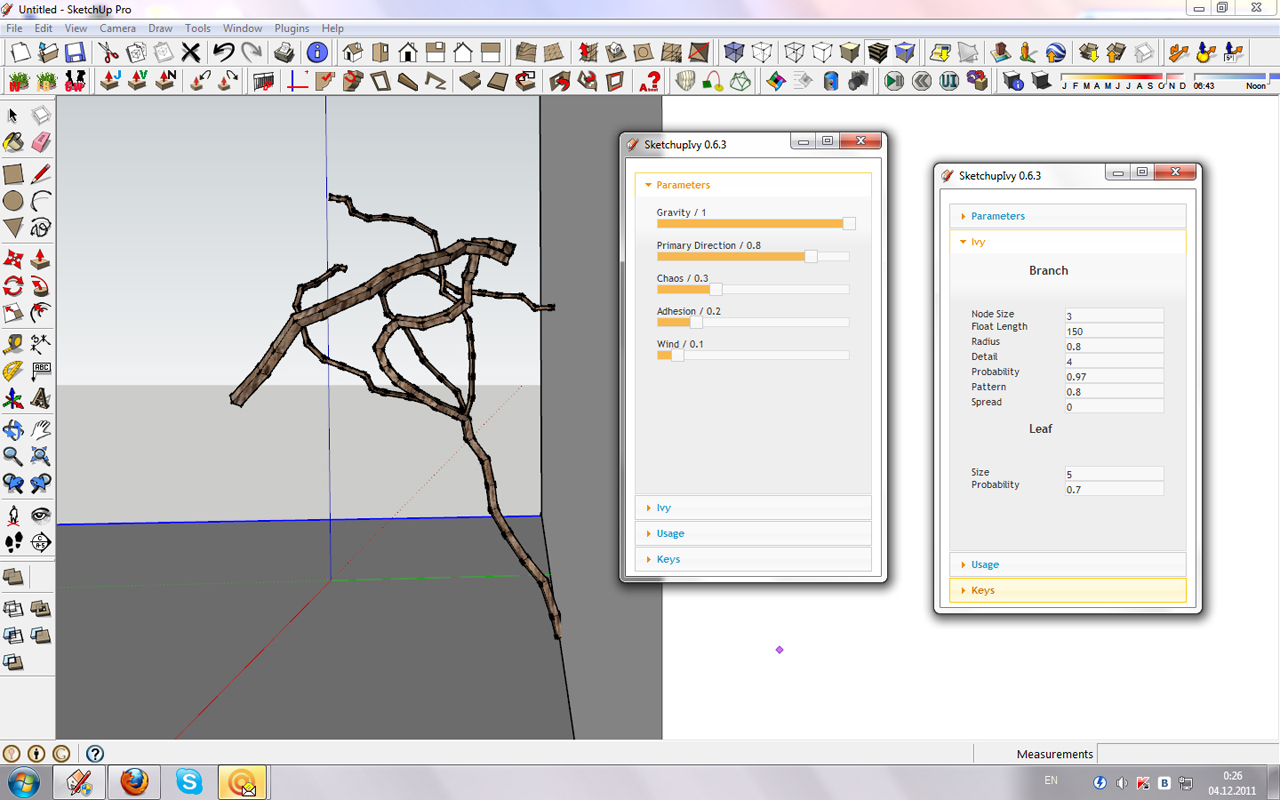

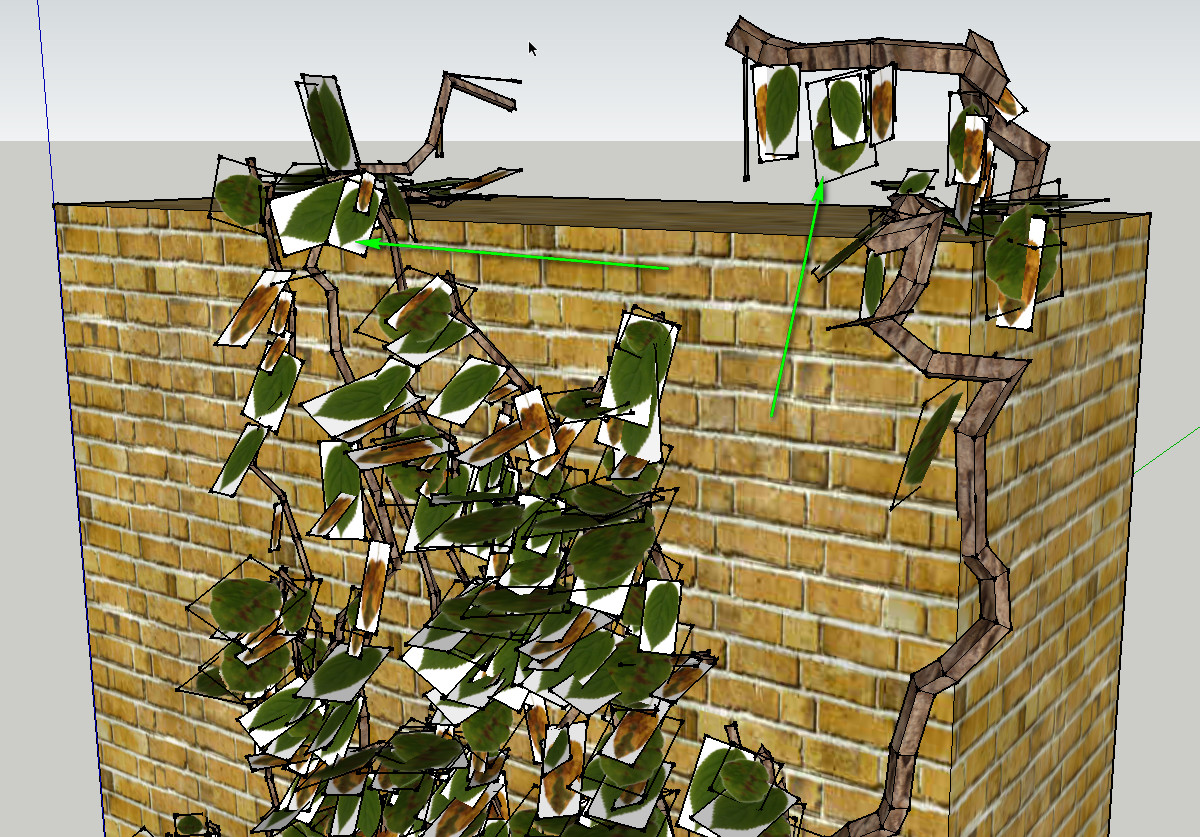
                              Untitled-1.jpg

                              1 條回覆 最後回覆 回覆 引用 0
                              • RomBR 離線
                                RomB
                                最後由 編輯

                                still not on the wall ((( picture above. where's my mistake?

                                1 條回覆 最後回覆 回覆 引用 0
                                • TIGT 離線
                                  TIG Moderator
                                  最後由 編輯

                                  @romb said:

                                  still not on the wall ((( picture above. where's my mistake?

                                  I don't even have this tool installed !
                                  The default adhesion seems to be 50 in the code I posted...
                                  Why is yours 0.2 [20?] ??
                                  Presumably the higher the adhesion value the more it sticks to the wall ???

                                  TIG

                                  1 條回覆 最後回覆 回覆 引用 0
                                  • RomBR 離線
                                    RomB
                                    最後由 編輯

                                    @tig said:

                                    @romb said:

                                    still not on the wall ((( picture above. where's my mistake?

                                    The default adhesion seems to be 50 in the code I posted...
                                    Why is yours 0.2 [20?] ??
                                    Presumably the higher the adhesion value the more it sticks to the wall ???

                                    that's it ) maybe i know english - but no so good till that time. and 0.5 become working not from next ivy, from third. But problem is solved - thx. better to rename adhesion to -sticking- 😄 fo rus users

                                    1 條回覆 最後回覆 回覆 引用 0
                                    • RomBR 離線
                                      RomB
                                      最後由 編輯

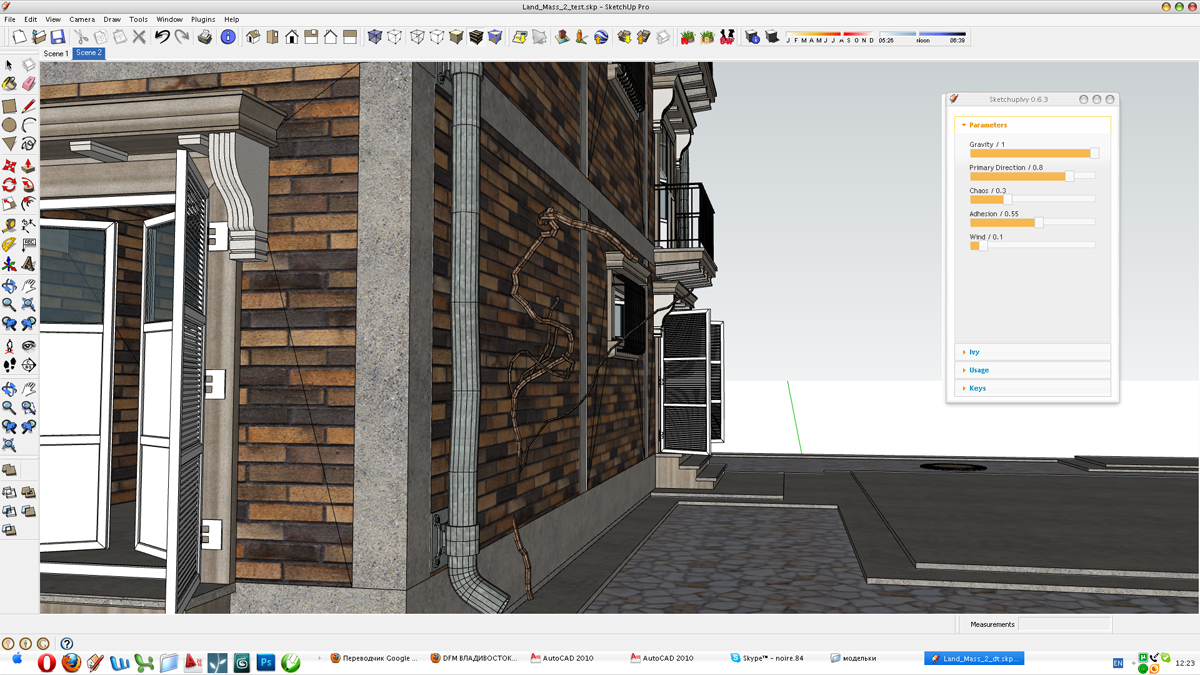
                                      it won't work properly again, with -adhesion- 0.5 it's still grow in every direction. what's wrong with me? please help me to understand.
                                      ps. it's skp file in archive, my model in wich ivy goes crazy. maybe problem it it?
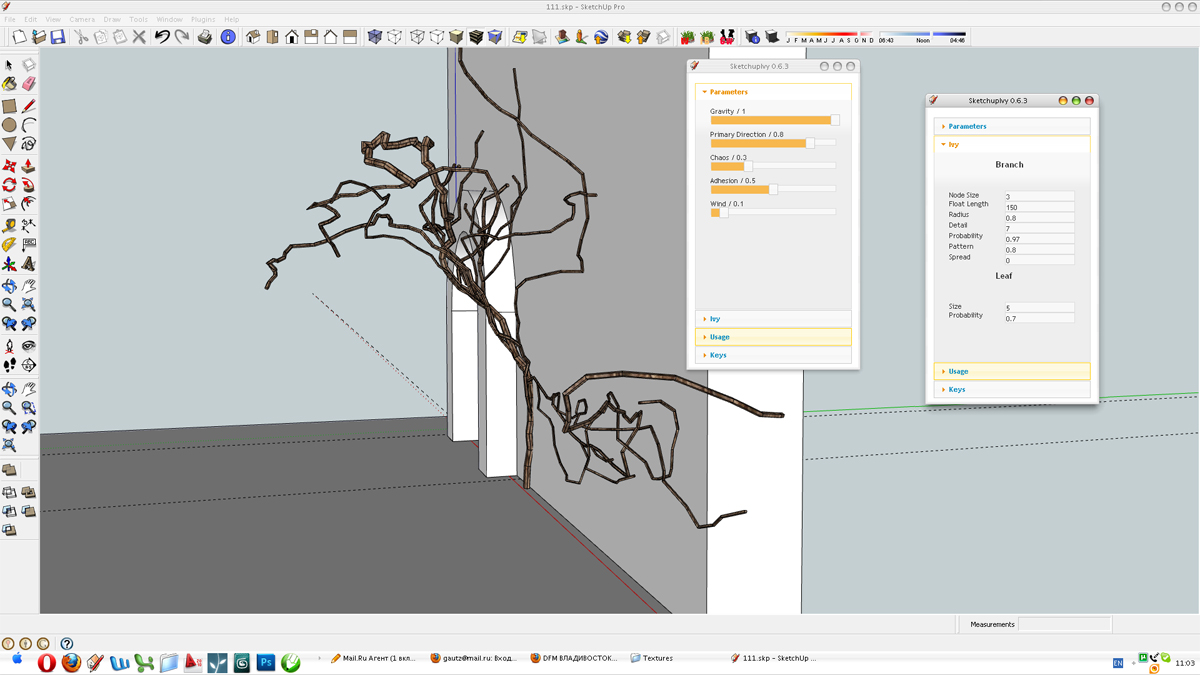

                                      again.jpg


                                      again2.jpg


                                      Land_Mass_2_test_2.rar

                                      1 條回覆 最後回覆 回覆 引用 0
                                      • Z 離線
                                        zick
                                        最後由 編輯

                                        wow 👍

                                        1 條回覆 最後回覆 回覆 引用 0
                                        • iichiversiiI 離線
                                          iichiversii
                                          最後由 編輯

                                          Wow Ivy Generator is great, but im having a problem importing the file back into SU, i can export my model from SU into Ivy Gen but when i import it to SU it freezes SU and never recovers, im using free version of SU and using obj importer, any suggestions would be great

                                          Bring on the Rain...

                                          1 條回覆 最後回覆 回覆 引用 0
                                          • F 離線
                                            farmerjoe50
                                            最後由 編輯

                                            I dropped file into plugins folder but it is not showing up in sketchup...I noticed the file is .rar, not a rb file. What is the secret?

                                            1 條回覆 最後回覆 回覆 引用 0
                                            • 1
                                            • 2
                                            • 5
                                            • 6
                                            • 7
                                            • 8
                                            • 9
                                            • 36
                                            • 37
                                            • 7 / 37
                                            • 第一個貼文
                                              最後的貼文
                                            Buy SketchPlus
                                            Buy SUbD
                                            Buy WrapR
                                            Buy eBook
                                            Buy Modelur
                                            Buy Vertex Tools
                                            Buy SketchCuisine
                                            Buy FormFonts

                                            Advertisement