sketchucation logo sketchucation
    • Login
    Oops, your profile's looking a bit empty! To help us tailor your experience, please fill in key details like your SketchUp version, skill level, operating system, and more. Update and save your info on your profile page today!
    Mac User? | Join the Rayscaper Beta for Mac Learn More

    FluidImporter free .obj importer Beta 1.0.5 Updated

    Scheduled Pinned Locked Moved Extensions & Applications Discussions
    extensions
    168 Posts 46 Posters 97.1k Views 46 Watching
    Loading More Posts
    • Oldest to Newest
    • Newest to Oldest
    • Most Votes
    Reply
    • Reply as topic
    Log in to reply
    This topic has been deleted. Only users with topic management privileges can see it.
    • KrisidiousK
      Krisidious
      last edited by

      I use Tig's .OBJ importer... is there something different about this one? does it allow me to import a glass of beer? cuz I could use one.

      By: Kristoff Rand
      Home DesignerUnique House Plans

      1 Reply Last reply
      Reply Quote 0
      • TIGT
        TIG Moderator
        last edited by

        @krisidious said:

        I use Tig's .OBJ importer... is there something different about this one? does it allow me to import a glass of beer? cuz I could use one.

        This new 'compiled' OBJimporter WILL be better than mine - IF he fixes the transparent material issue...
        It's faster...

        TIG

        1 Reply Last reply
        Reply Quote 0
        • F
          fluid
          last edited by

          Hi pibuz, can you provide the file that causes problems?

          1 Reply Last reply
          Reply Quote 0
          • F
            fluid
            last edited by

            Just released 1.0.3, should have transparency working properly.

            1 Reply Last reply
            Reply Quote 0
            • TIGT
              TIG Moderator
              last edited by

              Super !

              TIG

              1 Reply Last reply
              Reply Quote 0
              • D
                dedmin
                last edited by

                Thanks!!!

                1 Reply Last reply
                Reply Quote 0
                • P
                  pibuz
                  last edited by

                  @fluid said:

                  Hi pibuz, can you provide the file that causes problems?

                  Hi Fluid! Thanks for your reply! I'm really looking forward to slve this issue, so I can start building a good set of outdoor vegetation πŸ‘

                  You can pick a random tree from this link:
                  http://www.xfrog.com/2011/01/130-free-xfrogplants-now-available/

                  They all show the problem when I try to import the obj file. Note that all textures are in the same folder as the obj model, so I guess there is no path conflict or anything..

                  WEB (ita) - https://filipposcarso.wixsite.com/ordinentropico

                  1 Reply Last reply
                  Reply Quote 0
                  • TIGT
                    TIG Moderator
                    last edited by

                    The texture image files need to be in the same relationship to the OBJ file, as set in the MTL file.
                    Open the MTL file in Notepad[++] and read it...
                    You will find that Xfrog OBJ texture image files usually stay in the same folder with the OBJ, as there is not a subfolder specified by the MTL file.
                    If an MTL file needs a subfolder for the texture image files' paths then if it doesn't exist you simply make a new folder to match, next to the OBJ file, and move the texture image files into it...

                    TIG

                    1 Reply Last reply
                    Reply Quote 0
                    • P
                      pibuz
                      last edited by

                      Oh thank you TIG, I'll check that!

                      EDIT: just checked and in fact no subfolder seems to be required.
                      BTW, after the import, the material given to the branches is applied to the leaves too...

                      I'm attaching the mlt file to make sure I'm not reading it wrong..


                      AG02_1.rar

                      WEB (ita) - https://filipposcarso.wixsite.com/ordinentropico

                      1 Reply Last reply
                      Reply Quote 0
                      • TIGT
                        TIG Moderator
                        last edited by

                        The texture image files need to be in the same relationship to the OBJ file, as set in the MTL file.
                        Open the MTL file in Notepad[++] and read it...
                        You will find that Xfrog OBJ texture image files usually stay in the same folder with the OBJ, as there is not a subfolder specified by the MTL file.
                        If an MTL file needs a subfolder for the texture image files' paths then if it doesn't exist you simply make a new folder to match, next to the OBJ file, and move the texture image files into it...

                        These are relatively large objects with complex texturing and take a while to load...
                        Over 53 million lines of code in the largest OBJ in that zip !!!
                        They are so 'heavy' that one or two can kill you model - avoid shadows etc !!

                        I see what you mean as typically only 1 texture comes in - the first one !
                        When the OBJ and MTL says there are perhaps 7 in the original !!
                        The MTL file correctly specifies the materials, the image files are there and the OBJ correctly assigns materials to faces half of the face son my import are wrongly oriented - so you need to run one of my tools to add the material to both faces, smooth edges etc so it looks right!!!! ....

                        My old clunky Ruby based importer does work... but takes [almost] forever to process the OBJ file !
                        and then it's 40Mb and half the faces are wrong so I have to fix those with another tool and then add matching back materials and hide edges etc... πŸ˜’

                        Fluid... back to work ! The material importing is broken!
                        The usemtl lef etc before each set of face definitions f 1/2/3/... needs to be read in used AND the materials made from the MTL specs...

                        TIG

                        1 Reply Last reply
                        Reply Quote 0
                        • thomthomT
                          thomthom
                          last edited by

                          I'm getting crashes when I try to import an .obj file I got. (120MB)
                          I've tried different options - triangulate on/off, material on/off - but it bugsplats every time. Memory usage of Sketchup.exe doesn't exceed 300MB.

                          Any ideas?

                          Thomas Thomassen β€” SketchUp Monkey & Coding addict
                          List of my plugins and link to the CookieWare fund

                          1 Reply Last reply
                          Reply Quote 0
                          • jason_marantoJ
                            jason_maranto
                            last edited by

                            Wow, that is extremely fast! Thank-you 😍

                            Best,
                            Jason.

                            I create video tutorial series about several 2D & 3D graphics programs.

                            1 Reply Last reply
                            Reply Quote 0
                            • F
                              fluid
                              last edited by

                              Thomthom, I've never tried a file that big. How many polygons is it?

                              1 Reply Last reply
                              Reply Quote 0
                              • TIGT
                                TIG Moderator
                                last edited by

                                Fluid
                                Did you also see this? http://forums.sketchucation.com/viewtopic.php?p=320223#p320223
                                The materials using textures [after #1] aren't being made from the MTL or then applied to the right faces πŸ˜•

                                TIG

                                1 Reply Last reply
                                Reply Quote 0
                                • F
                                  fluid
                                  last edited by

                                  TIG, yes, I did. Please be patient, it'll be fixed soon. I'm just working on this on my spare time πŸ˜„

                                  1 Reply Last reply
                                  Reply Quote 0
                                  • TIGT
                                    TIG Moderator
                                    last edited by

                                    No problem πŸ˜„
                                    Just checking... πŸ˜‰

                                    TIG

                                    1 Reply Last reply
                                    Reply Quote 0
                                    • thomthomT
                                      thomthom
                                      last edited by

                                      @fluid said:

                                      Thomthom, I've never tried a file that big. How many polygons is it?

                                      I do not know - it's a file we got from different office.
                                      Do you got dropbox? I could drop you the file if you want to have a look..?

                                      Thomas Thomassen β€” SketchUp Monkey & Coding addict
                                      List of my plugins and link to the CookieWare fund

                                      1 Reply Last reply
                                      Reply Quote 0
                                      • P
                                        pibuz
                                        last edited by

                                        Thank you fluid for the effort you're putting into this!
                                        We're all grateful to you, you're providing an excellent tool.

                                        ..so are you all, from Thom, to TIG, to everyone who contribute to make SketchUp a more powerful software!

                                        WEB (ita) - https://filipposcarso.wixsite.com/ordinentropico

                                        1 Reply Last reply
                                        Reply Quote 0
                                        • F
                                          fluid
                                          last edited by

                                          Thomthom,, I just installed Dropbox, how am I gonna share a folder with you?

                                          1 Reply Last reply
                                          Reply Quote 0
                                          • F
                                            fluid
                                            last edited by

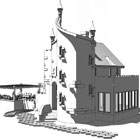
                                            Just released 1.0.4, it should fix the face/material issue.
                                            1 Reply Last reply
                                            Reply Quote 0

                                            Hello! It looks like you're interested in this conversation, but you don't have an account yet.

                                            Getting fed up of having to scroll through the same posts each visit? When you register for an account, you'll always come back to exactly where you were before, and choose to be notified of new replies (either via email, or push notification). You'll also be able to save bookmarks and upvote posts to show your appreciation to other community members.

                                            With your input, this post could be even better πŸ’—

                                            Register Login
                                            • 1
                                            • 2
                                            • 3
                                            • 4
                                            • 5
                                            • 6
                                            • 7
                                            • 8
                                            • 9
                                            • 6 / 9
                                            • First post
                                              Last post
                                            Buy SketchPlus
                                            Buy SUbD
                                            Buy WrapR
                                            Buy eBook
                                            Buy Modelur
                                            Buy Vertex Tools
                                            Buy SketchCuisine
                                            Buy FormFonts

                                            Advertisement