[Plugin]T2H_BuildingStructureTools2.2.4 in20141207
-
Excellent tool. I worked great.
Does anyone know if there is a plugin that allows easily verify whether a modulation structure, or structure, if feasible or still standing?.
To just have a quick overview or a quick sample of what model can work it without having to do the entire calculation of the structure (which will be done later).
So, I mean, for example: look, without calculating it yet, I can show that it may be feasible or holds -
@hygicell said:
excellent tool, but not (yet) working for me:
I cannot find an installation manual
nor a user manual
and where do I put the .csv files?
please help
FrankHi, hygicell.
Please puts ".csv"file to folder you like.but windows special folder is not recommended.
The windows special folder is like "C:\program files" "C:\Windows".
Mac user do not mind this.After puts it,You must "Change profile list path" from plugins menu.
and select the file.Hi,Mastarhand.
Me,too.Hi,all.
I will update this script after few days.Thanks.
-
Hi,
I update to version 1.4beta.I add usefull function "Table Editor".
and improves.enjoy.

-
Hello Tak2hata,
1st Thank you. Its too good and very useful . . . .

Nice one UPDATE Query Attributes and Table Editor****** CHK the Axies locking
when draw 1st time its work perfectly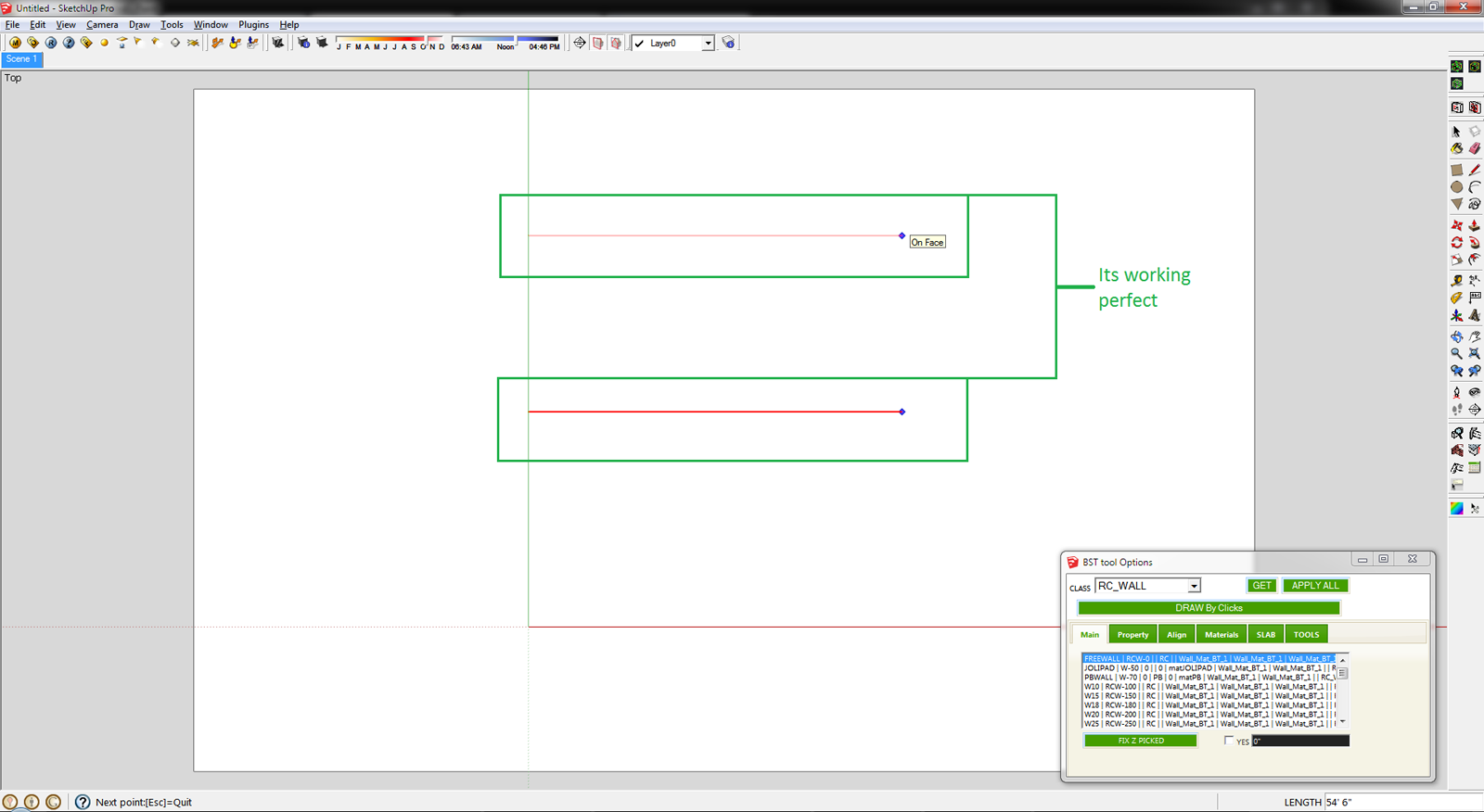
but 2nd time not working
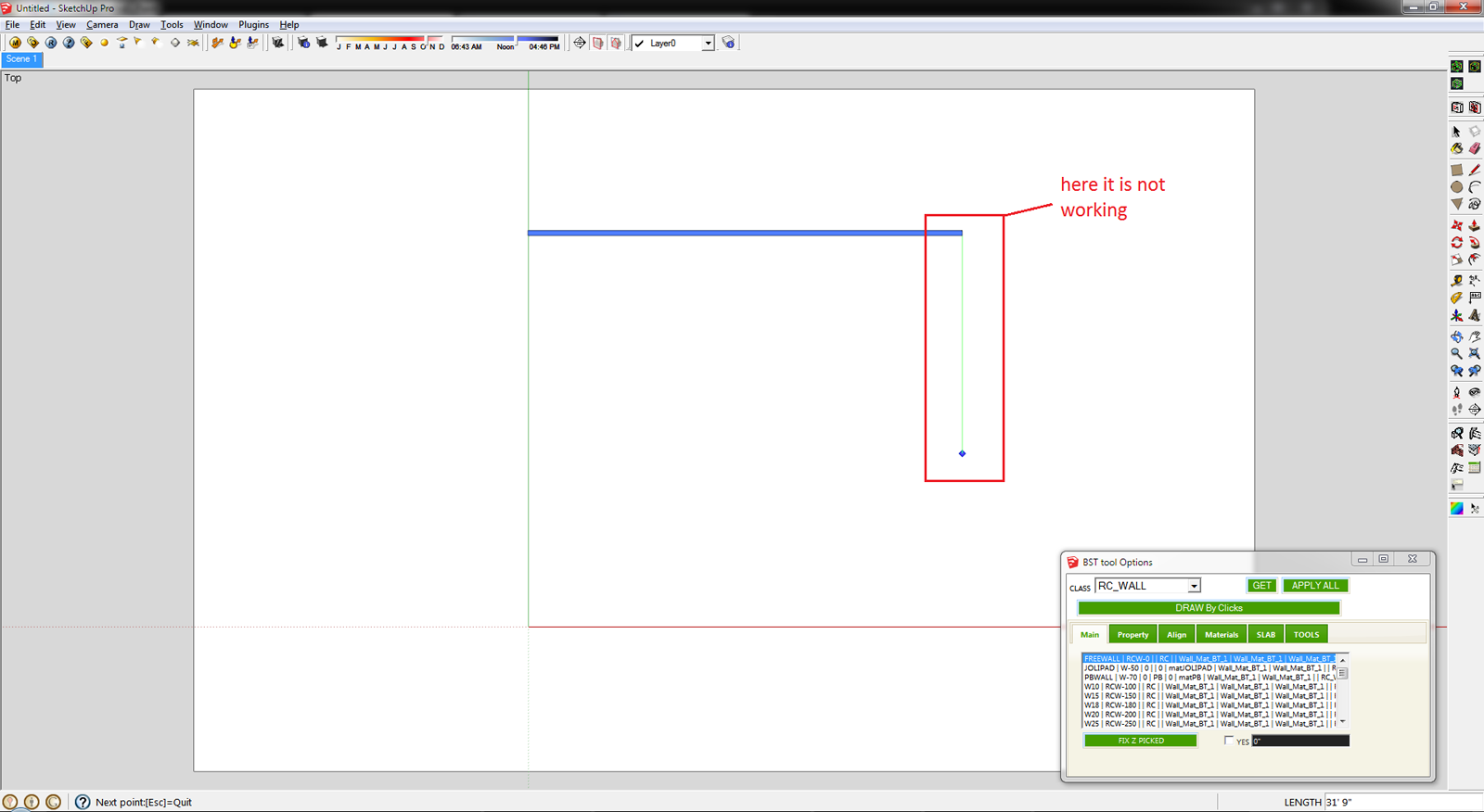
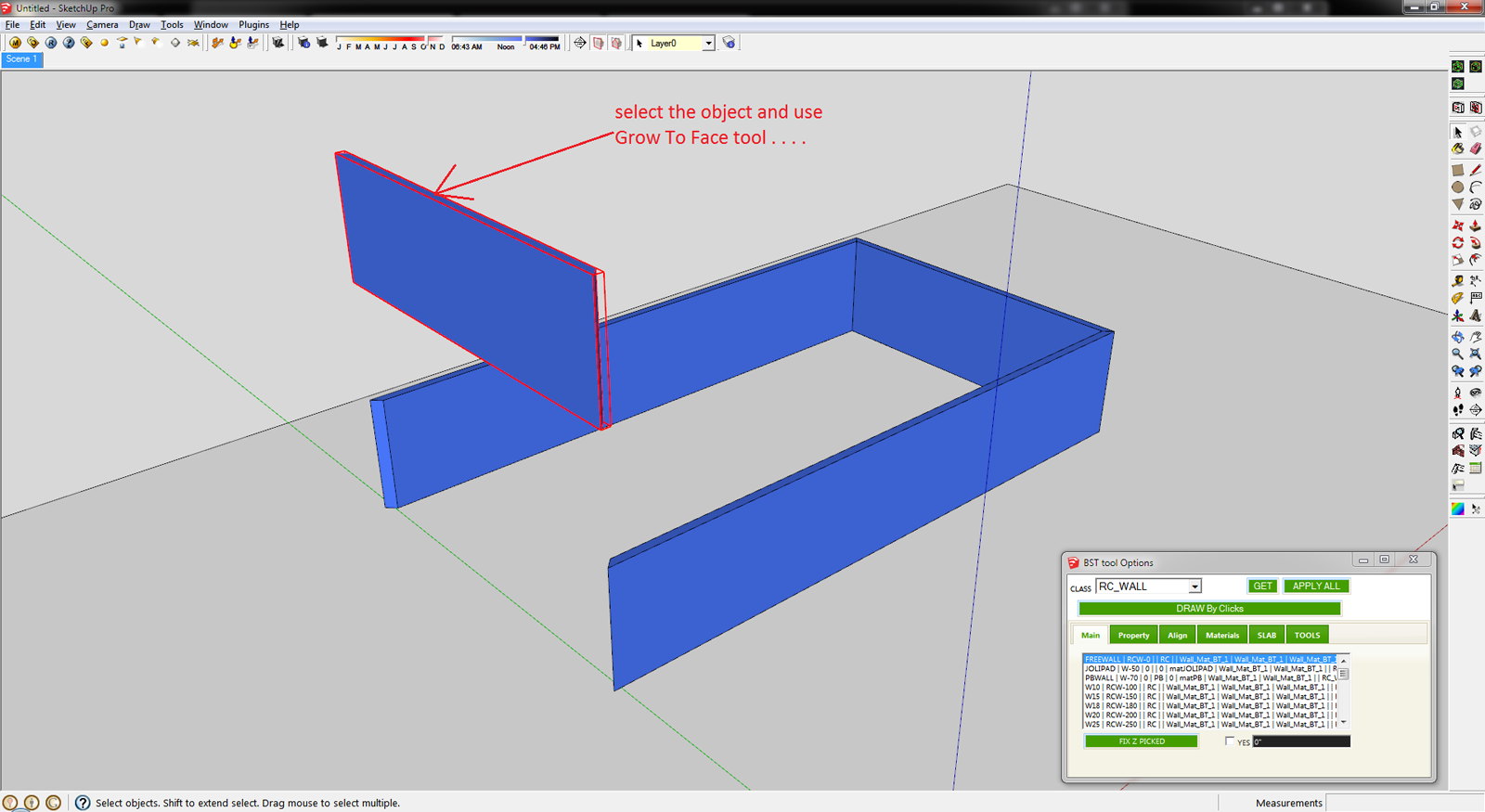
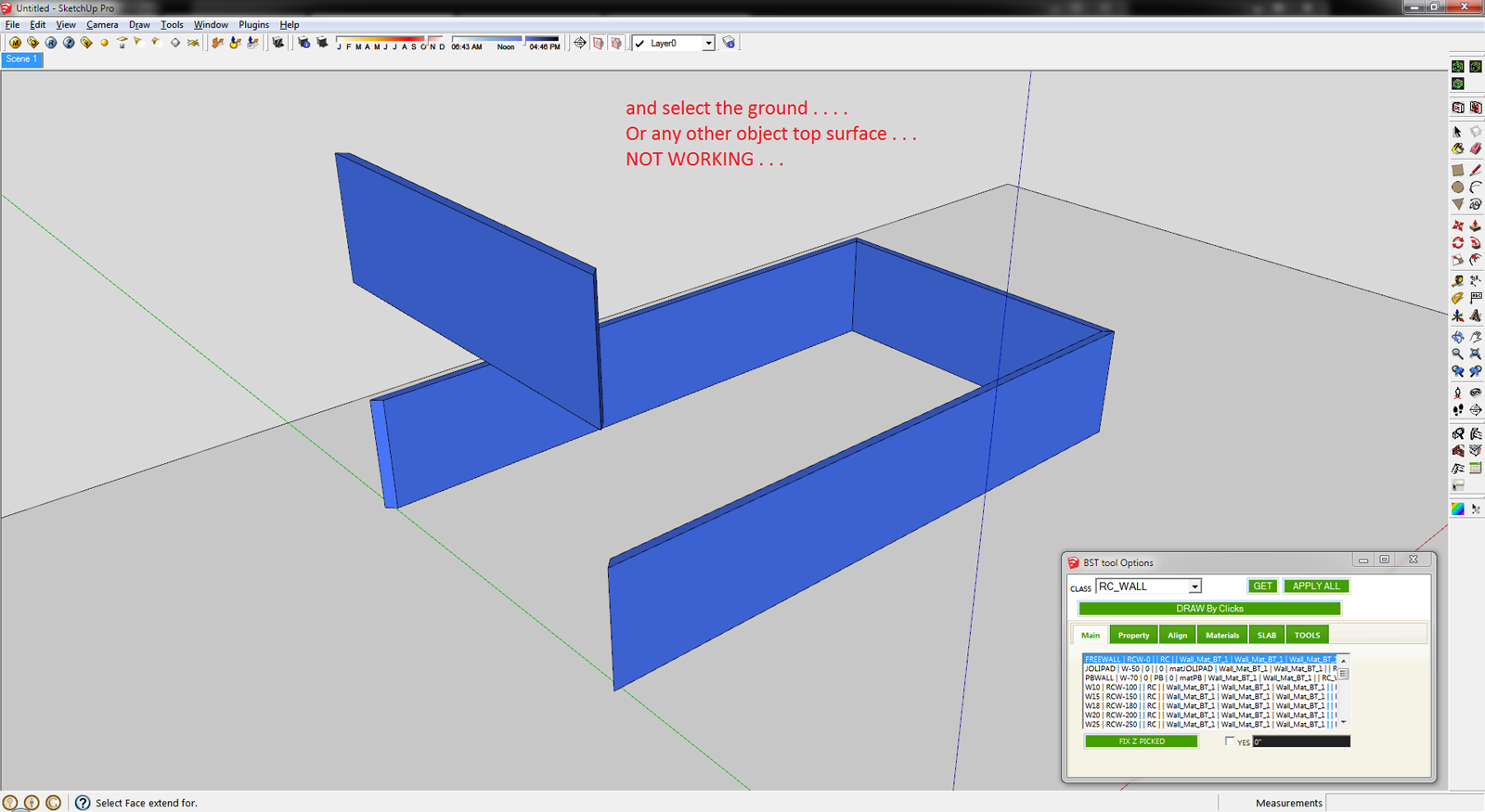
****** CHK the Grow To Face tool
Select the object and use the Grow To Face tool . . .
and select the ground NOT WORKING . . . .
Here it is SKP File
-
thank you...thank you ....oh zeeee
-
@tulacong said:
thank you...thank you ....oh zeeee
Hi,tulacong.
I am happy for your word!Hi,SUMASTER.
I will improve it and update it after two weeks.Thnx.

-
Hello.
My MWALL is not working, is on the list but it does not work, has any one had this problem too?
-
@unknownuser said:
Hello.
My MWALL is not working, is on the list but it does not work, has any one had this problem too?
Hi ,HUGO.
I knew it and "SHAPES" class ,too.
I have small time ,so I will update in head of next week.Please wait.
-
Thanks you!

-
Hi,
I update to version1.5 in Oct 28,2012.
Bugfix and Improves.- inference axes.
- extending with already selected single entity.
- query attributes.
- Work well about MWALLS and SHAPES.
Next update will take more than 2 weeks.
Thanks. -
HI tak2hata,
Please chk this . . . .
1st create the L type wall and applying the Set Axis Point tool (thomthom Sir tool)
http://sketchucation.com/forums/viewtopic.php?t=30508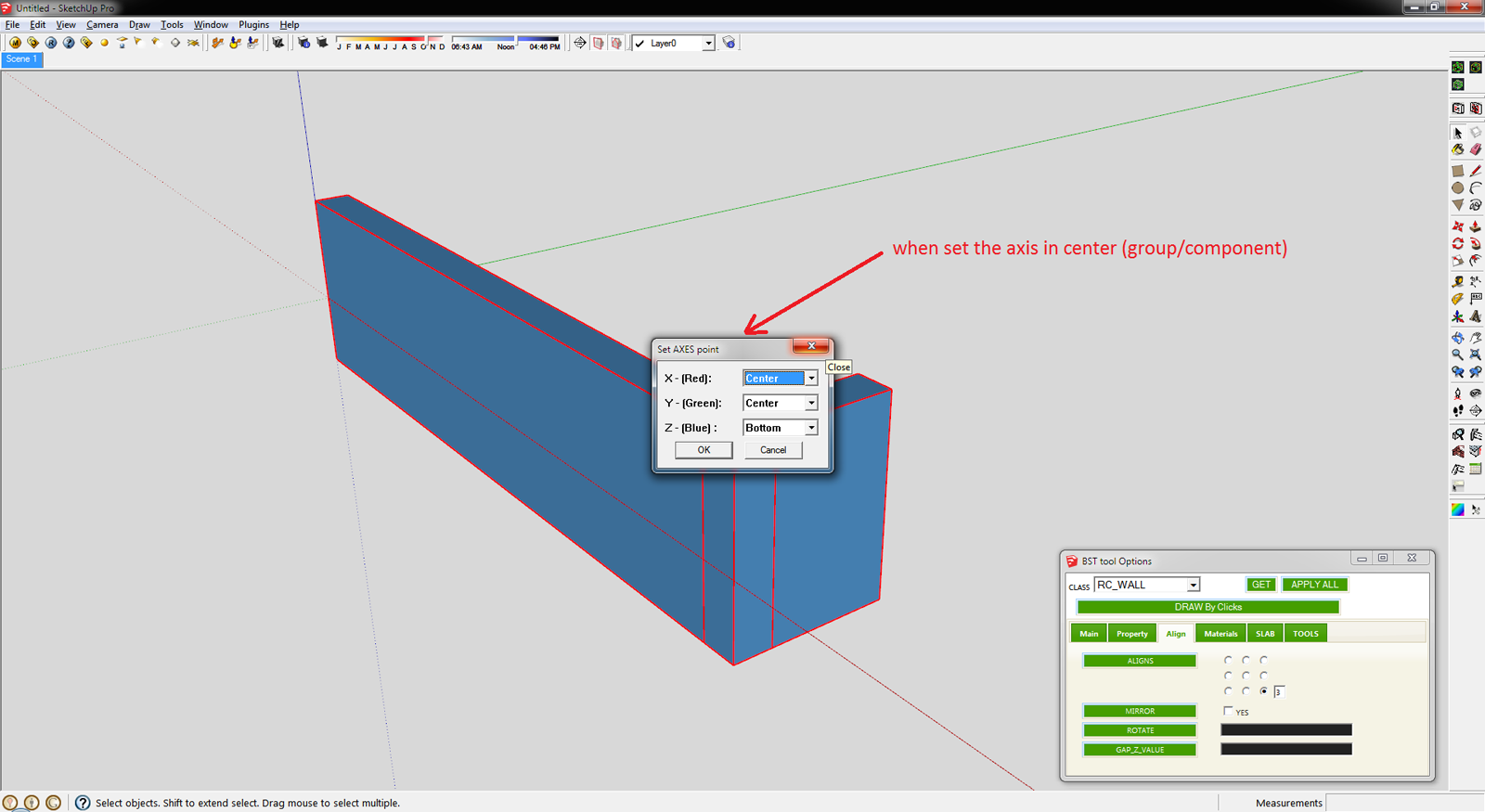
and click APPLY ALL button . . . . .
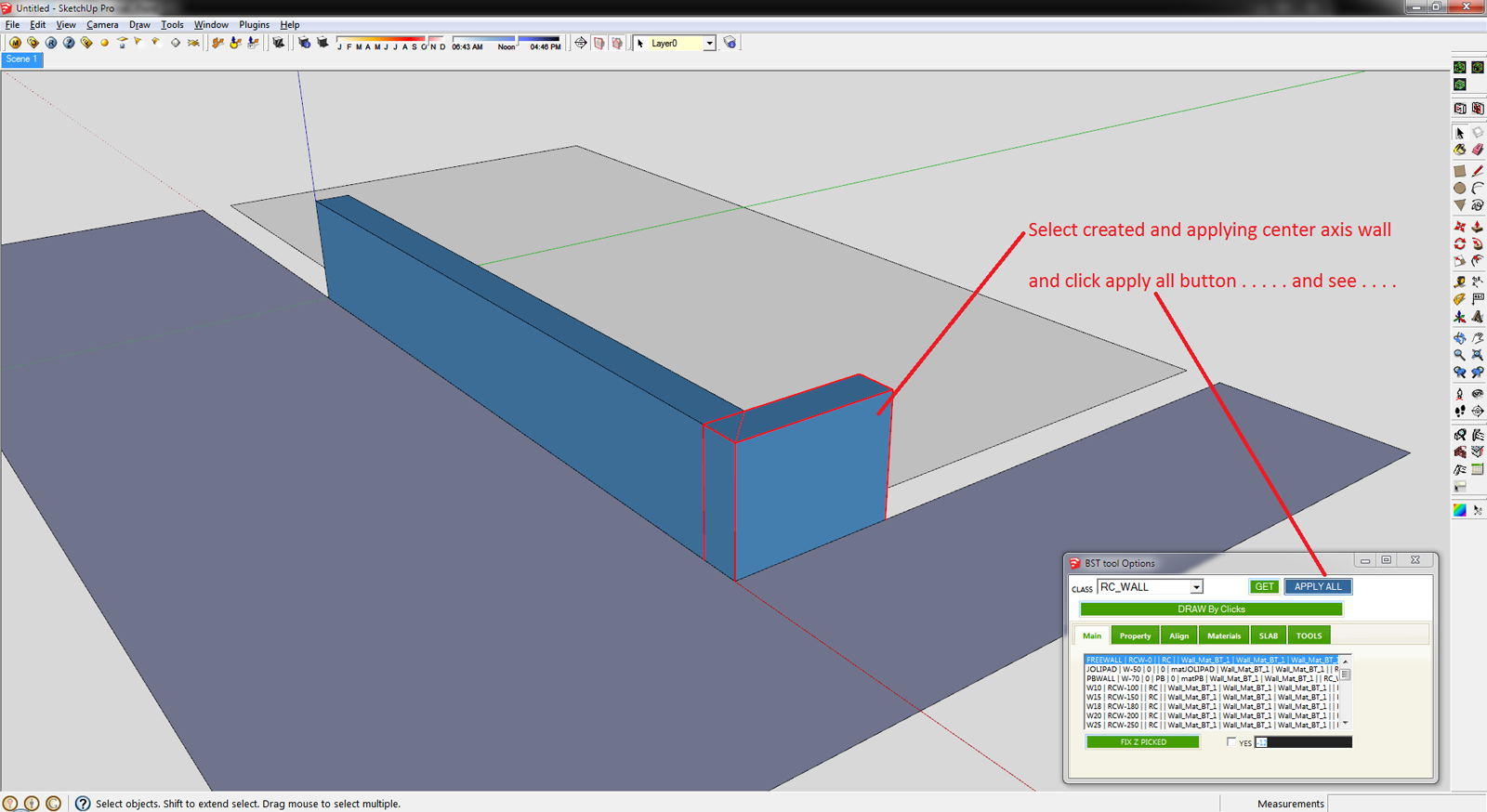
This is the Final Result . . . .
another way is you can create the mark button . . .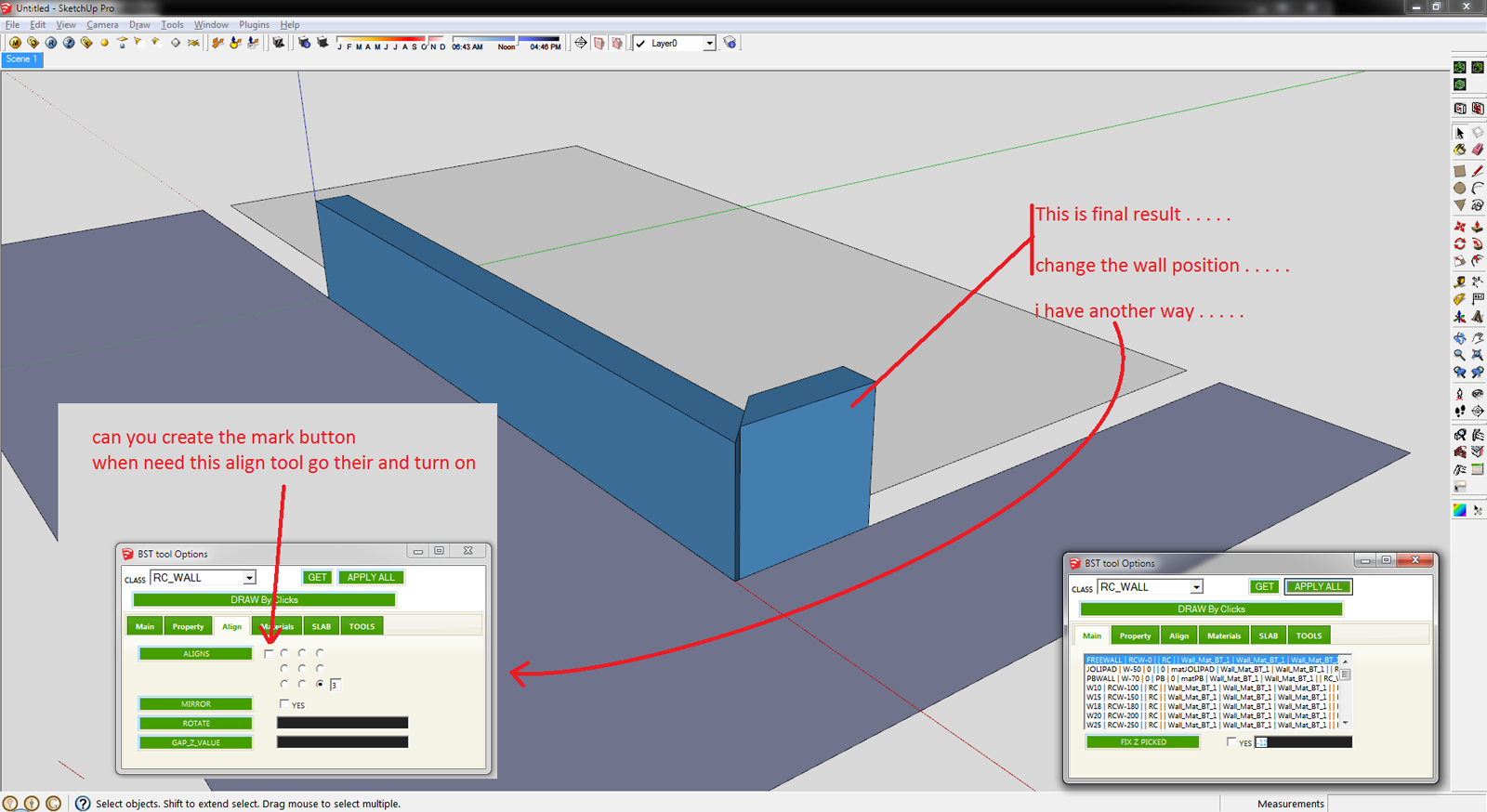
Sketchup File :
Align SKP File.skpTHanks
-
Hi, Sumaster.
@sumaster said:
HI tak2hata,
Please chk this . . . .
1st create the L type wall and applying the Set Axis Point tool (thomthom Sir tool)
http://sketchucation.com/forums/viewtopic.php?t=30508[attachment=3:22ix9rqt]<!-- ia3 -->Align - 1.png<!-- ia3 -->[/attachment:22ix9rqt]
and click APPLY ALL button . . . . .
[attachment=2:22ix9rqt]<!-- ia2 -->Align - 2.png<!-- ia2 -->[/attachment:22ix9rqt]
This is the Final Result . . . .
another way is you can create the mark button . . .[attachment=1:22ix9rqt]<!-- ia1 -->Align - 3.png<!-- ia1 -->[/attachment:22ix9rqt]
Sketchup File :
[attachment=0:22ix9rqt]<!-- ia0 -->Align SKP File.skp<!-- ia0 -->[/attachment:22ix9rqt]THanks
Axis is very important for BST entity.
So changing it as you like will not be control well by my tool.
It is naturally phenomenon.Thanks.
-
Oh. . . . ok . . .
can you tell me . . . .
when i change wall width / height its re-create base face & push-pull ? -
HI,
CHK the Combine each tool not working . . . . .
thanks
-
@sumaster said:
HI,
CHK the Combine each tool not working . . . . .
thanks
I see it.
I will correct it tonight(so means 12 hour later).@sumaster said:
can you tell me . . . .
when i change wall width / height its re-create base face & push-pull ?This plugin regenerate the Profile when modifyin profile.(the case of width and height and etc.)
I will add notice about never modifying inner Axis of the BST entities.In your case ,I think modifying the "align" to Center and bottom will almost well.
I can not know where you modified the inner axis of BST entity.
So there is no best answer.Please do not blame me.
-
Hi, I update to version1.5a in Nov 13,2012.
Bugfix:Combine tool.
Thanks...ZZZzzz...
-
@tak2hata said:
@sumaster said:
HI,
CHK the Combine each tool not working . . . . .
thanks
I see it.
I will correct it tonight(so means 12 hour later).Hi,
Thanks . . . .
@tak2hata said:
@sumaster said:
can you tell me . . . .
when i change wall width / height its re-create base face & push-pull ?This plugin regenerate the Profile when modifyin profile.(the case of width and height and etc.)
I will add notice about never modifying inner Axis of the BST entities.In your case ,I think modifying the "align" to Center and bottom will almost well.
I can not know where you modified the inner axis of BST entity.
So there is no best answer.OK . . . .
yes i CHK this "align" to bottom of center radio button
@tak2hata said:
Please do not blame me.
No no no . . . .
Thanks
-
I updated the files to version 1.5 and when I check the version under the plugins menu it shows Version=1.4(Oct 14,2012. How do I know if it was updated?
Thanks.
-
@unknownuser said:
I updated the files to version 1.5 and when I check the version under the plugins menu it shows Version=1.4(Oct 14,2012. How do I know if it was updated?
Thanks.
Hi,Victor.
It is my mistake.I will correct it strongly in next update.
Thanks.
-
HI,
Please CHK the draw by clicks tool
its not work in group . . . .
(when draw on plan)



Hello! It looks like you're interested in this conversation, but you don't have an account yet.
Getting fed up of having to scroll through the same posts each visit? When you register for an account, you'll always come back to exactly where you were before, and choose to be notified of new replies (either via email, or push notification). You'll also be able to save bookmarks and upvote posts to show your appreciation to other community members.
With your input, this post could be even better 💗
Register Login


Advertisement