sketchucation logo sketchucation
    • 登入
    Oops, your profile's looking a bit empty! To help us tailor your experience, please fill in key details like your SketchUp version, skill level, operating system, and more. Update and save your info on your profile page today!
    🔌 Smart Spline | Fluid way to handle splines for furniture design and complex structures. Download

    [Plugin][$] Curviloft 2.0a - 31 Mar 24 (Loft & Skinning)


    已排程 已置頂 已鎖定 已移動 Plugins
    1.3k 貼文 299 Posters 2.5m 瀏覽 297 Watching
    正在載入更多貼文
    • 從舊到新
    • 從新到舊
    • 最多點贊
    回覆
    • 在新貼文中回覆
    登入後回覆
    此主題已被刪除。只有擁有主題管理權限的使用者可以查看。
    • fredo6F 離線
      fredo6
      最後由 編輯

      @unknownuser said:

      I thought it was just me? Been playing around in Libfredo Default Parameters trying to see if it's linked to that?

      Have you failed to upload the .rb/rbs?

      There's a _Loader .rb in the CurviLoft folder...i'm afraid to play though 😕

      oops. I forgot the loader ZLoader__Curviloft.rb (although it is one line code, it is useful). It is now included in the download section of the main post.
      see http://forums.sketchucation.com/viewtopic.php?f=323&t=28586&p=248195#p248195

      Fredo

      1 條回覆 最後回覆 回覆 引用 0
      • Rich O BrienR 離線
        Rich O Brien Moderator
        最後由 編輯

        Thanks Fredo, working like a dream...
        😉

        Download the free D'oh Book for SketchUp 📖

        1 條回覆 最後回覆 回覆 引用 0
        • C 離線
          c.plassais
          最後由 編輯

          Thanks Fredo

          a great plugin and a very nice presentation 👍

          Christophe

          1 條回覆 最後回覆 回覆 引用 0
          • S 離線
            SketchMan
            最後由 編輯

            First of all i would like to say Hi to all of you.
            Then i must say to you Fredo. THANKS for this great plugin. You are the man. 😎 Keep up the good work... 👍
            (PS. will send you some money when i can afford it)

            Now i must go and play with this greate new cool stuff.. 😄

            1 條回覆 最後回覆 回覆 引用 0
            • T 離線
              tue.tue
              最後由 編輯

              Thank you very much Fredo 👍

              1 條回覆 最後回覆 回覆 引用 0
              • P 離線
                Panga
                最後由 編輯

                Thanks Fredo, I'll give you feedback for sure !!

                Regards

                1 條回覆 最後回覆 回覆 引用 0
                • B 離線
                  Ben Ritter
                  最後由 編輯

                  Fredo, a most gracious and appreciative "thank you".

                  1 條回覆 最後回覆 回覆 引用 0
                  • cmeedC 離線
                    cmeed
                    最後由 編輯

                    this is amazing, thank you very much!

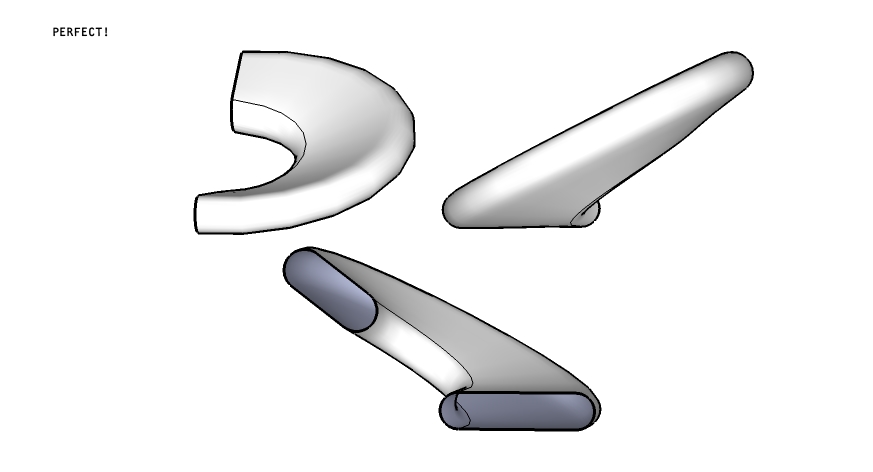
                    when i saw the preview i wondered if this would be able to handle this dilemma.

                    A seat i recently designed needed an end that curved round and formed the back rest. I've just played for 20mins on the beta and i'm struggling. can curviloft help?

                    cheers
                    chris
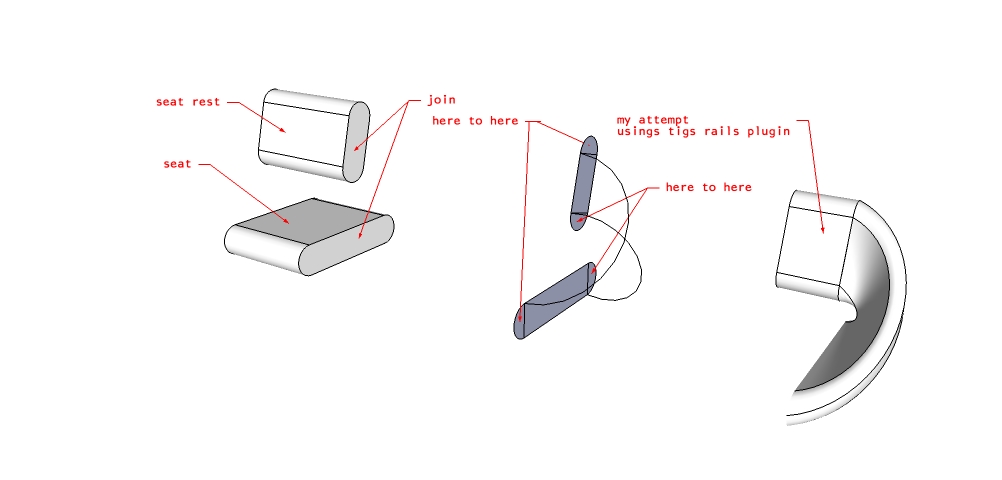

                    plugin help1.jpg


                    plugin help.skp


                    plugin help2.jpg

                    1 條回覆 最後回覆 回覆 引用 0
                    • D 離線
                      Daniel S
                      最後由 編輯

                      Thank you Fredo!!! 😍 😍 😍

                      The loft tool works very well. All seems very user friendly... and that is very difficult in tools like this ones. The use of your hoverselect tool in the manual selection makes it very simple too.

                      In the release note you say that there are some limitations and unfinished work.
                      Modify vertex matching by selecting a vertex and dragging it to a new position inside the floating palette is a limitation or a unfinished feature?. That would be awesome.

                      And is possible to allow SketchUp remember the last position of the floating palette? In the default position I have to move it always because there I have all the SU tools there.

                      Captura.JPG
                      Daniel S

                      PS. Can´t wait for the other tools 🎉 🎉 Hope that you can realease more beta versions before the "official release".

                      1 條回覆 最後回覆 回覆 引用 0
                      • fredo6F 離線
                        fredo6
                        最後由 編輯

                        @cmeed said:

                        A seat i recently designed needed an end that curved round and formed the back rest. I've just played for 20mins on the beta and i'm struggling. can curviloft help?

                        cheers
                        chris
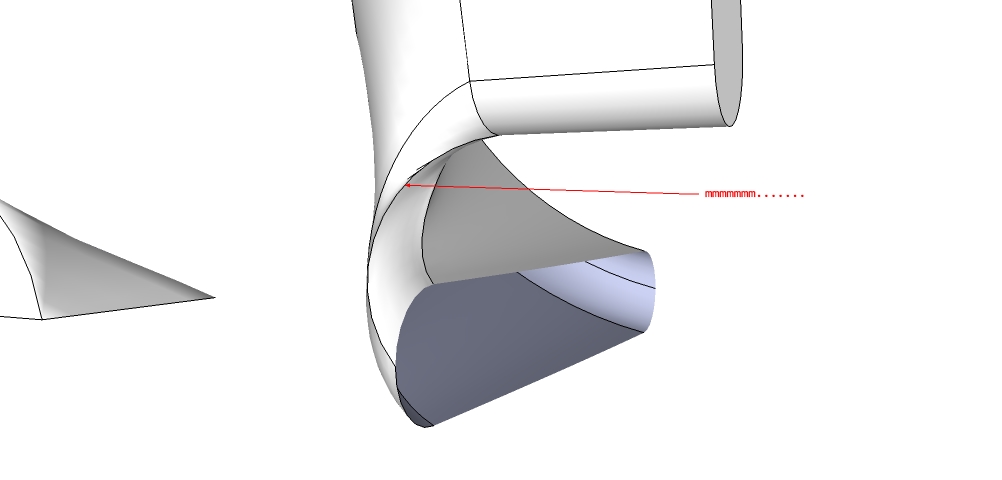
                        I think you need to draw first the rails that give the shape of the junction, making sure that each surface would be closed by 4 or 3 curves. Then you can apply the Skinning function.

                        Fredo

                        1 條回覆 最後回覆 回覆 引用 0
                        • fredo6F 離線
                          fredo6
                          最後由 編輯

                          @daniel s said:

                          In the release note you say that there are some limitations and unfinished work.
                          Modify vertex matching by selecting a vertex and dragging it to a new position inside the floating palette is a limitation or a unfinished feature?. That would be awesome.

                          This is rather an unfinished feature. Actually, this is why you have a preview zone in the floating palette, because editing on the model, with faces hiding vertices may be less convenient.

                          @daniel s said:

                          And is possible to allow SketchUp remember the last position of the floating palette? In the default position I have to move it always because there I have all the SU tools there.
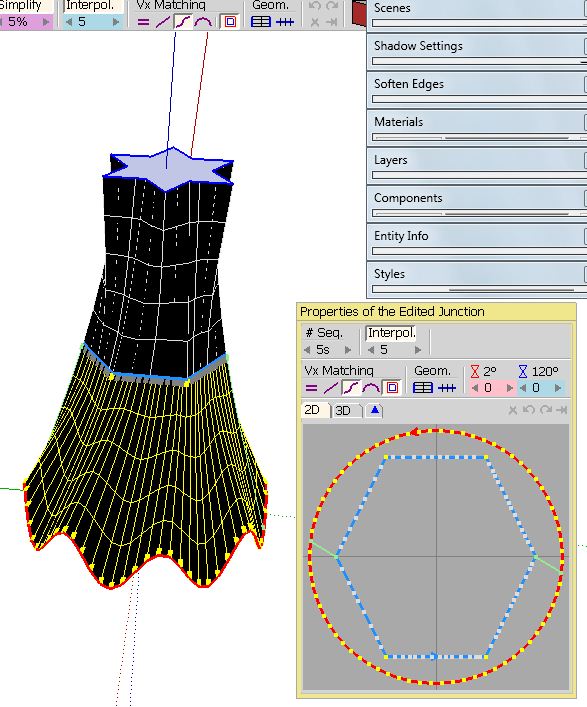
                          Daniel S

                          Also an unfinished feature

                          @daniel s said:

                          PS. Can´t wait for the other tools 🎉 🎉 Hope that you can realease more beta versions before the "official release".

                          The other tools work but may have more issues and unfinished features.

                          Fredo

                          1 條回覆 最後回覆 回覆 引用 0
                          • V 離線
                            vidy
                            最後由 編輯

                            Hai Fredo, thanks for this pre release ver, im really excited with this capability, thanks againn 😍

                            regards,

                            still so much to learn..

                            1 條回覆 最後回覆 回覆 引用 0
                            • cmeedC 離線
                              cmeed
                              最後由 編輯

                              I think you need to draw first the rails that give the shape of the junction, making sure that each surface would be closed by 4 or 3 curves. Then you can apply the Skinning function.

                              Fredo[/quote]

                              Thanks but i couldn't get the rails working with this. I don't understand it completely yet. i need to wait till the documentation comes out as i seem to find myself with alot of colourful lines with 7,8,9 written on them.

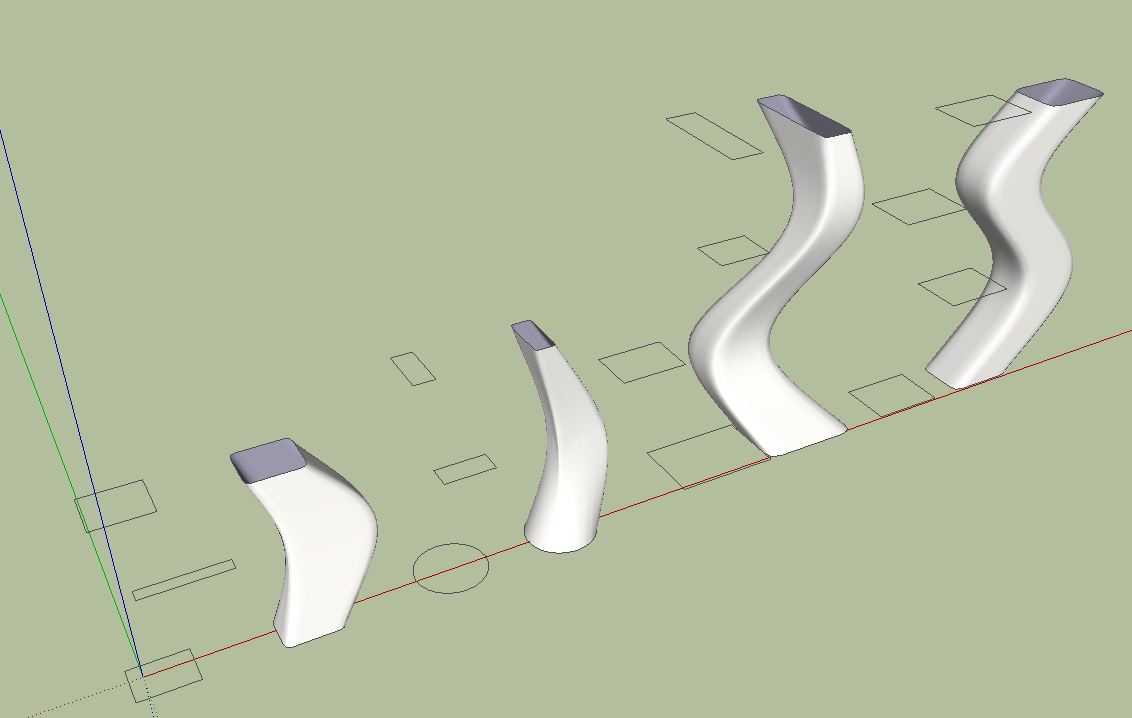
                              But on the up side i worked the path method see pics YES!
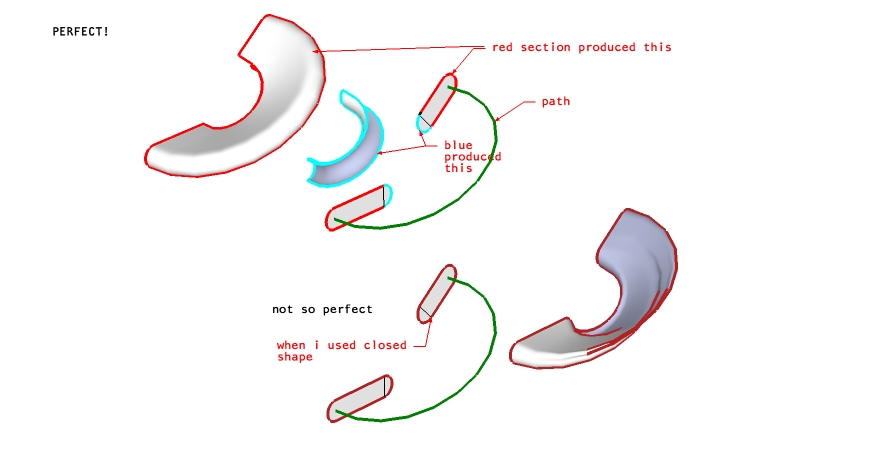

                              look at me using colour edge plugin!


                              result!!!!

                              1 條回覆 最後回覆 回覆 引用 0
                              • charly2008C 離線
                                charly2008
                                最後由 編輯

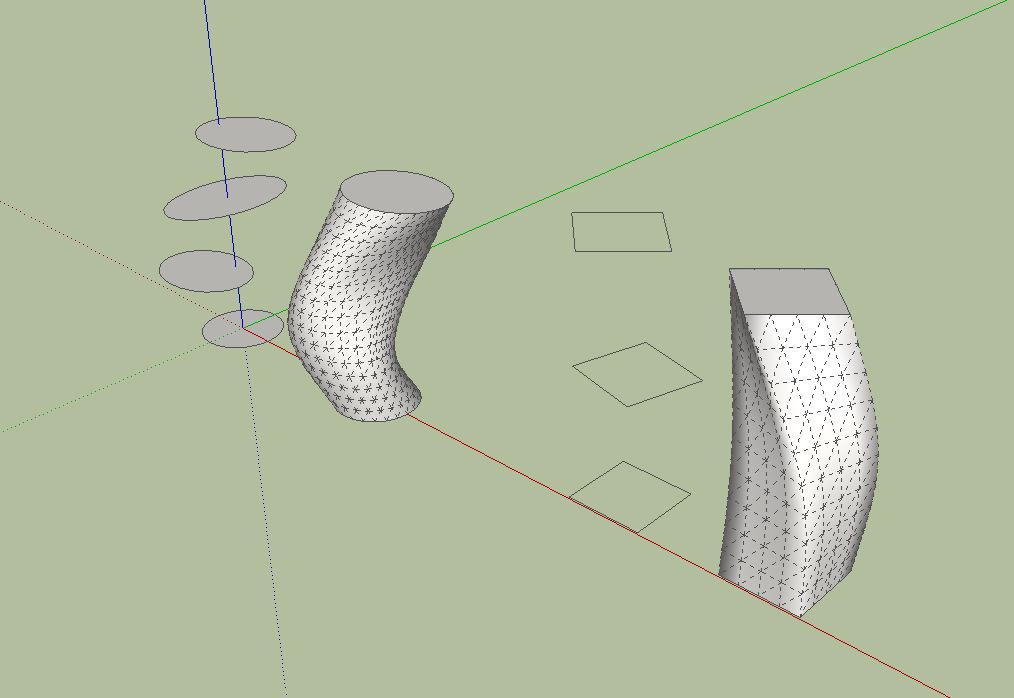
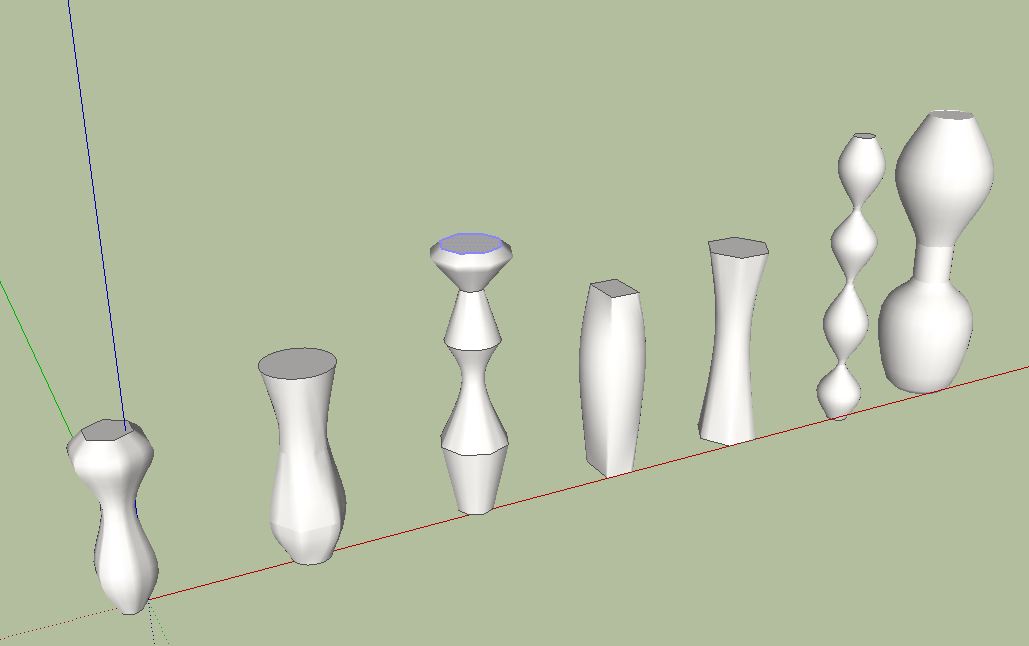
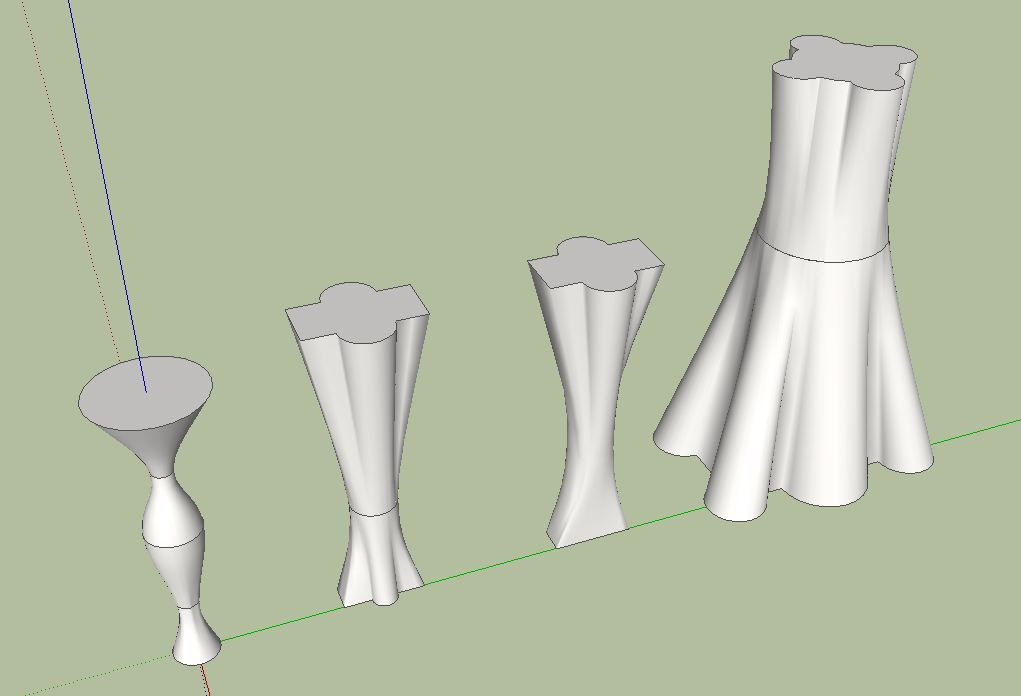
                                This is a new milestone. I find this tool opens up new design possibilities. The loft tool works very well and easy to understand. Especially because the geometry of the forms can be calculated in advance. Thanks for this wonderful tool.

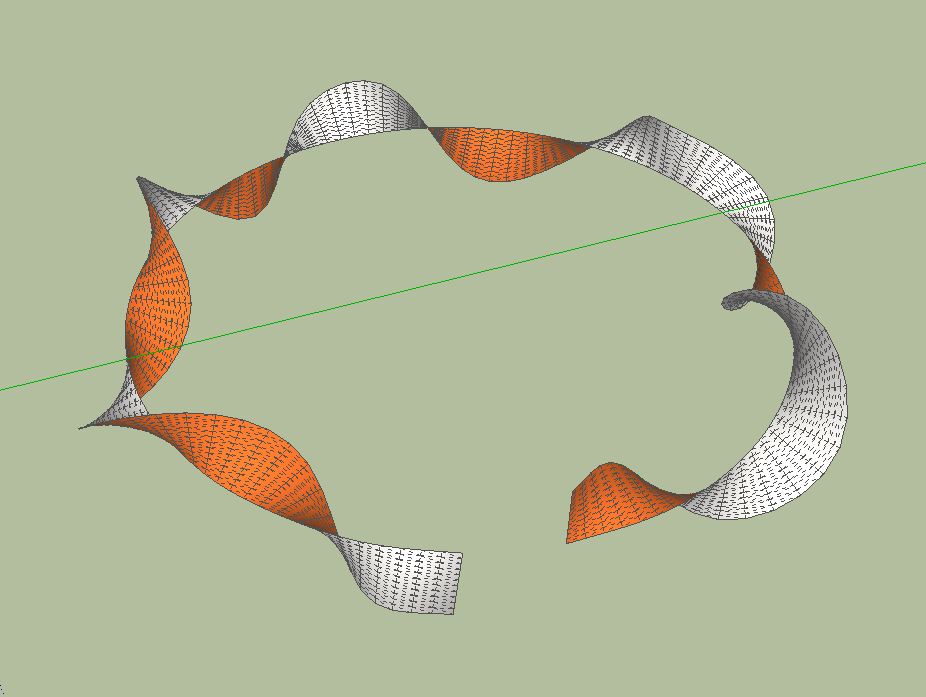
                                The last image below is an almost perfect Moebius band. Unfortunately, the last segment is not closed.
                                Unbenannt.JPG


                                Unbenann1t.JPG


                                Unbenannt2.JPG


                                Unbenann3t.JPG


                                Moebius.JPG


                                Moebius.skp

                                He who makes no mistakes, makes nothing

                                1 條回覆 最後回覆 回覆 引用 0
                                • TIGT 離線
                                  TIG Moderator
                                  最後由 編輯

                                  Fredo

                                  This is already too impressive 👊
                                  😉

                                  TIG

                                  1 條回覆 最後回覆 回覆 引用 0
                                  • fredo6F 離線
                                    fredo6
                                    最後由 編輯

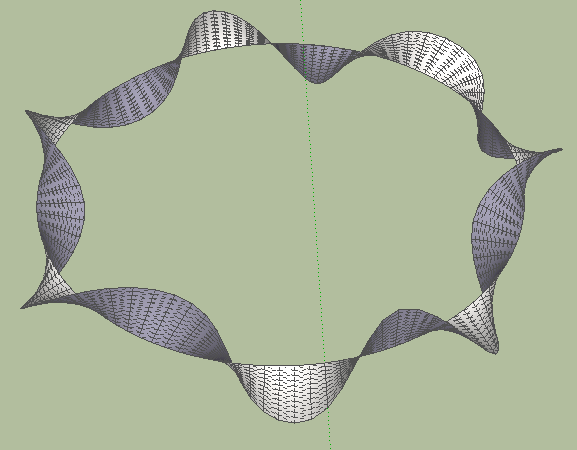
                                    Here is the Moebius ribbon with closure
                                    Curviloft Moebius.png

                                    Fredo


                                    Moebius - curviloft.skp

                                    1 條回覆 最後回覆 回覆 引用 0
                                    • H 離線
                                      hgdn
                                      最後由 編輯

                                      Fredo,
                                      Great impact for SU users in creating 3d models. With yours I am not afraid of creating 3d models from now on..still new!!! Easy and powerful plugins eventhough you give bug warnings but I have not seen any thing so far!!
                                      Genius and generous Fredo 😄

                                      1 條回覆 最後回覆 回覆 引用 0
                                      • R 離線
                                        Ruturaj
                                        最後由 編輯

                                        Thank you Fredo Sir,

                                        you are great
                                        Many Many Many THANK you.

                                        I'm shocked man 😲

                                        This plugin is very helpful thank you.
                                        😍 👍 😄 😉

                                        Thanks,
                                        RuturaJ

                                        1 條回覆 最後回覆 回覆 引用 0
                                        • TIGT 離線
                                          TIG Moderator
                                          最後由 編輯

                                          @lapx said:

                                          I've tried it as well. Thanks Fredo for such a wonderful. Can you get it to maintain a sharp edge? I noticed it round the corners. Would be nice to have this as an option if available.

                                          These tools do work very well.... 💚
                                          The form is auto-smoothed ? You can always select the resultant group and right-click > soften, and set sliders to 0 and all edges will un-smooth/un-soften etc...
                                          or view > hidden_geometry toggle to 'on' and use erase+ctrl+shift to un-soften wiped edges [also remember that erase+ctrl softens wiped edges and erase+shift hides wiped edges - but you must select hidden lines to unhide them using entity info, as there is not erase >> unhide equivalent key-combo...]

                                          TIG

                                          1 條回覆 最後回覆 回覆 引用 0
                                          • massimoM 離線
                                            massimo Moderator
                                            最後由 編輯

                                            Already a must-have plugin. Thank you Fredo. 👍

                                            1 條回覆 最後回覆 回覆 引用 0
                                            • 1
                                            • 2
                                            • 56
                                            • 57
                                            • 58
                                            • 59
                                            • 60
                                            • 65
                                            • 66
                                            • 58 / 66
                                            • 第一個貼文
                                              最後的貼文
                                            Buy SketchPlus
                                            Buy SUbD
                                            Buy WrapR
                                            Buy eBook
                                            Buy Modelur
                                            Buy Vertex Tools
                                            Buy SketchCuisine
                                            Buy FormFonts

                                            Advertisement