sketchucation logo sketchucation
    • 登入
    Oops, your profile's looking a bit empty! To help us tailor your experience, please fill in key details like your SketchUp version, skill level, operating system, and more. Update and save your info on your profile page today!
    🔌 Smart Spline | Fluid way to handle splines for furniture design and complex structures. Download

    [Plugin] ExtrudeTools - Full Set

    已排程 已置頂 已鎖定 已移動 Plugins
    636 貼文 178 Posters 791.9k 瀏覽 175 Watching
    正在載入更多貼文
    • 從舊到新
    • 從新到舊
    • 最多點贊
    回覆
    • 在新貼文中回覆
    登入後回覆
    此主題已被刪除。只有擁有主題管理權限的使用者可以查看。
    • TIGT 離線
      TIG Moderator
      最後由 編輯

      The Extrusion tools are 11 in number - you have managed to get an extra blank first button 😒 What does it do if you press it ?
      This suggests something is [mis]loading twice ???

      TIG

      1 條回覆 最後回覆 回覆 引用 0
      • wind-borneW 離線
        wind-borne
        最後由 編輯

        @tig said:

        The Extrusion tools are 11 in number - you have managed to get an extra blank first button 😒 What does it do if you press it ?
        This suggests something is [mis]loading twice ???

        this toolbar behavior on Mac was discussed at length early in the thread when there were only a few tools 😕

        http://forums.sketchucation.com/viewtopic.php?p=218480#p218480

        "To read between the lines was easier than to follow the text."OSX 10.11.6

        %(#BF80BF)[SU 8 pro

        1 條回覆 最後回覆 回覆 引用 0
        • S 離線
          sepo
          最後由 編輯

          @tig said:

          The Extrusion tools are 11 in number - you have managed to get an extra blank first button 😒 What does it do if you press it ?
          This suggests something is [mis]loading twice ???

          It does nothing

          1 條回覆 最後回覆 回覆 引用 0
          • TIGT 離線
            TIG Moderator
            最後由 編輯

            As mentioned in earlier threads, try changing it from a horizontal to a vertical toolbar arrange.
            Close and restart Sketchup and set the toolbar back to horizontal - the extra button should disappear - it seems to be a MAC only occasional glitch 😕
            The code makes an empty toolbar and adds the various tools onto it one at a time.
            Somehow on a MAC if the bar is horizontal it decides it needs an empty button, before the real buttons are made - however, flipping it vertical, restarting and making it horizontal again removes this oddity... Most MAC users and all PC users never get this happening... 😒

            TIG

            1 條回覆 最後回覆 回覆 引用 0
            • S 離線
              sepo
              最後由 編輯

              @tig said:

              As mentioned in earlier threads, try changing it from a horizontal to a vertical toolbar arrange.
              Close and restart Sketchup and set the toolbar back to horizontal - the extra button should disappear - it seems to be a MAC only occasional glitch 😕
              The code makes an empty toolbar and adds the various tools onto it one at a time.
              Somehow on a MAC if the bar is horizontal it decides it needs an empty button, before the real buttons are made - however, flipping it vertical, restarting and making it horizontal again removes this oddity... Most MAC users and all PC users never get this happening... 😒

              OK thanks ... I will try that when I get back home.

              1 條回覆 最後回覆 回覆 引用 0
              • S 離線
                sepo
                最後由 編輯

                @tig said:

                As mentioned in earlier threads, try changing it from a horizontal to a vertical toolbar arrange.
                Close and restart Sketchup and set the toolbar back to horizontal - the extra button should disappear - it seems to be a MAC only occasional glitch 😕
                The code makes an empty toolbar and adds the various tools onto it one at a time.
                Somehow on a MAC if the bar is horizontal it decides it needs an empty button, before the real buttons are made - however, flipping it vertical, restarting and making it horizontal again removes this oddity... Most MAC users and all PC users never get this happening... 😒

                It worked...Thanks for your help Tig.

                1 條回覆 最後回覆 回覆 引用 0
                • pbacotP 離線
                  pbacot
                  最後由 編輯

                  I went back to an old project file and was looking at a part and thinking, "Now how did I do that?"

                  Someone (my earlier self) left a message. 😕mushroom.png
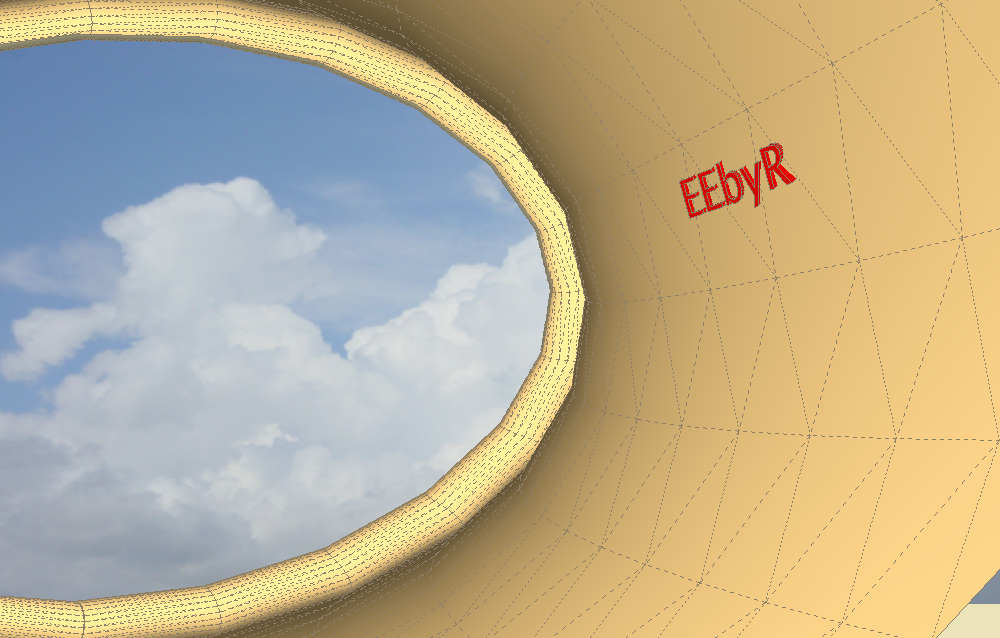
                  Thanks TIG!

                  MacOSX MojaveSketchUp Pro v19 Twilight v2 Thea v3 PowerCADD

                  1 條回覆 最後回覆 回覆 引用 0
                  • LanaL 離線
                    Lana
                    最後由 編輯

                    Thanks, thanks Tig.

                    1 條回覆 最後回覆 回覆 引用 0
                    • D 離線
                      dinsa2
                      最後由 編輯

                      Thank you for this great contribution....

                      1 條回覆 最後回覆 回覆 引用 0
                      • P 離線
                        pureinhere
                        最後由 編輯

                        Hello all, first post here. Love the plugin and all the others I found hear. I have a quick question.

                        When I use the extrude edges by faces command, say an oval on the end of a curve, and a circle at the beginning of the curve, I often get a flat spot when the two merge together at a certain point in the middle. Is there a way for it to stay perpinddicular to the path at all times? If someone can let me know how to post an image I can do that as well. Thanks for the great plugins and your time as well.

                        DC

                        1 條回覆 最後回覆 回覆 引用 0
                        • TIGT 離線
                          TIG Moderator
                          最後由 編輯

                          You need to fix the start of both curves; otherwise the 'real start' gets taken and as these might not be near each other, you'll get a 'twist' as the surface is bent around...
                          So if you add a line square to each of the circle/oval perimeter so that it 'splits' it where it meets, then this tool should start each surface aligned at the same place and therefore not 'twist' it...
                          The alternative is to try one of Fredo's CurviLoft tools, which can give similar results...

                          TIG

                          1 條回覆 最後回覆 回覆 引用 0
                          • V 離線
                            victor hugo
                            最後由 編輯

                            Hi TIG.

                            Is there any pdf documentation for this really cool 👍 plugins?

                            Thanks.

                            1 條回覆 最後回覆 回覆 引用 0
                            • TIGT 離線
                              TIG Moderator
                              最後由 編輯

                              Each individual tool has its own thread - each of which is linked through the zipped set's download page.
                              On each tool's page are detailed explanations, images etc; there are some videos for some of them too...

                              TIG

                              1 條回覆 最後回覆 回覆 引用 0
                              • R 離線
                                redgray
                                最後由 編輯

                                Wow, this is what I'm looking for, thanks for this excellent tool!!!

                                1 條回覆 最後回覆 回覆 引用 0
                                • C 離線
                                  christopher shaw
                                  最後由 編輯

                                  Hi, ive downloaded and unzipped but nothing seems to have changed in sketchup, there doesnt appear to be a plugin menu. Can anyone help? Mnay thanks 😄
                                  Chris

                                  1 條回覆 最後回覆 回覆 引用 0
                                  • Rich O BrienR 線上
                                    Rich O Brien Moderator
                                    最後由 編輯

                                    Is it enabled under preferences?

                                    Download the free D'oh Book for SketchUp 📖

                                    1 條回覆 最後回覆 回覆 引用 0
                                    • C 離線
                                      christopher shaw
                                      最後由 編輯

                                      @rich o brien said:

                                      Is it enabled under preferences?

                                      Yes i believe plugins are enabled as there is a tab fro plugins between "window" and "help" at the top of the screen. But when i click on the plugin tab the dropdown only offers "cost" and there is no extrude sub heading. Any jelp much appreciated
                                      Chris

                                      1 條回覆 最後回覆 回覆 引用 0
                                      • Rich O BrienR 線上
                                        Rich O Brien Moderator
                                        最後由 編輯

                                        go to Window > Preferences > Extensions and see if Extrude Tools is listed and checked/enabled

                                        Download the free D'oh Book for SketchUp 📖

                                        1 條回覆 最後回覆 回覆 引用 0
                                        • C 離線
                                          christopher shaw
                                          最後由 編輯

                                          @rich o brien said:

                                          go to Window > Preferences > Extensions and see if Extrude Tools is listed and checked/enabled

                                          I've checked as you suggested but extrude is not in the list to be checked/enabled 😕
                                          Sorry to be a pain, thanks for your input
                                          Chris

                                          1 條回覆 最後回覆 回覆 引用 0
                                          • Rich O BrienR 線上
                                            Rich O Brien Moderator
                                            最後由 編輯

                                            That suggests an incorrect installation. Read the Installing plugins sticky...

                                            http://sketchucation.com/forums/viewtopic.php?f=323&t=35746

                                            Download the free D'oh Book for SketchUp 📖

                                            1 條回覆 最後回覆 回覆 引用 0
                                            • 1
                                            • 2
                                            • 3
                                            • 4
                                            • 5
                                            • 31
                                            • 32
                                            • 1 / 32
                                            • 第一個貼文
                                              最後的貼文
                                            Buy SketchPlus
                                            Buy SUbD
                                            Buy WrapR
                                            Buy eBook
                                            Buy Modelur
                                            Buy Vertex Tools
                                            Buy SketchCuisine
                                            Buy FormFonts

                                            Advertisement

