sketchucation logo sketchucation
    • 登入
    Oops, your profile's looking a bit empty! To help us tailor your experience, please fill in key details like your SketchUp version, skill level, operating system, and more. Update and save your info on your profile page today!
    🔌 Easy Offset | Offset selected faces in SketchUp in positive and negative offsets. Download

    [Plugin] CleanUp

    已排程 已置頂 已鎖定 已移動 Plugins
    974 貼文 217 Posters 832.9k 瀏覽 217 Watching
    正在載入更多貼文
    • 從舊到新
    • 從新到舊
    • 最多點贊
    回覆
    • 在新貼文中回覆
    登入後回覆
    此主題已被刪除。只有擁有主題管理權限的使用者可以查看。
    • A 離線
      AirWindSolar
      最後由 編輯

      @thomthom said:

      That's strange... and troublesome. It means the issue stems from compound cleanup actions. hmm...

      Possibly the order of the operations? Sounds like removing duplicate faces simplified it enough that whatever was crashing could handle what was left after that specific operation.

      One thing I'm noticing is that, for example, the bicycles are 24 separate but apparently identical ~600kb groups. That adds a lot of complexity compared to having a couple dozen instances of a single component. Same thing with several doors, etc. How hard would it be to recognize identical groups/components/items, and replace all of the duplicates with instances of one? (Maybe with some minimum complexity and/or count so it's not making components of every triangle or rectangle that happens to have a single mate somewhere.)

      1 條回覆 最後回覆 回覆 引用 0
      • thomthomT 離線
        thomthom
        最後由 編輯

        @airwindsolar said:

        How hard would it be to recognize identical groups/components/items, and replace all of the duplicates with instances of one? (Maybe with some minimum complexity and/or count so it's not making components of every triangle or rectangle that happens to have a single mate somewhere.)

        I had a stab at that a few years ago: http://sketchucation.com/forums/viewtopic.php?t=30143
        But I never got around to finish it. It quickly becomes non-trivial.

        Thomas Thomassen — SketchUp Monkey & Coding addict
        List of my plugins and link to the CookieWare fund

        1 條回覆 最後回覆 回覆 引用 0
        • A 離線
          AirWindSolar
          最後由 編輯

          Another thought on this one; not sure how hard it would be to calculate without saving, but a before and after file size, or percent reduction of the file size in the info box would be a handy bit of bragging if a user is wondering how much this saved them.

          1 條回覆 最後回覆 回覆 引用 0
          • thomthomT 離線
            thomthom
            最後由 編輯

            That would not be realistically possible with any kind of accuracy. The fileformat changes from version to version and the filesize depend on how SU pack the bytes.

            Also, the filesize is not a good indication for how complex or large the model is. You can have a model with millions of faces and tiny filesize due to using components. On the other hand, you could also have a huge filesize with only a cube in the model - if there are applied large textures, watermarks etc. Materials, attributes, styles, watermarks all skew the filesize.

            CleanUp was never made for saving filesize - it was for making the model geometry cleaner and simpler, hopefully improving the performance of the model a little. (Some times you do notice a big filesize difference - which is most likely due to purging unused items, but that's just a bonus.)

            Thomas Thomassen — SketchUp Monkey & Coding addict
            List of my plugins and link to the CookieWare fund

            1 條回覆 最後回覆 回覆 引用 0
            • pilouP 離線
              pilou
              最後由 編輯

              Why Clean Up after a Lattice Maker (by TIG) don't Clean coplanar thing ? 😮

              Solid Solver by TIG make it ! 😎

              Solid Inspector2 don't make it! 😮 (by ThomThom)
              Protrude by Jim
              Fredo Scale by Fredo6

              What I miss ?

              https://s6.postimg.org/vdfavuvpt/mini_tut.jpg


              why_not_clean.skp

              Frenchy Pilou
              Is beautiful that please without concept!
              My Little site :)

              1 條回覆 最後回覆 回覆 引用 0
              • K 離線
                kaas
                最後由 編輯

                @Thom - I'm curious - when using CleanUp3, the operation collapses the Outliner-list. Its the same behavior as choosing 'collapse all' when right-clicking on the level entry (the file name). Do you know what causes this behavior?
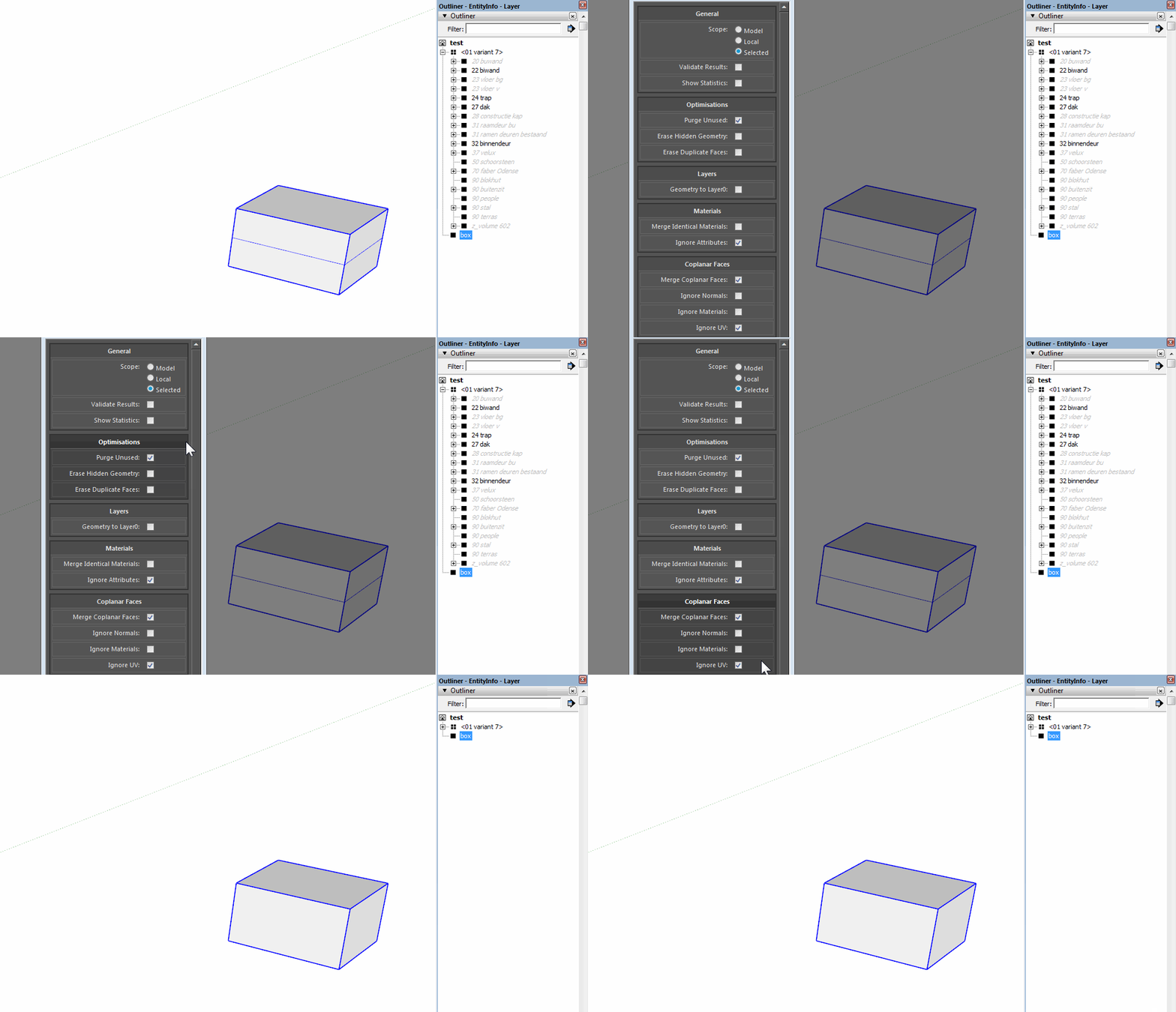

                cleanup.gif

                1 條回覆 最後回覆 回覆 引用 0
                • mariochaM 離線
                  mariocha
                  最後由 編輯

                  I like localizing plugins. Helps me learn ruby. I found this one well written and thus a good teacher.
                  So it is now localized with LanguageHandler. And french strings. v 3.4.3
                  Should I get it signed before posting it here, or send it to you, or what ?
                  Cookies to you.
                  p.s.: I had to change the tooltips heredocs to strings, of course.
                  oh, also, no progressbar or status on Mac.

                  %(#008000)[Mario C.
                  Every rule has exceptions, but some.]

                  1 條回覆 最後回覆 回覆 引用 0
                  • A 離線
                    ataman811
                    最後由 編輯

                    Hi!
                    How can I translate your plugin into Russian?

                    1 條回覆 最後回覆 回覆 引用 0
                    • OxerO 離線
                      Oxer
                      最後由 編輯

                      I translated the plugin to Spanish language a long time ago for my own use but I made it translating the strings in the .rb files directly.
                      mariocha, can you share the strings file to translate it to Spanish? what did you do to give support to the .rb files to translate the plugin?

                      "The result is the end what is important is the process" by Oxer
                      [http://www.oxervision.blogspot.com/(http://www.oxervision.blogspot.com/)]

                      1 條回覆 最後回覆 回覆 引用 0
                      • thomthomT 離線
                        thomthom
                        最後由 編輯

                        CleanUp doesn't support translation right now.

                        If you want to translate, add a comment in the issue tracker; https://bitbucket.org/thomthom/cleanup/issues/16/localize

                        Mention what language you can contribute with.

                        Thomas Thomassen — SketchUp Monkey & Coding addict
                        List of my plugins and link to the CookieWare fund

                        1 條回覆 最後回覆 回覆 引用 0
                        • OxerO 離線
                          Oxer
                          最後由 編輯

                          @thomthom said:

                          CleanUp doesn't support translation right now.

                          If you want to translate, add a comment in the issue tracker; https://bitbucket.org/thomthom/cleanup/issues/16/localize

                          Mention what language you can contribute with.

                          Done!!

                          P.S.: Thom, have you see your private messages, I sent you a message a week ago about UVToolKit plugin.

                          "The result is the end what is important is the process" by Oxer
                          [http://www.oxervision.blogspot.com/(http://www.oxervision.blogspot.com/)]

                          1 條回覆 最後回覆 回覆 引用 0
                          • H 離線
                            highlander
                            最後由 編輯

                            Hello,

                            Can someone tell me why this menu does not work anymore??
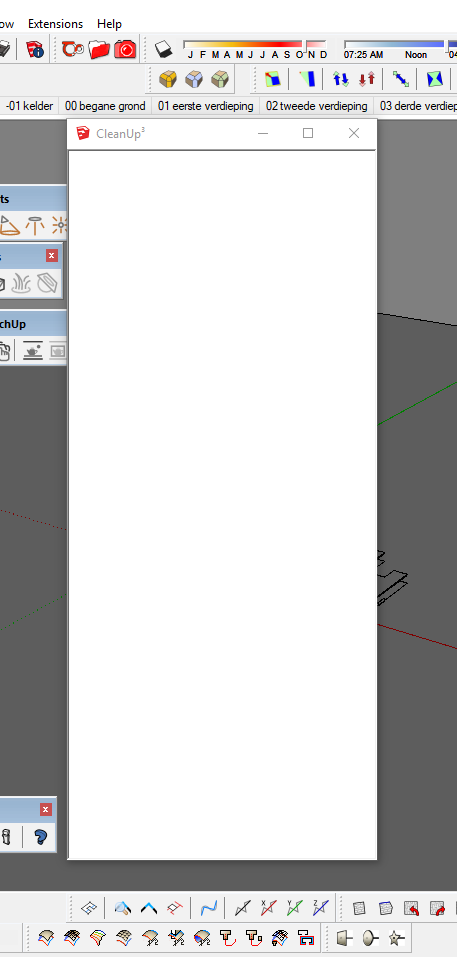
                            cleanup_white.PNG

                            Sander Hoogland
                            SketchUp 2018 pro - Vray
                            Beeld3d

                            1 條回覆 最後回覆 回覆 引用 0
                            • TIGT 離線
                              TIG Moderator
                              最後由 編輯

                              Try clearing the computer's Internet Explorer cache and restarting SketchUp to see if that helps...

                              TIG

                              1 條回覆 最後回覆 回覆 引用 0
                              • pbacotP 離線
                                pbacot
                                最後由 編輯

                                Does anyone have some alternative plugins to this tool? It's pretty much useless in v.2019 except in the smallest drawings. Cleanup just takes too long now.

                                I'd like another plugin that can remove lines without a face and coplanar lines. One that handles lonely vertices fast too would be great, but could be a separate tool (Fredo's tool works but I like the way CleanUp did it).

                                Used to be the greatest tool in earlier SketchUp versions.

                                MacOSX MojaveSketchUp Pro v19 Twilight v2 Thea v3 PowerCADD

                                1 條回覆 最後回覆 回覆 引用 0
                                • M 離線
                                  Mochanic
                                  最後由 編輯

                                  As I was saying on Youtube, I get a blank menu like the one in the attachment. What am I doing wrong?

                                  Also can you recommend an easy fix for all the holes that are created (like the ones in the 2nd attachment) when I import an STL file. It takes me HOURS to manually fix all the holes!

                                  Thanks for your help!
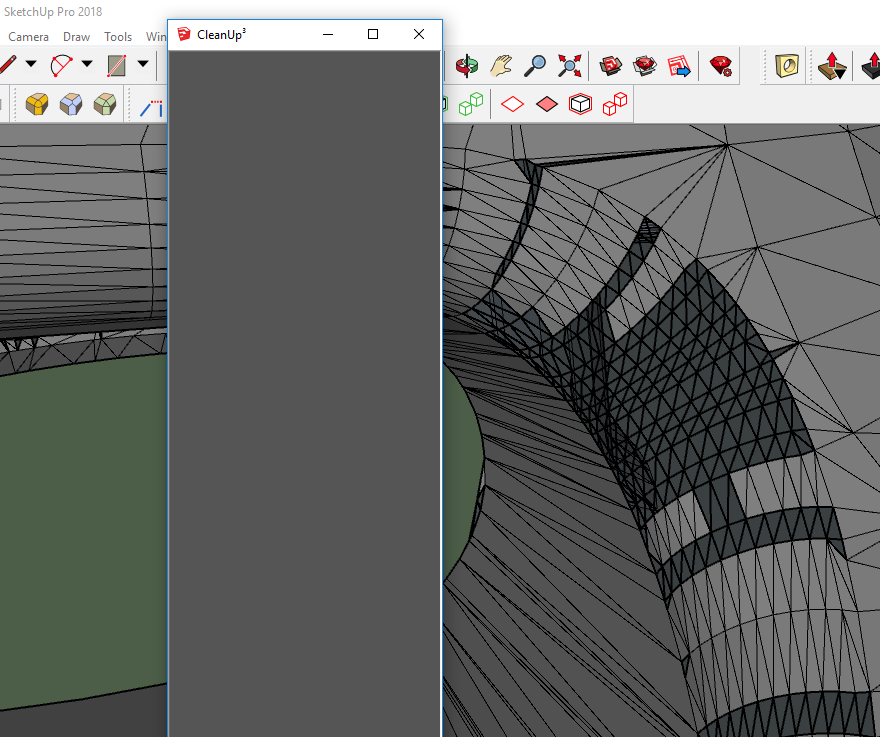

                                  just get this dark gray blank menu for some reason...


                                  whats an easy way to fix these holes, I have tried just about every tool I can find!

                                  1 條回覆 最後回覆 回覆 引用 0
                                  • M 離線
                                    Mochanic
                                    最後由 編輯

                                    @highlander said:

                                    Hello,

                                    Can someone tell me why this menu does not work anymore??

                                    [attachment=0:1ogdx1re]<!-- ia0 -->cleanup_white.PNG<!-- ia0 -->[/attachment:1ogdx1re]

                                    I have the exact same problem! It's been like this for over a year now. I wish someone could tell me how to fix it...

                                    1 條回覆 最後回覆 回覆 引用 0
                                    • pbacotP 離線
                                      pbacot
                                      最後由 編輯

                                      Hasn't anyone else had problems with this tool in v. 2019? It has slowed considerably as to be mostly useless (i.e. you can do the cleanup faster yourself). It seems to be related to file size though you are only working on a selection. The larger the file, the slower it is.

                                      It's too bad. It was one of the greatest tools!

                                      MacOSX MojaveSketchUp Pro v19 Twilight v2 Thea v3 PowerCADD

                                      1 條回覆 最後回覆 回覆 引用 0
                                      • Dave RD 離線
                                        Dave R
                                        最後由 編輯

                                        Which version of CleanUp are you using? I'm using CleanUp3 and it works as fast in v2019 as in any other version.

                                        Etaoin Shrdlu

                                        %

                                        (THERE'S NO PLACE LIKE)

                                        G28 X0.0 Y0.0 Z0.0

                                        M30

                                        %

                                        1 條回覆 最後回覆 回覆 引用 0
                                        • J 離線
                                          jkoll66
                                          最後由 編輯

                                          Unchecking "Validate Results" and "Erase Duplicate Faces" in the settings menu speeds things up immensely on larger models. If I want to erase duplicate faces later, I usually set it to go at the end of the day.

                                          @pbacot said:

                                          Hasn't anyone else had problems with this tool in v. 2019? It has slowed considerably as to be mostly useless (i.e. you can do the cleanup faster yourself). It seems to be related to file size though you are only working on a selection. The larger the file, the slower it is.

                                          It's too bad. It was one of the greatest tools!

                                          1 條回覆 最後回覆 回覆 引用 0
                                          • P 離線
                                            pohlr1
                                            最後由 編輯

                                            Can anyone try to clean this up real quick to make sure its not my computer or version or what not. Super simple.

                                            Trying to delete the coplaner faces and get rid of all the extra lines.


                                            MergeFaces.skp

                                            1 條回覆 最後回覆 回覆 引用 0
                                            • 1
                                            • 2
                                            • 3
                                            • 4
                                            • 5
                                            • 6
                                            • 7
                                            • 8
                                            • 48
                                            • 49
                                            • 6 / 49
                                            • 第一個貼文
                                              最後的貼文
                                            Buy SketchPlus
                                            Buy SUbD
                                            Buy WrapR
                                            Buy eBook
                                            Buy Modelur
                                            Buy Vertex Tools
                                            Buy SketchCuisine
                                            Buy FormFonts

                                            Advertisement