sketchucation logo sketchucation
    • 登入
    Oops, your profile's looking a bit empty! To help us tailor your experience, please fill in key details like your SketchUp version, skill level, operating system, and more. Update and save your info on your profile page today!
    🔌 Easy Offset | Offset selected faces in SketchUp in positive and negative offsets. Download

    [Plugin] 2D Tools

    已排程 已置頂 已鎖定 已移動 Plugins
    785 貼文 178 Posters 496.5k 瀏覽 177 Watching
    正在載入更多貼文
    • 從舊到新
    • 從新到舊
    • 最多點贊
    回覆
    • 在新貼文中回覆
    登入後回覆
    此主題已被刪除。只有擁有主題管理權限的使用者可以查看。
    • EdsonE 離線
      Edson
      最後由 編輯

      @tig said:

      @edson said:

      hi TIG,
      forgive me if this question has been asked before but the only problem I have with 2D Tools is the win/mac equivalence (or lack of it) between some keystrokes. to be more precise, what keys should i press on my mac to get the same result as when pressing control and alt in windows?

      best regards.
      There IS a MAC compliant set of tools posted by Michaelv- http://forums.sketchucation.com/viewtopic.php?p=377902#p377902
      It's NOT PC friendly... one day I will combine them both, but meanwhile his set is the best for you MAC users... It's currently identical to the PC version, BUT with different key-bindings...

      tig,

      many thanks to you for the tool and michaelv for the mac fix. it works beautifully now! 😍

      edson mahfuz, architect| porto alegre • brasil
      http://www.mahfuz.arq.br

      1 條回覆 最後回覆 回覆 引用 0
      • TIGT 離線
        TIG Moderator
        最後由 編輯

        I must around to merging them... one day 😒

        TIG

        1 條回覆 最後回覆 回覆 引用 0
        • Y 離線
          ygcl
          最後由 編輯

          THANKS TIG,DOWNLOAD IT.

          1 條回覆 最後回覆 回覆 引用 0
          • J 離線
            jowers125
            最後由 編輯

            Great plugin! I am having trouble with the fillet tool though. Every time I click on the second line, it deletes the 2 lines and any objects connected to them. Can anybody help??

            1 條回覆 最後回覆 回覆 引用 0
            • TIGT 離線
              TIG Moderator
              最後由 編輯

              @jowers125 said:

              Great plugin! I am having trouble with the fillet tool though. Every time I click on the second line, it deletes the 2 lines and any objects connected to them. Can anybody help??
              Every time ??? 😕
              Can you try it with the Ruby Console open and report any errors.
              What have you set the fillet radius to ?
              Do the lines meet at a corner as an L or a T or have a gap?
              Are the lines Coplanar?
              Are the lines forming a Face?
              etc
              Without details it's difficult to say what's up.
              Can you post a simple SKP where you are having this issue, and explain exactly the steps you take to get this disastrous result...
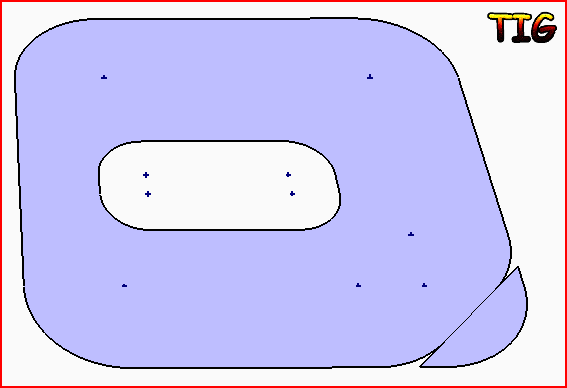
              It works fine for me - see this rectangular 'donut' - the only extra step I needed to sort this were on the 'hole' - erasing the inner face that was made automatically as those corners were filleted...Capture.PNG
              TIG

              1 條回覆 最後回覆 回覆 引用 0
              • O 離線
                osage
                最後由 編輯

                I'm not sure, but it seems to me the first time I tried using the plugin, I didn't realize the "radius" input was defaulted to ZERO, and if memory serves me, my lines disappeared too. Might check it out.

                1 條回覆 最後回覆 回覆 引用 0
                • TIGT 離線
                  TIG Moderator
                  最後由 編輯

                  With a zero radius the lines should trim or extend à la ACAD...
                  Nothing should disappear [except the unwanted lines parts] !

                  TIG

                  1 條回覆 最後回覆 回覆 引用 0
                  • H 離線
                    huckrorick
                    最後由 編輯

                    Wow! This is really a great set of tools. Just now testing them out. I'm trying to think of some way to tell you how neat these are.
                    Thanks. Congratulations.
                    Huck

                    1 條回覆 最後回覆 回覆 引用 0
                    • guanjinG 離線
                      guanjin
                      最後由 編輯

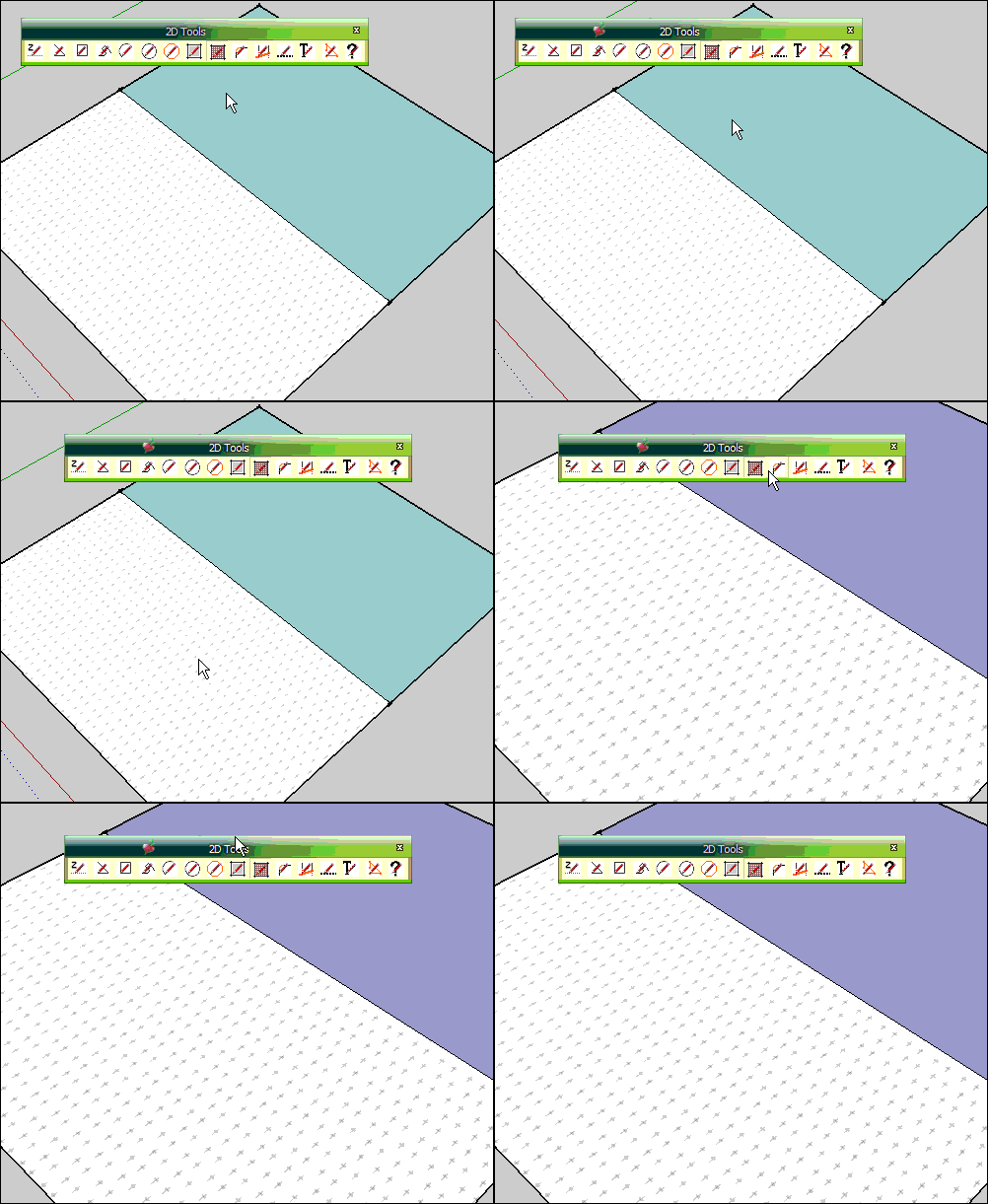
                      Hello!2D tool V5.1 is not continuous picture fill! You can not select another picture!
                      tu.gif

                      I come from China, is to learn

                      1 條回覆 最後回覆 回覆 引用 0
                      • TIGT 離線
                        TIG Moderator
                        最後由 編輯

                        When the 2dHatching tool is active right mouse-click in open space [away from any objects] and the dialog should pop-up to let you change the PATTern...

                        TIG

                        1 條回覆 最後回覆 回覆 引用 0
                        • H 離線
                          horst_horst_horst
                          最後由 編輯

                          This is really great! thanx so much!

                          1 條回覆 最後回覆 回覆 引用 0
                          • guanjinG 離線
                            guanjin
                            最後由 編輯

                            @tig said:

                            When the 2dHatching tool is active right mouse-click in open space [away from any objects] and the dialog should pop-up to let you change the PATTern...

                            TIG Thank you, I see!

                            I come from China, is to learn

                            1 條回覆 最後回覆 回覆 引用 0
                            • TIGT 離線
                              TIG Moderator
                              最後由 編輯

                              Here's v5.2 http://forums.sketchucation.com/viewtopic.php?p=185760#p185760
                              The 2dFillet tool has its segment range adjusted, >=2 <=999.

                              TIG

                              1 條回覆 最後回覆 回覆 引用 0
                              • brookefoxB 離線
                                brookefox
                                最後由 編輯

                                (My) Bad case of the stupids, perhaps. I tried to scale the hatch jpgs larger so as to fit my larger scale project but am having no success...

                                http://img838.imageshack.us/img838/1169/2dtoolshatch12.jpg

                                Image shows your original size on the right and two attempts to enlarge it, the wrong one having the higher DPI (300) and the one I thought would work which looks the same as the other two. As can be seen, they all look alike. Note 'print size' from DPI varies from 2 to 9.7 to 30.4 inches.

                                ~ Brooke

                                1 條回覆 最後回覆 回覆 引用 0
                                • TIGT 離線
                                  TIG Moderator
                                  最後由 編輯

                                  The Hatching materials made that use the PATT files always use the same standard size texture, ignoring the actual resolution of the image file itself, so changing it has no affect.
                                  If you want a bigger texture repeat you must edit the material after it's been made... and change the size of the texture in the edit window.
                                  Then double the size, doubles the repeat size...
                                  Once you have some materials with the size of repeats you want save those as external SKMs into a 'library' in the 'Materials' folder...
                                  NOW later on when you want to use that size textured material in a new SKP use that SKM from the 'library' and they'll have the size you've set...

                                  TIG

                                  1 條回覆 最後回覆 回覆 引用 0
                                  • brookefoxB 離線
                                    brookefox
                                    最後由 編輯

                                    OK, thank you. I need to read the complete thread, again. Hatch does not work seemingly within groups, or some curve defined faces but allows the pattern to be painted into same? Strange.

                                    ~ Brooke

                                    1 條回覆 最後回覆 回覆 引用 0
                                    • TIGT 離線
                                      TIG Moderator
                                      最後由 編輯

                                      The 2dHatching tool is intended to be used specifically as part of the 2dTools set.
                                      It's not really intended for use as a general 3d hatching tool...

                                      I recommend you forget trying to use it for something it wasn't intended for...
                                      Instead think about making some new materials that do what you want...
                                      The PATT.. image files this tool uses [found inside the ../Plugins/2dTools/Hatching subfolder etc] can be used quite separately as a new texture for any material you may want to make yourself, and you can also 'scale' that material's texture in the material editor to suit your needs.
                                      You can now have several materials using the same image at different 'scales', if desired.
                                      Then you can just 'paint' faces etc with the appropriate material as needed.
                                      Once they are made you can save these materials as external SKM files, which, when placed in folder within the Materials folder, can be accessed from within any SKP for reuse...
                                      Each image is duplicated within each exported SKM and it is also scaled in use as specified in your editing.

                                      TIG

                                      1 條回覆 最後回覆 回覆 引用 0
                                      • TIGT 離線
                                        TIG Moderator
                                        最後由 編輯

                                        To save one material externally right-click its icon in the Materials Browser and use the appropriate item...
                                        OR to export ALL of the Model's materials en mass use the pop-out menu to save as a collection...
                                        To add a new material that will be initially based on an existing one, select the material to base it on, then click the '+' button to make a new material - rename it as needed, adjust colors, texture size etc...

                                        TIG

                                        1 條回覆 最後回覆 回覆 引用 0
                                        • brookefoxB 離線
                                          brookefox
                                          最後由 編輯

                                          Thank you much.

                                          ~ Brooke

                                          1 條回覆 最後回覆 回覆 引用 0
                                          • brookefoxB 離線
                                            brookefox
                                            最後由 編輯

                                            @unknownuser said:

                                            I recommend you forget trying to use it for something it wasn't intended for...

                                            but your instructions say

                                            @unknownuser said:

                                            ....It will also use an existing Face at the picked-point...with the ‘PATTern’ material applied.

                                            Thank you, TIG. In spite of what you advise, I have found the tool to be useful for my purposes and I am grateful for that. This may be due to my ignorance of and lack of experience with the native texturing processes, though I hope not.

                                            @tig said:

                                            Once they are made you can save these materials as external SKM files

                                            I need to learn how to do this.

                                            ~ Brooke

                                            1 條回覆 最後回覆 回覆 引用 0
                                            • 1
                                            • 2
                                            • 11
                                            • 12
                                            • 13
                                            • 14
                                            • 15
                                            • 39
                                            • 40
                                            • 13 / 40
                                            • 第一個貼文
                                              最後的貼文
                                            Buy SketchPlus
                                            Buy SUbD
                                            Buy WrapR
                                            Buy eBook
                                            Buy Modelur
                                            Buy Vertex Tools
                                            Buy SketchCuisine
                                            Buy FormFonts

                                            Advertisement

