sketchucation logo sketchucation
    • 登入
    Oops, your profile's looking a bit empty! To help us tailor your experience, please fill in key details like your SketchUp version, skill level, operating system, and more. Update and save your info on your profile page today!
    ⚠️ Important | Libfredo 15.6b introduces important bugfixes for Fredo's Extensions Update

    [Plugin] extrudeEdgesByLathe

    已排程 已置頂 已鎖定 已移動 Plugins
    104 貼文 43 Posters 69.4k 瀏覽 43 Watching
    正在載入更多貼文
    • 從舊到新
    • 從新到舊
    • 最多點贊
    回覆
    • 在新貼文中回覆
    登入後回覆
    此主題已被刪除。只有擁有主題管理權限的使用者可以查看。
    • pilouP 離線
      pilou
      最後由 編輯

      Seems you must say that the "path" or the "face" must be on a vertical plan else maybe result will be not that you want 😉
      Cool plug as always ☀


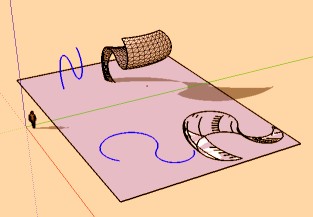
      lathe.jpg

      Frenchy Pilou
      Is beautiful that please without concept!
      My Little site :)

      1 條回覆 最後回覆 回覆 引用 0
      • N 離線
        notareal
        最後由 編輯

        Thanks!

        Welcome to try [Thea Render](http://www.thearender.com/), Thea support | [kerkythea.net](http://www.kerkythea.net/) -team member

        1 條回覆 最後回覆 回覆 引用 0
        • thomthomT 離線
          thomthom
          最後由 編輯

          @unknownuser said:

          Seems you must say that the "path" or the "face" must be on a vertical plan else maybe result will be not that you want 😉
          Cool plug as always ☀

          @tig said:

          The selected polyline's edges are swept around in an arc,
          about the Z-axis [blue] and are faced.

          Thomas Thomassen — SketchUp Monkey & Coding addict
          List of my plugins and link to the CookieWare fund

          1 條回覆 最後回覆 回覆 引用 0
          • FrederikF 離線
            Frederik
            最後由 編輯

            Thanks, Tig...!

            @simon le bon said:

            You surf so easily with ruby that you are a sort of Yoda jedaï in the SketchUpSpace...

            +1

            Cheers
            Kim Frederik

            1 條回覆 最後回覆 回覆 引用 0
            • massimoM 離線
              massimo Moderator
              最後由 編輯

              Many thanks TIG, it works like a charm. 👍 👍

              1 條回覆 最後回覆 回覆 引用 0
              • TIGT 離線
                TIG Moderator
                最後由 編輯

                v1.1 is here http://forums.sketchucation.com/viewtopic.php?p=184477#p184477
                Improved inferencing of pick cursor and tooltips.
                Added second point pick to set axis of rotation.

                Thanks for the kind comments so far... 😄

                TIG

                1 條回覆 最後回覆 回覆 引用 0
                • B 離線
                  Ben Ritter
                  最後由 編輯

                  I am not able to create a "donut" shape. My shape is oriented in the vertical direction and I select the blue axis for axis of rotation. What am I doing wrong?

                  1 條回覆 最後回覆 回覆 引用 0
                  • P 離線
                    Panga
                    最後由 編輯

                    Thanks a lot for this one, definitly needed !!

                    1 條回覆 最後回覆 回覆 引用 0
                    • TIGT 離線
                      TIG Moderator
                      最後由 編輯

                      @ben ritter said:

                      I am not able to create a "donut" shape. My shape is oriented in the vertical direction and I select the blue axis for axis of rotation. What am I doing wrong?

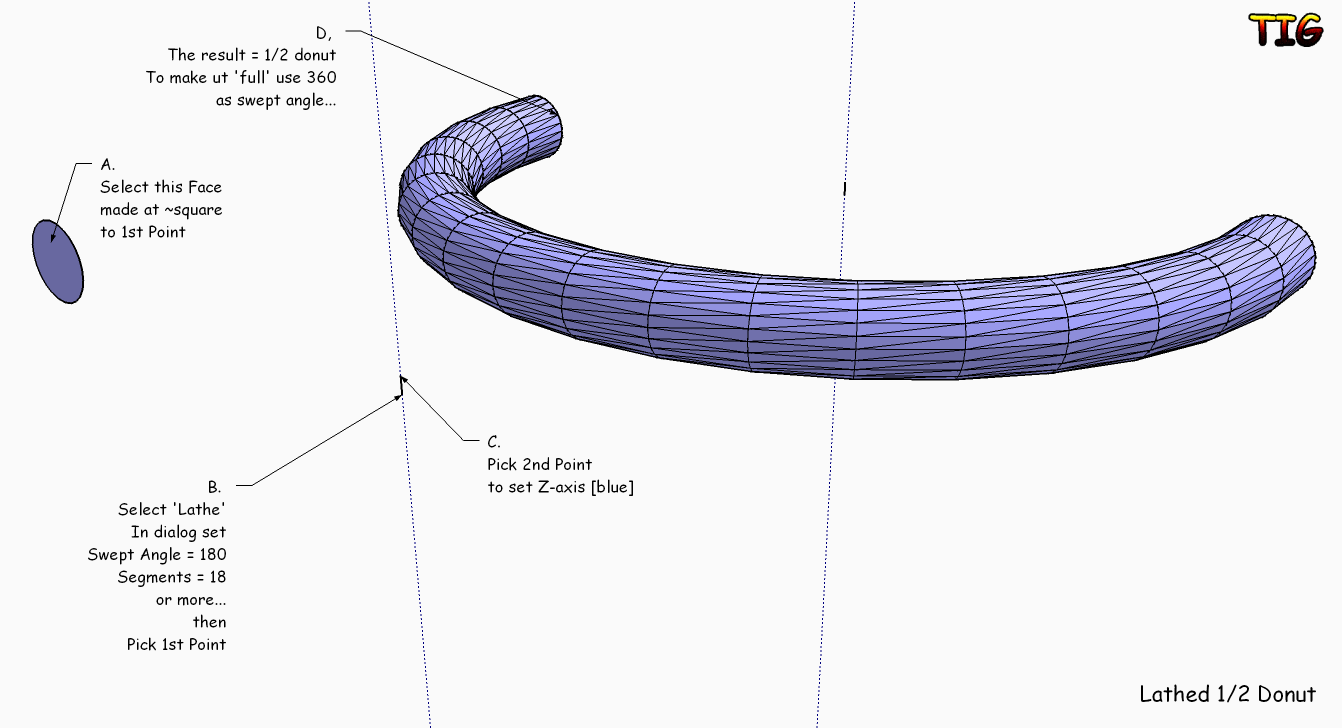
                      Try this...1-2_donut.png

                      TIG

                      1 條回覆 最後回覆 回覆 引用 0
                      • B 離線
                        Ben Ritter
                        最後由 編輯

                        TIG,

                        That is the process I used, however, without having a short line to define the radius point.

                        In my attachment, you can see the result with and without a reference line for the radius point. The inference was indicating that I was going up in the blue axis direction, but I still got the result shown.

                        Thanks. Ben

                        1 條回覆 最後回覆 回覆 引用 0
                        • B 離線
                          Ben Ritter
                          最後由 編輯

                          Attachment


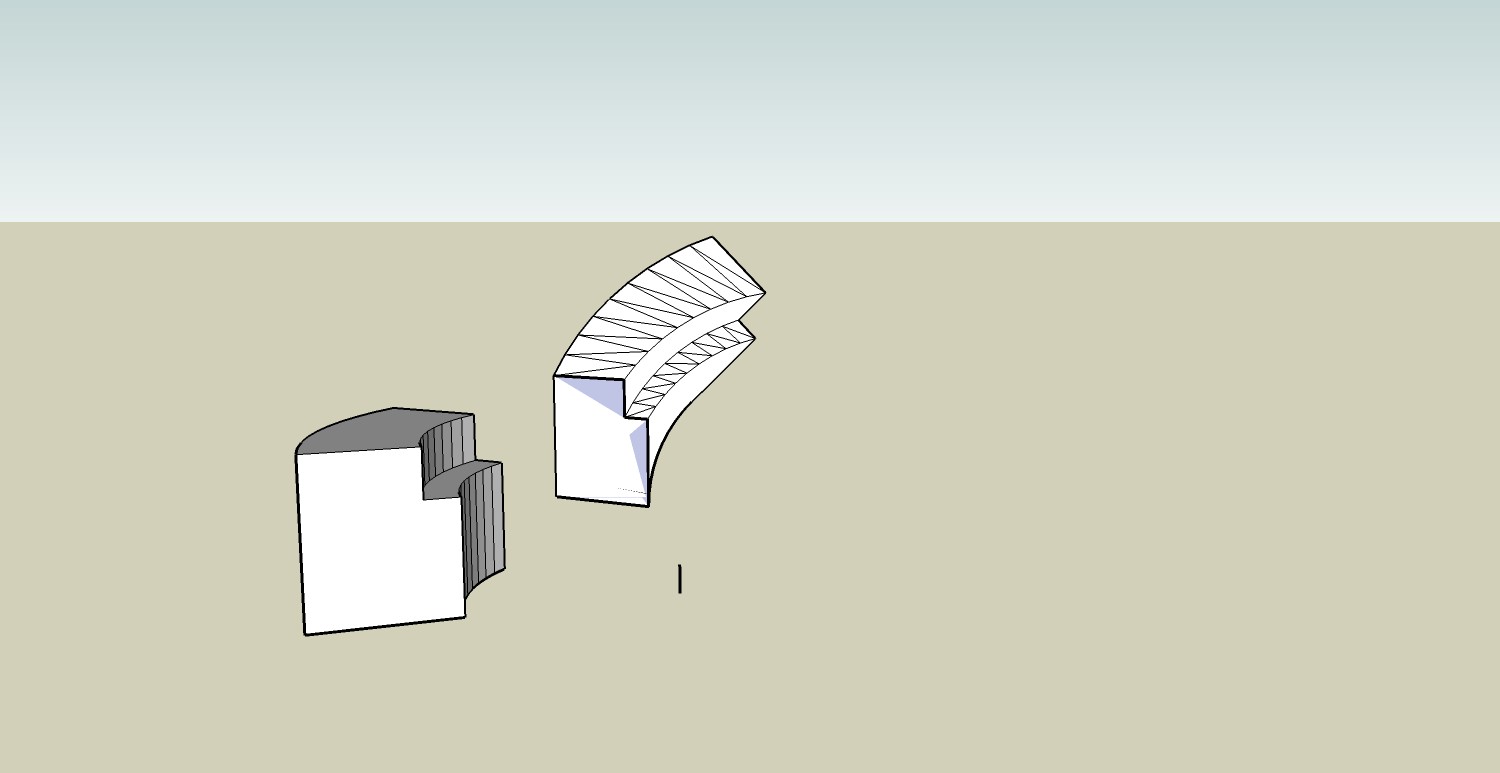
                          lathe1.jpg

                          1 條回覆 最後回覆 回覆 引用 0
                          • TIGT 離線
                            TIG Moderator
                            最後由 編輯

                            @ben ritter said:

                            TIG,

                            That is the process I used, however, without having a short line to define the radius point.

                            In my attachment, you can see the result with and without a reference line for the radius point. The inference was indicating that I was going up in the blue axis direction, but I still got the result shown.

                            Thanks. Ben

                            Did the VCB say [0.0,0.0,1.0] - i.e. Z-axis... If you start off in the blue Z-direction and hold down the shift-key the interference is locked to blue and when you pick it should definitely be axial... You don't need the short line - I added it for clarity. You can start to move off in the blue direction, hold-down shift to lock in the blue and pick any point above the center and it should snap to vertical ?

                            TIG

                            1 條回覆 最後回覆 回覆 引用 0
                            • B 離線
                              Ben Ritter
                              最後由 編輯

                              The VCB doesn't say anything in the process, but the screen shows that I'm on the blue axis. For some reason, it only works when I lock down the inferencing with the shift key. Even though it says I'm pointing on the blue axis, somehow it must not lock on without holding the shift.

                              Thanks TIG

                              1 條回覆 最後回覆 回覆 引用 0
                              • J 離線
                                Jim
                                最後由 編輯

                                TIG - thanks for another fine plugin.

                                report - not sure where you're getting the definition for round - Float.round does not take an argument.

                                Also, version 7 users would find a nice speed-up by modifying the start_operation statement:

                                model.start_operation("Lathe", true)

                                
                                Error; #<ArgumentError; wrong number of arguments(1 for 0)>
                                C;/Program Files/Google/Google SketchUp 7.1b3/Plugins/lathe1.1.rb;146;in `round'
                                C;/Program Files/Google/Google SketchUp 7.1b3/Plugins/lathe1.1.rb;146;in `onMouseMove'
                                C;/Program Files/Google/Google SketchUp 7.1b3/Plugins/lathe1.1.rb;146


                                Hi

                                1 條回覆 最後回覆 回覆 引用 0
                                • simon le bonS 離線
                                  simon le bon
                                  最後由 編輯

                                  HeyHey!

                                  this time (V1.1) Lathe Tool is "carrément génial"
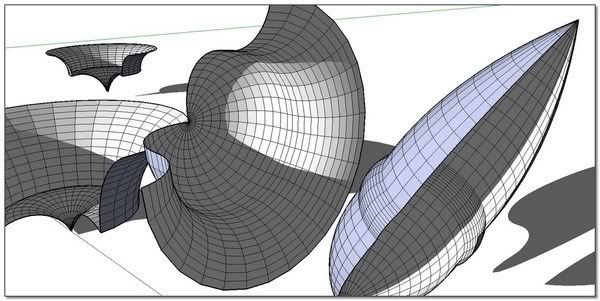

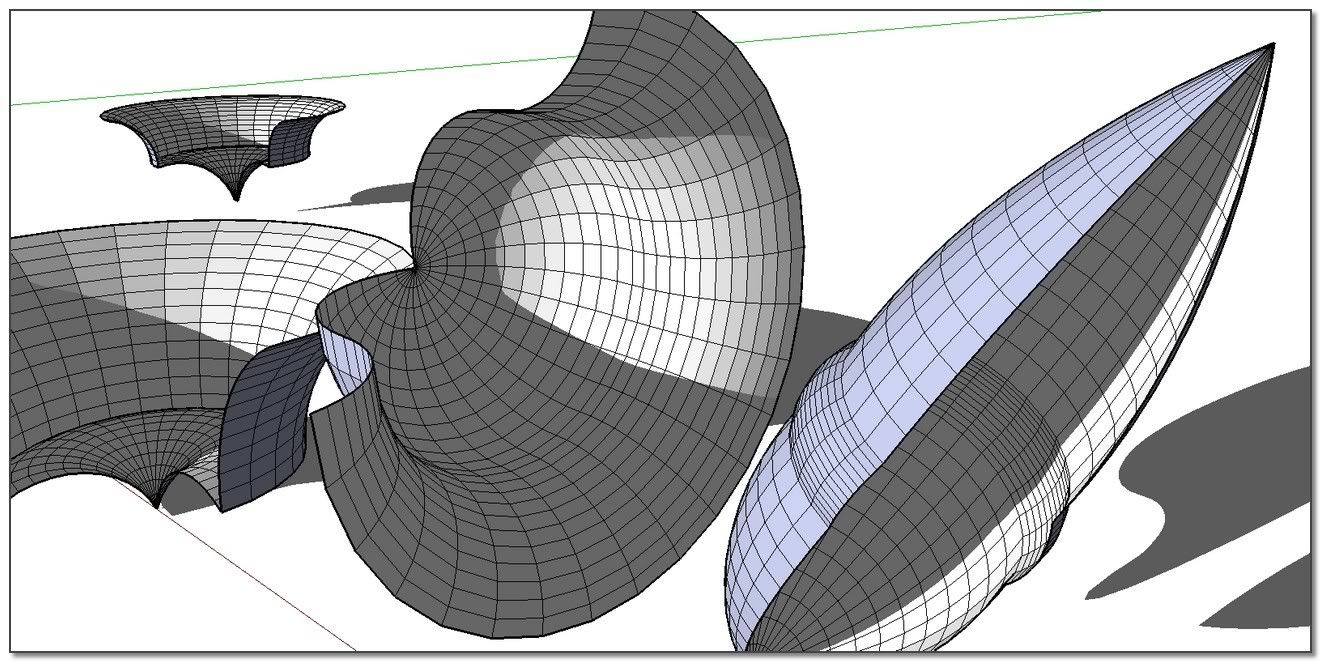
                                  http://i274.photobucket.com/albums/jj245/Spendauballet/SketchUp/lathe_TigBth.jpg

                                  ++simon

                                  1 條回覆 最後回覆 回覆 引用 0
                                  • T 離線
                                    tomasz
                                    最後由 編輯

                                    Tig, thanks for the plugin!

                                    Author of [Thea Render for SketchUp](http://www.thearender.com/sketchup)

                                    1 條回覆 最後回覆 回覆 引用 0
                                    • TIGT 離線
                                      TIG Moderator
                                      最後由 編輯

                                      v1.2 now available here http://forums.sketchucation.com/viewtopic.php?p=184477#p184477
                                      'Round' error fixed.
                                      Operation optimized for v7 users.
                                      Following Jim's comments... 🤓

                                      TIG

                                      1 條回覆 最後回覆 回覆 引用 0
                                      • TIGT 離線
                                        TIG Moderator
                                        最後由 編輯

                                        @jim said:

                                        TIG - thanks for another fine plugin.
                                        report - not sure where you're getting the definition for round - Float.round does not take an argument.
                                        Also, version 7 users would find a nice speed-up by modifying the start_operation statement:
                                        model.start_operation("Lathe", true)

                                        
                                        > Error; #<ArgumentError; wrong number of arguments(1 for 0)>
                                        > C;/Program Files/Google/Google SketchUp 7.1b3/Plugins/lathe1.1.rb;146;in `round'
                                        > C;/Program Files/Google/Google SketchUp 7.1b3/Plugins/lathe1.1.rb;146;in `onMouseMove'
                                        > C;/Program Files/Google/Google SketchUp 7.1b3/Plugins/lathe1.1.rb;146
                                        > 
                                        

                                        I'll add the version 7 speed up [forgotten during its speedy initial creation] and my float.round(n) does work for me !!! - although I don't know where I'm got that from [Edit: I grepped my rubies and found that 'Demeter.rb' and 'sunposition.rb' both redefine float.round(n=0) to take an argument [defaults to 0 if not set]]... I've written a similar method too float.roundup(n) to keep it separate... An update v1.2 will be issued shortly...

                                        TIG

                                        1 條回覆 最後回覆 回覆 引用 0
                                        • R 離線
                                          RustyShack
                                          最後由 編輯

                                          Very nice to have this function as a pseudo-built in rather than the clunky workaround previously required to make lathed objects. Thanks!

                                          1 條回覆 最後回覆 回覆 引用 0
                                          • MALAISEM 離線
                                            MALAISE
                                            最後由 編輯

                                            Wow ! Many thanks TIG.
                                            SU becomes really powerfull when boosted with all theses plugins...

                                            MALAISE 👍

                                            La Connaissance n'a de valeur que partagée

                                            1 條回覆 最後回覆 回覆 引用 0
                                            • 1
                                            • 2
                                            • 3
                                            • 4
                                            • 5
                                            • 6
                                            • 2 / 6
                                            • 第一個貼文
                                              最後的貼文
                                            Buy SketchPlus
                                            Buy SUbD
                                            Buy WrapR
                                            Buy eBook
                                            Buy Modelur
                                            Buy Vertex Tools
                                            Buy SketchCuisine
                                            Buy FormFonts

                                            Advertisement