sketchucation logo sketchucation
    • 登入
    Oops, your profile's looking a bit empty! To help us tailor your experience, please fill in key details like your SketchUp version, skill level, operating system, and more. Update and save your info on your profile page today!
    🔌 Easy Offset | Offset selected faces in SketchUp in positive and negative offsets. Download

    [Plugin][$] RoundCorner - v3.4a - 31 Mar 24


    已排程 已置頂 已鎖定 已移動 Plugins
    1.5k 貼文 471 Posters 3.3m 瀏覽 470 Watching
    正在載入更多貼文
    • 從舊到新
    • 從新到舊
    • 最多點贊
    回覆
    • 在新貼文中回覆
    登入後回覆
    此主題已被刪除。只有擁有主題管理權限的使用者可以查看。
    • DDKD 離線
      DDK
      最後由 編輯

      One of the best plug-ins ever, thank you!!! makes my models look more realistic. the best part of this is it keeps the faces grouped as one. cheers keep making more 😄

      1 條回覆 最後回覆 回覆 引用 0
      • K 離線
        kashiu
        最後由 編輯

        Hi fredo
        I have the su2015 & Im interstate in the round corner pouring, can you help me?
        Thanks

        1 條回覆 最後回覆 回覆 引用 0
        • L 離線
          littleche
          最後由 編輯

          HI

          I Have problem with this model . round corner can't rounding this model and recive overlab error.
          How can I fix this problem?
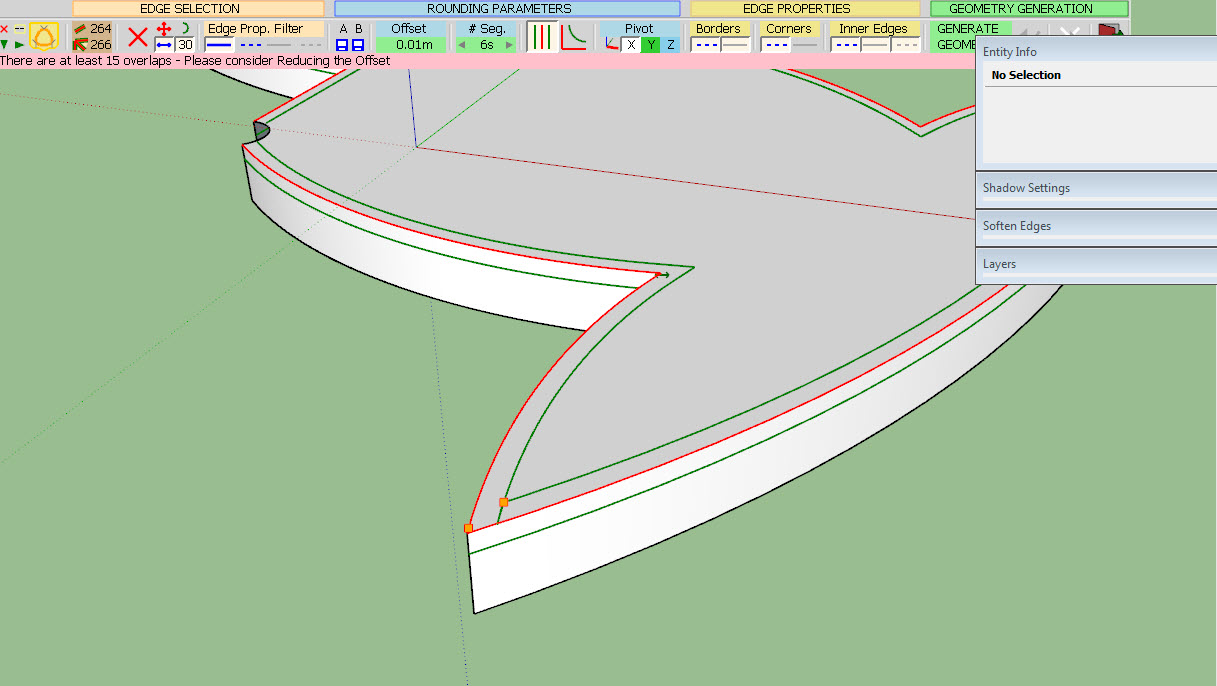
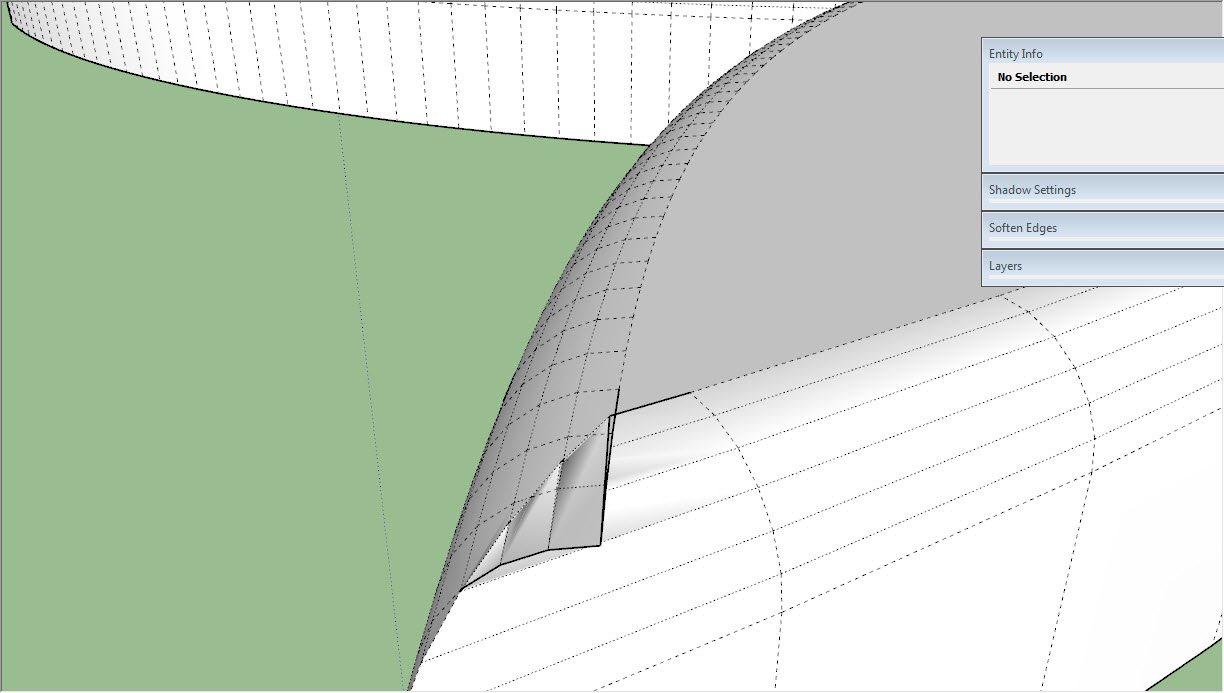
          08-13-2015 07-27-02 ب.jpg

          08-13-2015 07-29-18 ب.jpg

          P & P.skp

          thanks

          1 條回覆 最後回覆 回覆 引用 0
          • fredo6F 離線
            fredo6
            最後由 編輯

            @littleche said:

            HI

            I Have problem with this model . round corner can't rounding this model and recive overlab error.
            How can I fix this problem?
            thanks

            Unfortunately, with the current algorithm, this is not possible.
            At the sharp corner, you have edges which are smaller than the offset.

            Sorry for inconvenience

            Fredo

            1 條回覆 最後回覆 回覆 引用 0
            • L 離線
              littleche
              最後由 編輯

              @fredo6 said:

              @littleche said:

              HI

              I Have problem with this model . round corner can't rounding this model and recive overlab error.
              How can I fix this problem?
              thanks

              Unfortunately, with the current algorithm, this is not possible.
              At the sharp corner, you have edges which are smaller than the offset.

              Sorry for inconvenience

              Fredo

              Thank you fredo . You are always trying to develop this plugin.And I thank you very much.If you are not a thing of SketchUp shortage!
              I hope you can fix algorithm in the next version .Always sincerely pray for your success...

              1 條回覆 最後回覆 回覆 引用 0
              • W 離線
                Will C
                最後由 編輯

                I've been using this plugin for a while now and it's pretty awesome. Makes curving edges a lot faster with less frustration. Thanks for making this.

                1 條回覆 最後回覆 回覆 引用 0
                • T 離線
                  Tony2015
                  最後由 編輯

                  thx fredo

                  1 條回覆 最後回覆 回覆 引用 0
                  • bac9-flclB 離線
                    bac9-flcl
                    最後由 編輯

                    @fredo6

                    Is it possible to fix the chamfer process failing on such a corner?

                    http://i.imgur.com/EuaXGhj.png

                    It's pretty much impossible to avoid places like those in serious quad-based hardsurface modeling, and other chamfering implementations (in 3ds Max, Maya, etc.) never had issues with topology like that, so I'm not sure if anything really prevents proper chamfering here. Typically, corners like those are simply resolved like this:

                    http://i.imgur.com/8UUbDRJ.png

                    1 條回覆 最後回覆 回覆 引用 0
                    • fredo6F 離線
                      fredo6
                      最後由 編輯

                      Not possible with the current algorithm.

                      Would require another technique, which I may implement one of these days.

                      Fredo

                      1 條回覆 最後回覆 回覆 引用 0
                      • bac9-flclB 離線
                        bac9-flcl
                        最後由 編輯

                        Thanks for the info!

                        While at it, can you take a look at this improvement? It would be an enormous help for users inserting edges into n-gons to control triangulation, and to users with quad-based geometry or otherwise unavoidable coplanar face sequences:

                        http://i.imgur.com/wnsXjhF.png

                        1 條回覆 最後回覆 回覆 引用 0
                        • G 離線
                          Guig2000
                          最後由 編輯

                          this plugin helped me previously, so, thanks for that, fredo.
                          But well it don't like curves at all even at 100 000 scale and despite that in this sample, the offset is much smaller than my requirement, I had overlaps everywhere.

                          http://www.zimagez.com/miniature/sketchuproundcorneroncurved.png


                          http://www.zimagez.com/miniature/sketchuproundcorneroncurved20.png

                          Also a good enhancement could be to be able to have multi-offsets capability in a selection.

                          1 條回覆 最後回覆 回覆 引用 0
                          • P 離線
                            pegaze
                            最後由 編輯

                            hi everyone,

                            i just run that plugin and after generating geometry, the model became a single part, i'm not able to select a face, if i try to select a face or anything else, the model is all selected ... is it always like that or may i miss something ?

                            i also dont see any line on the edges.

                            thanks for your answers.

                            1 條回覆 最後回覆 回覆 引用 0
                            • Dave RD 離線
                              Dave R
                              最後由 編輯

                              It depends on the settings you've chosen. If you choose to smooth/soften the edges, then you'll get that behavior. But you can choose not to soften the edges and then you'll be able to select a single face. Or you could turn on Hidden Geometry and select individual faces even with the edges softened.

                              Etaoin Shrdlu

                              %

                              (THERE'S NO PLACE LIKE)

                              G28 X0.0 Y0.0 Z0.0

                              M30

                              %

                              1 條回覆 最後回覆 回覆 引用 0
                              • P 離線
                                pegaze
                                最後由 編輯

                                Great !! Thanks a lot, it's now working well

                                1 條回覆 最後回覆 回覆 引用 0
                                • W 離線
                                  Wookbert
                                  最後由 編輯

                                  Have you ever noticed the tiny size of RoundCorner control bar on a MacBook Retina? (MBPr 13" running 10.11.1 or any other Mac OS X version)? See attachment.

                                  Any idea how to solve this?
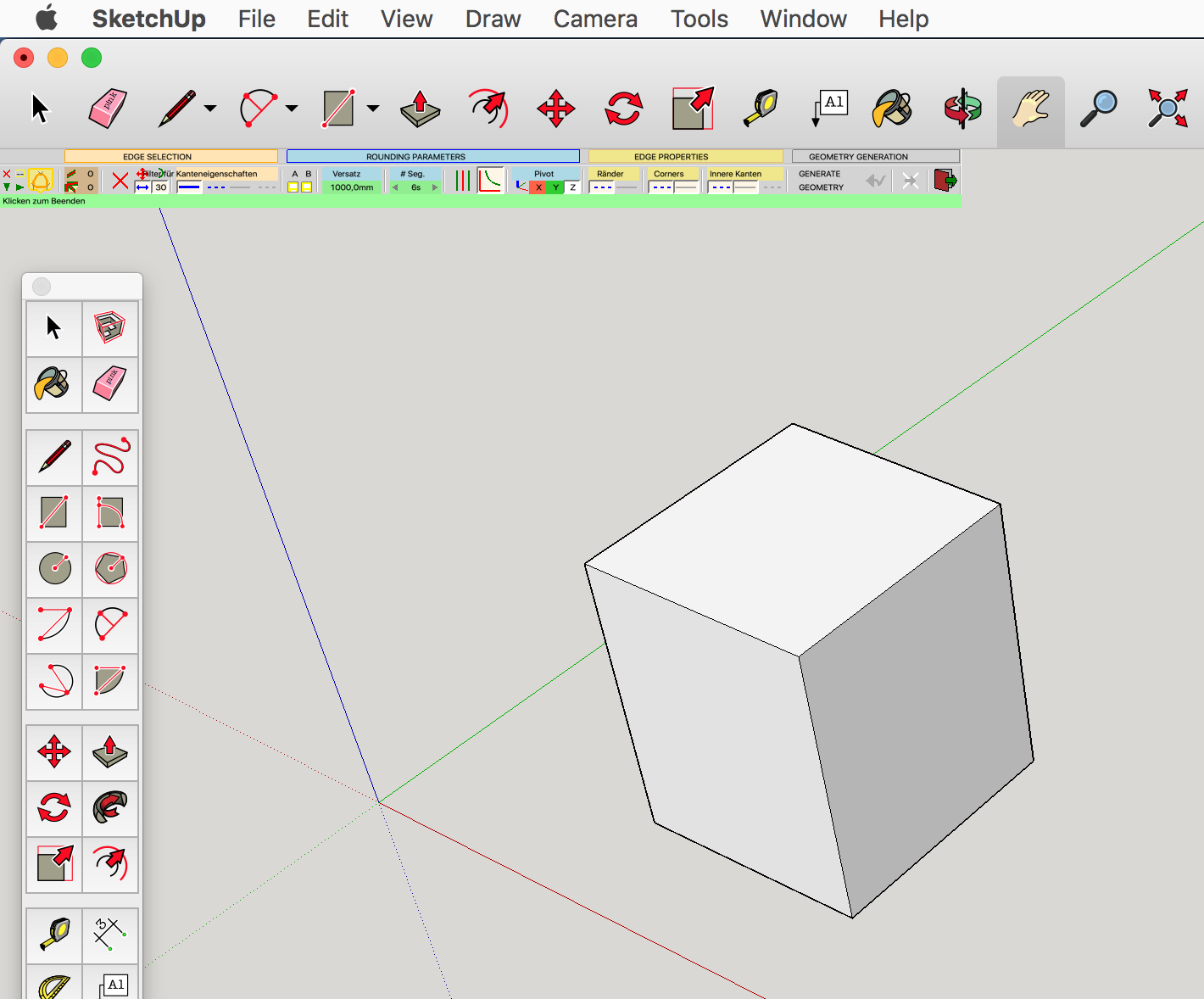

                                  Bildschirmfoto 2015-11-24 um 00.00.00.png

                                  1 條回覆 最後回覆 回覆 引用 0
                                  • I 離線
                                    indrifitrian6
                                    最後由 編輯

                                    where i can find the download link button?

                                    1 條回覆 最後回覆 回覆 引用 0
                                    • TIGT 離線
                                      TIG Moderator
                                      最後由 編輯

                                      @indrifitrian6 said:

                                      where i can find the download link button?
                                      Look in the SketchUcation PluginStore - link in menu above...
                                      Use the page's Search tool to find the entry, it it's not immediately seen...

                                      TIG

                                      1 條回覆 最後回覆 回覆 引用 0
                                      • fredo6F 離線
                                        fredo6
                                        最後由 編輯

                                        @wookbert said:

                                        Have you ever noticed the tiny size of RoundCorner control bar on a MacBook Retina? (MBPr 13" running 10.11.1 or any other Mac OS X version)? See attachment.

                                        Any idea how to solve this?

                                        There is nothing that can be done in scripts for high resolution screens under Sketchup.

                                        • It might be that SU2016 has improved the situation
                                        • otherwise, if you go to Window > LibFredo6 Settings... > Default Parameters..., you should find a check box about Retina. It should double the size of the buttons. However, there is not garantee that the character size would follow.

                                        Fredo

                                        1 條回覆 最後回覆 回覆 引用 0
                                        • W 離線
                                          Wookbert
                                          最後由 編輯

                                          @fredo6: Wasn't aware of the Retina check box. It helps a bit, the text however still is too small to be read and edited conveniently.

                                          1 條回覆 最後回覆 回覆 引用 0
                                          • fredo6F 離線
                                            fredo6
                                            最後由 編輯

                                            @wookbert said:

                                            @fredo6: Wasn't aware of the Retina check box. It helps a bit, the text however still is too small to be read and edited conveniently.

                                            The logic of font size vs screen resolution is not accessible from the Ruby API.

                                            However, you may want to read this thread, where other Mac users are discussing potential solutions.

                                            Fredo

                                            1 條回覆 最後回覆 回覆 引用 0
                                            • 1
                                            • 2
                                            • 50
                                            • 51
                                            • 52
                                            • 53
                                            • 54
                                            • 73
                                            • 74
                                            • 52 / 74
                                            • 第一個貼文
                                              最後的貼文
                                            Buy SketchPlus
                                            Buy SUbD
                                            Buy WrapR
                                            Buy eBook
                                            Buy Modelur
                                            Buy Vertex Tools
                                            Buy SketchCuisine
                                            Buy FormFonts

                                            Advertisement