sketchucation logo sketchucation
    • 登入
    Oops, your profile's looking a bit empty! To help us tailor your experience, please fill in key details like your SketchUp version, skill level, operating system, and more. Update and save your info on your profile page today!
    🔌 Smart Spline | Fluid way to handle splines for furniture design and complex structures. Download

    [Plugin] Shape Bender Beta

    已排程 已置頂 已鎖定 已移動 Plugins
    1.3k 貼文 331 Posters 1.8m 瀏覽 329 Watching
    正在載入更多貼文
    • 從舊到新
    • 從新到舊
    • 最多點贊
    回覆
    • 在新貼文中回覆
    登入後回覆
    此主題已被刪除。只有擁有主題管理權限的使用者可以查看。
    • S 離線
      SketchUpNoobie
      最後由 編輯

      That helps a bunch! Thanks!

      @dave r said:

      FWIW, on my computer, the Up arrow toggles the start and end positions on the curve and the Down Arrow toggles the start and end positions for the straight line. The Left and Right arrows don't do diddly.

      Mine works the same way. 😕

      --

      SketchUpNoobie: the complete noob in all things SketchUp.

      1 條回覆 最後回覆 回覆 引用 0
      • charly2008C 離線
        charly2008
        最後由 編輯

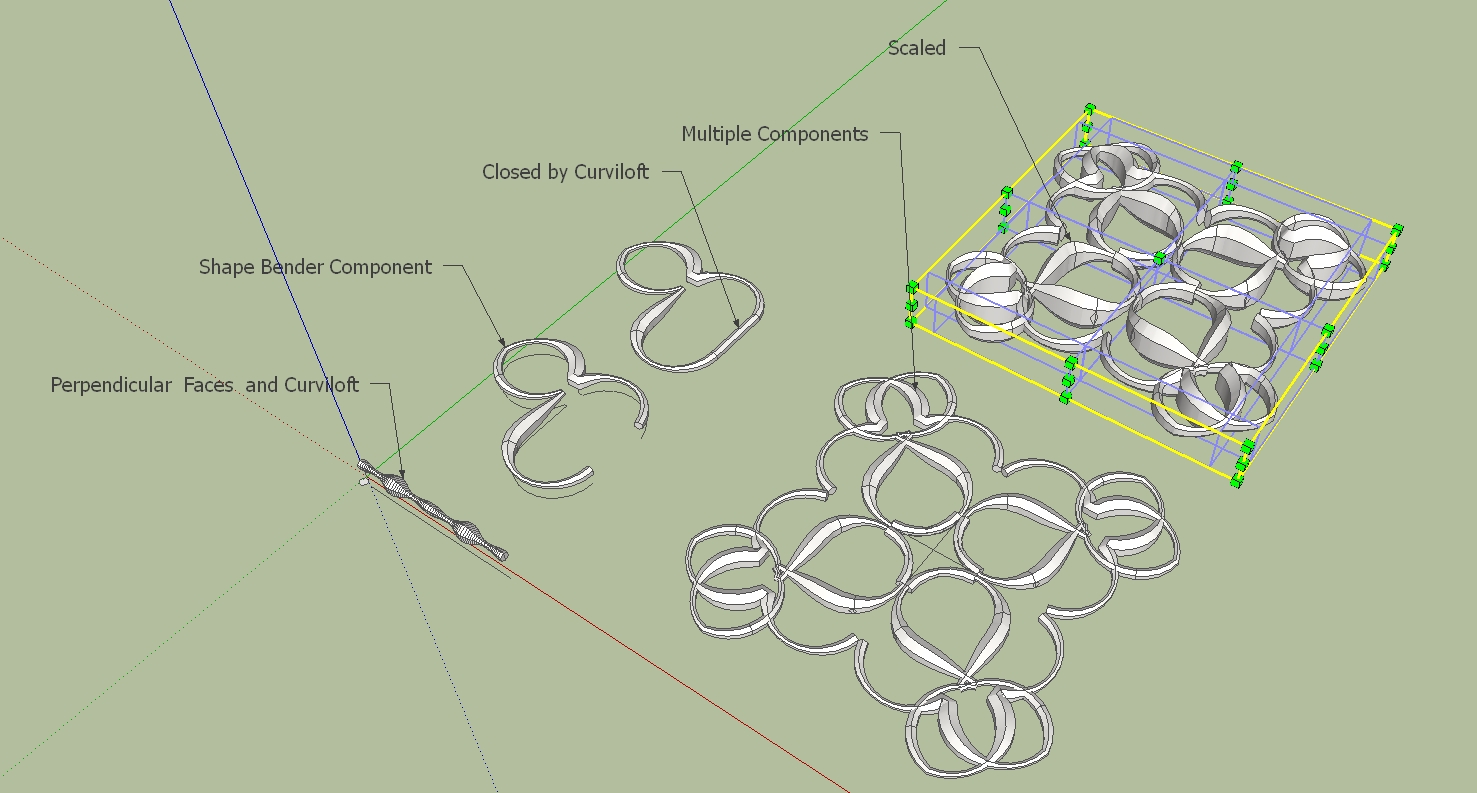
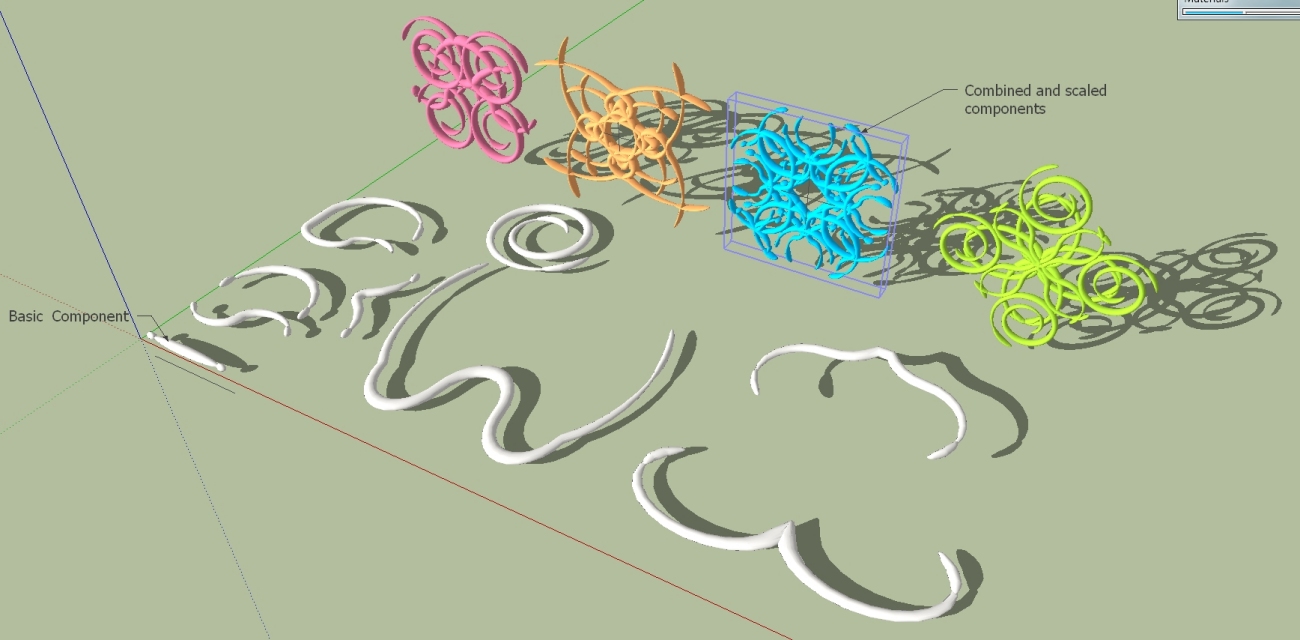
        Hi,

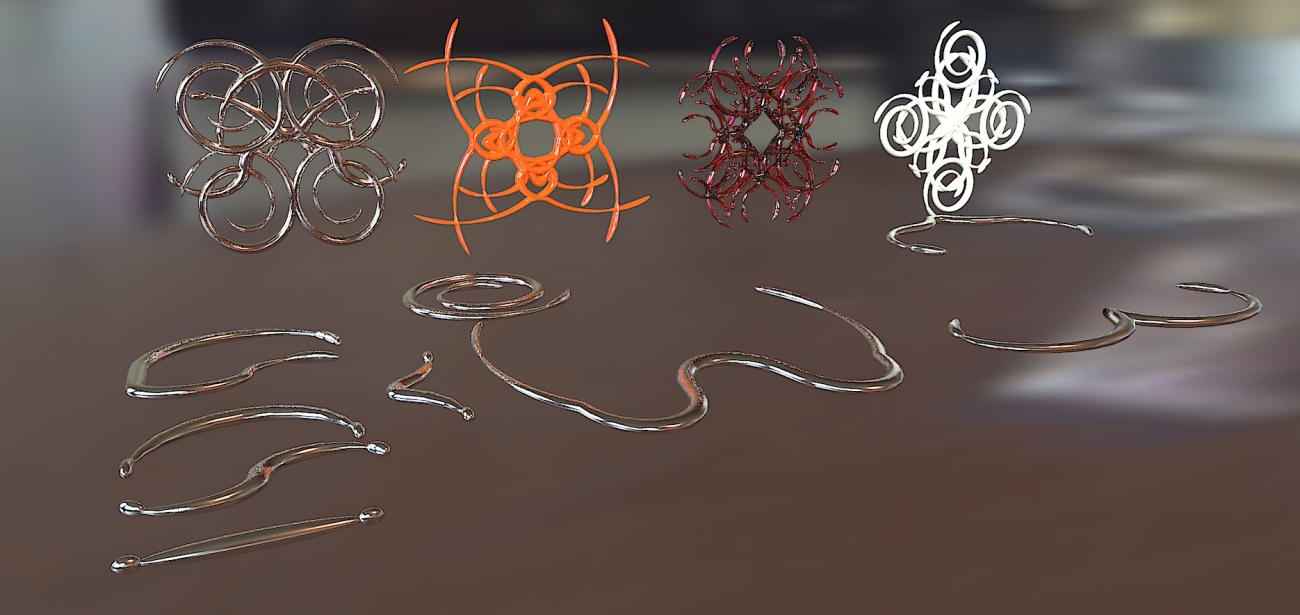
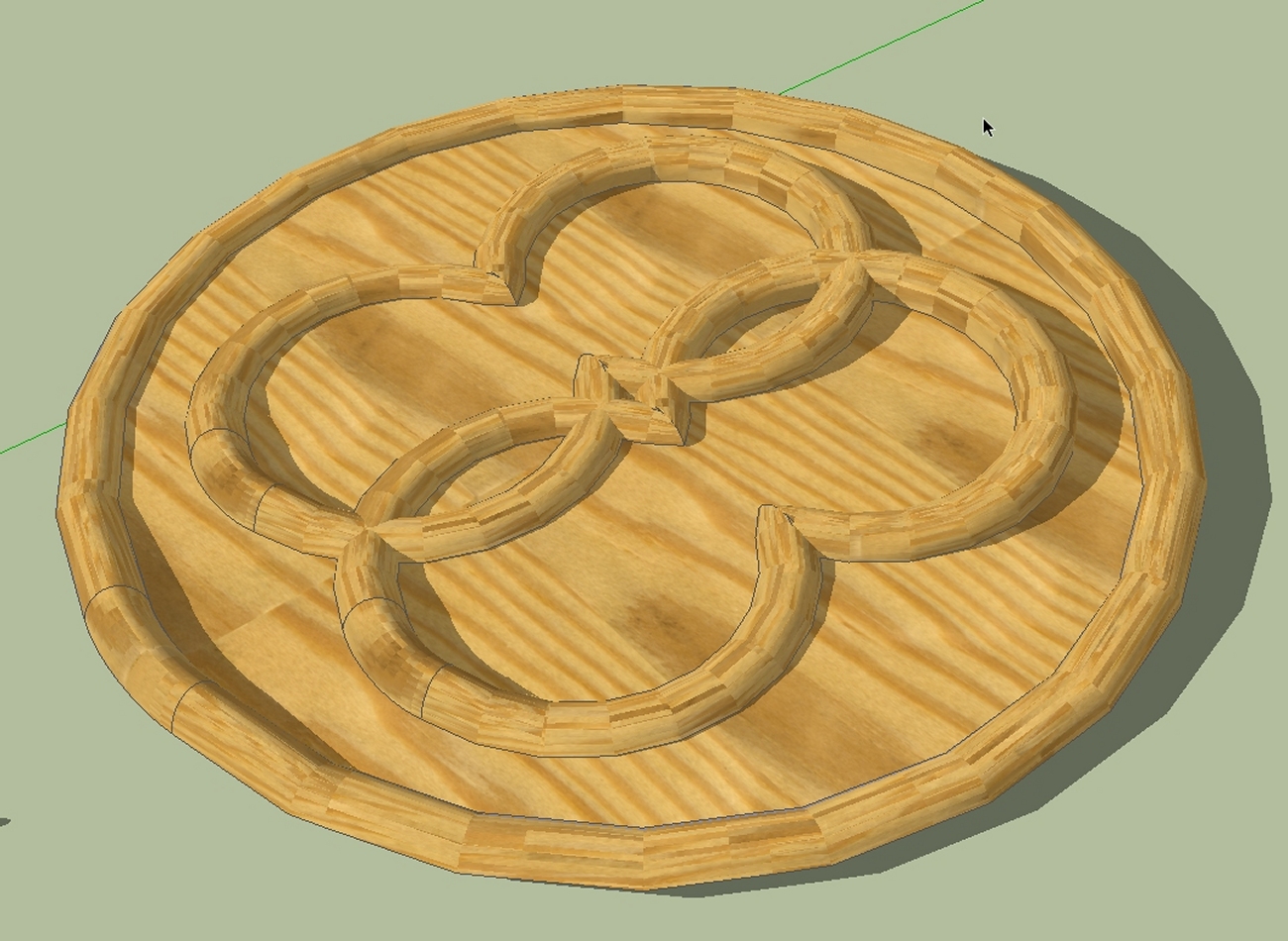
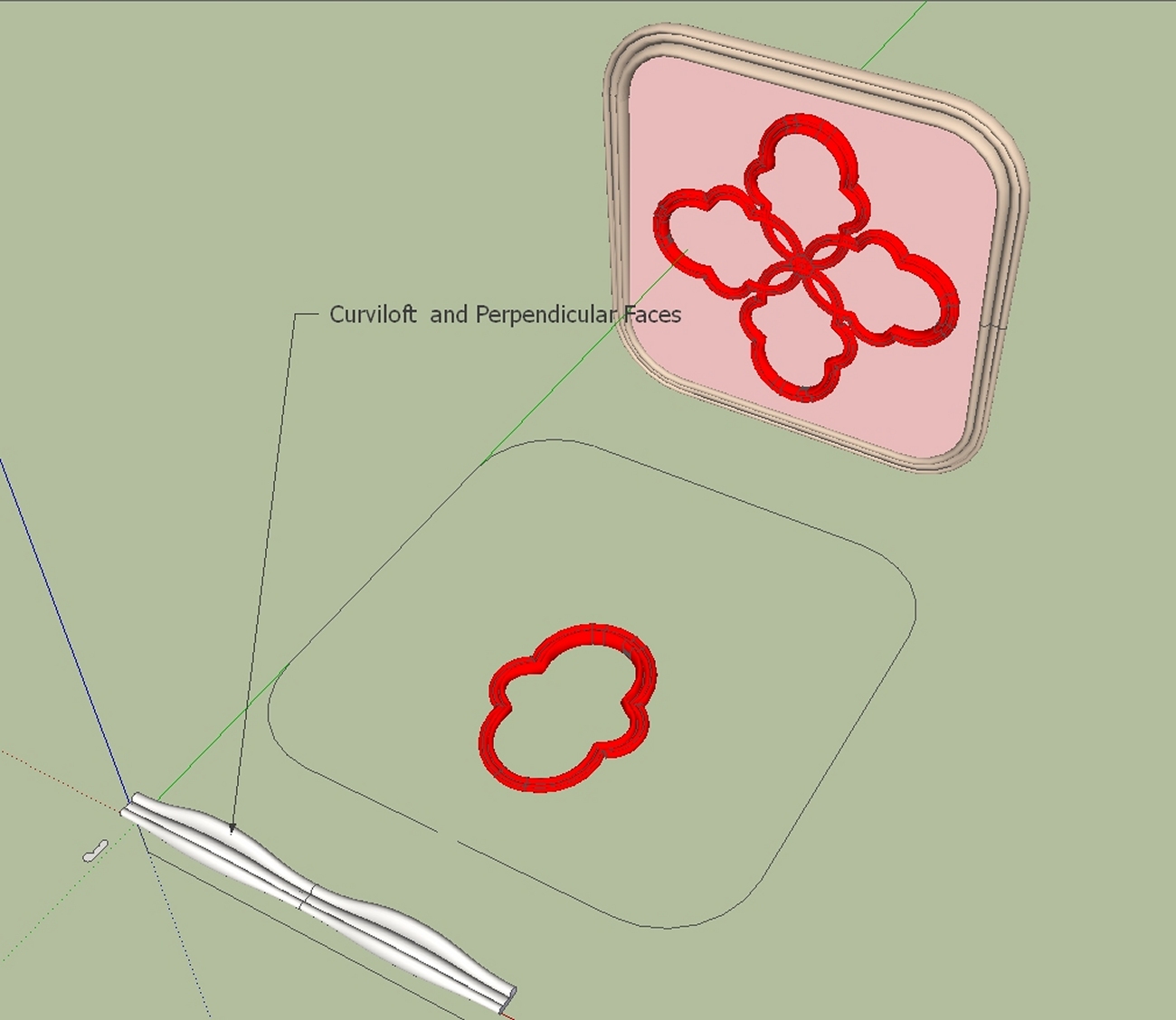
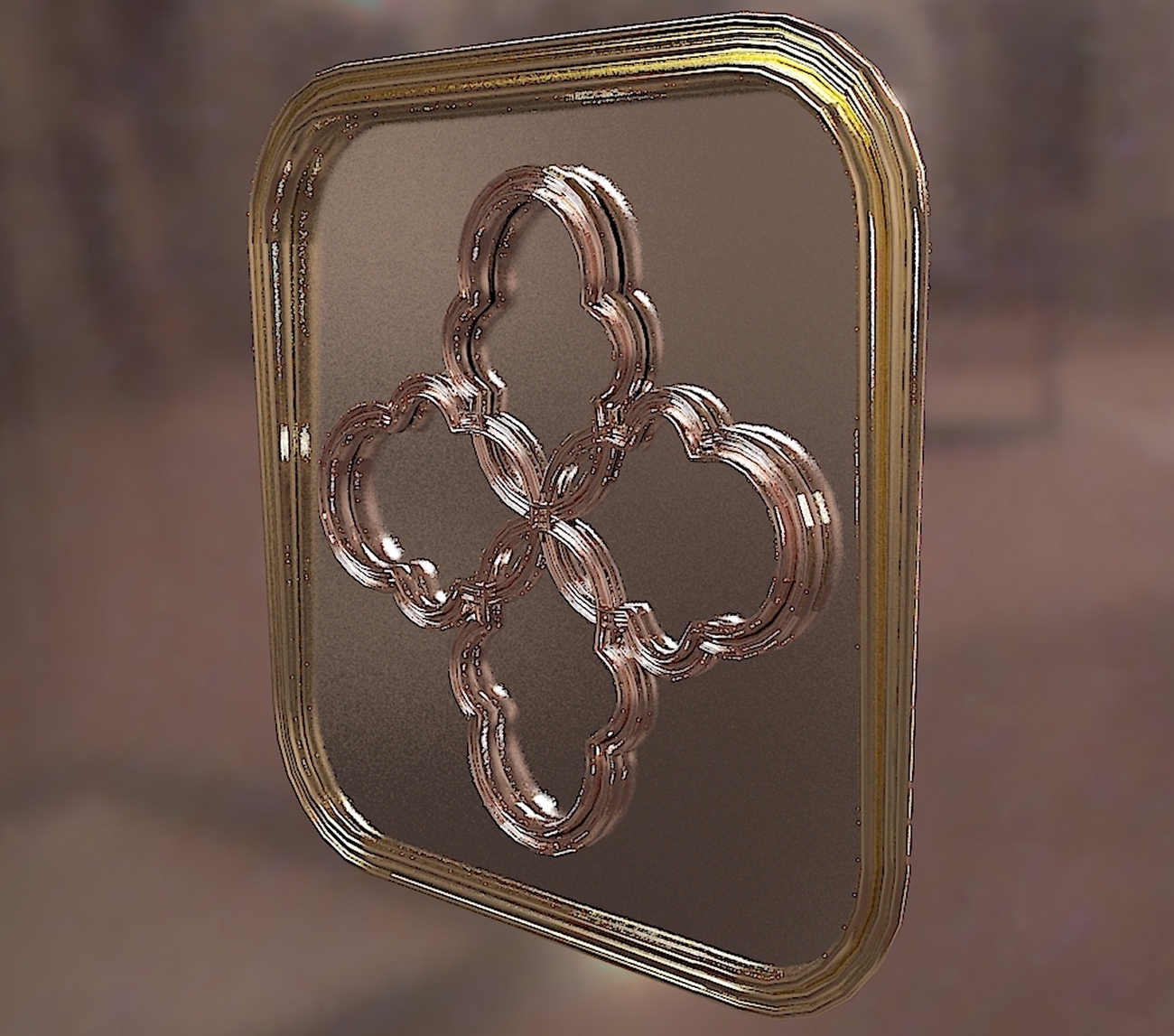
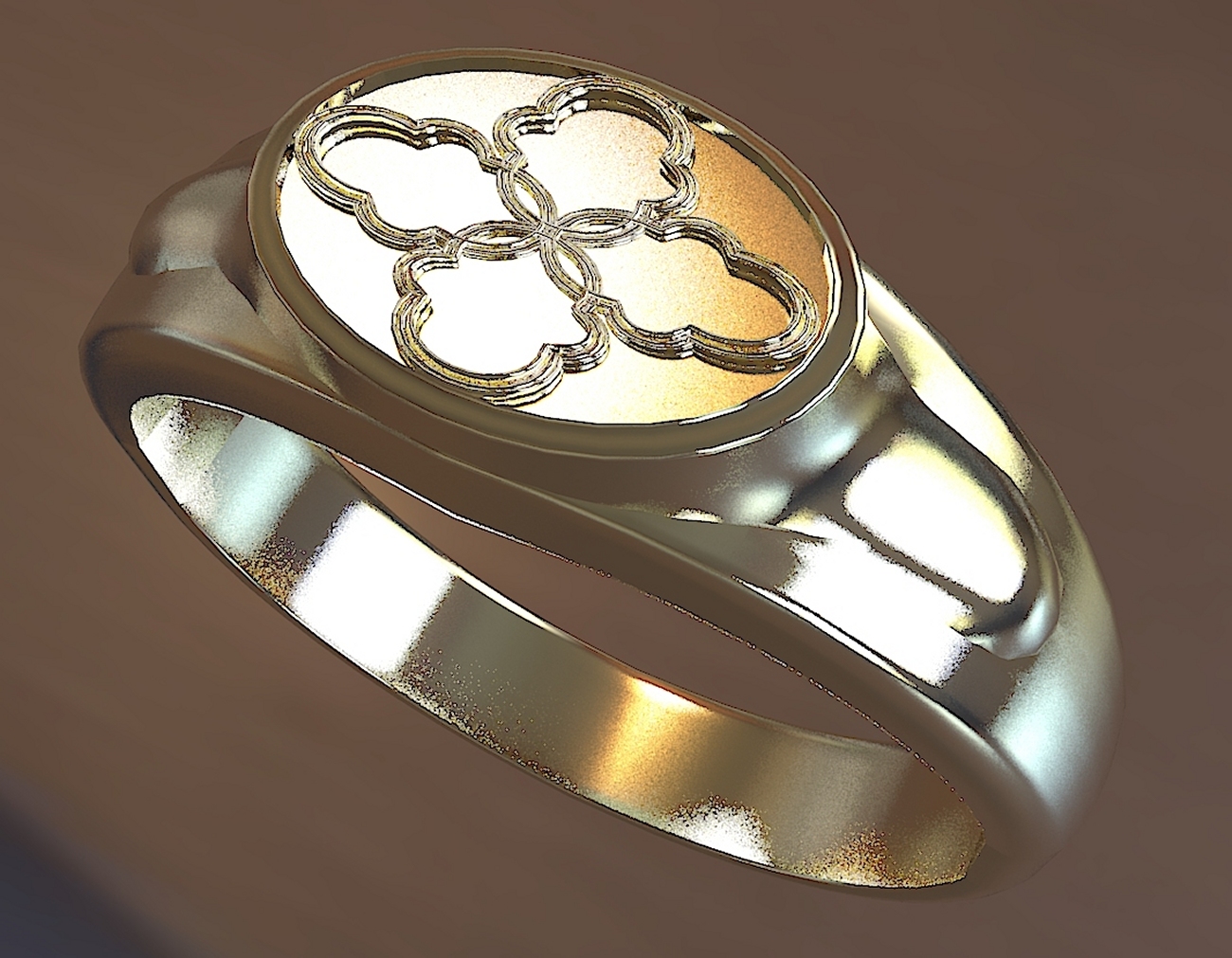
        This opens up many possibilities for jewelry or stucco designs. Who has other ideas.

        Charly

        2011-07-02_152703.jpg


        shapes.jpg

        He who makes no mistakes, makes nothing

        1 條回覆 最後回覆 回覆 引用 0
        • D 離線
          d12dozr
          最後由 編輯

          Those are some wild shapes, Charly 👍

          3D Printing with SketchUp Book
          http://goo.gl/f7ooYh

          1 條回覆 最後回覆 回覆 引用 0
          • Chris FullmerC 離線
            Chris Fullmer
            最後由 編輯

            Thanks for clarifying Dave - I have not used the plugin in a whle obviously!, I've forgotten how it works apparently.

            Great shapes there Charly, looks like you're getting the hang of shapebender quite nicely now!

            Chris

            Lately you've been tan, suspicious for the winter.
            All my Plugins I've written

            1 條回覆 最後回覆 回覆 引用 0
            • charly2008C 離線
              charly2008
              最後由 編輯

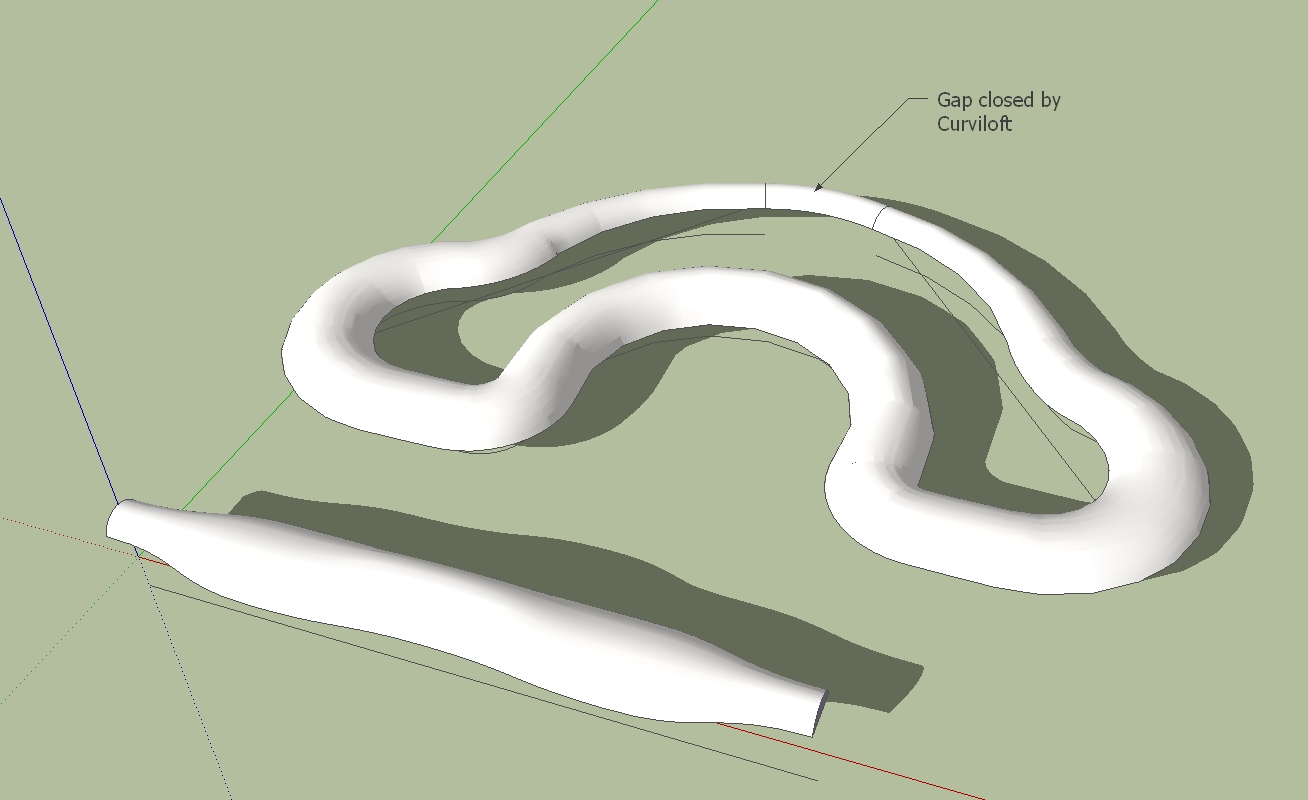
              Thanks Chris

              could be interesting also for wood working.

              Charly

              2011-07-03_005613.jpg

              He who makes no mistakes, makes nothing

              1 條回覆 最後回覆 回覆 引用 0
              • L 離線
                liviuroman
                最後由 編輯

                Google SketchUp 8 - Windows 7 x64

                Error; #<NoMethodError; undefined method `all_connected' for #<Sketchup;;ComponentInstance;0xaccf740>>
                C;/Program Files (x86)/Google/Google SketchUp 8/Plugins/clf_shape_bender/clf_shape_bender.rb;307;in `line_picker'
                C;/Program Files (x86)/Google/Google SketchUp 8/Plugins/clf_shape_bender/clf_shape_bender.rb;239;in `onLButtonUp'
                C;/Program Files (x86)/Google/Google SketchUp 8/Plugins/clf_shape_bender/clf_shape_bender.rb;307
                
                1 條回覆 最後回覆 回覆 引用 0
                • Chris FullmerC 離線
                  Chris Fullmer
                  最後由 編輯

                  That looks like a problenm with what you are selecting. I think you need to have just a single component selected when you begin the tool. Then click on a line.

                  Could you upload the model you tried it on? I could look at it and see what is wrong,

                  Chris

                  Lately you've been tan, suspicious for the winter.
                  All my Plugins I've written

                  1 條回覆 最後回覆 回覆 引用 0
                  • charly2008C 離線
                    charly2008
                    最後由 編輯

                    Hi,
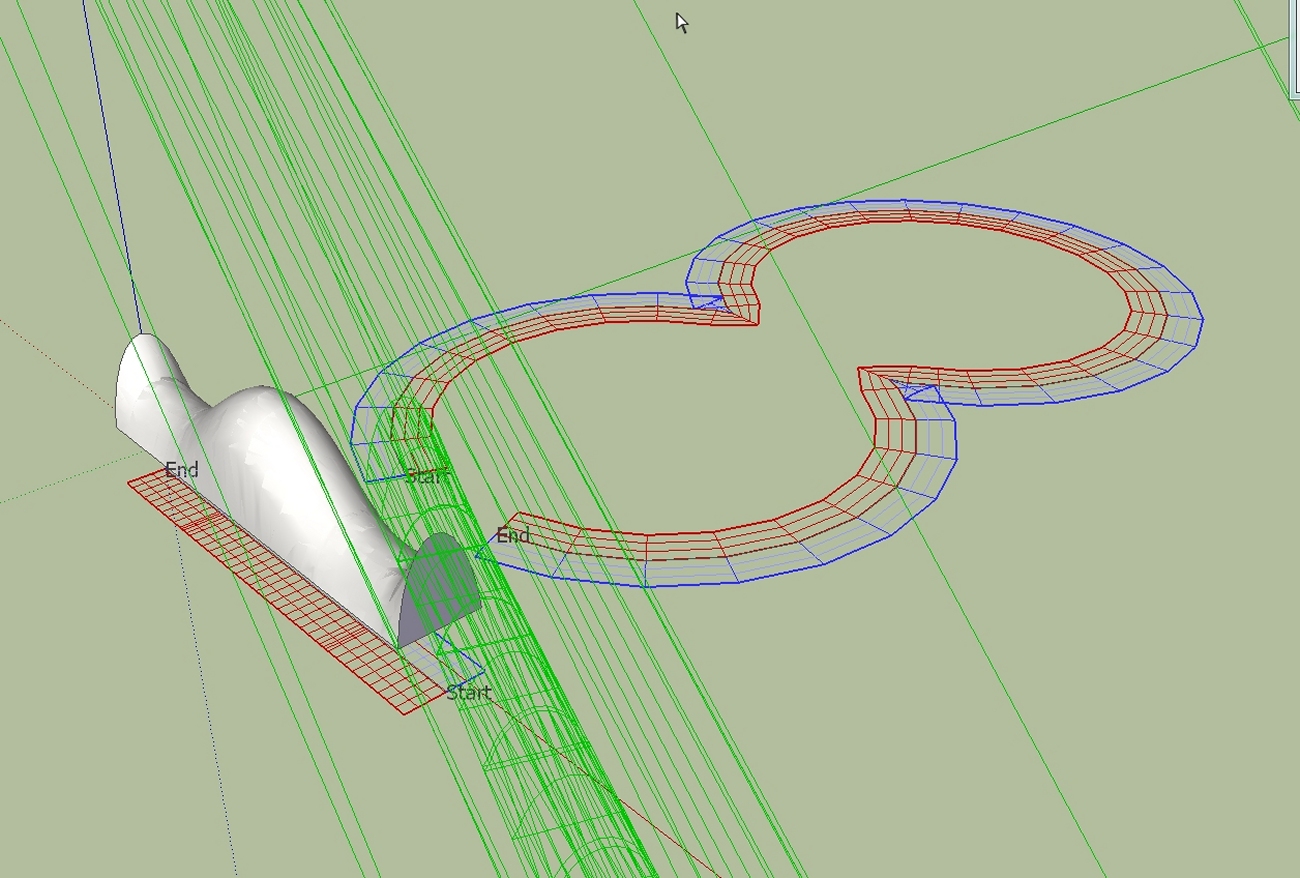
                    I'm still experimenting with the different profiles and different paths.

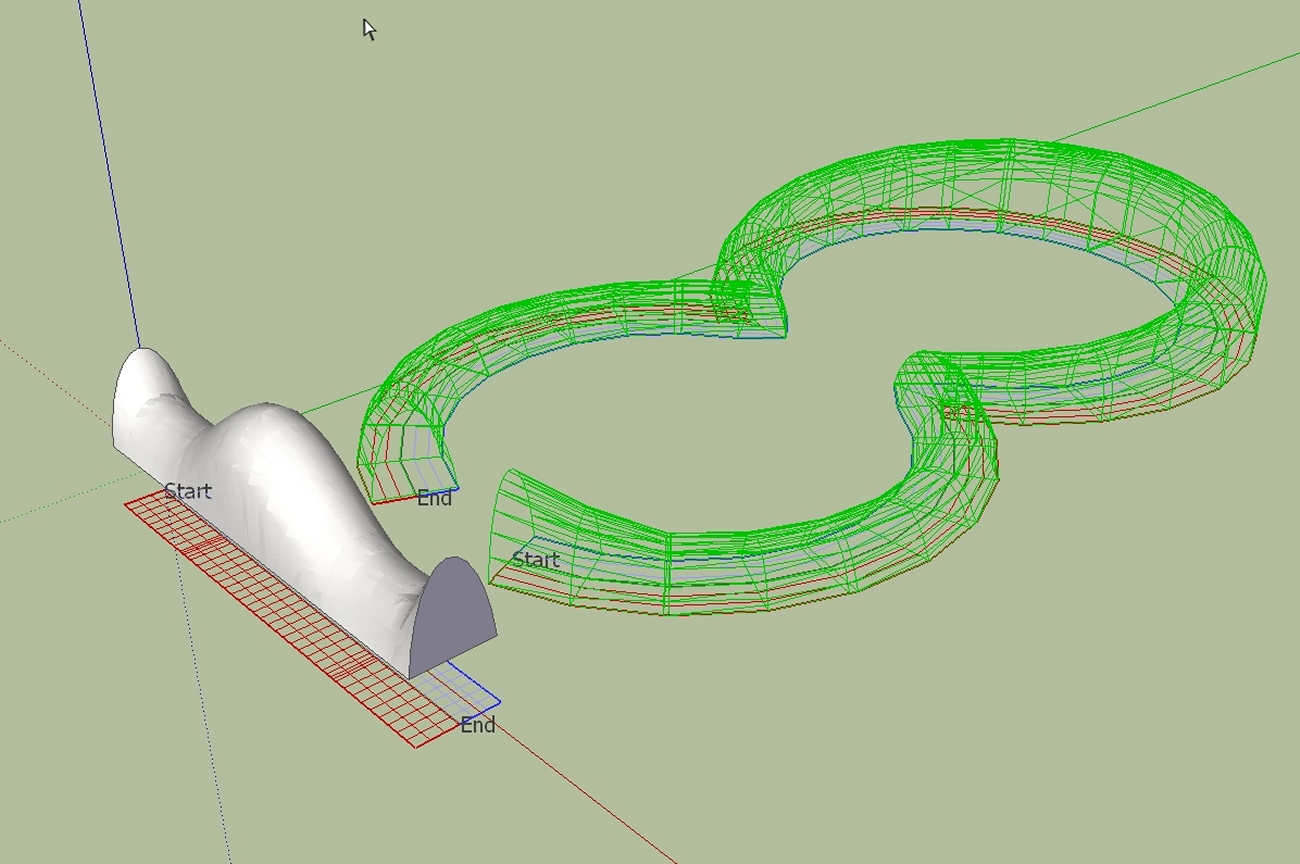
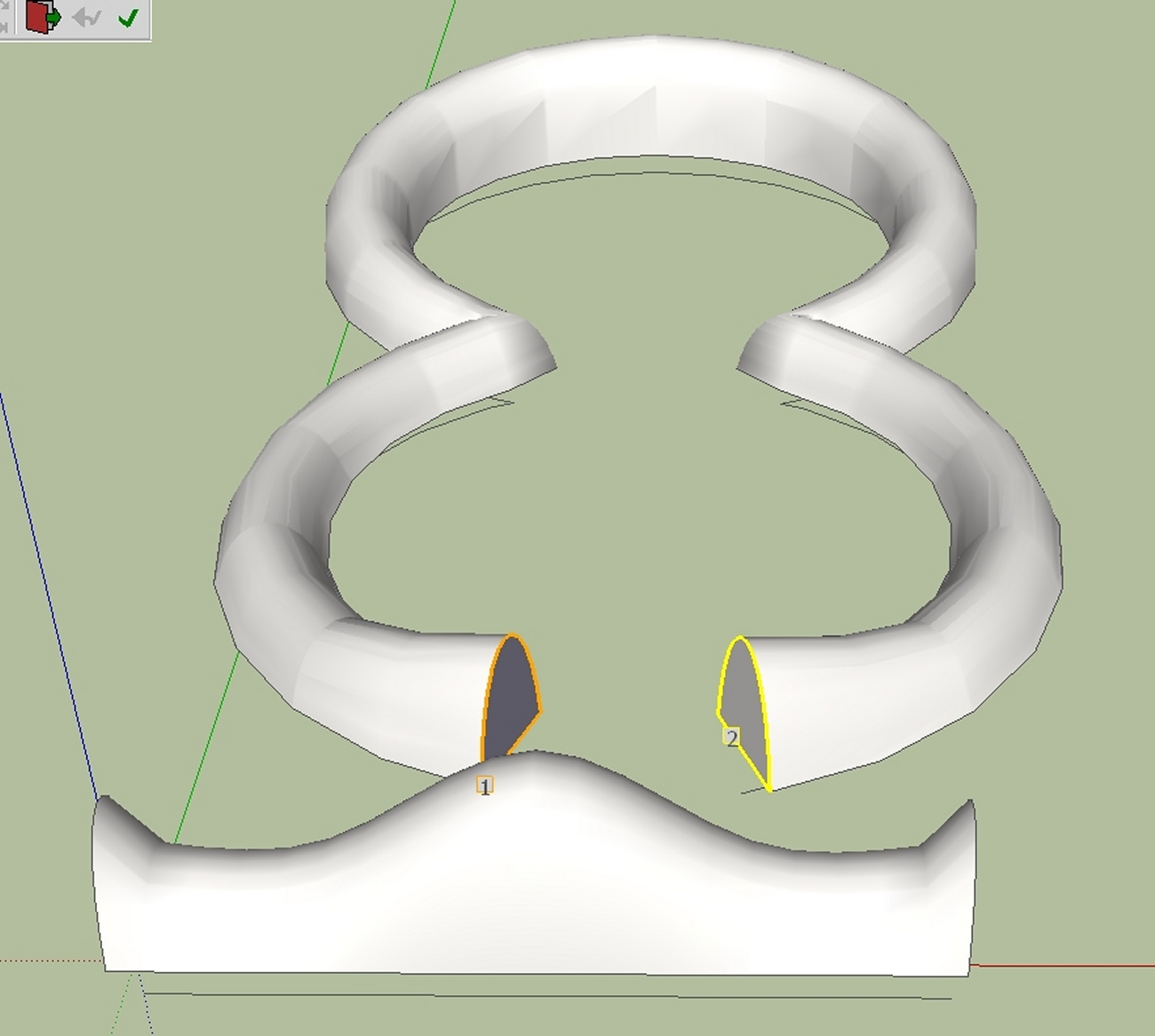
                    In the example shown below,at the first step the profile is messed up. But that's not a problem. Press the up arrow key and then the down arrow key and the profile is then aligned.

                    Charly

                    1.jpg


                    2.jpg


                    4.jpg


                    5.jpg


                    7.jpg

                    He who makes no mistakes, makes nothing

                    1 條回覆 最後回覆 回覆 引用 0
                    • L 離線
                      liviuroman
                      最後由 編輯

                      I solved the problem. I didn`t have any line parallel to x-axis (red axis).

                      1 條回覆 最後回覆 回覆 引用 0
                      • charly2008C 離線
                        charly2008
                        最後由 編輯

                        Hi,

                        Another attempt.


                        2011-07-04_130252.jpg


                        shape.jpg


                        temp_ppt.jpg

                        He who makes no mistakes, makes nothing

                        1 條回覆 最後回覆 回覆 引用 0
                        • charly2008C 離線
                          charly2008
                          最後由 編輯

                          Hi,

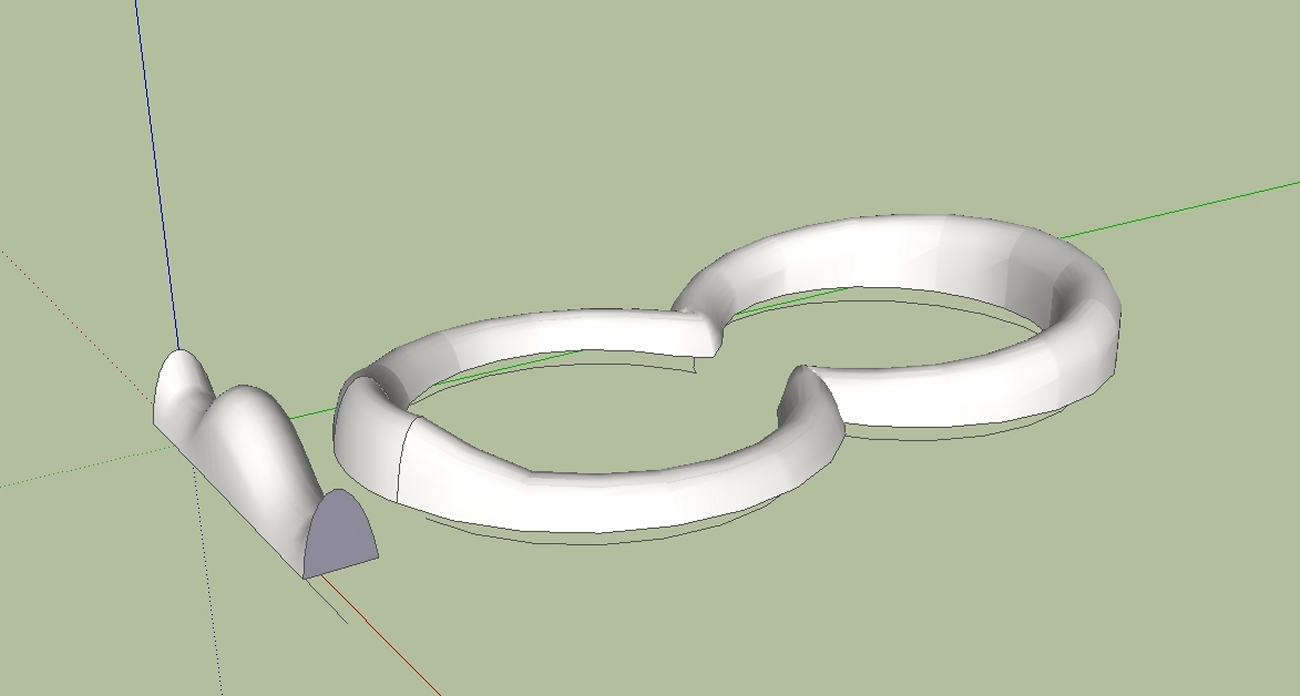
                          here again, the individual steps.

                          Charly


                          2011-07-04_231541.jpg


                          ShapeBender1.skp

                          He who makes no mistakes, makes nothing

                          1 條回覆 最後回覆 回覆 引用 0
                          • C 離線
                            cancincon
                            最後由 編輯

                            Hello,

                            First of all I thank you a lot for the script, a great idea and a great work.

                            However I am having trouble with making it work, probably because i am being a noob, but i would still appreciate some help.

                            When I try to make the script work it tells me to "select something" even though I already selected the object.

                            I tried many times but still get this error.

                            Can anyone point me out what i am doing wrong?

                            Thanks

                            1 條回覆 最後回覆 回覆 引用 0
                            • Dave RD 離線
                              Dave R
                              最後由 編輯

                              Did you select a component before trying to run the plugin?

                              Etaoin Shrdlu

                              %

                              (THERE'S NO PLACE LIKE)

                              G28 X0.0 Y0.0 Z0.0

                              M30

                              %

                              1 條回覆 最後回覆 回覆 引用 0
                              • C 離線
                                cancincon
                                最後由 編輯

                                @dave r said:

                                Did you select a component before trying to run the plugin?

                                yes i did 😐

                                1 條回覆 最後回覆 回覆 引用 0
                                • thomthomT 離線
                                  thomthom
                                  最後由 編輯

                                  Did you perhaps select a group instead?

                                  Thomas Thomassen — SketchUp Monkey & Coding addict
                                  List of my plugins and link to the CookieWare fund

                                  1 條回覆 最後回覆 回覆 引用 0
                                  • C 離線
                                    cancincon
                                    最後由 編輯

                                    @thomthom said:

                                    Did you perhaps select a group instead?

                                    hmm...maybe...

                                    well i am not even sure, i just made a cylinder and clicked on it with selection tool so it turns blue (so this is where i thought i selected it)

                                    Sorry, i know it sounds stupid but i would still appreciate some pointers about how to use this plug-in : (

                                    Thanks

                                    1 條回覆 最後回覆 回覆 引用 0
                                    • TIGT 離線
                                      TIG Moderator
                                      最後由 編輯

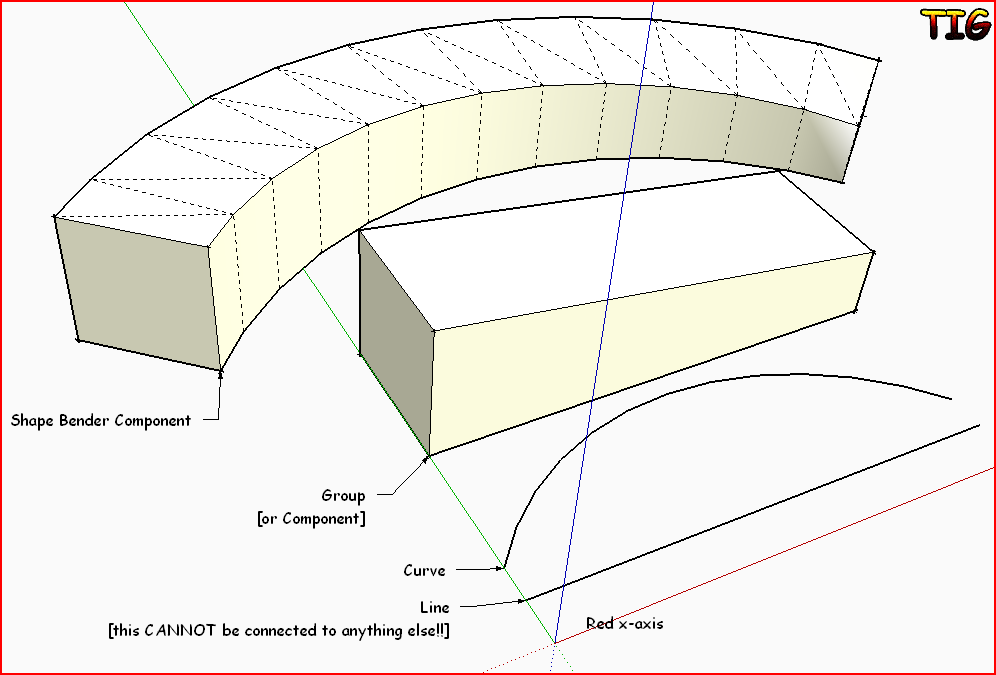
                                      You need a 'Group' of geometry that you want to 'bend', a straight 'Line' parallel with the X-axis [Red] that determines the extents of the bending [note that this line cannor be connected to anything else!] and a 'curve' [i.e. an Arc, Bezier or collection of Edges 'Welded' into a Curve] that the bend will follow.

                                      To make a group select your required geometry [e.g. your cylinder] right-click and 'Make Group'; it now selects as a single object because the geometry is inside it [you can also use a component-instance instead of a group - then use 'Make Component'!]...

                                      The relative placement of the group[or component], the line and the curve affect the resultant bending.

                                      Select the group[or component] and start the 'Shape Bender' tool.
                                      Follow the prompts - pick the line - then pick the curve - swap the start/end with arrow-keys IF required [e.g. the ghost-image of the potential bent result looks 'twisted'].
                                      Press <enter> and the group is copied in a 'bent' form, as a new 'shape bender component'...Capture.PNG
                                      TIG

                                      1 條回覆 最後回覆 回覆 引用 0
                                      • thomthomT 離線
                                        thomthom
                                        最後由 編輯

                                        You made a cylinder - as in you drew a circle and push-pulled it? Then what? Did you group it or make it into a component?

                                        Thomas Thomassen — SketchUp Monkey & Coding addict
                                        List of my plugins and link to the CookieWare fund

                                        1 條回覆 最後回覆 回覆 引用 0
                                        • C 離線
                                          cancincon
                                          最後由 編輯

                                          @tig said:

                                          You need a 'Group' of geometry that you want to 'bend', a straight 'Line' parallel with the X-axis [Red] that determines the extents of the bending [note that this line cannor be connected to anything else!] and a 'curve' [i.e. an Arc, Bezier or collection of Edges 'Welded' into a Curve] that the bend will follow.

                                          To make a group select your required geometry [e.g. your cylinder] right-click and 'Make Group'; it now selects as a single object because the geometry is inside it [you can also use a component-instance instead of a group - then use 'Make Component'!]...

                                          The relative placement of the group[or component], the line and the curve affect the resultant bending.

                                          Select the group[or component] and start the 'Shape Bender' tool.
                                          Follow the prompts - pick the line - then pick the curve - swap the start/end with arrow-keys IF required [e.g. the ghost-image of the potential bent result looks 'twisted'].
                                          Press <enter> and the group is copied in a 'bent' form, as a new 'shape bender component'...[attachment=0:31120sgk]<!-- ia0 -->Capture.PNG<!-- ia0 -->[/attachment:31120sgk]

                                          Phew...that did it

                                          Thanks to everyone who bothered to give an answer, I appreciate it : ))

                                          1 條回覆 最後回覆 回覆 引用 0
                                          • A 離線
                                            avraz
                                            最後由 編輯

                                            first of all thanks alot for your work -i just bought your repeat copy plug for landscaping and im very happy with it
                                            i also got the shape bender which i really enjoy playing with .
                                            the problem is-it works on 2 computers in version 7 but on my version 8 which i got alot of plugins installed in it , as soon as i pick the component and the 2 lines it starting to process and get stuck on 1-7% and writes that it is looking for components to explode
                                            i tried with a component and with a group i tried reenstalling it ,the shapes i used r as simple as they come and my computer is very strong
                                            my best guess is that is is clashing with another plugin
                                            i got about 100 plugins so if you know of such plug that might be causing such a problem it will help alot


                                            1 條回覆 最後回覆 回覆 引用 0
                                            • 1
                                            • 2
                                            • 9
                                            • 10
                                            • 11
                                            • 12
                                            • 13
                                            • 63
                                            • 64
                                            • 11 / 64
                                            • 第一個貼文
                                              最後的貼文
                                            Buy SketchPlus
                                            Buy SUbD
                                            Buy WrapR
                                            Buy eBook
                                            Buy Modelur
                                            Buy Vertex Tools
                                            Buy SketchCuisine
                                            Buy FormFonts

                                            Advertisement