sketchucation logo sketchucation
    • Conectarse
    Oops, your profile's looking a bit empty! To help us tailor your experience, please fill in key details like your SketchUp version, skill level, operating system, and more. Update and save your info on your profile page today!
    🔌 Smart Spline | Fluid way to handle splines for furniture design and complex structures. Download

    [Plugin][$] FredoScale - v3.6a - 01 Apr 24


    Programado Fijo Cerrado Movido Plugins
    1.1k Mensajes 345 Posters 2.4m Visitas 342 Watching
    Cargando más mensajes
    • Más antiguo a más nuevo
    • Más nuevo a más antiguo
    • Mayor número de Votos
    Responder
    • Responder como tema
    Accede para responder
    Este tema ha sido borrado. Solo los usuarios que tengan privilegios de administración de temas pueden verlo.
    • dereiD Desconectado
      derei
      Última edición por

      @narayan said:

      Excuse me, I noticed some "strange looking buttons on the toolbar image posted by narayan.
      I marked them with red in the image, please tell me what are they and where I can find them?

      strange toolbar.jpg
      Thank you.

      DESIGNER AND ARTIST DEREI.UK

      1 Respuesta Última respuesta Responder Citar 0
      • GaieusG Desconectado
        Gaieus
        Última edición por

        The top left one is Pen tools by Rich:
        http://forums.sketchucation.com/viewtopic.php?t=37359

        (I don't know the others either)


        Rather messy toolbars however. 😒

        Gai...

        1 Respuesta Última respuesta Responder Citar 0
        • L Desconectado
          Lorelalala
          Última edición por

          Thank you, Fredo!

          1 Respuesta Última respuesta Responder Citar 0
          • T Desconectado
            Tinygrasshopper
            Última edición por

            Hi!!
            First of all : Muchas gracias! Super plugin!
            Now... I have somme trouble with the plugin. Almost everything works fine, but "PlanarShear" and "Radial Bend" give me a bugsplat immediately, no matter the size or the form of the component, even with a single line ❓

            I tryed everything i found on the forum, i updated the plugin, i updated de Fredo Lybrary, etc.

            The bugsplat gives me : SketchUpP2JD3HV5.dmp, OG5T2D56.xml, SketchupUndo0.log
            I work on Windows XP, SU 7.0.11018, 3Go of Ram, Intel Dual-Core E5300 (I know my PC s***ks, but is not mine, is my firm's).

            Any ideas? Thanks in advance!

            1 Respuesta Última respuesta Responder Citar 0
            • fredo6F Desconectado
              fredo6
              Última edición por

              @tinygrasshopper said:

              Hi!!
              First of all : Muchas gracias! Super plugin!
              Now... I have somme trouble with the plugin. Almost everything works fine, but "PlanarShear" and "Radial Bend" give me a bugsplat immediately, no matter the size or the form of the component, even with a single line ❓

              I tryed everything i found on the forum, i updated the plugin, i updated de Fredo Lybrary, etc.

              The bugsplat gives me : SketchUpP2JD3HV5.dmp, OG5T2D56.xml, SketchupUndo0.log
              I work on Windows XP, SU 7.0.11018, 3Go of Ram, Intel Dual-Core E5300 (I know my PC s***ks, but is not mine, is my firm's).

              Any ideas? Thanks in advance!

              When do you get the blug splat

              • when you select and start FredoScale
              • When you generate the transformation.
                Also, could you open the Ruby console, to see if you see something displayed just before you get the bug splat.
                Thanks to be more accurate on the conditions

              Fredo

              1 Respuesta Última respuesta Responder Citar 0
              • Rich O BrienR Desconectado
                Rich O Brien Moderator
                Última edición por

                Thanks Fredo 👍

                Download the free D'oh Book for SketchUp 📖

                1 Respuesta Última respuesta Responder Citar 0
                • thomthomT Desconectado
                  thomthom
                  Última edición por

                  That is a really nice feature addon. 👍

                  Thomas Thomassen — SketchUp Monkey & Coding addict
                  List of my plugins and link to the CookieWare fund

                  1 Respuesta Última respuesta Responder Citar 0
                  • J Desconectado
                    jorge2011
                    Última edición por

                    Thank you very much Mr. Fred for this new update. It is very good.

                    If possible, the next update adds the option to change the color and size of the nodes in the boxes?
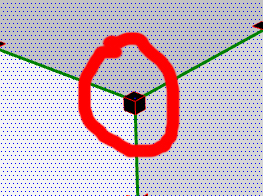
                    Box.jpg

                    and switch on or off the visualization of the axes
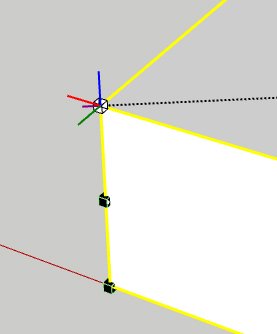
                    Axes.jpg

                    thank you very much

                    1 Respuesta Última respuesta Responder Citar 0
                    • fredo6F Desconectado
                      fredo6
                      Última edición por

                      NEW RELEASE: FredoScale 2.2a- 24 Jul 11

                      This release integrate a feature of Collapsing handles when dimensions are small on screen.

                      This was suggested in a request by Cunningham.

                      Kyyu also produced a plugin "Simple Scale Tool Handles" for the standard Scale tool.

                      The principle is to hide the handles on corners and edges when the dimension of a side appears too small on the screen (like this is usually the case for boards or for timbers). However, when you zoom in, all handles will progressively reappear.

                      By default a dimension is considered "small on screen" if its size appears to be under 30 pixels in the current view. You can change this value in the Default Parameters dialog box. Note that entering a value of 0 will disable the feature, i.e. all handles will always appear.
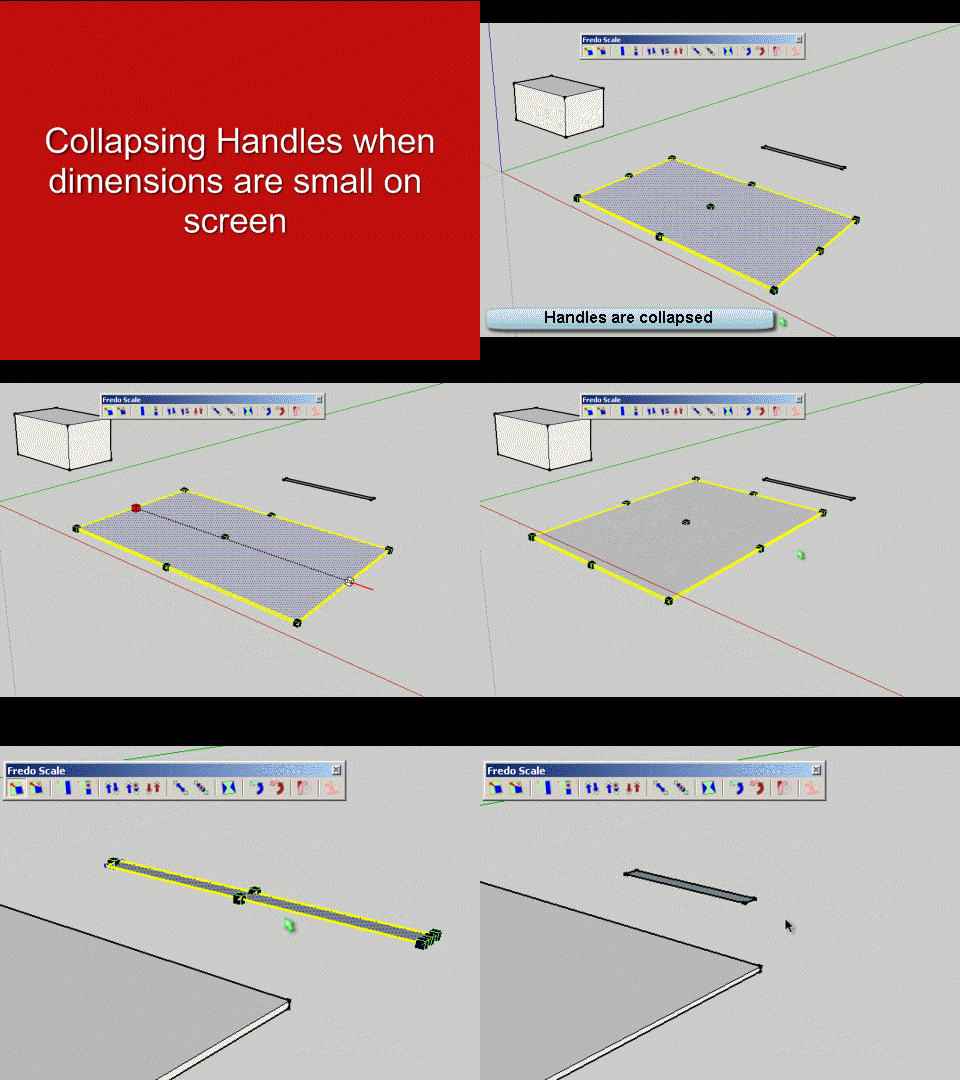
                      FredoScale Collapse Handles.gif
                      Note also that as of this release, the Dice option (activated by F4) is active by default

                      Please see main post for download

                      Fredo

                      1 Respuesta Última respuesta Responder Citar 0
                      • dereiD Desconectado
                        derei
                        Última edición por

                        I have two major problems with the plugin: I can't see the new scaling icon on toolbar and I could not find it on settings webdialog.
                        Second problem is shown in the images below. It seems that stretching is made accordingly with global axis, not component's orientation.
                        I have the last plugin and LibFredo3.7
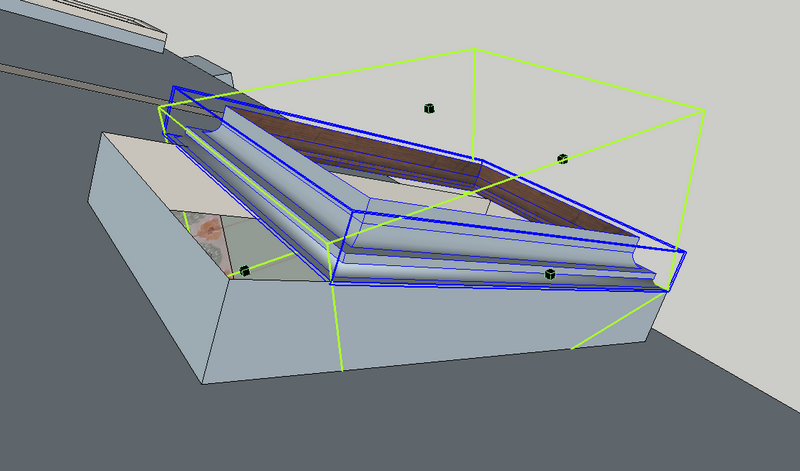

                        fredoscale1.png


                        fredoscale2.png

                        DESIGNER AND ARTIST DEREI.UK

                        1 Respuesta Última respuesta Responder Citar 0
                        • Rich O BrienR Desconectado
                          Rich O Brien Moderator
                          Última edición por

                          Hi Fredo,

                          I notice that this latest release isn't found via the 'Check for Update' feature within SU?

                          Download the free D'oh Book for SketchUp 📖

                          1 Respuesta Última respuesta Responder Citar 0
                          • fredo6F Desconectado
                            fredo6
                            Última edición por

                            @unknownuser said:

                            I have two major problems with the plugin: I can't see the new scaling icon on toolbar and I could not find it on settings webdialog.
                            Second problem is shown in the images below. It seems that stretching is made accordingly with global axis, not component's orientation.
                            I have the last plugin and LibFredo3.7
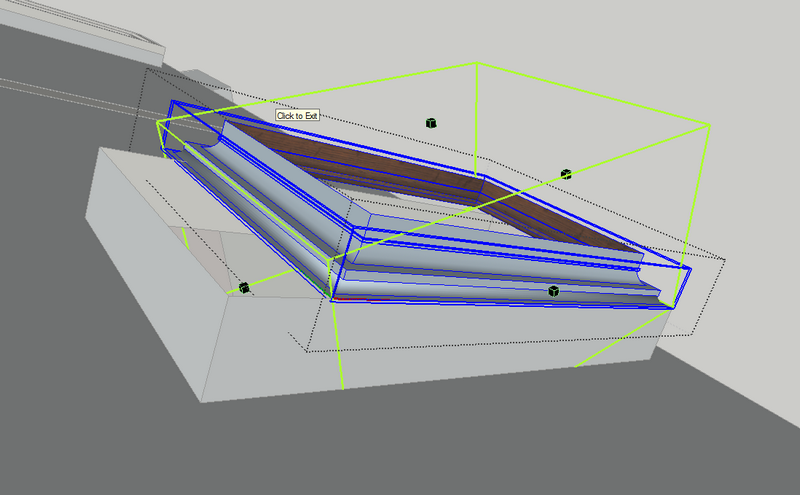
                            1. There is no new scaling icon

                            2. you need first to orientate the scaling box. Just click on the long edge of your component.

                            Fredo

                            1 Respuesta Última respuesta Responder Citar 0
                            • fredo6F Desconectado
                              fredo6
                              Última edición por

                              @unknownuser said:

                              Hi Fredo,

                              I notice that this latest release isn't found via the 'Check for Update' feature within SU?

                              Rich,

                              You are right. Thanks.
                              I just published the notice for the version 2.2a.

                              Fred

                              1 Respuesta Última respuesta Responder Citar 0
                              • dereiD Desconectado
                                derei
                                Última edición por

                                @unknownuser said:

                                1. There is no new scaling icon

                                This post mislead me http://forums.sketchucation.com/viewtopic.php?f=323&t=17948&p=344976#p343978 In the image are two scaling icons on toolbar

                                @unknownuser said:

                                1. you need first to orientate the scaling box. Just click on the long edge of your component.

                                Fredo

                                Strange, I haven't done that before... is it a new feature? Also it is possible that I never was into position to stretch rotated components 😄
                                Thanks for the tip. What about components that don't have edges collinear with axis orientation, how do we orientate the scaling box then?

                                DESIGNER AND ARTIST DEREI.UK

                                1 Respuesta Última respuesta Responder Citar 0
                                • Rich O BrienR Desconectado
                                  Rich O Brien Moderator
                                  Última edición por

                                  @dereeei

                                  You can have extra icons that are 'scale to target' enabled. Check the documentation to see what they care.

                                  @Fredo

                                  Your first post still has the January version as the current download version under the download icon. The file is correct but the text suggests an older version.

                                  Download the free D'oh Book for SketchUp 📖

                                  1 Respuesta Última respuesta Responder Citar 0
                                  • fredo6F Desconectado
                                    fredo6
                                    Última edición por

                                    @unknownuser said:

                                    1. There is no new scaling icon

                                    Just go to Fredo6 Collection > FredoScale > Default Parameters.... Scroll down the dialog box and you'll find check boxes to enable additional icons. Note that whether icons are visible or not, the menu entry for all commands is always available. The icons you talk about are Scale to Target and Stretch to Target

                                    @unknownuser said:

                                    1. What about components that don't have edges collinear with axis orientation, how do we orientate the scaling box then?

                                    First you can orientate the box by clicking on any line or face in the model. The line or face does not have to be in the component.
                                    Second, you can also orientate the box along the local axes of the component. Just use the Arrows.
                                    All details are explained in the documentation which is available from within Sketchup (Fredo6 Collection > FredoScale > Documentation...)

                                    Fredo

                                    1 Respuesta Última respuesta Responder Citar 0
                                    • P Desconectado
                                      paddyclown
                                      Última edición por

                                      Hi, this is a lovely pugin, however there appears to be an issue concerning the context menu in other tools becoming greyed-out when it is enabled... http://sketchuptips.blogspot.com/2010/05/sketchup-context-menu-greyed-out.html
                                      I don't fully understand the explanation at this above post link, but following the advice to disable FredoScale seems to fix the greyed out context menu...
                                      Is there a fix in the pipeline ?
                                      Anyway, it's a minor thing once one knows, & thanks for the good work.

                                      1 Respuesta Última respuesta Responder Citar 0
                                      • J Desconectado
                                        Jim
                                        Última edición por

                                        Hi Patrick,

                                        That (my) blog post is over a year old, and I thought FredoScale had been updated to address the problem. I can not find a reference to it being fixed. Fredo will need to clarify.

                                        Hi

                                        1 Respuesta Última respuesta Responder Citar 0
                                        • P Desconectado
                                          paddyclown
                                          Última edición por

                                          Hmm, thanks & meantime I found this : http://forums.sketchucation.com/viewtopic.php?t=29032
                                          which seems to sort the problem for me... so heh makes me happy as I have tons of things loaded that I use...
                                          Hope one day Google gets 'round to making a loader/unloader for plugins that's easy to use...

                                          Anyhow, thanks to all you clever people who know how to ruby script !

                                          1 Respuesta Última respuesta Responder Citar 0
                                          • M Desconectado
                                            meeta
                                            Última edición por

                                            A big thank you. This plugin will be saving me hours and hours of work!

                                            Meet A

                                            1 Respuesta Última respuesta Responder Citar 0
                                            • 1
                                            • 2
                                            • 29
                                            • 30
                                            • 31
                                            • 32
                                            • 33
                                            • 56
                                            • 57
                                            • 31 / 57
                                            • First post
                                              Last post
                                            Buy SketchPlus
                                            Buy SUbD
                                            Buy WrapR
                                            Buy eBook
                                            Buy Modelur
                                            Buy Vertex Tools
                                            Buy SketchCuisine
                                            Buy FormFonts

                                            Advertisement




