[Plugin][$] FredoScale - v3.6a - 01 Apr 24




-
Question;
I use a custom quick menu and I would like to launch FredoScale-boxstretch. On this webpage (documentation section) the suggestion is to use this ruby command. See https://sketchucation.com/plugin/1169-fredoscaleF6_FredoScale.launch_action(action_code)my action would be :StretchB
so the command isF6_FredoScale.launch_action(:StretchB)I'm getting an error though
F6_FredoScale.launch_action(:StretchB)
#<NameError: uninitialized constant F6_FredoScale::StretchBTool>
(eval):1:in `launch'
etc etc.
Any thing I'm missing? Code has changed?I'm using
Platform: x64-mswin64_140 - Ruby: 3.2.2, Sketchup: 25.0.634, LibFredo6: v15.1a, LibFredo6 Binary loaded, SCFLicense: v6.4a - 74, FredoScale v3.6a - licensed FULL -
Use
:Stretch_BEXTERNAL API to launch FredoScale menus
Action code must be passed as a symbol
- :Scale_B --> Scale - Box mode
- :Scale_T --> Scale - Target mode
- :Taper_B --> Taper - Box mode
- :Taper_T --> Scale - Target mode
- :PlanarShear_B --> Planar Shear - Box mode
- :PlanarShear_T --> Planar Shear - Target mode
- :PlanarShear_A --> Planar Shear - Free mode
- :Stretch_B --> Stretch - Box mode
- :Stretch_T --> Stretch - Target mode
- :Twist_B --> Twist - Box mode
- :Rotate_B --> Rotate - Box mode
- :Rotate_A --> Rotate - Free mode
- :RadialBend_A --> Radial Bending - Free mode
- :MakeUnique_U --> Make Unique - Utility
-
@fredo6 thanks Fredo, that works nicely
-
Hi Fredo. I've used so many of your creations over the years. I want to say I've used SU on and off since at least 2006. I just purchased SU2025 Pro and I'm also a member here on Sketchucation, though my membership here is of the free variety. I'm getting ready to purchase the Fredo6Bundle2022 through Sketchucation, but I want to make sure I'm good to go ahead and purchase. Under the "Requirements" you mention "Usage: Paid, Licensed under Sketchucation SCFLicense". I want to understand if this means I need to be a "Paid" member here on Sketchucation, or am I reading too much into that? I hope my inquiries are clear enough and thanks in advance for any clarifications you can provide. EDIT*: Or if anyone else can answer this question if Fredo isn't available, that we be great. THX!
-
You can purchase using your free account. SCFLicense is packed into Sketchucation Tools which is also free.
-
@Rich-O-Brien Thank you so much for your reply and info.
-
Hi in SketchUp 2026 you need to tap tab multiple times to bring up the dimensions box. This appears to only happen on Windows, Mac is working as it should. Is there a workaround or fix?
Thanks.
-
You can right click and choose Enter Dimensions
But the TAB not firing on first click suggests something else is grabbing focus. That could be from a myriad of reasons like a dialog open or you clicked something in the tray.
I've not experienced myself on Windows but have seen a few mention it.
Download the free D'oh Book for SketchUp 📖
-
I'm having the same issue here. I've tried uninstalling all other extensions and plugins and running Sketchup without any other apps in the background and I still get the same thing.
Is there a way to check what is getting focused when I press tab, maybe? To try and find what's stealing the focus?
EDIT: or maybe change that tab key to something else that doesn't cause the issue?
EDIT 2: updates here: https://community.sketchucation.com/post/1617927
-
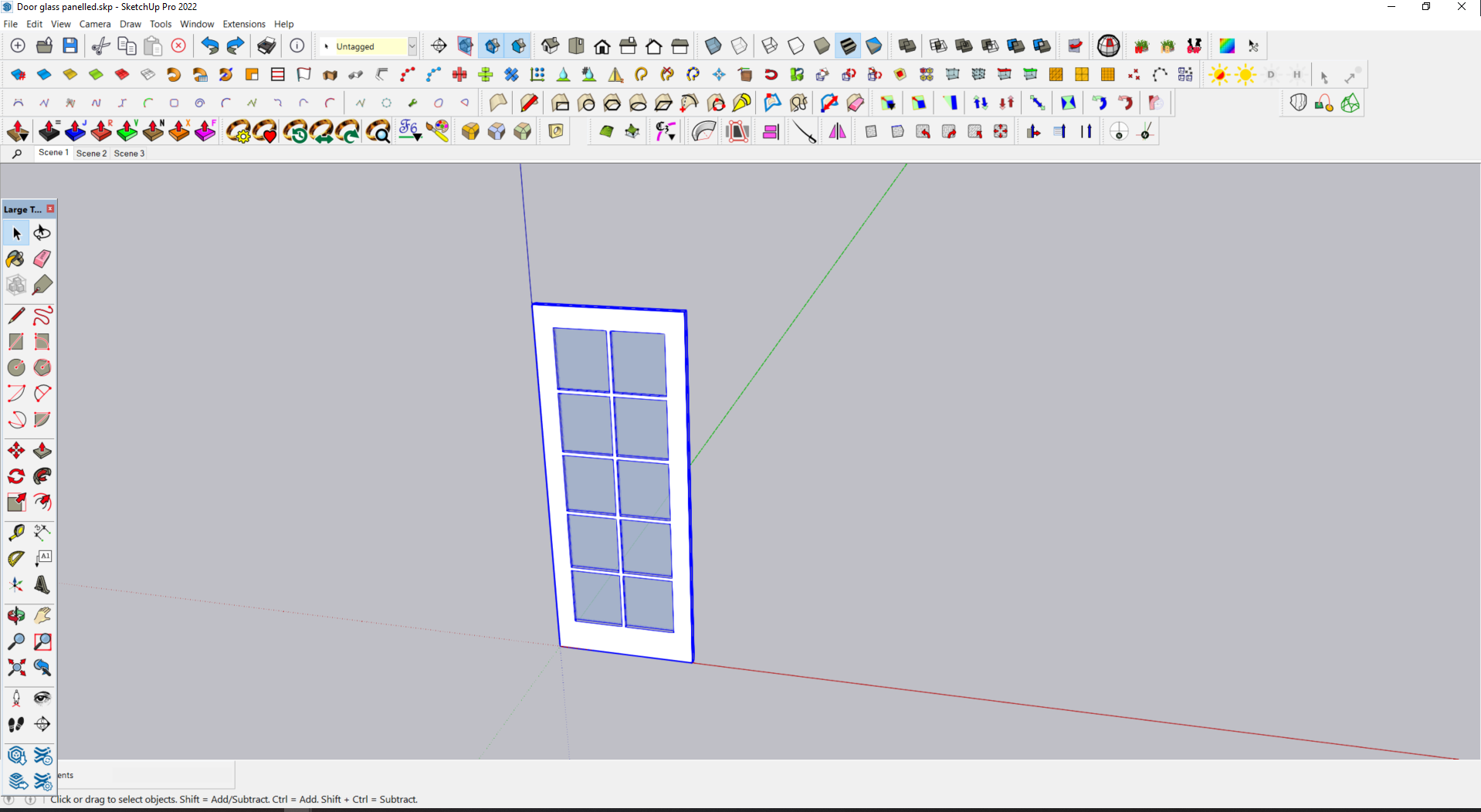
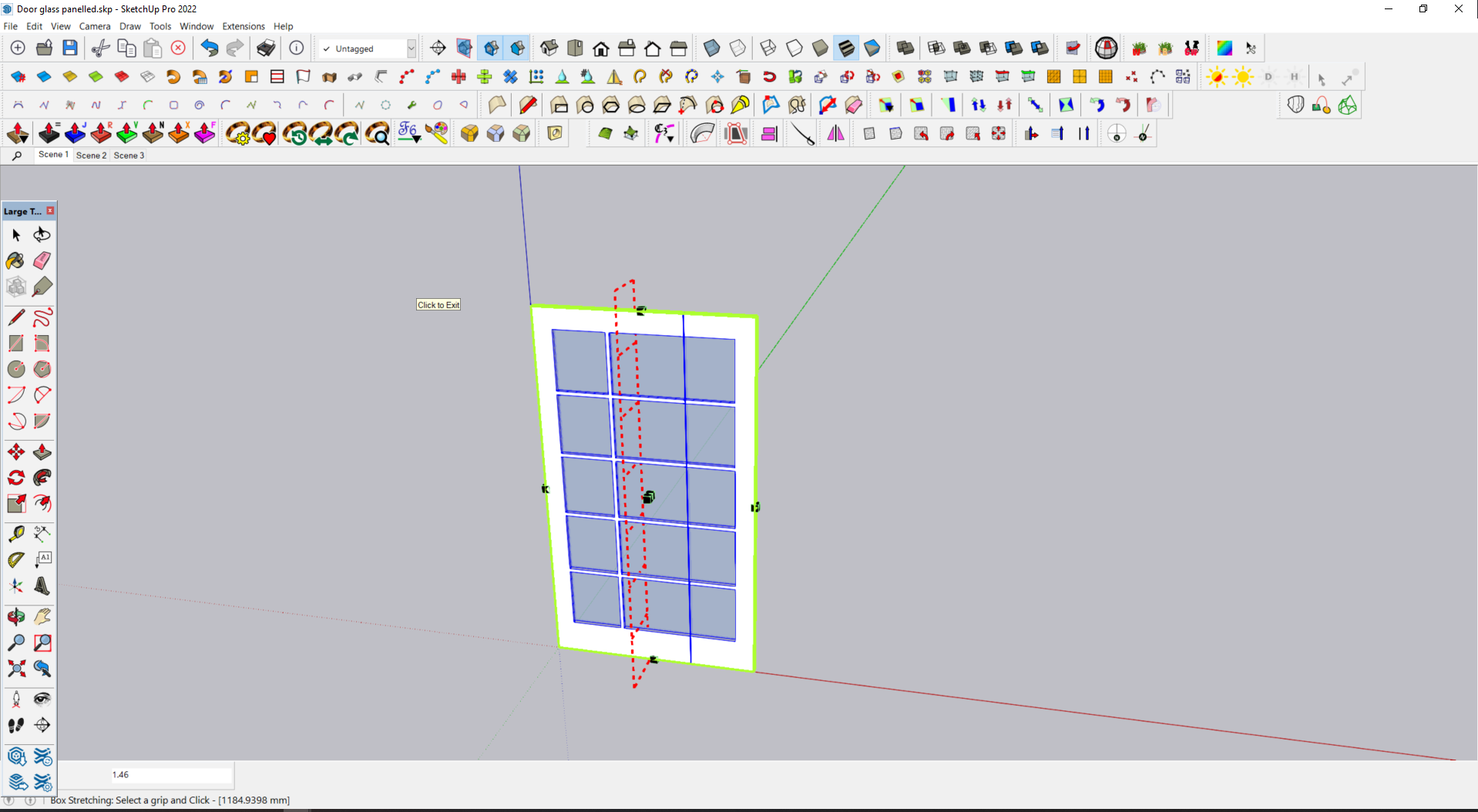
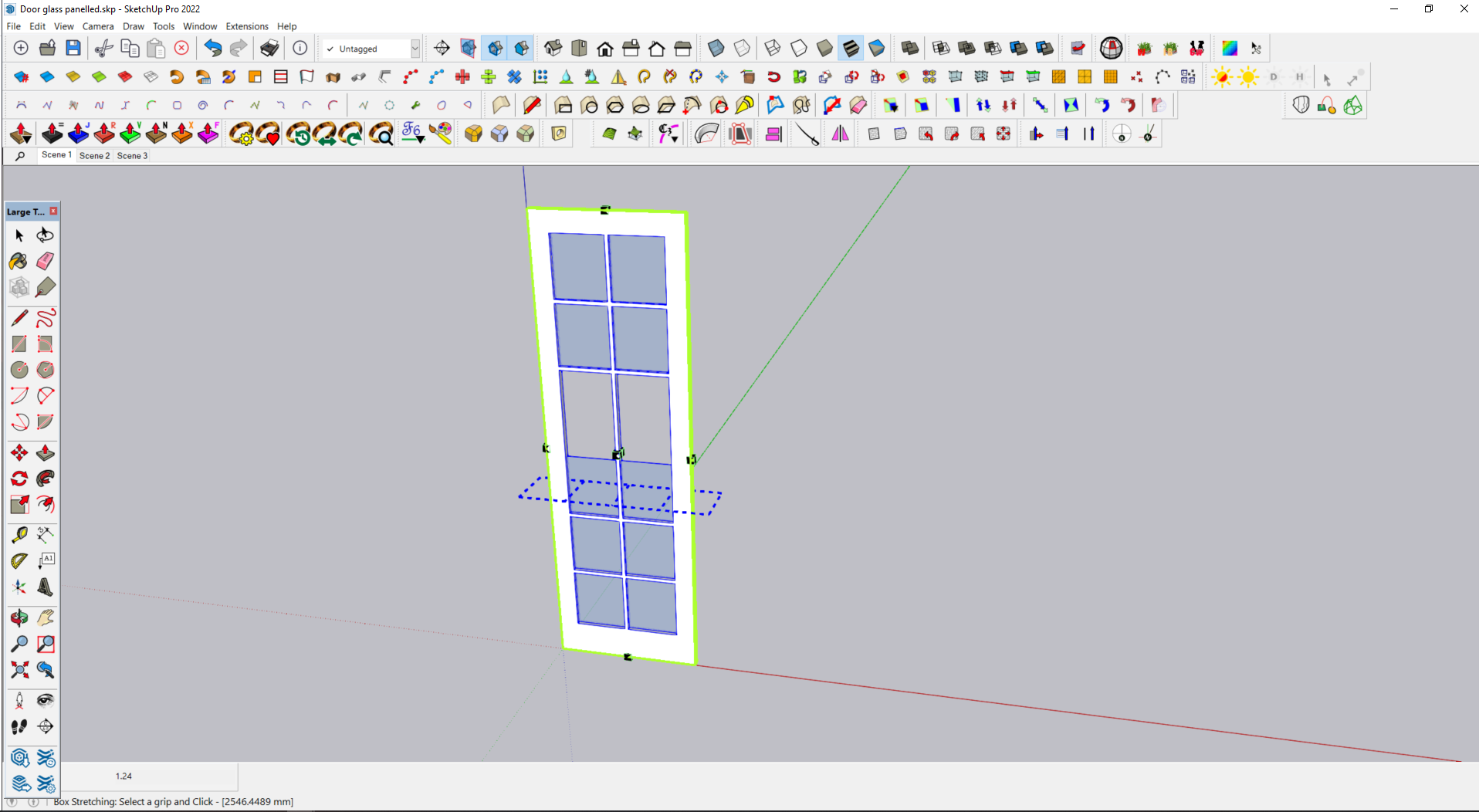
Hello to all, after reading all 57 pages of this topic I have yet to find a solution to my issue with the box stretching function.
I have attached 3 images showing a simple paneled door that stretches all groups in the horizontal direction but only the frame in the vertical direction.
The door component consists of 11 different groups, What am I missing here ?
-
@fimo said in [Plugin][$] FredoScale - v3.6a - 01 Apr 24:
What am I missing here ?
Upload the file please so we can test
-
Sorry posted wrong door, try this one.
-
Explode the 'glass' groups and group them into a single group then stretch
-
Many thanks Rich, that certainly works, my lack of lateral thinking on show right there.
But is this a workaround for a non functionality in the extension or is it by design ? Just seems odd that it works in one plane and not the other.
-



Hello! It looks like you're interested in this conversation, but you don't have an account yet.
Getting fed up of having to scroll through the same posts each visit? When you register for an account, you'll always come back to exactly where you were before, and choose to be notified of new replies (either via email, or push notification). You'll also be able to save bookmarks and upvote posts to show your appreciation to other community members.
With your input, this post could be even better 💗
Register Login


Advertisement