[Plugin Library] LibFredo6 - v15.8e - 15 Feb 26



-
Hi Mr Fredo. First of all thank you for your excellent work.. I have a question regarding a couple of your tools. Recently I installed a SSD drive on my machine and followed a tutorial to create a ramdisk and move win temporary folders into it.
It is fine for the most thing till now, but i noticed that this corrupts a couple of your toolbars. In particular I noticed the problem was related to fredo tools and curvizard the toolbars button disappear and only the launcher is left visible..
Tried a couple of time to edit the default parameters and this worked fine till the next restart.. then the same problem was back., so i checked the temp files in ramdisk and noticed the defaultparameters of your tool are all there.. so they are "reset to factory" every time the ramdisk is cancelled at the end of the session.
I suppose this appens for the most of your plugin but this is not a problem for other toolbars with "factory" settings on "all-buttons-on-style" see fredoscale or joint push pull, so I can use the "toolbar editor" plugin in SU to edit the toolbars and keep them persistent between sessions.. whith curvizard and fredo tools this is possible only for the launcher button..Now.. the question is: is possible to have a patch or a line code to copy somewhere to set the factory params to "all visible" so that one can add items to custom toolbars or to change the registry position in another folder?
thank you very much..
-
i added "MYPLUGIN.default_icons_visible" :smooth_curve in "bootstrap_curvizard.rb" and it worked great..

then in fredotools.rb i tried :
"MYPLUGIN.default_icons_visible [:FredoTools_ThruPaint]
MYPLUGIN.default_icons_visible [:FredoTools_EdgeInspector]
MYPLUGIN.default_icons_visible [:FredoTools_Report_LabelArea]"
and it crashes the plugin at all and also pretty much crashes a lot of other scripts such as curviloft etc -
Hi,
I'm a newbie to SU and not much of a techie. I have SU 14.0.4900 and Windows 7 (SP 1). I live in Canada and I have an issue installing RoundCorners.
I think I have installed LibFredo6 5.7a correctly as I can see it in SU/Windows/LibFredo 6 Settings, etc. SU starts up OK with no error messages.
I then installed RoundCorner and when starting SU I get the following error messages;
"Error Loading File Fredo6_!LibFredo6.rb
Error: #<ArgumentError: invalid byte sequence in UTF-8>
C:/Users/Tim Deaves/AppData/Roaming/SketchUp/SketchUp 2014/SketchUp/Plugins/Fredo6_!LibFredo6/Lib6Core.rb:368:inmatch' C:/Users/Tim Deaves/AppData/Roaming/SketchUp/SketchUp 2014/SketchUp/Plugins/Fredo6_!LibFredo6/Lib6Core.rb:368:inblock (2 levels) in load_from_config'
.
. (Similar messages)
.
Error Loading File ZLoader__RoundCorner.rb
Error: C:/Users/Tim Deaves/AppData/Roaming/SketchUp/SketchUp 2014/SketchUp/Plugins/ZLoader__RoundCorner.rb:32: invalid multibyte char (UTF-8)
C:/Users/Tim Deaves/AppData/Roaming/SketchUp/SketchUp 2014/SketchUp/Plugins/ZLoader__RoundCorner.rb:32: syntax error, unexpected tIDENTIFIER, expecting keyword_end
text = "Problème avec l'installation du plugin #{fro6__plugin}"
^
C:/Users/Tim Deaves/AppData/Roaming/SketchUp/SketchUp 2014/SketchUp/Plugins/ZLoader__RoundCorner.rb:33: syntax error, unexpected tIDENTIFIER, expecting keyword_end
text += "\nLibFredo6 n'est pas install\é ou bien n'est ...
^
C:/Users/Tim Deaves/AppData/Roaming/SketchUp/SketchUp 2014/SketchUp/Plugins/ZLoader__RoundCorner.rb:33: syntax error, unexpected $undefined
..."\nLibFredo6 n'est pas install\é ou bien n'est pas dans le b...
... ^
C:/Users/Tim Deaves/AppData/Roaming/SketchUp/SketchUp 2014/SketchUp/Plugins/ZLoader__RoundCorner.rb:33: invalid multibyte char (UTF-8)"I have unzipped RoundCorner in file folder ROUNDCORNER_Dir_23 in C:\Users\Tim Deaves\AppData\Roaming\SketchUp\SketchUp 2014\SketchUp\Plugins - together with the Fredo6_!LibFredo6 file folder.
Thanks for your help.
Tim
-
I'm not sure but I think the mentioned ZLoader... is not a part of an actual RoundCorner installation. Did you downloaded the actual one?
-
Please do not modify the code or you'll get unexpected results.
By default for FredoTools and Curvizard, only the quick launcher is visible.
Go the Default Parameters dialog box of each of the plugin to make the icons visible for the Tools you wish.Fredo
-
Tim, you shouldn't be unzipping anything. I would suggest that you remove any and all of the files you unzipped into the Plugins folder and then download fresh, current copies as .rbz files and use Install Extension under Window>Preferences>Extensions to install them. Or better, use that method to install the Sketchucation Plugin Store and then use the Plugin Store to automatically install LibFredo6 and Round Corner.
-
@Tim Deaves
You seem to have a very old version of RoundCorner, and on top of that probably not well installed.
Please download the latest one.
My suggestion is that you use the Plugin Store tool for auto-installation.
Fredo
-
Could you check the value of ENV["LOCALAPPDATA"] in the Ruby console.
In principle the configuration file is stored in a subfolder LIBFREDO6_DATA_Dir of this directory.
If ENV["LOCALAPPDATA"] is not defined, then it deafult to the temp directory, which, with your RAM disk is erased when you exit. So everything is lost.
Fredo
-
Thanks Fredo. You were correct. All sorted now.
Tim
-
@fredo6 said:
Could you check the value of ENV["LOCALAPPDATA"] in the Ruby console.
In principle the configuration file is stored in a subfolder LIBFREDO6_DATA_Dir of this directory.
If ENV["LOCALAPPDATA"] is not defined, then it deafult to the temp directory, which, with your RAM disk is erased when you exit. So everything is lost.
Fredo
first of all thanks for your answer.
I typed ENV["LOCALAPPDATA"] this returns me C:\Users\Panixia\AppData\Local
I tryed to copy the folder LIBFREDO6_DATA_Dir into it, but this doesn't work and sketchup loads with thrupaint and curvizard buttons missing.. maybe i'm doing something wrong.
the most effective workaround i found so far is to place on desktop a link to ramdisk and a copy of LIBFREDO6_DATA_Dir (whith proper default parameters stored) to drag and drop into before i first run sketchup.. a bit dirty but all in all it works fine..

-
The subfolder is created if it does not exist in ../local. Is this the case, or do you have permissions set that prevents it?
Fredo
-
Hi I´v been trying to get the plugin on sketch up whole week and I still don´t get it it has driven me crazy! I downloaded the plugin and extracted it to plugin folder also as i installed it from the warehouse. Still I don't get it in my toolbar. What have I missed?
-
From the first post of the thread.
@unknownuser said:
LibFredo6 is a shared library used by some of my plugins. It is NOT a standalone plugin. Plugins currently using LibFredo6 are:
FredoScale
Tools on Surface
RoundCorner
Curviloft
HoverSelect
GhostComp
SUClock
FredoTools
Curvizard
TopoShaper
JointPushPull Interactive
Which means there is nothing to appear in any toolbars, it is a helper file that works with other plugins.
You need to install the other plugins for it to have any purpose. -
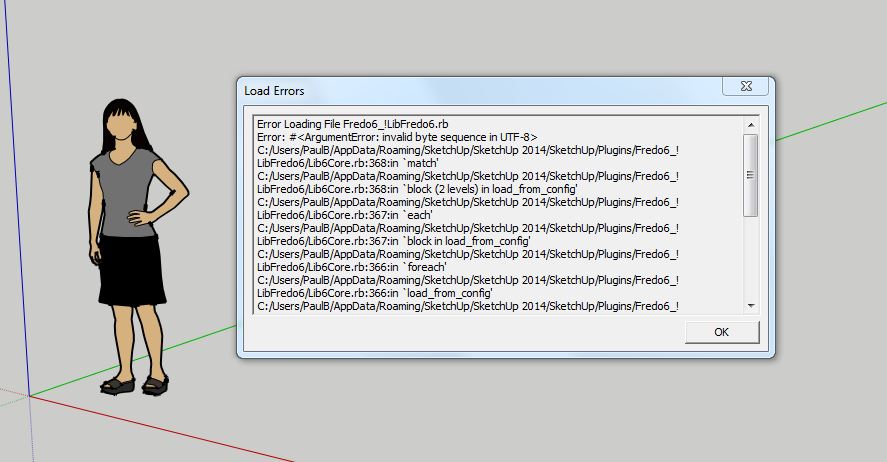
I am getting this error loading issue with Fredo6 on 2014 installing the plugin from Sketchucation. Anything that can be done?
-
Paul,
It just menas that on your installation, one or several of my plugins have not been upgraded to latest version compatible with SU 14.
Please checkFredo
-
Have reinstalled all the Fredo plugins from Sketchucation and from Extension warehouse, same result. Have disabled all other plugins, same result. Installed Libfredo on its own. no problem, installed any of the other plugins in any order same results. They all give similar error messages. Ran Sketchup as administrator, same result (using windows 7 64bit). Disabled all the virus protection, same result. Don't know where else to go.
-
Paul,
You have a wrong file somewhere among my plugins (i.e. not encoded for UTF8), and it is most likely a file with extension .plugin.
It may be a files remaining from an old installation.
I suggest you clean up the folders and subfolders of my plugins, and then reinstall from with the PluginStore tool.
Fredo
-
Try the following...
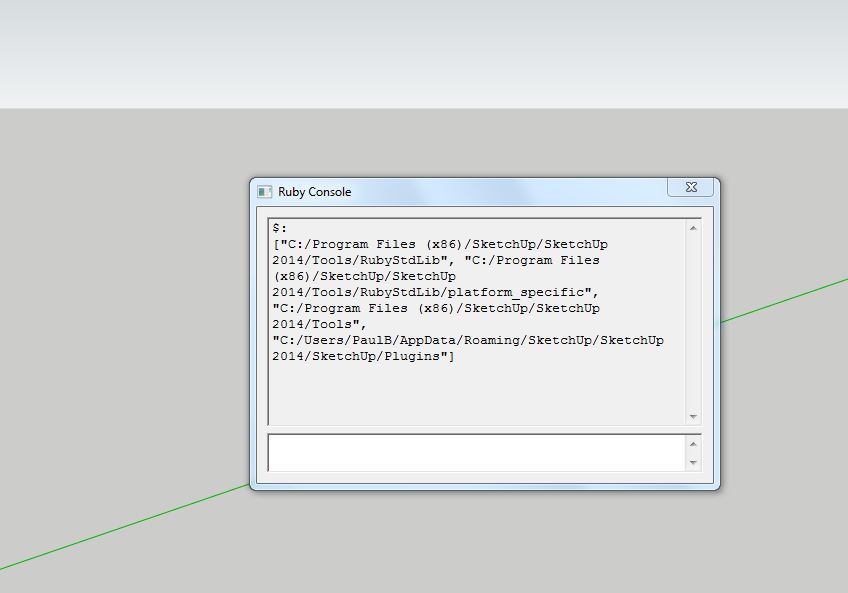
In SketchUp 2014 > Ruby Console:$:result?
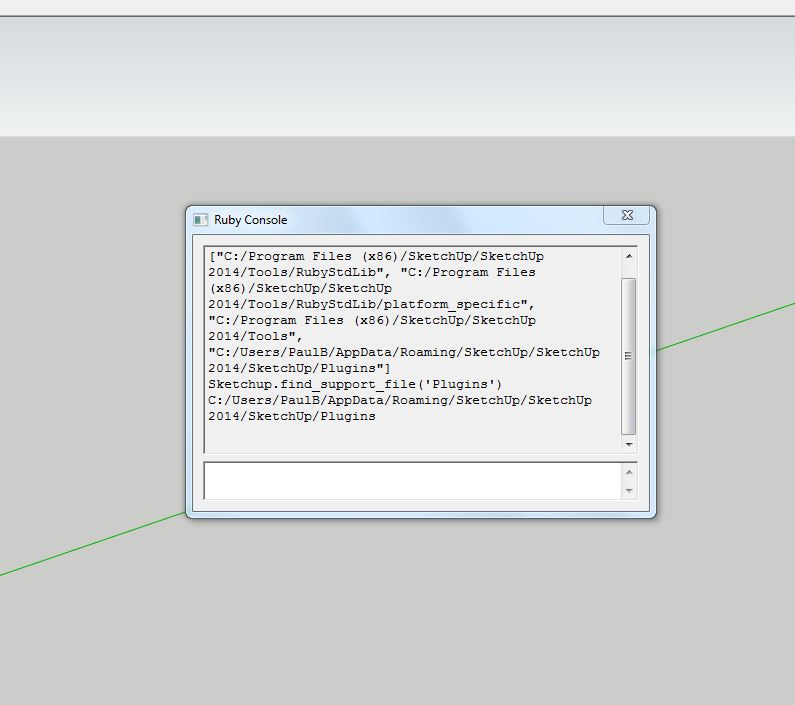
Sketchup.find_support_file('Plugins')result?
It should be something like:
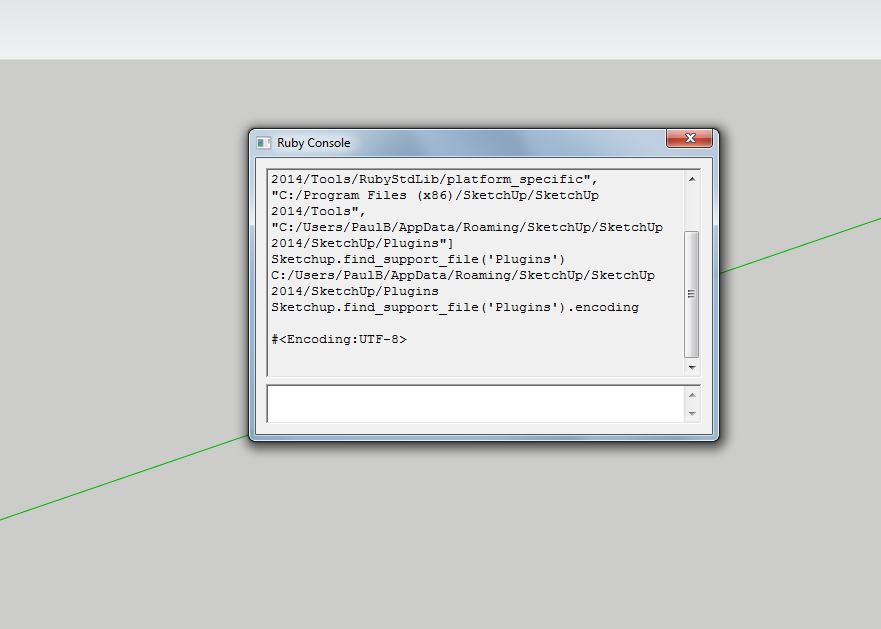
C:/Users/PaulB/AppData/Roaming/SketchUp/SketchUp 2014/SketchUp/PluginsSketchup.find_support_file('Plugins').encodingresult?
With admin powers, open the Plugins folder returned by this.
Back up one step and select its icon...
Right-click > Context-menu > Properties > Security > Edit...
Should be preset to the default FULL - if not change it...Find the
Sketchup.exefile in the mainC:/Programs Files/SketchUp/SketchUp 2014/folder...
Right-click > Context-menu > Properties > Compatibility > Privilege Level pane > tick the 'Run this program as an administrator' optionFind the Lib Fredo .rb and subfolder and physically remove it from Plugins.
This ensures a fresh install with no incompatible files left around...
Install the latest version of it either from the RBZ using Preferences > Extensions > Install... button, or using the SketchUcation PluginStore dialog within SketchUp...
Restart SketchUp...
Report results...
NEVER install older versions from say v2013 Plugins or an older RBZ - get the latest versions, which are specifically updated to be v2014 compatible.
Try the equivalent manual removal for any Fredo plugins, and reinstall then one at a time from their latest RBZs until you get an issue - then report back...
-
My installations are all the latest versions. I have deleted ALL my plugins all fredo directories and files and reinstalled just LibFredo and Fredo Scale from the extension warehouse, same result. Have enabled Sketchup to run as administrator, the default in the folder is set to full. I'll do a clean install of Sketchup 2014.
-
Those results are expected.
No issues.
Are you sure you have deleted all of the Plugins from the 2104 Plugins folder
Delete ALL of the Fredo folders/files [again!].
Restart SketchUp 2014.
You should now only get the basic su_ files loading...Download the SketchUcation Plugin Store toolset...
http://sketchucation.com/resources/plugin-store-download
Install it using the Preferences > Extensions > Install... button...
Restart SketchUp to make sure it completes the installation...Use the SketchUcation PluginStore [within SketchUp] to AutoInstall the 'Lib Fredo'...
Tip: use the disalog's filters/search tools to find its AutoInstall entry.
Next do the same to AutoInstall one of Fredo's plugins [like Fredo Scale].
Restart SketchUp to make sure it completes the installation...Now what happens ?








Advertisement