sketchucation logo sketchucation
    • 登入
    Oops, your profile's looking a bit empty! To help us tailor your experience, please fill in key details like your SketchUp version, skill level, operating system, and more. Update and save your info on your profile page today!
    🔌 Smart Spline | Fluid way to handle splines for furniture design and complex structures. Download

    [Plugin] Align tool 3D (bug fix)

    已排程 已置頂 已鎖定 已移動 Plugins
    58 貼文 38 Posters 144.7k 瀏覽 38 Watching
    正在載入更多貼文
    • 從舊到新
    • 從新到舊
    • 最多點贊
    回覆
    • 在新貼文中回覆
    登入後回覆
    此主題已被刪除。只有擁有主題管理權限的使用者可以查看。
    • Didier BurD 離線
      Didier Bur
      最後由 編輯

      Hi,
      Here is an updated version of my align tool with a bug fix (components were deformed when non orthogonal axis were clicked). User guide also added.
      Regards,

      %(#FF0000)[Please do NOT use the old ZIP versions for SketchUp > v2013.
      Get the latest [EN] RBZ version [ compatible < and >=v2015 ] from the PluginStore...
      ]http://sketchucation.com/pluginstore?pln=align_tool


      English version - Unzip in Plugins folder = OLD Version !


      Version française - Deziper dans le dossier Plugins = Ancienne version!

      DB

      1 條回覆 最後回覆 回覆 引用 0
      • B 離線
        bianhai
        最後由 編輯

        Thank you very mach! 👍

        1 條回覆 最後回覆 回覆 引用 0
        • W 離線
          watkins
          最後由 編輯

          Dear Didier,

          I cannot seem to get the "Align Group/Component" option to work properly from the right-click context menu. The "Align" option works fine. When I try the "Align Group/Component" option the script first toggles on the group/component axes and then sets the starting co-ordinate system co-incident with the axes of the selected group/component(no choice given). It then asks one to define the end co-ordinate system. I was expecting to define the start co-ordinate system, as per your user guide. Also, in this mode I have to toggle off the group/component axes by going to Model Info and then deselecting the component axes option.

          Is this how you intended the script to work?

          Regards,
          Bob

          1 條回覆 最後回覆 回覆 引用 0
          • W 離線
            watkins
            最後由 編輯

            Dear Didier,

            Have you had time to look at this?

            Regards,
            Bob

            1 條回覆 最後回覆 回覆 引用 0
            • EdsonE 離線
              Edson
              最後由 編輯

              @watkins said:

              Dear Didier,

              I cannot seem to get the "Align Group/Component" option to work properly from the right-click context menu. The "Align" option works fine. When I try the "Align Group/Component" option the script first toggles on the group/component axes and then sets the starting co-ordinate system co-incident with the axes of the selected group/component(no choice given). It then asks one to define the end co-ordinate system. I was expecting to define the start co-ordinate system, as per your user guide. Also, in this mode I have to toggle off the group/component axes by going to Model Info and then deselecting the component axes option.

              Is this how you intended the script to work?

              Regards,
              Bob

              bob,

              i also wondered about that but later realized i was not 'working properly'. in many cases all you need is to set the ending system; in this cases go for align group/component (as it takes the axis alignment of the group/component as the origin system); it saves you half of the work involved in the process. in cases when you do need to set the origin, then choose align and set both systems. does it make sense to you?

              edson mahfuz, architect| porto alegre • brasil
              http://www.mahfuz.arq.br

              1 條回覆 最後回覆 回覆 引用 0
              • W 離線
                watkins
                最後由 編輯

                Dear Edson,

                Yes, that does make sense. It also makes me think more carefully about the axes when creating a component.

                Thanks for your interest.

                Kind regards,
                Bob

                1 條回覆 最後回覆 回覆 引用 0
                • Didier BurD 離線
                  Didier Bur
                  最後由 編輯

                  Edson,
                  You've understand ALL (and explained it clearly too).

                  DB

                  1 條回覆 最後回覆 回覆 引用 0
                  • M 離線
                    Magnus123
                    最後由 編輯

                    Ohh Thanks Didier this will come veeeery handy for me!

                    1 條回覆 最後回覆 回覆 引用 0
                    • S 離線
                      SU Reviewer
                      最後由 編輯

                      Great plugin! I have been l;ooking for something like this

                      At first it was tough to use but I got used to it. I made a little instructional animation enjoy..
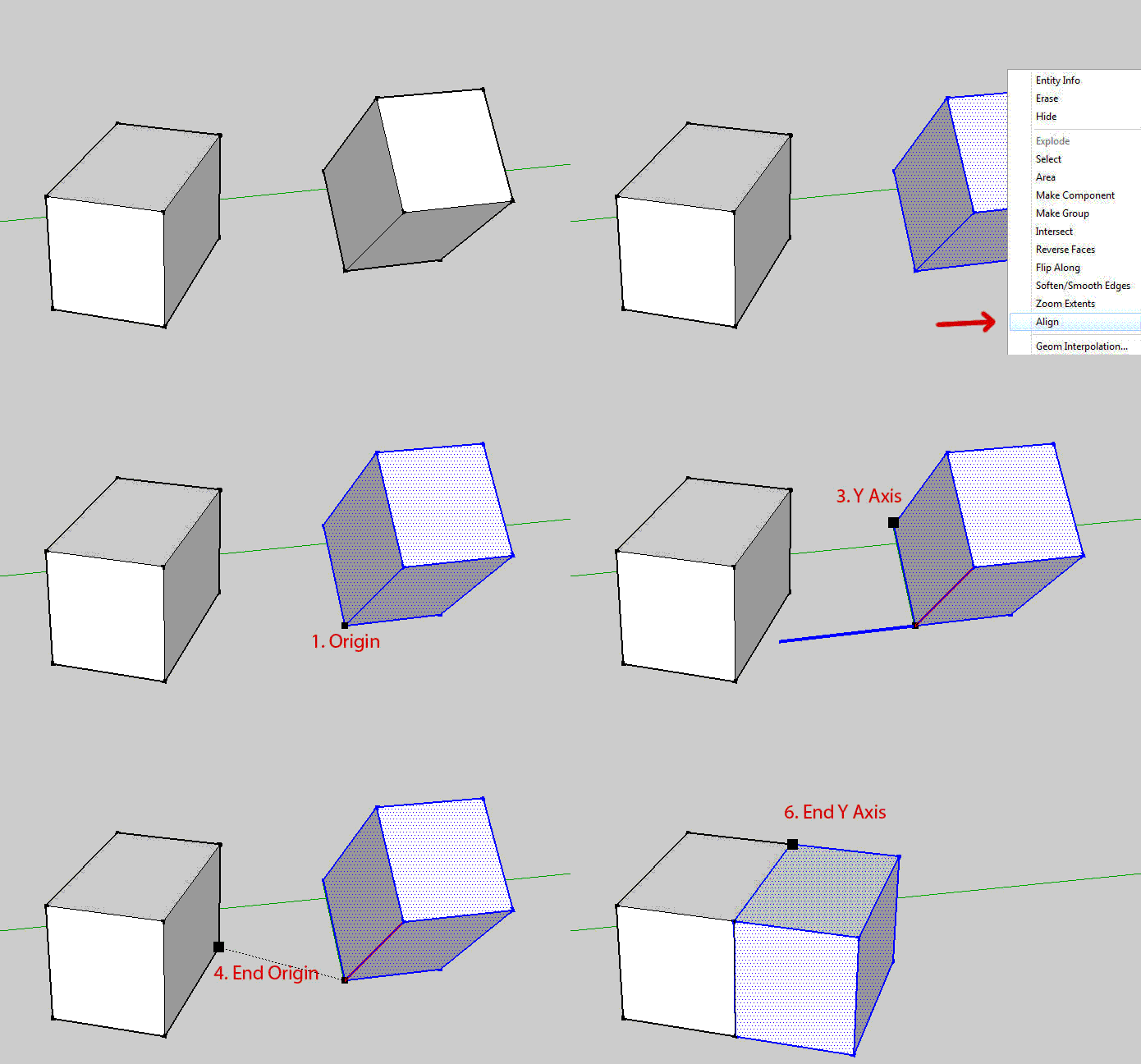
                      http://sketchuppluginreviews.com/wp-content/uploads/2010/05/align_tool.gif

                      Living Einstein's dream through SketchUp.
                      "Imagination is a preview of life's coming attractions" - Albert Einstein

                      Joe Simhon ~ SketchUp Plugin Reviews

                      1 條回覆 最後回覆 回覆 引用 0
                      • D 離線
                        Design Tech
                        最後由 編輯

                        Hi,

                        I am trying to install the Align tool in sketchup pro 7 on a mac. I followed the simple instruction in the PDF file but still cant seem to get it to work.

                        What am i missing here, or what am i doing wrong?

                        I put the file in my plugins folder and restarted sketchup, but dont see where the tool shows up to use?

                        please help

                        1 條回覆 最後回覆 回覆 引用 0
                        • Didier BurD 離線
                          Didier Bur
                          最後由 編輯

                          Hi,

                          Doc says: "...you'll find a menu item under the "Tools" menu",..."if you select some entities and right-click, you'll find an "Align" option in the context menu, "if you select a group or a component and right-click, you'll find an "Align group/component" option in the context menu".

                          So if you don't have any of these opttions in your menus, there is something wrong.

                          Please open the Ruby Console and type: $align_loaded (Enter)
                          Please report what it says then.

                          Regards,

                          DB

                          1 條回覆 最後回覆 回覆 引用 0
                          • P 離線
                            Panoplos
                            最後由 編輯

                            Hello Didier,

                            I am also trying to install this on the Mac Version of Sketchup Pro 7. The plugins folder contains files with extensions of .plugin, not .rb. I tried both using the .rb and .plugin extensions with no luck.

                            When typing $align_loaded in the Ruby Console, the variable is nil.

                            Perhaps there has been some change the to plugin format in version 7?

                            I am looking forward to using this tool, so your support is much appreciated!

                            1 條回覆 最後回覆 回覆 引用 0
                            • jeff hammondJ 離線
                              jeff hammond
                              最後由 編輯

                              @panoplos said:

                              Hello Didier,

                              I am also trying to install this on the Mac Version of Sketchup Pro 7. The plugins folder contains files with extensions of .plugin, not .rb. I tried both using the .rb and .plugin extensions with no luck.

                              When typing $align_loaded in the Ruby Console, the variable is nil.

                              Perhaps there has been some change the to plugin format in version 7?

                              I am looking forward to using this tool, so your support is much appreciated!

                              yikes panoplos, you're in the wrong spot..

                              if your 'plugins' folder is showing .plugin files then you're at

                              applications folder > sketchup.app > (show package contents) > contents > plugins..
                              that's the actual app and those 'plugins' are the file importer/exporters..

                              ruby plugins go here:

                              Macintosh HD> Library> Application Support> Google SketchUp (#)> SketchUp> plugins

                              try that out instead.

                              dotdotdot

                              1 條回覆 最後回覆 回覆 引用 0
                              • I 離線
                                irsa
                                最後由 編輯

                                thank you so much, its so useful

                                1 條回覆 最後回覆 回覆 引用 0
                                • simon le bonS 離線
                                  simon le bon
                                  最後由 編輯

                                  Hi!
                                  until Joe Simhon showed how "Align Tool 3D" was working I hadn't noticed its interest..

                                  Playtime:
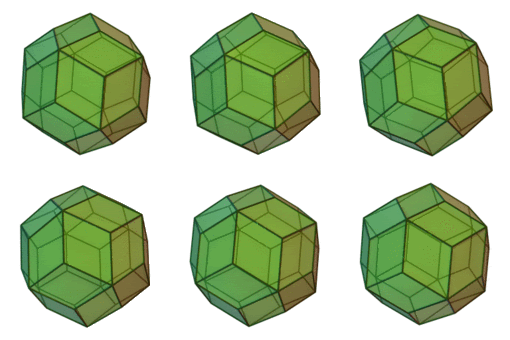
                                  http://i274.photobucket.com/albums/jj245/Spendauballet/SketchUp/170px-Rhombictriacontahedron.gif

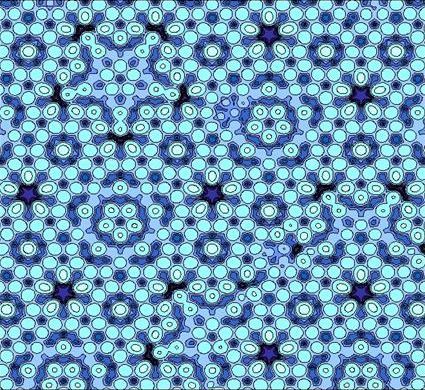
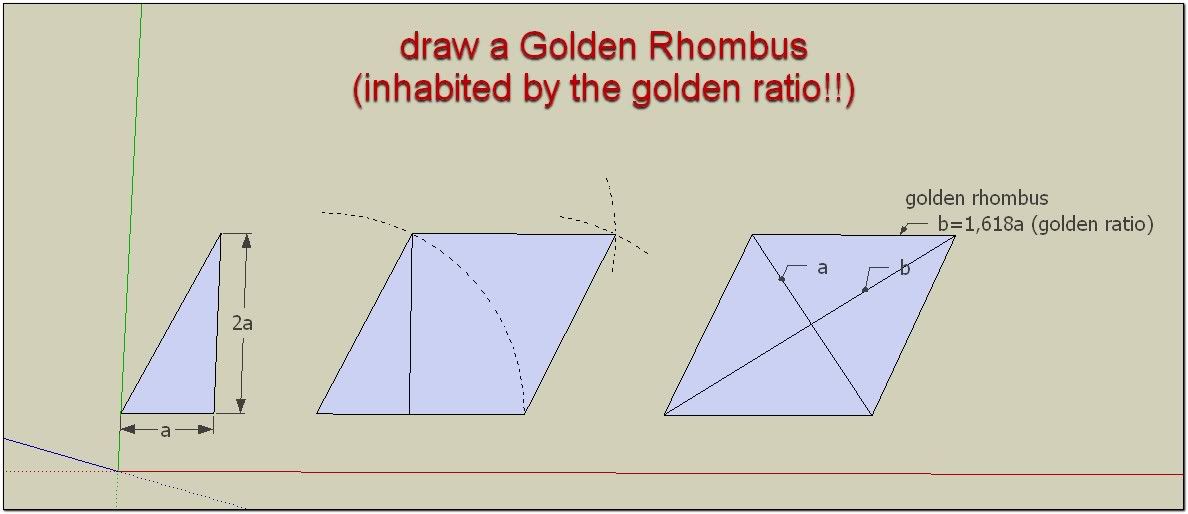
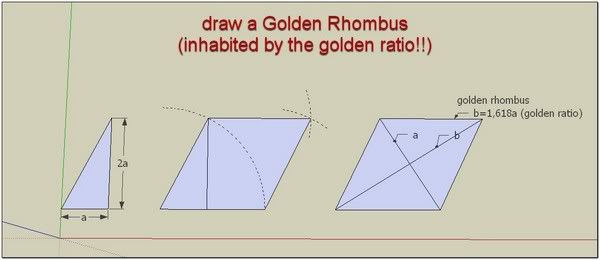
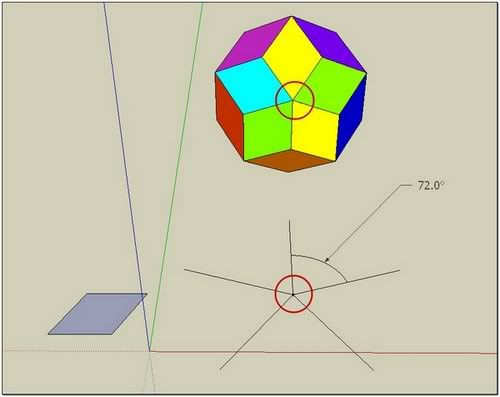
                                  A rhombic triacontahedron consists of 30 golden rhombus perfectly identical. This Quasicrystal (Quasicrystals discovered in 1984) has been many fears for crystallographers because some had seen as a crystal with a symmetry of order 5, which is not like any self-respecting crystallographer knows!
                                  Link Preview Image
                                  Quasicrystal - Wikipedia

                                  favicon

                                  (en.wikipedia.org)

                                  Link Preview Image
                                  Golden rhombus - Wikipedia

                                  favicon

                                  (en.wikipedia.org)

                                  Link Preview Image
                                  Rhombic triacontahedron - Wikipedia

                                  favicon

                                  (en.wikipedia.org)


                                  http://i274.photobucket.com/albums/jj245/Spendauballet/SketchUp/GoldenRhombus_th.jpg


                                  http://i274.photobucket.com/albums/jj245/Spendauballet/SketchUp/RhombicTriacontahedron_02_th.jpg

                                  [flash=640,480:2rhrdrml]http://www.youtube.com/v/qjuIm6Bd33s[/flash:2rhrdrml]

                                  ++ simonlebon

                                  1 條回覆 最後回覆 回覆 引用 0
                                  • pilouP 離線
                                    pilou
                                    最後由 編輯

                                    @unknownuser said:

                                    hadn't noticed its interest

                                    Indispensable as soon as you have some objects who are not regulary oriented! 😉

                                    Frenchy Pilou
                                    Is beautiful that please without concept!
                                    My Little site :)

                                    1 條回覆 最後回覆 回覆 引用 0
                                    • A 離線
                                      alexdobras
                                      最後由 編輯

                                      thank you !

                                      1 條回覆 最後回覆 回覆 引用 0
                                      • J 離線
                                        jbrfrk
                                        最後由 編輯

                                        really useful.... thanks
                                        👍

                                        J=K

                                        1 條回覆 最後回覆 回覆 引用 0
                                        • archman212A 離線
                                          archman212
                                          最後由 編輯

                                          fantastic..i have been looking for this one... 👍

                                          archman212@gmail.com

                                          1 條回覆 最後回覆 回覆 引用 0
                                          • O 離線
                                            Omez
                                            最後由 編輯

                                            THANK YOU! 👍 👍 👍
                                            I even not trying it yet, but i believe its very useful... once again, Thanks! 😄

                                            1 條回覆 最後回覆 回覆 引用 0
                                            • 1
                                            • 2
                                            • 3
                                            • 1 / 3
                                            • 第一個貼文
                                              最後的貼文
                                            Buy SketchPlus
                                            Buy SUbD
                                            Buy WrapR
                                            Buy eBook
                                            Buy Modelur
                                            Buy Vertex Tools
                                            Buy SketchCuisine
                                            Buy FormFonts

                                            Advertisement