Modlumi - Easy 3D modelling
-
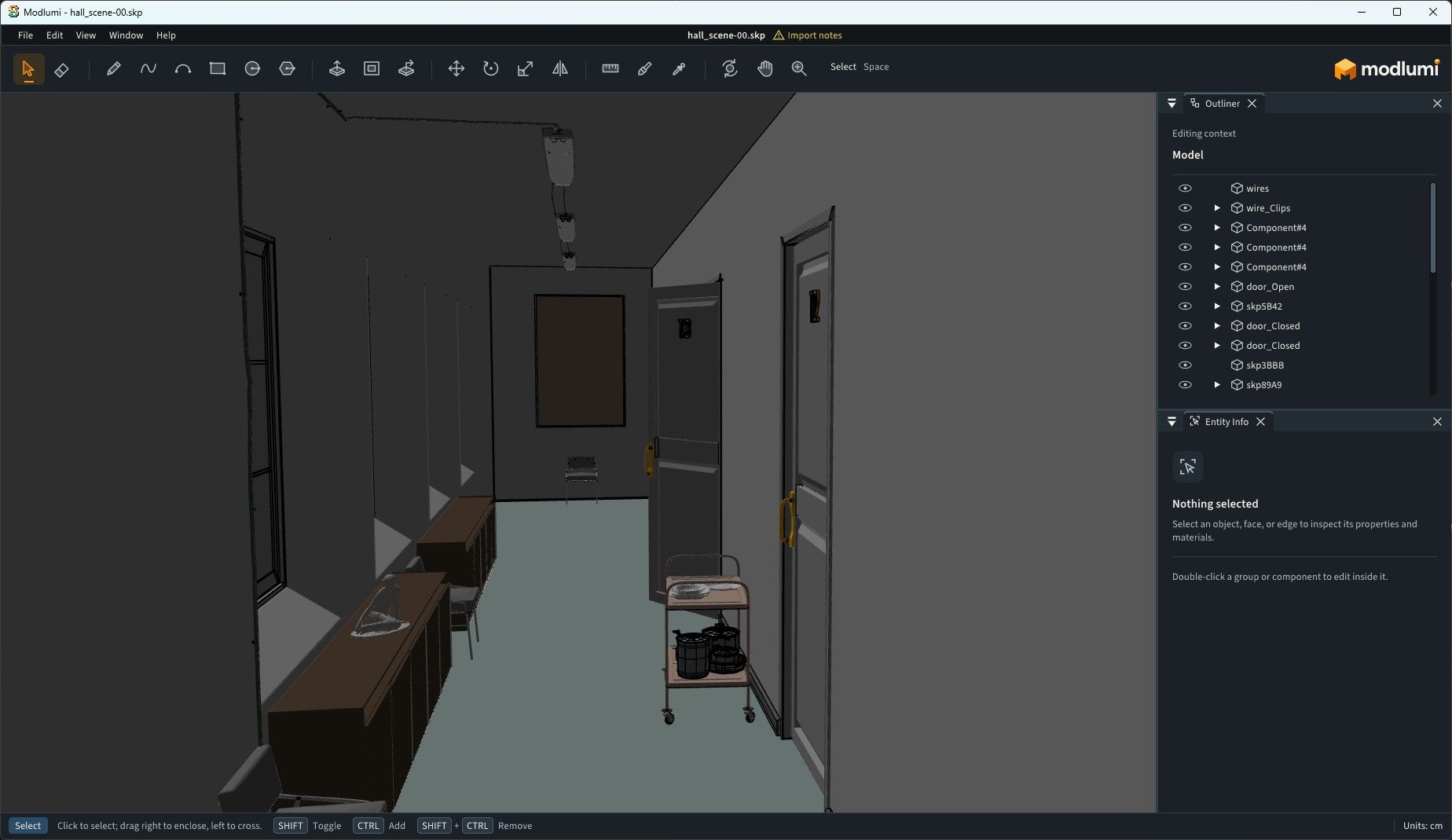
Some fractal rotations !
 render free Vizcom

-
Modlumi 0.29: HDR environments, powered by Poly Haven
Your models can now sit in a real place. The new Environment panel surrounds your model with an HDR panorama that shows behind it and lights it.
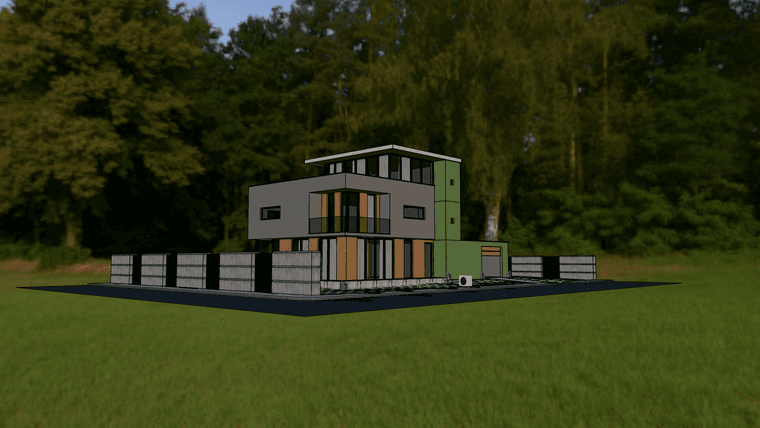
Pick one from the built-in HDRI library, powered by Poly Haven's free CC0 collection, or import your own .hdr or .exr file. Turn the panorama, set its exposure and place the sun where the panorama's sun is. Each scene can keep its own environment.
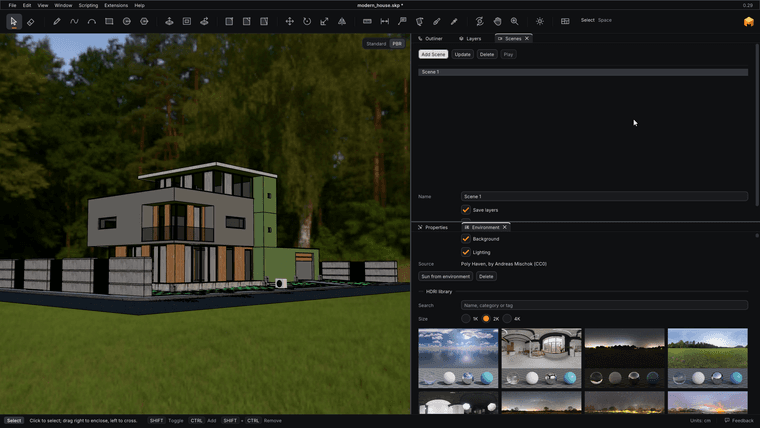
Switching the mood is one click in the library:
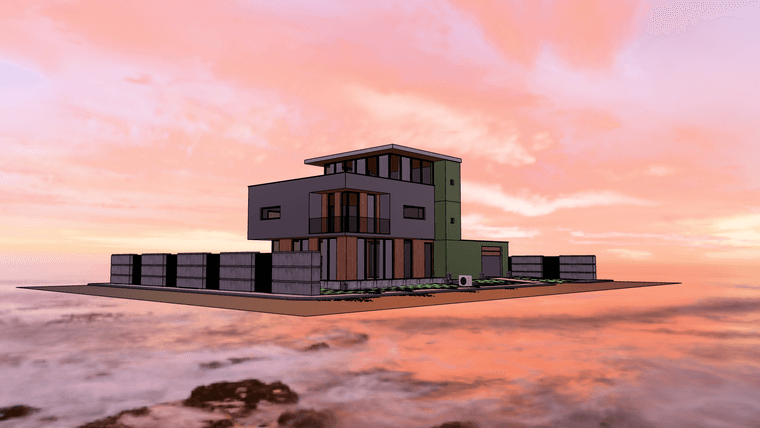
Also in 0.29:
- The 3D view now sits between the docked panels instead of under them.
- Plugins can capture the viewport as an image.
- Edges imported from SketchUp keep their own layer, so hiding a layer such as a sky dome now hides its edges too.
- The sky's horizon stays level while you orbit.
Full release notes: https://modlumi.com/docs/release-notes/
HDRIs in these images: "Lilienstein" by Andreas Mischok and "The Sky Is On Fire" by Greg Zaal and Rico Cilliers, both from Poly Haven.
-
Cool!

Waiting all little requests -
A very poor pop reference. "I am in awe of your coding skills", Thomas.
-
Am I doing something wrong?
-
list itemWhen I start Modlumi 0.28 and then go to Help and click on the Check for Updates, it says I am running the latest version. So, how do I update to version 0.29?
-
list itemI also started the web version and it also said that version 0.28 is the latest version.
-
-
Thanks for flagging this, Dave, and sorry for the confusion. You were right and the update check was telling the truth: I announced 0.29 but never uploaded the Windows installer, so 0.28 really was the latest version you could download. That was my mistake, not anything on your end.
It's fixed now:
- Help > Check for Updates in 0.28 should now offer 0.29.
- You can also download it directly: https://modlumi.com/download/latest/windows
On the web app also showing 0.28: the 0.29 web version was live, so I think your browser was still holding the older one. A hard reload (Ctrl+F5) should bring up 0.29. If it still says 0.28 after that, let me know, because then something else is going on.
Sorry again to everyone who went looking for 0.29 and couldn't find it.
Thomas
-
Modlumi 0.30: Poly Haven textures in the material library
After HDR environments in 0.29, materials get the same treatment. The Library tab of the Materials panel now offers several hundred of Poly Haven's free CC0 texture sets: wood, brick, fabric, metal and more.
Pick a 1K, 2K or 4K size and click a swatch to paint with it. The material comes with its color, roughness and normal maps and repeats at its real-world size, so a brick is the size of a brick. Downloaded textures are kept on disk, so they work offline afterwards.
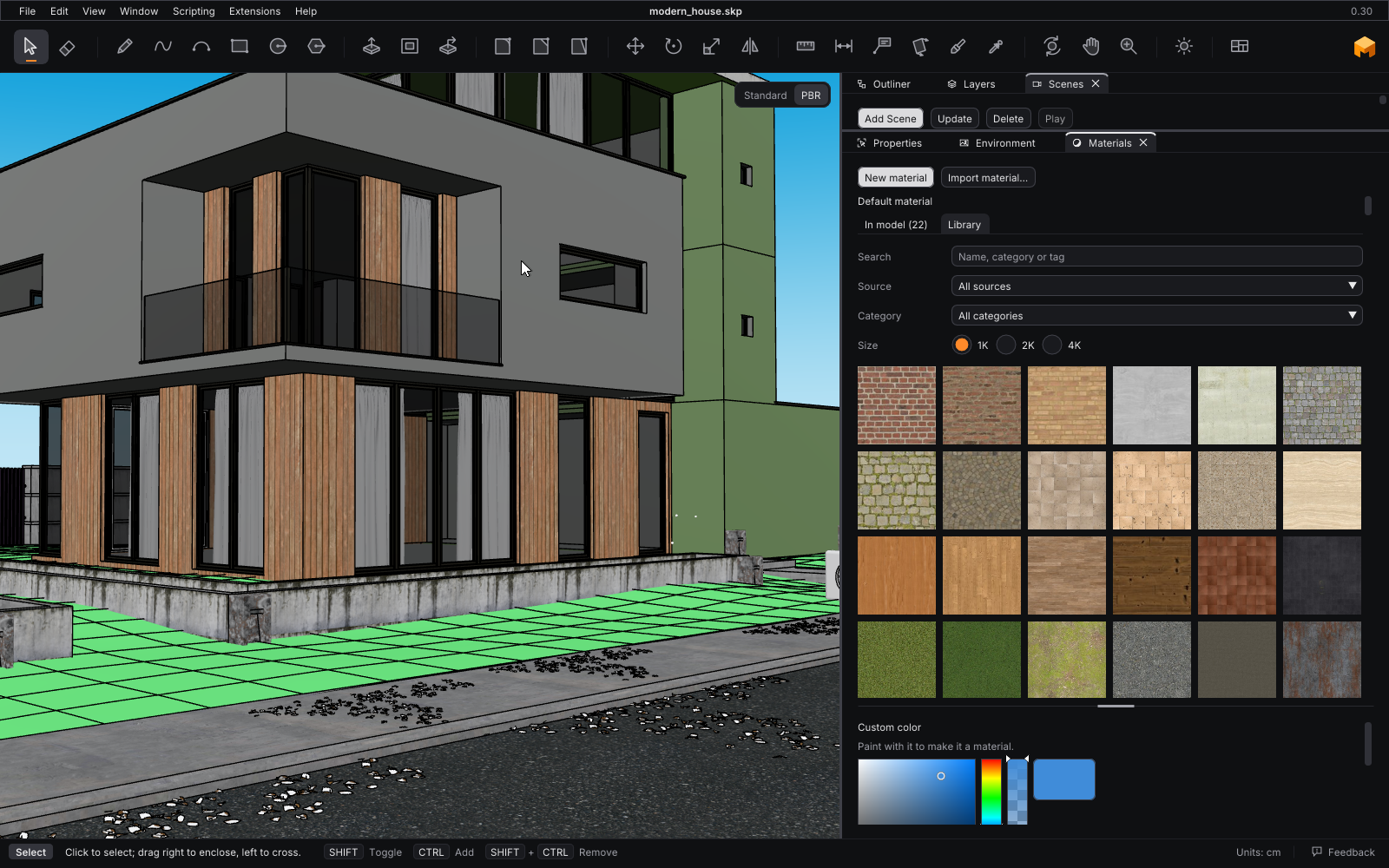
The Materials and Environment panels now browse their libraries the same way: an In model tab and a Library tab, with search, a category filter and a download size.
Also in 0.30:
- Clicking the material card in the Properties panel opens that material in the Materials panel, ready to edit.
- Pasting long text works now, such as a script written by an AI. Text over 8 KB used to paste nothing, without a message. Thanks to @Patrick for running into this one.
- SketchUp models whose style turns material transparency off now import solid instead of see-through.
- Tool cursors show right after a model loads, instead of the plain arrow.
- A new user guide page explains how to let an AI app such as Claude or Codex build models in Modlumi: https://modlumi.com/docs/user-guide/ai-agents/
Download it for Windows from https://modlumi.com/download/latest/windows or for Mac from https://modlumi.com/download/latest/macos, or open the browser version at https://modlumi.com/app/. If you already run Modlumi on Windows, Help > Check for Updates offers 0.30 this time.
Full release notes: https://modlumi.com/docs/release-notes/
I'm the developer of Rayscaper: https://rayscaper.com/ - Fast and easy rendering for SketchUp.
-
Some little questions!
It's my first ruby for make an object in SketchUp 2017 Make (before ModLumi!
Abslutely no problem to import the SKP Make inside ModLumi !As i don't want use AI with MCP I had used directely Gemini with asking something : a gothic rosace 3 m diameter, 10 cm rib, forms as you want!

Here the result!


So my little questions
does exist somewhere a Console Ruby or other inside ModLumi ? (i have not researched! )
I suppose that the ruby "Make" will not work in ModLumi ?
Even I believe there anymore Ruby inside ?
I suppose that Gemini can make scripts for ModLumi like for Make (in what format ?)I am completly speechless annd asthonihing by the fact to make an object with the Ai for a prog !
Frenchy Pilou
Is beautiful that please without concept!
My Little site :) -
@pixelcruncher I got both versions updated to 0.30

I like the new materials library except on thing I was looking for was missing. I could not find any glass. I had an older model that needed the windows updated. I will just have to play around a little. I am sure I will come up with something. I also need to do some messing around with the new background stuff as well

Press F1...thank me later
-
@pilou Lovely rosace!
There's no Ruby in Modlumi, so SketchUp Ruby scripts won't run in it. Modlumi has its own scripting in JavaScript, with an API modelled on SketchUp's (models, entities, operations, transformations), so a Ruby script translates over quite directly.
- Scripting → Script Console is the equivalent of SketchUp's Ruby Console: type JavaScript at the bottom and it runs against the open model.
- Scripting → Script Editor edits and runs a whole
.jsfile (F5), and File → Run Script… runs one. - Scripting is in the desktop app only, not the browser version.
So yes, Gemini can write scripts for Modlumi. Ask it for JavaScript for Modlumi and give it the docs so it uses the right API: https://modlumi.com/docs/guides/getting-started/ (the API reference is in the same docs). A tiny example:
const model = modlumi.activeModel;
model.operation("Box", () => {
  model.entities.addRectangle([0, 0, 0], 4, 3).extrude(2);
});
There are also
addCircle,addArcandaddPolygon, which a rosace will need. Coordinates are in meters;modlumi.mm()converts from millimeters.No MCP needed for any of this. Copy and paste is fine, and since 0.30 pasting long scripts into the editor works too.
Cheers,
Thomas -
@ntxdave Glad the update worked this time!
You're right, there's no glass in the library yet. The Poly Haven sets are all opaque surfaces like wood, brick, and metal. Glass is easy to make yourself, though: in the Materials panel, click New material, pick a light blue-grey or green-grey color, set Opacity to about 20–30% and Roughness to 0. Then paint your window panes with it. I'll look at adding a few ready-made glass materials to the library.
Also, thanks a lot for sending your carwash model! I'm working through it now and using it to fix bugs and make improvements. Real models like yours are the best way to find what still needs work.
Cheers,
Thomas -
@pixelcruncher
Many thanks for the precisions! -
Modlumi 0.31: feet and inches, center snaps and better SketchUp imports
Modlumi now speaks feet and inches. The new Architectural length format shows lengths the way install drawings and floor plans are read:
12' 8 1/2", to a precision from 1" down to 1/64".Dimensions, the measurement box, Properties and every length field use it, and you can type lengths the same way, such as
12'8or12' 8 1/2. Choose it under Format in Window > Model Settings, or pick Feet and inches on the welcome screen. A SketchUp file set to Architectural units opens in this format, where it used to show decimal inches.Snap to the center of a circle, an arc or a polygon. Pass the pointer over the edge of the shape, then move to its middle: the tooltip says Center. The center stays available while you draw, so a line can start or end on it. No more drawing a diameter to find it. Thanks to @pilou for asking for this one.
SketchUp files come in much closer to how you saved them. Thanks to @ntxdave for sending me his SketchUp files to test with; these fixes all come from one of his SketchUp 2018 drawings:
- Files open on the view they were saved on, and SketchUp 2018 files keep their scenes.
- Guide lines and guide points import, on their layers.
- Text labels land at their points, with their leaders, instead of piling up near the origin.
- Labels and dimensions keep their colors, and the style's background color comes along.
- Guides and axes start hidden when the file's style hides them.
Also in 0.31:
- A model can have a background color of its own, set in Window > Model Settings and saved with the project.
- The user guide now has screenshots and short animations throughout: https://modlumi.com/docs/user-guide/
Download it for Windows from https://modlumi.com/download/latest/windows or for Mac from https://modlumi.com/download/latest/macos, or open the browser version at https://modlumi.com/app/. If you already run Modlumi on Windows, Help > Check for Updates offers 0.31.
Full release notes: https://modlumi.com/docs/release-notes/
-
Thanks,
but I get very different display -
@pixelcruncher
Seems we can't copy the pinky text error inside the Script Editor ( v 0.30 ) not yet tested v 0.31...)
(or i don't know how to make it !
Very more practical with ai dialog against an image of text!





Hello! It looks like you're interested in this conversation, but you don't have an account yet.
Getting fed up of having to scroll through the same posts each visit? When you register for an account, you'll always come back to exactly where you were before, and choose to be notified of new replies (either via email, or push notification). You'll also be able to save bookmarks and upvote posts to show your appreciation to other community members.
With your input, this post could be even better 💗
Register Login


Advertisement