Animator: Parametric Animation plugin - Discussion
-
Thanks for your amazing work, Fredo. I'm just trying to learn how to use Animator.
I'm confused about why the clip sequencer will reposition clips after I've placed them. It seems to have some built-in logic that wants to move a clip from one track to another and I can't figure out how to override it so that I can lay them out the way I want.
In the picture I've attached, I had all the movements in one track and the scaling in another. When I saved, Animator shuffled the Scaling and Movements.
Is there a switch I can flip, or can you explain the logic behind the automatic rearranging?

-
@moderatelyfunky said:
Is there a switch I can flip, or can you explain the logic behind the automatic rearranging?
Currently the re-arrangement is automatic, that is the track on which clip elements are put. Usually, cameras are on the first tracks.
I am thinking of letting freedom to the user in a next version however. -
Thanks for the reply. I wouldn't care, but it's having an impact on the end result. With the scaling reshuffled by Animator, the second path movement starts in a slightly different location.
-
Normally, the re-ordering of tracks does not change the start time and duration of the clip elements.
Do you observe something different?
-
I created a simple scene to confirm and found that the point of contact stays put when the path remains where I placed it, but when saving rearranges the clips the point of contact is no longer connected to the corner I specified and scaling expands the corner away from the curve.
I couldn't consistently reproduce it, but with this example the tracks stayed put after closing and reopening the SketchUp file.
I've attached the file.
If you have any advice I'd appreciated it.
Thanks!
JoeSketchUp Pro 2020
20.0.363 64-bitAnimator 2.6a - 12 Jan 20
-
I assume you want the corner to stay along the path.
If so, then your scaling should be done from the opposite corner handle.
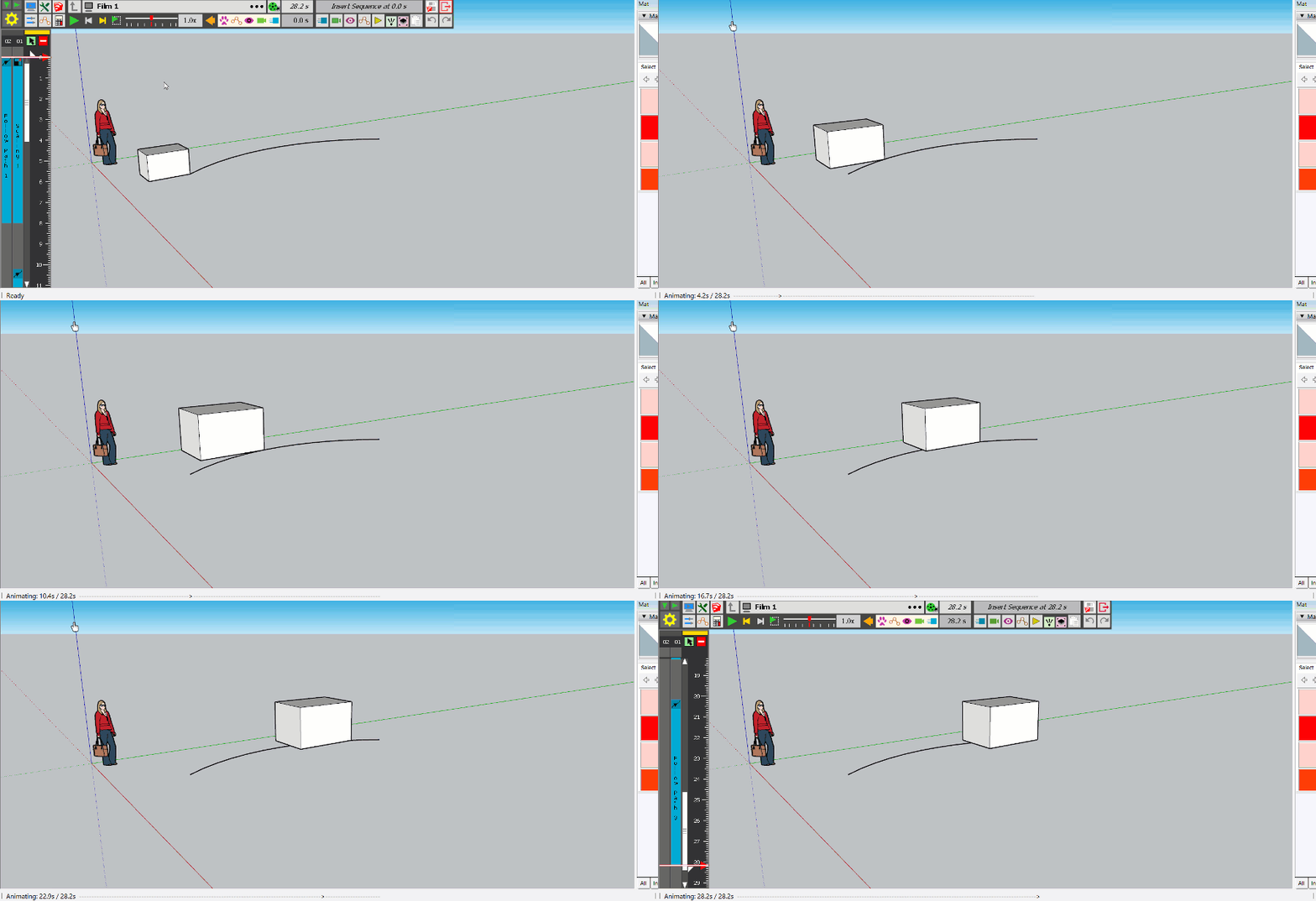
Here is the file corrected
-
Thanks for taking the time to answer such a dumb question! I'm starting to get comfortable with Animator and loving it. Thanks again!
-
Hi,
I´m having a problem with Animator after not using it for months. I used to put "tracking cameras" for following objects and trying to smooth the transition between the "sketch up cameras". But everything works well except de "tracking cameras" which block the Animator and don´t allow you to continue with the video.Sketch up 2020
Animator_v3.2a
LibFredo6_v11.6a
SketchFXEx-3.0.2
AmbientOcclusionEx-2.8.0Thank you very much for any suggestions
-
@carlurcia said:
Hi,
I´m having a problem with Animator after not using it for months. I used to put "tracking cameras" for following objects and trying to smooth the transition between the "sketch up cameras". But everything works well except de "tracking cameras" which block the Animator and don´t allow you to continue with the video.Could you post or PM me the model so that I have a look.
Many thanks
Fredo
-
Hello,
I’ve got a decent handle on Animator now (thanks again!). However, I’m not quite sure how to proceed with my current project: I’ve started this little animation, but I want to animate both VU meters in parallel. I’m wondering how best to go about this.
For this animation, I created a small rectangle that I scale up to gradually cover the indicator lights.
I need a way to copy and paste this animation so I can position it over the VU meter on the right. Is it possible to copy this rectangle—along with its grouped animation properties? Or, alternatively, can I create a copy and then apply the settings from the first animation to it?
I do see an option to clone the clip...
Thanks for your suggestions!I have just paid for my license
I am also looking for a way to repeat this animation throughout the entire duration of the main clip, without having to copy and paste this short clip multiple times...

Hello! It looks like you're interested in this conversation, but you don't have an account yet.
Getting fed up of having to scroll through the same posts each visit? When you register for an account, you'll always come back to exactly where you were before, and choose to be notified of new replies (either via email, or push notification). You'll also be able to save bookmarks and upvote posts to show your appreciation to other community members.
With your input, this post could be even better 💗
Register Login


Advertisement