Movie Software Suggestion/Recommendation
-
I used one of their favorites as a background and it worked, however when I started adding more items or changing the timeline of some items I had already included, I could no increase the background to match the other changes so it does not now appear behind all items. So far, I have not been able to find a solution.
Is there a support site or forum you would recommend?
BTW: from an earlier post, are you from Germany? I was stationed there in the US Army from late 1966 to late 1968.

-
...so I can understand better—you could send me a screenshot similar to mine, even if it doesn't work exactly as you want it to yet. Maybe also a mock-up screenshot of how it should look later in the video.
If you want to add images (JPGs or similar), they’ll be added by default in full-screen mode, so to speak, and would thus cover your background, which obviously needs to remain visible (?). So you’ll need to scale down your image sequence, similar to the “Cute Robot” in my screenshot...
But before I offer any further blabla I’ll better wait for your screenshots.
Yes, that’s right—I live in the Frankfurt area
 Where were you stationed back then?
 -
-
 ️hi!
️hi!
Hoping this kind of slideshow is what you had in mind.
Within CapCut I placed two photos one after the other on one track (over(or is it above?) my green background-track). This upper photo-track starts with a “pause” where only the background remains visible. Then comes the first photo, which is scaled and positioned randomly. As soon as it ends, there is another short pause. Now image #2 follows. Here, I’ve even added a fade-in and fade-out effect. Image #2 is also scaled and placed somewhat randomly...
(I’m including the YouTube link “How To Fade In and Fade Out” here)
https://www.youtube.com/watch?v=9qUwKCe846E
By the way: when you add your text track, the individual text elements are edited almost exactly the same way as the other video content you've placed.
As I mentioned earlier, I avoid overly flashy effects—the kind that have always annoyed me, even in PowerPoint
Of course, the photos can also fill the entire screen. If you “lock” this state with a keyframe, then enlarge the photo to x times its original size, and set another keyframe a few seconds later, the finished video will give the impression that you're zooming deep into the image....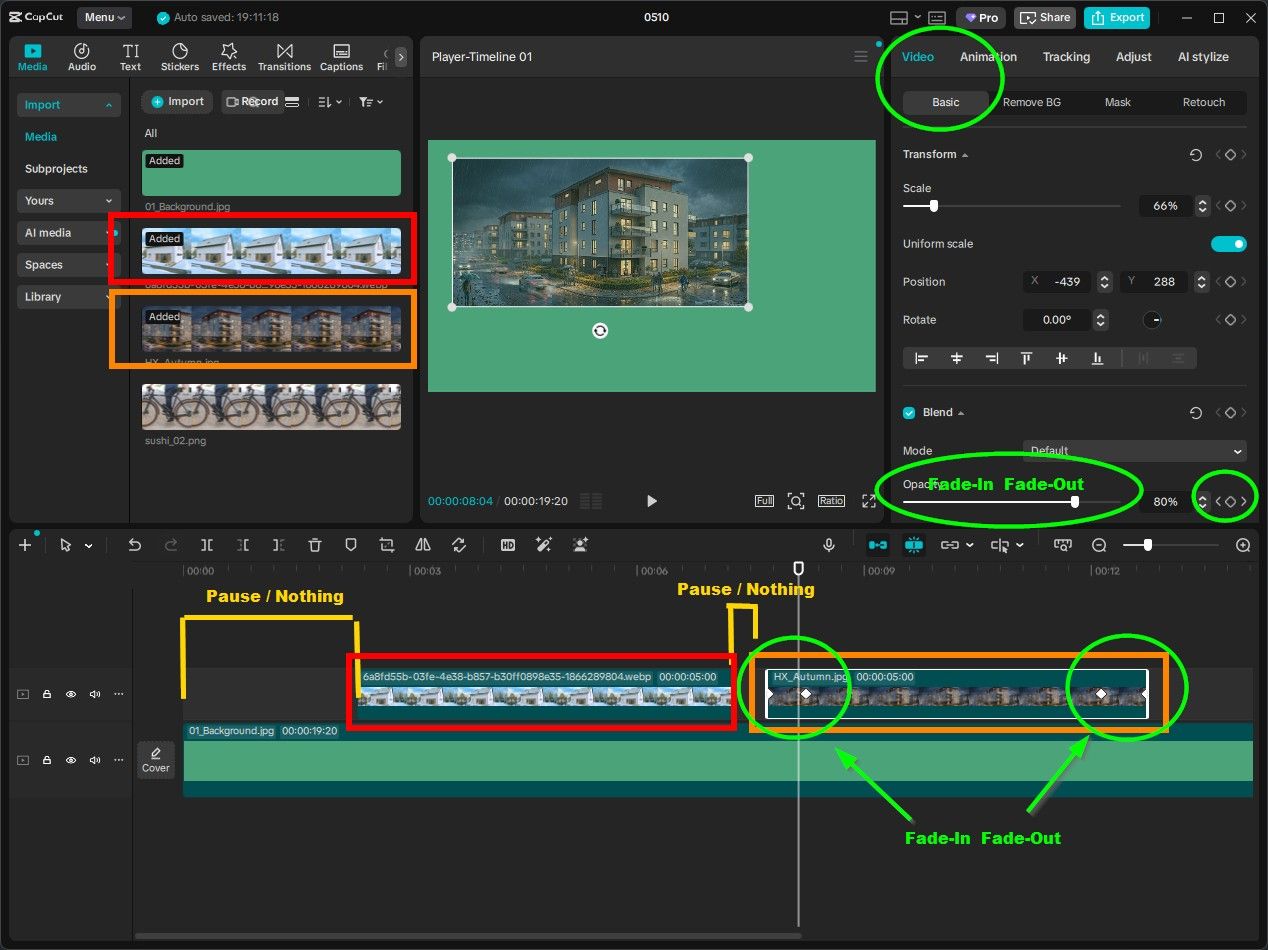
-
Well, I am making some progress. Here is a link to a video I just created and posted on YouTube. BSW Test 1
Yes, I still have a long way to go but at least this is a start. My plan is to expand this video a good bit. I have several more "slide" I want to add but it will take some time. The problem I had with the background seems to be solved (at least so far). I know I also need to add some keyframes and some other features. Let me know what you think of where I currently am.
I do not know where all of those other videos come from and I have not figured out how to all the viewer to replay the video I added.
-
@ntxdave
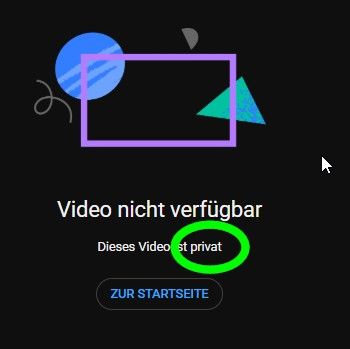
Too bad—your video is private, so I can't view it. But I'm glad to hear you're making progress. -
Too bad—your video is private, so I can't view it. But I'm glad to hear you're making progress.
[link text](Before you publish, check the following:
Do kids appear in this video?
Make sure you follow our policies to protect minors from harm, exploitation, bullying, and violations of labor law. Learn more
Looking for overall content guidance?
Our Community Guidelines can help you avoid trouble and ensure that YouTube remains a safe and vibrant community. Learn moreCan you try it again. I think I made it public but I need for you to give it a try so we can see.
Just in case, here is a new link to it. `lUpdated Link (just in case)``
-
Can someone verify that my link is now public?
-
Download the free D'oh Book for SketchUp 📖
-
Can someone verify that my link is now public?
Its public
Thanks for the verification @rich-o-brien.
I will have to move on with trying to learn more about learning CapCut. It seems like a pretty strong and versatile tool.
-
...I'm back from a little trip.
Congratulations on this successful test video edit. You've really incorporated quite a lot of CapCut tricks into it
-
If anyone is using CapCut (in particular the free version). I need some help.
I created a very small video and was able to upload it to YouTube. I then created a more important video that I want to share with certain individuals, but when I try to export/create the video I am getting messages trying to force me to the Pro version. Can anyone give me any advice or suggest other software to explore?
-
I think I solved the problem. It appears that I was using some features that are only available in the Pro version. For others, I had been using some animation of text. When I eliminated that, I can now generate a video.
-
...I figured as much, since I couldn't reproduce your error message from the previous post.
Less is more, but don't worry—even the free features are still way too extensive
(By the way, if you want animated text, you don't have to use any pre-made text-templates — just use a simple standard text and animate it with keyframes instead.) -
For those who are interested in CapCut, here is the link to a great guide for those who are just getting started.
Hope you find it an interesting guide. It has a lot of information about the toolbars in the application.
-
Hope someone can help me. I am trying to learn more about some of the "effects" in CapCut. I have added an image to my trial project and have been able to animate it. I have it moving across the screen, rotating and scaling. Now I want to get it to fade in. I have watched some videos of how to do it, but it does not seem to be working. I have set 3 keyframes. The first one sets the fade to 0, the second one to 45% and the third one to 100% so I should be seeing it start at not showing and fade it as it moves across the screen. However, I am seeing it all through the video.
Can someone give me some advice?
-
I've zero knowledge of CapCut but are Effects only exposed to paid versions?
Download the free D'oh Book for SketchUp 📖
-
OK, I think I learned how to do some more things.
Here is a short video that demonstrates how to:
-
Animate an object that moves across the screen
-
Fades in as it moves across the screen
-
Scales as it moves near the right side
-
Rotates as it moves near the right side
On the right of the screen, you will see a bunch of videos that are not mine. I need to learn how to manage that now.
-
-
I've zero knowledge of CapCut but are Effects only exposed to paid versions?
️
...as is the case with many free software versions, CapCut Free comes with a limited range of effects (transitions, text effects, etc.). The features that are only available in the Pro version are clearly marked as such.
Regardless, CapCut Free can rightly be called a full-featured app because everything you need is included.
Personally, I love this because it avoids that unbearable “PowerPoint” urge—so common among many users—to make everything fly, scroll, or dissolve in some silly way! —Here, too, the rule applies: Less is usually more! -
Continuing to learn how to, and using, CapCut to create videos. Here is another one where I am presenting an animation I created with SketchUp Jesus Plaque Animation



Hello! It looks like you're interested in this conversation, but you don't have an account yet.
Getting fed up of having to scroll through the same posts each visit? When you register for an account, you'll always come back to exactly where you were before, and choose to be notified of new replies (either via email, or push notification). You'll also be able to save bookmarks and upvote posts to show your appreciation to other community members.
With your input, this post could be even better 💗
Register Login


Advertisement