Rayscaper New Releases
-
Any plans to ,ake Rayscaper work withAnamator?
Press F1...thank me later
-
@ntxdave i think it only works with scene transitions. Wait for pixel cruncher answer about Animator.
-
How can I make a water material ?
-
@ntxdave Like @krass mentioned, it only works for SketchUp scene animations. Fredo animator is not supported yet. Here is a guide on how to animate regular SketchUp scenes: https://rayscaper.com/guides/animation/
-
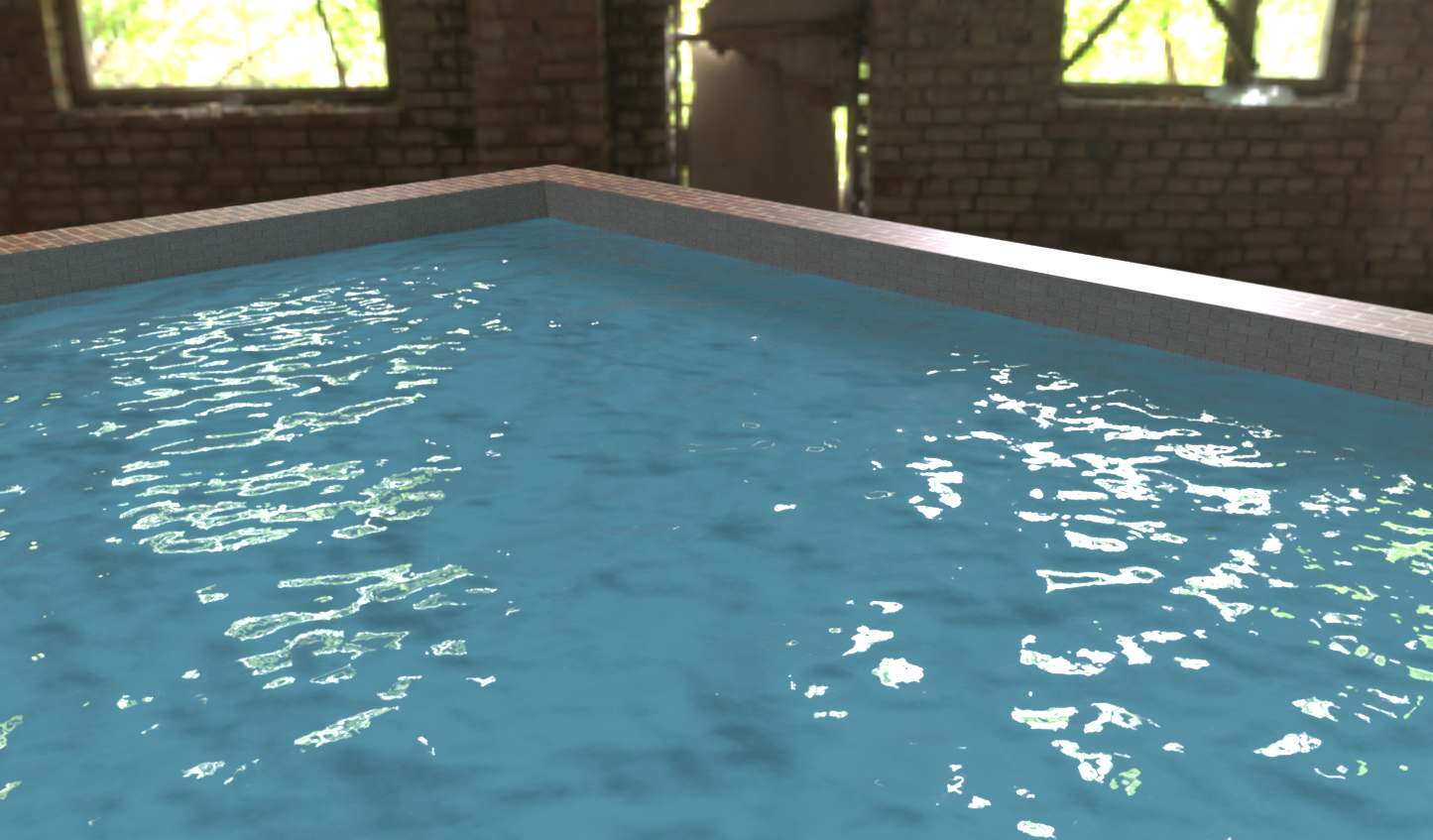
@Alattab forwater may be try a transparent or glass material and try several wave normal maps in the normal slot, play with material scale
-
here a test with PBR mode/color/no roughness/ and this normal map

Krass
-
@pixelcruncher Hello ! This is great,
You managed to fix the resolution change issue, and you did it very quickly, thank you! I'm now going to test my new animation in HD. I really like the subtle little changes you made to the interface; it's very well thought out: the fact that you only have to click once on the value field is perfect.And I really like the interface in general. The scenes load very quickly...
However, it's true that being able to export the project as a workable zip file on another machine without having to remap missing textures would be ideal.
Let me give you a specific example: I don't like modeling and preparing the Rayscaper render on my laptop. But it will be much faster for rendering animations, so I need to export the project from the PC to the laptop.
Krass
-
@Krass That's some nice looking water! And a great workflow.
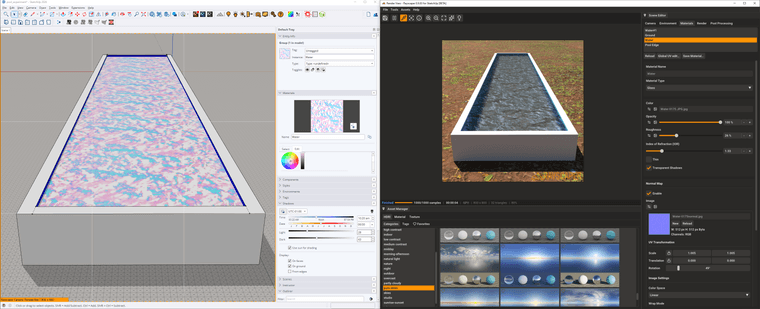
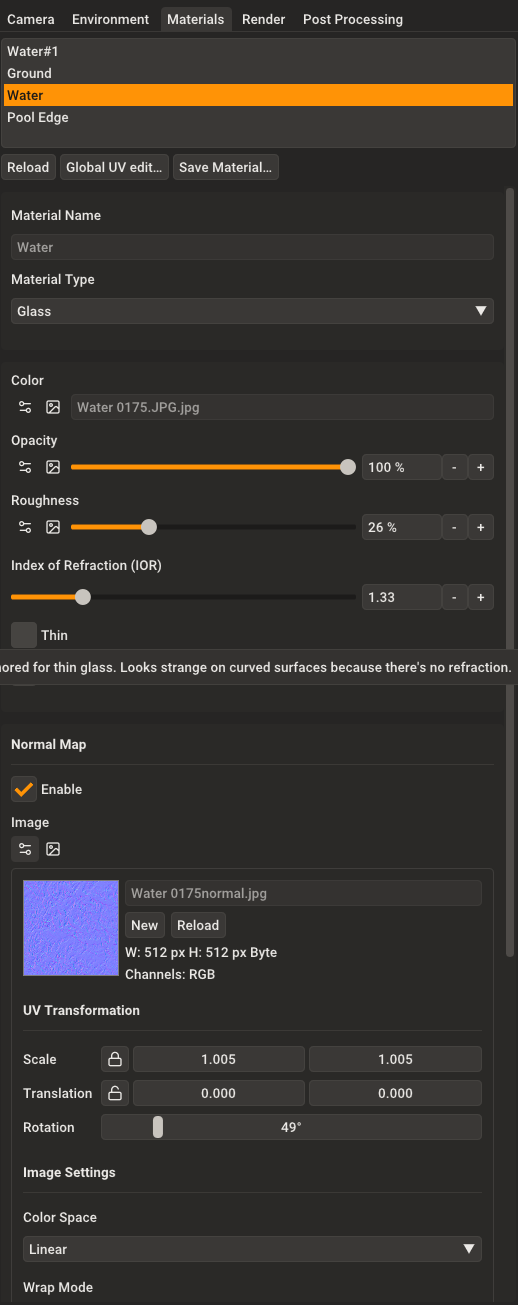
I did a similar experiment. I used a glass material with an index of refraction of 1.33 (the IOR of water). I used a water texture I found online.
Here's how I set it up in SketchUp and Rayscaper:
And there are the details of the glass material:
I found the water texture here: https://www.cadhatch.com/seamless-water-textures
One of the upcoming releases, I will try to add a water material. It's such a common item in Archviz that I think Rayscaper should have one.
I hope this helps!
Cheers,
ThomasI'm the developer of Rayscaper: https://rayscaper.com/ - Fast and easy rendering for SketchUp.
-
@Krass said in Rayscaper New Releases:
@pixelcruncher Hello ! This is great,
You managed to fix the resolution change issue, and you did it very quickly, thank you! I'm now going to test my new animation in HD. I really like the subtle little changes you made to the interface; it's very well thought out: the fact that you only have to click once on the value field is perfect.Cheers! Glad to hear the bug is fixed.
And I really like the interface in general. The scenes load very quickly...
Nice! I did put some work into improving the interface during the holidays.
However, it's true that being able to export the project as a workable zip file on another machine without having to remap missing textures would be ideal.
Let me give you a specific example: I don't like modeling and preparing the Rayscaper render on my laptop. But it will be much faster for rendering animations, so I need to export the project from the PC to the laptop.
Fair enough, I'm aware that this working 100% correct is super important. Expect this to be fixed in one of the upcoming releases.
Regards,
Thomas -
I'm trying to find a plugin to extract all textures from a SU model, I had one before, I think it is from Eneroth...
-
eneroth material Extractor
-
In the meantime, to transfer a project to another machine, simply go to the editor of the material and open the texture in the Windows viewer, then save it in the images folder generated by the Rayscaper material archive once SU is opened on the other machine (from the archive created by Rayscaper).
-
@Krass thank you
-
@pixelcruncher Where can I add specular luminosity maps? Or where can i mange specular value
-
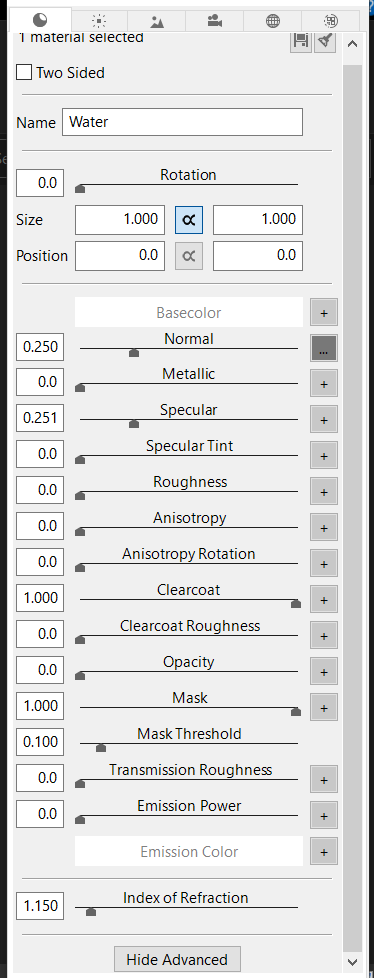
Just a suggestion: all PBR parameters should be available, in addition to an AO parameter that allows the user to add all PBR maps. Also, the ability to add FORE GROUND AND BACK GROUND should be added instead of using the environment image, and the ability to resize the environment image should also be included.
-
Yes, when you talk about resizing HDRI maps, it's an ideal function, but you know, even D5 Render doesn't have that feature yet. It's available in Twinmotion and V-Ray (Infinite Dome) for the programs I use. For the background, you can also place an arc-shaped plane with an image in Raycacaper, which often works.
Have you tried that slot for your specular map?
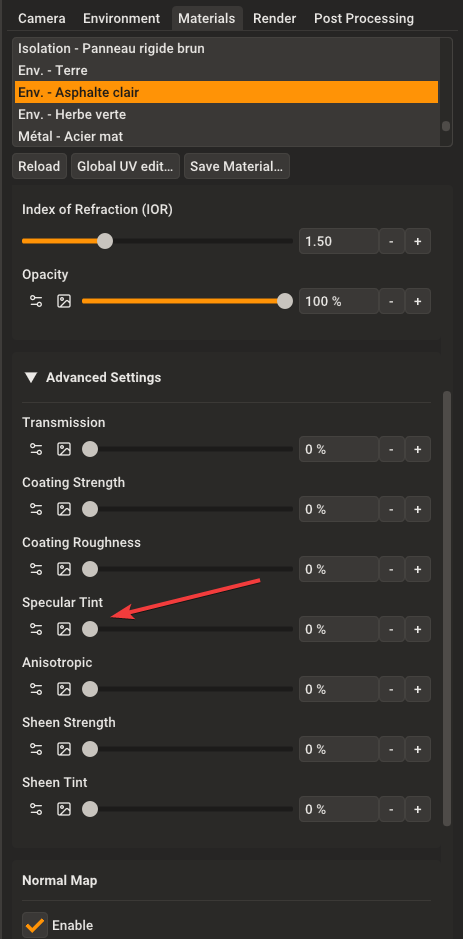
Krass
-
Unbelieveably good!
-
@Krass thank you , i will try this slot , but there is an However, there is a difference between specular and specular tint. For clear water that has a specular, it is best to use metallic with the transparency.
-
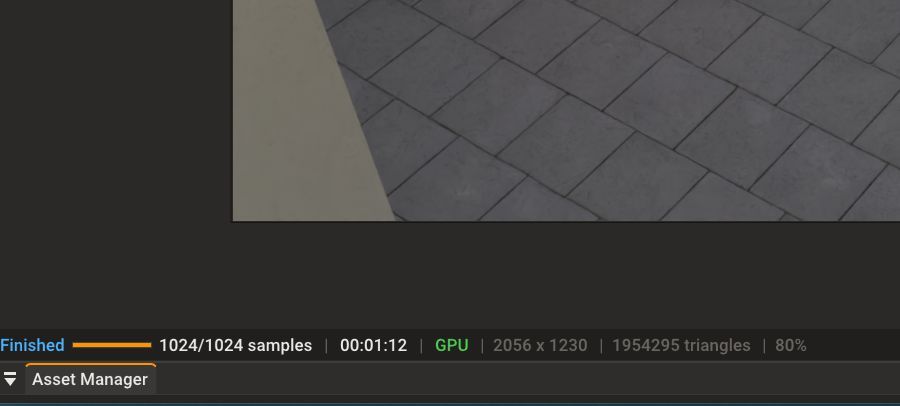
Hi, would it be possible to have the total render time remain displayed in the dedicated window after the render is complete? Of course, I've noted the estimated time that appears during the animation render, but the final time disappears once the job is finished...
Krass
-








Hello! It looks like you're interested in this conversation, but you don't have an account yet.
Getting fed up of having to scroll through the same posts each visit? When you register for an account, you'll always come back to exactly where you were before, and choose to be notified of new replies (either via email, or push notification). You'll also be able to save bookmarks and upvote posts to show your appreciation to other community members.
With your input, this post could be even better 💗
Register Login


Advertisement