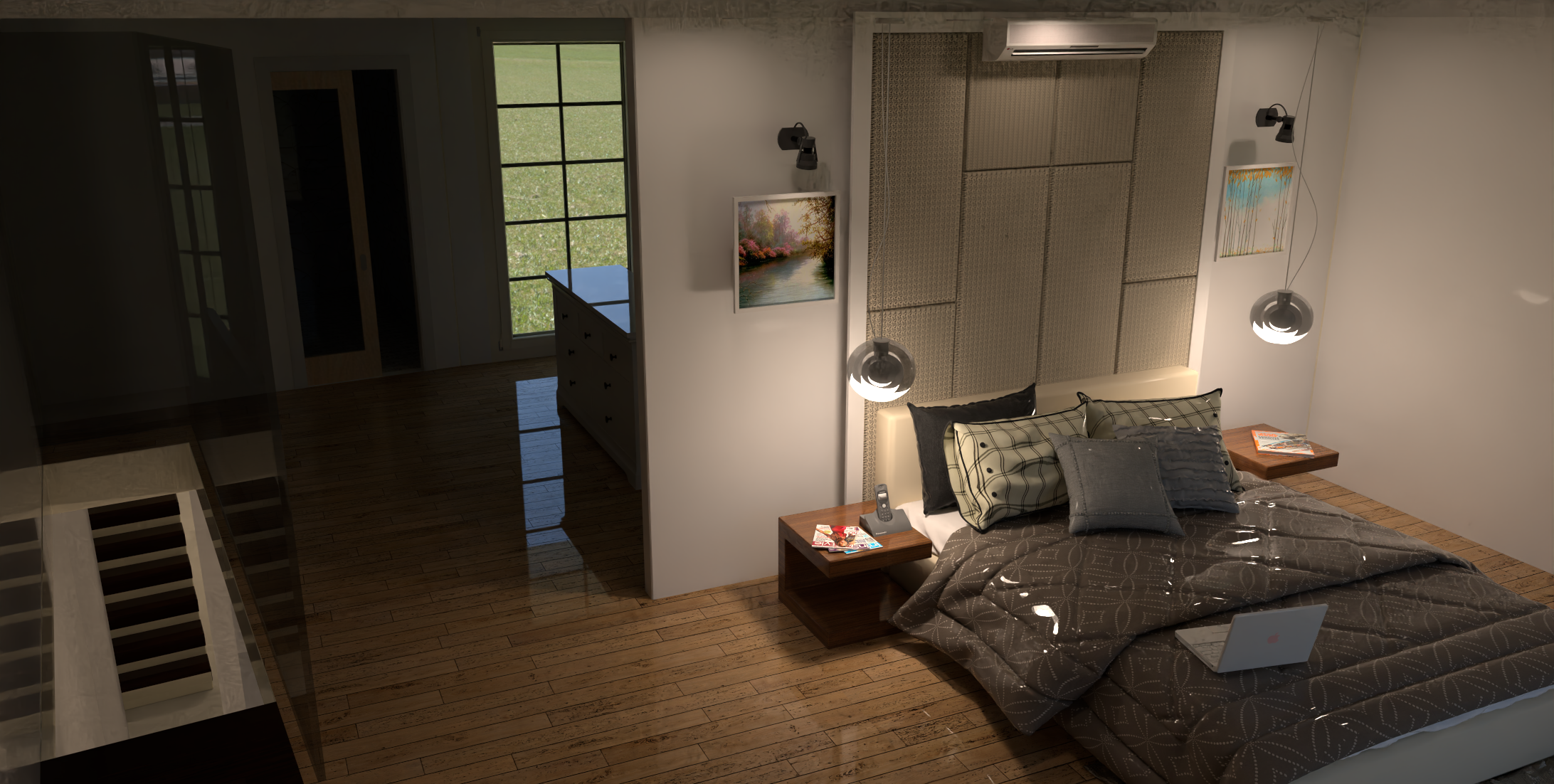
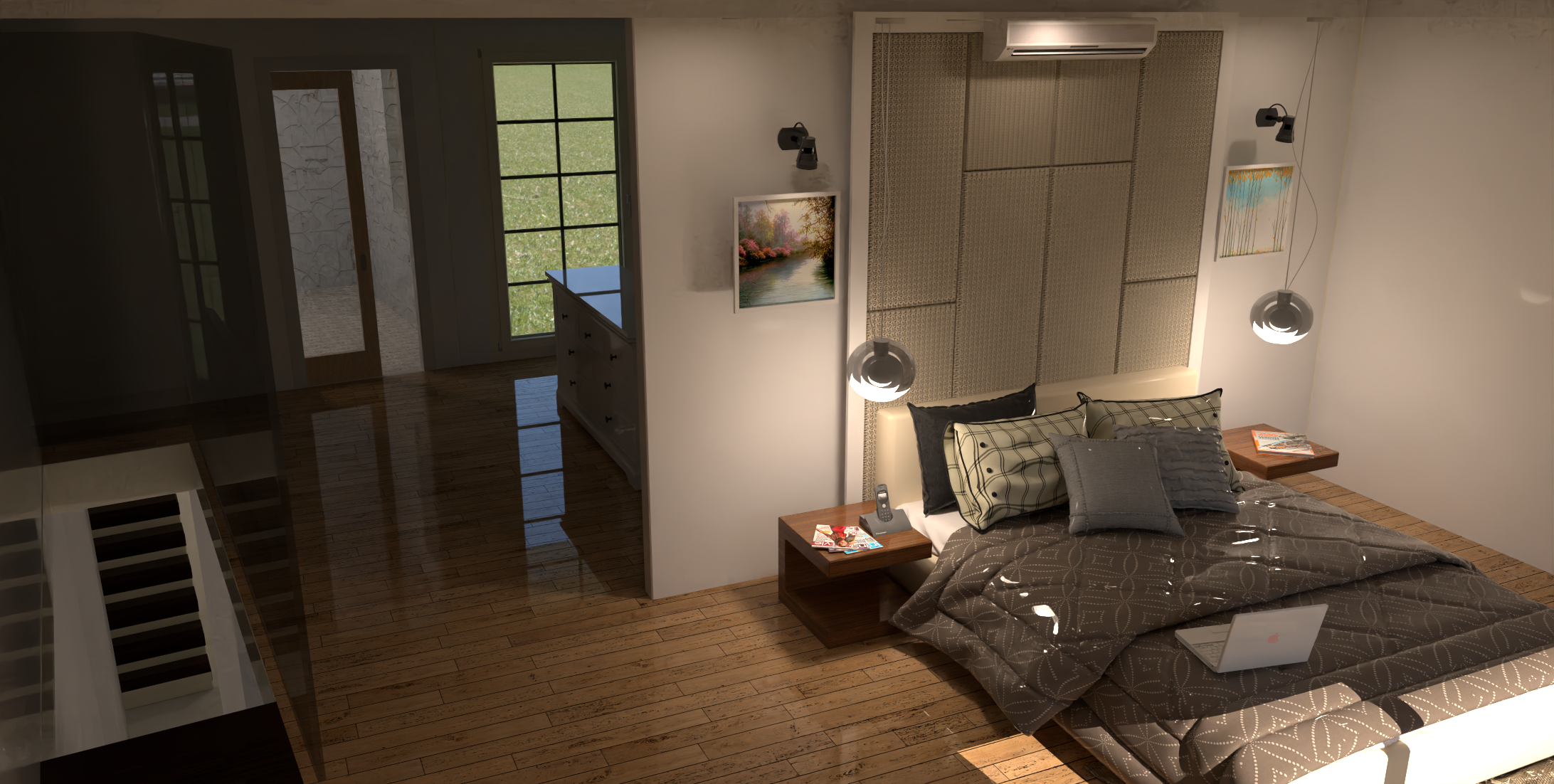
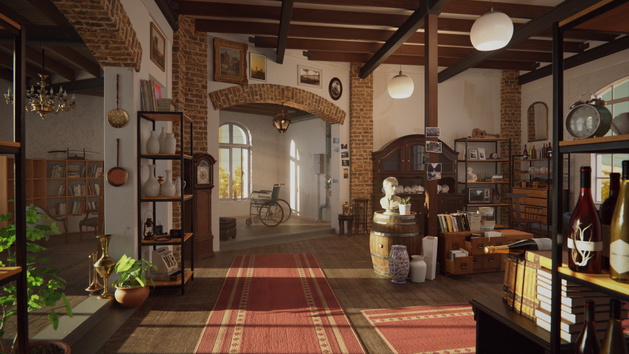
Rayscaper render.
-
Well, the layout is definitely derivative.
I find that my method of modelling creates a few issues with Rayscaper render so I shall have to look into new mthods with each floor level a group and lights outside of these.
There are a number of artifacts which come and go to an extent. The tops of the walls and the floor texture have a dark weblike appearance which I suspect has to do with light levels.
Otherwise a case of moving on a little by little, test and redo.
-
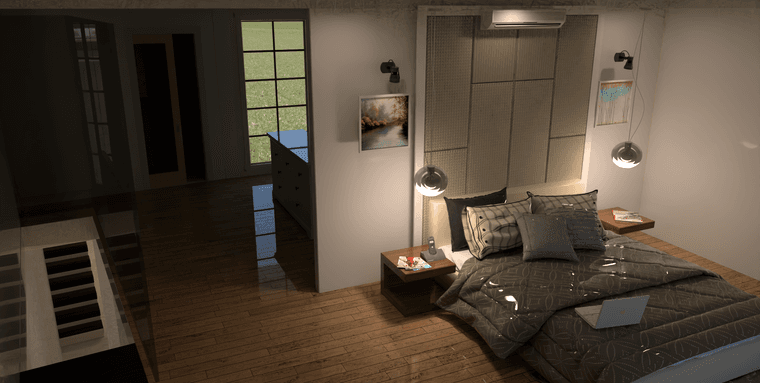
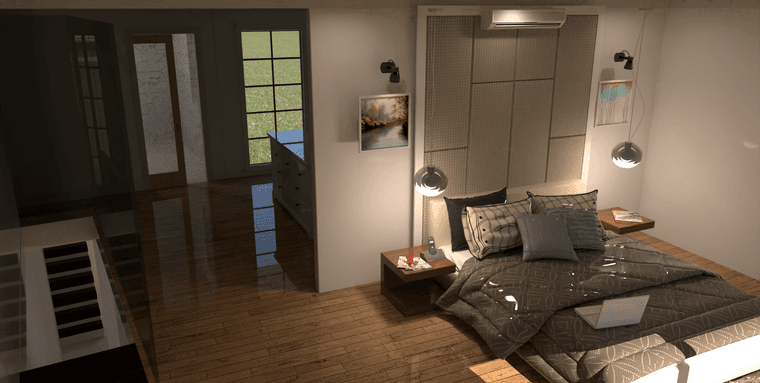
I would dial the roughness on the bedding way up and add sheen since its a fabric.
I'd wait until there's a new build of Rayscaper as the current has gremlins.
-
What? They let the Gremlins get wet?
-
Despite the gremlins, nice render. Working on chasing down the gremlins.
I'm the developer of Rayscaper: https://rayscaper.com/ - Fast and easy rendering for SketchUp.
-
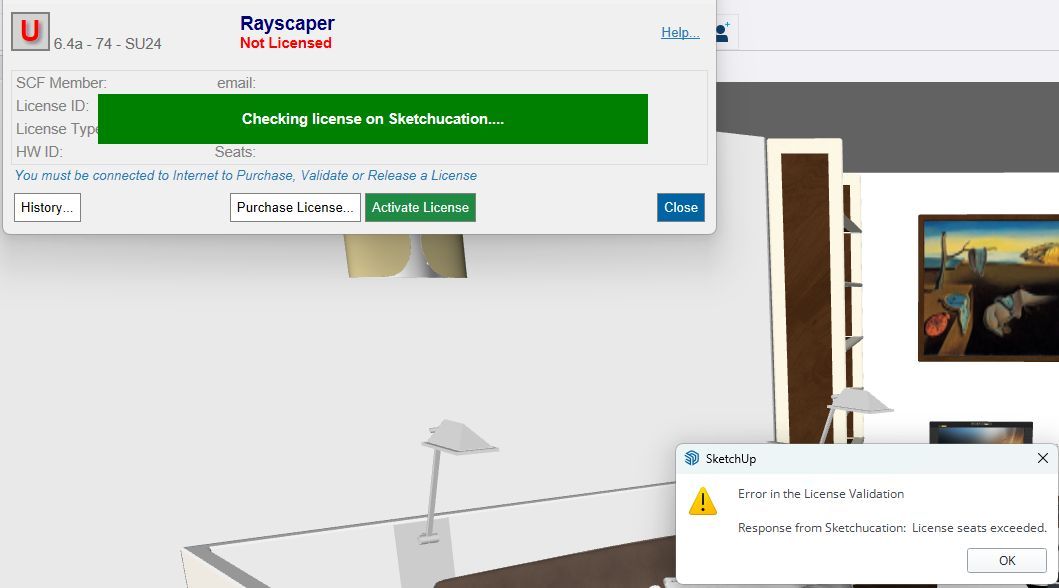
@pixelcruncher OK, another week another Windoze solution that is not. Not able to activate the Rayscaper license now.
-
Manage your seats at https://sketchucation.com/webshop/my-licences.php
If you keep activating on different devices you will run into seats exceeded.
You need to release seats on devices you don't use.
-
Got it Rich, the system not reacting to inputs was a bit of a drain but I got there. I cannot match the sketchup viewport in Rayscaper now but then since reset of windoze, everything has been more than a little off.
I cannot say the entertainment level is low tho'.
-
OK guys, this is not a very good one, but I have been doing some fooling around and testing. First, I will share some pictures of something I received from a fried that I then did a 3D model of using SketchUp and then rendered with Rayscaper.
Here are some images of what i received: (OK, images too large)
Here is my render with Rayscaper:
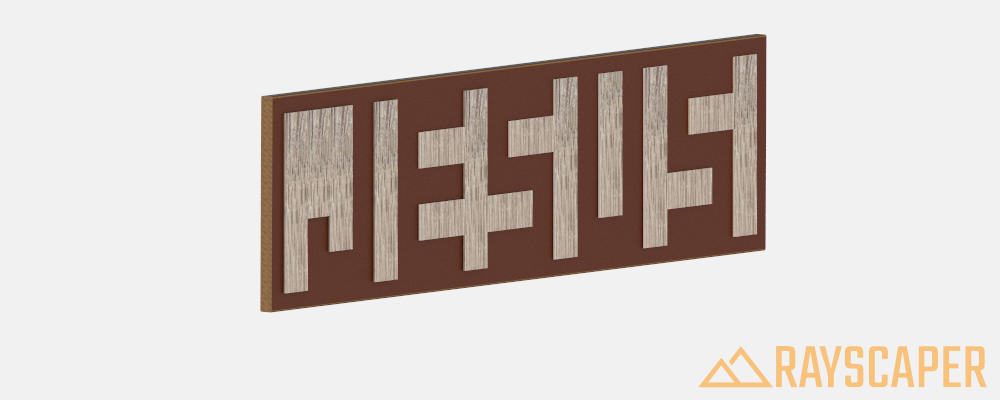
I know this is not very fancy. I would like to have some advice as to how it might be made better.
-
HDR environment light. Search the Studio category and set the Transparent flag on.
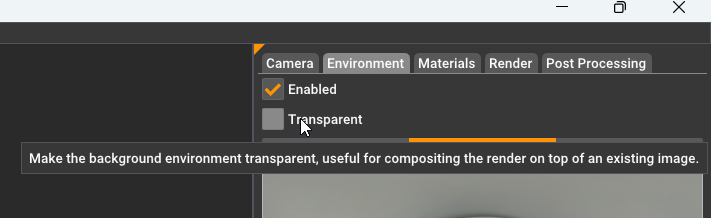
With the lighting set you can play with materials to see how they interact with the light.
Download the free D'oh Book for SketchUp 📖
-
@Rich-O-Brien Thanks @Rich-O-Brien . I will try this later.
I have some images/photos that I took with my iPhone that I would like to share, however, I am having problems opening them. They say that are PNG file but every app I try to open them with says they are not a valid file type.
Can someone give me some advice about how to open these files so that I can get them into a format/size that I can share on the forum?
One of the things I would like for people to see is that the item that was share with me, and the model I created and shared in the previous post is not really created the way viewers might suspect. The word "Jesus" was created by creating pieces that are attached to a wood block that outline the word. It was not created by adding text to the block. I found this kind of interesting and is what inspired me to create a model using the same technique.
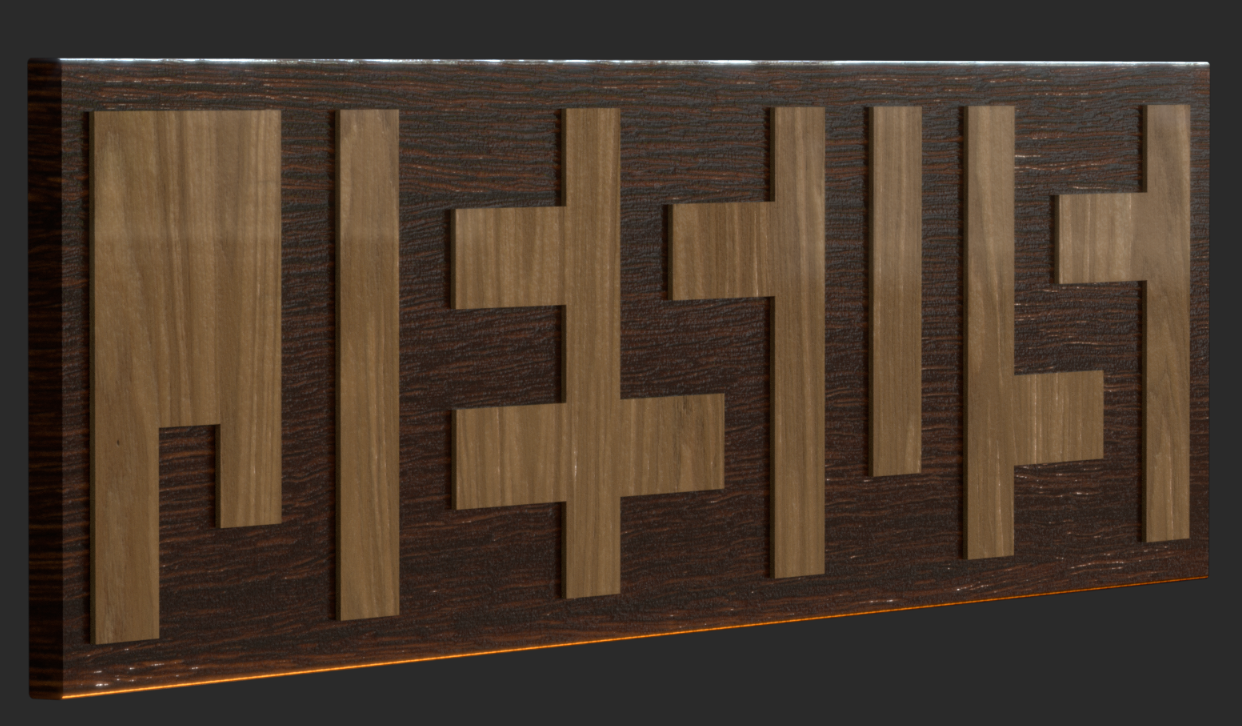
@Rich-O-Brien Here is a new render using the approach you suggested.

I also have done an animation that show creating "Jesus" one letter at a time. However, I have not found a way to create the animation using Rayscaper. If someone can tell me how to do that, I would appreciate it so a can "bring the model to life".

-
Maybe the easiest is to attach one of those image files so we can have a look?
Nice, it played a trick on my brain because it took a while before I saw the word "Jesus".
I also have done an animation that show creating "Jesus" one letter at a time. However, I have not found a way to create the animation using Rayscaper. If someone can tell me how to do that, I would appreciate it so a can "bring the model to life".
Currently, Rayscaper does not have animation support. But that will come with the next release, although that will only support SketchUp scene animations (camera & sunlight). How are you animating these letters?
Cheers,
ThomasI'm the developer of Rayscaper: https://rayscaper.com/ - Fast and easy rendering for SketchUp.
-
@ntxdave kinda hard to suggest improvements. Share the file
-
@pixelcruncher said in Rayscaper render.:
Maybe the easiest is to attach one of those image files so we can have a look?
OK, I finally got a couple of the images so I can now share them.
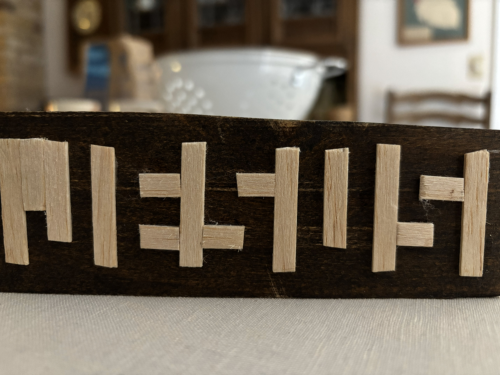
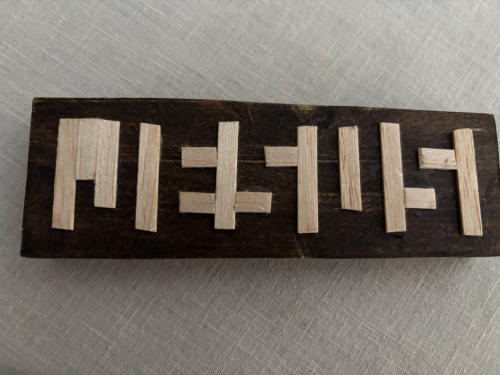
Nice, it played a trick on my brain because it took a while before I saw the word "Jesus".
 That is part of what triggered me developing the model in SketchUp
I also have done an animation that show creating "Jesus" one letter at a time. However, I have not found a way to create the animation using Rayscaper. If someone can tell me how to do that, I would appreciate it so a can "bring the model to life".
Currently, Rayscaper does not have animation support. But that will come with the next release, although that will only support SketchUp scene animations (camera & sunlight). How are you animating these letters?
In this case, my animation is a set of scenes animated. Yes, I am animating presenting the letters.
Did I also see/read that you are also looking into working with Animator?
Cheers,
Thomas@Rich-O-Brien said in Rayscaper render.:
@ntxdave kinda hard to suggest improvements. Share the file
Although there are some problems in the model, I am sharing it here: Jesus Animation.skp
And here is the animation: Jesus Animation.mp4
-
Was kind of hoping for some feedback.
-
The camera is set to Orthographic which doesn't suit Environmental maps so you won't get the correct lighting.
Your textures applied to the main board are a herring bone floor texture. Not quite sure if that is correct? Unless it is some type of intentional choice?
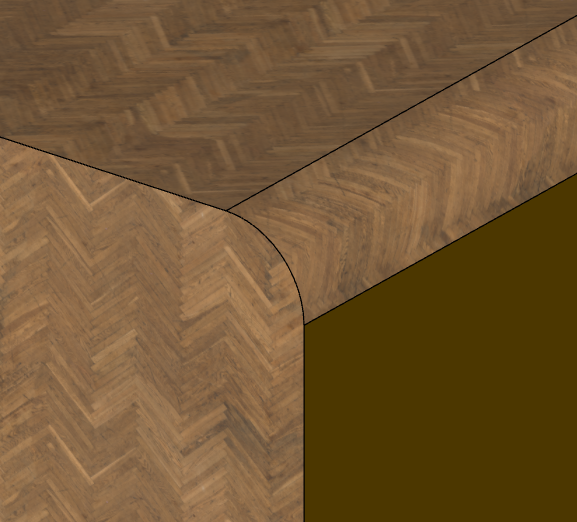
Your texture for the 'font' are scaled to a large value which seems to clash with the tiny herringbone texture.
When you consider the object itself is 1.5" x 5.5" there seems to be a non-physically correct texture dimension.
Hard to create a great or meaningful render if your textures are not physically correct. Having textures reflect real world objects and appearance helps sells believability.
The model itself has textures applied to both the groups and geometry within the groups.
If it was me, I would consider what it the object made of and go source a texture that helps sell that aspect. Polyhaven has loads of textures but most important is they tell you the size:
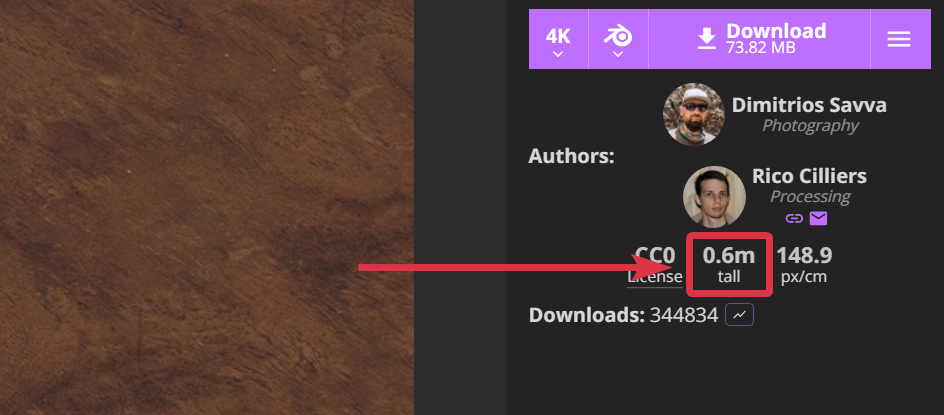
So if you make a texture using these in SketchUp you can set that size for the correct appearance.
Download the free D'oh Book for SketchUp 📖
-
-
@Rich-O-Brien said in Rayscaper render.:
First, let me say I really appreciate your feedback. Although this model is very "elementary", it is far different from the type of modeling I have done in the past.Now I will respond to your comments (positively I hope):
The camera is set to Orthographic which doesn't suit Environmental maps so you won't get the correct lighting.
OK, I will change that that in a future version.
Your textures applied to the main board are a herring bone floor texture. Not quite sure if that is correct? Unless it is some type of intentional choice?
Agree, this was not a good texture choice. Again, I will try to improve in a newer version.
Your texture for the 'font' are scaled to a large value which seems to clash with the tiny herringbone texture.
When you consider the object itself is 1.5" x 5.5" there seems to be a non-physically correct texture dimension.
The size I used when creating the model was based on the actual dimensions of the object I had received. Creating it at that size caused several problems (some of which you have pointed out). I will redraw at a much larger scale and then look at resizing later (not sure I will need to really do that though).
Hard to create a great or meaningful render if your textures are not physically correct. Having textures reflect real world objects and appearance helps sells believability.
The model itself has textures applied to both the groups and geometry within the groups.
If it was me, I would consider what it the object made of and go source a texture that helps sell that aspect. Polyhaven has loads of textures but most important is they tell you the size:
So if you make a texture using these in SketchUp you can set that size for the correct appearance.
I like the texture in your image much better than what I used and will do some looking around (including the site you referenced.
There really was no "font" (as I think you pointed out) The texture I used to "outline"/create the text was something I used to try to emulate what was on the item that was given to me. I might stick with that or try to find something closer to "real object".
Again, I REALLY appreciate your comments and hope I can use them to improve my model. This project has some meaning to me that I do not know how to share. As I said before, the original object was a gift that I found inspiring, and I would like to be able to create a got SketchUp version.
-
@Rich-O-Brien
I like the material in the image you posted.-
Can you point me to the source or is there a source for "free" materials you would recommend?
-
How do you add materials to Rayscaper?
I have redrawn the model completely to overcome some of the problems in the version I posted. One of the main things I did was draw the model at a much larger scale so that some of the problems will be overcome. I also made each segment of the panels that create the text are individual groups which should solve some of the goofiness that showed up in the version I posted. At some time later I will decide whether to resize the model to more closely match the original object or just leave it at the new (larger) size for rendering and animating.
Can you help me understand the issue related to orthographic? BTW: In the new model I used perspective as part of the camera settings. Should I stick with that or do something different?
I know this is a very simplistic model, but it is far different from what I have done in the past (car wash equipment and @Majid Alpha Inspired Sketches of buildings) so please be patient with me.
-
-
@ntxdave said in Rayscaper render.:
Can you point me to the source or is there a source for "free" materials you would recommend?
Those are already bundled with Rayscaper
@ntxdave said in Rayscaper render.:
How do you add materials to Rayscaper?
Materials
Edit materials, sync them with SketchUp and set the color, opacity, normal map and emission that every material has.

Rayscaper (rayscaper.com)
@ntxdave said in Rayscaper render.:
Can you help me understand the issue related to orthographic?
HDR environment maps a equirectangular. If your camera is Ortho then it cannot 'map' the environment to surround your scene.
If you want the Ortho look then set your FOV in SketchUp to something really low 5-6deg when using Perspective.
@ntxdave said in Rayscaper render.:
Should I stick with that or do something different?
You should experiment and learn in small bits and pieces until you begin to understand. There's no magic bullet. Just trial and error.
Butif you have the object to hand then you have all the reference you need.
Download the free D'oh Book for SketchUp 📖
-
Just a simple observation. I tried the new designation for the diffuse hey eye render, now simply ai render. It prevents Rayscaper from opening. Tried it several times with the same result. Disable ai render and Rayscaper will function As intended.
I thought I would report this here as information.
Absentia mortis praesentiam vitae probat, vita autem est argumentum constantiae.





Hello! It looks like you're interested in this conversation, but you don't have an account yet.
Getting fed up of having to scroll through the same posts each visit? When you register for an account, you'll always come back to exactly where you were before, and choose to be notified of new replies (either via email, or push notification). You'll also be able to save bookmarks and upvote posts to show your appreciation to other community members.
With your input, this post could be even better 💗
Register Login


Advertisement