sketchucation logo sketchucation
    • Login
    Oops, your profile's looking a bit empty! To help us tailor your experience, please fill in key details like your SketchUp version, skill level, operating system, and more. Update and save your info on your profile page today!
    ⚠️ Important | Libfredo 15.6b introduces important bugfixes for Fredo's Extensions Update

    TrueBend Axis Problem
    Scheduled Pinned Locked Moved Extensions & Applications Discussions
    18 Posts 5 Posters 604 Views 5 Watching
    Loading More Posts
    • Oldest to Newest
    • Newest to Oldest
    • Most Votes
    Reply
    • Reply as topic
    Log in to reply
    This topic has been deleted. Only users with topic management privileges can see it.
    • Rich O BrienR Offline
      Rich O Brien Moderator @Gus R
      last edited by

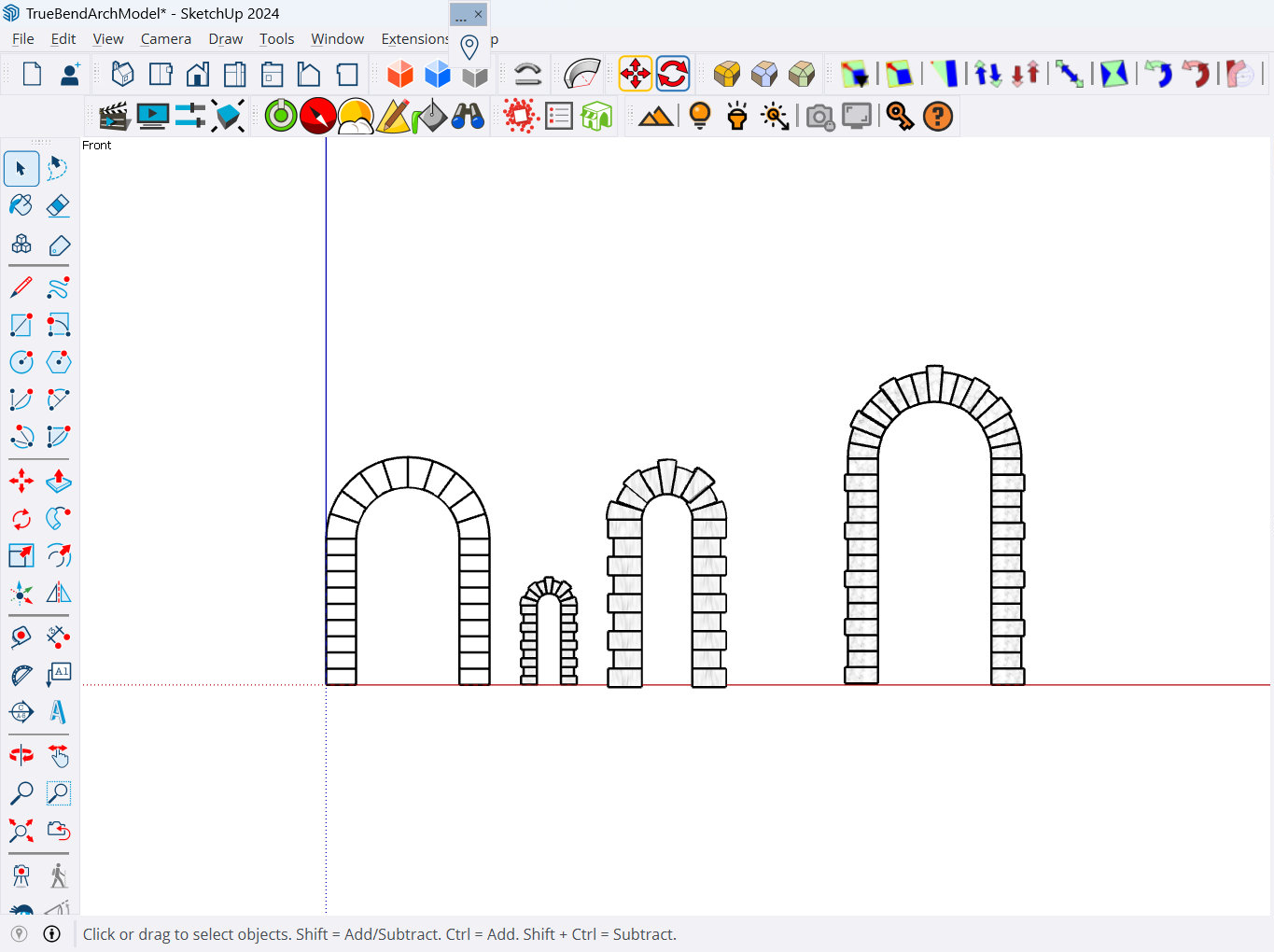
      @Gus-R Yeah, there 10 different ways of doing it. Both natively or via plugins.
      SketchUp_YyYDWNIDyv.gif

      Download the free D'oh Book for SketchUp πŸ“–

      ntxdaveN 2 Replies Last reply Reply Quote 0
      • ntxdaveN Offline
        ntxdave @Rich O Brien
        last edited by

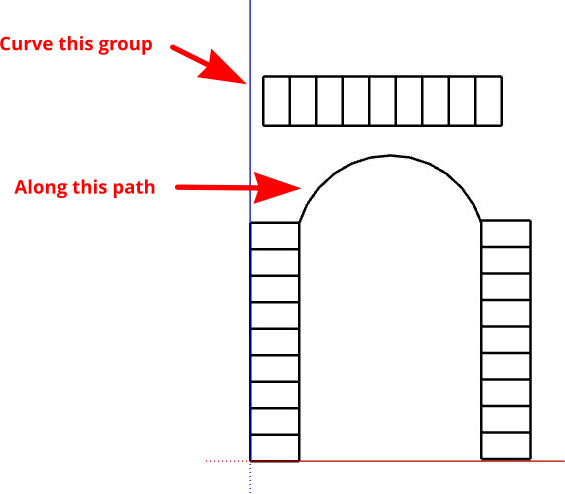
        @Rich-O-Brien Thanks Rich, Gus & TIG. I finally got my act together and was able to figure things out before seeing these last posts. Here is my result (but I like the stuff you guys did as well).
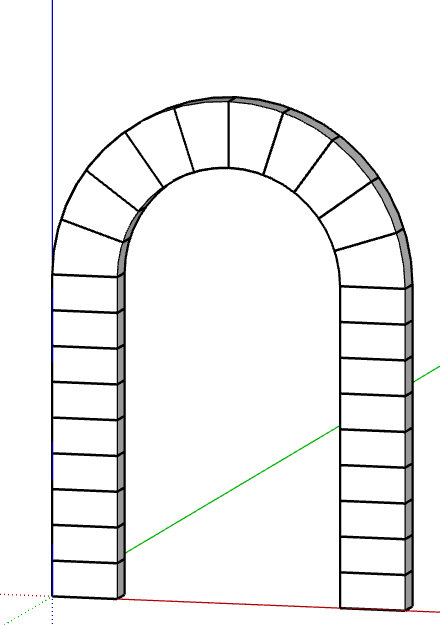
        TrueBend Arch Model.png

        I guess this "exercise" exemplifies my age and lack of use lately. πŸ˜‘

        Gus RG Rich O BrienR 2 Replies Last reply Reply Quote 1
        • Gus RG Offline
          Gus R @ntxdave
          last edited by Gus R

          @ntxdave You're welcome, Dave. I was trying to figure out how to do my brick arches in Blender that doesn't involve an hour on some procedural. There's a lot of really good videos on Youtube but nothing that gets it done fast and simple. Then while there's a lot of great Youtube tutorials on Blender a lot of them seem to talk 100 MPH and they have 20/15 vision.

          www.instagram.com/gusrobatto/

          www.facebook.com/gusrobatto

          www.flickr.com/photos/gusrobatto

          1 Reply Last reply Reply Quote 0
          • Rich O BrienR Offline
            Rich O Brien Moderator @ntxdave
            last edited by

            @ntxdave said in TrueBend Axis Problem:

            exemplifies my age and lack of use lately

            Horses for courses. Always a good idea to get ideas from others to see what comes out of the hat

            Download the free D'oh Book for SketchUp πŸ“–

            1 Reply Last reply Reply Quote 0
            • ntxdaveN Offline
              ntxdave @Rich O Brien
              last edited by

              @Rich-O-Brien Did you do your model with native tools or a plugin? Yes, I know it is a dumb question but I just had to ask. I have never seen the rotation tool used like that.

              BoxB 1 Reply Last reply Reply Quote 0
              • BoxB Offline
                Box @ntxdave
                last edited by

                @ntxdave
                Rich used Radial Bending, part of Fredo's Fredoscale.
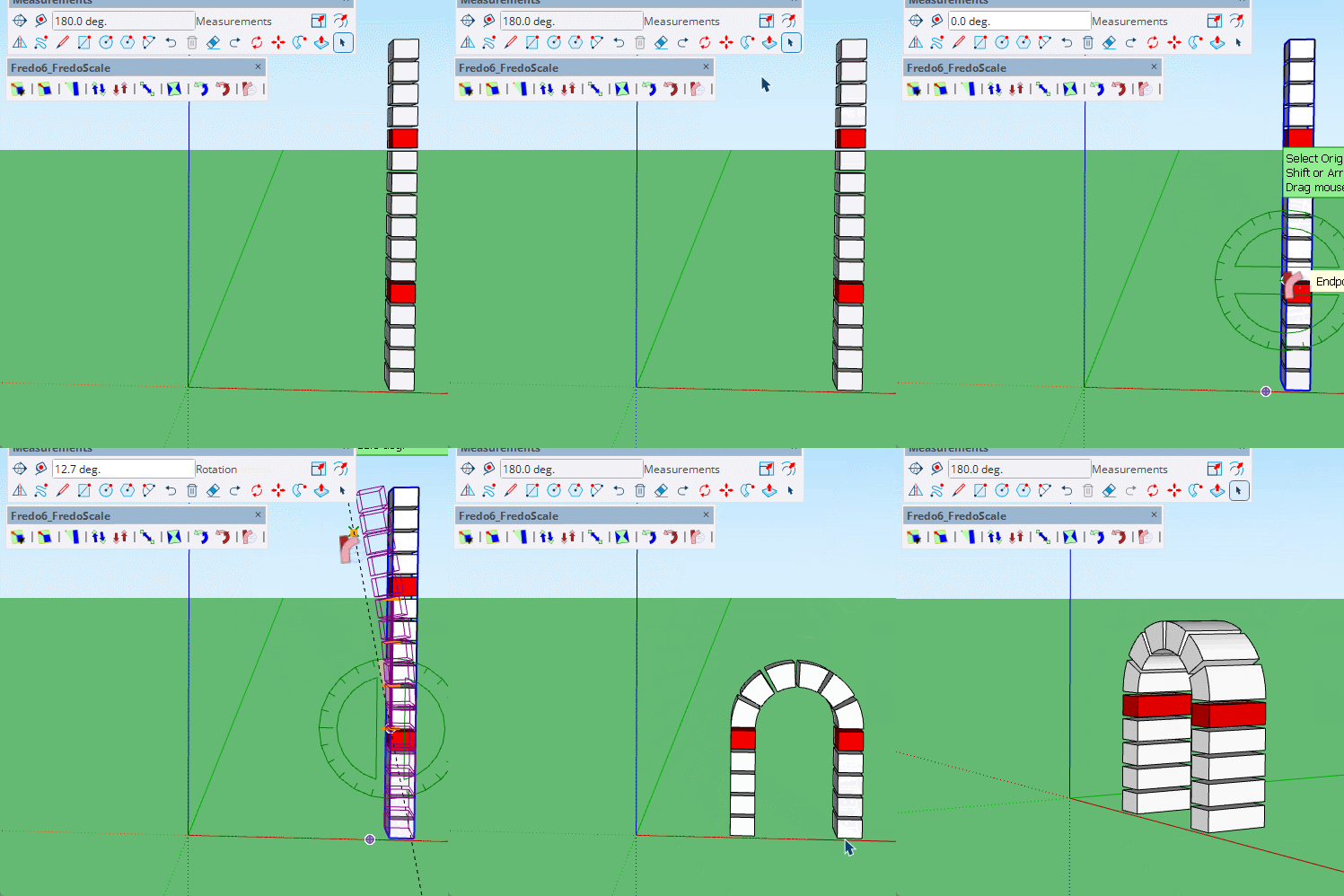
                Radial bending.gif

                ntxdaveN 1 Reply Last reply Reply Quote 0
                • ntxdaveN Offline
                  ntxdave @Box
                  last edited by

                  @Box Thank you sir. πŸ‘ πŸ‘

                  I have not used that tool so I will do some playing around.

                  ntxdaveN 1 Reply Last reply Reply Quote 0
                  • ntxdaveN Offline
                    ntxdave @ntxdave
                    last edited by ntxdave

                    @ntxdave said in TrueBend Axis Problem:

                    @Box Thank you sir. πŸ‘ πŸ‘

                    I have not used that tool so I will do some playing around.

                    I am feeling really stupid. 😊

                    I have watched @Box’s video several times and have also watched a couple of tutorials but I seem to have real problems trying to use the tool. Can someone give me a somewhat detailed (step by step) explanation of how to accomplish this?

                    BoxB 1 Reply Last reply Reply Quote 0
                    • BoxB Offline
                      Box @ntxdave
                      last edited by

                      @ntxdave
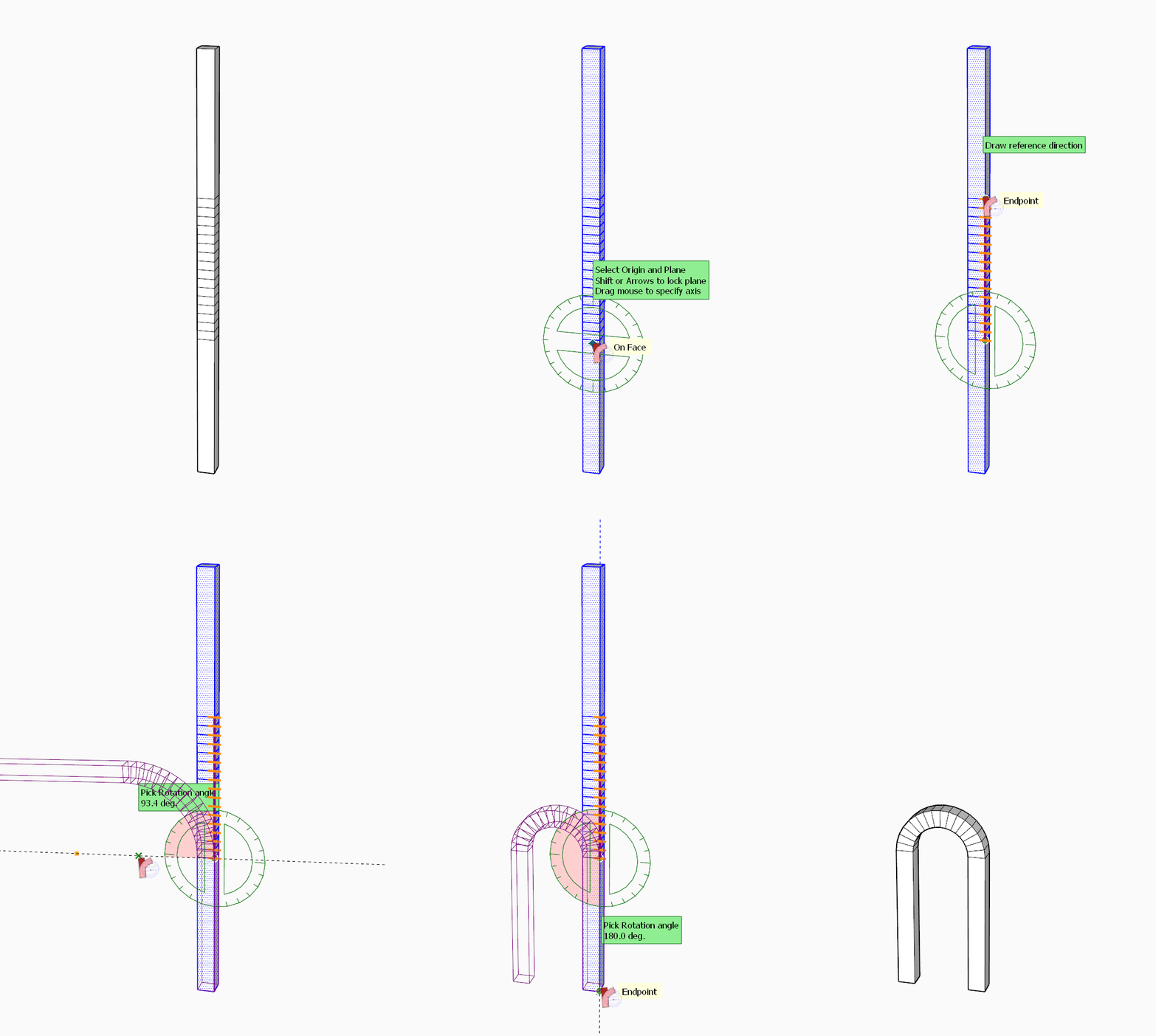
                      It tells you what to do in the task bar.
                      It is basically four single click and releases.
                      A click at the start of the bend a click at the end of the bend then a click passed the bend and then bend it and a final click to complete.
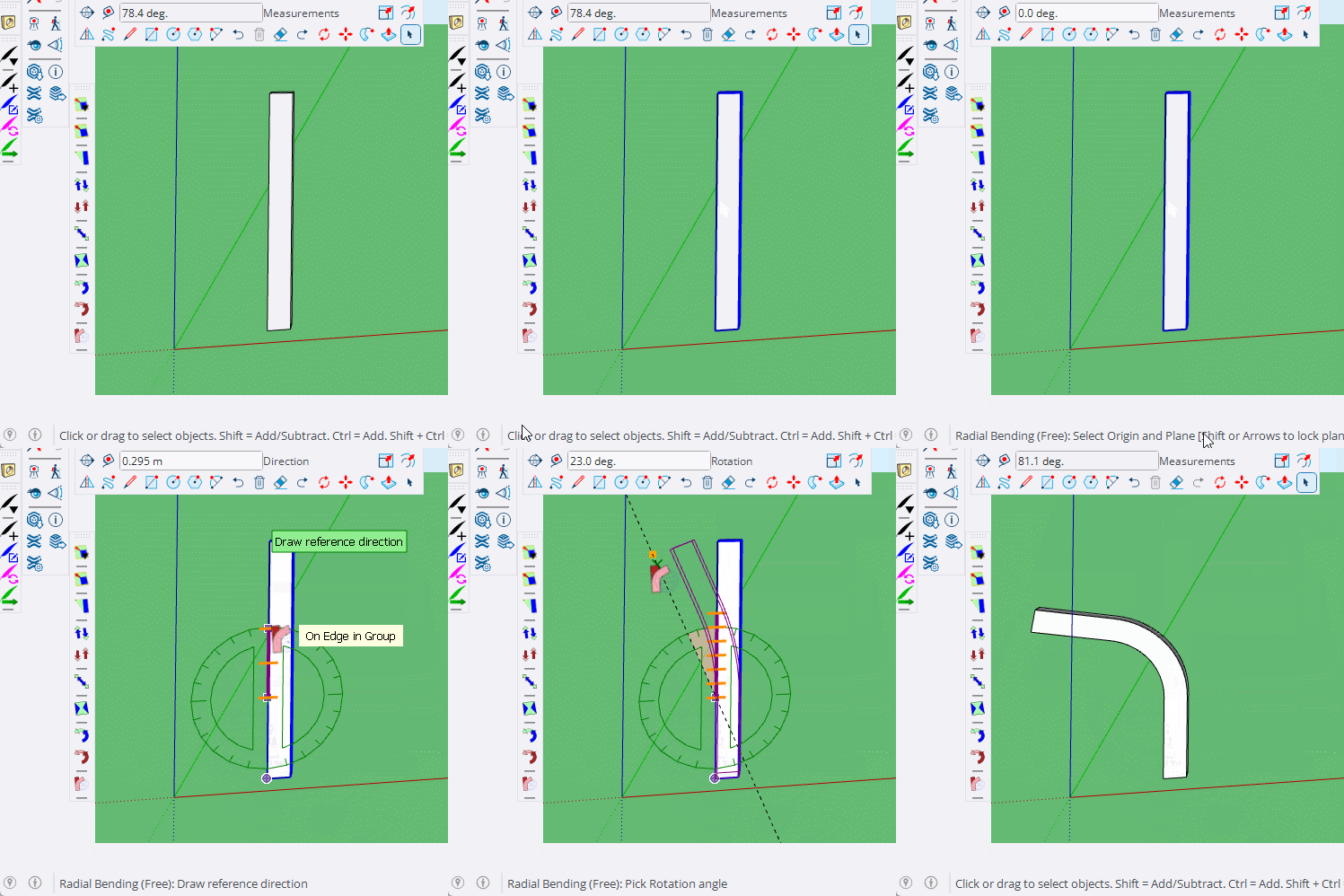
                      GIF 5-10-2024 12-44-49 PM.gif

                      I used the red blocks in my original to give me visual start and stop points for the bend.

                      ntxdaveN 1 Reply Last reply Reply Quote 0
                      • ntxdaveN Offline
                        ntxdave @Box
                        last edited by

                        @Box Thank you sir! I finally got things working correctly and was able to "play around" a little. The image below represents what I figured out using the FredoScale tools. I greatly appreciate your help. 😁 πŸ‘ πŸ‘
                        FredoScaleSample.png

                        1 Reply Last reply Reply Quote 1
                        • 1 / 1
                        • First post
                          Last post
                        Buy SketchPlus
                        Buy SUbD
                        Buy WrapR
                        Buy eBook
                        Buy Modelur
                        Buy Vertex Tools
                        Buy SketchCuisine
                        Buy FormFonts

                        Advertisement