sketchucation logo sketchucation
    • Login
    Oops, your profile's looking a bit empty! To help us tailor your experience, please fill in key details like your SketchUp version, skill level, operating system, and more. Update and save your info on your profile page today!
    ⚠️ Update | Sketchucation Tools 5.0.8 released with licensing improvements and bugfixes Download

    [Plugin][$] ThruPaint - v2.9a - 21 Apr 26


    Scheduled Pinned Locked Moved Plugins
    195 Posts 55 Posters 79.7k Views 55 Watching
    Loading More Posts
    • Oldest to Newest
    • Newest to Oldest
    • Most Votes
    Reply
    • Reply as topic
    Log in to reply
    This topic has been deleted. Only users with topic management privileges can see it.
    • fredo6F
      fredo6
      last edited by

      @jsinmichael said:

      This is a great tool. Thank you. Any chance of being able to pick colors from the default "Materials" color wheel or incorporate one of your own? Will the color picker only select color from the canvas?

      Normally, if you create a material in the Sketchup native material browser, it should appear in the ThruPaint browser under the Model tab.
      This is why ThruPaint has not material creation and edition capability.

      1 Reply Last reply
      Reply Quote 0
      • N
        NadinA2022
        last edited by

        Good afternoon, I faced a problem: when start the plugin, the button lights up in blue, saying that the plugin is active, but the window for working as usual does not appear, how to fix it?Thanks.
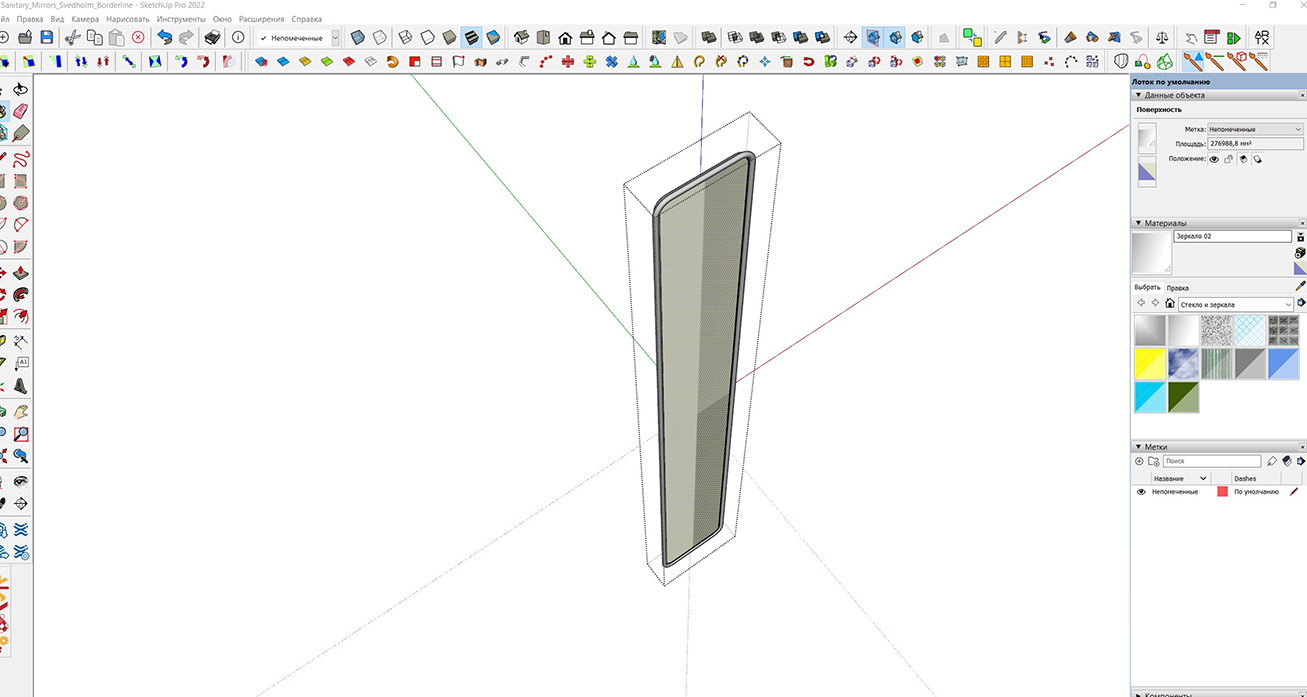

        p.jpg

        1 Reply Last reply
        Reply Quote 0
        • kdewinterK
          kdewinter
          last edited by

          Any update to have NCS colors implemented?

          1 Reply Last reply
          Reply Quote 0
          • fredo6F
            fredo6
            last edited by

            @kdewinter said:

            Any update to have NCS colors implemented?

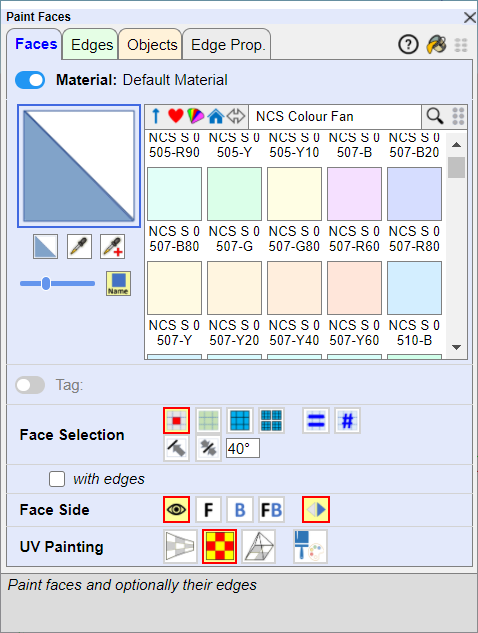
            NCS is included.

            ThruPaint - NCS color fan.png

            kdewinterK 1 Reply Last reply
            Reply Quote 0
            • JQLJ
              JQL
              last edited by

              Hi Fredo,

              I'm having an issue with Thrupaint where I can't use the gizmo to move textures around.

              Here's a gif:

              https://media.giphy.com/media/3yUT06FBclTVW1aHPw/giphy.gif

              www.casca.pt
              Visit us on facebook!

              1 Reply Last reply
              Reply Quote 0
              • fredo6F
                fredo6
                last edited by

                Can you open the Ruby Console to see if there are errors

                1 Reply Last reply
                Reply Quote 0
                • JQLJ
                  JQL
                  last edited by

                  Nothing showing in the console

                  www.casca.pt
                  Visit us on facebook!

                  1 Reply Last reply
                  Reply Quote 0
                  • fredo6F
                    fredo6
                    last edited by

                    Does the Gizmo works on other faces?

                    1 Reply Last reply
                    Reply Quote 0
                    • J
                      jkoll66
                      last edited by

                      I'm having an issue where the Paint Face toolbar won't load. I've attached a screenshot and the console log. Thanks in advance for any help.
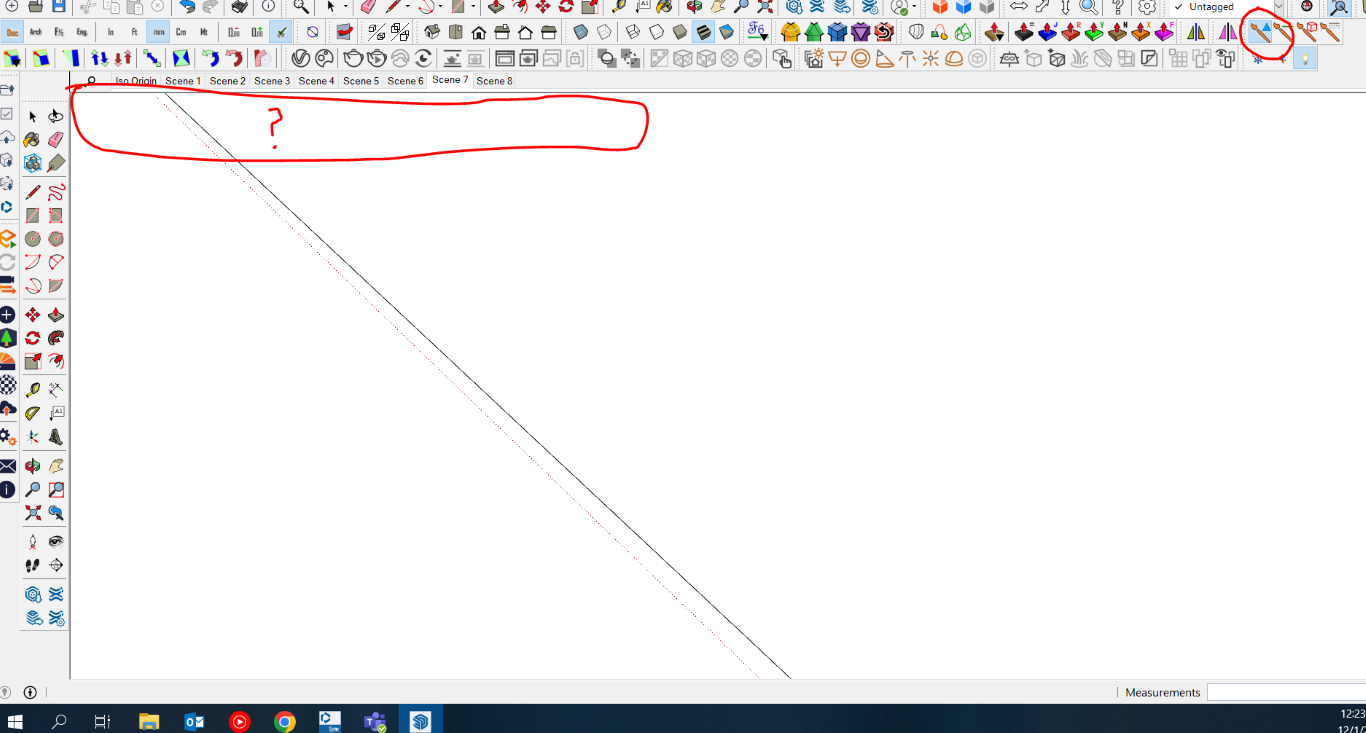

                      Console Log


                      Screenshot

                      1 Reply Last reply
                      Reply Quote 0
                      • fredo6F
                        fredo6
                        last edited by

                        I think you probably need to reboot your PC and tell me if this make it work.

                        1 Reply Last reply
                        Reply Quote 0
                        • JQLJ
                          JQL
                          last edited by

                          Hi Fredo,

                          The gizmo works sometimes but not on others. I can't seem to find a pattern.

                          I also have an issue that I didn't have with the prior version of thrupaint.

                          When I try to paint a texture continually on surfaces I can't see the red/green axis anymore, as I used to be able with Thrupaint 1.

                          I notice that things are working, but that visual cue isn't there.

                          Thanks,

                          João

                          www.casca.pt
                          Visit us on facebook!

                          1 Reply Last reply
                          Reply Quote 0
                          • fredo6F
                            fredo6
                            last edited by

                            @jql said:

                            When I try to paint a texture continually on surfaces I can't see the red/green axis anymore, as I used to be able with Thrupaint 1.

                            With ThruPaint 2, the axes are now triggered when you are close to an edge. Otherwise, if you are in the middle of a face, the direction of axes is the one that the Paint Bucket would take.

                            1 Reply Last reply
                            Reply Quote 0
                            • JQLJ
                              JQL
                              last edited by

                              Even so, this is also very random. Sometimes I see it, but most of the times I don't. Do you think this might be related to dpi?

                              www.casca.pt
                              Visit us on facebook!

                              1 Reply Last reply
                              Reply Quote 0
                              • fredo6F
                                fredo6
                                last edited by

                                Can you keep the Ruby console opened to check for errors.

                                1 Reply Last reply
                                Reply Quote 0
                                • JQLJ
                                  JQL
                                  last edited by

                                  I will.

                                  www.casca.pt
                                  Visit us on facebook!

                                  1 Reply Last reply
                                  Reply Quote 0
                                  • JQLJ
                                    JQL
                                    last edited by

                                    I got one but things were actually working:

                                    Error; #<TypeError; nil can't be coerced into Integer>
                                    c;/users/joao/appdata/roaming/sketchup/sketchup 2023/sketchup/plugins/fredo6_thrupaint/thrupainttool.rbe;1336;in `-'
                                    c;/users/joao/appdata/roaming/sketchup/sketchup 2023/sketchup/plugins/fredo6_thrupaint/thrupainttool.rbe;1336;in `handle_move'
                                    c;/users/joao/appdata/roaming/sketchup/sketchup 2023/sketchup/plugins/fredo6_thrupaint/thrupainttool.rbe;4200;in `onMouseMove'
                                    

                                    www.casca.pt
                                    Visit us on facebook!

                                    1 Reply Last reply
                                    Reply Quote 0
                                    • JQLJ
                                      JQL
                                      last edited by

                                      Hi Fredo, I'd like that the axis, that show up when you want to repaint a texture, would appear as they used to be in Thrupaint 1. Many times it's really difficult to paint a face by making the mouse pointer close to the correct edge. It might be hidden or in a position where it's hard to get right and Thrupaint one was perfect in this regard.

                                      Do you think that would be possible to revert? Maybe give us the option again?

                                      www.casca.pt
                                      Visit us on facebook!

                                      1 Reply Last reply
                                      Reply Quote 0
                                      • fredo6F
                                        fredo6
                                        last edited by

                                        @jql said:

                                        Hi Fredo, I'd like that the axis, that show up when you want to repaint a texture, would appear as they used to be in Thrupaint 1. Many times it's really difficult to paint a face by making the mouse pointer close to the correct edge. It might be hidden or in a position where it's hard to get right and Thrupaint one was perfect in this regard.

                                        Do you think that would be possible to revert? Maybe give us the option again?

                                        The No-Axis option allows painting with UV direction taken from model axes (as the Paint Bucket tool), which is not possible with the old ThruPaint.

                                        I can certainly introduce a Default Parameter setting to disable this behavior.

                                        However, I don't understand why you have difficulty getting close to edges.

                                        1 Reply Last reply
                                        Reply Quote 0
                                        • JQLJ
                                          JQL
                                          last edited by

                                          It requires more accuracy and some times the edge is hidden. Before I would simply point to a face and when the gizmo was closer to a corner than the others the red and green axis immediately popped up. It was much faster and predictable.

                                          www.casca.pt
                                          Visit us on facebook!

                                          1 Reply Last reply
                                          Reply Quote 0
                                          • J
                                            jejo303
                                            last edited by

                                            @jkoll66 said:

                                            I'm having an issue where the Paint Face toolbar won't load. I've attached a screenshot and the console log. Thanks in advance for any help.

                                            Same problem for me. Any solution?

                                            1 Reply Last reply
                                            Reply Quote 0

                                            Hello! It looks like you're interested in this conversation, but you don't have an account yet.

                                            Getting fed up of having to scroll through the same posts each visit? When you register for an account, you'll always come back to exactly where you were before, and choose to be notified of new replies (either via email, or push notification). You'll also be able to save bookmarks and upvote posts to show your appreciation to other community members.

                                            With your input, this post could be even better 💗

                                            Register Login
                                            • 1
                                            • 2
                                            • 3
                                            • 4
                                            • 5
                                            • 9
                                            • 10
                                            • 3 / 10
                                            • First post
                                              Last post
                                            Buy SketchPlus
                                            Buy SUbD
                                            Buy WrapR
                                            Buy eBook
                                            Buy Modelur
                                            Buy Vertex Tools
                                            Buy SketchCuisine
                                            Buy FormFonts

                                            Advertisement