[Plugin][$] Tools On Surface - v2.6a - 01 Apr 24




-
What do you mean "sharp borders"?
-
@jgb said:
What do you mean "sharp borders"?
Usual cases where you TOS algorithm has problem are those where the surface is a close shape and when you start from an edge which has a sharp angle.
-
Is it possible to place image on curved surface?
-
Native tools can do that or you could look at Fredo's Thru Paint.
-
I'm running Sketchup 2015, and have installed Fredo6: Tools On Surface v2.4a. I can see it installed in my extensions list, but it doesn't show up in the menus to use. Any ideas? Thanks in advance.
-
Did you install the Fredo Library that is required.
-
Fredo's tools appear under the Tools menu, did you look there ?
-
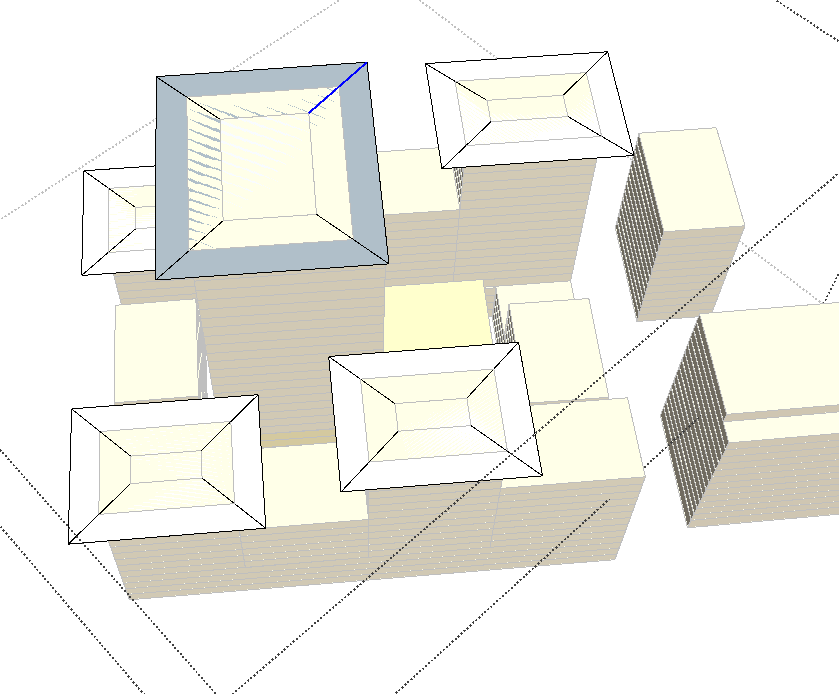
Hello, how may I avoid these diagonal lines that are produced when offsetting rectangles?
Thanks in advance,
Chris
-
@stebbins said:
Hello, how may I avoid these diagonal lines that are produced when offsetting rectangles?
I would need to have the model, and also to understand how you used the OffsetOnSurface tool.
-
I take it that those roofs have the center raised a bit. The diagonal lines are the "hip" bends. Quite normal. You need to make then "soft" or hidden.
Three ways, either select the line and change its attribute in Entity Attributes; or
with the erase tool, press and hold "CTRL" and sweep over the line.
The third way is to create a layer and move those lines into it. Make that layer visible or invisible as needed.
-
Hi, great plugin!
 I have an issue on SketchUp 2020 version (Mac), it's not appearing in none of menus.
on SU 2018 it's working perfectly though.
Any idea why it happens?
best regards
-
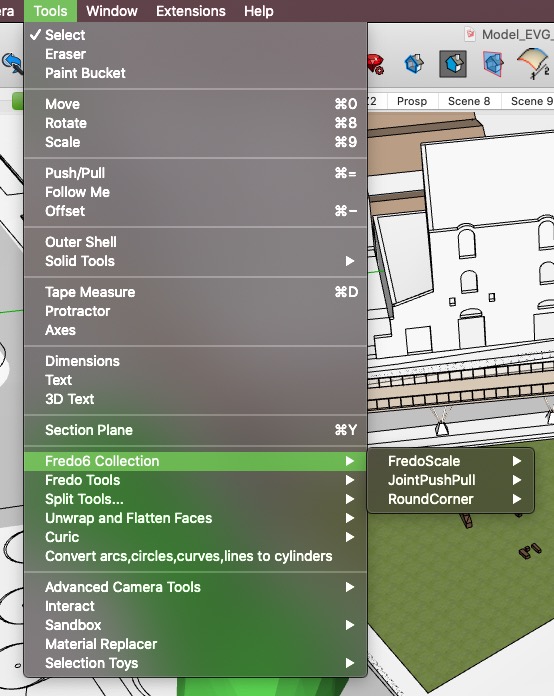
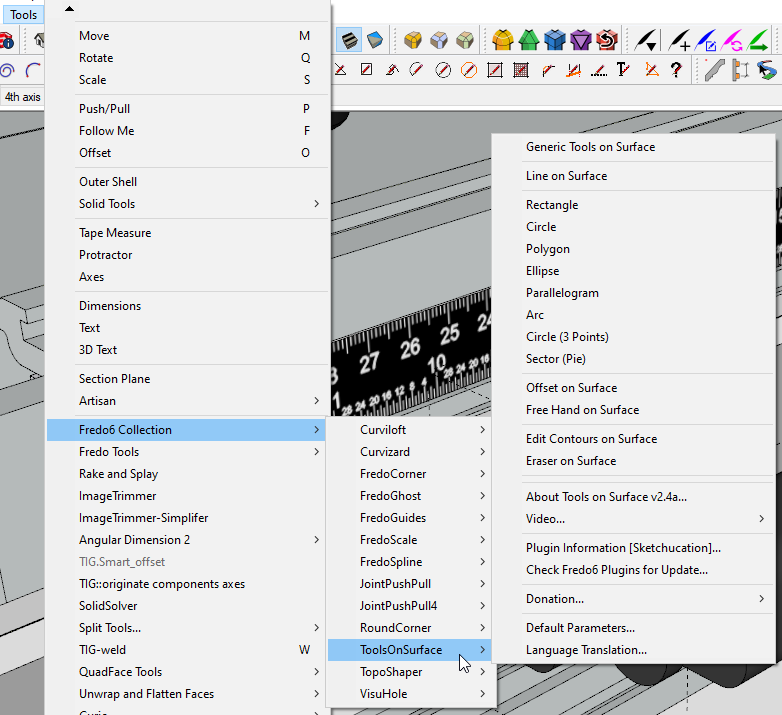
It will show in Tools>Fredo6 Collection in SketchUp 2020. Have you restarted SketchUp after installing it?
-
@dave r said:
It will show in Tools>Fredo6 Collection in SketchUp 2020. Have you restarted SketchUp after installing it?
[attachment=0:880xdl1k]<!-- ia0 -->Screenshot - 5_3_2020 , 1_52_06 PM.png<!-- ia0 -->[/attachment:880xdl1k]Yes, I have. No luck. As if nothing was added/installed. Very odd.
-
How did you install it?
-
@dave r said:
How did you install it?
Via: Extension Manager>Install Extension>ToolsOnSurface_v2.4a.rbz
-
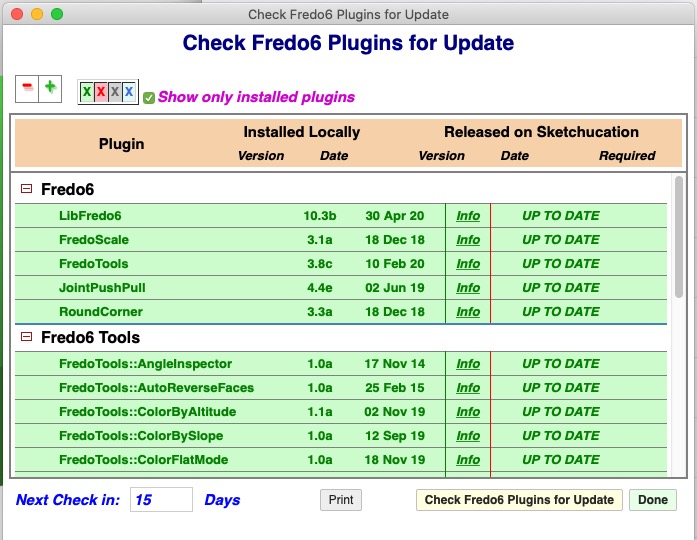
Do you have the most current version of LibFredo6 installed, too?
-
@dave r said:
Do you have the most current version of LibFredo6 installed, too?
Indeed.
The same .rbz was successfully installed on SU 2018 though
-
Have you closed SketchUp, then restarted it to ensure everything is synced after the files/lib installation ?
-
@tig said:
Have you closed SketchUp, then restarted it to ensure everything is synced after the files/lib installation ?
Yes, I have. Also updated to the most recent SU update (20.1.228 OS X).
-
When will your update arrive?






Hello! It looks like you're interested in this conversation, but you don't have an account yet.
Getting fed up of having to scroll through the same posts each visit? When you register for an account, you'll always come back to exactly where you were before, and choose to be notified of new replies (either via email, or push notification). You'll also be able to save bookmarks and upvote posts to show your appreciation to other community members.
With your input, this post could be even better 💗
Register Login


Advertisement