Geometry weirdness
-
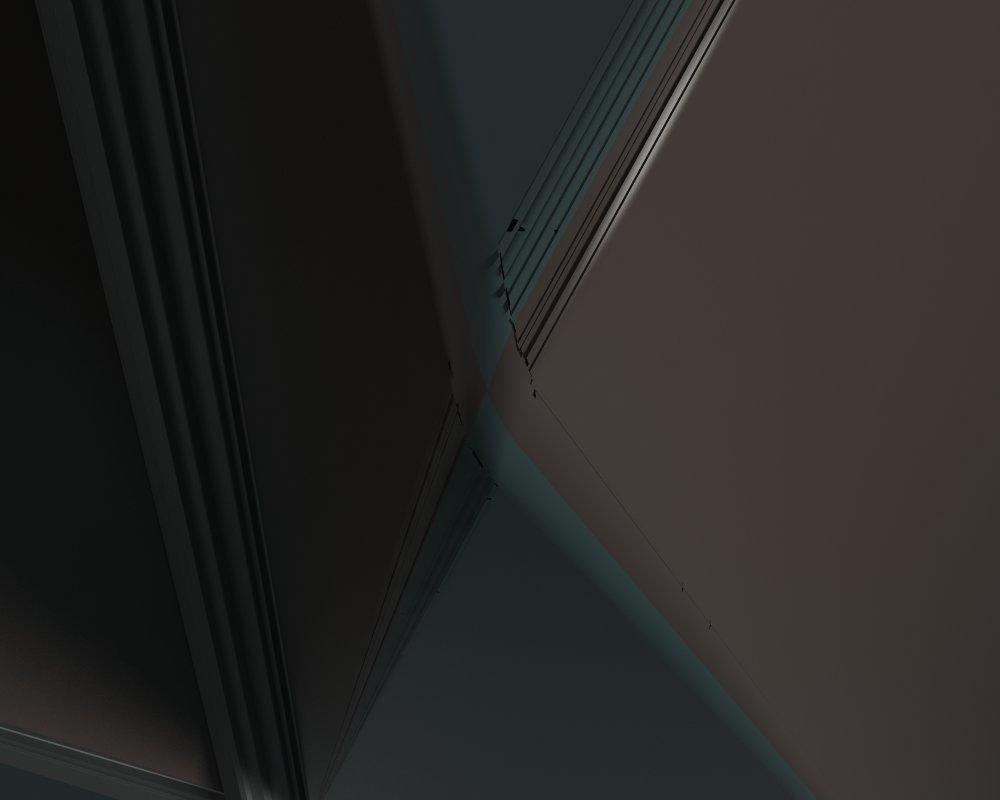
Anyone know how to remedy this? I'm using Vray, btw, but the problem's also there when using Thea.

-
Come on, people, chop-chop! I need answers here!

Seriously, though, if someone knows how to remedy this, I'd be over the moon. I will handsomely reward him or her. Gold! Diamonds! Land! Livestock! Copious amounts of highly experimental drugs!
Bit wound up. Don't know if you can tell?

-
@unknownuser said:
Come on, people, chop-chop! I need answers here!
it's too hard to know what the problem is.. you know what you're looking at here and what problem you're having..
we don't
rephrase the question?
-
@unknownuser said:
rephrase the question?

I agree...
I saw the post yesterday, but didn't know exactly what to look for...
Left it to let others chime in...
What about a part of the model, where this issue is present...?
-
Perhaps some very acute angles?
-
Cotty, Jeffy, Kimmy,
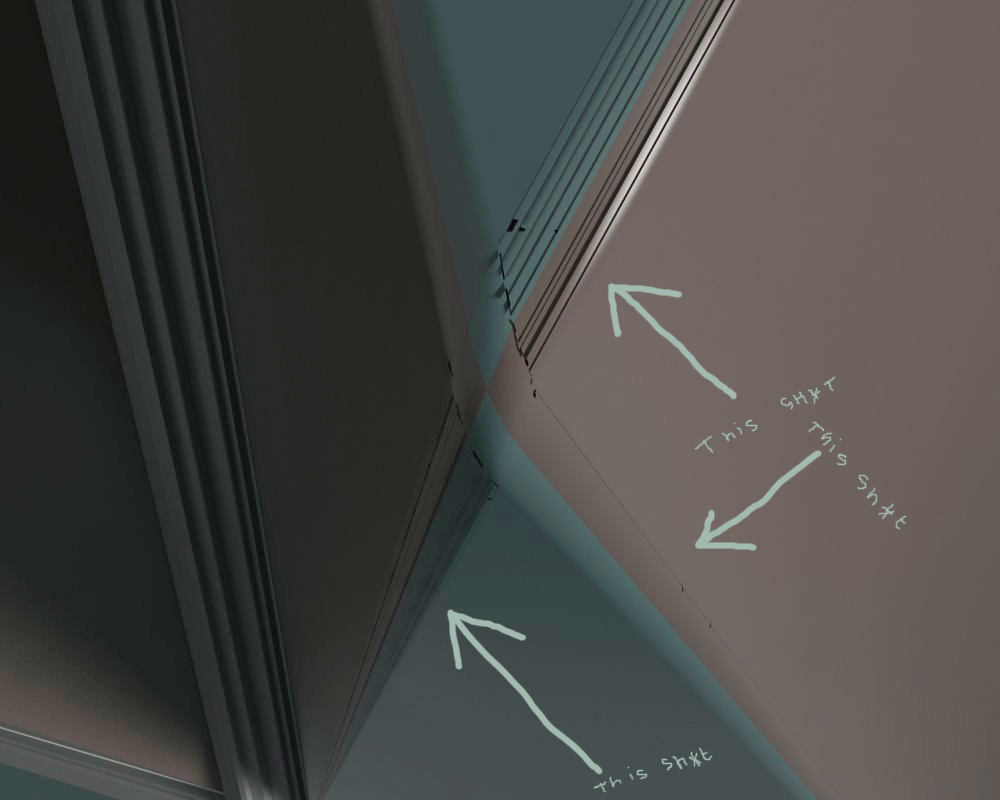
What you're looking at, is a pyramid shape. I've bevelled the edges that meet in the pyramid's point, using RoundCorner. The black 'lines' you see in the render (marked 'this sht' in the pic below), should not be there. Looks like polys going 'right, friday night, let's get hammered and fck sh*t up'.
Yours,
Tommy
-
have you double verts?
-
No idea, Rich. How do I check? (I did run TT's CleanUp tools -render looked similar.)
I'll upload the pyramid thingy tommorow morning. Thanks for any help. Let me know what kind of drugs you prefer.
-
Run Fredo's Remove Lonely Vertex tool. It'll mark and remove any shitty stuff.
But share it when you get time.
-
@rich o brien said:
Run Fredo's Remove Lonely Vertex tool. It'll mark and remove any shitty stuff.
Oh, excellent! I'll try that.
But share it when you get time.[/quote]
I will.
Nighty-night, gents.
-
@unknownuser said:
(marked 'this sh*t' in the pic below)

oh.. that.. thanks for clearing it up.but i don't know.. rich's suggestion sounds like a good start..
if not, maybe post a hidden line view. -
For me, it looks like a displacement problem because of very long but narrow tiangles. Do you have a view of the hidden lines?
-
Looks like it, yes, but I'm not using any displacement.
Did as Rich suggested. No change.
Here's the thingy.
-
The faces are triangulated while the export for a renderer and the very long and narrow faces become a problem. In the following example, I used Artisans knife tool to shorten those faces and the problem was solved...
(Rendered with Indigo and "random triangle color" option)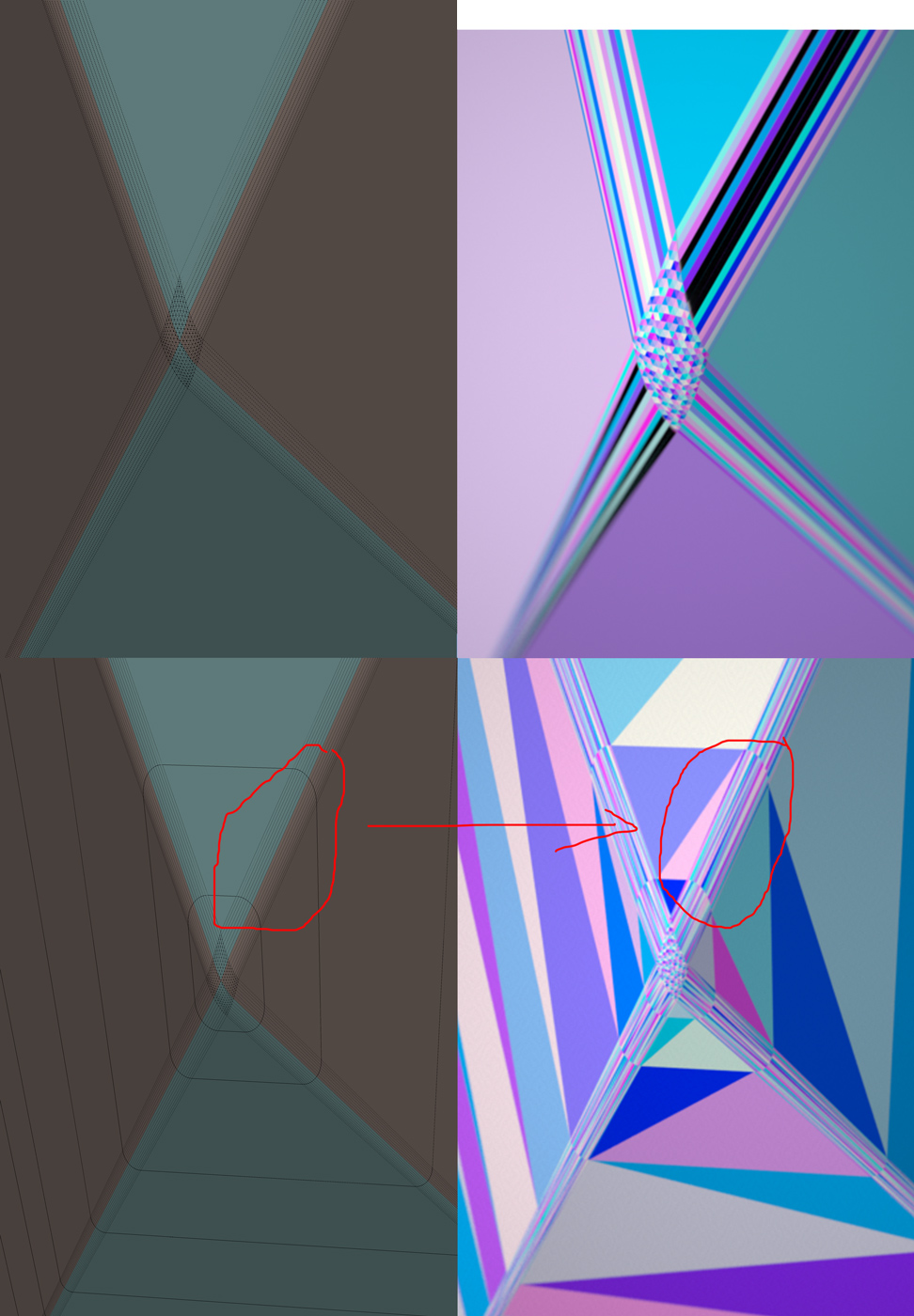
-
I suspect it's caused by round corner struggling to make the tiny faces needed. The pyramid isn't "small" but the four edges coming together at a sharp angle and the smallness of your rounding are forcing it to make some very tiny triangles.
Perhaps if you scale up before using round corner it wont tear. -
Box, thanks for the suggestion. However, I did scale the pyramid up before bevelling.
Cotty, you're a bl**dy genius. I am going to try your suggestion right now!
Edit: works! Cotty -thanks so much. The rest of you: shakes head dissaprovingly
About the diamonds etc, I lied.
-
Hmmm ... got the problem in other models as well. SU doesn't like tight bevels, it seems. Maybe it's finally time to get that new Modo license. grumbles
-
SU doesn't obey normal modeling principles. NGons = bad mesh and uv's.
Triangulation equals messy uv's.
-
Yeah ... I knew that. Hadn't realised so far it was this bad, though. Maybe I ought to try TT's Quad Face Tools.






Hello! It looks like you're interested in this conversation, but you don't have an account yet.
Getting fed up of having to scroll through the same posts each visit? When you register for an account, you'll always come back to exactly where you were before, and choose to be notified of new replies (either via email, or push notification). You'll also be able to save bookmarks and upvote posts to show your appreciation to other community members.
With your input, this post could be even better 💗
Register Login


Advertisement