sketchucation logo sketchucation
    • Login
    Oops, your profile's looking a bit empty! To help us tailor your experience, please fill in key details like your SketchUp version, skill level, operating system, and more. Update and save your info on your profile page today!
    ⚠️ Important | Libfredo 15.6b introduces important bugfixes for Fredo's Extensions Update

    [Plugin] AutoSmooth

    Scheduled Pinned Locked Moved Plugins
    32 Posts 5 Posters 43.8k Views 5 Watching
    Loading More Posts
    • Oldest to Newest
    • Newest to Oldest
    • Most Votes
    Reply
    • Reply as topic
    Log in to reply
    This topic has been deleted. Only users with topic management privileges can see it.
    • thomthomT Offline
      thomthom
      last edited by

      Right, yes, this plugin doesn't make a face planar.

      Thomas Thomassen β€” SketchUp Monkey & Coding addict
      List of my plugins and link to the CookieWare fund

      1 Reply Last reply Reply Quote 0
      • thomthomT Offline
        thomthom
        last edited by

        @rich o brien said:

        now if someone could write an exporter to obj that picked up these pseudo-quads and exported as a quad it'd be pretty sweet.

        Rich, does the OBJ format support non-planar quads?

        Are you trying to exchange data between SketchUp and Blender?

        Thomas Thomassen β€” SketchUp Monkey & Coding addict
        List of my plugins and link to the CookieWare fund

        1 Reply Last reply Reply Quote 0
        • Rich O BrienR Online
          Rich O Brien Moderator
          last edited by

          @thomthom said:

          Rich, does the OBJ format support non-planar quads?

          Yes. But Blender will export a nonplanar quad as 4 tris, well that's how SU imports a untriangulated blender .obj export.

          @thomthom said:

          Are you trying to exchange data between SketchUp and Blender?

          Not just Blender. Most apps I use exchange nonplanar obj quads

          Why?

          Download the free D'oh Book for SketchUp πŸ“–

          1 Reply Last reply Reply Quote 0
          • thomthomT Offline
            thomthom
            last edited by

            Four triangles?

            Can Blender import this mesh and the quads are restored as quads - or are they now triangles?

            And you provide a small sample OBJ file?
            I could write an export utility into QuadFace Tools.

            Thomas Thomassen β€” SketchUp Monkey & Coding addict
            List of my plugins and link to the CookieWare fund

            1 Reply Last reply Reply Quote 0
            • Rich O BrienR Online
              Rich O Brien Moderator
              last edited by

              What you want?

              Blender .obj export

              SU .obj import saved as .skp?

              Download the free D'oh Book for SketchUp πŸ“–

              1 Reply Last reply Reply Quote 0
              • thomthomT Offline
                thomthom
                last edited by

                OBJ file from Blender with non-planar quads. I'd like to see how Blender generates them.

                Thomas Thomassen β€” SketchUp Monkey & Coding addict
                List of my plugins and link to the CookieWare fund

                1 Reply Last reply Reply Quote 0
                • S Offline
                  shawnkelly
                  last edited by

                  I would be interested as well, simply because I am not so sure that it does such a thing.

                  1 Reply Last reply Reply Quote 0
                  • thomthomT Offline
                    thomthom
                    last edited by

                    It does - Blender exports non-planar quads. πŸ˜„ I already got an exporter in the making.

                    Thomas Thomassen β€” SketchUp Monkey & Coding addict
                    List of my plugins and link to the CookieWare fund

                    1 Reply Last reply Reply Quote 0
                    • Rich O BrienR Online
                      Rich O Brien Moderator
                      last edited by

                      Thom,

                      I notice that if I have the move tool selected and then activate auto-smooth it fails to smooth.

                      You may have mentioned that in the video but I missed it...

                      Download the free D'oh Book for SketchUp πŸ“–

                      1 Reply Last reply Reply Quote 0
                      • thomthomT Offline
                        thomthom
                        last edited by

                        Ah. That world be a bug. As I always tap Space and activates the Select tool, so I didn't test the scenario of having one of Move, Rotate or Scale already activated.

                        Thomas Thomassen β€” SketchUp Monkey & Coding addict
                        List of my plugins and link to the CookieWare fund

                        1 Reply Last reply Reply Quote 0
                        • Rich O BrienR Online
                          Rich O Brien Moderator
                          last edited by

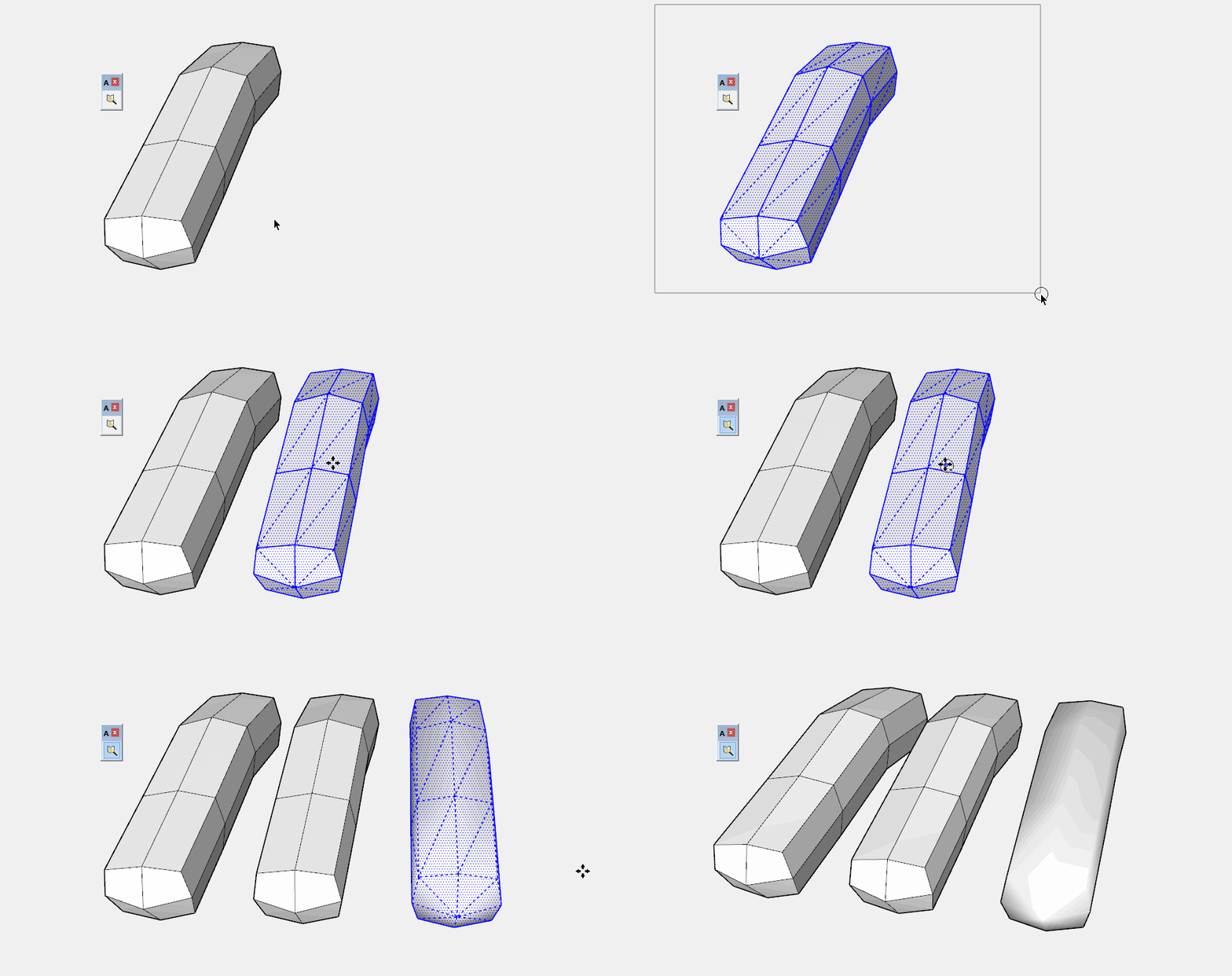
                          copying a mesh with CTRL+Move will make the mesh edges soft/smooth as in this .gif....
                          auto-smooth.gif

                          Download the free D'oh Book for SketchUp πŸ“–

                          1 Reply Last reply Reply Quote 0
                          • thomthomT Offline
                            thomthom
                            last edited by

                            Doh! Hmm... that's be tricky to catch...

                            Thomas Thomassen β€” SketchUp Monkey & Coding addict
                            List of my plugins and link to the CookieWare fund

                            1 Reply Last reply Reply Quote 0
                            • A Offline
                              Ahmed0007
                              last edited by

                              not work with TGI Move 😞

                              1 Reply Last reply Reply Quote 0
                              • A Offline
                                Ahmed0007
                                last edited by

                                not work tgi move any advice?

                                1 Reply Last reply Reply Quote 0
                                • thomthomT Offline
                                  thomthom
                                  last edited by

                                  Can you be a bit more specific?

                                  Thomas Thomassen β€” SketchUp Monkey & Coding addict
                                  List of my plugins and link to the CookieWare fund

                                  1 Reply Last reply Reply Quote 0
                                  • A Offline
                                    Ahmed0007
                                    last edited by

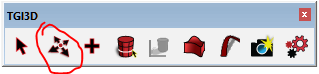
                                    Not smooth edge that create by tgi3d move tool
                                    Thanks

                                    Capture.PNG

                                    1 Reply Last reply Reply Quote 0
                                    • 1
                                    • 2
                                    • 2 / 2
                                    • First post
                                      Last post
                                    Buy SketchPlus
                                    Buy SUbD
                                    Buy WrapR
                                    Buy eBook
                                    Buy Modelur
                                    Buy Vertex Tools
                                    Buy SketchCuisine
                                    Buy FormFonts

                                    Advertisement

