How to create a depression with complex curves?
-
Now if you do have the arrow head, just cut it into two (delete one part) and you already have the negative. Of course, orienting front/back faces would be also good.
(The inscriptions were mostly Latin and some very few Greek - but this is already the "Hellenised East" from the 2nd-3rd century AD)
-
Hi ushumgal,
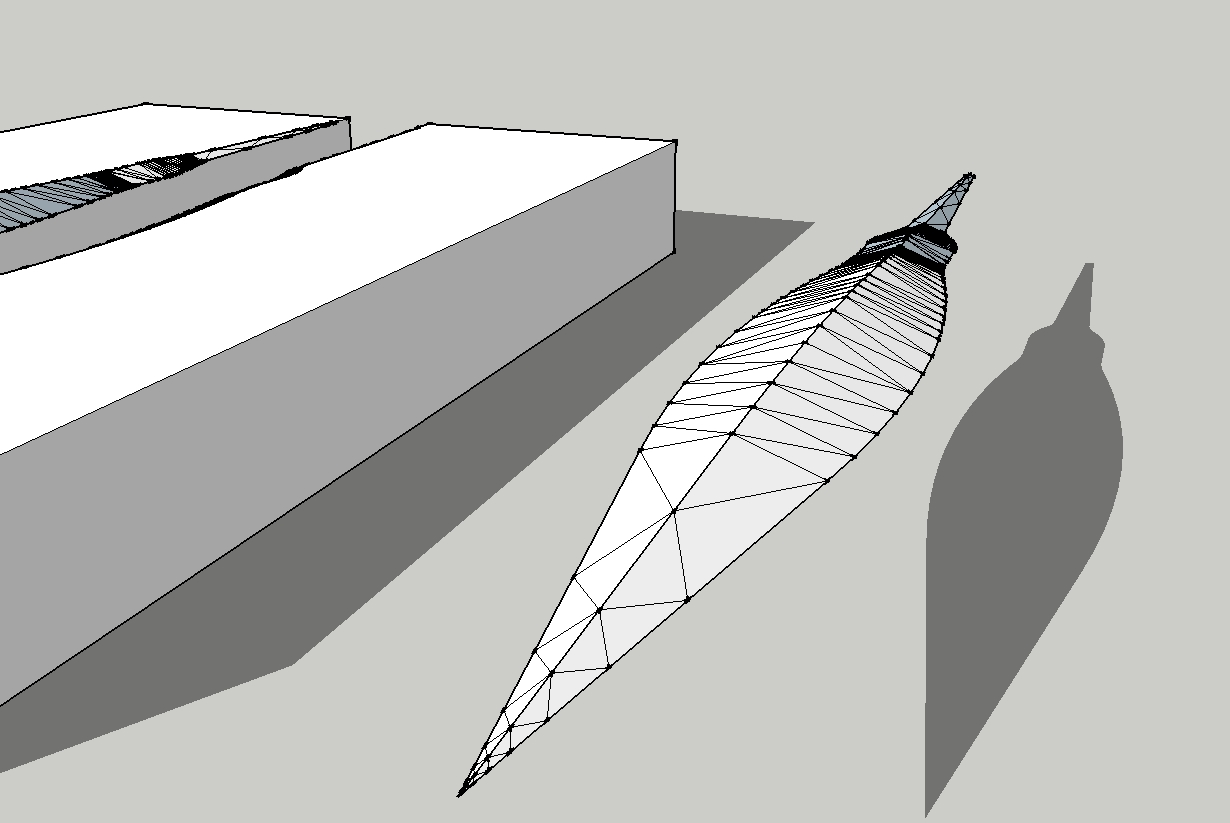
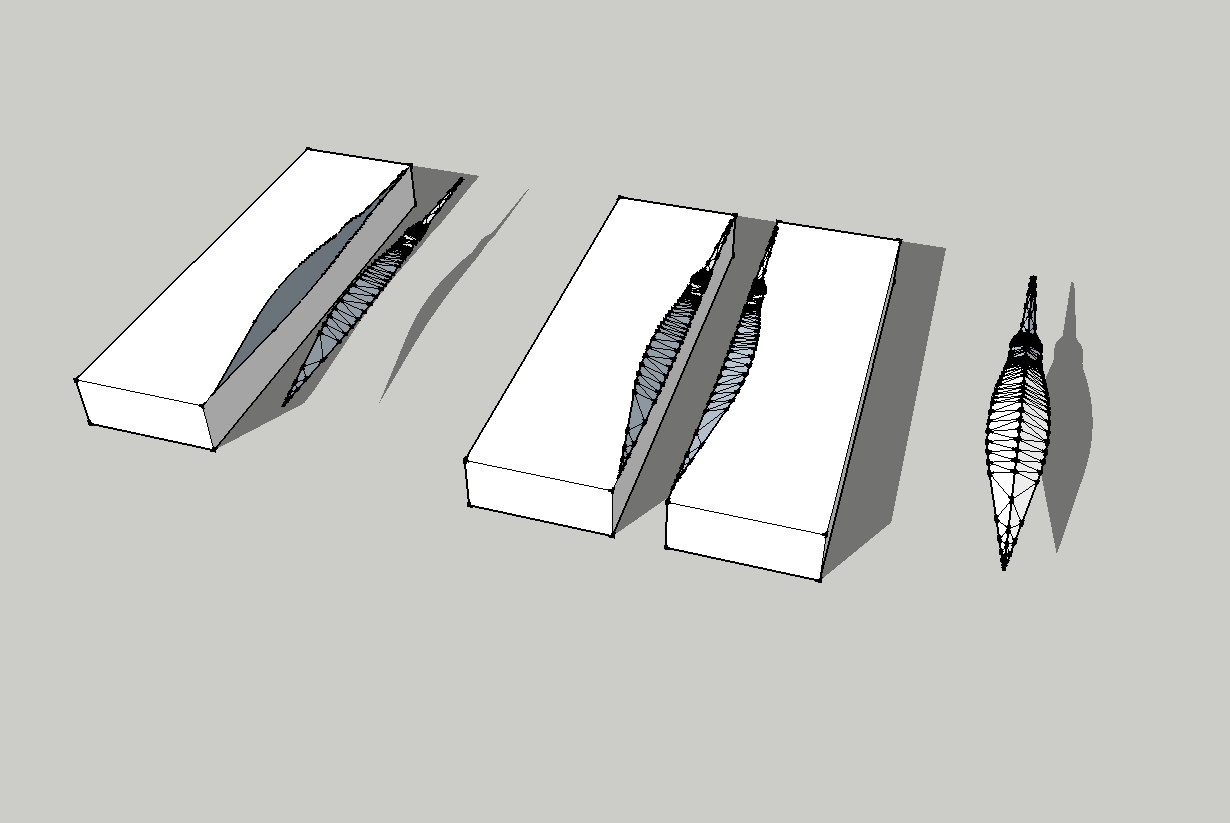
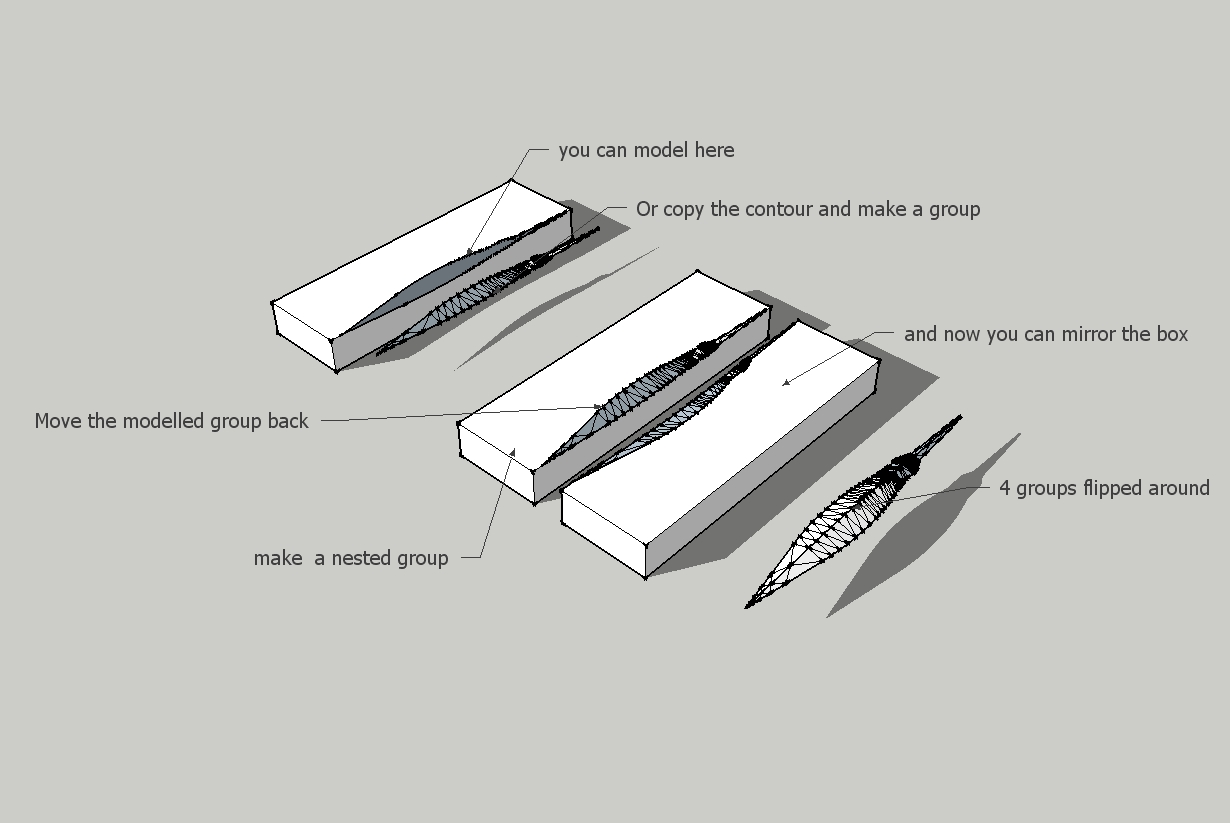
i copied the the Contour and made it a group. Then i modelled as i explained the triangles at each endpoint of the curves. Below is a better example.
Karlheinz
-
Hi,
I am always surprised by the different techniques used to execute a design. Thanks TIG, your second step in your example was new to me. Thanks Simon and Jean that you showed your technique. It's nice that there are so many creative people.
Karlheinz
-
@gaieus said:
Now if you do have the arrow head, just cut it into two (delete one part) and you already have the negative. Of course, orienting front/back faces would be also good.
(The inscriptions were mostly Latin and some very few Greek - but this is already the "Hellenised East" from the 2nd-3rd century AD)
Gotcha...sounds like good stuff!

I see what you mean about deleting one half to get the negative, but unfortunately I put mine together a different way. I had trouble correctly aligning the bottom half once I copied and flipped it...is there some trick to it to get things to line up correctly? Instead, I made a rectangle and then drew a line down the center of the 4 sides, and brought the edges down to that center line. So I modeled it whole rather than in half. But I'm not sure how to cut it in half now, especially since I used a cylinder for the tang.
@simon le bon said:
Hi ushumgal
As I can understand, you need round spoon shapes (I don't know better how to express
 )
)Thanks for the links to the plugins, Simon...TIG's extrude edges by rails is amazing!! I'm having some success with it, but I do have a question. I divided the arrowhead into 3 segments (which all have somewhat different sections). When using this tool, how do you merge one segment into the next? For example, if one segment is nearly cylindrical and the next is significantly flatter? I always have a gap between the segments when I try it.
@charly2008 said:
Hi ushumgal,
i copied the the Contour and made it a group. Then i modelled as i explained the triangles at each endpoint of the curves. Below is a better example.
Karlheinz
Thanks for the example! To skin an object using the triangles, do you do it manually or is there a plugin to do it automatically for you?
Also, when you flip the quarter of the arrowhead around to make a complete example, can you tell me how you get everything to line up correctly? When I tried to do that with halves, I could never get them perfectly aligned.
Thanks everyone!! I started with Sketchup about a month ago, but I've learned more in the last 24 hours than in the last 28 days!
-
I did it manually
-
Oh, never mind about the flipping/mirroring question...I just figured out mirror_selection...

-
@ushumgal said:
What I would like to do now is to remove the center line and have a cavity that curves from one line to the other so that when I mirror the block, there will be a clear arrowhead-shaped depression in the middle of it, deep along the center line and tapering to the surface at the edges. Of course, when I simply erase the center line, it just leaves a hole right now. Is this what the skin plugin is for?
@gaieus said:
No, TIG, arrow heads are not circular like that.
You can start however with a lathed shape like in TIG's example model the "positive" (the arrow head) however - then remove half of it and use the scale tool to "flatten" the piece a bit.
Hi ushumgal
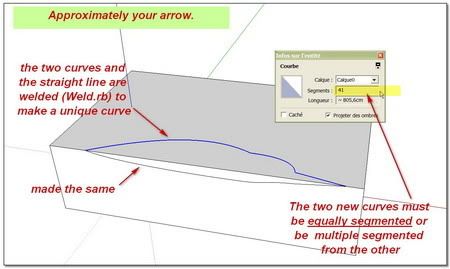
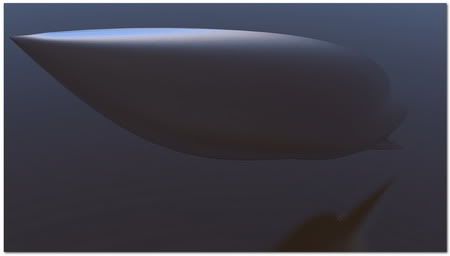
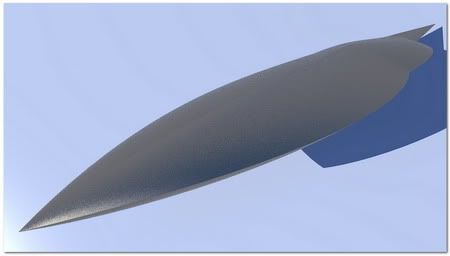
As I can understand, you need round spoon shapes (I don't know better how to express
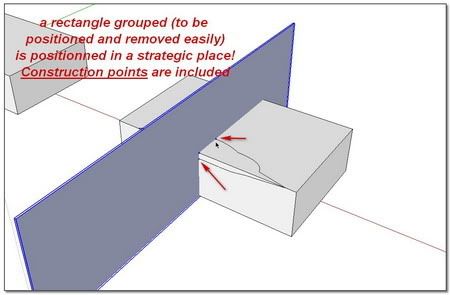
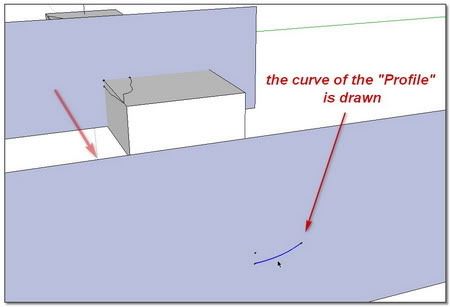
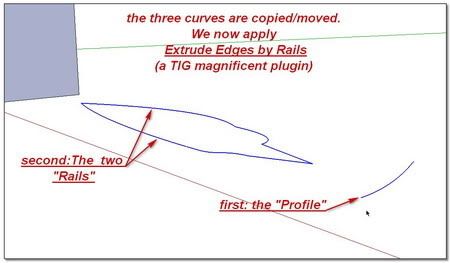
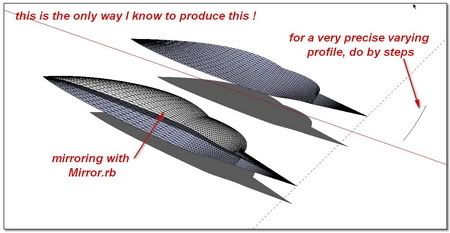
)Here is a way with
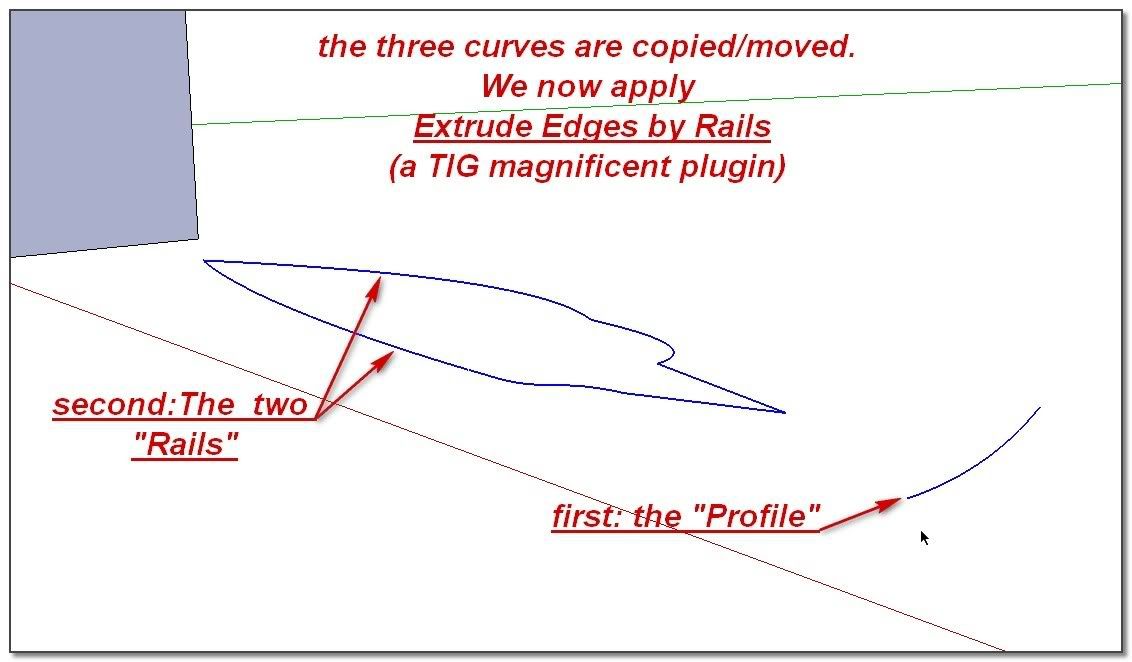
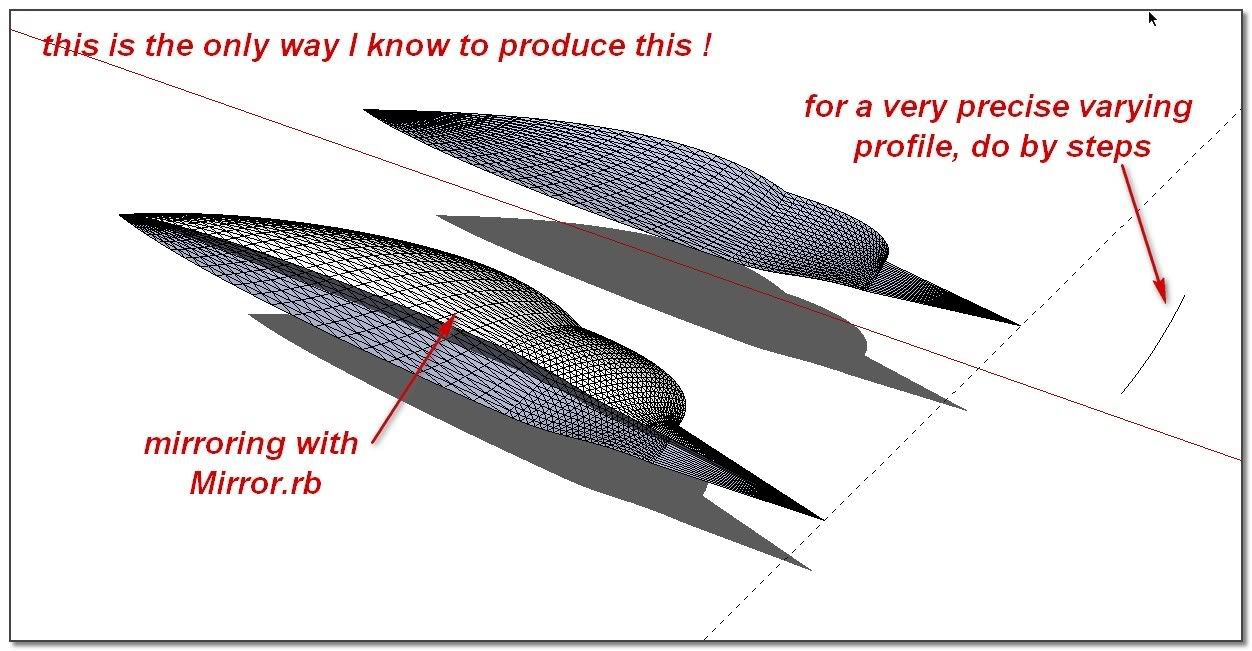
TIG_Extrude Edges by RailsI Have also used:
RickWilson_Weld.rb
Fredo_BezierSpline
TIG _ Mirror.rbIn your mould work, a boolean tool seems very useful
Whaat_BoolTools (commercial)
simon -
Hi everyone!
The holidays slowed me down, but now I'm back at it and I have made a number of very sexy arrowhead models (in the process of which I learned a LOT about SketchUp!). Now I have one remaining problem...I'm following the instructions that Jean provided. Using a complete model of an arrowhead, I draw a rectangle around it and drag it down to become the block forming half of the mould. Now I should intersect and then delete the arrowhead itself, leaving a cavity in its shape. But whenever I try this, it never seems to work. Should the arrowhead be a group? And I try intersecting both the arrowhead and the block with the model, but I still end up with a mess when I try to delete.
Anyone have any ideas what I am doing wrong?
[See images of before and after I delete the arrowhead below.]
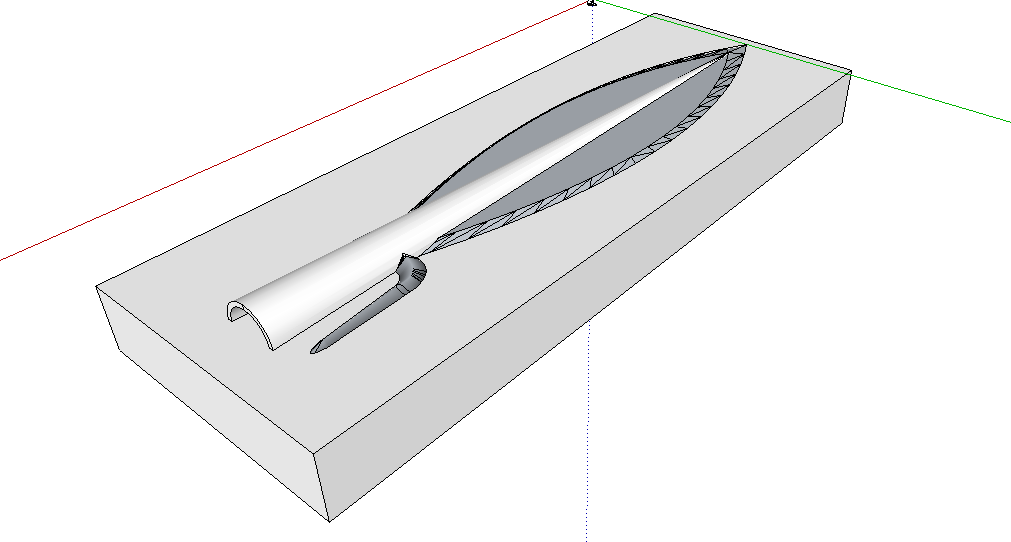
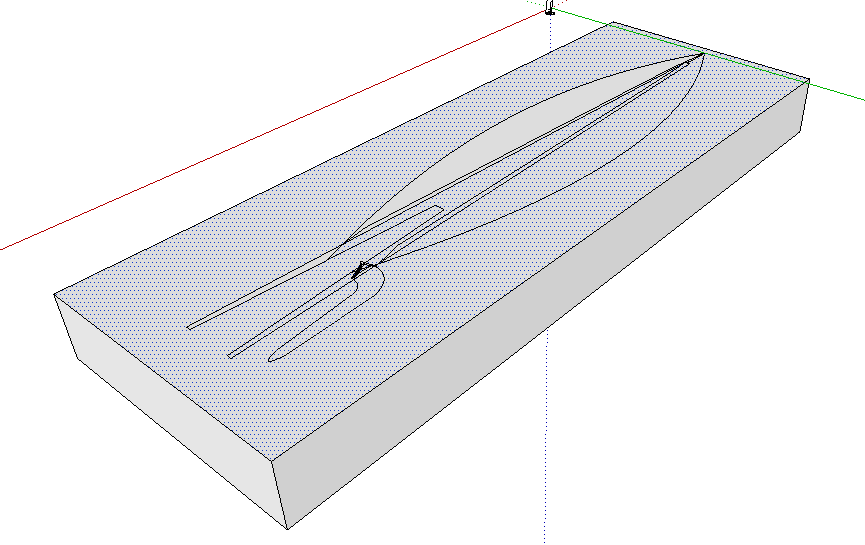
-
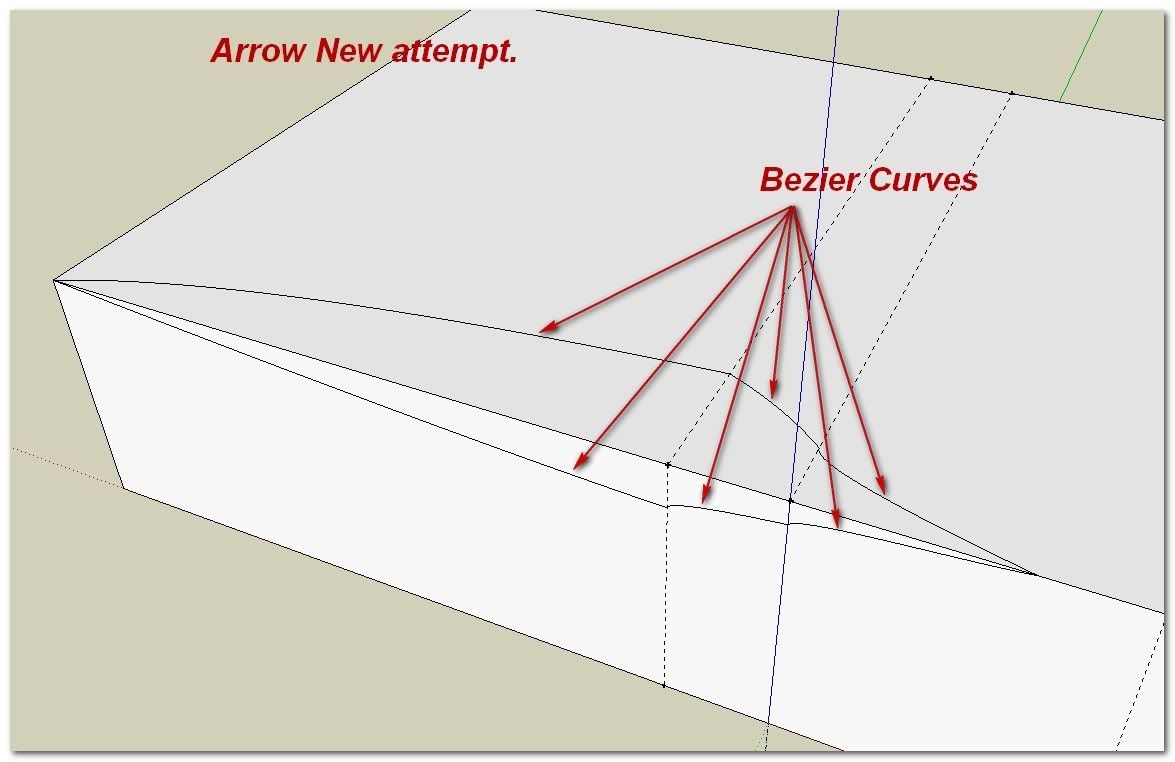
Well, first of all, Jeans method would work best with a single faced object but you obviously have wall thickness for the part you slide the arrow stick in so that will make it a bit more complex.
If you leave the arrow head a group or component, you should do the intersection twice - once for the "box" from outside of the group and once inside the group for the group itself. So best would be to explode the baby so that both parts will be in the same editing context.
-
Hi ushumgal Hi everybody,
@ushumgal said:
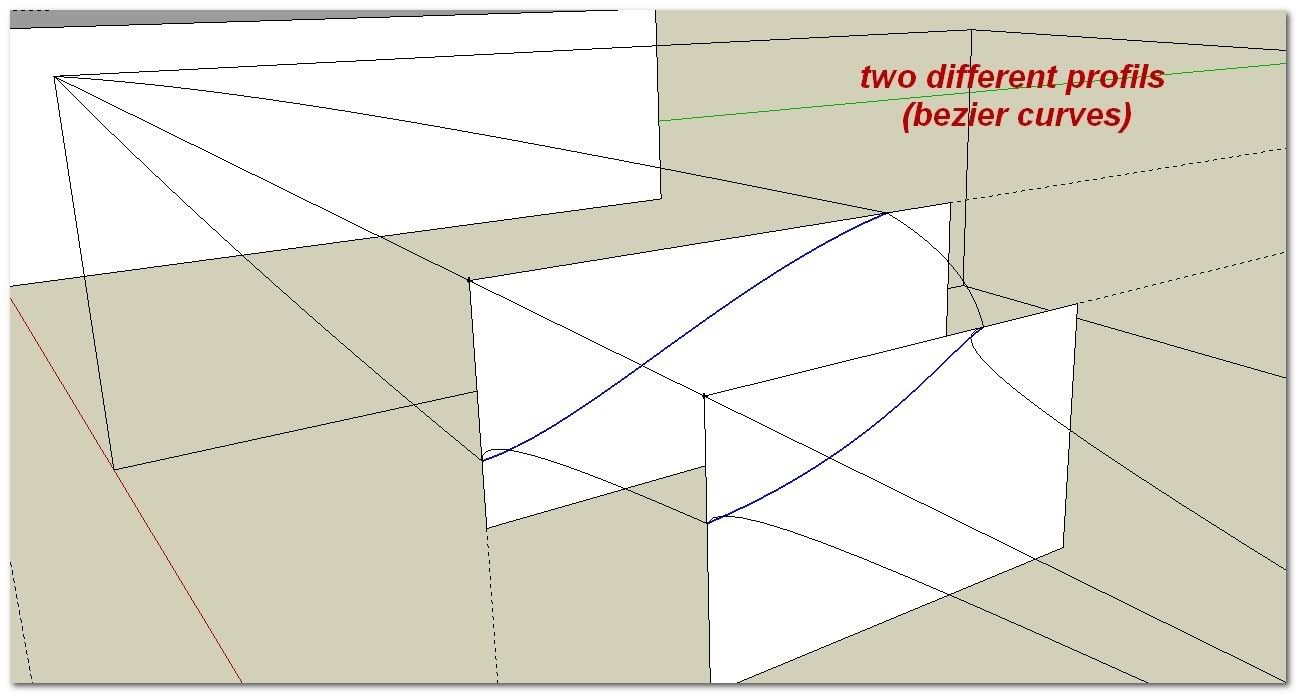
Thanks for the links to the plugins, Simon...TIG's extrude edges by rails is amazing!! I'm having some success with it, but I do have a question. I divided the arrowhead into 3 segments (which all have somewhat different sections). When using this tool, how do you merge one segment into the next?
Tig has is own explanation about that: Here
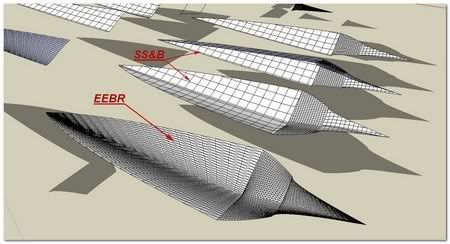
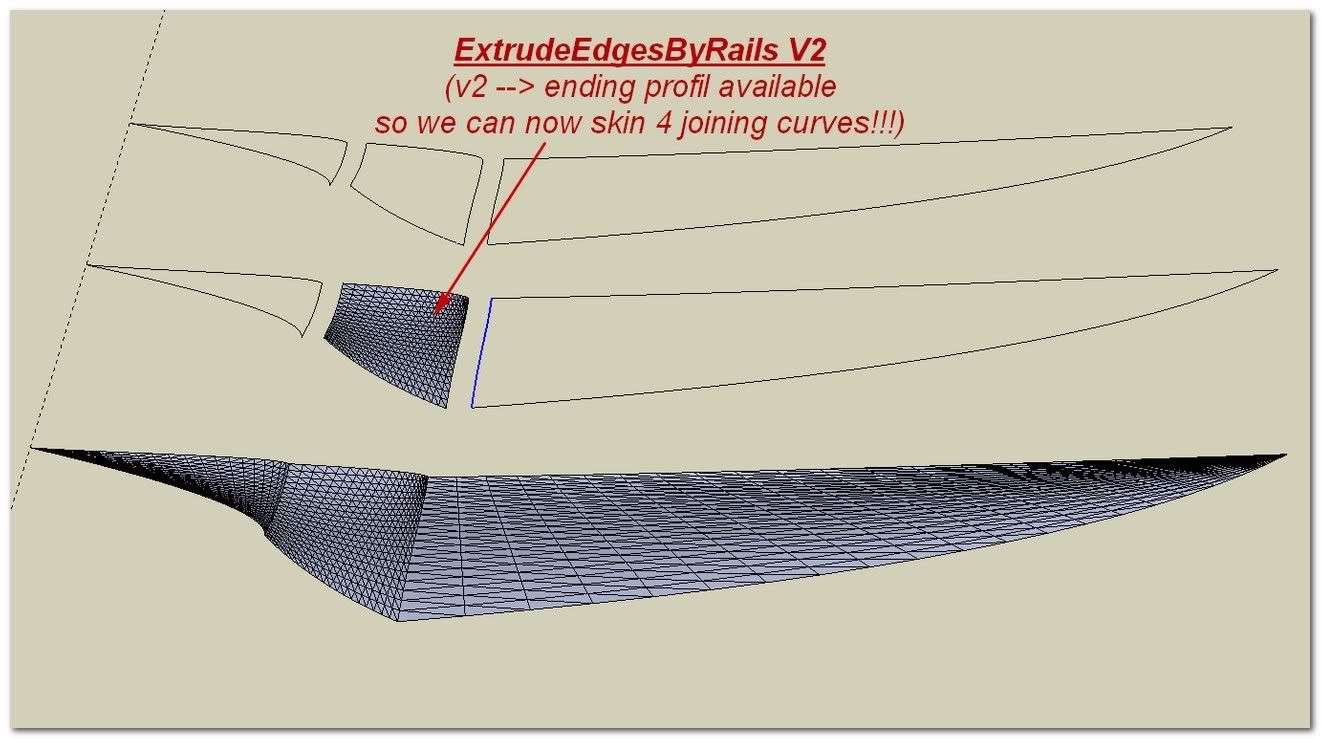
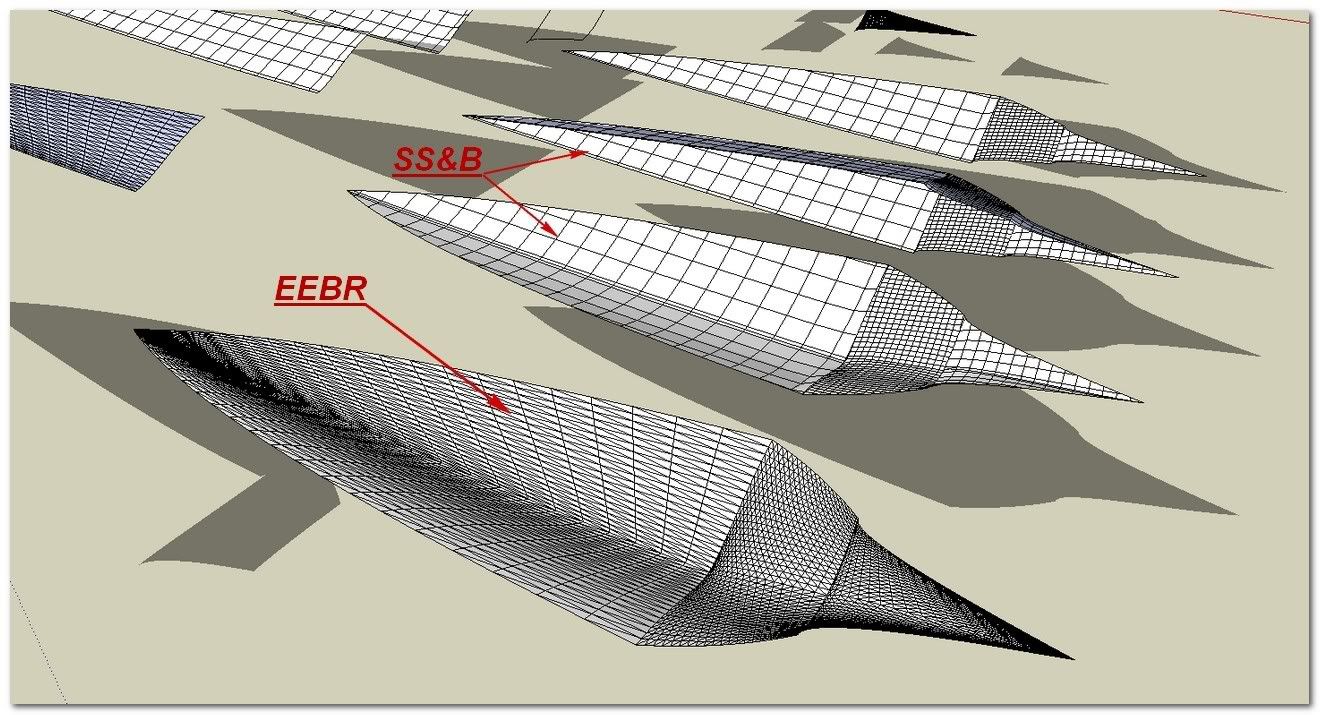
But In fact it was very uneasy to skin the middle segment with EEBR for it was not possible to skin directly 4 joining curves.
I said "IT WAS" because ExtrudeEdgesByRail V2 is out and this limitation has now expired
Segmented arrow:
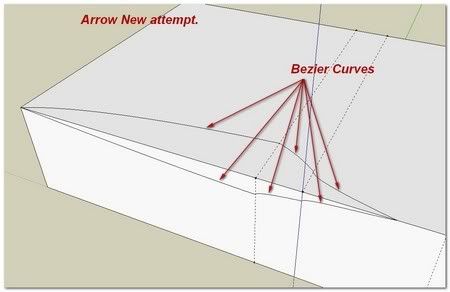
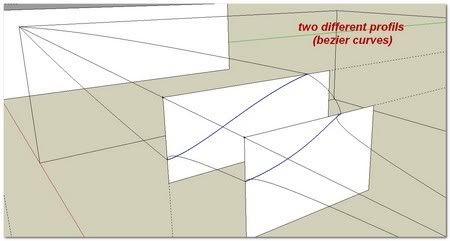
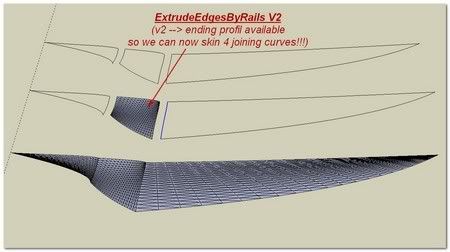
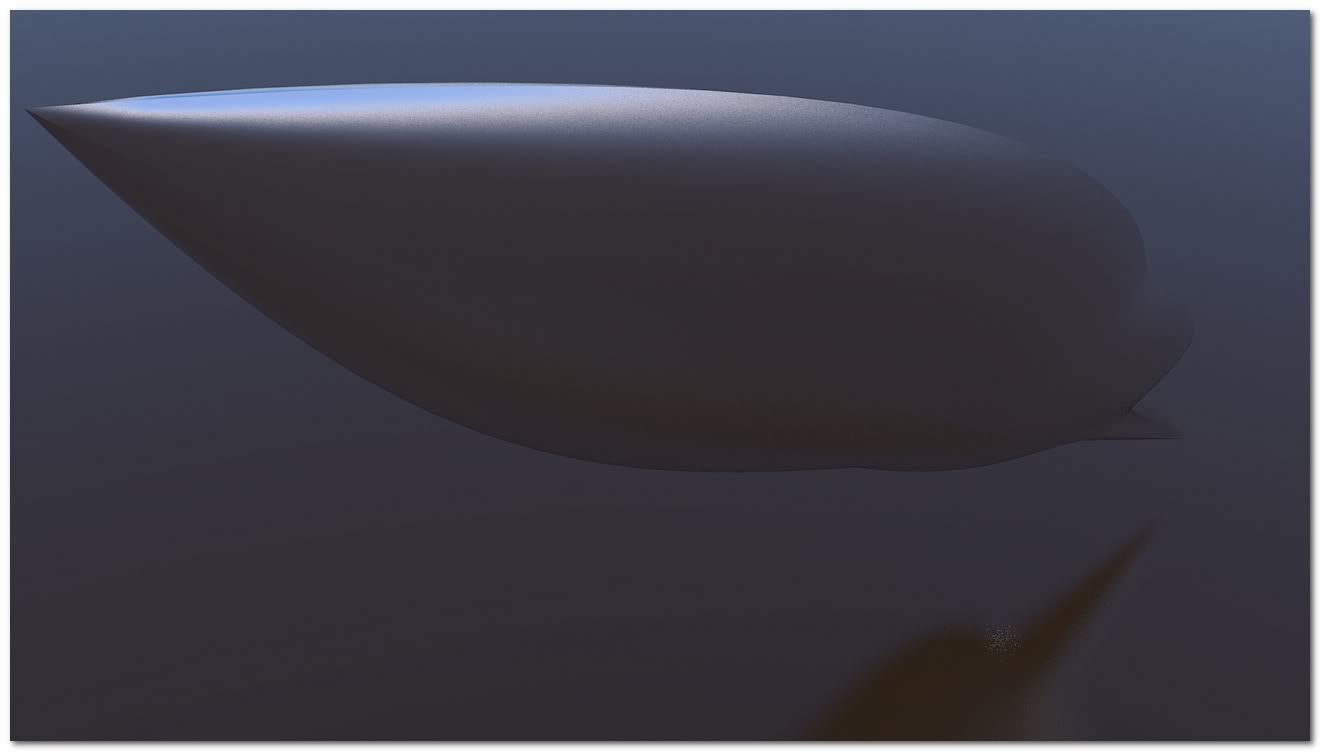
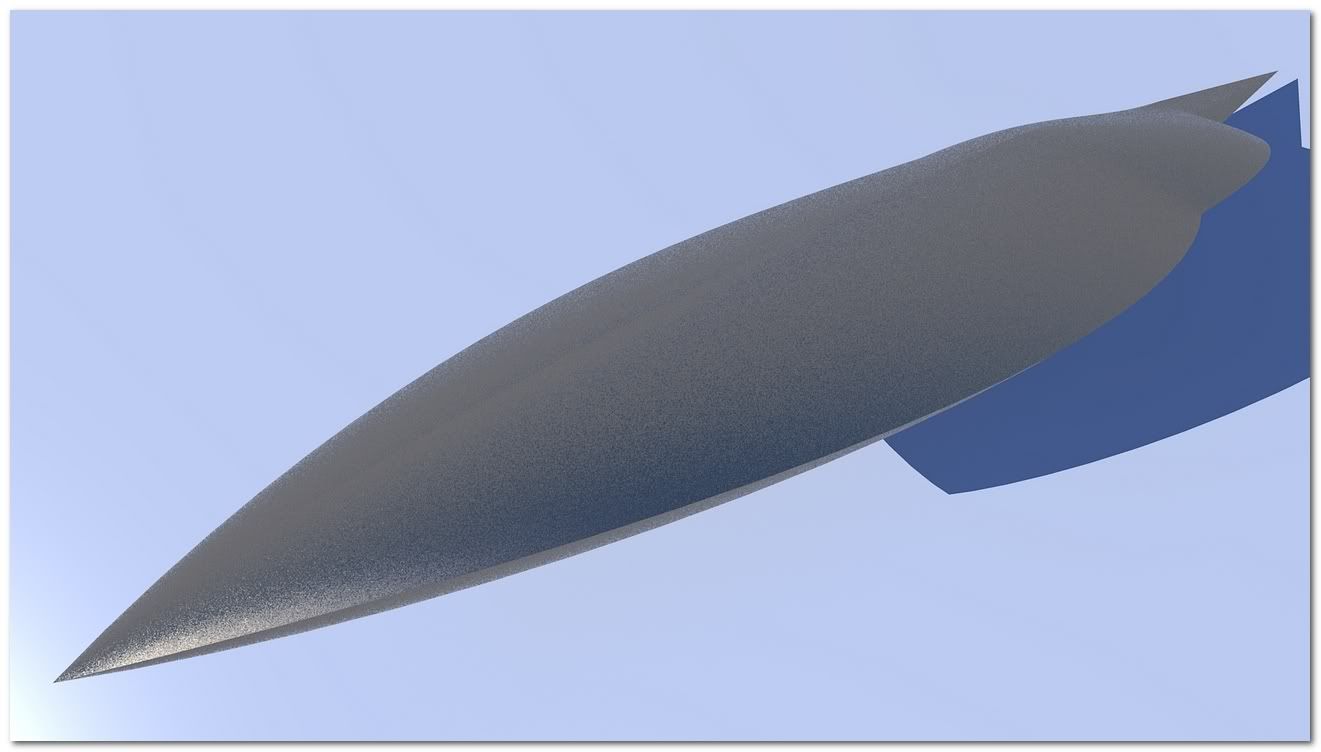
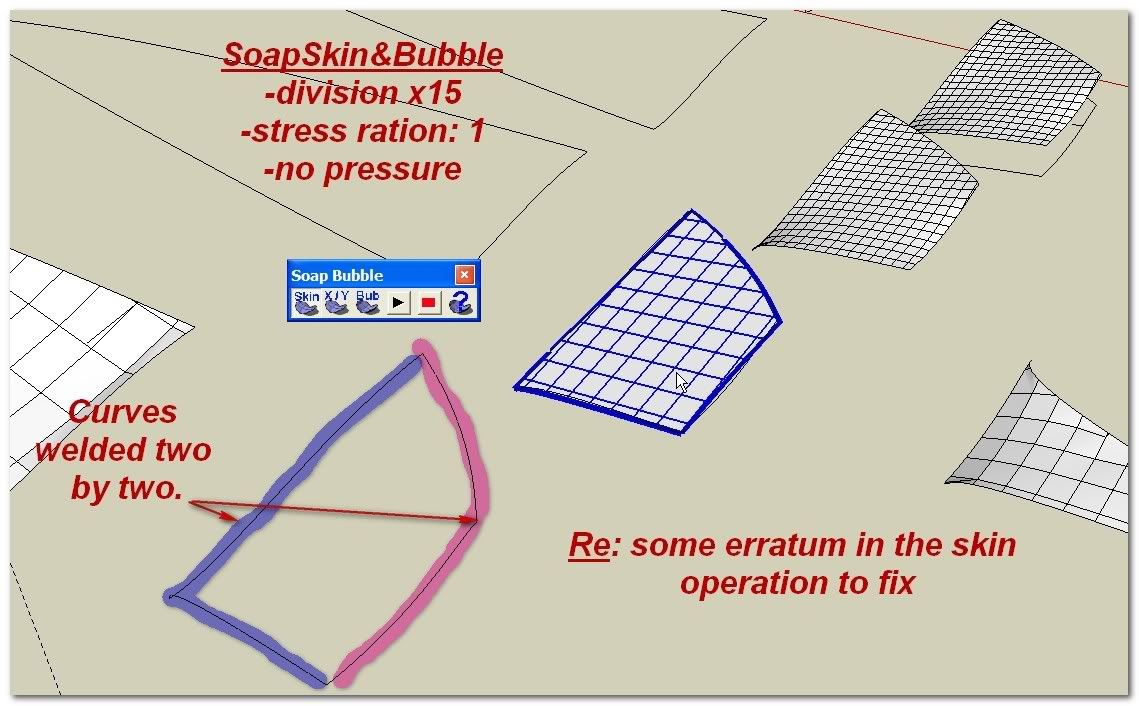
You can also use Soap Skin & Bubble
Which add the possibility to inflate or depress the skined faces.
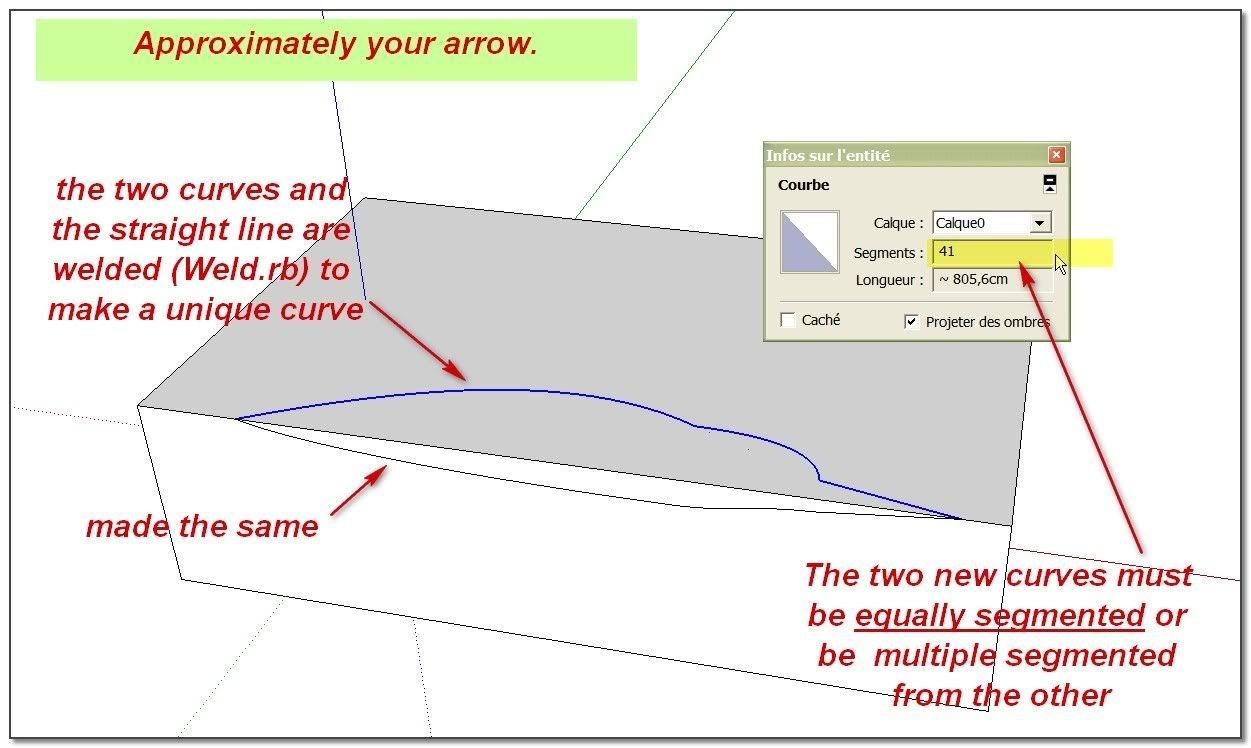
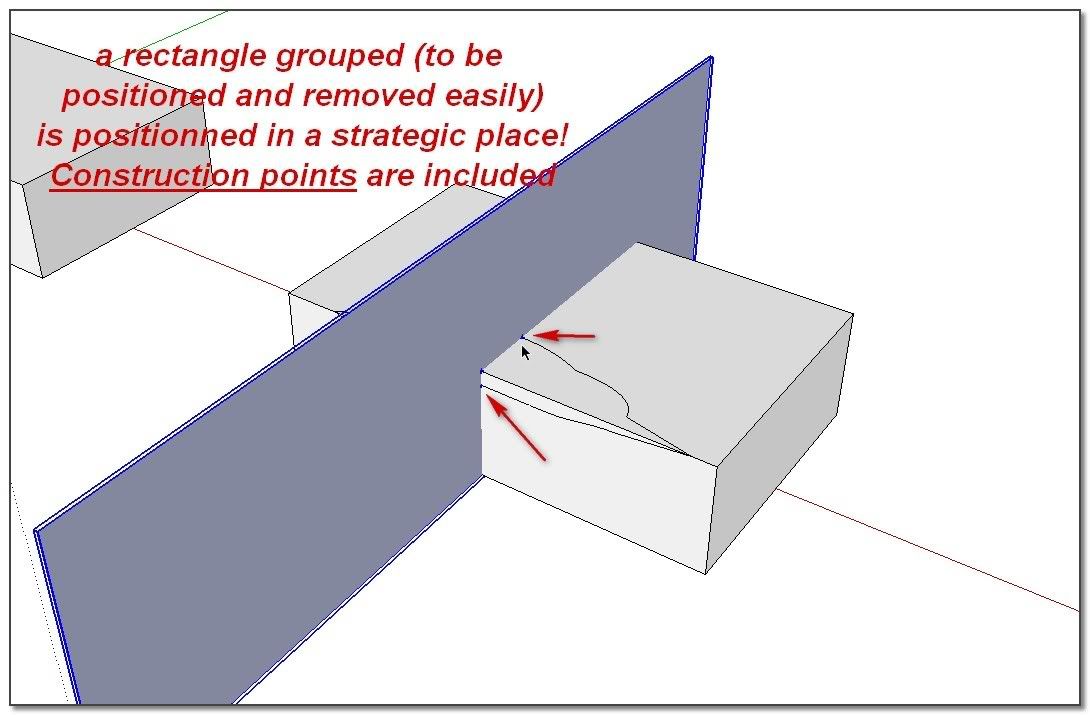
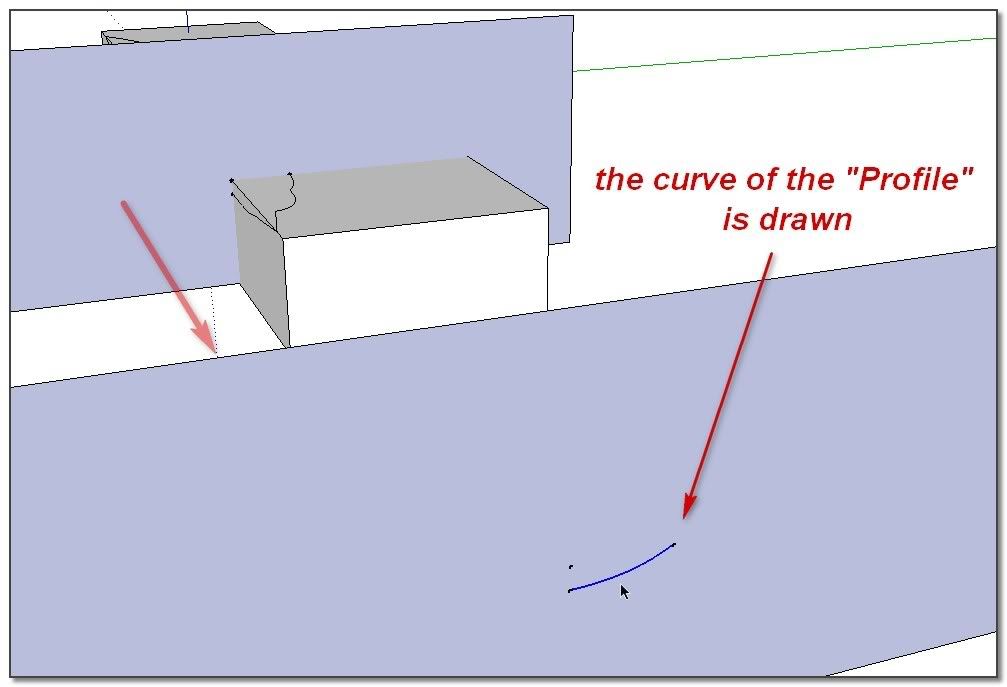
The process need to be initiate with Weld operation for SS&B works with two joining curves. Some small fails may happen and need to be repaired. Something a bit difficult for newbies.
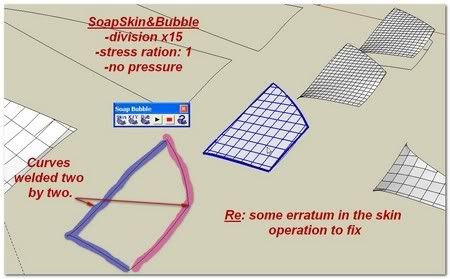
The two different skins:
.../
I see you are doing skins manually to join your curves (good thing). This can be made with plugins. Unfortunately, powerful ArchitectBoy's Skin.rb (& see also& skin thread) only skin separate curves, but Rick Wilson Curve Stitcher does it very simply(you can throw a glance on my little skin reminder here even if it must be updated)
++simon



Hello! It looks like you're interested in this conversation, but you don't have an account yet.
Getting fed up of having to scroll through the same posts each visit? When you register for an account, you'll always come back to exactly where you were before, and choose to be notified of new replies (either via email, or push notification). You'll also be able to save bookmarks and upvote posts to show your appreciation to other community members.
With your input, this post could be even better 💗
Register Login


Advertisement