Does anyone have a SKP file of a material testing model, like the one you see on the vray forums all the time?
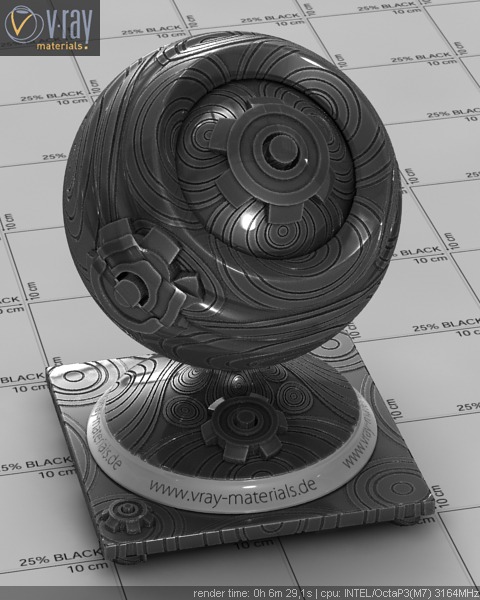
Does anyone have a SKP file of a material testing model, like the one you see on the vray forums all the time?
I agree. I only come over the Sketchucation because the Chaos forums had tumbleweeds flying around. Is there any way to turn off all the restrictions? I think a lot of people fell off because of the security needed to get into the forum.
AWESOME!!! Thank you for talking me off the ledge. I cant wait for the next release! 
I am aware of that and I think the guys at ASG rock, especially Fernando. But I do feel that the corporate machine that is Chaos, may have had them switch gears and focus less on the SU plugin for now. Which I do understand, because the Rhino plugin is far behind, but I am disappointed with where we are a year later. I have lost count with the number of rendering engines and GPU engines that came out this year but here we are still using 1.49.01 with buggy DR, no proxies, and enough bugs to make you want to quit using it. Not to mention that the Chaos formums are deader than a doornail. If it wasnt for this forum, there wouldn't even be a pulse.
I am gald to hear that I am not the only one who is a little bit frustrated with Chaos. My dont think there is a huge base of VfSU out there so this plugin is a last priority for them. Vray for Max and Maya obviously come #1 then other programs, then Rhino and lastly SU. It is a bummer because I use Vray all the time and love the quality but the few buggy things and lack of a decent UI are turning me off. That and the fact that this thing costs $900 bucks is insane in my honest opinion. It's just a few hundred dollars cheaper than the MAX engine which comes with all the goodies. The other rumor is that the next version will have a dongle, so their licensing terms will change. I think I am going to download a demo of Thea very soon. How is the back and forth to and from SU? Is it a pain to make changes after going to Thea and returning to SU?
Not to bash Vray in the Vray forum, but I just feel like it is a missed opportunity and Chaos makes all of their money from MAX users, so the SU plugin has fallen to the wayside. I mean, its a $900 plugin and one of the most expensive renderers for SU and is buggy as hell. I just feel like I am not getting a $900 product when I see Thea features.
Just read a review of Thea 1.1 and I have to say, I hope this next release is friggin awesome because I am seriously considering moving to Thea. As a person who started rendering with Kerkythea, I am no stranger to the guys who put Thea together. The features highlighted are just amazing. Just the relight, interactive render, and assets pallettes are enough to sell me... oh and wait... THE PRICETAG! I really love Vray but I am a little disappointed in how little its moved in the last year and the plugin that exists currently is rather... archaic in comparison to other engines out there these days. I will keep my fingers crossed that a lot has been developed in the last year and a half.
If a client ever snubbed SU, I wouldn't want to work with them anyway. Seriously, who cares what program you use, as long as the quality of work is nothing but the best. I see a lot of 3D Studio viz guys bashing it and complaining about getting SU models from clients, but I have never heard of client having an issue using it. I am amazed how many people are using SU these days on some incredible projects, not just architecture. I can't tell you how many pro-viz guys like Peter Gunthrie have told me they do 90% of their modeling in SU because its faster and easier. They usually go to MAX for high poly work and animation. All I can say is, "Don't knock it til you try it".
I second what Solo said. Composing the view beautifully is half of the rendering process. Also look at Arrowway for a brick material that has a bump and specular map.
@unknownuser said:
What I am basically looking for is a clay render style but also have the ability to keep displacement, bump and reflections.
Scott
Sounds like it would a script someone could right that just replaces all Diffuse maps to white but keeps the other material settings. I think you would lose your mapping on your bumps and displacement maps though. You would have to setup the tiling scale in the material itself. I am not sure if this is something you will be able to accomplish in VR4SU. Well, you could, but it could take a while to setup.
I agree with Andy. If you load the defaults, you should get a fairly decent rendering using the SU sun.
My advice is to go to the Chaos youtube channel and look at the turorial on exterior lighting with an HDRI and sun. I would get a HQ HDRI and use that as your envir and GI and then use the Sun as highlighted in that video. The next thing I would do is turn on Ambient Occulsion if you are using the latest Vray. That helps define details. Add some bump maps to your rough materials and reflection to smooth glossy materials. All of this stuff can be learned from that Youtube Channel - check it out!
http://www.youtube.com/user/ChaosGroupTV
My understanding is that if you plan on getting into a lot of animation work, you need Max and Vray.
It works but I think most people stay away from it. SU itself is not great with animation workflow. There are a few tutorials on how to setup your lighting options for animation over at the Chaos forums and on the web.
Reset your Options to the Default by hitting the default button and adjust your output size. These settings are an overall good starting place.
Put your glass on a layer and turn it off just to test to ensure it is the glass material. You have make sure that if you glass has thickness, make sure all the faces, in and out have the glass mat applied and that your front faces are all facing out. My understanding is that refraction needs this setup properly.
What resolution do you guys render your finals at? I have seen a lot of answers to this question and I am curious on what you guys are delivering to clients. I read the other day that someone exports there finals at 2500 wide and I couldnt believe that. I usually aim for 4000-5000 because that usually gets me a 10-12 megapixel image. I also heard that some of the high end studios render at 7-9k pixels wide. I do understand its all about how the image is going to be used, but generally what do you guys aim for?
It looks like that darker color is that crappy tan default material color SU applies to faces. I would make a new material and make sure to re-apply it to all the geometry.
Go to the Chaos page on YouTube and watch all the Vray for SketchUp videos and you will be well on your way.