sketchucation logo sketchucation
    • Login
    1. Home
    2. sumaster
    3. Posts
    Oops, your profile's looking a bit empty! To help us tailor your experience, please fill in key details like your SketchUp version, skill level, operating system, and more. Update and save your info on your profile page today!
    ⚠️ Important | Libfredo 15.8b introduces important bugfixes for Fredo's Extensions Update
    Offline
    • Profile
    • Following 0
    • Followers 0
    • Topics 0
    • Posts 59
    • Groups 1

    Posts

    Recent Best Controversial
    • RE: [Plugin]Extend Trim Faces.rb(Mar27,2013.)

      HI tak2hata sir,

      again great tool you build NICE work . . . .

      THANK YOU,

      posted in Plugins
      sumasterS
      sumaster
    • RE: Rigth Click turn layer off

      Thanks Ken

      posted in Plugins
      sumasterS
      sumaster
    • RE: Rigth Click turn layer off

      Link Please . . . . .

      posted in Plugins
      sumasterS
      sumaster
    • RE: [Plugin] Upload model with custom thumbnail — 12.01.2013

      Hi Aerilius,

      thanks for reply . . . . .

      i try all these things but not work my laptop . . . .

      now i will CHK my software . . . . installation problem . . . .

      thanks you Aerilius

      posted in Plugins
      sumasterS
      sumaster
    • RE: [Plugin] Upload model with custom thumbnail — 12.01.2013

      HI,

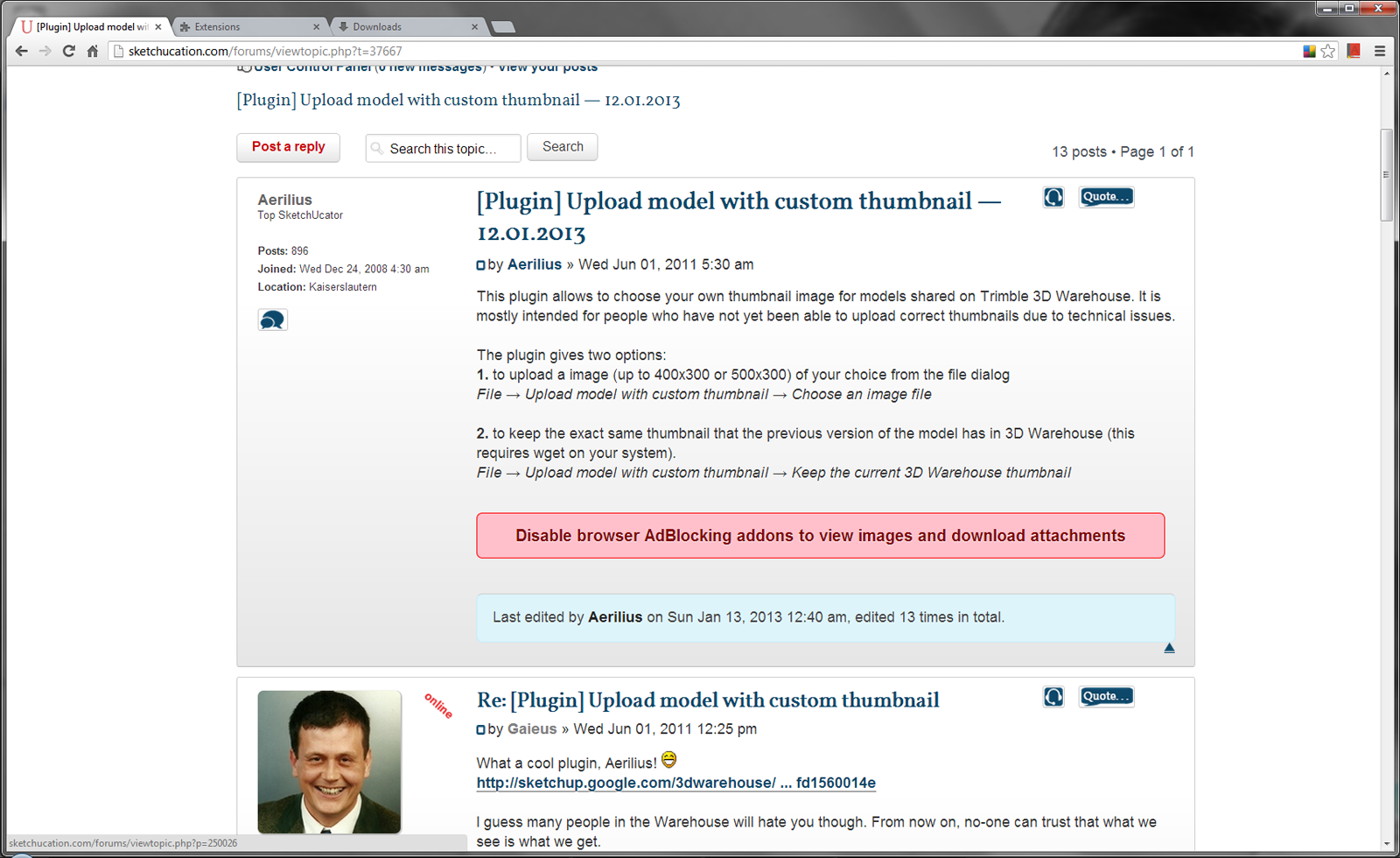
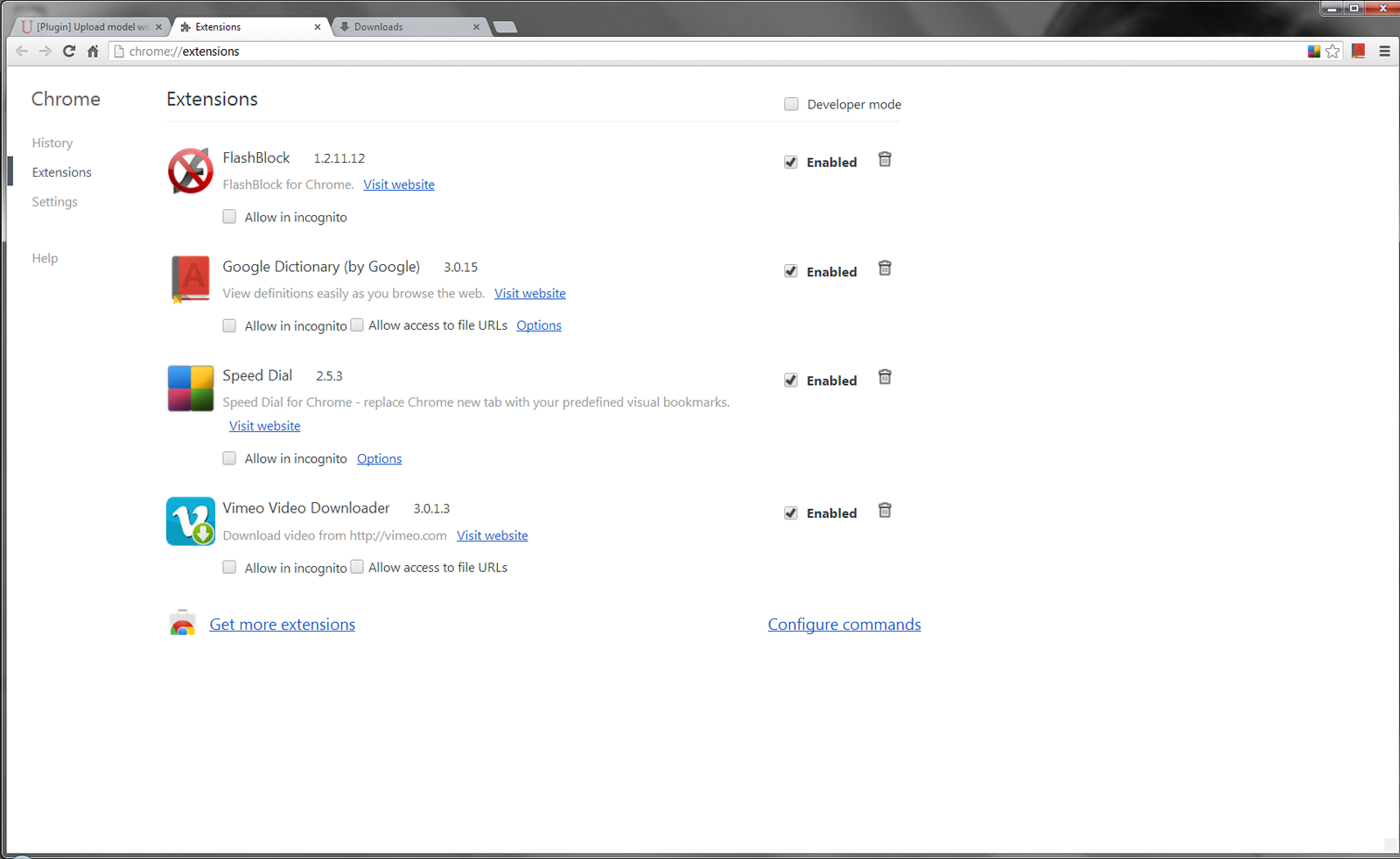
      i can not Download Plugin and not see Images . . . . .

      Please CHK
      1.png

      2.png

      posted in Plugins
      sumasterS
      sumaster
    • RE: [Plugin] Upload model with custom thumbnail — 12.01.2013

      HI,

      download OPTION is not available

      "Disable browser ad blocking to view images and download attachments"

      please Help

      THANKS

      posted in Plugins
      sumasterS
      sumaster
    • RE: [Plugin] Stepped Extrude [Updated 20121106]

      Hi rami_lpm AND sdmitch,

      a Need of previous history Amount/Distance . . . .

      means create 2 face and use this tool and 1st face extrude 1 m. and 2nd face extrude the same amount . . .

      now its not working . . . . .

      thanks . . . .

      posted in Plugins
      sumasterS
      sumaster
    • RE: [Plugin]T2H_BuildingStructureTools2.2.4 in20141207

      Hi,

      now BST Tool working GOOD

      Thanks Tak2hata . . . . . 😄 😉

      posted in Plugins
      sumasterS
      sumaster
    • RE: [Plugin]T2H_BuildingStructureTools2.2.4 in20141207

      HI,

      Please CHK the draw by clicks tool

      its not work in group . . . .
      (when draw on plan)

      BST - 2.skp

      posted in Plugins
      sumasterS
      sumaster
    • RE: [Plugin]T2H_BuildingStructureTools2.2.4 in20141207

      @tak2hata said:

      @sumaster said:

      HI,

      CHK the Combine each tool not working . . . . .

      thanks

      I see it.
      I will correct it tonight(so means 12 hour later).

      Hi,

      Thanks . . . . 👍

      @tak2hata said:

      @sumaster said:

      can you tell me . . . .
      when i change wall width / height its re-create base face & push-pull ?

      This plugin regenerate the Profile when modifyin profile.(the case of width and height and etc.)
      I will add notice about never modifying inner Axis of the BST entities.

      In your case ,I think modifying the "align" to Center and bottom will almost well.
      I can not know where you modified the inner axis of BST entity.
      So there is no best answer.

      OK . . . .

      yes i CHK this "align" to bottom of center radio button 👍

      @tak2hata said:

      Please do not blame me.

      No no no . . . .

      Thanks

      posted in Plugins
      sumasterS
      sumaster
    • RE: [Plugin]T2H_BuildingStructureTools2.2.4 in20141207

      HI,

      CHK the Combine each tool not working . . . . .

      thanks

      posted in Plugins
      sumasterS
      sumaster
    • RE: [Plugin]T2H_BuildingStructureTools2.2.4 in20141207

      Oh. . . . ok . . .

      can you tell me . . . .
      when i change wall width / height its re-create base face & push-pull ?

      posted in Plugins
      sumasterS
      sumaster
    • RE: [Plugin] Stepped Extrude [Updated 20121106]

      Thank you very much

      posted in Plugins
      sumasterS
      sumaster
    • RE: [Plugin]T2H_BuildingStructureTools2.2.4 in20141207

      HI tak2hata,

      Please chk this . . . .

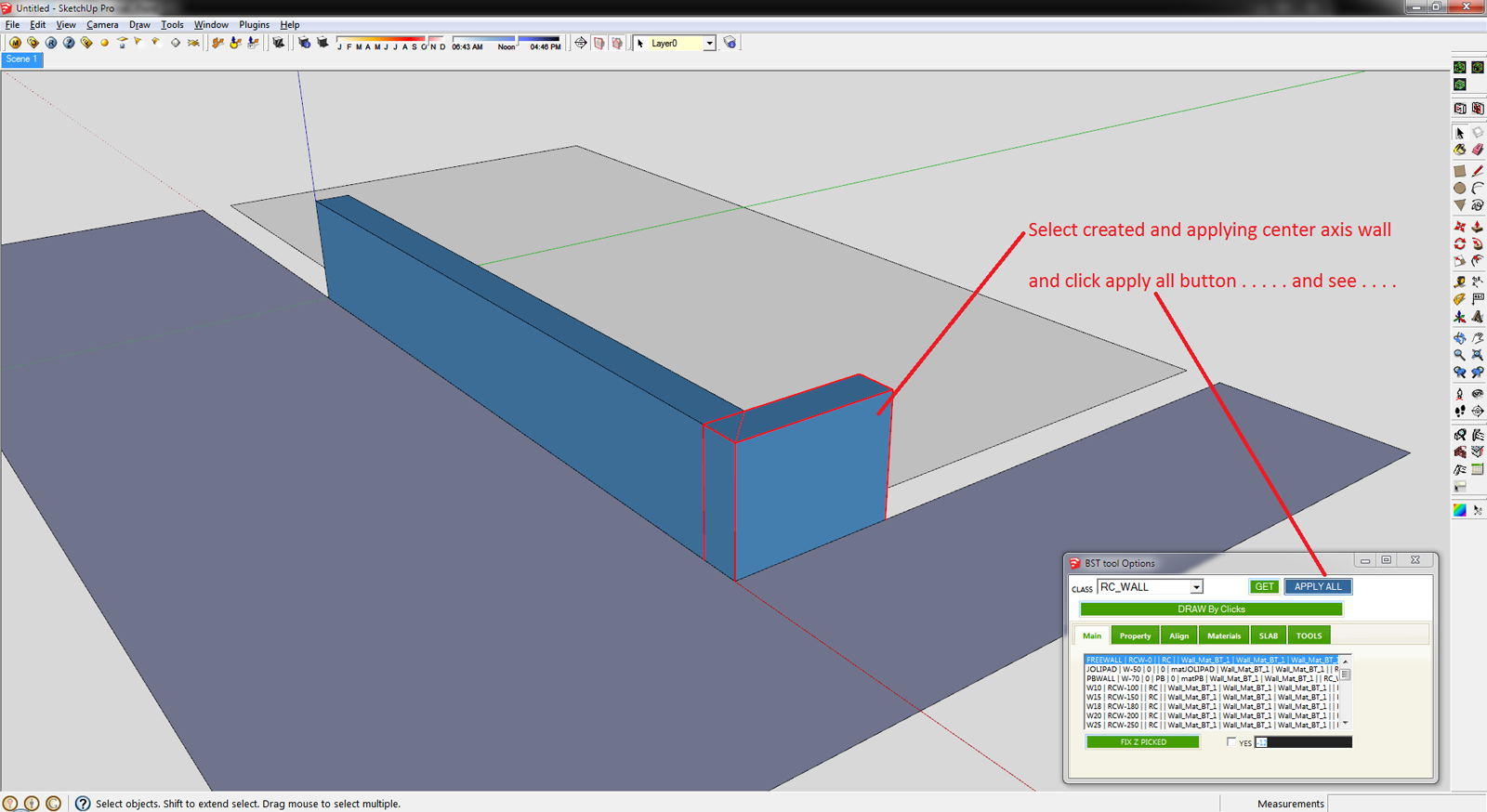
      1st create the L type wall and applying the Set Axis Point tool (thomthom Sir tool)
      http://sketchucation.com/forums/viewtopic.php?t=30508
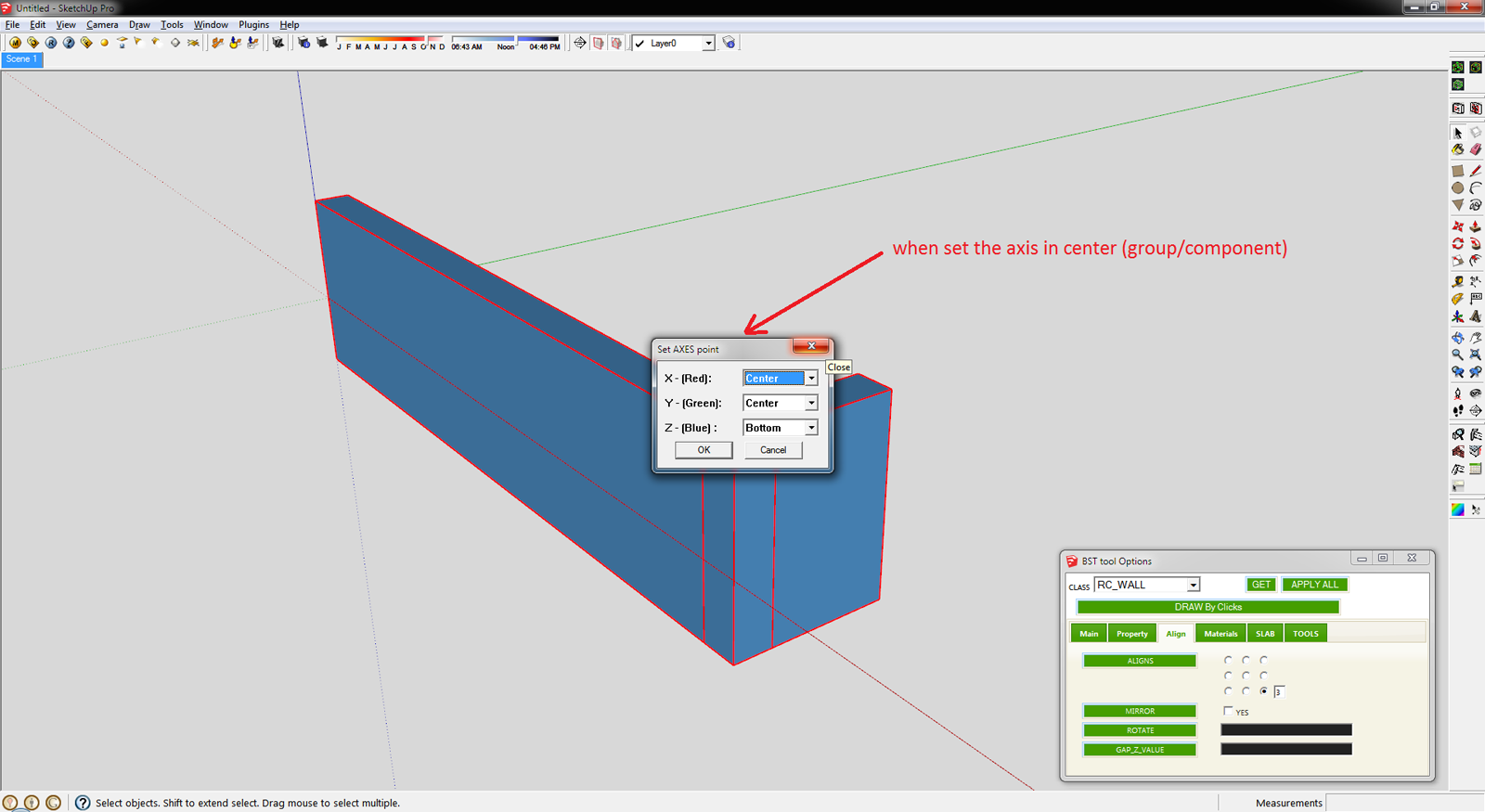
      Align - 1.png

      and click APPLY ALL button . . . . .

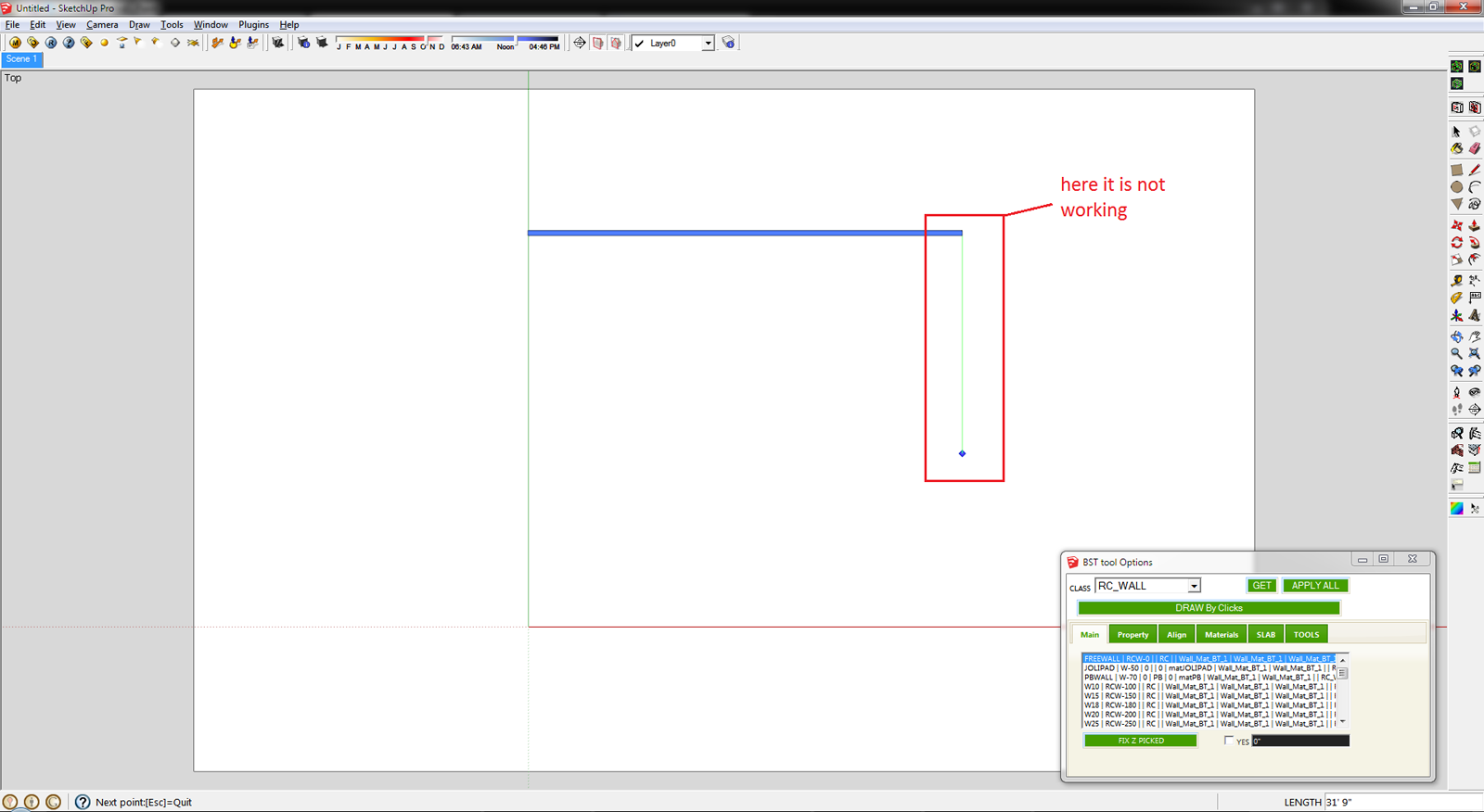
      Align - 2.png

      This is the Final Result . . . .
      another way is you can create the mark button . . .
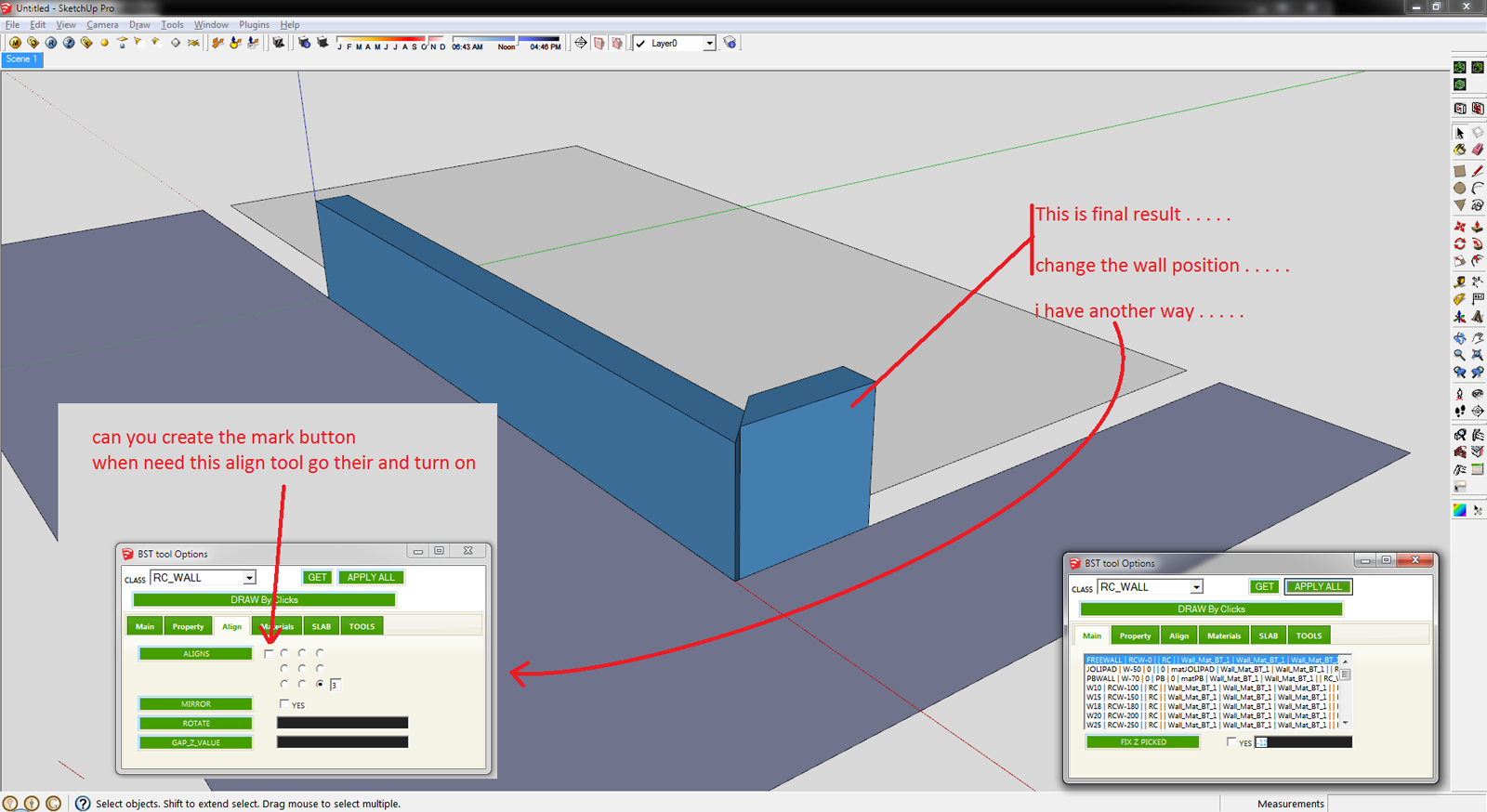
      Align - 3.png

      Sketchup File :
      Align SKP File.skp

      THanks 👍 👍

      posted in Plugins
      sumasterS
      sumaster
    • RE: [Plugin]T2H_BuildingStructureTools2.2.4 in20141207

      Hello Tak2hata,

      1st Thank you. Its too good and very useful . . . . 👍 😄 😄
      Nice one UPDATE Query Attributes and Table Editor

      ****** CHK the Axies locking
      when draw 1st time its work perfectly
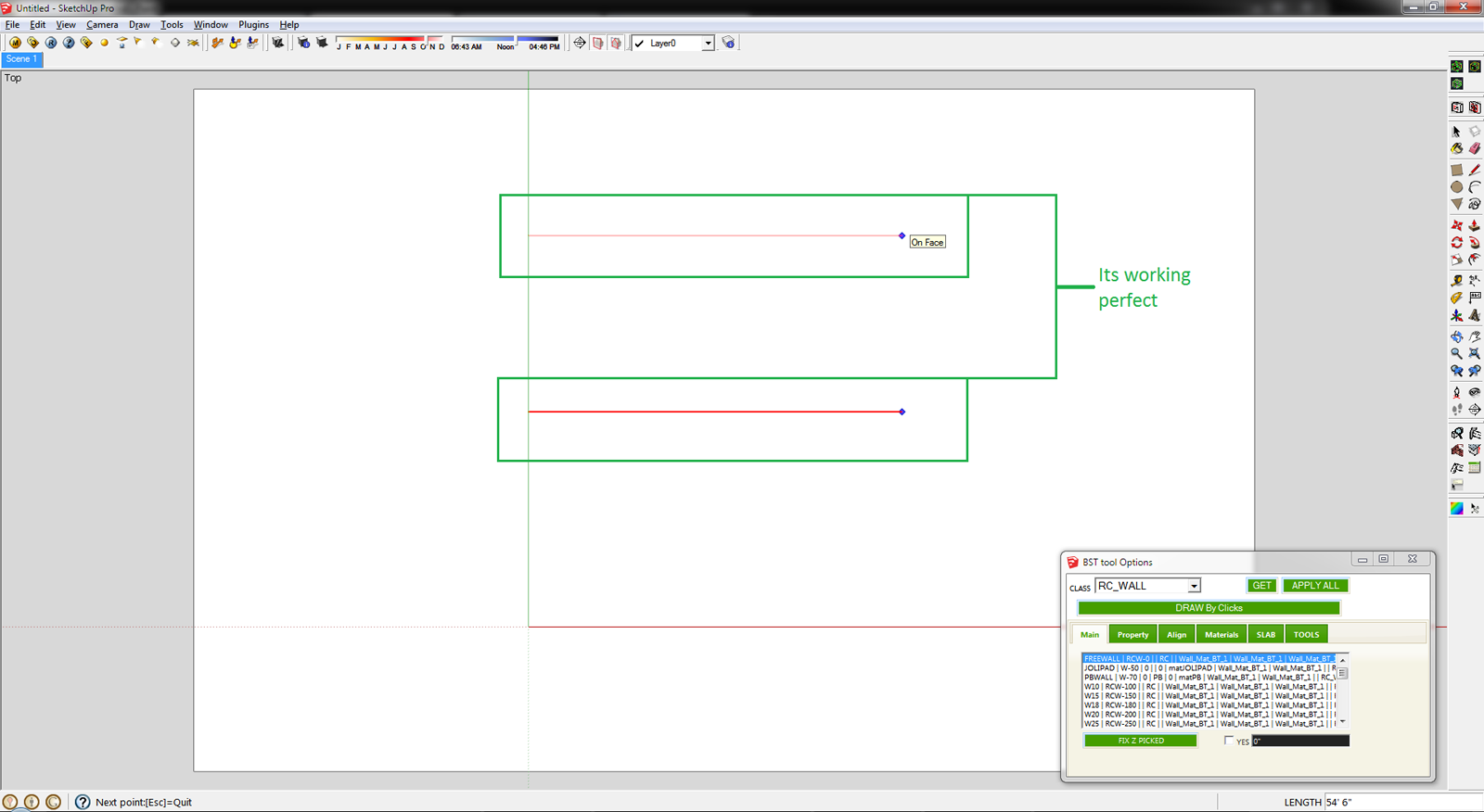
      L - 1.png

      but 2nd time not working

      L - 2.png

      ****** CHK the Grow To Face tool

      Select the object and use the Grow To Face tool . . .
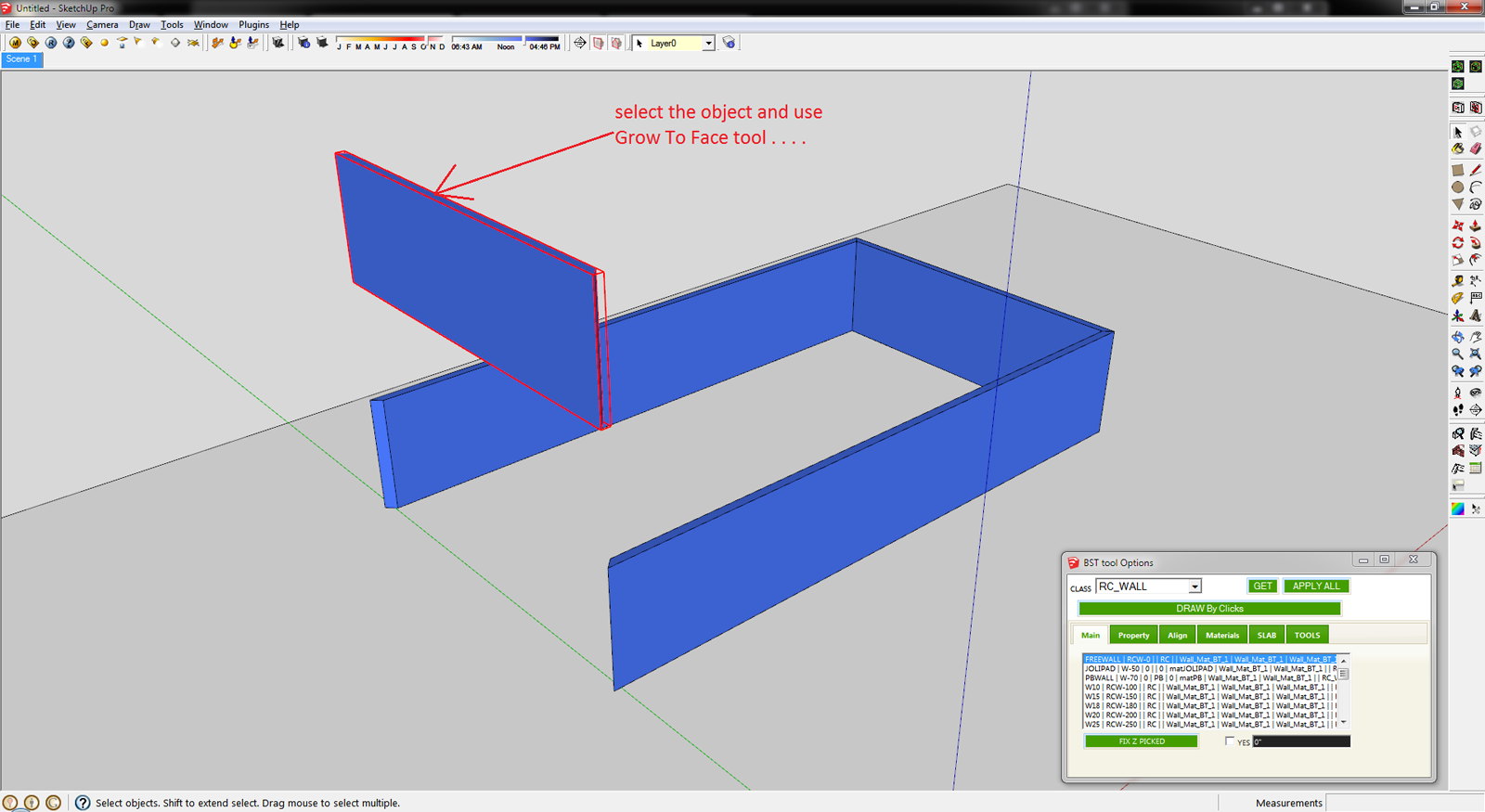
      GUP Tool - 1.png

      and select the ground NOT WORKING . . . .
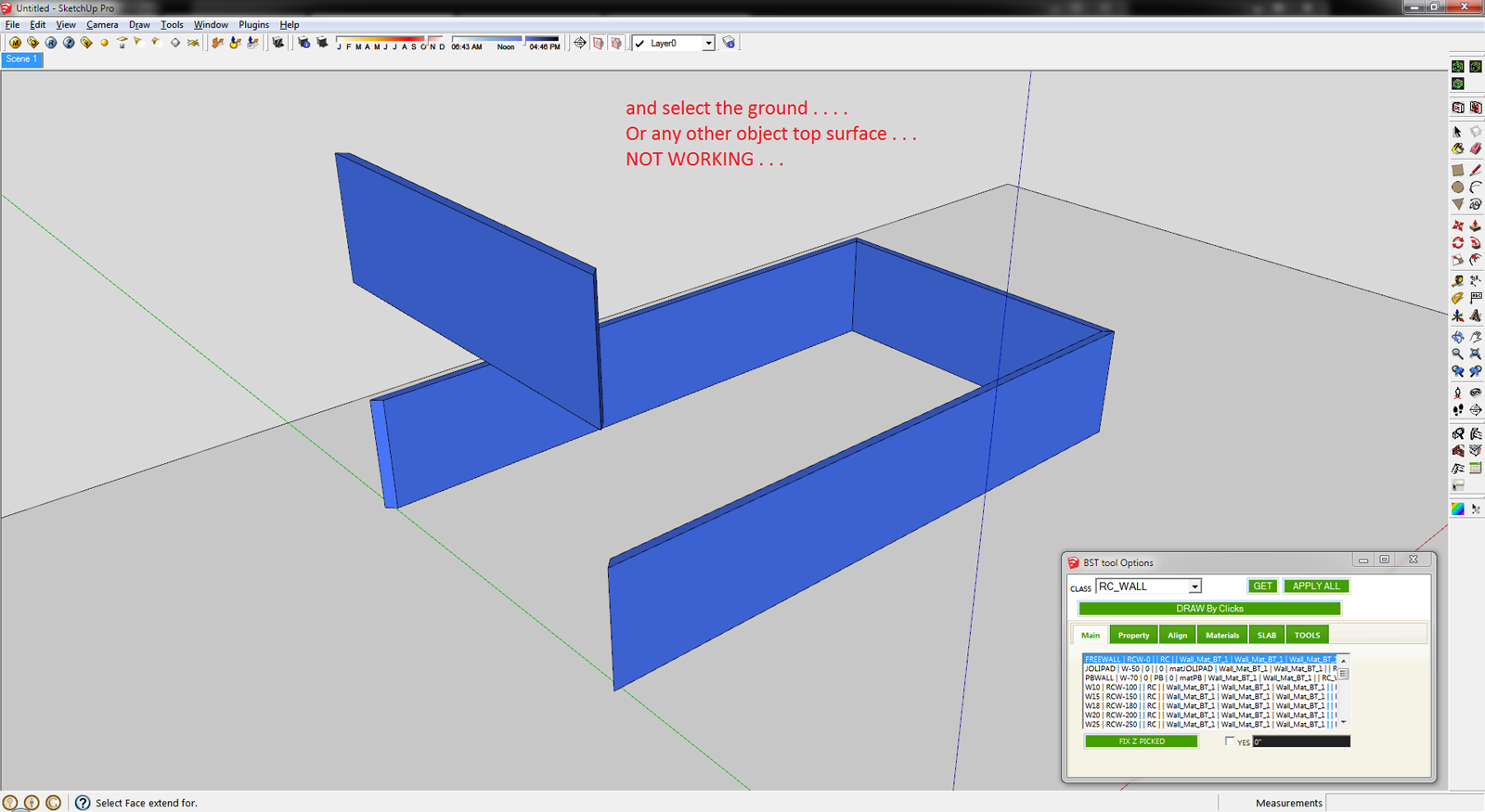
      GUP Tool - 2.png

      Here it is SKP File

      123 .skp

      posted in Plugins
      sumasterS
      sumaster
    • RE: [Plugin]T2H_BuildingStructureTools2.2.4 in20141207

      HI ,

      How i fix the color of BST wall . . . ?

      now its get random color . . .

      posted in Plugins
      sumasterS
      sumaster
    • RE: [Plugin] Get centroid and area properties for any face

      Thank you . . . .

      posted in Plugins
      sumasterS
      sumaster
    • RE: [Plugin]T2H_BuildingStructureTools2.2.4 in20141207

      @tak2hata said:

      Hi,All.
      I update to version1.2. in Sep17,2012.
      v1.2:2012.09.17:
      Bugs? fixed.and Improves.
      #Fix:Undo when Multi(Extend/Chamfer/Grow).
      #Fix:Undo when change properties of many entities.
      #Fix:(Extend/Chamfer/Grow) Structure entity which have devided side by user.
      #Improve about create slab.

      Thanks.

      Hi Tak2hata

      Thanks you 👍 😉
      And I'm CHKing Now

      @tak2hata said:

      Hi,Sumaster.
      In your file ,there was no compound wall.
      But the wall's edge was cutted by your manipulation.It do not good for "Extend tool" in previous version.
      It was improved in this ver.

      Thanks.

      Oh. . . .

      and here the new tool get random color
      how i fix the color means ( Walls get White, Steel Member get Medium Red, . . etc )

      posted in Plugins
      sumasterS
      sumaster
    • RE: [Plugin]T2H_BuildingStructureTools2.2.4 in20141207

      @tak2hata said:

      @sumaster said:

      yes

      and another problem facing here . . .
      i upgrade your new version but when i OPEN my OLD version file means (i was working your old BS tool) and exend to face and other 3 tools are not working good . . .

      Pleas CHK

      Hi,Please upload your data include problems.
      The part to limit the problem entities.

      Yes . . .

      Please CHK the Compound wall . .

      Sept11 2012 _3 (For Tak2hata) .skp

      posted in Plugins
      sumasterS
      sumaster
    • RE: [Plugin]T2H_BuildingStructureTools2.2.4 in20141207

      @tak2hata said:

      Hi,CTMan.
      I add link to your reply in the top of thread.
      Thanks a lot for uploading your profile list of UK STEEL.

      Channel([) have tapered flanges when the schema is like "[-100x50x5x7.5x8x4"
      Channel([) have not tapered flanges when the schema is like "[-100x50x5x7.5"
      So If you want to not tapered flange Channel,the schema is like "[-AxBxCxD".

      Hi,sumaster.
      "Extend to structure" tool works extending the structure to the other structure.not to face.
      [attachment=0:165mbbk2]<!-- ia0 -->extending_to_structure.JPG<!-- ia0 -->[/attachment:165mbbk2]
      Using "Extending to Face" to extend like this picture takes time and effort.
      So "Extend to Structure" exists for that purpose.

      I see the "undo" problem.
      I will fix it few days.

      Thanks.

      yes

      and another problem facing here . . .
      i upgrade your new version but when i OPEN my OLD version file means (i was working your old BS tool) and exend to face and other 3 tools are not working good . . .

      Pleas CHK

      posted in Plugins
      sumasterS
      sumaster
    • 1
    • 2
    • 3
    • 2 / 3