I agree with @cotty that you are most likely thinking of backup .skb files, because on the face of it this seems like a silly question. Once you are comfortable that your .skp file is finished and you have made a copy somewhere in case of a computer crash, there is no need to keep the .skb backup files around. They are created so that all is not lost if you make a mistake or have a SketchUp crash while editing.
Posts
-
RE: Should I keep all of my skp files?
-
RE: Plywood rib needs to be easy to modify
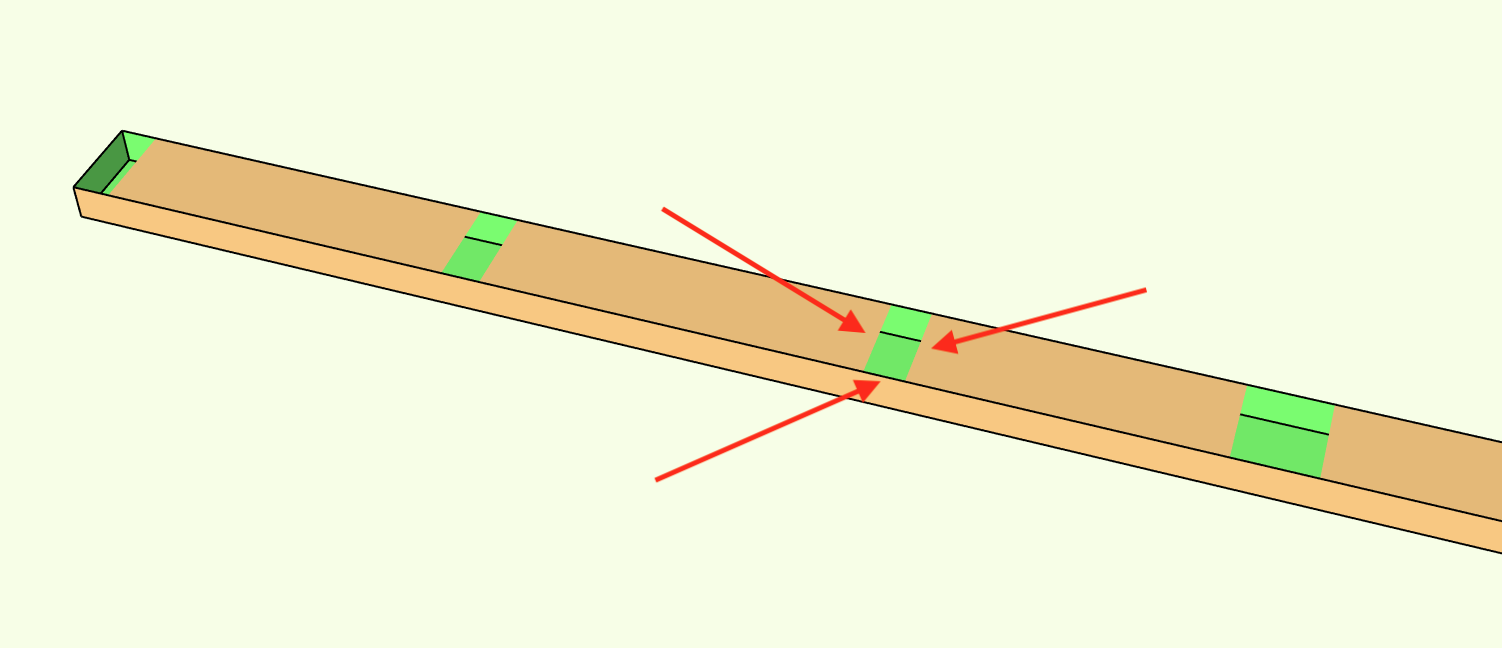
In a separate model, you could draw a 2D edge consisting of a stack of rectangles and apply alternating materials to them. Save the result as a 2D graphic export. Then import that image back into your real model as a texture and paint the edges of the plywood with it.
-
RE: Most Efficient Way to Create Paths for Wiring
Try Fredo6's Bezier Spline. It stores the parameters of the spline as attributes on the curve and lets you go back later to edit the spline. It also supports a wide variety of kinds of splines.
-
RE: Where are shortcuts stored in sketchup2018
I expect that SketchUp reads these json files as it starts and writes out revised copies as it quits. So, if you edit the file while SketchUp is already running, SketchUp will not see the changes and will overwrite with its in-memory version when it quits. You need to quit SketchUp before editing any preferences files.
-
RE: Circle issue maybe good tip or need better tip
@dohyungkim said:
@box said:
but after rotate a circle, I'm still not comfy that I got '~x.xx'......
no precise number of length. I don't like '~' in front of my measurement = =;thanx!
Because SketchUp represents a circle as an inset polygon, only the vertex points are at the true radius of the circle. The midpoint of each segment is actually closer to the center and will usually not be any distance that the UI can represent exactly, so you get the '~'. Sometimes you can eliminate the '~' by increasing the precision of the units displayed, but this will just make the display correct (e.g. 10.35554 instead of ~10.36) it won't cause it to change to the true radius.
There are a few ways to get dimension to be the exact size of the theoretical circle.
If you activate the dimension tool and click on the circle as the start, the tool will create a dimension showing the true diameter of the circle no matter where on the circle you clicked. You can right-click this dimension and select the Type item to change it to a radius dimension. A radius dimension has a different look than other dimensions, more like a leader text with the letter 'R' preceding the radius. This might not provide the appearance you want.
If you click first at the center of the circle and then at one of the vertices, you can create a dimension that shows the actual radius of the circle. Because this dimension is "associated" with the vertex, it will rotate along with the circle when you rotate the circle, remaining true instead of changing to the distance to a midpoint. This has the disadvantage that the dimension's leader lines will be askew from the model axes by the amount you rotated the circle.
Finally, you can fudge the dimension by editing its text to show the value you want. Activate the dimension tool, right-click on the dimension and choose "Edit text". Obviously, this has the downside that the displayed dimension isn't the actual distance to the midpoint, which could cause errors later. It will display in red in SketchUp to remind you that it isn't associated with an object in the model.
-
RE: Can we see the bugsplat data?
Look in
~/Library/Logs/DiagnosticReports -
RE: SketchUp 2018
@kimi kimi said:
I'm waiting for a few developers to join together and make an alternative to SketchUp. I'll pay filthy money for it. Just do it. Make yourself rich. You know what it needs to be.
Competition would be good. But I think there are patents that would prevent replicating some of our favorite features such as push-pull. It would be interesting to see what others could come up with.
-
RE: SketchUp 2017 - anti aliasing problem Mac OS Sierra
In Preferences->OpenGL SketchUp 2018 provides choices for AA. They work on my mid-2012 MBP Retina on High Sierra 10.13.1.
-
RE: Solid Tools > Subtract
@ketchupu said:
However, I am having trouble subtracting this oval cylinder out of a curvy wall.
Could you clarify what you mean by this? What sort of trouble are you encountering?
-
RE: Activate last selection
Seems to me that ktkoh is right. Make an Array using #to_a to remember the contents of the current selection. Then later use Selection#clear! and Selection#add to put the contents of the Array back into the Selection.
-
RE: CLEANING UP MY GLITCHY SKETCHUP 2017
Whitelock, sorry to say there are two problems with what you just reported! First, the error message you posted earlier plainly said the folder I told you how to examine is where the offending extension script lives (see the yellow highlights TIG added to your screenshot)! Second, the extensions you show in your screenshot are not placed in that folder, they are in your personal Library (/users/yourname/Library/..., not the system's /Library). I mean no offense, but that sounds like you didn't follow my detailed instructions and are looking in the wrong place.
-
RE: HIDDEN LAYERS in copied scenes
@pipingguy said:
Thanks! And it seems to be permanent....vs. lasting only for one session.
Yes - provided you save the model. Page behavior is a property of each Layer and is saved within the model.
-
RE: CLEANING UP MY GLITCHY SKETCHUP 2017
TIG's advice is dead-on. I suspect that you are either omitting spaces in one or more items in the path or breaking the path over multiple lines the way it wraps in the error popup. So let's try another one-step-at-a-time route.
In Finder, at the bottom you will see a stripe listing the folders in the current path. The left-most entry will be the base folder of your hard drive (typically named something like Macintosh HD). Double-click that entry to open it in Finder. You will then see a list of contents including a Library folder. Open the Library folder and in it you will see 'Application Support'. Open that and you will see 'SketchUp 2017'. Open that and you will see 'SketchUp'. Open that and you will see 'Plugins'. Open that and you should find the offending vfs.rb. Delete that file and V-ray should stop trying to load.
-
RE: How to release a plugin
Stan, several other people have also reported long delays in getting developer approval. It seems this is something Trimble doesn't have anyone watching very closely. If you contact them directly you might be able to get someone to facilitate your approval.
-
RE: Remove and purge hidden components.
Perhaps add && e.is_a?(SketchUp::ComponentInstance) to the if test? Also note that it would be good to check whether e.respond_to?(:hidden?) before doing e.hidden? since not all Entities support hidden, and if your code ever encounters one of these it will throw an exception.
-
RE: Round an angled edge
I'm not sure what you mean by "all funky"?
You have drawn the circle perpendicular to the edge, which is a correct step that many novices don't get right. I noticed that the board is a Group and that the circle is not in that Group. To get interactions between the board and circle you will need to get them in the same context. The easiest way is to copy the circle, open the Group for edit, and then Paste in Place.
When you pushpull it along the angled edge (or better, use the follow-me tool) you will get extra bits hanging off both ends because the ends are askew to the circle. The pushpull or follow-me will not have generated the edges where the contours of the circle pierce the ends of the board, so you need to add them. In this simple case you can draw them using the line tool (pencil) because there aren't many. Alternatively, you can use Intersect Faces With... to generate them automatically. Then you need to use the erase tool to clean up the extra. Careful use of the selection boxes can speed this step, but erasing one-by-one will also work.
-
RE: SketchUp 2018
The main difference in a subscription scheme is that if you let your subscription lapse, the software ceases to run at all! In SketchUp's permanent license scheme you just lose support and upgrade to the next version. The software continues to run as is. As a result, there are a lot of people out there still using (for example) SketchUp v8 because it was the last version without the no-commercial-use restriction in the license for free/Make.
I also despise subscription licensed software. From what I can see it is nothing more than a mechanism to keep sucking money out of your wallet even if they have added/fixed nothing that affects you. The big guys went to this when it became apparent that people were no longer slavishly updating to every new release - because the vendors ran out of new things to add that were valuable to more than a specialized subgroup of users, or started making changes that were just "tomayto" vs "tomahto".
Frankly, there are enough long-outstanding bugs in SketchUp that the team could work on them to make a new release without adding any more features at all!
-
RE: Not possible to create guidelines from axes in certain views
I can reproduce what you see, so it isn't just your setup. It seems to be an issue with the inference engine not finding an inference to the axes in those views, as opposed to a bug in the tape measure itself - it can only measure from an inference.
-
RE: Fredo6 Tools problems on macOS High Sierra
Yes, I have RC 3.2d. Also JPP 3.6a and FS 3.0a. I checked for updates before reporting this, so I hope they are all current.
-
RE: Fredo6 Tools problems on macOS High Sierra
A test with Dir[#{"plugins_path}/*"] (where plugins_path is the full path to the Plugins folder) returned the list of plugin folder contents in seemingly random order, as feared! I'm wondering if this is also what is causing the random ordering of materials that some people have reported on High Sierra?
Substituting your revised .plugin file stopped the load error from popping up

However, I'm getting the attached warning messages each time I launch SketchUp (including relaunch). I'm not sure exactly what menus they are referring to. I see the items I expect in your Fredo6 Collection pull-right in the Tools menu.
Steve