1.0.2 version adds:
- Preliminary macOS support,
- Spanish translation.
Download latest Universal Importer plugin from SketchUcation PluginStore.
 Offline
1.0.2 version adds:
Download latest Universal Importer plugin from SketchUcation PluginStore.
1.0.3 version fixes critical bugs on macOS and Windows. macOS is now fully supported.
Download latest Universal Importer plugin from SketchUcation PluginStore.
@Mac Users
I've fixed again plugin code. I hope this one works on macOS! 
Please overwrite your installed "converter.rb" with attached one.
converter.rb
Then restart SketchUp. Then import a model. Tell me if it works.
Thank you. 
@oxer said:
Hi, I tried to import the same Pinas.obj file with QuadTools plugin and the importing works fine.
Here the files:
Hello Oxer,
I can import "Pinas.obj" on Windows. So it's maybe related to macOS or SU.
Could you please overwrite your installed "converter.rb" with attached one?
converter.rb
Then restart SketchUp. Then try to re-import "Pinas.obj". Thanks for help.
@oxer said:
[...]
EDIT: I see that you have change the converter.rb to V2, I'll test this new version of the file.
Super. Thanks for your help.
@oxer said:
Thanks for the macos version!!
Thanks for detailed report!
@oxer said:
1. If you import a file that contains a space in filename (e.g. Pinas Prueba.obj), it appears a popup message window in Sketchup: "Import Error". [...]
OK. I'm gonna fix that.
@oxer said:
2. With a file without spaces in filename Universal Importer work fine but nothing is imported, it appears a popup window in Sketchup with this text --> 'An empty component cannot be inserted' [...]
Did you tried to import a completely different model? Could you please upload original "Pinas Prueba.obj + mtl + jpg" to a file hoster or here. This way I could debug it.
@oxer said:
3. When you select a file (e.g. in the Finder) to import, the plugin copy all Finder files to the temp folder, why? and are this files delete automatically or is it necessary delete manually?
Model and associated files are copied to a temp folder to avoid invalid characters in path.
These temp files are automatically deleted at each import.
@oxer said:
4. A minor detail, the texts 'Select a 3D Model' '3D Models |.3d;.3ds;.3mf;.ac;.ac3d;.acc;...' 'Select a Texture Atlas (Optional)' 'Images |.jpg;.png;*.bmp;||' do not appear in the importing windows.
Strange. Maybe it's a SketchUp API bug on MacOS... 
@sketch3d.de said:
based on the MeshLab engine should maybe be mentioned.
It was already mentioned on GitHub page. And now, it's also mentioned on SketchUcation page.
@Danish9762 "Unsigned" problem isn't a bug, it just means plugin doesn't come from SketchUp Extension Warehouse.
As suggested by @juju, relax SketchUp extension loading policy settings. To access these settings, select Window > Preferences > Extensions Policy (Microsoft Windows) or SketchUp > Preferences > Extensions > Policy tab (OS X). SketchUp has three available extension policy modes: “Identified Extensions Only”, “Approve Unidentified Extensions”, and “Unrestricted”. Select “Unrestricted” then restart SketchUp.
@paladinjnr said:
[...]
Hi Here is a link to the model as requested.
[...]
Your model had absolute paths to textures. That's not supported by plugin.
I converted absolute paths to relative paths with a text editor. It's OK now:
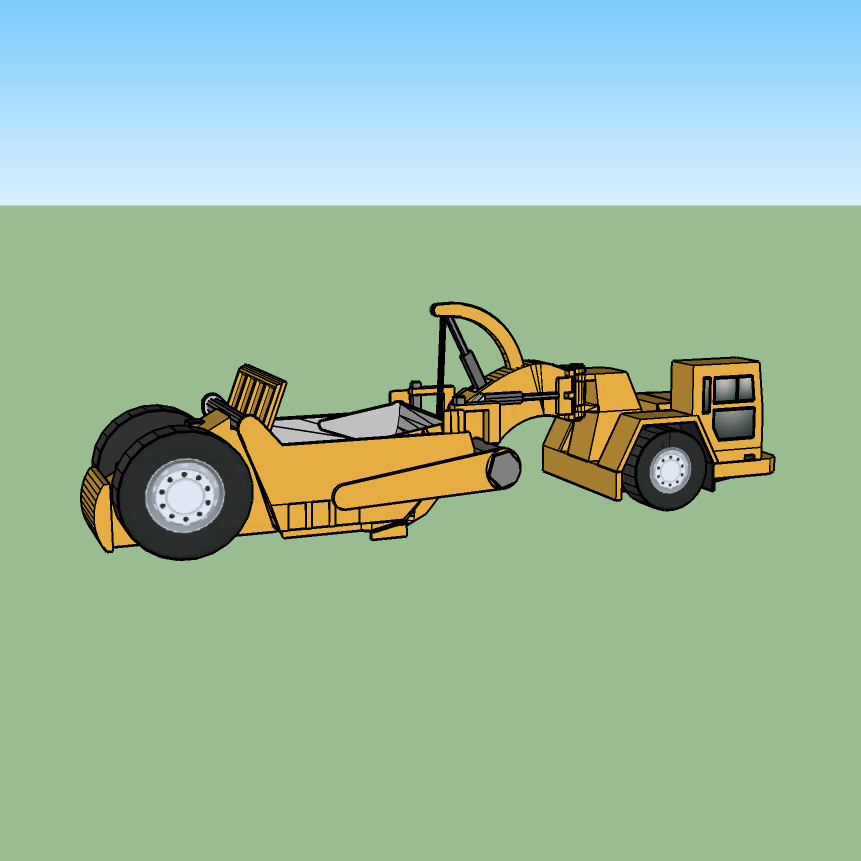
Fixed model is attached below:
@oxer said:
Fantastic plugin but I work on mac, is there plan for macos support?
Good news: I'm working on a macOS version of plugin. Stay tuned!
@paladinjnr said:
Hi
I have installed the plugin in my SketchUp 2018 , absolutely brilliant
how ever I am having a problem with textures , models import fine but no textures, which format should the textures be , I have tried dds and png
Could you please upload whole folder (model and textures) to a file hoster? This way I could debug it.
@glro said:
Hi, i tried your plugin
It worked for a OBJ file
but not for this DXF file (joined)
do you know why?
Hi,
Import fails because filename contains a '#' character.
Substitute '#' with '_' and import will be succesful.
1.0.1 version adds:
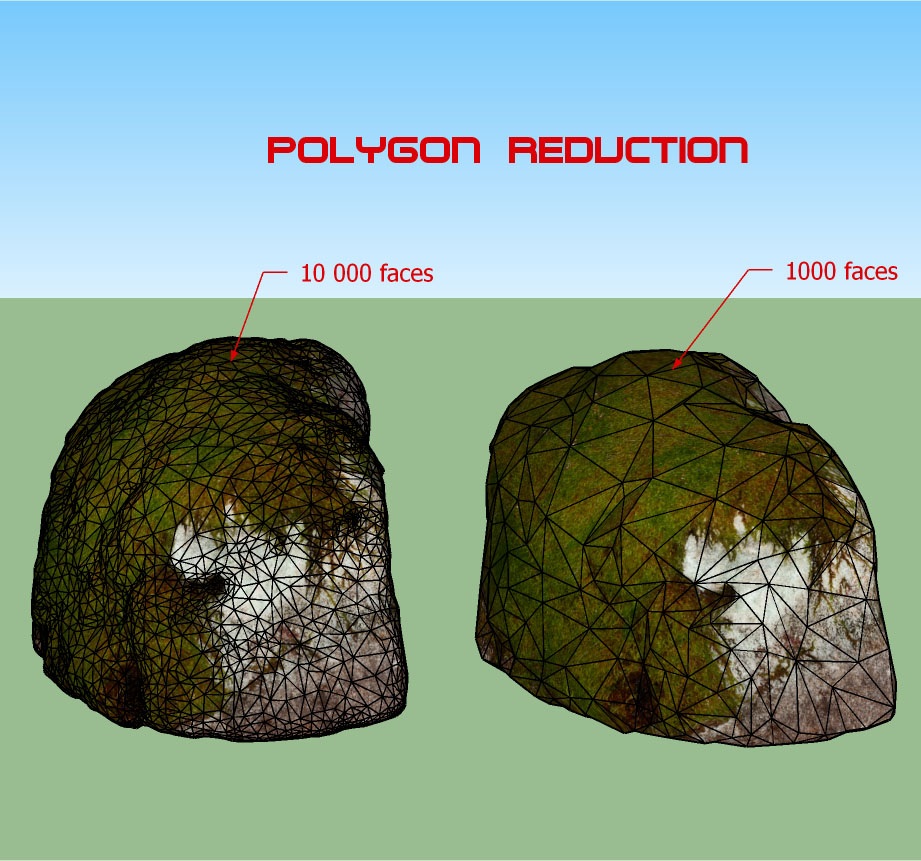
Download latest Universal Importer plugin from SketchUcation PluginStore.
@pixero said:
[...] Does it import textured objects?
Yes. If input model has only one material: select material texture at second step. If input model has more materials: you can ignore second step because materials should be automatically loaded:
Hi!  Here's a free new SketchUp plugin: Universal Importer. It imports more than 50 3D file formats*. Bonus: You can reduce polygon count of imported model or existing model.
=> You can download it from SketchUcation PluginStore.
(*) Supported formats:
1.1.8 version memorizes user settings.
Download latest Random Entity Generator plugin from the SketchUcation PluginStore.
1.0.2 version:
Supports decimals.
Adds three params:
Number of cuts
Cutting direction
Hide cut lines?
Download latest Cut By Altitude plugin from SketchUcation PluginStore.
