have you got a reference image for the backside?
Oops, your profile's looking a bit empty! To help us tailor your experience, please fill in key details like your SketchUp version, skill level, operating system, and more. Update and save your info on your profile page today!
🚨 Skimp | 25% Off until March 30 Buy Now
 Offline
Posts
-
RE: Interesting Shape -How would you go about this shape?
-
RE: [Plugin][$] Vertex Tools
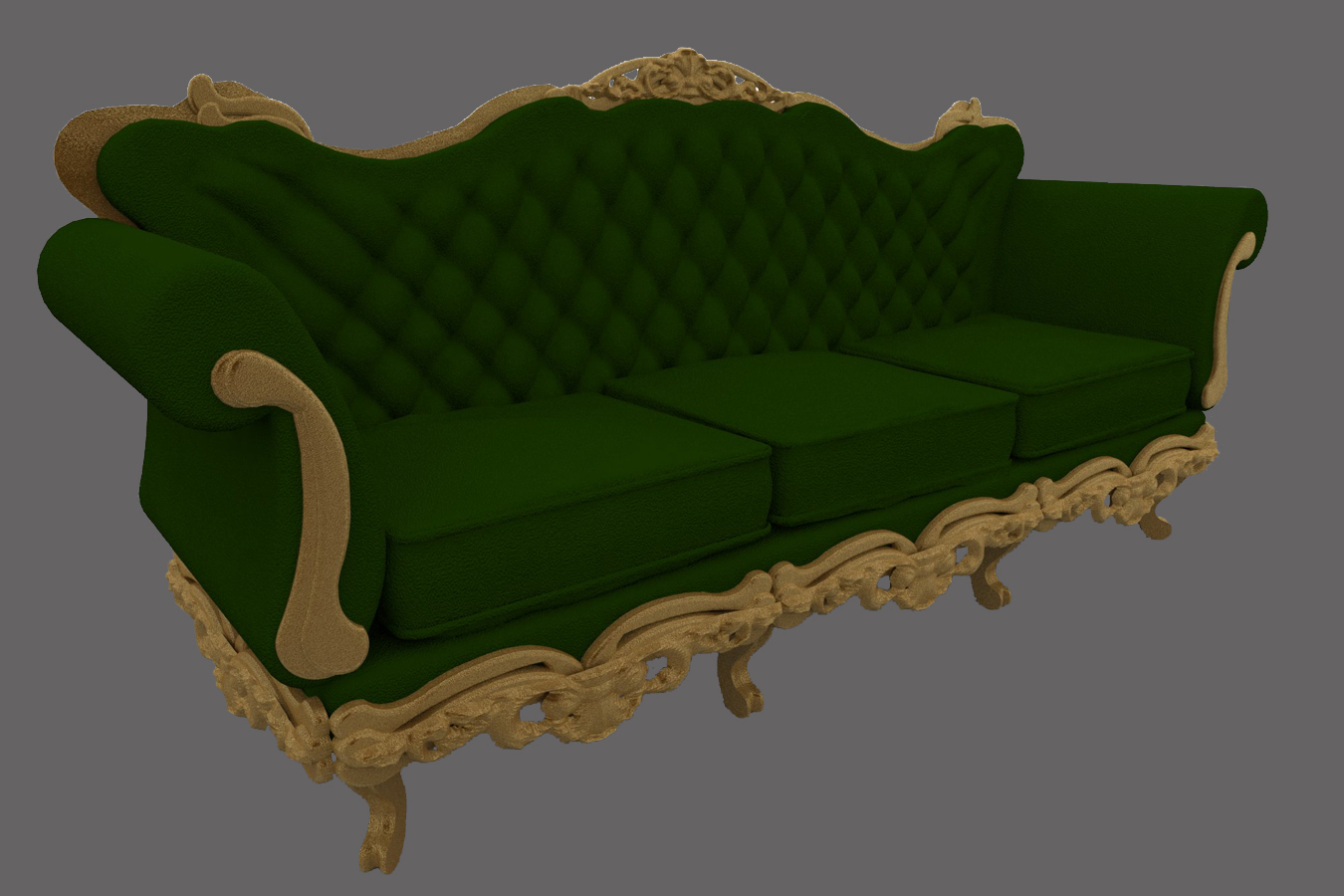
i have to model a couple terrific of old sofa/chairs and tried to figure out how to do this.. at the end i managed to do this without using neither vray displacement or artisan/blender wathever subdivision modeling.. just the combination of your brilliant mesh from eightmap plugin and of course VT.. faster and more effective than whatever i could dream of..
this is a fast draft anyway, i plan to try a better one, but so far way better and easier than i expected at first.
once again, thank you.. -
RE: Translucent Materials - Curtain Sheer
into the light cache set "passes" to the number of actual threads you have on your pc.
check your windows task manager to see if your pc supports 1, 2, 8, wathever.. threads -
RE: Translucent Materials - Curtain Sheer
@faemow82 said:
I removed the refraction, kept the diffuse the same and it rendered fine but slightly slower.
now.. this sound quite "unusual"
-
RE: Guessing how instancing is gona work
@andybot said:
RT generally works instantly on the lighting/ camera position/ material definitions. The mesh has to be exported again if you make geometry changes to objects in the scene ..... However, I think a CUDA card will be on my xmas list.

have a quick look to the whole scene and lighting is still "magic", considering i spend the most time in setting to properly place the camera, adjust sun/lights etc..
and i just got a cuda card so.. can't wait!
but, if one can't see the proxy group in the viewport or move it in rt preview, how the placement/snapping of this object will be fine-tuned? -
RE: Going crazy with smoothed reflective surfaces
ok i will try 40 subdivs. thank you sir.
-
RE: Going crazy with smoothed reflective surfaces
mmm.. actually quite low (err..
 default
  reflection subdivs in image 2-3-4 but 20 subdivs for the steel in image 1 wich is getting the same issue.. i will try to rise all of them to maybe 24 nex shot..
but.. what about with the fresnel parallel set to black? do you think is that ok? how parallel exacltly acts? i can't find some good tutorial on that..
thank you -
Going crazy with smoothed reflective surfaces
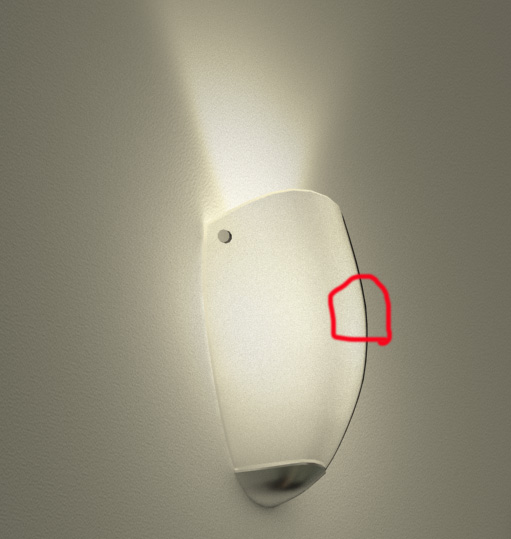
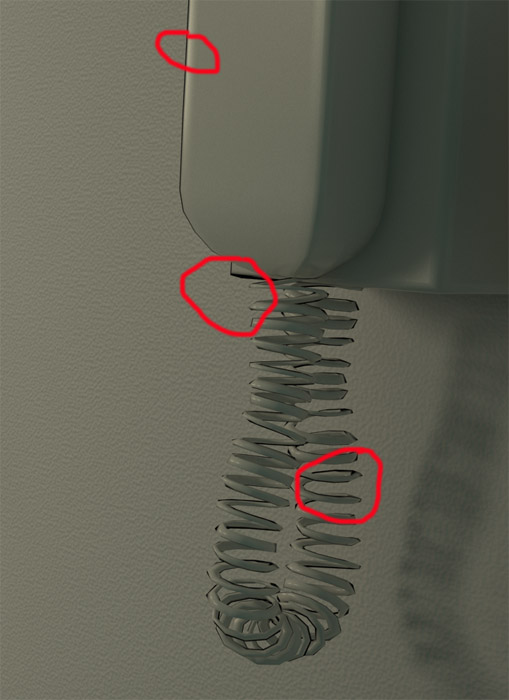
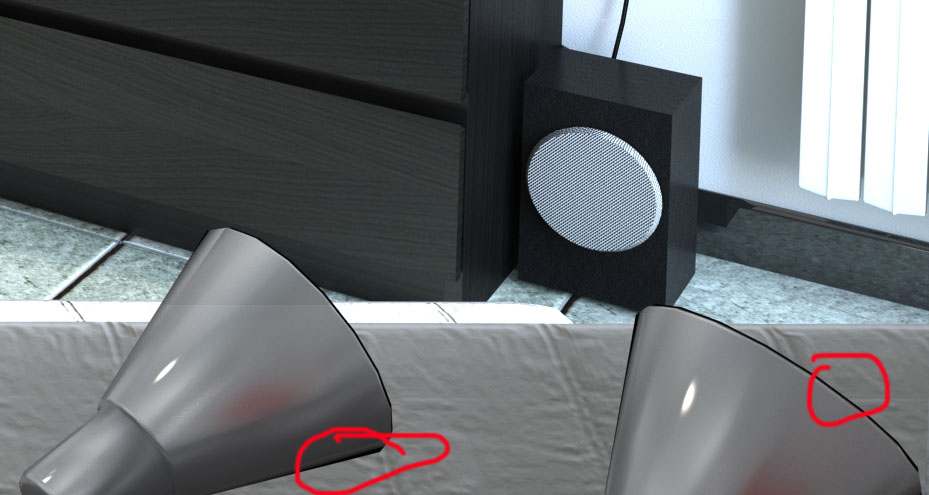
i have those strange artifacts on object borders. the borders are rendered black on smoothed surfaces with reflections.
how can i get rid of this problem??
maybe i have to set properly the parallel fresnel colour (i don't know how it actually acts, so i leave it to default black every time) i suspect this because smoothed surfaces without reflections are not affected by this issue..
the only way to reduce the problem is to raise a lot the policount, but it does cost ram, and most important it actually does not 100% solve the problem..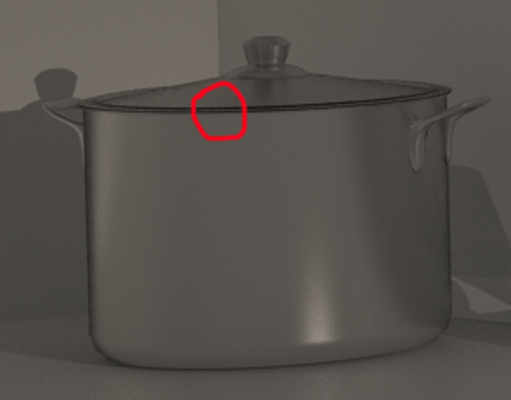 [attachment=2:1dr8bijl]<!-- ia2 -->artifacts
2.jpg<!-- ia2 -->[/attachment:1dr8bijl][attachment=1:1dr8bijl]<!-- ia1 -->artifacts
3.jpg<!-- ia1 -->[/attachment:1dr8bijl][attachment=0:1dr8bijl]<!-- ia0 -->artifacts 4.jpg<!-- ia0 -->[/attachment:1dr8bijl]
-
RE: Guessing how instancing is gona work
-
RE: New Release Sneak Peek!!!
nice.
will the new vray support layer animation and/or texture animation? -
RE: Guessing how instancing is gona work
thank you thomthom very nice videos, but they didn't fully answer my question, the point is: will instancing work WITHIN the rt engine? or they will be available only for the final render? (as shown in the video above)
-
RE: Guessing how instancing is gona work
were i can find some video/demo of the proxy thing (maybe related to vray 4 rhino)?
and how does it behave with rt engine?
as far as i understood, the proxy is an heavy poly mesh linked to a low poly object in the sketchup viewport, is that right?
for example (if i figured well the wole thing) i can place 2d billboard trees in an exterior scene in SU and link to the billboard component a hi poly tree model.. now in the rt preview what will be shown, the billboard version or the hig poly one?
sorry for my bad english, i hope the question is understandable -
RE: 2D trees Shadow problem
@bocomofo said:
have you checked the use 'colour texture as transparency' in the diffuse rollout.
he did it for sure, elsewhere transparency would have not worked in the diffuse

I would rather check if the material was properly applied to the backface, cause that can lead some problem. i suggest check if the material is applied on the front face (turn on monocrhome mode and check) and then use "frontface material to backface" from thomthom's UV Toolkit -
RE: A quest for better understanding of textures
@eidam655 said:
-
rock/noise pattern. is not affected by UV repeat values.
-
smoke/noise pattern. is not affected by UV repeat values.
-
snow/noise pattern with alternating alpha. is not affected by UV repeat values.
-
speckle/noise pattern. is not affected by UV repeat values.
-
splat/noise pattern. is not affected by UV repeat values.
-
presumably stucco/noise pattern. is not affected by UV repeat values. sadly,
-
is not affected by UV repeat values. in fact, it's the same case as with Stucco. a
-
is not affected by UV repeat values. i
my 50 cents to help your quest.

recently i discovered that for the textures rock - stucco - smoke - snow - speckle - splat - water you should untick "use 3d mapping" to enable UV tiling control. -
-
RE: CatchUp Edition 15 - BIM, Fur and Chairs
great edition as ever! very intersting! congrats!
-
RE: VRAY render not working
@purplemesh said:
Thanks Marcello, but i figured out the problem,for some reason v ray would not render with lights, as soon as i deleted my lights, it began to render without any problems. I'm not sure why this happened though..
did you make the light a component? if so that's the problem. there is a bug that crashes vray if you take the vray light group and make it a component.
if you need it to be a component i suggest you group it with some other geometry and then make a component out of this new group. (i find the most reasonable thing to do is group the vray light group with the light/lamp fixture group and then make the light+fixture group a component and it will work nice even if you copy it)
sorry for my bad english

-
RE: [Plugin][$] Vertex Tools
nice! i was here to do the same exact request because i just modeled an hanging cloth and found that having an option of "only connected" for soft selection would be really cool.. i know 3dstudio max has a sort of cloth simulator, but i find 3dsmax is.. how can i say.. a "bit more expensive" than your tool..
oh.. and "merge to point" rules!!! go for it!
-
RE: VRay Toys - On Demand not working
if i don't remeber wrong you have to uncheck it from window/preference/extensions before you can load it on demand.
hope it can help -
RE: VRAY render not working
i think (and this is not true for sketchup or vray only, but for most apps) that when you format and resume a pc, or simply move a project from a machine to another, that you should first of all make sure you rebuild the same path for all linked files.
otherwise all the links in your project will be broken.
for example, in your case, is it possible that your project needs you to reinstall the folder/folders containing all the bump, reflect maps, etc.. in order to properly display rendered materials..
so, are you sure when you re-installed your project data you re-create the very same footprint for all of the project folders?