@stefanq said:
WOW! What a beautiful composition! I love the grass to! How do you match so nice colors and textures?
Oops! You are the PROFESSOR!

thanks stefan..
@stefanq said:
WOW! What a beautiful composition! I love the grass to! How do you match so nice colors and textures?
Oops! You are the PROFESSOR!
thanks stefan..
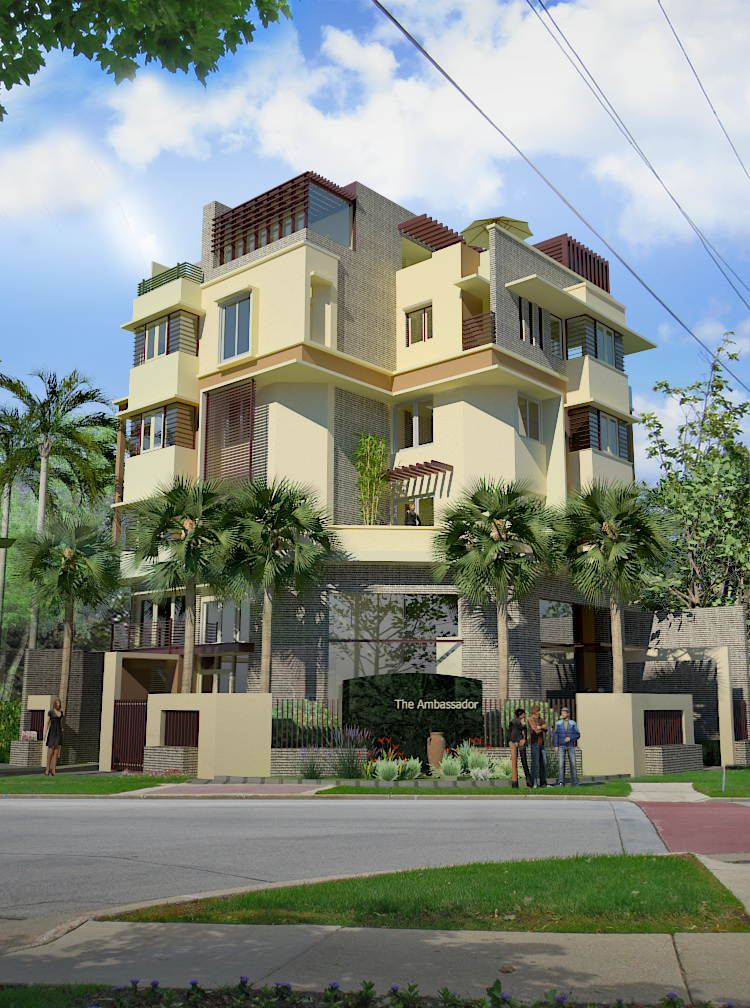
exterior is my achiles.. but i must produce an exterior shot with this project. hope you like it. Sketchup+rendered in vray+ photoshop background and foreground.
or a function, say you want to offset something and then perhaps type something in vcb like (4x) and there will be an array of that offset
something like ist offset is 1cm from the original, then if you press 4x in vcb, the 2nd offset is 2cm from original, third is 3cm and 4th is 4cm.
or another option is if you want to offset multiple offset. before you can enter the offset line, an option can be how, many times you want to offset... gggrrg. sorry im running out of words. but hopefully you know what i mean.
@jenujacob said:
that would be really handy... kinda like the 3dsmax cameras.... though i cant immediately think of any use here since SU doesnt support object animation....
jenu... no one will know since su is keep on developing.
@chris fullmer said:
ok, the plugin was never released for version 6 due to some bug (that actually existed in version 5, but no one noticed or cared). So here is a link to the version 5 plugins page. Scroll down and look for the film and stage plugin. It should work just fine, or pretty good at least.
Hope that helps,
Chris
thanks chris... will try it.
@jim said:
Ok, I think I understand now. You would like a camera Component so you can manipulate it. So you insert a new Camera, move it, rotate it, etc. Then you could right-click and select an option "Use this Camera", or query the camera for it's position, distance to target, field of view. Is this correct?
exactly jim... and even put it in tight space. i think when you have walls behind too, you ca n save a lot of time. coz sometimes, getting an angle near a face is so difficult where you can just suddenly behind this wall. and scrolling back again, then diffuculties happen again.
thanks jim for highlighting that. sorry im so noob with those coding.. how shall i use the code that you have attached?
why a lot of things which i would think vetr useful. if i know the distance of the camera with the objects, playing DOF with vray will be easy.
On the other hand i have not really look at film and stage plugin. i thought this was just a collection of components.
@matt666 said:
Where did you see sculpting tool ? I love "numeric engraver" !! Incredible. A follow-me-tool-like... Select face to extrude and select a profile.
of course its not on those 6 videsos. but on the same page you can see manual drop dwon there.. if you open the manual of LWCAD 3.0 you will see it there. and by the way that manual is awesome, it has the videos to see how the tools are being used. very user friendly. its better than reading tons of stuff.
a request is a camera with its own proxy, that you can view in the default SU camera. but if you hit another camera button then, it will override the SU camera instead, and now you are using the view of that new camera.
thanks chris. with that i will look at that one.
but do you think i will able know the exact distance of my camera to the object then?
i went to hypershot site. and i must say im impress so far. stefan since you aree using vray how s the renderign time compare with vray.
love that scultping tool too. i love the video manual.. mm so many that i love. my first time to see this soft even. but if really can make a ruby like that. wow///
would it be possible to have a ruby that create a new camera other than the default sketchup camera. and then in animation you can even let the camera to follow a path...
by having a new camera you can even control and identify its actual location.
this is what imean always at asgvis whe you are using vray. imho, if you are trying to use all these artificial lights (without sunglight)... do not use the camera yet. it will greatly confused use without really knowing how vray works.
you see in vray sun, is very bright, so you need to use your camera in order to balance the harsh lighting.
like what stinkie said, why not visit the main vray site. there are even basic tutorials there.
that black there is because of the camera). in order to correct it. 1. read the manual 2. if you are lazy to read the manual, then you either increase your light multiplier for your omni or rect lights or you have to adjust the camera exposure...
ungrateful
irrespectful, especially to their parents
impolite
hippocrite
dishonest
and sometimes my bad attitude. i blew it then do it again....
hahahaha
anyway still like ross old saying back in the beginning of this thread..
all the above we can always meet them, but one thing that i will always want to learn how my character will be molded by the above.. 
nomer here... i jump immediately with rendering even the model is not yet finish.
2 be honest. this is my first time of seeing it. and looks awesome.
cool and those trees are great. love the water.
one of the best i have seen using subdivide.... and surely i will follow yu advise. it just raeally a matter of testing right.
ok mouthshut...completely speechless  . Excellent Jacques.. with admiration.