@wacov said:
I'd like a full-screen viewing mode, and a few more rendering options (i.e. shader settings for materials). And yeah, selecting vertices would be useful
Cool, I like the idea "For the free version especially".
@wacov said:
I'd like a full-screen viewing mode, and a few more rendering options (i.e. shader settings for materials). And yeah, selecting vertices would be useful
Cool, I like the idea "For the free version especially".
@gaieus said:
Hm. It does seem so. Want me to put this topic into the SU Bug Reports instead?
As for no answer, note that it was week-end (as well as some of the GSU Folks are on vacation) and also it's really hot (at least here).
Yes - Please.. ~Thanks.
Is there a way to fix this, when I search for models in the 3D Warehouse I cannot pass 800 results when there were more the 800 results in the 3D Warehouse: For example I searched for youtube in the 3d warehouse and I got 876 results, but It stops at 800 - I cannot see the other 76 results... Is there a way to fix it? I cannot seem to get any response on the Google SketchUp Help forum..

@unknownuser said:
@mpowell1234567890 said:
Cool, I noticed the the jointpushpull.rb attachement on this forum dated August 2nd. It is the updated version vurses the older version on the 1st page of this forum?
It just fixes the problem signaled by Simon, which only deals with the French translation. There is no other change. So I am not sure you need to download it.
I'll publish soon an update to LibFredo6 to fix this bug.Fredo
Cool, thanks. Just checking because last time I tried to use jointpshull.rb a while back, it kept creating bugsplats everytime I selected a surface to pull.
Cool, I noticed the the jointpushpull.rb attachement on this forum dated August 2nd. It is the updated version vurses the older version on the 1st page of this forum?
@unknownuser said:
Simon,
This has nothing to do with HoverSelect, but with LibFredo. The bug is more subtle than that: it is actually related to how SU and dialog boxes handle accentued characters in drop down controls.
It only exists in the French version of JPP, because of the text "Bordures sur les faces extérieures", which contains an accent.
As a result, any call to the dialog box via TAB would make the Border option void.
In any case, you can change all options using Function keys (F5 to toggle for Thickening, keep face, erase face) for instance, or via the Contextual menu. This works regardless of the above bug.
Attached is a quick fix to JPP (just removed the accent), but the real fix is in LibFredo. I simply need more time to make it and validate, as this is now shared in all my plugins.
Fredo
PS: Thanks to advise is OK
@remus said:
@mpowell1234567890 said:
That would be cool, especially they can fix the clipping bug in large models that are more then 6000' in diameter.
Thats an openGL thing, if i remember correctly, so could be tricky to fix.
Is there a way to find updates for OpenGl? I looked everywhere on the net but cannot find it..
@kwistenbiebel said:
My wish:
A rewritten solid Sketchup core, adapted to nowadays technology and conceived as an open source platform.
Plugins could still be commercial. Google can decide to make their own plugins or let 3td parties develop them.
Those could be called 'apps' and sold in an I-tunes kind of web system. (game development apps, modeling apps, rendering apps,3D physics simulation,3D scientific apps,3D medical apps, etc..etc...)Google is doing it with Android and chrome OS, so why not an open 3D platform?
Hasn't been tried before....might work!Besides the commercial plugins, maybe even some obscure ones? I can imagine someone fixing the carmack shadow bug as an underground project
This all might be the best solution for Sketchup to have a future.
Let's face it: Sketchup as a tool for Google Earth won't make it. Nowadays there is better technology (ask Thomthom) to get a 3D world built than doing it manually. Besides, it would take a 1000 years to get the world populated with 3D manually.And I don't see Google engaging a market they don't know anything about, which is the CG, graphical and architectural world.
Producing SU as a solid open source 3D platform might prove to be a viable option and could open '3D' up in ways google didn't even think of.Time for Google to take a chance and innovate.
That would be cool, especially they can fix the clipping bug in large models that are more then 6000' in diameter.
@pixero said:
I'm hoping to see a working fbx import and export.
Cool, that would be great in the free version of Sketchup 8 along with 3D Max functions.
I have several things to add to Sketchup 8 free wish list:
Help, I cannot get it to work..
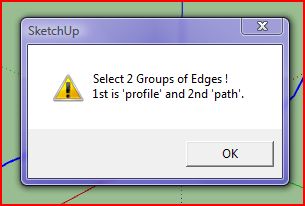
Is there a way to fix it?
@tig said:
EDIT:
1.1 20090625
Speed improvements - face making time ~halved,
typename >> kind_of?, triangulation glitch trapped
and orientation improved.
1.2 20090625
Orientation speed optimised.
Glitch on groups erase fixed.
1.3 20090626
Edges not facing in convoluted shapes trapped.
1.4 20090707
Triangulation improved. Rare intersect glitch fixed.
This is extrudeEdgesByEdges.rb - it does what its name implies...
[attachment=2:t7jruxbl]<!-- ia2 -->ExtrudeEdgesByEdgesExample.png<!-- ia2 -->[/attachment:t7jruxbl]
[attachment=3:t7jruxbl]<!-- ia3 -->ExtrudeEdgesByEdgesEsamples.skp<!-- ia3 -->[/attachment:t7jruxbl]
[attachment=1:t7jruxbl]<!-- ia1 -->extrudeEdgesByEdges.rb<!-- ia1 -->[/attachment:t7jruxbl]
Cool, Sounds great. I like the idea. 

I cannot afford $500 to $800 for the Pro Version though - takes too long to accomplish that..
However, I do wish that the free version has what the pro version have in the program...
Cool Plugin - Whre can I find the plugin?
Cool. Thanks. 
@thomthom said:
@mpowell1234567890 said:
I noticed that it left behind hidden geometry on each corner to where it bends, is that normal? I was checking. Thanks.
Yes. That's currently by design. it generates a road segment per edge. So if have two connected edges. and run the Make Street command on each of them separately, it'll still work.
I have an HP with Microsoft Windows Vista Home Premium 64-bit.
I finally figured it out, took a while. But, finally got it to work when putting the files in the correct place. I must of had it in reversed. Is this normal, I applied the street generator to the lines, I noticed that it left behind hidden geometry on each corner to where it bends, is that normal? I was checking. Thanks.
@thomthom said:
And there isn't a copy left in the plugins folder?
Is the Core file also updated?btw: are you on a mac?
Yes..
@thomthom said:
Did you place it in the correct folder? It's going into the "Plugins\City_Gen" folder, not "Plugins".
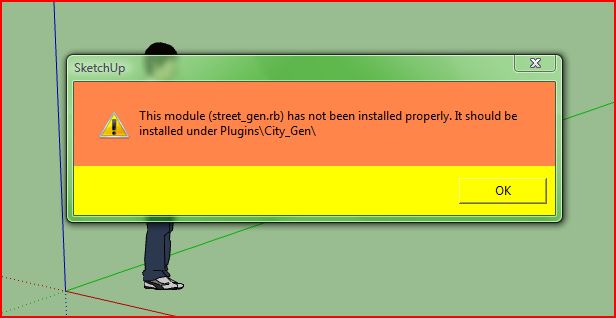
I Tried re-downloading and installing it. I got the following errors:
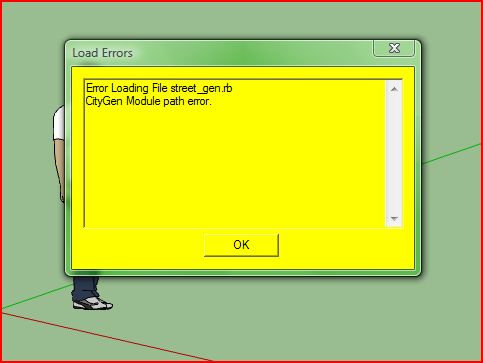
@chris fullmer said:
I think that error was already reported and fixed. Try re-downloading and installing it. Let me know if that does not work,
Chris
Is there a way to fix this error?
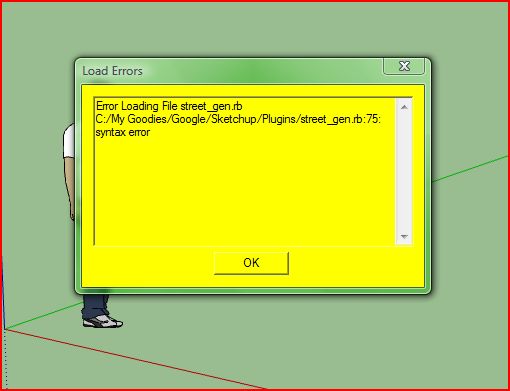
@unknownuser said:
@thomthom said:
Close, but still not 100% the correct thread. This is the Core thread. Not the Street Generator.
(I had a feeling making all there threads would be confusing. But how would you avoid confusion of the discussion on all the modules where in one thread?Someone got a suggestion to how we can do this?)
(I'll post the answer in the Street Generator thread sepo.
)
I am affraid that forum is not the best option to collaborate on project like this... at least not in the long run. I do not want to turn you away from SketchUcation forum, which is great to discuss things, yet it does not provide (nor does any other forum) things like version control, task tracking, ... which you will definitely want. Maybe you shuould consider something like GitHub, which seems to be very popular choice for OS projects these days? It can make collaboration on project like CityGen much more manageable and easy...
Triple click on the model, Right click then select reverse face.
Then "With the whole model selected" use the same material sample and apply it to the model.
@unknownuser said:
Look at the City Gen Street Generator by Thom Thom
Draw your lines, Call the Plug
Select surfaces and make a Multiple Push Pull (random or not) with the Didier Bur Projection plug
Of course it's just valuable for rectangular forms section as shown on your exemple above
For rounding form section it's another story(line2tubes by Didier Bur)
For any forms section plug must be researched
[attachment=0:hi11w0ku]<!-- ia0 -->line2.jpg<!-- ia0 -->[/attachment:hi11w0ku]
Cool, thanks.
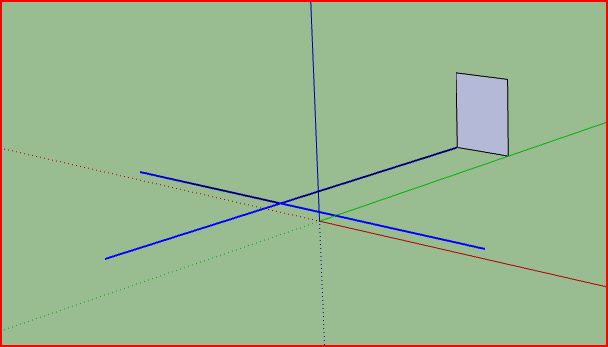
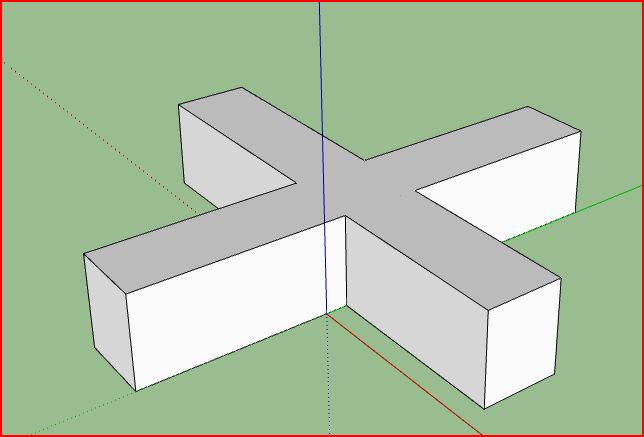
Heres what I was explaining of a ruby script that ables a follow-me tool to cross multiple lines "For example: a cross using any shape"
For example:
In Picture 1, the lines in blue are selected.
In Picture 2, The follow-Me tool is applied making the cross.
"Except, I did it in 4 separate processes instead of selecting all the lines."
I like for it to do it in a way where I can select all the lines, and when the Follow-Me tool is applied, It would even cross path's of the crossed lines at once.