ms Dims-O
(v1.0.0)
Description: ms Dims-O (O stands for Overlay) provides an elegant, real-time HUD (Heads-Up Display) for SketchUp 2023+. Using the new Overlay API, it instantly displays the X, Y, and Z dimensions of your selection.
- Activate the extension (Extensions > ms Dims > Activate HUD, click on the icon or assign a shortcut);
- Select geometry or an object (group, component) or several;
- Information about the object dimensions appears on the screen in the lower right (you can change the position in Extensions > ms Dims-O > Settings).
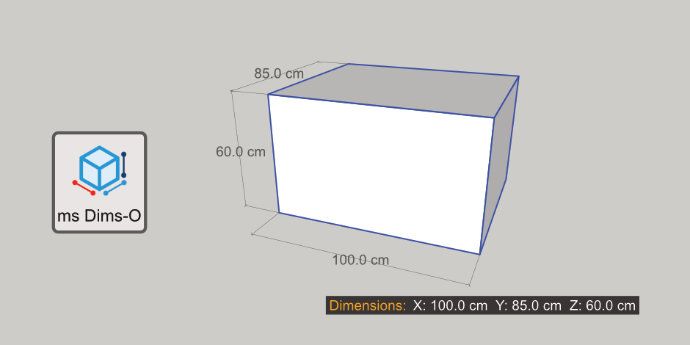
Key Features:
- Automatic Detection: Shows dimensions for Geometry, Groups and Component Instances.
- Scale Warning: The "Dimensions:" label turns RED if the selected object has been scaled, warning you that reported dimensions might not match the internal geometry.
- Customizable: Change text size, label text, and position (4 corners) via the Settings menu.
- Non-Intrusive: Works as a native Overlay that can be toggled on/off via the Overlays panel or the included toolbar.
Installation:
- Download the .rbz file;
- In SketchUp, go to Extensions > Extension Manager;
- Click Install Extension and select the downloaded file;
- Ensure the extension is enabled in the Overlays panel (Tray).
COMPATIBILITY:
SketchUp 2023+
AUTHOR: Gemini AI for ms
LICENSE: GNU GPL
Inspired by Qol Hud-Dimensions (Blender).
Download: https://sketchucation.com/pluginstore?pln=ms_Dims_O
YouTube: