Thank you, TIG!
I will tell Google Gemini AI to take your information into account for future extensions.
Have a nice day!
Oops, your profile's looking a bit empty! To help us tailor your experience, please fill in key details like your SketchUp version, skill level, operating system, and more. Update and save your info on your profile page today!
Check out Febhouse | New extensions for Shadow Analysis in SketchUp Download
M
Offline
Posts
-
RE: [Plugin] ms Dims-O
-
[Plugin] ms Dims-O
ms Dims-O
(v1.0.0)
Description: ms Dims-O (O stands for Overlay) provides an elegant, real-time HUD (Heads-Up Display) for SketchUp 2023+. Using the new Overlay API, it instantly displays the X, Y, and Z dimensions of your selection.
- Activate the extension (Extensions > ms Dims > Activate HUD, click on the icon or assign a shortcut);
- Select geometry or an object (group, component) or several;
- Information about the object dimensions appears on the screen in the lower right (you can change the position in Extensions > ms Dims-O > Settings).
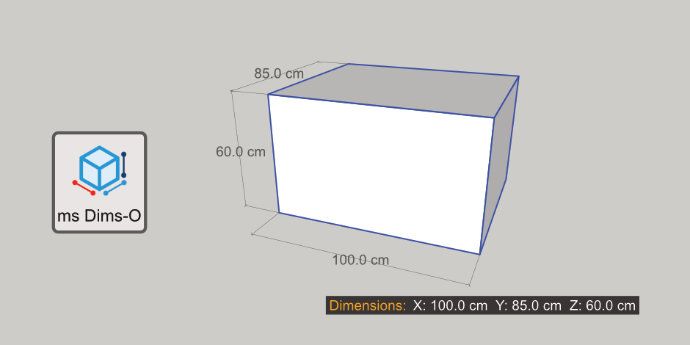
Key Features:
- Automatic Detection: Shows dimensions for Geometry, Groups and Component Instances.
- Scale Warning: The "Dimensions:" label turns RED if the selected object has been scaled, warning you that reported dimensions might not match the internal geometry.
- Customizable: Change text size, label text, and position (4 corners) via the Settings menu.
- Non-Intrusive: Works as a native Overlay that can be toggled on/off via the Overlays panel or the included toolbar.
Installation:
- Download the .rbz file;
- In SketchUp, go to Extensions > Extension Manager;
- Click Install Extension and select the downloaded file;
- Ensure the extension is enabled in the Overlays panel (Tray).
COMPATIBILITY:
SketchUp 2023+
AUTHOR: Gemini AI for ms
LICENSE: GNU GPL
Inspired by Qol Hud-Dimensions (Blender).Download: https://sketchucation.com/pluginstore?pln=ms_Dims_O
YouTube:
-
RE: [Plugin] ms C2C Line 2P
Thank you, TIG!
I've submitted the extension for moderation. Thanks, Rich! -
[Plugin] ms C2C Line 2P
ms C2C Line 2P
(v1.0.1)
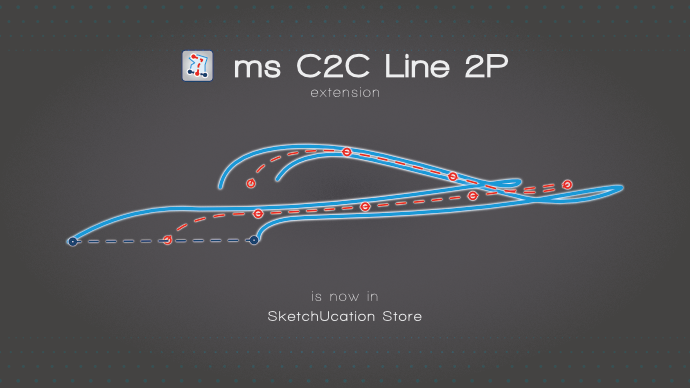
Description: ms C2C Line 2P is a useful extension for quickly drawing centerlines or complex guide lines. Unlike other tools, this one works based on pairs of points:
- Select the first two points -> The extension creates a guide point at their midpoints;
- Select the next two points -> The extension creates the second guide point and automatically draws a line between the two midpoints;
- Continue the selection to generate a continuous path based on midpoints.
Instalation:
In SketchUp, go to Extensions > SketchUcation > Extension Store:- search for 'ms C2C Line 2P';
- click 'Install'.
or
In SketchUp, go to Extension > Extension Manager; - click the “Install Extension” button;
- select the “ms_c2c_line_2p.rbz” file;
- restart SketchUp.
COMPATIBILITY:
SketchUp 2017 (Make & Pro)
SketchUp 2022
SketchUp 2026AUTHOR: Gemini AI & 3DxJFD for ms
LICENSE: GNU GPLDownload: https://sketchucation.com/pluginstore?pln=ms_C2C_Line_2P
-
RE: [Plugin] Axyz - v1.1a - 8 June 24
@Rich-O-Brien Hi, if it is somehow intentional, can you also please introduce the option that locked objects cannot be edited in any form? Thanks!
See video, please
Thank you for this extension, one of the most useful!