Cool competition!
Just wondering if I could model an entry at home on my FREE version, before uploading at work with my PRO version?
 Offline
Cool competition!
Just wondering if I could model an entry at home on my FREE version, before uploading at work with my PRO version?
Just stumbled across this topic, really very interesting indeed. 
Hi,
I'm just wondering if anyone can suggest the best way of doing a shape something A BIT like this? (What we're after has a bit more spacing, fewer arcs and no horiztontal spacers.

The vertical arcs would need to have a radius of 15mm too.
Cany anyone help?
Hi,
I have a site plan that I need to label up with leaders and text etc, probably in white colour due to the nature of the background.
This probably can't be done in SU I guess? So is it easier to do in LO? If so, how? 
Sorry for stupid question(s).
Much obliged.
IGNORE THIS.
For some strange reason, as ever, as soon as I type my problem into the forum (or alternatively, bring a colleague over to have a look) it works.
Sorry for bothering you!
I'm relatively new to LO and just wondering if it's possible to be able to show the GE snapshot that I've based my model on in the presentation? No matter what/how I insert the model into LO the snapshot is always missing. Is this not do-able?
Thanks in advance.
I have a large model size (25MB) and I am wondering if there is a way to be able to see the size of the various components and items within the model?
I've exported as a .dae file to see the texture file sizes but It's the actual size of the parts of the model I'm interested in.
Any suggestions much appreciated.
Thanks.
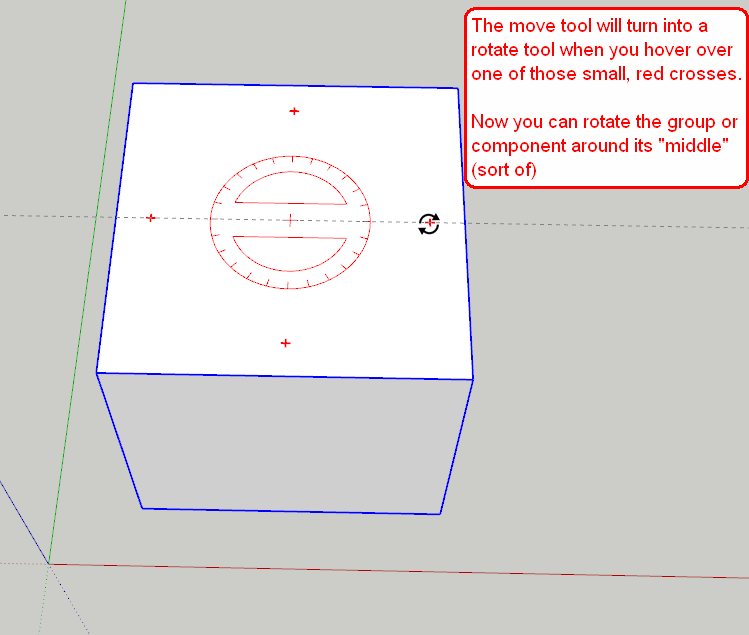
I've no idea if this has been covered before but one think I have just discovered (embarassing!) is the fact that when moving/rotating groups or components, rather than having to use the rotate tool (which can be tricky if the object hasn't a flat face, e.g a person or a tree) you can just use the move function and rotate with the little red crosses that appear on the faces.
I know this is probably old news but it saved me a load of time/heartache.
Thanks so much for takign the time to reply, Jean. I very much appreciate it. 
Thanks so much for all the brilliant input, I really appreciate it, will give them all a whirl tomorrow at work.
Cheers.
Hi (again!)
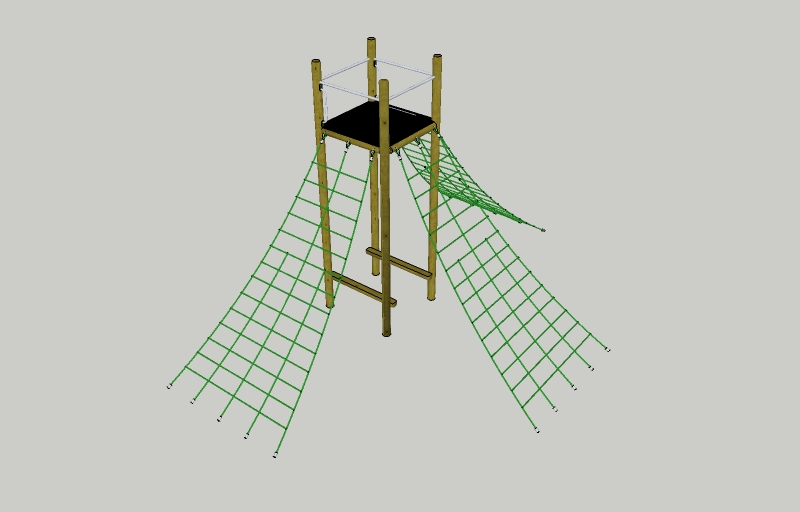
Just wondering what the best way would be to create a 'scramble net'?
When importing our symbols via .3ds into SU the files are huuuuge, the one attached is almost 7MB!  I've figured that it's the nets which are causing 6.5MB in file size in this particlular example so I am just wondering if anyone can suggest the best way to create nets like in the example below? I'd guess using a circle on the end of an arc, and use follow me? Am i anywhere near the mark?
Thanks again.
Hi all,
Just wondering if theres a way (or a plug in) that means I can create continuous arcs or bezier curves, of for example, a curved footpath? There must be an easier way than my current method of creating lots arcs, welding them together and offsetting them?
I have download the bezier curves plugin and know I can change the number of degreees, but this isn't really practical.
Any suggestions appreciated.
Thanks for the input, guys.
All a bit confusing, but thank you!
The company I work for is buying us SketchUP Pro to use for our designs. ( ) I want to install the eight hour trial so I can get to grips with layout before we updgrade to PRO. By initialising the 8 hour demo, will i encoutner any problems when we install the new Pro versions?
Similarily, if on my home PC and I install the eight hour demo, will I have problems when reverting back to the free version?
Thanks in advance.
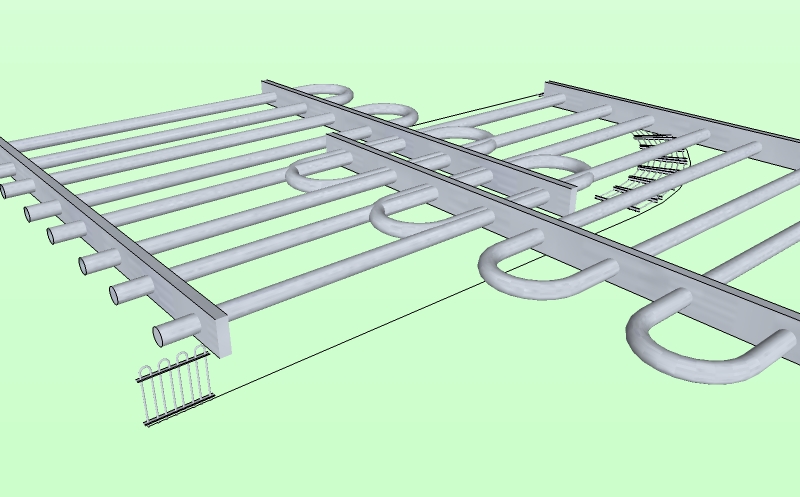
Yep, even when the blue axis is aligned, I still get the above results.
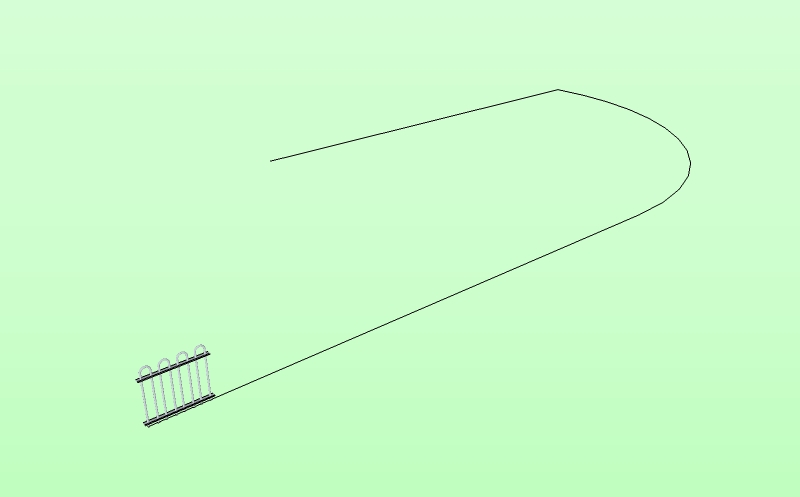
I've not scaled the fence panel at all, it is straight from the components.
Please can anyone tell me what I'm doing wrong with the Component Stringer plugin?
I'm following the instructions, selecting everything and then running the plug-in, but this happen!
Any help much appreciated!
Hi,
Just wondering if there's a way to create a new user-defined template that I can load up every time i start SU? I would like it to be in mm, without any profiles/endpoints etc.
Can anyone point me towards a tutorial or something?
Many thanks.
Lee