Post your gift here 
Oops, your profile's looking a bit empty! To help us tailor your experience, please fill in key details like your SketchUp version, skill level, operating system, and more. Update and save your info on your profile page today!
Sketchucation Tools 5.0.7 | Licensing improvements and bug fixes Learn More
 Offline
Posts
-
RE: Old Afgan ruin
Heres that pallet i said id post up, feel free to use it
Its gameready for Unity 3D and again ill remind you this was a tutorial in "Google Sketchup For Game Design" , great book and enjoyed the tuts within it
-
Share your models here :)
If you learnt from sketchucation, and what to give something back to those who helped, attach a model for others, give a discription and make it interesting, have fun with this trend.
Being working on texturing and decided to make my own texture from my GFs favourite painting in our home, its yours to take and do what ever you want to do with it, its my gift to you all
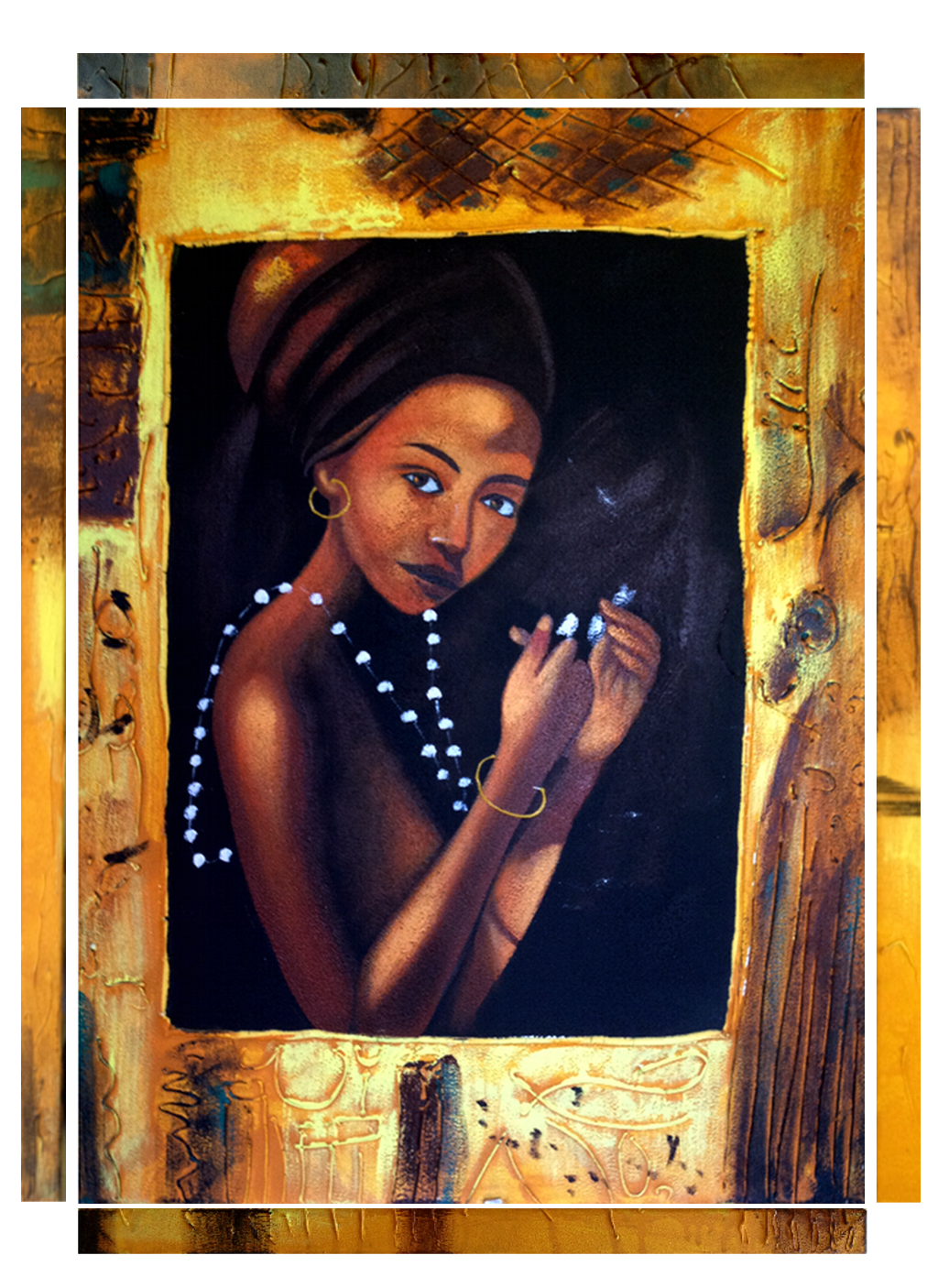
[attachment=1:20j0crgh]<!-- ia1 -->AFRICAN_WOMAN_CANVAS.skp<!-- ia1 -->[/attachment:20j0crgh]I hope to see this in someones interior renders some day, who knows, would love to hear some feedback on it

-
RE: Bvh file for sketchup
The BVH Animator plugin cant be found anywhere, i myself was fooled nto buying the hobby licence for this feature, which is supposed to be in the beta phase, i contacted the company who own the software (i dare not say their name) about this over 2 months ago, they replied telling me i would receive the download link within 3 days, but i didnt get it, so i waited, and waited, 2 more weeks had passed and i contacted them again and nothing, and i sent emails on a regular bases to them and still received nothing, part of the lience i payed for has customer support and im not getting this, in my views this is very unprofessional, its a disgrace, my recommendation is stay clear from this, a potentionlly great software run by clowns if you ask me.
-
RE: Bvh file for sketchup
@unknownuser said:
I followed the video but the problem is I can't open the BVH file. I've install the SAT plugin/extension,but still my sketchup 8 didn't has the toolbar to open BVH file.
The problem isn't you, it's them, they lied about this plugin, but like me feel free to contact them about it, iv done so many times and got nothing back, so be prepared to be disappointed

-
RE: Imperial Cruiser Kircheis.
That would be great, huge fan of your sifi modelling, very inspiring
-
RE: Bvh file for sketchup
@tig said:
Wasn't the 'animator' superseded by the 'animation tools set' ??
You really need to use the tool's forum as this is too specific here... unless a member is using the tools and would like to chip in...Waste of time Tig, their forums are not up and running yet, and their costumer services don't answer their clients, in other works they are a shower of beeps, they make me

-
RE: Imperial Cruiser Kircheis.
Love it , any plans to create an interior? Beautiful ship
-
RE: Bvh file for sketchup
Not that I remember, but I'm gonna ave a look into it now and see
-
RE: Old Afgan ruin
Awe I see you joined us on sketchucation Paladin, about time for you, welcome to sketchucation, I'm sure you will learn a lot here to improve your SU skills
-
RE: Bvh file for sketchup
I also have this installed but I don't have the BVH animator plugin, we're did you get this plugin?
-
RE: Glass Splash
I'm in awe here looking at that, fantastic work, how long did it take to construct? Render?
-
RE: Apple v Google in the Mapping Business!
@unknownuser said:
Just learned about possible Apple plans to dump Google Maps and launch their own system. After reading the following articles, I think this could be yet another 'dot to be connected' in Google SketchUp moving to Trimble story!
Is this a conspiracy your trying to spark here mike, lol, none the less it's very possible, is there a connection with apple and Trimble maybe, since Trimble have scanning capabilities they would be a high competitor to beat in this field, is this why they are requiring sketchup, interesting.
I like the look of the apple maps, looks fantastic, and the possibilities are huge, just looking at that video and seen how it could be used for flight simulations, military usage, I myself have used sketchup for instruction perposes in the Irish defence forces and it proved very useful, iv often taught wudnt it be great to virtually walk trough a battle scenario before carrying it out, these possibilities are looking very possible with apple maps, another taught, it claims it can provide crowd data for traffic use in real time by using gps location systems, drive a car simulation down a busy street with real time traffic, maybe I'm over thinking this but the possibilities are endless, if this is why sketchup is purchased by Trimble and if Trimble were contracted by apple to create this map system then the outlook for sketchups future opens more and even better possibilities, but again is Mikes spark of conspiracy after infecting my brain with rediculous taughts, lol.
-
RE: Zippo Lighter
ok heres my suggestion, and it worked for me, after ou get your shape bended stretched version move it up to the original and match up on each other, note where the stretch/bend takes place and slice the original into too parts on that line, with the left side rescale it to 1/4 sizeand reconnect the original, now it may look wrong but shapebend it again and theres your result

-
RE: Zippo Lighter
Ok iv run into the same problem with the stretch, ill play around with it more and see what i can do
-
RE: Old Afgan ruin
@ecuadorian said:
Thank you, Damien. Nice tut!
Your welcome, if anyone is doing something like what iv showen in the tut feel free to post your image here, and if you would like to add to it I would like to hear it here too, I'm not perfect, cheers again
-
RE: Zippo Lighter
@unknownuser said:
@numbthumb said:
This is what I had in mind: TOS and JPP - just an eyeballing, but it might give you an idea:[attachment=0:2b38ohpy]<!-- ia0 -->lighter.jpg<!-- ia0 -->[/attachment:2b38ohpy]
That looks about what I want but I can't draw a nice enough skull& crossbones!
You don't need to draw it of the tip of your head, download an image and import your image into sketchup and simply trace out the skull and crossbones
-
RE: Zippo Lighter
@numbthumb said:
This is what I had in mind: TOS and JPP - just an eyeballing, but it might give you an idea:[attachment=0:40xardmy]<!-- ia0 -->lighter.jpg<!-- ia0 -->[/attachment:40xardmy]
What Numbthumb has illustrated here explains everything iv said, notice how the skull is flat like the images you posted and not like the 3d skull you were trying to use, obviously Numbthumb only put up a quick illistration and more detail like in the images you provided can be added to your model, even before you use shape bender, using the skull and crossbones would not have worked, does this put it into perspective for you? If your not sure ask and I'll explain it further for you with more tuts
-
RE: Zippo Lighter
Ok your going about this wrong, look at the image of the lighter, the skull and bones wiuld be flat if not wrapped around the main lighter, that's how the skull and bones need to be modeled to be wrapped around your lighter, at present I'm not in front of my laptop but if I were I'd model the skull and bones for you, I will try tonight, do you understand what I mean about the flat surface, look at the skull your trying to use, it's curved, so shape bender can't do what your asking it to do, do you need help with modelling the skull and bones onto a flat surface? I can do this for you and have it posted up tonight