sketchucation logo sketchucation
    • Login
    1. Home
    2. hygicell
    3. Posts
    Oops, your profile's looking a bit empty! To help us tailor your experience, please fill in key details like your SketchUp version, skill level, operating system, and more. Update and save your info on your profile page today!
    ⚠️ Important | Libfredo 15.8b introduces important bugfixes for Fredo's Extensions Update
    H
    Offline
    • Profile
    • Following 0
    • Followers 0
    • Topics 3
    • Posts 76
    • Groups 1

    Posts

    Recent Best Controversial
    • RE: [Plugin] bim-tools 0.13.4(june 22, 2015)

      Hi Jan,

      somehow I must have forgotten to click on a "follow this post button",
      I thought this would go automatically
      so it is only now I see your prompt reactions, folks, sorry for that !!
      and thanks to all

      first I tried installing the new version using Thomthom's installer directly over the old one
      same error result

      next I first deleted the bim tools folder before reinstalling, again with Thomthom's installer
      errors eliminated as far as Bim tools is concerned

      thanks

      Frank

      @brewsky said:

      @hygicell said:

      when starting sketchup after installing BIM tools I get an error

      Hi Frank!

      Can you give this version a try?
      I removed the offending file 😄, see if it helps...
      [attachment=0:1h3u0vc0]<!-- ia0 -->bim-tools-0.12.1.zip<!-- ia0 -->[/attachment:1h3u0vc0]

      Cheers!
      Jan

      posted in Plugins
      H
      hygicell
    • RE: [Plugin] bim-tools 0.13.4(june 22, 2015)

      when starting sketchup after installing BIM tools I get an error:
      Error Loading File C:/Program Files (x86)/Google/Google SketchUp 8/Plugins/bim-tools/clsBtEntity.rb
      undefined local variable or method `' for main:Object

      please help
      Frank

      posted in Plugins
      H
      hygicell
    • RE: [Plugin] TT_Lib²

      maybe someone knows a way to disable the quarantine for one specific file inside Kapersky?
      I didn't know the way to do that,
      so took the radical decision to dump Kapersky
      installed ZoneAlarm instead.

      posted in Plugins
      H
      hygicell
    • RE: [Plugin] TT_Lib²
          :facepunch:  :rolling_on_the_floor_laughing:  :heart_eyes:  :sunglasses:  :sunny:  :smile:  :smile:  :wink:  :open_mouth:  :astonished:
      

      Your message contains too many smilies. The maximum number of smilies allowed is 15.

      posted in Plugins
      H
      hygicell
    • RE: [Plugin] TT_Lib²

      @thomthom said:

      Not all plugins can be enabled/disabled via the Extension list.

      a suggestion for a plugin or for sketchup?
      would make debugging fast and easy

      posted in Plugins
      H
      hygicell
    • RE: [Plugin] TT_Lib²

      I will proceed along your instructions

      posted in Plugins
      H
      hygicell
    • RE: [Plugin] TT_Lib²

      you must be hungry by now,
      so I have sent you a box of cookies (Belgian First Quality Pralines)
      Frank
      😍

      posted in Plugins
      H
      hygicell
    • RE: [Plugin] TT_Lib²

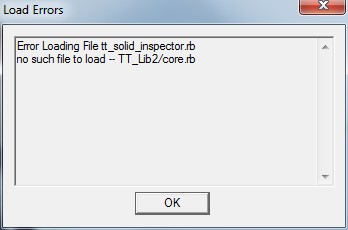
      I think we have established that ttVertex works, apart for the solids inspector error
      I am ready to do as you recommend

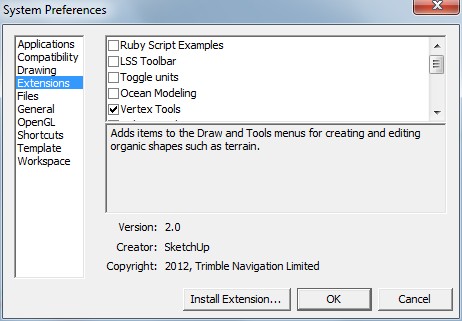
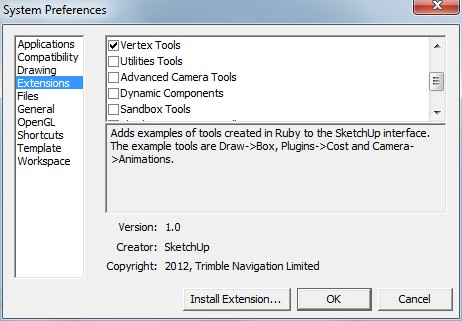
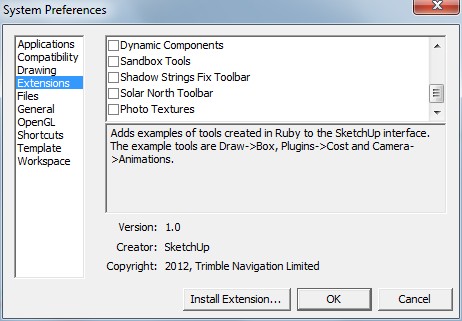
      thought it would maybe spare us some time if first I test with all extensions except ttVertex disabled in the preferences window:
      ScreenHunter_33 Oct. 10 13.45.jpg
      ScreenHunter_34 Oct. 10 13.46.jpg
      ScreenHunter_35 Oct. 10 13.46.jpg

      didn't do much good, quite the contrary 😠
      so I will proceed
      but while I start doing what you ask, maybe you can inspect if at first sight there might be a conflict that has been exposed:

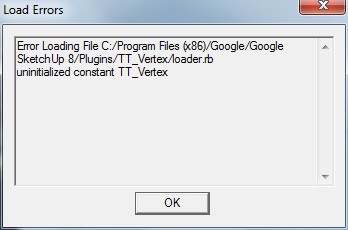
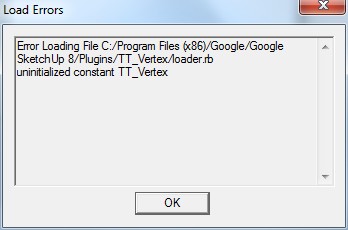
      Error Loading File C:/Program Files (x86)/Google/Google SketchUp 8/Plugins/TT_Vertex/loader.rb
      uninitialized constant TT_VertexError Loading File C:/Program Files (x86)/Google/Google SketchUp 8/Plugins/lss_toolbar/lss_blend.rb
      undefined method add_item' for nil:NilClassError Loading File C:/Program Files (x86)/Google/Google SketchUp 8/Plugins/lss_toolbar/lss_crvsmth.rb undefined method add_item' for nil:NilClassError Loading File C:/Program Files (x86)/Google/Google SketchUp 8/Plugins/lss_toolbar/lss_ctrlpnts.rb
      undefined method add_item' for nil:NilClassError Loading File C:/Program Files (x86)/Google/Google SketchUp 8/Plugins/lss_toolbar/lss_fllwedgs.rb undefined method add_item' for nil:NilClassError Loading File C:/Program Files (x86)/Google/Google SketchUp 8/Plugins/lss_toolbar/lss_mshstick.rb
      undefined method add_item' for nil:NilClassError Loading File C:/Program Files (x86)/Google/Google SketchUp 8/Plugins/lss_toolbar/lss_pathface.rb undefined method add_item' for nil:NilClassError Loading File C:/Program Files (x86)/Google/Google SketchUp 8/Plugins/lss_toolbar/lss_pnts2mesh.rb
      undefined method add_item' for nil:NilClassError Loading File C:/Program Files (x86)/Google/Google SketchUp 8/Plugins/lss_toolbar/lss_recursive.rb undefined method add_item' for nil:NilClassError Loading File C:/Program Files (x86)/Google/Google SketchUp 8/Plugins/lss_toolbar/lss_tlbr_common.rb
      undefined method `add_separator' for nil:NilClass

      posted in Plugins
      H
      hygicell
    • RE: [Plugin] TT_Lib²

      ... and it might be that I had installed solid inspector in between tests, as I was in the learning curve for solids
      which would probably explain the error

      please be more specific for both folders: empty completely or temporarily rename and create an emty one

      posted in Plugins
      H
      hygicell
    • RE: [Plugin] TT_Lib²

      1.a do you mean completely empty visualstore (or rename it and create an empty one)?
      1.b I think you mean: rename plugins folders, so that plugins is empty?

      2.a do you mean completely empty visualstore (or rename it and create an empty one)?
      2.b I think I tried that (without 2.a) with good results (see page 7, 2/3 down) except for the solid inspector error
      and, as said, I don't need solid inspector for the moment

      posted in Plugins
      H
      hygicell
    • RE: [Plugin] TT_Lib²

      I have tried so many things, and I don't remember the sequence

      I am learning to master solids, which is why I installed solid inspector
      at a certain moment it did work
      later I installed fixSolid, which does a nice job
      too bad it doesn't work on components yet

      since I am working on an important drawing for which I need my plugins I have reinstated the original plugins folder, but with 1001bit removed
      that didn't seem to help

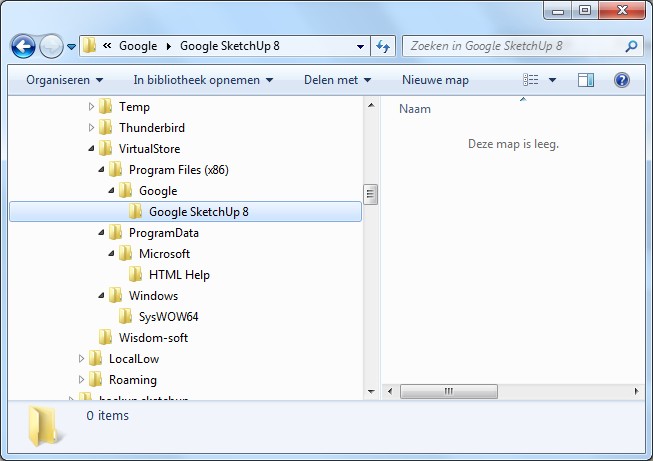
      the virtualstore plugins folder is now deleted, but I guess reinstalling 1001bit will recreate it
      ScreenHunter_32 Oct. 10 10.35.jpg

      for the moment I don't need 1001bit
      I can easily again rename both plugins folders (mine and the empty one)
      just tell me what to do
      thanks for your efforts and fast replies
      Frank

      posted in Plugins
      H
      hygicell
    • RE: [Plugin] TT_Lib²

      @dave r said:

      I don't know if this has anything to do with it but what is in the Google folder under Adobe?

      ScreenHunter_30 Oct. 10 07.21.jpg

      posted in Plugins
      H
      hygicell
    • RE: [Plugin] TT_Lib²

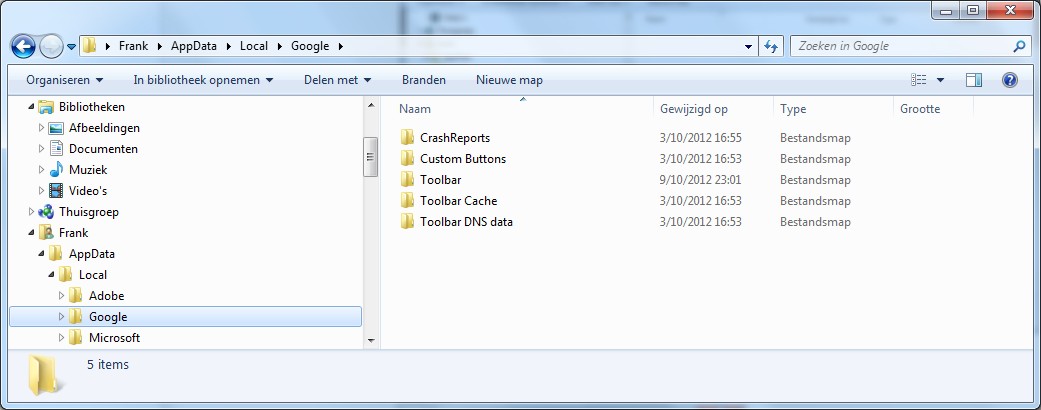
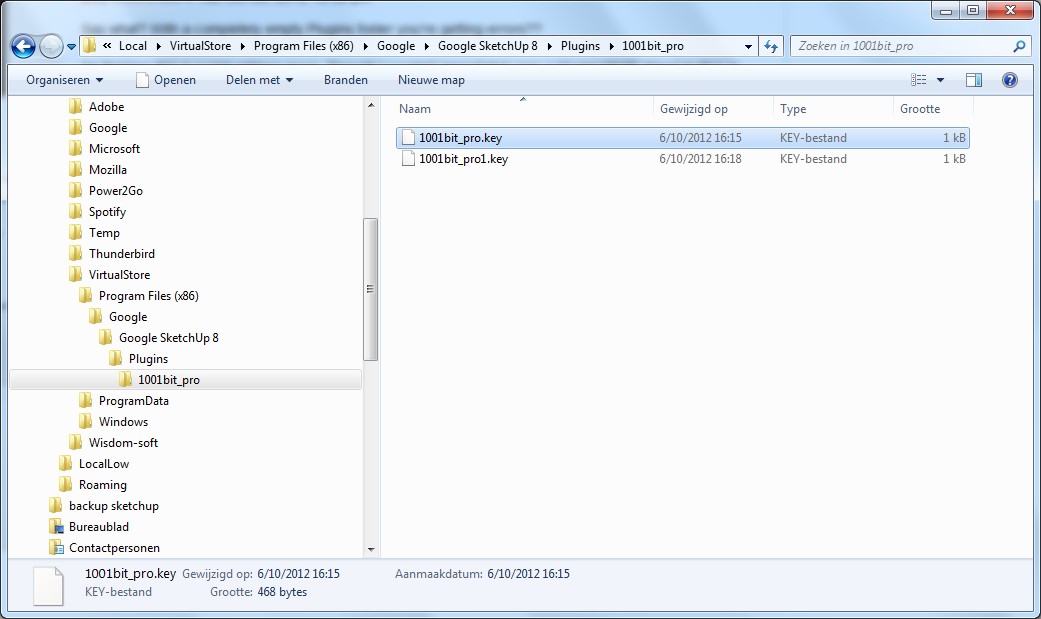
      closer and closer, I believe:
      there was a file in there:
      plugins, with a subfile 1001bitpro
      ScreenHunter_28 Oct. 09 22.57.jpg
      deleted those
      then completely deleted 1001bitpro and reinstalled it
      tried again, same errors
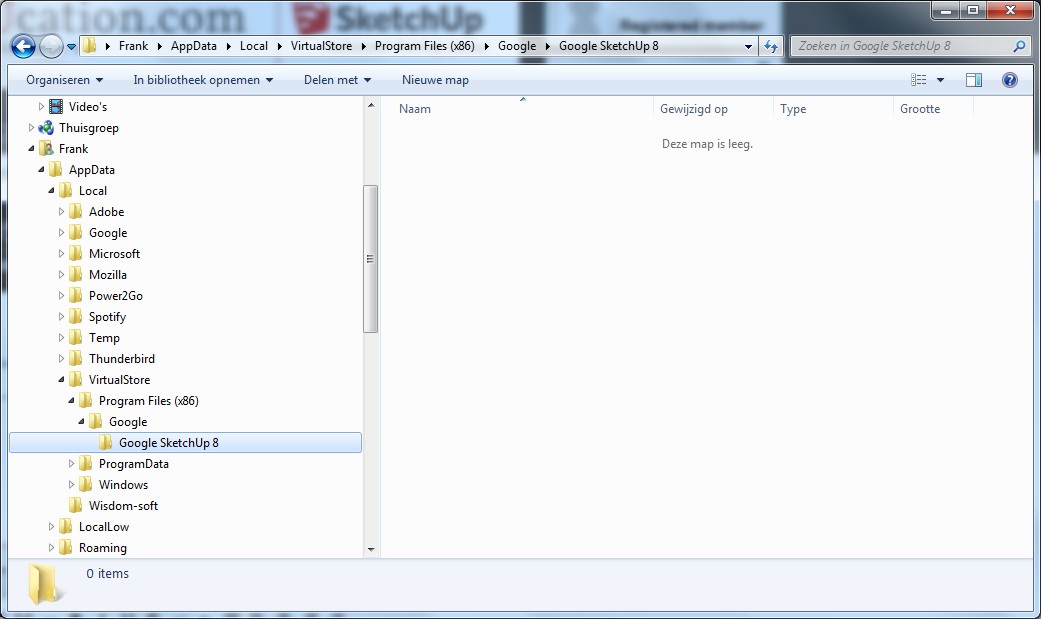
      again deleted 1001bitpro completely
      new situation:
      ScreenHunter_29 Oct. 09 23.18.jpg

      alas, still:
      ScreenHunter_30 Oct. 09 23.20.jpg

      posted in Plugins
      H
      hygicell
    • RE: [Plugin] TT_Lib²

      thanks for your patience too ❗
      we are slowly getting somewhere:

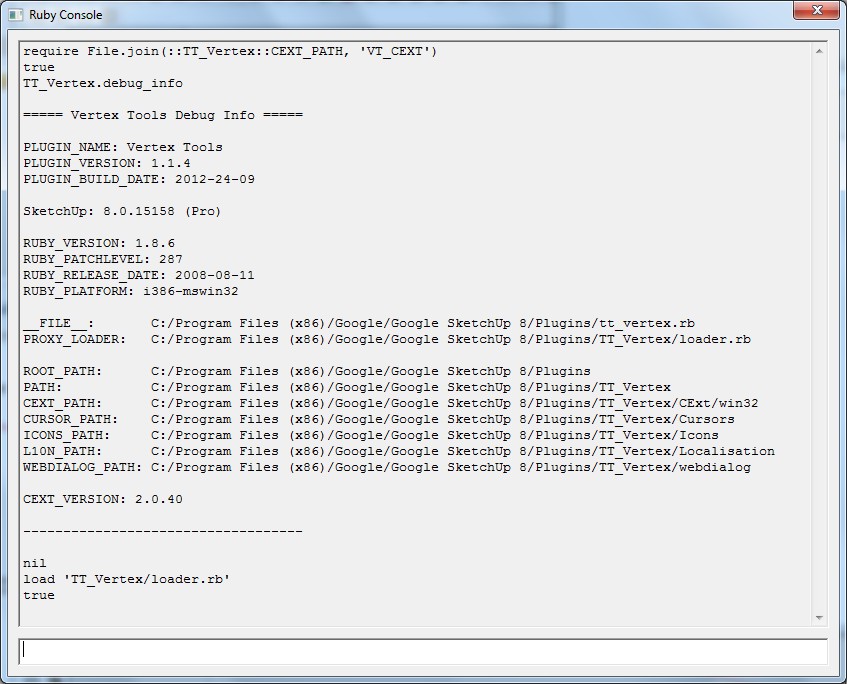
      Can you type this into the console:

      require File.join(::TT_Vertex::CEXT_PATH, 'VT_CEXT')
      TT_Vertex.debug_info

      ?

      ScreenHunter_23 Oct. 09 21.47.jpg
      ScreenHunter_25 Oct. 09 21.53.jpg

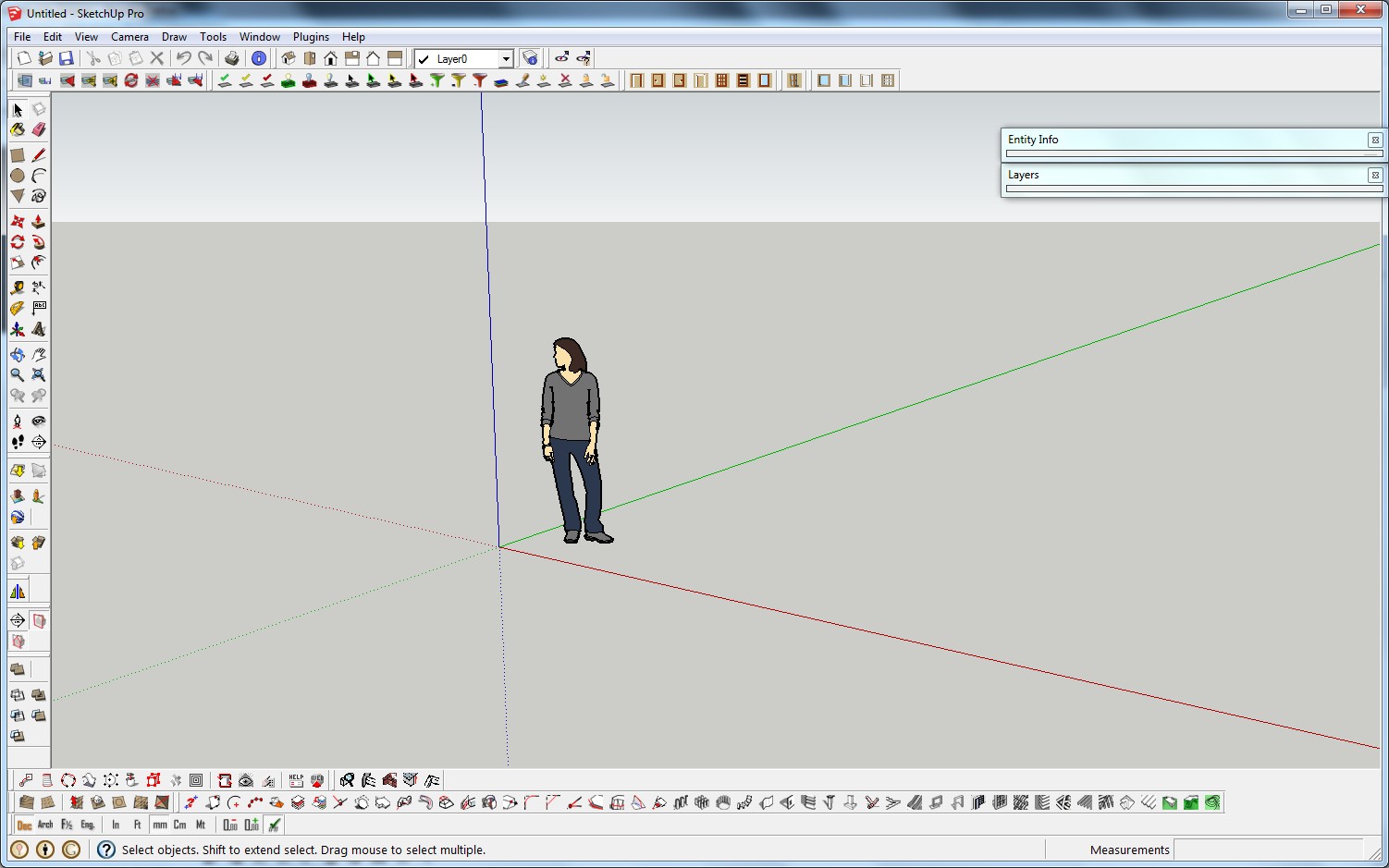
      After you typed load 'TT_Vertex/loader.rb' then the Vertex Tools menus and toolbars should be available, right?

      not anywhere to be found
      the box is checked in the preferences/extensions window

      Can you try with an empty Plugins folder? Temporarily rename your Plugins folder and create a fresh one. Then install Vertex Tools. (Use the RBZ package and install with SketchUp's native installer utility.

      emptied plugins folder as suggested
      new errors:
      ScreenHunter_26 Oct. 09 22.01.jpg

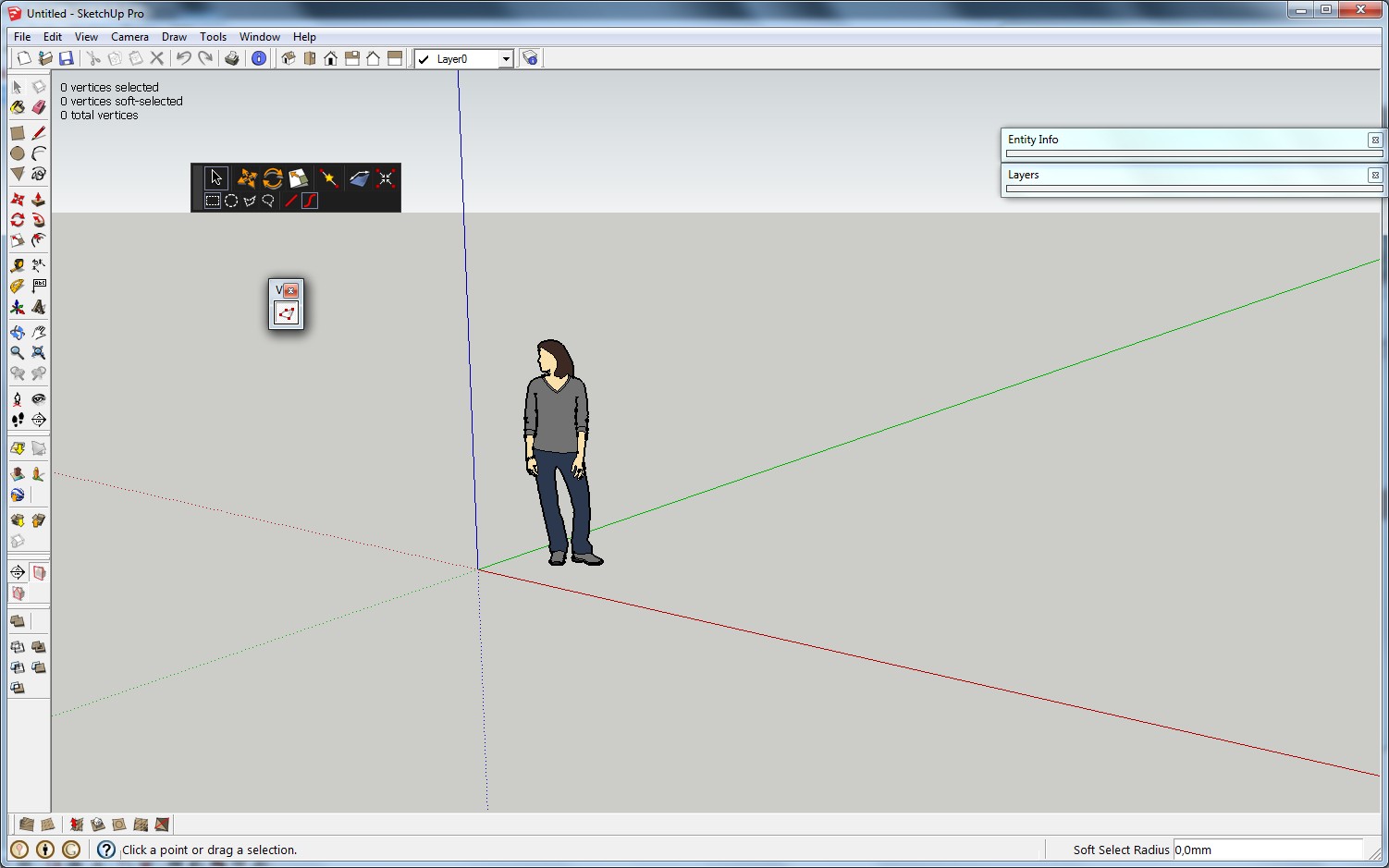
      but now the menus and toolbars are available
      ScreenHunter_27 Oct. 09 22.06.jpg

      posted in Plugins
      H
      hygicell
    • RE: [Plugin] TT_Lib²

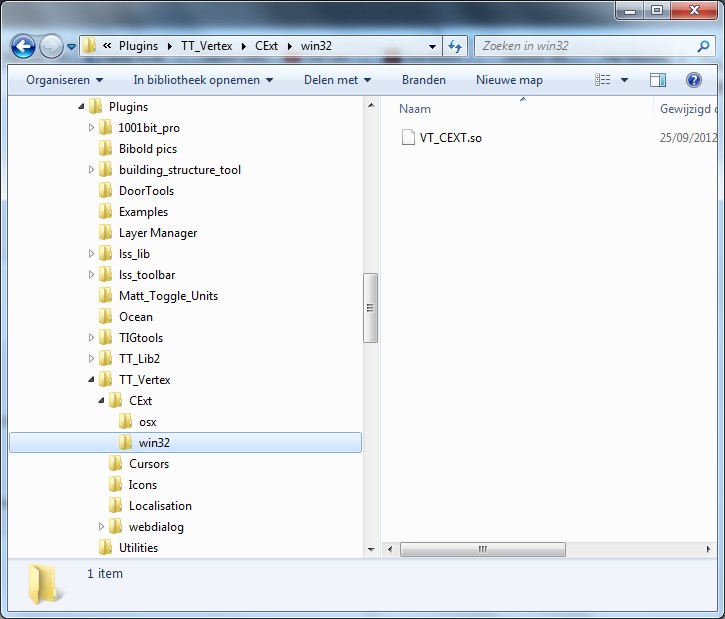
      😢 what do you want me to do ? ❓
      posted in Plugins
      H
      hygicell
    • RE: [Plugin] TT_Lib²

      whow Thomtom, you are really driving me to a much higher level than I possess or ever would imagine to reach 😞
      the learning grade is steep 🤓
      but with a good teacher 😄
      you are an extremely good toourist guide in this wonderful land ☀

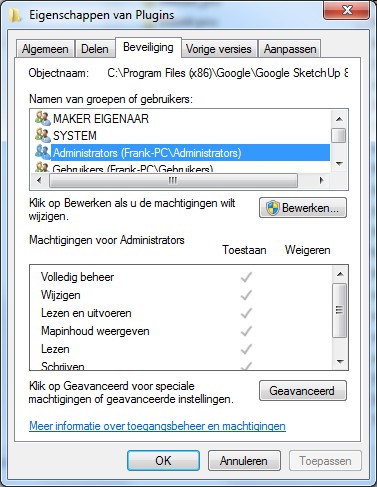
      Do you have admin rights? yes

      Do you have UAC enabled? ???

      Are the permissions of the Plugin folder correct? I suppose so
      ScreenHunter_21 Oct. 09 15.39.jpg

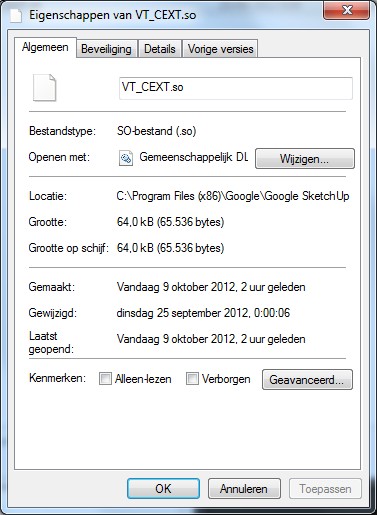
      Also, what does the File Properties for the VT_CEXT.so file look like?
      ScreenHunter_20 Oct. 09 15.34.jpg

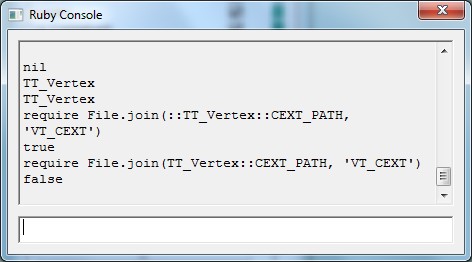
      What happens when you type:
      require File.join(::TT_Vertex::CEXT_PATH, 'VT_CEXT')
      or...
      require File.join(TT_Vertex::CEXT_PATH, 'VT_CEXT')
      ?

      ScreenHunter_22 Oct. 09 15.47.jpg

      posted in Plugins
      H
      hygicell
    • RE: [Plugin] fixSolid v1.7 - updated 20/10/2012

      @unknownuser said:

      @dave r said:

      Nice plugin. It could be very useful. I tried it on a model that someone sent to me the other day. It fixed a few things in one component but still left errors. There were a lot of errors in that component to begin with and it certainly would reduce the time required to manually fix it. Unfortunately the plugin doesn't always seem to recognize that a component is not solid. At least it doesn't recognize that the component in the attached SKP is not solid although you can easily see several problems that keep it from being considered solid.

      At this moment fixSolid only work on groups not on components. I'll make it work on components to.

      excellent plugin, many thanks
      though it would be nice to try and mention on the front page that this version doesn't work on components (yet), only on groups
      Frank

      posted in Plugins
      H
      hygicell
    • RE: [Plugin] TT_Lib²

      TT_Vertex
      TT_Vertex
      load 'TT_Vertex/loader.rb'
      true
      TT_Vertex.debug_info

      ===== Vertex Tools Debug Info =====

      PLUGIN_NAME: Vertex Tools
      PLUGIN_VERSION: 1.1.4
      PLUGIN_BUILD_DATE: 2012-24-09

      SketchUp: 8.0.15158 (Pro)

      RUBY_VERSION: 1.8.6
      RUBY_PATCHLEVEL: 287
      RUBY_RELEASE_DATE: 2008-08-11
      RUBY_PLATFORM: i386-mswin32

      FILE: C:/Program Files (x86)/Google/Google SketchUp 8/Plugins/tt_vertex.rb
      PROXY_LOADER: C:/Program Files (x86)/Google/Google SketchUp 8/Plugins/TT_Vertex/loader.rb

      ROOT_PATH: C:/Program Files (x86)/Google/Google SketchUp 8/Plugins
      PATH: C:/Program Files (x86)/Google/Google SketchUp 8/Plugins/TT_Vertex
      CEXT_PATH: C:/Program Files (x86)/Google/Google SketchUp 8/Plugins/TT_Vertex/CExt/win32
      CURSOR_PATH: C:/Program Files (x86)/Google/Google SketchUp 8/Plugins/TT_Vertex/Cursors
      ICONS_PATH: C:/Program Files (x86)/Google/Google SketchUp 8/Plugins/TT_Vertex/Icons
      L10N_PATH: C:/Program Files (x86)/Google/Google SketchUp 8/Plugins/TT_Vertex/Localisation
      WEBDIALOG_PATH: C:/Program Files (x86)/Google/Google SketchUp 8/Plugins/TT_Vertex/webdialog

      CEXT_VERSION: <undefined>


      nil

      posted in Plugins
      H
      hygicell
    • RE: [Plugin] TT_Lib²

      sure, screenhunter (free version) works like a fiddle 😛

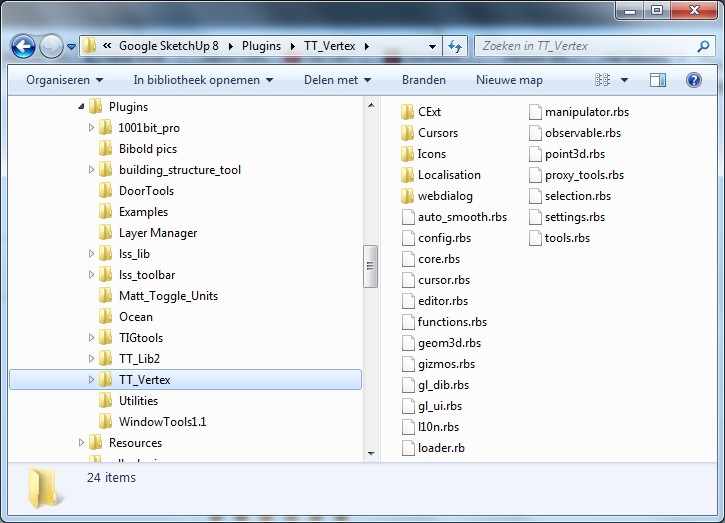
      I checked first, but did not know what exactly to look for

      so, just to make sure, I deleted TT Vertex, both the file and the .rb
      then downloaded a fresh copy and re-installed it, using your install plugin

      the result:

      ScreenHunter_15 Oct. 09 13.48.jpg
      ScreenHunter_16 Oct. 09 13.50.jpg
      ScreenHunter_17 Oct. 09 13.50.jpg
      ScreenHunter_18 Oct. 09 13.51.jpg

      alas:

      ScreenHunter_19 Oct. 09 13.57.jpg

      oh, and by the way: I did not simply uninstall Kaspersky, I used Revo Uninstaller (free version), which removes every trace of the program. Good riddance ! 😆

      posted in Plugins
      H
      hygicell
    • RE: [Plugin] TT_Lib²

      had to fill in a complicated form
      ... done !
      ScreenHunter_11 Oct. 09 12.43.jpg

      still the same error messages:
      ScreenHunter_12 Oct. 09 12.49.jpg

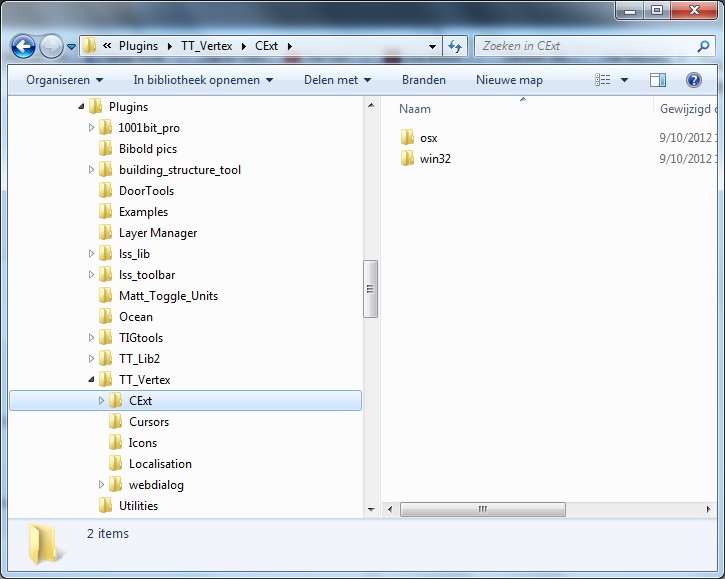
      the previously missing file is in place:
      ScreenHunter_13 Oct. 09 12.54.jpg

      posted in Plugins
      H
      hygicell
    • 1
    • 2
    • 3
    • 4
    • 3 / 4