sketchucation logo sketchucation
    • Login
    1. Home
    2. garystan
    3. Posts
    Oops, your profile's looking a bit empty! To help us tailor your experience, please fill in key details like your SketchUp version, skill level, operating system, and more. Update and save your info on your profile page today!
    πŸ”Œ Easy Offset | Offset selected faces in SketchUp in positive and negative offsets. Download
    G
    Offline
    • Profile
    • Following 0
    • Followers 0
    • Topics 187
    • Posts 404
    • Groups 1

    Posts

    Recent Best Controversial
    • Installing .rbz files

      Hi everybody :

                I downloaded a Ruby file.  Put it in my DOWNLOADS folder. Then opened Sketchup version 8. Opened PREFERENCES>EXTENSIONS>INSTALL EXTENSION.  I looked in the DOWNLOADS folder...didn't show to be there. Then I Copied/Pasted it into the PLUGINS folder within Google Sketchup 8.  That didn't work.   There's got to be a way that I can download and install a Ruby file.  Obviously, those instructions don't work. There's got to be another work-around.
      
                                                         garystan
      
      posted in Newbie Forum sketchup
      G
      garystan
    • Cutting Holes in Curved Surfaces

      Hi everybody :

                        How do you cut a hole (round or square ) in a curved surface ? I did a Search on that Topic but nothing came up.
      
                                                                   garystan
      
      posted in Newbie Forum sketchup
      G
      garystan
    • Creating and Saving Materials into Library

      Hi everybody :

              How to save materials, from my pictures folder ( .jpeg format), and then save them into the SU 8 Materials folder.   I tried to save a .jpeg I used in a project, but, when I went to check  in the MATERIALS Folder (within SU 8 Prorgram Folders), it wasn't there.  I'm pretty sure, in the Materials Tool, I clicked on IN MODEL, selected the Material I just imported (using the Browse button), and clicked on SAVE.  The dialog box popped up. I went to the Program Folders/Google/SketuchUp 8/Materials/Carpet and Textiles. I'm pretty sure the format was already selected (.skm). But, after closing SU 8, I went into the Materials Folder, and didn't see the "saved" Material listed.  It's obvious I did something wrong........but I don't know what.
      
                                                                            garystan
      
      posted in SketchUp Discussions sketchup
      G
      garystan
    • RE: Sketchup 8

      Thanks guys. Appreciate the knowledge.

                                          garystan
      
      posted in Newbie Forum
      G
      garystan
    • Sketchup 8

      Hi everybody :

                      I'm thinking about adding a plug-in to my SU 8. It's one of the rendering plugins.
                      1)  What is the "process"  of adding a plugin to SU 8 ?
                      2)  Being a rendering plugin is an add-on, do I create my model first
                          then use the  rendering engine to finish it, correct ?
                    I'm still kinda new to this.  I've been using SU 8 for quite a while, and I love the ability to create just about anything imaginable.   I've seen the galleries on the Rendering plugin websites.  The results are pretty nice. 
                     I tried installing a Ruby plugin, in the past, but couldn't get it "installed" correctly. No-less, get it to work.   I'd like to try to do the same thing with SU Podium or LIghtup.   Then there's the questions on getting the desired results.  Right now,  I want to learn the process of  "installing" a plugin.  And knowing HOW to use a plugin.  And having it function correctly.
                     Sorry about "running on and on........"
      
                                                              garystan
      
      posted in Newbie Forum sketchup
      G
      garystan
    • RE: Sketchup 8

      Box :

                   Thanks.   I just wanted that confirmation.
      
                                                     garystan
      
      posted in SketchUp Discussions
      G
      garystan
    • RE: Sketchup 8

      Re :

               I forgot to mention that....when saving in the newer version (version 8), in the TYPE box, it's listed as  .skp, Sketchup version 7....Sketchup version 6....etc....all the way down to version 3.    Of course,  I just selected  .skp with the FILENAME.   Unless  I click on the  "Don't show this warning...etc" button to simply shut off that warning dialog box ?
      
                                                                      garystan
      
      posted in SketchUp Discussions
      G
      garystan
    • RE: Sketchup 8

      Hi everybody :

                    I just noticed that my  older .skp files (version 7) wasn't being converted to  version 8 .skp files.     I'd open one of my older .skp files.   Then I'd get the dialog box stating that I can save this file to the newer version.  But, I can't save the  "newer" version using the older (version of Sketchup).     I'd save a file in version 8, then I get the  "Replace existing file ? ",  clicking OK of course.     Then,  when I went back to one of the other files that I saved with version 8,  I'd still get the dialog box referring to saving in the newer version, etc.......    I don't understand what's wrong.
      
                                                                  garystan
      
      posted in SketchUp Discussions
      G
      garystan
    • RE: Sketchup 8

      mitcorp
      box :

                Thanks to the both of you.
      
                                     garystan
      
      posted in SketchUp Discussions
      G
      garystan
    • Sketchup 8

      Hi everybody :

                  Hopefully, I'm in the correct Forum.
                  I just switched over to Windows 7 Pro- 32-bit.  And,  I installed Sketchup V. 8.    If I have my information correct,  Version 8 WILL accept the Version 7.1 format files, with the option of converting them over to Version 8 format.  Correct ?   Then I can "re-save" my  .skp files in the Version 8 format ?      I just want to make sure I'm going  "in the right direction" with this.
      
                                                                 Thanks,
                                                                  garystan
      
      posted in SketchUp Discussions sketchup
      G
      garystan
    • RE: Drawing Glassware

      Hi everybody :

                      I tried another experiment in drawing a glass.
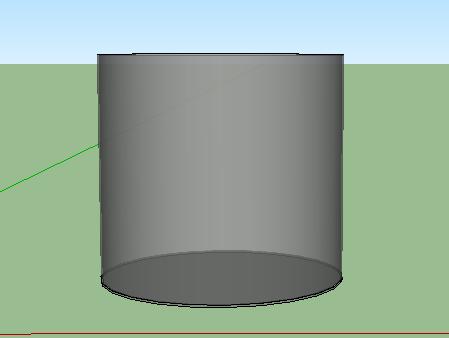
                      I did the usual.   Drew the circles on the "horizontal" plane. The drew a line in the middle (from the edge to halfway to the center), then selecting the inside end of the line, drew the vertical square.   But, this time I made the width of this square incredibly thin.  Almost as thin as  possible.   Then did the Follow-Me routine.    I really can see any  "double lines",  even with transparency set.
      
                                                                garystan
      

      Google Glass.jpg

      posted in Newbie Forum
      G
      garystan
    • 3D Plants

      Hi everybody :

                              I need some advice about 3D Trees/Plants.    I want to start adding 3D plants to my projects.   I'd like to use them indoors....for decoration.   I tried it in one of my previous home designs,  and I noticed that it took a number of seconds to import it.   Probably the large amount of data ?    I khow there are 2D plants out there, but they seem flat, and don't give much in the way of shadowing,  when doing a render.   Any advice ?
      
                                                                             garystan
      
      posted in Newbie Forum sketchup
      G
      garystan
    • RE: Google Sketcup v8

      @chris fullmer said:

      Yes, the free and Pro versions both work on Win 7 just fine.
      You can easily open old versions of SU projects in the newest version of SU.
      Yes the license is $495 and that's about what its been for a long time now if I recall correctly. Maybe since version 4 or earlier? If you own a previous "pro" version, then you pay the upgrade cost, which is like $100 I think? Anyone else have more precise numbers?

      It might be different out of the country as well.

      REPLY :
      I did some searching, and apparently, I can gaet the "Free" version of SU8. And, according to the comparison chart, version 8 should provide what I need for home use. The basic designing functions, materials, orbit function....etc.......... I don't need the "professional" stuff on the Pro version. No offense. One question I DO have. I'd be able to convert my old (version 7.1) projects to version 8, right ?

                                                                       garystan
      
      posted in Newbie Forum
      G
      garystan
    • Google Sketcup v8

      I'm going to be switching to Windows 7 Professional.
      Does Google still offer a "free" version of Sketchup 8 ? Or would I have to
      purchase the "full" version ? Also, (if the answer is yes) if my information
      is correct, I can just reload "old" projects, and convert them over to the
      version 8 format....correct ?
      The reason I ask is that, on one of the Google Sketchup pages, I saw that
      Version 8 sold for $495.

                                                              garystan
      
      posted in Newbie Forum sketchup
      G
      garystan
    • Drawing Glassware

      Hi everybody :

                           How do I draw a glass vase, drinking glass, etc....without having those "double" lines.   When I draw one, then make it transparent,  I can see the outer surface AND the inner surface as well.
      
                                                                garystan
      
      posted in Newbie Forum sketchup
      G
      garystan
    • Cutting Holes

      Hi everybody :

                     I'm looking for the tutorial on How to Cut Holes in Walls Using 
                     Components (Windows....Doors).
      
                                                                     garystan
      
      posted in SketchUp Tutorials sketchup
      G
      garystan
    • 3D People

      I tried downloading a 3D Bicycler. I imported it into Google Sketchup 7.1. And I noticed that I could see the polygons that made the model. Is it possible to correct that ? Or did I download the wrong format model ?

                                                                 Thanks,
                                                                 garystan
      
      posted in SketchUp Discussions sketchup
      G
      garystan
    • Programs Listed Under FILE

      Hi everybody :

                       How do I "delete" some (if not all) of the files listed under
                   the FILE tab.   When I click on FILE,  I get a listing of recently
                   Opened/Saved file that I worked on.   The list is getting kind of 
                   long.
      
                                                                     garystan 
      
                  P.S.------In case I don't stop in before the Holdidays....
                            Happy Thanksgiving everybody.....
      
      posted in SketchUp Discussions sketchup
      G
      garystan
    • RE: Sketchup Model Statitistics Comparison

      Richard O'Brien
      Dave R :

                According to Dave R's advice,  I went through the listing in the Outliner, and one .skp file I was having a problem with got solved.  But, somehow,  I also fixed a problem with the file itself.  In the respect that I did an EDIT on it and resized it.  And this time, I didn't the 'Elevated Railroad Tracks' didn't get dis-membered.   I think I know what I did.  But, I'd have to do it a couple of times to get it down to a science.
               To the both of you........thanks for your support.  Someday I'll be able to repay that support.
      
                                                           garystan
      
      posted in SketchUp Discussions
      G
      garystan
    • RE: Sketchup Model Statitistics Comparison

      Dave R. :

                  Thanks Dave R.    This make things a little clearer.
      
                                                          garystan
      
      posted in SketchUp Discussions
      G
      garystan
    • 1
    • 2
    • 17
    • 18
    • 19
    • 20
    • 21
    • 19 / 21