sketchucation logo sketchucation
    • Login
    1. Home
    2. Ecuadorian
    3. Posts
    Oops, your profile's looking a bit empty! To help us tailor your experience, please fill in key details like your SketchUp version, skill level, operating system, and more. Update and save your info on your profile page today!
    ๐Ÿ”Œ Smart Spline | Fluid way to handle splines for furniture design and complex structures. Download
    E
    Offline
    • Profile
    • Following 0
    • Followers 0
    • Topics 149
    • Posts 1,625
    • Groups 1

    Posts

    Recent Best Controversial
    • RE: Looking for a good software for rendered animations

      Ok, here are the results of my test.

      First, I made the test with Podium Evaluation 1.6, using Saphua Plugins + Podium Animate. Here's a screenshot during rendering:
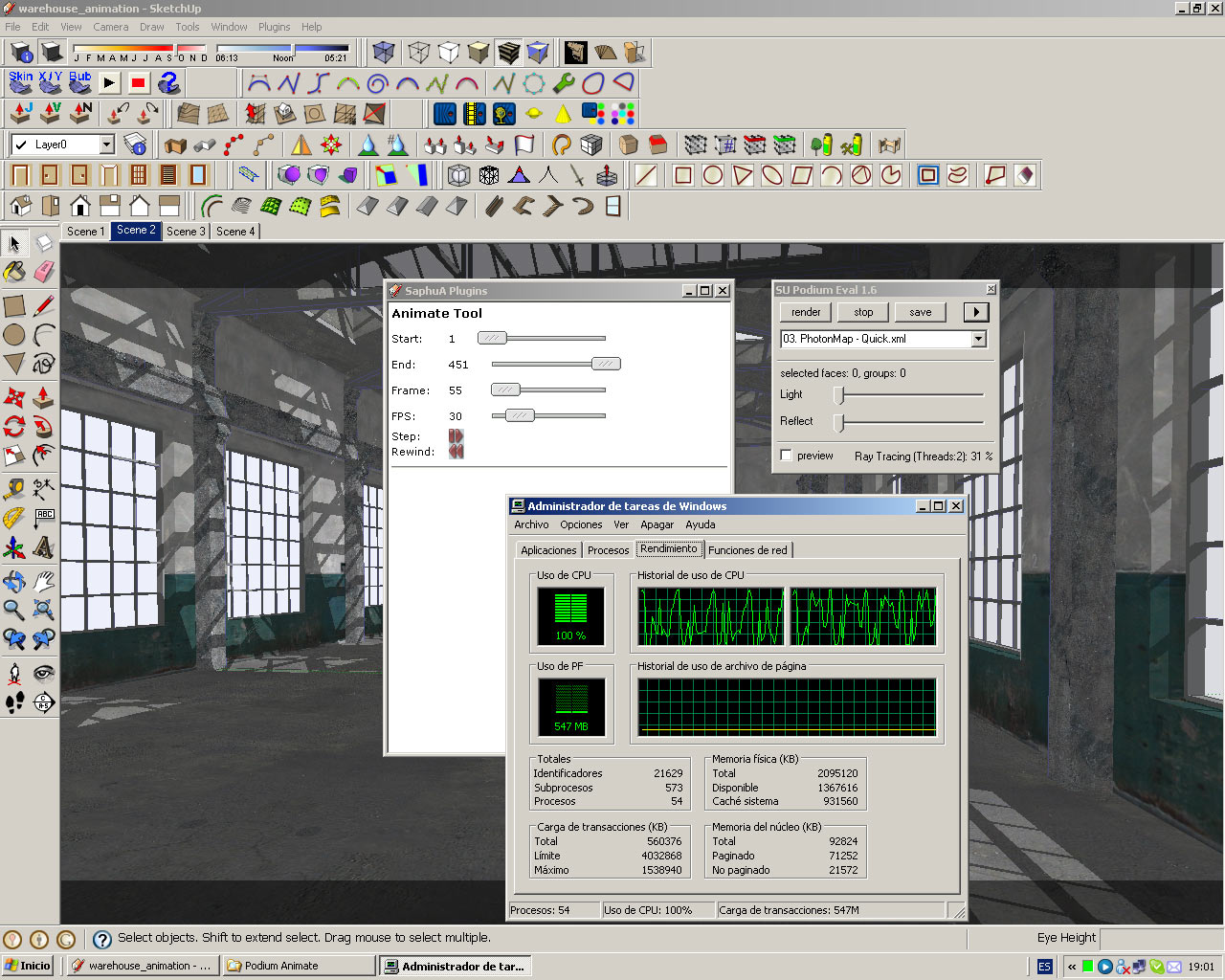
      Podium_animating.jpg
      And another one when it crashed after rendering the first 175 frames:
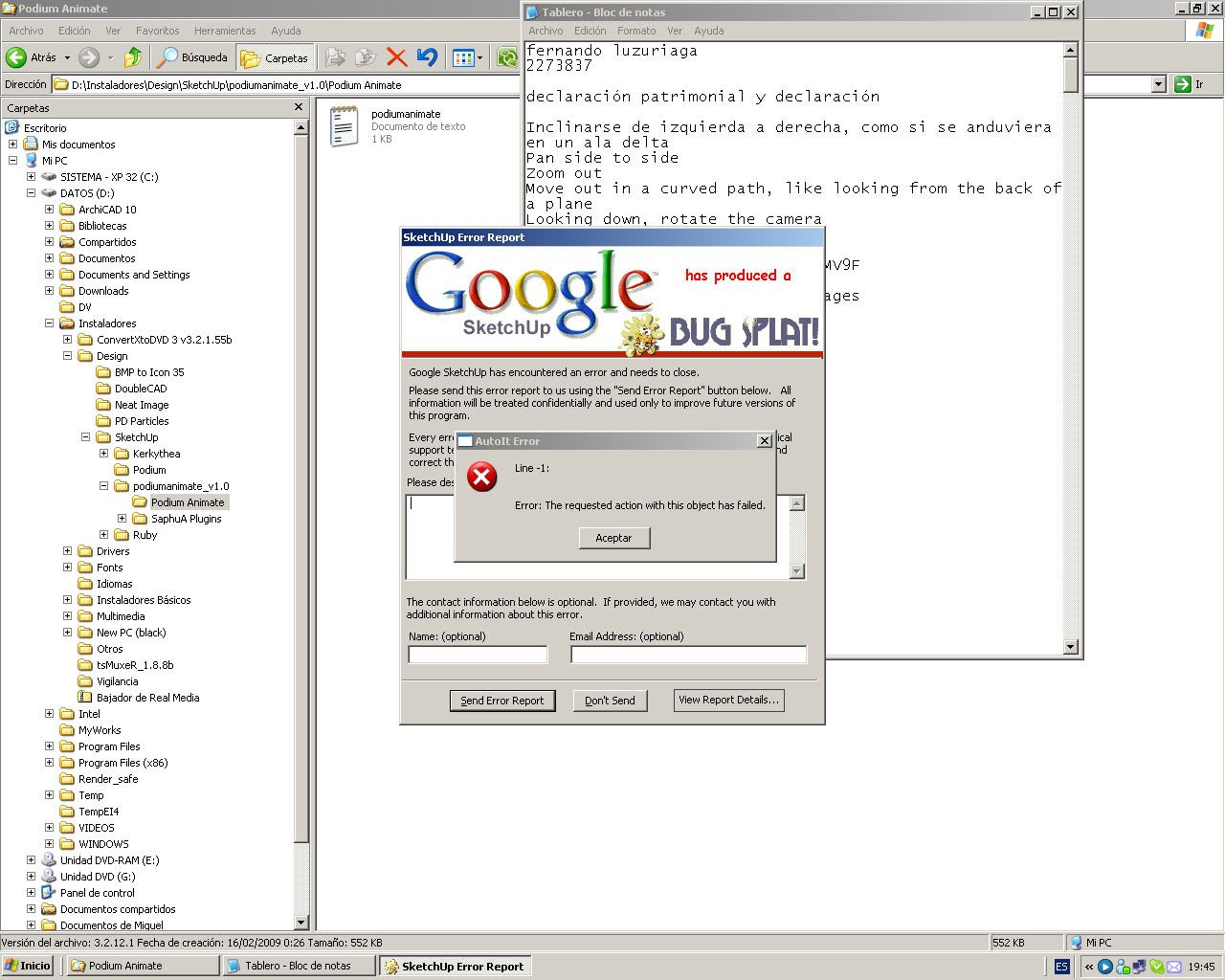
      Podium_bugsplat.jpg
      After checking the rendered files timestamps, I calculated Podium took 55 minutes to render those 175 frames.

      After that, I got bored and went to sleep, but I woke up and decided to make the Kerkythea test. Since Podium automatically adds reflections to glass materials, I added "TG_" to the name of the glass material before exporting it to Kerkythea, so Kerkythea would have to render reflections, too. Here's a screenshot of Kerky rendering the animation:
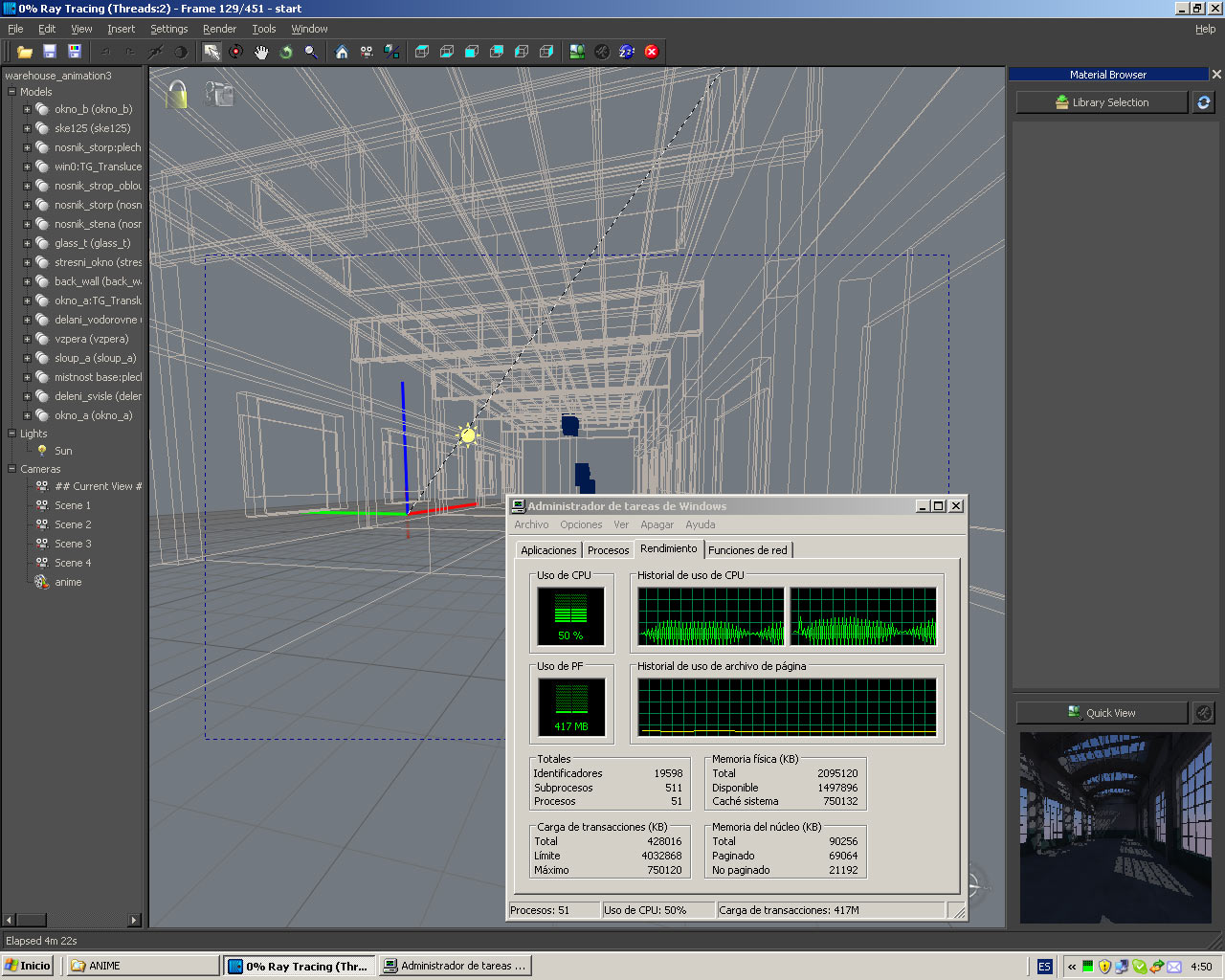
      kerky_animating.jpg
      Since SU Podium had crashed after completing 175 frames, I stopped the Kerky animation after that same number of frames, to calculate how much time it took to do the same thing. It took 6 minutes, which means it was 9x faster than Podium.

      (Feb-27 EDIT: I did additional testing experimenting with the number of cores and Kerky turned out to be 15x faster than Podium for this same test. You can read the report here.).

      In both cases I used 230x150 as the render size, 03. PhotonMap - Quick.xml as the configuration file, and all the quality and antialiasing sliders were to the extreme left in Podium. In both cases I surfed http://www.sketchucation.com a couple of times during rendering, although this was next to impossible during the Podium render as it peaked at 100% CPU use, while Kerky only used half of it.

      Conclusion:
      Podium was never intended as an animation tool. I take back what I said in my first post recommending it for animation. If you need camera-only animation, use Kerkythea. If you need animated cars and people, use 3dsMAX.

      posted in Extensions & Applications Discussions
      E
      Ecuadorian
    • RE: Whats the most Cost Effective Animation Renderer????

      Real-world experience is what you asked for, real-world experience is what you get:

      http://www.sketchucation.com/forums/scf/viewtopic.php?p=135023#p135023

      For this particular test, Kerkythea was 9x faster than Podium. Podium took 55 minutes, and Kerky took 6 minutes.

      How easy was it to setup in each renderer?

      First, I created the four cameras in SketchUp.

      Podium:
      To be able to do the Podium test, I had to use an unofficial plug-in, called "SaphuA Plug-ins", and configure it before start. Then I had to run an additional external program called "PodiumAnimate" by the same author of the "SaphuA Plug-ins". To make things worse, the Podium output is not immediately usable in any video editor, as it is not a numbered sequence. You have to use a massive file renamer for that. And Podium's lack of internal exposure correction means for interior animations using only the sun, you'll have to do the corrections in post-processing, producing ugly posterization. And it crashed after rendering 175 frames, which means you'll have to sleep next to your PC with an eye open if you want to go this route.

      Kerkythea:
      Add "TG_" to any glass material before export, press the Kerkythea button in SketchUp (export took some three seconds), and in Kerky create a new Walkthrough animation using the SU cameras and hit render. Everything will be ready for the video editor after finishing.

      How difficult was it to learn to render an animation in Kerky? I first opened KT on Wednesday 11th's morning, and by lunch I was already rendering my first animation. A few days after that I was already using it in commercial work.

      For converting to JPG sequences to video I recommend VideoMach (about $50) and for more fancy editing Windows Movie Maker. VideoMach has some useful effects that Movie Maker lacks, as Motion Blur and white balance correction. Remember to buy the DivX pro codec (about $20) to use with VideoMach. If you need any more advice regarding Walk-through animations feel free to ask, as I've been doing it for years. (Well, my videos are not top-quality, but at least not that fugly)

      posted in Extensions & Applications Discussions
      E
      Ecuadorian
    • RE: Looking for a good software for rendered animations

      Why not do it in Podium? Someone made a Plug-in for it so it can make animations.

      26-Feb EDIT:
      I take it back. Check my test results in the second page of this thread.

      posted in Extensions & Applications Discussions
      E
      Ecuadorian
    • RE: Sketch up and mental ray

      Actually, I had to use a little software tool to be sure if the second one was a photo or not.

      I put this program to the test with Autodesk's "Fake or Foto?" challenge, and I got all of them right in both rounds:
      http://www.autodesk.com/eng/etc/fake_or_foto/quiz.html

      posted in Gallery
      E
      Ecuadorian
    • RE: Looking for a good software for rendered animations

      @starlex said:

      And what about SU Animate 2.0 for Podium?
      Has anyone work with?

      Mmmm... A smooth animation runs at 30 frames per second, which means that for a short, 2-minute presentation of a project, you will be rendering 3600 images. And my videos are usually 5 or more minutes long. According to the product page, SU Animate creates a scene in SketchUp for every single frame of the animation. Having a SketchUp file with thousands of scenes does not seem very practical to me, and according to the Podium forum, it often only renders a part of the scenes, meaning you can't simply leave it rendering overnight and go to sleep.

      There's an alternative, though: Podium Animate, a free script created by user SaphuA. However, it still is not a really practical solution for camera-only animation for two reasons:

      1. Podium will have to re-make the Photon Map for every frame, which means a big overhead.
      2. You will still have to suffer jerky SketchUp camera movement.

      But if you MUST have object animation and don't want to summon the all-powerful 3dsMAX, you could try combining this method (Podium + Podium animate) with the "Proper animation" Plug-in. But I have to tell you, if you really need good-looking object/people/car animation, then you are better off using MAX, with all its shortcomings. You can use independent illumination for static vs animated objects. That way, you can simply use the Radiosity mesh for illuminating everything that does not move, and a few omnis for the moving parts. For camera-only animation (aka Fly-through, Walk-through), use Kerkythea. I haven't used Mental Ray, but it seems to use an implementation of the Photon Mapping method, as Kerky does.

      I'll do a test to see exactly how much overhead making a camera-only animation in Podium adds, vs. making it in Kerkythea. I'll use the Warehouse model with identical settings to make a fair comparison. Give me a few hours...

      posted in Extensions & Applications Discussions
      E
      Ecuadorian
    • RE: Car renders,WIPs&videos

      This thread is starting to look better than Need For Speed.

      posted in WIP
      E
      Ecuadorian
    • RE: Looking to buy a new computer, any suggestions?

      @kustura said:

      WD is fine

      I second that. I've already killed three Maxtor hard drives, and a Samsung one, but Western Digital hasn't failed me. That's what happens when you work with 3D Walkthroughs and often move/edit Gigas of data.

      I agree that the Core 2 Quad Q6600 and the Core i7 920 are the two best "bang-for-your-buck" CPUs right now. If you check the charts at TomsHardware.com, you'll see that the Core i7 920 is 54% faster than the Q6600 in 3D rendering. Since the difference in price between the two is only $82, I'd highly recommend you buy the Core i7 920. Compared to CPUs in that price range just a couple of years ago, it's like having a small render farm at home. In fact, your programs will see the Core i7 920 as having 8 logical cores, not 4, as each physical core can handle two threads. It also consumes less power than the Q6600, according to an Amazon review.

      If you're going to skimp on something, that should be the graphics card, as it is not used during rendering. Even navigation within SketchUp and 3dsMAX seems to be far more CPU intensive than graphics card intensive. Just make sure the card you buy is HDCP compliant, as at some point you'll want to watch Blu-rays on your PC.

      posted in SketchUp Discussions
      E
      Ecuadorian
    • RE: Anyone know how to convert old Vectorworks files to dwg?

      Apparently doing that conversion is big business... There are companies charging for it. It seems VectorWorks is the ultimate lock-in ware.

      posted in Extensions & Applications Discussions
      E
      Ecuadorian
    • RE: Anyone know how to convert old Vectorworks files to dwg?

      Perhaps Vectorworks itself can do it...

      http://www.nemetschek.net/demo/

      Will download the demo to see..

      EDIT: Nevermind... Even if they give you the demo, it won't export.
      http://architosh.com/forums/showthread.php?t=3062

      You'll have to ask whoever gave you that file to please convert it.

      posted in Extensions & Applications Discussions
      E
      Ecuadorian
    • RE: Sketch up and mental ray

      Spence, pav_3j and Master Solo, your insight serves you well. The second one is a photo. Check the caption.

      Neoshed never said both were renders, he said they were "product shots", and the second image states clearly that is it a real unit built in California. Neoshed just wants us to compare his extremely good Mental ray render (first image) to a professional, magazine-quality photo of a built product (second image), although it is not the same shed type. And I have to say that I am amazed at how close he got to reality. I wish I could render half that good.

      The render in the first image one is truly an outstanding work, Neoshed. And I also totally love those sheds, they look so cozy! My nephews would love a "little house" like those... I would love one, too, as there's a certain Japanese feeling to it and I love traditional Japanese architecture. It must have been very tiring having to travel to the West coast to build it. You are already a Master Jedi of both rendering and wooden frame construction. ๐Ÿ‘ ๐Ÿ˜„

      http://www.lolcats.com/images/u/08/17/lolcatsdotcomx1ollou0m35sgsct.jpg

      I wish you the best of success in your shed construction business, and I hope you keep that Japanese air in your future work. The only Japanese construction in the East Coast that I'm aware of is in Philadelphia, you might want to visit it for inspiration if you haven't. It seems to be in the Sukiya-style:
      http://www.shofuso.com/

      posted in Gallery
      E
      Ecuadorian
    • RE: Wish for standing seam roof generator

      Well, Karlfucius once wrote a tut for doing it manually:
      http://www.sketchucation.com/forums/scf/viewtopic.php?f=18&t=13840

      ArchiCAD has a tool for making it automagically... I second your request for one in SU, too.

      posted in Developers' Forum
      E
      Ecuadorian
    • RE: Sketchers Studio (Mac Only)

      Now I need a Mac... ๐Ÿ˜•

      posted in Extensions & Applications Discussions
      E
      Ecuadorian
    • RE: Bathroom Renovation Idea...

      I like it, too, but I'm not sure if the water will stay inside the shower, unless the junction between the glass door and teh rest of the pane is made hermetic.

      Hopefully this bathroom will not look "out of place" in your century-old home. I think you can get more comments on the design if you post it in the PushPullBar, which is an Architecture+Design forum.

      posted in Gallery
      E
      Ecuadorian
    • RE: Seeking Renderring Engine Advice

      If you give us examples of what you try to achieve and tells us a bit about your background in computer graphics, we could help you better.

      Being myself a bit of a computer geek, my recommendation goes to Kerkythea, as all you learn with it will serve you as a foundation for learning other rendering engines. And it's free.

      posted in Newbie Forum
      E
      Ecuadorian
    • RE: My first post

      I love the "hand rendered" look you gave to these.

      posted in Gallery
      E
      Ecuadorian
    • RE: Italian sketchuper - looking for human modell

      Welcome, rejdavid.

      I think makehuman is what you're looking for:
      http://www.makehuman.org/blog/index.php

      When you're finished configurating your model, save it as OBJ (click the OBJ disk icon, hit Enter to save in the default path) and then import it into SketchUp using the OBJ importer:

      Attention Required! | Cloudflare

      favicon

      (www.scriptspot.com)

      posted in SketchUp Discussions
      E
      Ecuadorian
    • RE: Garden collection

      I'm always the last to know... But it's a good thing, actually. It means I can ask anyone for advice... As they say, what matters is not knowing, but having the phone number of the one who knows ๐Ÿ˜†

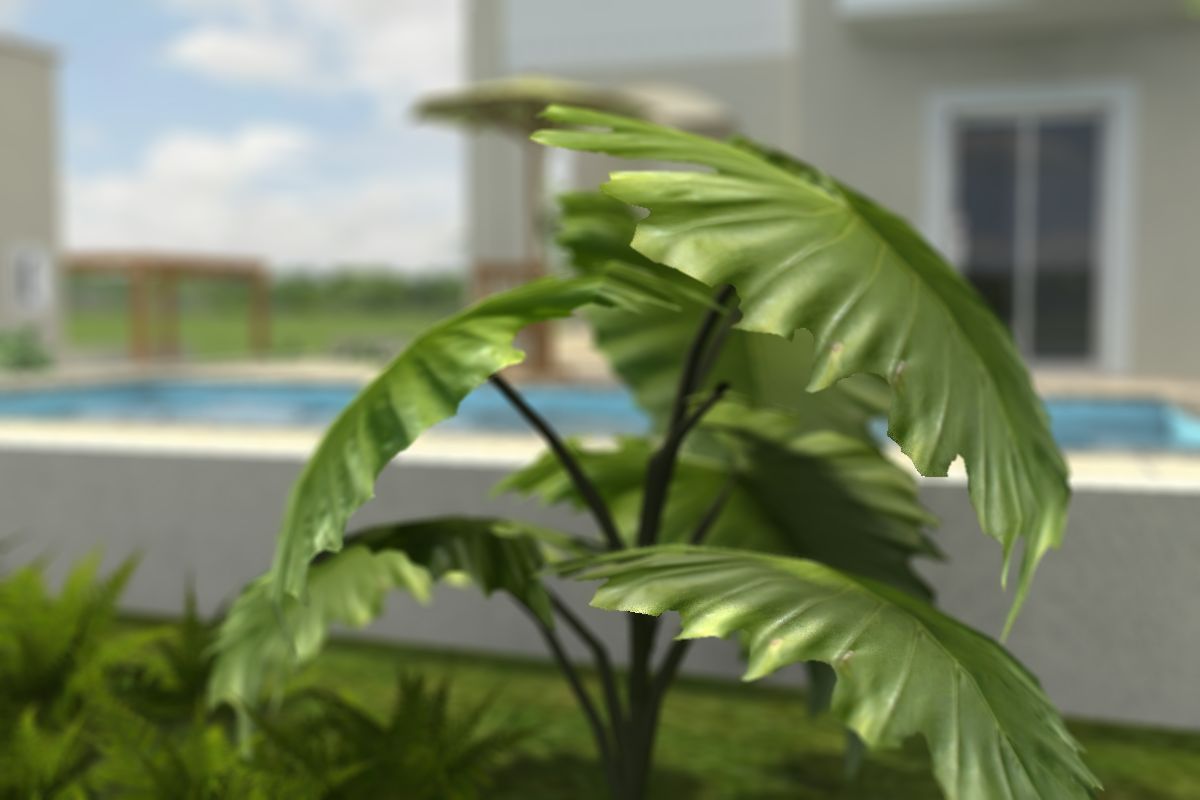
      Now, back to topic... Another Kerkythea render (1 minute 12 seconds for PhotonMap quick + a few seconds for the depth render). This time I decided to "focus" on a particular plant, thanks to GIMP:
      Depth_made_in_GIMP.jpg

      posted in Gallery
      E
      Ecuadorian
    • CAD Bloatware and "Force-you-to-update-ware"

      Blender: 9MB download, 30MB installed
      MoI (no save trial): 6MB download, 16MB installed
      SketchUp: 33MB download, Around 50MB installed (depends on your plugins)
      SU Podium: Less than 2MB
      DoubleCAD XT: 58MB installer, 157MB installed

      AutoCAD: 2GB installed ๐Ÿ˜ฎ

      Why?
      Does BSA stand for "Bloated Software Alliance"?
      And don't you find it strange that AutoCAD has a new version every year, just like cars? Man, Microsoft and Intel should learn a couple of things about "regularizing the development process on a yearly [AutoCAD orthogonal] grid"

      At least AutoCAD doesn't penalize people who "skip" versions... If you use the latest version and have to send a file to someone who still uses a really old version, no problem... In ArchiCAD, you can ONLY save files to the current version and to the former version (example: Version 11 can only save version 11 and version 10 files)... Talk about lock-in...

      posted in Hardware
      E
      Ecuadorian
    • RE: Copy a component along a curve

      favicon

      (www.smustard.com)

      Use the "copy to spacing" option. Make sure the red axis on your component is tangent to the direction of the path. Check out a visual explanation on this amazing thread on the PushPullBar:

      http://www.pushpullbar.com/forums/ruby-scripts/9467-visual-index-ruby-scripts-3.html#post132098

      posted in Newbie Forum
      E
      Ecuadorian
    • RE: Garden collection

      @solo said:

      I downloaded another vray trial (running out of email addresses)

      Try Guerrilla Mail's disposable addresses. Extremely useful in those cases when you don't want to be spammed to death just for downloading a demo of a product.

      posted in Gallery
      E
      Ecuadorian
    • 1 / 1