A couple useful videos:
http://www.youtube.com/watch?v=BRM7WXU5GrY&feature=related
http://www.youtube.com/watch?v=fSuDoX8SPtU
Oops, your profile's looking a bit empty! To help us tailor your experience, please fill in key details like your SketchUp version, skill level, operating system, and more. Update and save your info on your profile page today!
🔌 Smart Spline | Fluid way to handle splines for furniture design and complex structures. Download
E
Offline
Posts
-
RE: Placing Doors & Windows Components
Welcome, Jasmine.
At least for windows and basic doors, I prefer to use the free Windowizer 3 from Smustard.
http://www.smustard.com/script/Windowizer3 -
RE: Hidden line, wire
My brain was starting to hurt wondering why would anyone want to do this!
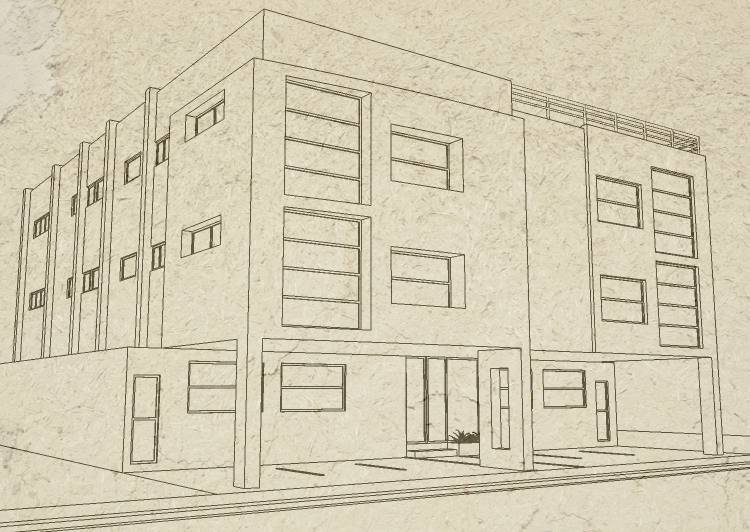
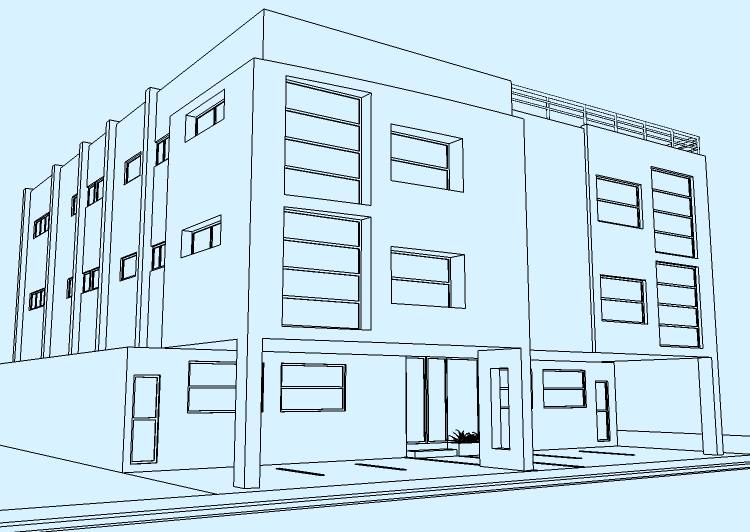
Easiest way to do that is exporting a 2D hidden line image and overlaying it on your render in any photo program using "Multiply" layer blend.
Or if you want to do it inside SU, go to styles and overlay your render as a watermark, just as I did with that texture in the second example. Of course you'll have to sacrifice some opacity.
-
RE: Hidden line, wire
May I ask what, precisely, is your goal, to see if I can find a workaround?
-
RE: Hidden line, wire
I don't understand... isn't it exactly what the "hidden lines" mode is all about? Could you give an example of what you're trying to achieve?
-
RE: Curved Walls
@xrok1 said:
Pilou, how's development going over at Moi, is there a public beta for ver.2 yet?
I trolled the MoI forum the other day and noticed that Pilou is an ardent SketchUp evangelist over there. Regarding your question, it seems they've been in closed beta since September:
http://www.google.com/cse?cx=004480280974618486967:rqgfj4-y60a&q=v2&sa=Search -
RE: Amazing Undersea Creatures
This just shows that reality is stranger than fiction.
Creation keeps amazing us... There are still tons of creatures to discover. I watched "Galapagos" in the local IMAX theater, and those scientists found quite a few new species in a single trip to the bottom! -
RE: Curved Walls
To push pull curved surfaces, try the Joint Push Pull plug-in by Fredo6:
http://www.sketchucation.com/forums/scf/viewtopic.php?f=180&t=6708&st=0&sk=t&sd=a&hilit=joint+push+pullIf you need something more specific, please draw a sketch by hand so we can help you.
-
RE: Whats the most Cost Effective Animation Renderer????
Thank you, Master Kwisten. The people, cars and palms are RPCs from Arch-vision. The moving people are not 3D meshes, they're actually a matrix of pre-rendered images so depending on relative position a different image is loaded from the animation loop. That's why they project no shadows
 . The moving cars are 3D, though. The buses are from Turbosquid, but I edited the colors and reduced the poly count with MAX's multi-res modifier. Most of the smaller plants are from my own collection of photos, and they're actually made of three planes placed at 120º intervals.
As you can see, I used a radiosity mesh with very low detail... I think I used a 2mx2m or 1mx1m mesh. That's the reason you don't see any nice light/shadow details. I had to use this setting because for a finer mesh I would have needed some 200GB of memory... That's why I am so excited about Kerkythea: Its photon-mapping method is a lot more memory efficient. Yes, I know MAX's Mental Ray also does Photon Mapping, but at the time I was too lazy and I would have needed to set up all my materials again. That's the beauty of Kerky: It's like having several render programs in one, without having to re-create your materials.
The water turbulence was made with an mpg video texture, as were the TVs. I would be more than happy if a render engine for SU implemented video textures.
-
RE: New Rendering Contest
Sure, I buy a lot of my stuff from Amazon.com, including electronics. The only thing they don't sell to foreigners is mp3s & video downloads. Glad to know you're accepting people from around the world. I'll give this a try.
-
RE: New Rendering Contest
Can people outside the U.S. enter the contest?
-
RE: Rhino Surface in SU 7
If you just wan to "knead it out with a rolling pin", check the two methods reviewed in this link:
http://www.sketchucation.com/forums/scf/viewtopic.php?f=18&t=16567 -
RE: Recent Work..
They say SketchUp is not CAD, but this is the best example of Computer Assisted Design I've seen...
This is what 'putting the software to work for you' is all about!
-
RE: Whats the most Cost Effective Animation Renderer????
Sekta, in a similar thread I mentioned 3dsMAX as an option if you want to have animated cars, people, etc. This is an animation I made in MAX a year ago:
http://www.youtube.com/watch?v=-bLour3iMuc
Youtube degraded it a lot in the conversion .
.But of course preparing a presentation with moving objects is exhausting and time-consuming, so most of my MAX walk-throughs were almost completely static. Here are a couple of examples:
http://www.youtube.com/watch?v=E6w5PxjKEpQ
http://www.youtube.com/watch?v=WbhQTy0pZ4kBTW, I faked the caustics (light reflecting from water) you see in the first MAX video using projector lights. Kerky has projector lights, too, so it shouldn't be hard to emulate this effect.
I feel a bit bad for having bashed Art-lantis in a previous post, so to set the record straight here are a couple of videos I made years ago with version 4.5:
http://www.youtube.com/watch?v=tR3zw-G3PvM
http://www.youtube.com/watch?v=Uut3l2dJPnsOf course my videos are not photorealistic at all... But if I keep trying hard, I hope to some day be at least 10% as good as Neoshed or Master Kwistenbiebel.
I'll soon start posting some Kerky walk-throughs... As soon as I find a nice model to render, or a client asks for one. Until then, here's my first attemp, rendered just hours after opening Kerky for the first time. SketchUp model by Pibuz, modified by Master Solo:
http://www.youtube.com/watch?v=MiS3l6otTQw -
RE: Whats the most Cost Effective Animation Renderer????
The beauty of the 3D rendering world is that it's full of options. No company has yet built a monopoly over it (Well, Autodesk kinda tries to do that...).
I used Art*lantis 4.5 for Walkthrough animations for years when I worked for Furoiani Building Co. (Actually, it was the local distributor of ArchiCAD and Artlantis who found me that job), and I have to say that it was the fastest renderer I've ever used. I haven't used the new version, but Coen Nanick highly recommends it, so it's worth considering. Artlantis Studio 2 (the version that does animations) + a collection of objects and shaders currently goes for $4,795. The naked version (without libraries) goes for $1,385. Yes, I remember Artlantis, ArchiCAD and the extras were big business for the local distributor... ala Gillette.
Yet another option, if you want extremely quick, no-hassle, animations from SketchUp, is LightUp, which goes for around $150.
-
RE: Car renders,WIPs&videos
@ely862me said:
i,still,can*t believe how such nice things can come out of Sketchup
 [attachment=1:lqehqsxl]<!-- ia1 -->E058ya.jpg<!-- ia1 -->[/attachment:lqehqsxl]
They come from your imagination. The tool doesn't think. You are the one with talent. I remember a schoolmate who could do beautiful drawings even with cheap pencils, and I also remember another who even with expensive oil paintings could only produce fugly images.
-
RE: Car renders,WIPs&videos
@whaat said:
Your work just blows me away! Would love to see a tutorial or just a screen capture video of you modelling. Keep it up!
+1. You can use this free software:
http://camstudio.org/If you decide to use it, please configure it to capture a frame every 165 miliseconds with a playback rate of 30 fps. This way we'll see you working in 5x normal speed.