Thomas....you're the man! I need to do line overlays on a lot of my work, this will be invaluable! Can't wait to see the other "toys"!
Oops, your profile's looking a bit empty! To help us tailor your experience, please fill in key details like your SketchUp version, skill level, operating system, and more. Update and save your info on your profile page today!
🔌 Smart Spline | Fluid way to handle splines for furniture design and complex structures. Download
 Offline
Posts
-
RE: [Plugin] V-Ray Tools
-
RE: My Favorite Power Tool
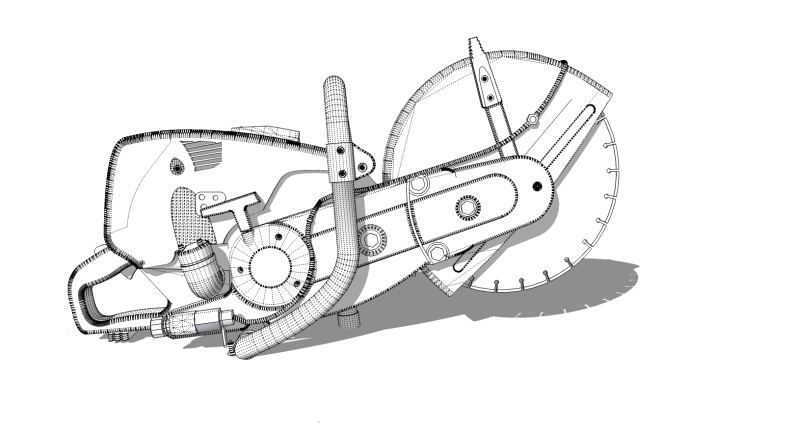
Thanks Pete! I used a picture to model from, so I was only privy to one view. I just did take offs from the pic in the front view, but it was mostly just for proportion. What worked well, was importing the image, grouping it and moving a second copy of it directly above it. I modeled the smaller parts on the top image and used the Mover plugin to move them straight down and into position.
Here's a few more renders i was playing with. They are part of an ad idea for a hardscape forum, where I moderate and teach about sketchup.
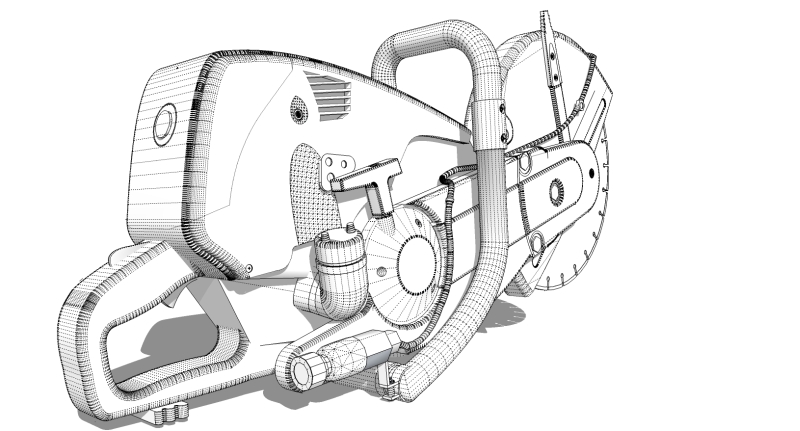
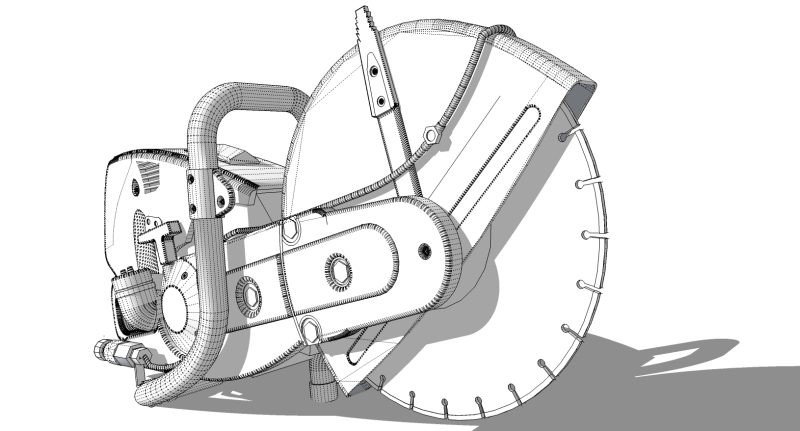
This one I rendered in Modo, imported with the new sketchup importer, which worked flawlessly. I think Modo did a lot better job at handling the smoothed geometry than Hypershot did, especially around the gas tank and pull chord housing. I'm working on animating the blade in Modo.

These two are hypershot with HDRI variations.


-
RE: Coming Soon:Profile Builder
I was hoping "coming first quarter 2009" didn't mean the end of March. Dale, please announce the release here. -
RE: My Favorite Power Tool
Thanks Fred. Would that be a 4.5" Angle Grinder as your avatar? That would make for an interesting model to accompany my demo saw. Perhaps I'll give that a go next.
The soapskin & bubble ruby is found here - http://www.tensile-structures.de/sb_software.html
-
RE: SDS Mushrooms
Great idea and use of SDS. I would love to see the base mesh before SDS.
-
RE: My Favorite Power Tool
Thanks Jason...missed that one.
Just to clarify for potentially newer users -
TOS - Tools on Surface
SSB - Soap Skin Bubble
JPP - Joint Push Pull
SDS - Subdivide & Smooth -
RE: Nikon Coolpix3700
I'm inspired! Awesome product model and great studio lighting setup!

-
RE: Ballerina
I love it. Maybe distinguish the filter a little more. You have great vision!
-
RE: My Favorite Power Tool
Thanks everyone! The tool I think I used most for this model was definitely Fredo's Round Edges by Bezier ruby. I scaled everything up really big and rounded off various shape extrudes. It took a bit of cleanup, but the script is great. I used the whole gambit of other rubies as well, including a bit of TOS, SSB, JPP, SDS, Pipe Along Path, bezier and BoolTools. I just couldn't even imagine trying to model in a Sketchup without rubies.
-
RE: My Favorite Power Tool
@johnsenior1973 said:
Awesome.
Modeling it after it's been used for six months though. If you can get that right that would be something else.
One question though.[attachment=0:38pfqupq]<!-- ia0 -->powertool.jpg<!-- ia0 -->[/attachment:38pfqupq] Is the power tool like that, is it a SU flaw that you couldn't overcome or did you just overlook it? Everything else seems to be modeled to perfection so I'm not sure which it is.
LOL, yeah, mine looks nothing like this one. It's way to clean and dent free.
As far as the lines bleeding through...it's a Hypershot thing more than a sketchup thing. When I run it through another renderer I don't have the same issue. I still have some work to do before I can call it finished.
Thanks for all the compliments. This is one of my first attempts at a non architectural project with sketchup.
-
My Favorite Power Tool
This is a model I made of my favorite tool. (Besides SU) It's a gas powered concrete saw with a diamond tip blade. Modeled 100% in Sketchup and rendered in Hypershot.



-
RE: RpTreeMaker - new version Dec 12, 2008
Al,
Reflections are working in Vray now. Alpha map also worked fine.
Thanks again
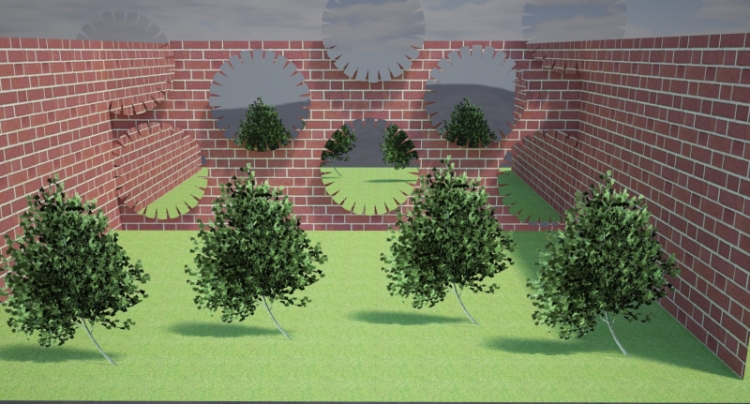
-
RE: RpTreeMaker - new version Dec 12, 2008
I guess it would make the most sense to just output the alpha channel in the same location that the tree image is saved to. Also, there is no naming contingency in Vray, so the saved name could be anything you choose.
-
RE: RpTreeMaker - new version Dec 12, 2008
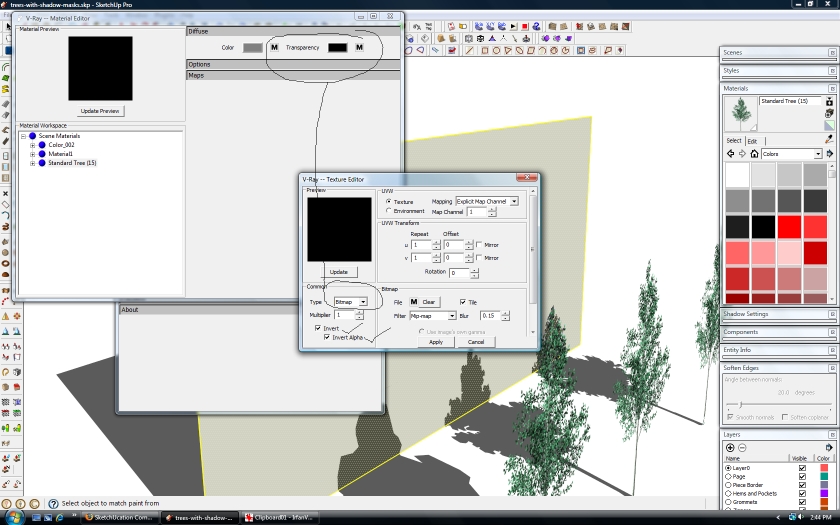
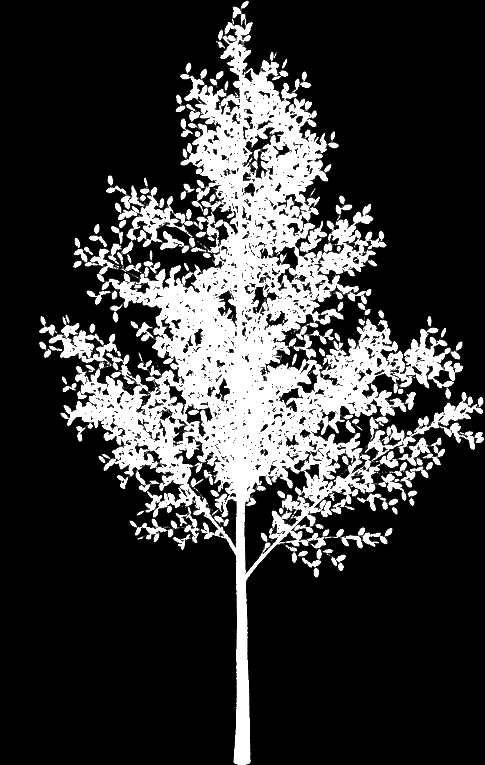
Al, Here is the alpha map I used and were I put it. Vray runs from within sketchup, but you add the alpha map in the transparency channel from within vray.
Also, the reflections are not working in Vray.
Hope that helps.
-
RE: RpTreeMaker - new version Dec 12, 2008
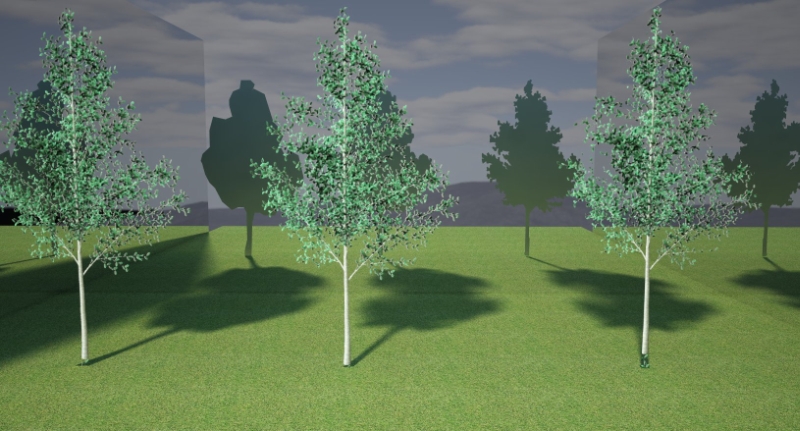
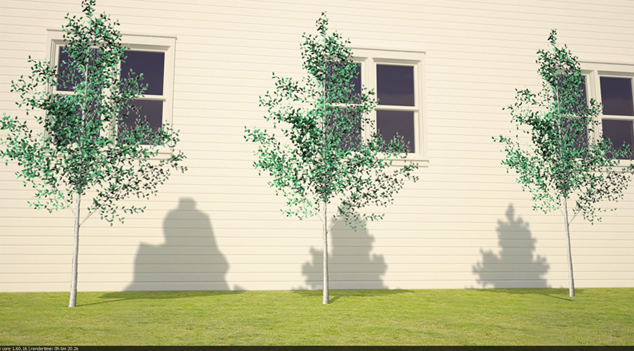
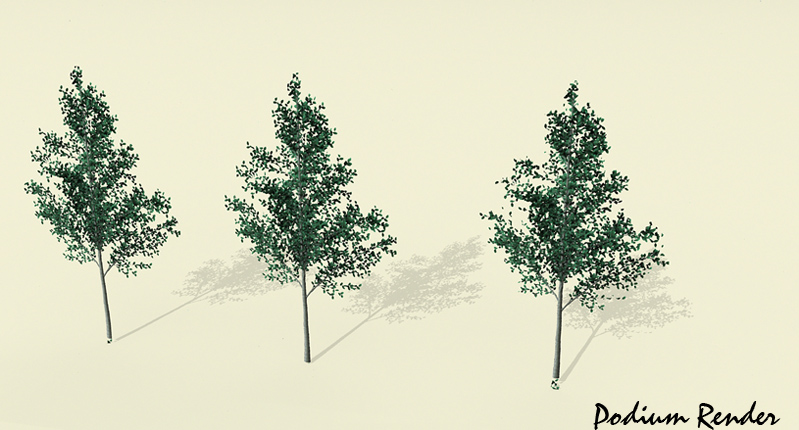
Here's a quick test with Vray. I did have to add alpha mask to the trees in order to get the outline to disappear. It's odd though that the alpha map didn't seem to affect the shadow output. No worries though, as the high poly output shadow is very good as is.
Also, shadows appear the same on all trees within Podium.
Al, have you ever considered adding the ability to import a .png file into the treemaker, solely to utilize the shadow mask algorithm? This would be an indispensable tool for me as the time spent on cutting out shadow masks by hand is very tedious. It would be a handy tool for inserting a billboard and having the tool automatically generate an output with the shadow mask.
-
RE: Car (W.I.P.)
Kevin, why don't you find a new hobby? Maybe if you spent more time modeling and less time posting asinine and uninterpretable half sentences, you would be able to produce something that almost resembles a model. You have been nothing but rude and combative, and not to mention ungrateful. It's gotten to the point that every time I see a post of yours, I literally cringe. I hate to say this, but IMO, you should be banned from this site.

I feel bad for all the people who are genuinely posting quality models and looking for constructive feedback, but yet, they get pushed off of the page with less than a few hundred views. Meanwhile, you clutter this forum with page after page of bumping your own threads to post your incoherent, rambling, one liners.

-
RE: Top view vegetation.
@solo said:
Adam
You got me thinking, I can make these vegetation .png's as top view or normal face-me view, if I group the two components as say.... Boxwood hedge_FM and Boxwood hedge_TV (FM=face me and TV=top view)in a folder per species then your method of puting the TV (top views) on a seperate layer would work well as the top view image will be the actual plant that the front view is.
I will play around with this next week when I return from New England.I'm looking forward to seeing what you come up with. Please keep us informed.
-
RE: Pool house (First post in a long time)
Hey, now it's snowing! LOL What are you using to render?
-
RE: Pool house (First post in a long time)
Nice work. To me there is a general gray overtone to the render that makes it look cold and winter like. I would try and blue up the water and sky a little and maybe add some more "beachy" things. The pool and house seem a little disconnected from their surroundings.