Nice update. Thanks Thomthom!! 
Oops, your profile's looking a bit empty! To help us tailor your experience, please fill in key details like your SketchUp version, skill level, operating system, and more. Update and save your info on your profile page today!
Check out Febhouse | New extensions for Shadow Analysis in SketchUp Download
 E
Offline
E
Offline
Posts
-
RE: [REQ] close gaps and unify lines
Check Fredo's script called Remove Lonely Verticies. It does just that.
-
RE: {REQ} Perimeter Trace?
Guys....I'm talking about doing it to an entire model in one go. (the example I used was simplified to show the basic concept) I wouldn't want to start cutting up the geometry, exploding groups and intersecting. I understand how to do it manually, but was looking for a better way.
Kris & Pilou, I'm not looking to flatten anything or glean a cross section, but rather to trace the perimeter while maintaining the lowest Z height.
The challenge of the script would be to first define the outer bounds, similar to what TIG's silhouette to plane script does. Then perhaps if the silhouette border edges where placed below the model and projected upwards until they intersect with a perimeter edge. Perhaps a method may be to have the script place Cpoints along they silhouette perimeter and project (drape upwards) the Cpoints until they hit geometry (whether inside group or component), as a way of raytracing the border. I'm not sure. I just know something that would do this "automagically" would be a real time saver. If it's not possible, that fine too...I bill by the hour.


-
RE: [Plugin] CleanUp
@gaieus said:
Thanks, TT. Whatever "minor fixes" you made, this is one of my most valued and frequently used plugins.
Me as well. I can't thank you enough...so here's another. THANKS!

-
{REQ} Perimeter Trace?
I'm looking for a script that will trace an outline of a collective set of geometry while maintaining the Z height established by the lowest most edges. I want to extract the perimeter shape to help with inserting models into a GE terrain via Instant Site Grader, or to skin and glean a total area. Is this possible via ruby? I know I can flatten all (silhouette to plane) but I was hoping to preserve the Z within the angled lines of the footprint.
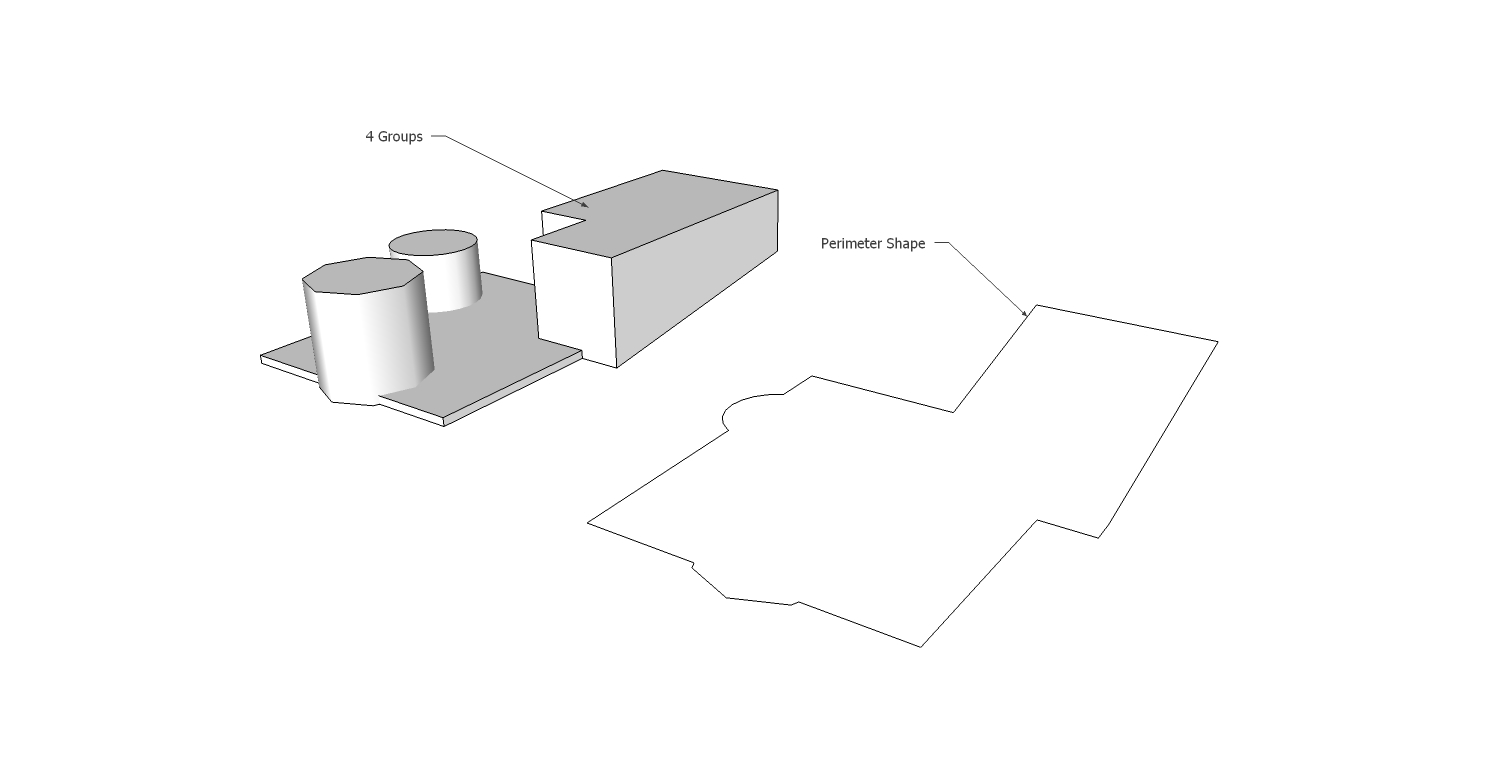
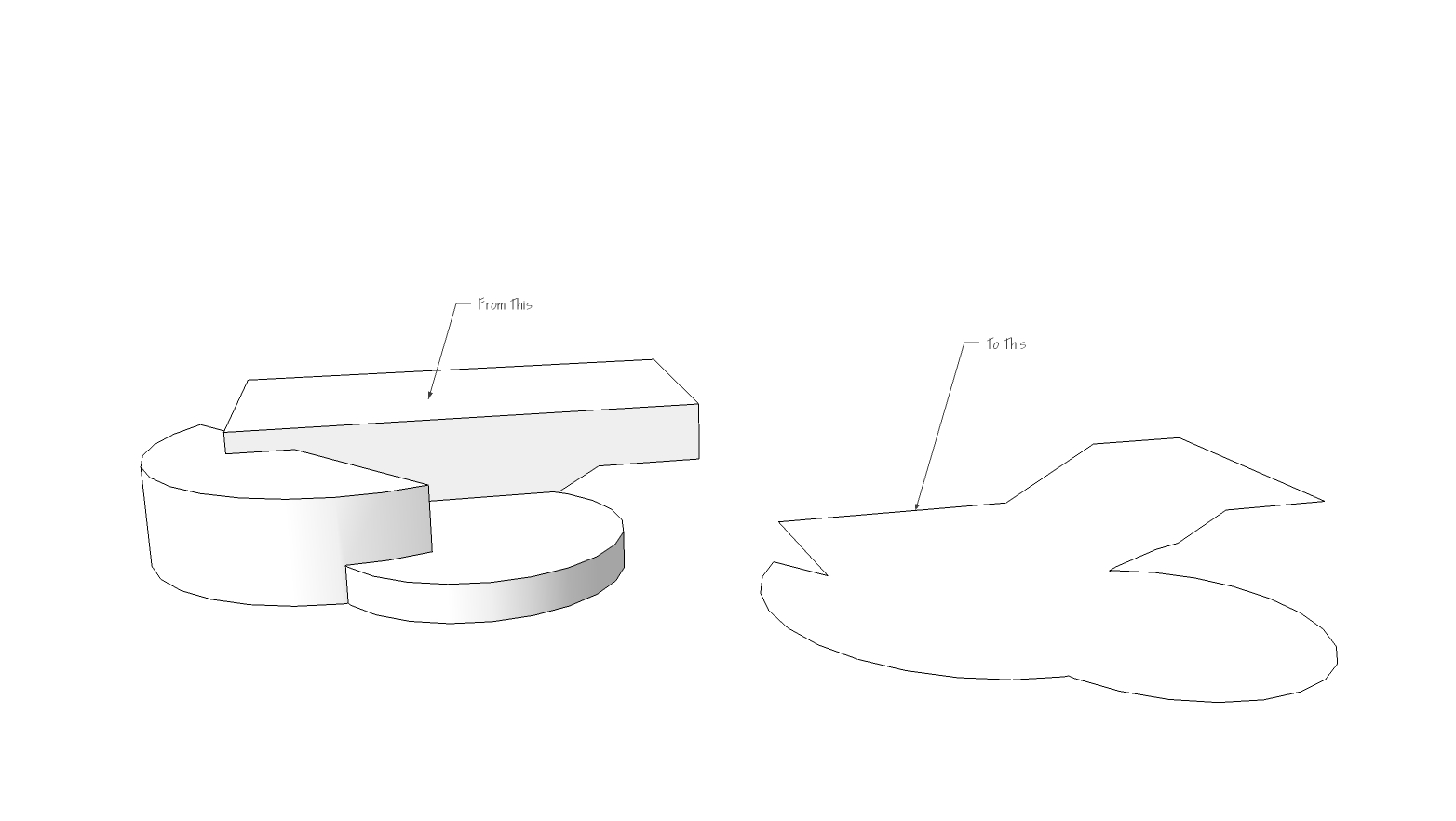
-
RE: Outdoor Kitchen Project - Help..
Nice Dave. Indeed it can all be achieved very efficiently with the Sketchup native tools. Sometimes we get spoiled with the ease of use the plugins provide and forget that there are native methods that get us the results just as fast. As with most thing in SU there is no one way to do anything, but many different methods and tricks. I like Dave's advice though. It's better to learn all the nuts and bolts of SU first, then start diving into the plugins down the road.
Best of luck with your project.
-
RE: Pool material and underwater lighting
Nice Nomer....thanks!
Regarding pool water, I've also done a lot of test. I find I get a slightly better refraction quality by using a clear (white) water shader (no diffuse texture) with very slight fog color in the refraction parameters and adding the overall desired color to the surface of the pool itself (bottom and sides), via tile or just a colored plaster texture. It seems to better mimic the real lighting physics and allows for a visible depth in the water. Just a thought.
 What you have achieved with this simple method is great as well. I love your tuts...keep them coming.
 -
RE: Outdoor Kitchen Project - Help..
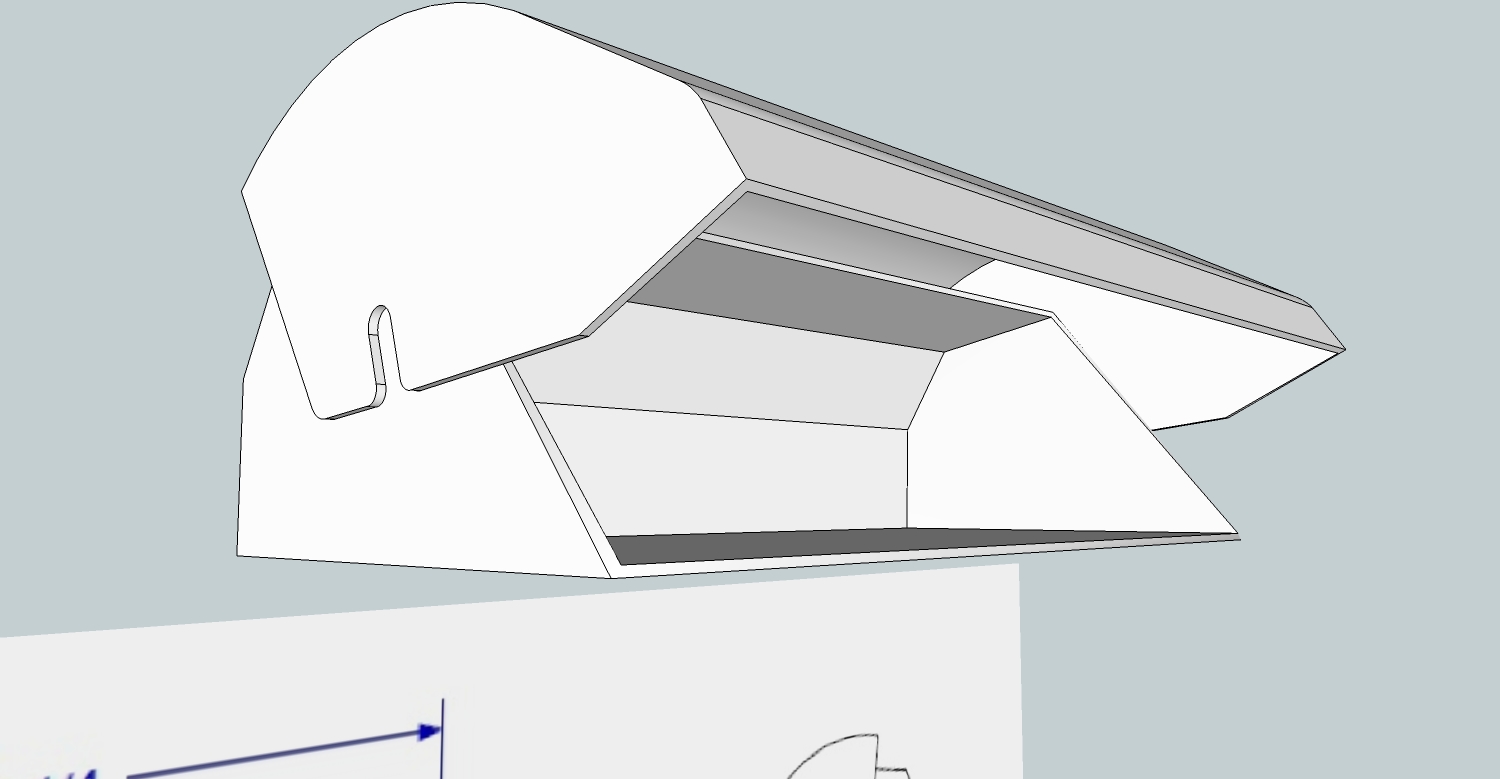
I would just delete the inner edges until you get the shell of each piece. Then use the plugin Joint Push Pull and set it to thickening (tab key) and extrude all the faces (simultaneously) a quarter inch. Then group the piece.... doing the same for each.
-
RE: Outdoor Kitchen Project - Help..
Also, since you are working on an outdoor kitchen, you may find these useful. I downloaded them from the Viking website a while back and converted them to .skp.
Viking Outdoor Kitchen Components - http://www.box.net/shared/j8q5y0tccmqeg69d8xta
-
RE: [Plugin] MatrixProximity Update v1.9 20110708
Where can I find the original .zip file for this? I've never used this before so I think I'm lacking a few things to make it work. I tried to just drop in the .rb file and create the subfolder in my components folder, but I can't get it to show up in the plugins list. Perhaps it would be helpful to repackage it with everything needed to make it work.
Thanks TIG, this looks useful.
-
RE: Tgi3D SU Amorph's new Warp/Mould/Remorph (?) Tool
Ooooh, I need this tool! So fast. Have you considered a symmetry option for the morph box? Perhaps Warpform would be a good name.
EDIT - oops replied before I read page two and Jorges questions about symmetry.
-
RE: Photomatching Issue
I've had similar issues in the past and was never able to make photomatch work with Vray. If it wasn't the perspective having issues it was the textures going haywire. I eventually gave up and did something similar to the workflow that Broomstick is describing. Get it close in sketchup and then photoshop it the rest of the way.
 I would be nice in the future to see some revamp of the current photomatch tool in SU....or maybe TGI3D can take some simple setup features of Photoscan and implement a cheap alternative photomatch plugin.
-
RE: My first gallery post :)
Welcome Mohd. The interiors are great! Congrats and thanks for sharing!
-
RE: This is some of my works
I was looking through this thread with my three year old standing next to me. He must have said "Cool!" over a hundred times. I love all your ideas. You seem to have an unlimited pool of imagination.
-
RE: The camera of tomorrow?
No worries.
Sarcastic ribbing is all.Here is the link I posted in the other thread - http://techcrunch.com/2011/06/21/lytro-launches-to-transform-photography-with-50m-in-venture-funds-tctv/
Check out the mouse click DOF image.
-
RE: [Plugin] Sketchup Ivy
Have any of you checked out the Ivy texture pack that is on the Lutz Ivy generator page? - http://graphics.uni-konstanz.de/~luft/ivy_generator/ There are some great Ivy textures there with bump and spec maps, even a few premade maxwell ivy textures that could be used to replace the ones that come with Sketchup Ivy.
-
Lytro Launches to Transform Photography
This looks to be a very cool technology in the world of photography. I wonder if some render engine authors could also implement an "on click" DOF adjustment.
-
RE: Best Way to Model Terrain w/ a retaining wall
I have Instant Site Grader Pro and use it all the time. It's definitely worth the money. Since you are doing this type of work, you could also check out some of the tutorials I put together for the hardscape contractors here - http://prohardscaper.com/forumdisplay.php?f=52