@box said:
I guess it'll be two years again for the next installment.
Box, I got a new mouse. The middle button works, but I can't orbit precisely.
@box said:
I guess it'll be two years again for the next installment.
Box, I got a new mouse. The middle button works, but I can't orbit precisely.
How may one fix a model so that the shadows don't cast below the ground? The model/object is exactly at the point where the red/blue/green axes meet, yet the shadow is cast below the ground.
Solved my own problem.
Somehow, the axes moved above their original position. Right clicked one axis/reset.
@pilou said:
Maybe also something like a "morphing" thing?
A cube becomes a pyramid in a number of step wanted!
(rotate included at some places if wished too with a twisted curve)Or this ?
(with 2D +Path by Kirill2008 )
pilou, thanks for responding. I saw the instructions that you attached. I selected all, right clicked, and ... nothing happened.If I right click, shouldn't there be some kind of option to morphing?
Can one "blend" objects in a manner similar to CorelDraw (or Illustrator [I'm sorry, I don't know the term to use in SU.])?
If one ctrl key an object, moves it to a different position, and /#. It repeats the duplication # times. Is it possible to rotate the copied object and in between rotate all of the in between objects until they reach the copied object?
Can one delete redundant objects easily, without having to search inside each component to find them?
toalha+de+mesa+mesa2.skpPlease see attached file. Does one have to click on each line to soften it?
@dave r said:
Yes. Triple click on it to select all of the geometry. Then right click on it and choose Soften/Smooth Edges.
You don't need to right click on the geometry if the Soften/Smooth window is already open.
[attachment=0:bygu0pd6]<!-- ia0 -->soft.gif<!-- ia0 -->[/attachment:bygu0pd6]
Click on the picture.
Why don't all of the lines soften - even at 180?
John, thank you.
Now, I'll try to figure out how to fix my file using Acrobat Distiller 11.0 (Windows) as v1.5...
Dear John, can one save it as v1.4 tag in Acrobat? I don't have a Mac.
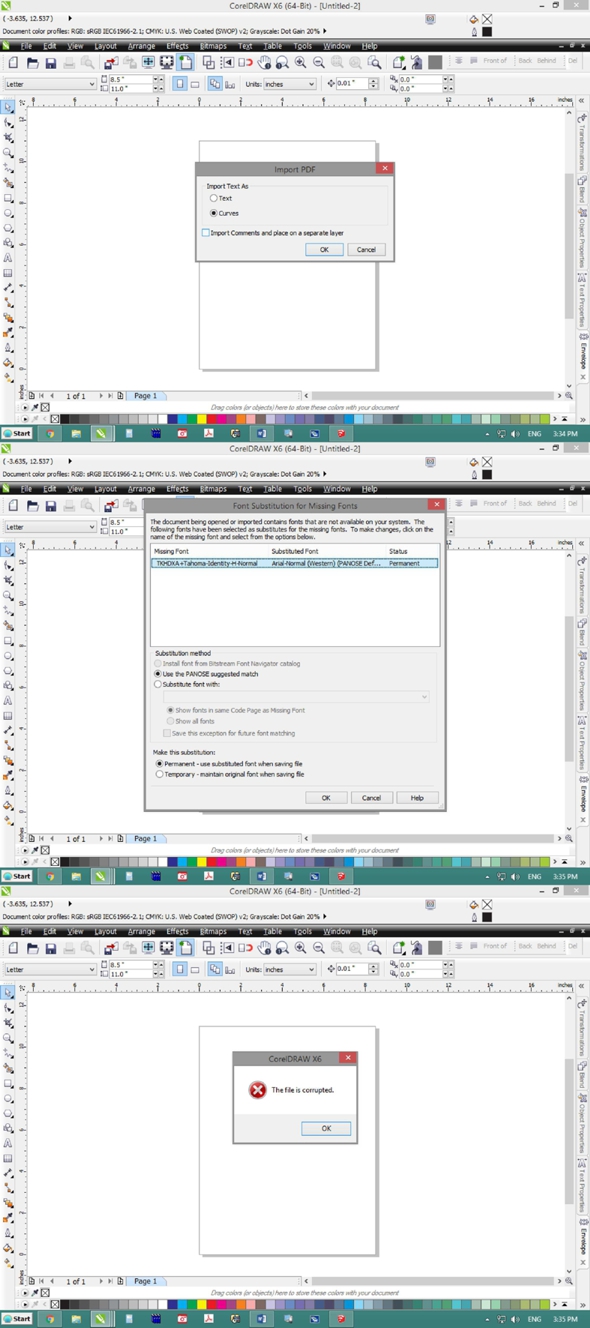
Is there any way to change how LO exports pdf? Various programs can't import the PDFs created in LO.
@driven said:
does this version of your pdf open in Corel?
[attachment=0:1ztrr0d6]<!-- ia0 -->Test_026.pdf.pdf<!-- ia0 -->[/attachment:1ztrr0d6]
john
Yes, it opened in CD.
But, even Illustrator (according to the version) couldn't import the file properly.
Dave R, thanks for your patience and suggestion. I repaired the installation but ... it still doesn't import into CDR X6.
Dave R, after extensive effort with CDR, it seems there is a problem with the export from LO to PDF. Can one reinstall or repair the installation of LO?
Someone who works with CDR, wrote to me,"Your file is corrupt. Try this file instead." He seemed to have fixed the "corrupt file".
Dave R., yes, I removed the dimension lines from the SU file, saved, updated the LO file and made the export ... with no problem.