Interesting that you would appear to have joined the site just to make some rambling rant.
Might help if you actually realised that Sketchup is no-longer part of google!
 Offline
Interesting that you would appear to have joined the site just to make some rambling rant.
Might help if you actually realised that Sketchup is no-longer part of google!
BezierSpline should get you going.
http://sketchucation.com/forums/viewtopic.php?t=13563
@markl said:
Ideally, I'd like to have two copies of my entire model on the screen ... one copy shaded with textures, and another with X-ray.
Probably Dave, but it was this bit that I picked up on and why I said I was probably being too simplistic.
You can certainly have two files open with different styles.
I may be seeing this too simplistically but.....
as seperate entities you can hide anything you want.
P.S. ignore the toolbar layout, I'm on a borrowed PC.
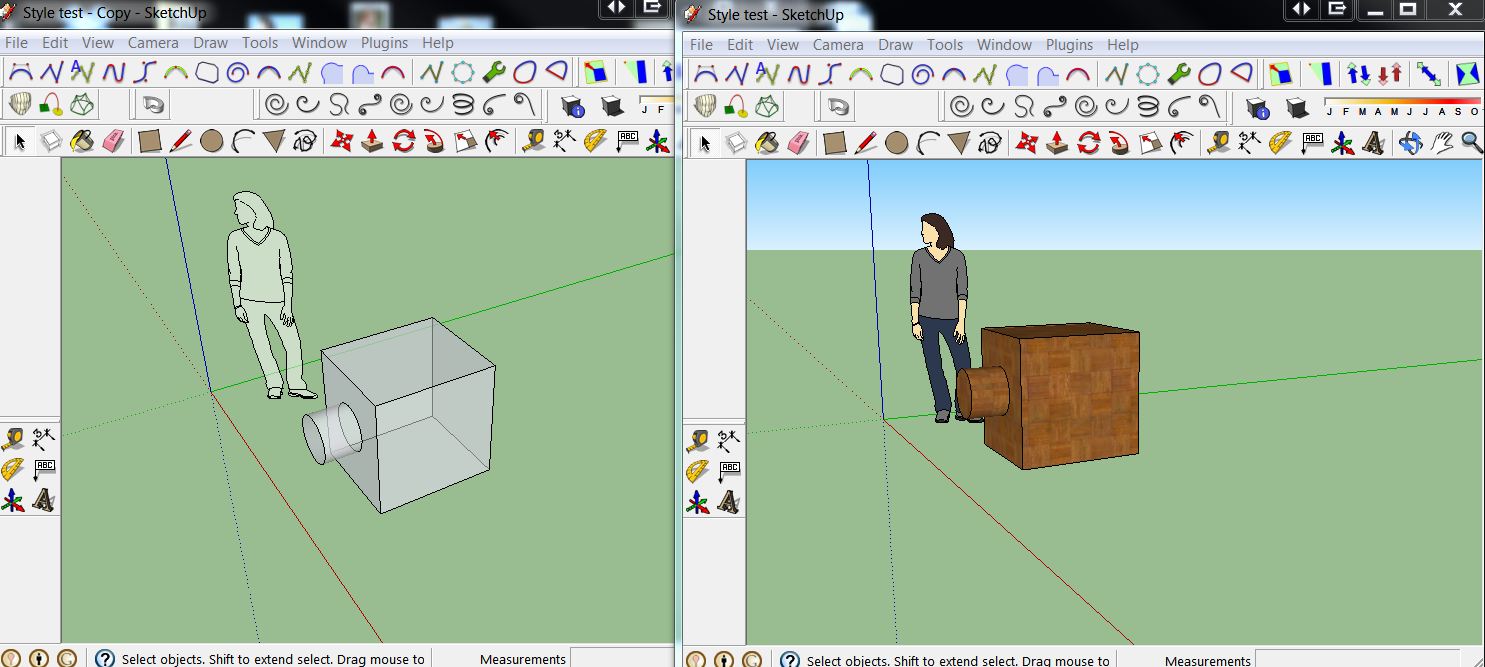
@unknownuser said:
Some schools have created student energy patrols to monitor and inform others when energy is wasted.”
I suspect you may be misinterpreting the wording of this statement.
To monitor and inform, means notice that too many lights are on in a room and inform those in the room that it would be a good idea to use less lights and not to forget to turn the lights off when they leave the room.
You are reading Inform as run of and tell tales when it means educate or explain or make aware off etc
Personally I think it is a great idea to Inform children as soon as they are able to understand.
Informing them about healthy eating and exercise would be a good idea too.
You also don't have to grab the object itself, as long as it is selected you can click anywhere and move it.
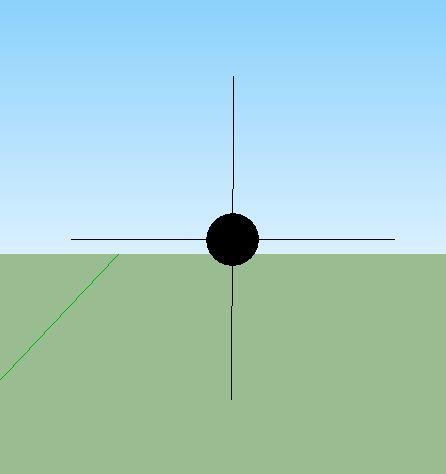
You can always make your own points and save them as components.
You can make them as complex or simple as you want, just make them bigger (If you want faces is in them) to start and shrink them down. But a simple pair of crossed lines, or one tiny line arrayed to create a cross, up to you and how you want to use them, but it's not the same as a single point, you end up with multiple inference points, but it's pretty close.
It's an odd one, mine reverted to an older one (I had fairly recently changed it) so I reloaded my new one and now that has disappeared.
It's no biggy to put it back but it is a curious phenomenon.
Mike, Logos are really about brand awareness rather than specific product recognition.
A Logo needs to be distinctive and instantly recognisable, but it doesn't have to tell you what the product it is linked to does.
Most logos are descriptive of their "product" but that is mostly because the people who design them are using the product as a starting place. It's almost an inside joke, you usual need to know the product fairly well before you fully appreciate the nuances of the logo's design.
A Logo is an eye catcher that instantly strikes a cord in the viewers mind, that is more emotional than it is rational.
A good logo is one that jumps out and hits you over the head and drags you back to it's cave when it is mixed in amongst a screen full of icons. It isn't there to educate you, it just needs to grab you.
Yes 1mm is tiny. You are better off working larger and simply scaling back when you are finished or need true sizes.
It is, after all, when working in metric, only a matter of numbers and it's very easy to rescale a whole model using the tape measure tool.
Or scale up a component to work on it then back down again.
The main point is, SU can have problems creating small or very big faces but once created they can exist.
EDIT: As said above
Yes it is quite simple but it's been one of those things that has bothered me for years.
It takes two clicks, and when you are on new posts it still requires two clicks or a refresh to update it.
In the old version you could click new posts from within a post but that isn't available now.
It's not a big deal and I have a bookmark that takes me straight there anyway, but it still seems odd not to have those oft used links at the top of the page.
Personally I would use a new posts link many many times more than a your posts link.
Yet another drunken pointless post that should be deleted. I mean this post, not anyone else.
Corel Draw Graphic suite (whichever version is current), or more specifically Corel Photo Paint.
Many choices, seems everyone you talk uses something different. But I'll second sketchbook if you have a tablet.
The writing of "help files, user guides, instruction manuals etc" is the very root of the issue. Unfortunately they are written by people that know how to use the product, this means they often can't see all the issues involved.
A good example is cook books. Recipes need to be tested by normal home cooks before they can be used. They find the faults and the recipes are edited to suit. The results are still not fool proof.
The same goes for user guides etc, but the larger the amount of info the more that can be wrong. And often it is printed without customer testing.
Then you start looking at the effects of translating into another language.
My wife translates help files from German into English, often she has no knowledge of the subject so the technical words and phrases can end up as simply her best guess, usually we try to look at the whole document to get a better understanding but a lot slips through the cracks.
Do you happen to have a wacom tablet, I've seen this problem with them and resetting the wacom preferences fixes it.
Using the native tools, in the entity window of the other items you can alter how they respond to shadows, ie: turn them off individually. No plug in required.
Hey John ignore me, that was meant to be a joke, but reading it this morning makes me realise how unfunny I am when drinking.
Amazing work, outstanding, I couldn't get near it in a hundred lifetimes.