Oops, your profile's looking a bit empty! To help us tailor your experience, please fill in key details like your SketchUp version, skill level, operating system, and more. Update and save your info on your profile page today!
Check out Febhouse | New extensions for Shadow Analysis in SketchUp Download
A
Offline
Posts
-
RE: MSPhysics 1.0.3 (16 October 2017)
@fokys said:
Please tell me how to configure the plugin
I will try to make the slider joint more useful by the next release. Thank you for your report!
-
RE: MSPhysics 1.0.3 (16 October 2017)
@diogobr said:
My sketchup is hiding the objects, when I press start emulation (about 10 seconds). What is happening?
This happens because some objects, like hidden objects fall too far down to the point where your view is clipped. Ensure to assign an Ignore state to the that objects that should not be a part of simulation.
-
RE: [Plugin] Smooth Zoom 2.1.0 - 24 October 2021
Mac OS X has a completely different API. I do not know if there is a way to hack into a Mac OS X SketchUp window to take control of the the mouse wheel input. That is sure possible with Windows API but probably not with Mac OS X API, Carbon or Cocoa.
I know that zooming with laptop mouse pads already eliminates the bumpiness from zoom. Perhaps a better mouse wheel hardware is a solution.
-
RE: [Plugin] ClothWorks v1.8.0 - 28 Apr 2024
Здравствуйте Евгения! Вам не нужен PayPal для покупки ClothWorks. Нажмите на кнопку "Check Out", чтобы купить, используя другой метод. Смотрите прикрепленные скриншоты.


-
RE: [Plugin] FredoTools::ColorBySlope - v1.0a - 12 Sep 19
Fredo, that's very nice work you did there. Great job!
-
RE: [Plugin] ClothWorks v1.8.0 - 28 Apr 2024
@jbf You have to apply pattern (material) directly to the faces of the cloth. Do not apply material to the top level group. See one of the ClothWorks videos for applying material.
-
RE: [Plugin] ClothWorks v1.8.0 - 28 Apr 2024
@summerson1990 I fixed the issue. Please update to 1.7.2. The problem had to do with non-ascii username. I originally relied on the ENV variable to get path to appdata. I see that the ENV variable has issues with non-ascii usernames. With 1.7.2, I updated to use Windows API to get the appdata path. Thank you for the report and my apologies for the inconvenience!
-
RE: [Plugin] ClothWorks v1.8.0 - 28 Apr 2024
@summerson1990 said:
Just bought this plugin and saw a new version released (1.7.1a) but when updated the toggle UI interface is not working anymore. It can't be opened. I use SU 2019 PRO on win 10.
The Toggle UI toolbar option works correctly on my system. Please do a clean installation of the plugin. Navigate to your plugins folder and delete ams_ClothWorks folder and ams_ClothWorks.rb file. Then do a clean installation of version 1.7.1.
There are two plugin folders. To navigate to the first plugins folder, open a file explorer window and paste the following into the address bar: %appdata%\sketchup\SketchUp 2019\SketchUp\Plugins
The second plugins folder is located at:
C:\ProgramData\SketchUp\SketchUp 2019\SketchUp\PluginsEnsure that original version is deleted from both folders prior to installing the new version.
-
RE: [Plugin] ClothWorks v1.8.0 - 28 Apr 2024
Announcing version 1.7.1:
- Fixed crash on Mac OS X. Thanks to jkeller3 for the report.
- Added Spanish language. Thanks to Oxer for the translations.
-
RE: [Plugin] ClothWorks v1.8.0 - 28 Apr 2024
Joe Keller,
I am able to reproduce the crash on my Mac OS X 10.14 but not on my Windows 10. I will look into fixing the issue as soon as possible. Thank you for the report!
Anton
-
RE: [Plugin] ClothWorks v1.8.0 - 28 Apr 2024
@jkeller3 said:
I've been using this extension for some time now but I currently have an issue. Clothworks is crashing when ever I go to drop a cloth over a 3d item. Single plane it has no issue, but if there are 2 or more angels outside of the one plane it crashes with no warning, or lag.
Yes, please share a model or send me a private message of your model, that I could look into the issue. Also, are you using ClothWorks v1.7.0 or an older version?
-
RE: [Plugin] ClothWorks v1.8.0 - 28 Apr 2024
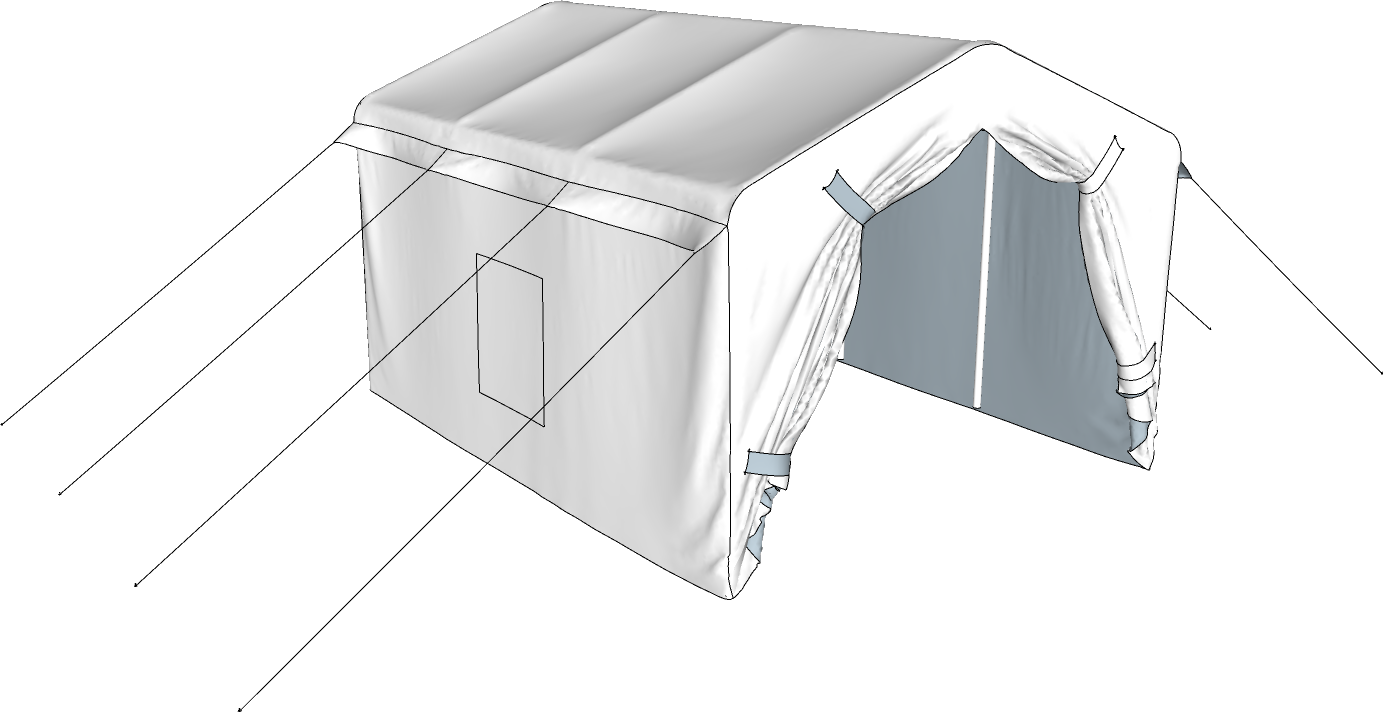
Void is used for excluding parts of the cloth mesh from simulation. If you have a large mesh and only want to simulate a part of it, you can use the Void shape. Simulating by parts improves simulation performance by a reasonable factor. If you use a pin to lock vertices in place, the locked portions of the mesh are still included in simulation and collide with other objects, hence no performance benefit.
Simulating by parts will be covered in the tents tutorial that I started making but came across a thing that needs improvement. The void shape will definitely be covered upon releasing version 1.8.
-
RE: Making soft furniture seem more realistic, random
Can do that with ClothWorks too!
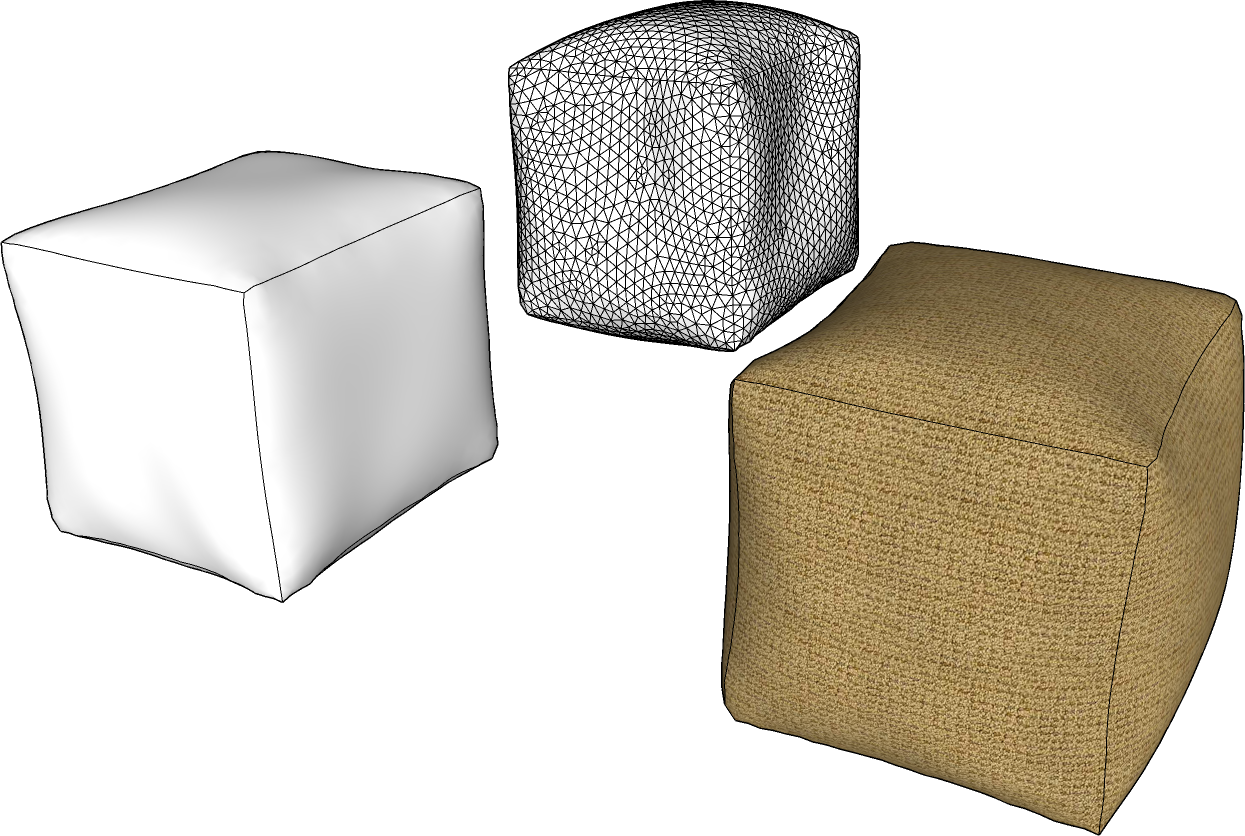
Steps:
- Draw a box and group it.
- Assign a cloth property: (Context Menu) ClothWorks -> Make Cloth
- Apply adaptive grid with desired spacing: (Context Menu) ClothWorks -> 1 Cloth -> Apply Adaptive Grid
- Set stretch to 0.09 and bend to 0.25 via ClothWorks UI.
- Set gravity to -1.
- Draw a rectangle beneath the box and set it shape to collider.
- Simulate. Use drag tool to deform at desired places.
- Stop when the box settles over the rectangle.
- Make use of the toggle drape feature to apply material.
-
RE: [Plugin] ClothWorks v1.8.0 - 28 Apr 2024
Announcing version 1.7.0.
Changes include:
- Added Russian translation. Desired language is accessible from ClothWorks menu.
- Added thickness generator for both cloth and strings. Cloth with thickness can be subdivided and draped/undraped, just like cloth without thickness. It is, however, not recommended to simulate cloth after generated thickness. Generating thikness, just like applying loop subdivision or laplacian smoothing, is for finalizing results.
- Added a feature to simulate by parts. When simulation starts, objects assigned Void state subtract cloth and collider vertices overlapping their axes-aligned bounding boxes. Subtracted vertices are not included in simulation.
- Added an option to draw cloth using SketchUp OpenGL API. Drawing cloth rather than transforming vertices guarantees a better performance, especially when simulating by parts. If Adaptive Remeshing is turned on, mesh resolution changes are drawn dynamically. When simulation is stopped, the original mesh is transformed/generated as necessary.
- Reworked gizmo. The new gizmo allows for translating, rotating, converging, and diverging selected pin(s).
- Fixed drag for strings.
- Fixed freezing issue when applying loop subdivision to undraped cloth.
- Completed the multi-threaded solver. If multi-threaded solver is turned on, most simulation tasks are distributed across all the available CPUs.
- Completed adaptive remeshing. Now, both cloth and strings are both refined and coarsened. Additionally, simulation can now be stopped and resumed from an adaptively refined mesh. Note that an adaptively refined mesh cannot be recorded.
- Updated manual
-
RE: [Plugin] ClothWorks v1.8.0 - 28 Apr 2024
As you can see, you have the same plugin installed in both locations. Delete the plugin from one of the installed locations. To delete the plugin, delete ams_ClothWorks folder and ams_ClothWorks.rb file from either program data or roaming. I see that the one located in roaming is newer.
-
RE: [Plugin] ClothWorks v1.8.0 - 28 Apr 2024
@jo-ke In your second screenshot, you have ams_ClothWorks at line 2. I am totally not sure where that is coming from.
Paste the following into your file explorer address bar and send a screenshot of the plugins: %appdata%\sketchup\SketchUp 2019\SketchUp\Plugins
Then navigate into the ams_ClothWorks folder (if any) and send a screenshot.
Then, paste the following into your file explorer, and send a screenshot, if the Plugins folder exists:
C:\ProgramData\SketchUp\SketchUp 2019\SketchUp\Plugins -
RE: [Plugin] ClothWorks v1.8.0 - 28 Apr 2024
@jo-ke said:
Thank you juju. OK, found the installation file, downloaded it, ran as admin, repaired su and restarted my pc. Started su and: clothworks dissappeared again.

Does this occur to all your plugins or just ClothWorks?
-
RE: [Plugin] ClothWorks v1.8.0 - 28 Apr 2024
@efrey1991 said:
hola amigo de ante mano agradezco por tal herramienta que pues le da a nuestros proyectos un mejora extra un realismo impresionante.
tengo un pequeño inconveniente cuando APPLY EQULATERAL GRID. BUENO ESTO ME PIDE QUE por favor active su licencia de clothworks para desbloquear la rejilla adaptable, apreciaría este favorEquilateral and quadrilateral grids work without licensing. The adjustable grid only works with licensing. If you desire to use equilateral grid, you do not need to license the plugin.
-
RE: [Plugin] ClothWorks v1.8.0 - 28 Apr 2024
@edson said:
Thanks, Anton. All of it helps but I still wish it would move a little faster. Which is the property that controls it?
Best regards.
Edson
Edson, you may be experiencing a performance issue, which can't be fixed due to the limitation of the plugin itself. If you send me private message of your model, I will take a look and see if anything could be done to improve performance.