sketchucation logo sketchucation
    • Login
    1. Home
    2. Aerilius
    3. Posts
    Oops, your profile's looking a bit empty! To help us tailor your experience, please fill in key details like your SketchUp version, skill level, operating system, and more. Update and save your info on your profile page today!
    ⚠️ Important | Libfredo 15.6b introduces important bugfixes for Fredo's Extensions Update
    A
    Offline
    • Profile
    • Following 0
    • Followers 1
    • Topics 81
    • Posts 1,410
    • Groups 2

    Posts

    Recent Best Controversial
    • RE: Bridge computer models

      I can think of 2 ways:

      1. make it by hand: cut out the bridge with the select tool, past it as a layer over the photo and erase some parts (were a tree hides the bridge for example)

      2. Kerkythea offers a mask render (when you hit "render" there is a "settings" list, the 25. entry is mask render).
        So render the bridge as a normal image, then render the bridge as a mask from the same camera but with surroundings, landscape etc. turned off. In a graphic editor, you can use the mask render as an alpha mask for the bridge render and use a photo as background.

      To get the right perspective, you can import the photo into Sketchup as "photo match" and create the scene where the perspective fits to the photo.

      posted in Gallery
      A
      Aerilius
    • RE: Wierd issue when photo-texturing

      I don't know what it is, but although you have good processing power, Sketchup does not officially support all graphic cards. I sound like a graphics issue.

      Try to turn off anti-aliased textures (model properties) and turn off maximum texture size (preferences). For more solutions, see here
      http://groups.google.com/group/SketchUp/web/graphics-card-feedback?hl=en

      posted in SketchUp Bug Reporting
      A
      Aerilius
    • RE: Linux?

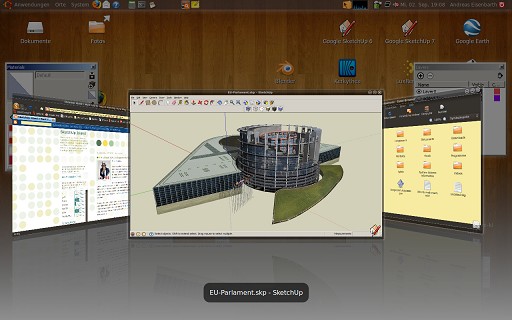
      I also seriously tried to make a model, you can see it in the first linux collection in 3d-warehouse.

      You can make Sketchup to run under wine - but it is still a stroke of luck. I myself have an Intel chipset (which was not officially supported by Sketchup) and I got everything to work on the first day, I am sure I could even use the modeling tools, but I did not see them because the screen was black. Suddenly, after some months and some wine updates, it worked. The wine developers make great efforts and sometimes it is really worth to wait for the next update.

      First of all, go to the wine database and follow the instructions (SU6 works quite good, probably SU7.0, SU7.1 not yet)
      Be patient, if one step does not work, continue and repeat the steps, restart Sketchup or linux until the next step works. Most modifications need to be done in the registry (See applications -> wine -> drive 😄 -> windows -> regedit.exe). Better turn off compiz (for me, it even works with compiz on)
      SU7_on_linux.jpg

      Known problems are:

      • Sketchup starts to zoom randomly
      • when you move the materials/components... windows, they keep sticking to the mouse arrow
      • the sample tool does not work
      • Sketchup crashes when you create a component or save the file (then don't save, set the auto save period to 1min, in your personal folder, you find the autosave file which you can copy)
      • most ruby plugins work - you only need to convert them from dos to unix format according to the instructions.

      All in all, it is possible to work, but the above issues (especially the texture tools) set a limit. The moving windows are nerving. I felt that working is more efficient, with quickly switching between the virtual desktops for my graphics editor and browser (but that is a benefit of linux).
      posted in SketchUp Discussions
      A
      Aerilius
    • RE: Ruby for continuous texturing on curved faces?

      We're still waiting for advanced texturing tools. There are currently only 4 solutions: do it by hand, projected textures and two cool features of a plugin.

      UV-Tools allows you to use cylindrical and spherical projection.

      posted in Developers' Forum
      A
      Aerilius
    • RE: Texturkoordinaten löschen?

      seltsam. Ich habs mit Sketchup 6 und 7.1 getestet und es klappt.

      Eine andere Möglichkeit ist, das Modell in einem geeigneten Dateiformat exportieren und wieder importieren.

      Zum Beispiel könnte man den älteren obj-Exporter benutzen (unterstützt keine Texturkoordinaten, aber auch keine Gruppen und Komponenten) und mit einem obj-Importer wieder importieren. Übrigens: der bessere obj-Exporter unterstützt Texturen.

      Auch nützlich, um auf Dateifehler zu prüfen. Bei einem Modell, das dauernd Google Earth abgestürzt hat, hab ich so herausgefunden, dass nicht die .skp-Datei sondern zwei .jpg-Texturen defekt waren.

      posted in Deutsch
      A
      Aerilius
    • RE: Adding details in model

      If you want a texture image, try this:

      1. Use parallel perspective and make sure you have the view exactly from the front side.

      2. As the model has no face parallel to the viewer, I suggest to insert a rectangle behind the model, that has the maximum dimensions of the model. Then make a screenshot.

      3. The screenshot should have the maximum dimensions and show the outlines of the model. Then you can use an image editor to paste your reference image and stretch/distort/paint on it until it fits perfectly.

      4. Import the image and paint it on the rectangle. Right click -> texture -> projected. With the sample tool (paint bucket + hold down alt key), click on the rectangle and apply this material to the model.
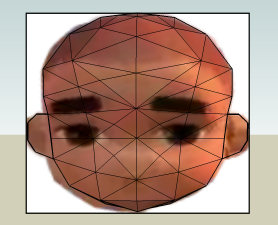
        Bild1.jpg

      posted in Newbie Forum
      A
      Aerilius
    • RE: Texturkoordinaten löschen?

      Wenn du Flächen auswählst und in "Elementinformationen" das Material änderst, bleiben die Texturkoordinaten erhalten. Wenn du das Material mit dem Farbeimer ersetzt, werden die Texturkoordinaten neu gesetzt.

      Also es sollte klappen, wenn du im Materialbrowser das "weißblaue" Standardmaterial nimmst und mit dem Farbeimer zuweist.

      posted in Deutsch
      A
      Aerilius
    • Fascinating display bug

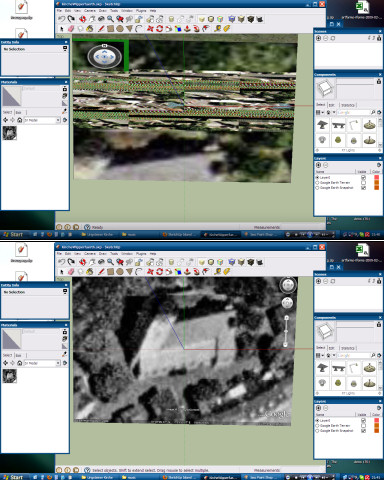
      Since SU7.1, I should turn off anti-aliased textures. But this time I forgot it and imported the Google Earth Terrain as normal...
      ge_snapshot.jpg
      😮 And I wondered to see it in colors. Note that the colors are not only due to the display problems, but it has 3 different color channels, it is exactly the colored satellite image as it is in Google Earth.

      After turning off antialiased textures, it is b&w. After turning them on again, it is colored. After closing the file and opening again, it is still colored 😄 . After restarting SU, the color has completely disappeared 😞.

      posted in SketchUp Bug Reporting sketchup
      A
      Aerilius
    • RE: Manhattan

      Peut-être que tu aimes aussi ce modèle: http://manhattanairport.org 😉
      On l'appelle le premier aéroport CO2-négatif.

      posted in Français
      A
      Aerilius
    • RE: SketchUp 7.1?

      The sensitive area where you can click to select an edge was increased, that means has become really difficult to select small faces whose bordering edges are very near.

      Have others also encountered this? Do you think it should be more like in Sketchup 7.0?

      posted in SketchUp Discussions
      A
      Aerilius
    • RE: [question] texture coordinates and projected textures

      If someone has problems with exporting models with projected textures to a render engine, there is a new work-around:

      The new Sketchup collada exporter supports projected textures very well (much better than normal distorted textures which are split into thousand pieces). When you import the collada model again, the textures look the same as before, but are not projected. So they should work well with ruby plugins.

      posted in Developers' Forum
      A
      Aerilius
    • RE: Default texture tiling

      Sketchup does not make textures itself, but if you import texture images (that should be already tiling), Sketchup repeats them in all directions along the model axes (horizontally or vertically). On slopes, the top side will be upwards (which is reasonable for roofings). The repetition is done according to the distance from the model origin or component origin. That means that the texture placement is in all instances of a component the same, equally if you move it.

      If the default texture placement is not how you need it, you can always be modified (right click, texture).

      posted in SketchUp Discussions
      A
      Aerilius
    • RE: Sketchup 7.1 bugs

      I have the impression that it's similar to z-fighting: the section cut is in plane to the roofing face.

      posted in SketchUp Bug Reporting
      A
      Aerilius
    • RE: SketchUp 7.1?

      I think 7 is a lucky number (another big company experienced this recently). I'm just waiting for Google7 😆

      I think the 7**.1** was because the Sketchup team has spend much time this year for big projects, but not enough "new features" for a major version. The new 3d-pipeline in 3d-warehouse, the new rendering engine and the better collada exporter were big changes under the hood and did not leave time for something else. I could imagine that the next release will be even more overwhelming.

      posted in SketchUp Discussions
      A
      Aerilius
    • RE: Romanesque monastery

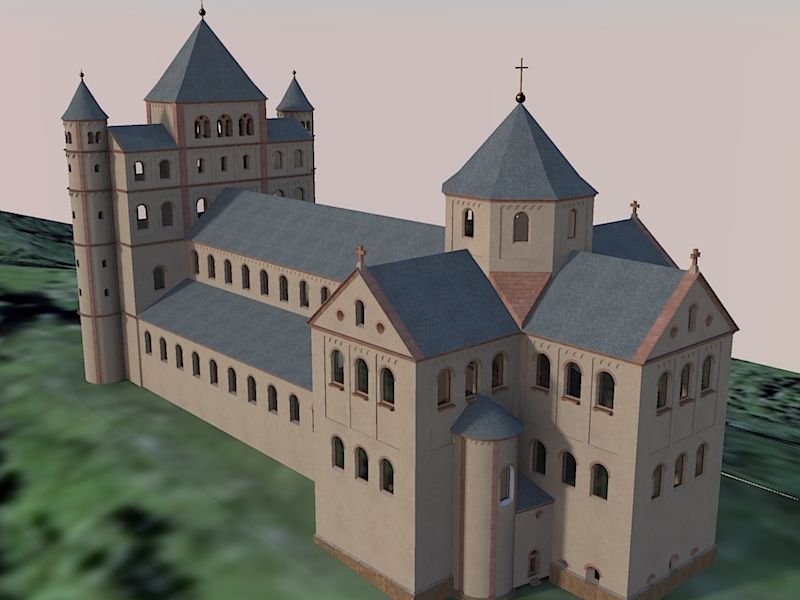
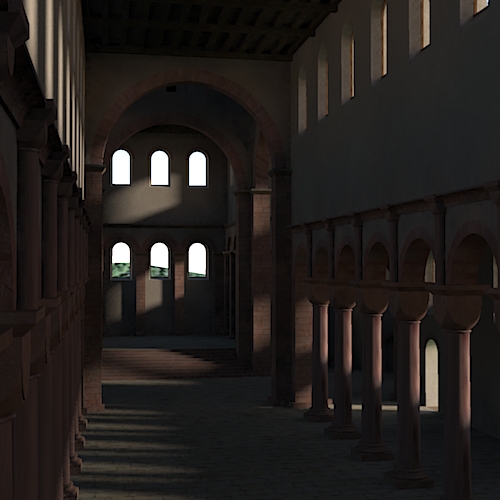
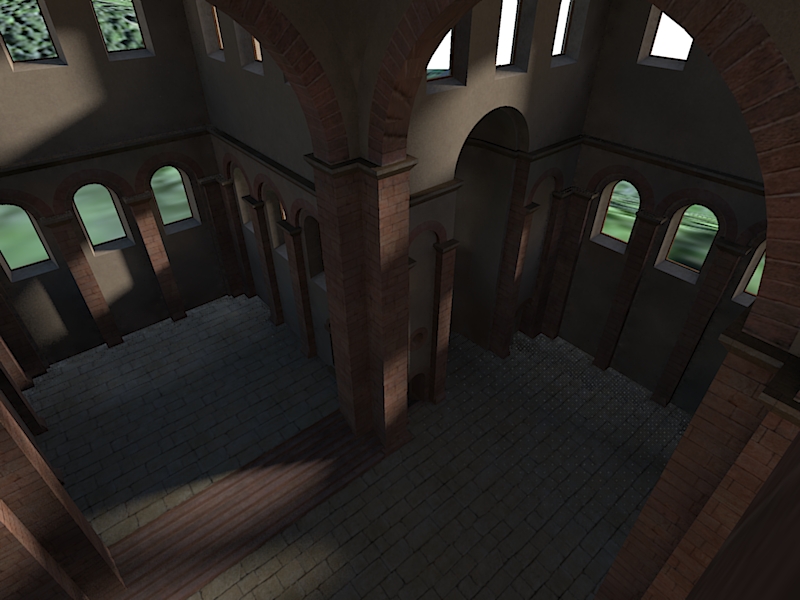
      Texturing is now complete. For these renders, I have not yet used bump maps and procedurals.


      render7.jpg


      render4.jpg


      render5.jpg

      posted in Gallery
      A
      Aerilius
    • RE: SketchUp 7.1?

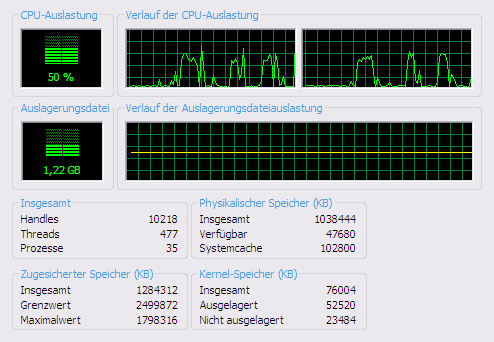
      I myself don't believe in multi core, but this is what happens when I rotate and stop rotating my model 3 times.
      multi core? or is this normal on windows xp?
      From reading between the lines, I know for some months that the SU team was working on a new rendering engine. They are so proud of it, I can not believe they would keep multi core still secret.

      posted in SketchUp Discussions
      A
      Aerilius
    • RE: SketchUp 7.1?

      Interesting: My both CPUs behave the same when I rotate and stop rotating my 300000 polygon model. Maybe someone knows how to get more info about cpu usage.

      I think the gain of speed is also due to the fact that during orbiting, SU turns off additional effects (inference engine, profiles, textures, shadows, bounding boxes instead of components...) as much as necessary for smooth orbiting.

      Great performance, but a bit disappointing is that I see the same bugs as before. Most suggestions for improvement in the Sketchup Group have been forgotten. I speak little easy-to-realize improvements, not about complex feature requests. Although for the first impression, there are not really features, we have to appreciate that they spent much time of this year for a completly new development of important parts of Sketchup:

      • 3d-pipeline in 3d-warehouse
      • new rendering engine of Sketchup
      • the new collada exporter which is better than both the versions of SU6 and SU7
      posted in SketchUp Discussions
      A
      Aerilius
    • RE: Install 7.0 and 7.1 side by side.

      For me, SU7 and SU7.1 use the same registry keys. That means you have always the same settings and preferences in both applications

      posted in SketchUp Discussions
      A
      Aerilius
    • RE: SUp 7.1

      Les plugins sont dans leur propre dossier. SU7.1 ne fait pas de changes pour les dossiers "plugins" et "components". Quant au plugins commerciels, je ne sais pas parce que je n'en ai pas. Ça depend si le plugin utilise des clés dans le registre Windows. J'ai l'impression que SU7.1 utilise les mêmes clés dans le registre que SU7, toutes les préférences sont conservées.

      posted in Français
      A
      Aerilius
    • RE: Displacement maps from Fog

      Thanks! This is very helpful for me and much faster than making a depth render in KT.

      posted in SketchUp Tutorials
      A
      Aerilius
    • 1 / 1