sketchucation logo sketchucation
    • 登入
    Oops, your profile's looking a bit empty! To help us tailor your experience, please fill in key details like your SketchUp version, skill level, operating system, and more. Update and save your info on your profile page today!
    🔌 Smart Spline | Fluid way to handle splines for furniture design and complex structures. Download

    [Tutorial > Modeling] Slant Ramp Tut

    已排程 已置頂 已鎖定 已移動 SketchUp Tutorials
    sketchup
    27 貼文 7 Posters 12.0k 瀏覽 7 Watching
    正在載入更多貼文
    • 從舊到新
    • 從新到舊
    • 最多點贊
    回覆
    • 在新貼文中回覆
    登入後回覆
    此主題已被刪除。只有擁有主題管理權限的使用者可以查看。
    • GaieusG 離線
      Gaieus
      最後由 編輯

      by the way, Simon, why don't you upgrade to 8?

      Gai...

      1 條回覆 最後回覆 回覆 引用 0
      • simon le bonS 離線
        simon le bon
        最後由 編輯

        I have SU6 free and SU7 Pro on my big PC and SU8 free on my laptop...

        SU6 Is ok for everything I do; have never used dynamic component and I prefer the behavior of SU6 PushPull tool.
        I have bought for long Whaat's BoolTools, and actually nothing in SU8 free grab me more: I'm very sorry for that.
        😳 simon

        1 條回覆 最後回覆 回覆 引用 0
        • GaieusG 離線
          Gaieus
          最後由 編輯

          Okay but now as the shadow bug is gone in SU 8, image export is possible at a much higher resolution etc., maybe it would still be useful.

          Not to speak about some new generation plugins that may not work in earlier versions.

          Sure I still have both version 6 and 7 installed, too.

          Gai...

          1 條回覆 最後回覆 回覆 引用 0
          • simon le bonS 離線
            simon le bon
            最後由 編輯

            And Ho!
            I was forgetting the ability to record our toolbars position in 8: what had always put a lot of people and also me very out of serenity with the previous versions.

            😉 simon

            1 條回覆 最後回覆 回覆 引用 0
            • majidM 離線
              majid
              最後由 編輯

              @gaieus said:

              Thanks guys...

              Majid; maybe not accurate but back in 2007, there were not so many excellent plugins to skin a helix very easily...

              ...
              😄

              for sure your tut is veeeerrry handy and easy to follow 👍
              @ simon : thanx , but the non-accuracy exists here again

              My inspiring A, B, Sketches book: https://sketchucation.com/shop/books/intermediate/2612-alphabet-inspired-sketches--inspiring-drills-for-architects--3d-artists-and-designers-

              1 條回覆 最後回覆 回覆 引用 0
              • simon le bonS 離線
                simon le bon
                最後由 編輯

                Hi Majid,

                @unknownuser said:

                @ simon : thanx , but the non-accuracy exists here again

                Can you explain a bit more I'm not sure to understand completely what is the problem. 😲

                ++simon

                1 條回覆 最後回覆 回覆 引用 0
                • majidM 離線
                  majid
                  最後由 編輯

                  dear Simon
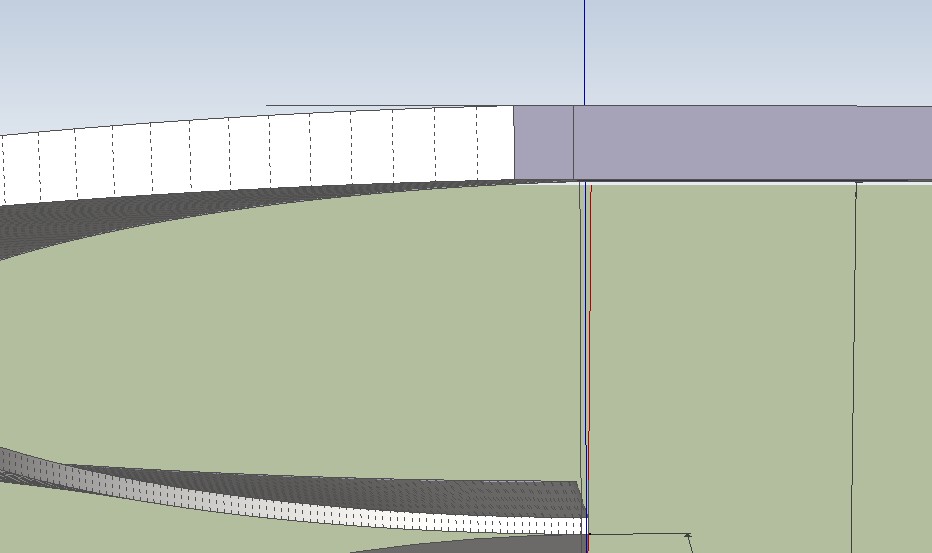
                  I've attached a file that shows a real pont to point modeled rapm, and a tricky fast way ramp on(Gai trick) that clearly shows the difference.
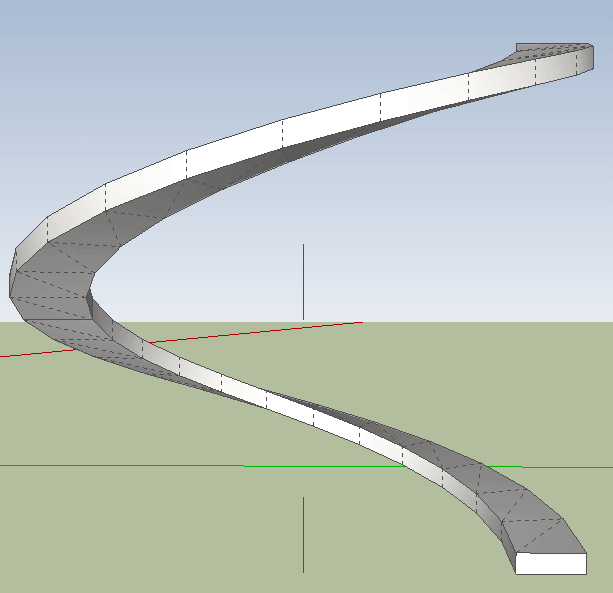
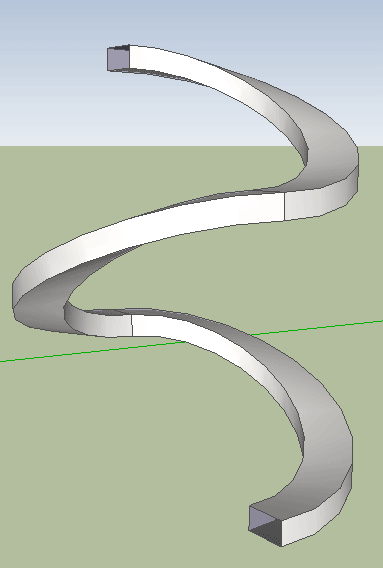
                  helix-fast ramp.skp


                  real helix


                  fast-fake.gif

                  My inspiring A, B, Sketches book: https://sketchucation.com/shop/books/intermediate/2612-alphabet-inspired-sketches--inspiring-drills-for-architects--3d-artists-and-designers-

                  1 條回覆 最後回覆 回覆 引用 0
                  • simon le bonS 離線
                    simon le bon
                    最後由 編輯

                    Dear Majid,

                    Your "point to point modeling" is perfect to draw a real helix!
                    But in our specific case, as we need the curves to be tangent to the horizontal planes this pure helix doesn't work very well. Am I once again missing something?

                    Cheers,
                    Simon.

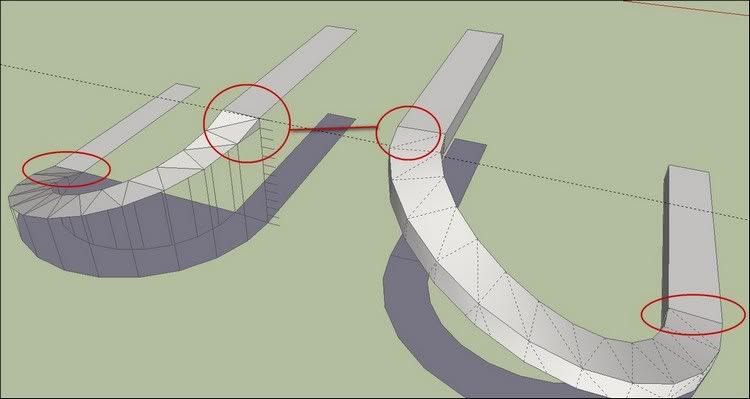
                    http://i274.photobucket.com/albums/jj245/Spendauballet/SketchUp/thSlantRamp001.jpg

                    1 條回覆 最後回覆 回覆 引用 0
                    • charly2008C 離線
                      charly2008
                      最後由 編輯

                      Hi Simon,

                      @simon le bon said:

                      But in our specific case, as we need the curves to be tangent to the horizontal planes this pure helix doesn't work very well. Am I once again missing something?

                      The best result I achieved with the Arc tool and followme and keep. The arc was divided to 48 sectors. The end of the ramp is then still not tangential but the transition to the horizontal is optimized.

                      Charly
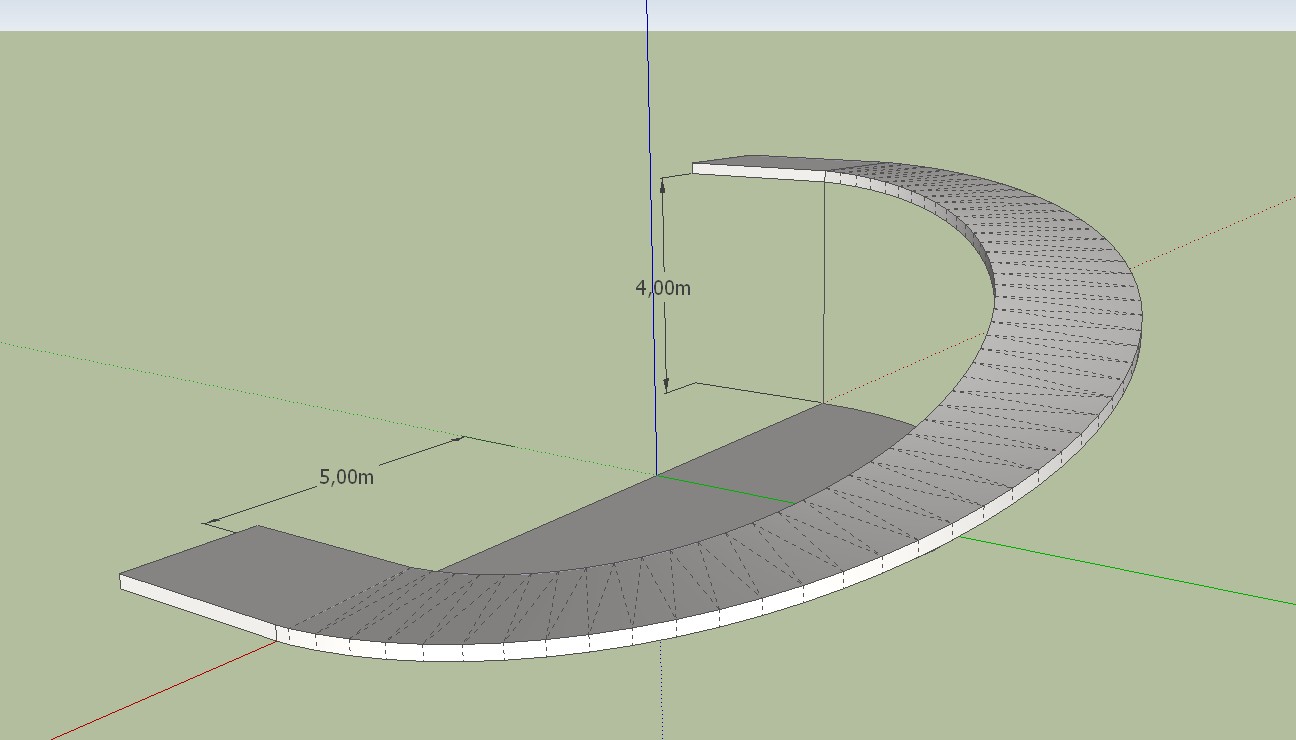

                      Ramp1.jpg


                      Ramp1.skp


                      Ramp1.jpg

                      He who makes no mistakes, makes nothing

                      1 條回覆 最後回覆 回覆 引用 0
                      • majidM 離線
                        majid
                        最後由 編輯

                        thanks charly.it's ok.

                        My inspiring A, B, Sketches book: https://sketchucation.com/shop/books/intermediate/2612-alphabet-inspired-sketches--inspiring-drills-for-architects--3d-artists-and-designers-

                        1 條回覆 最後回覆 回覆 引用 0
                        • mitcorbM 離線
                          mitcorb
                          最後由 編輯

                          "Slant Ramp Tut" that's bound to offend somebody somewhere, sometime. Perhaps on Tralfamadore?

                          I take the slow, deliberate approach in my aimless wandering.

                          1 條回覆 最後回覆 回覆 引用 0
                          • simon le bonS 離線
                            simon le bon
                            最後由 編輯

                            Thank you Charly!
                            ->applying your solution with FollowMeAndKeep .
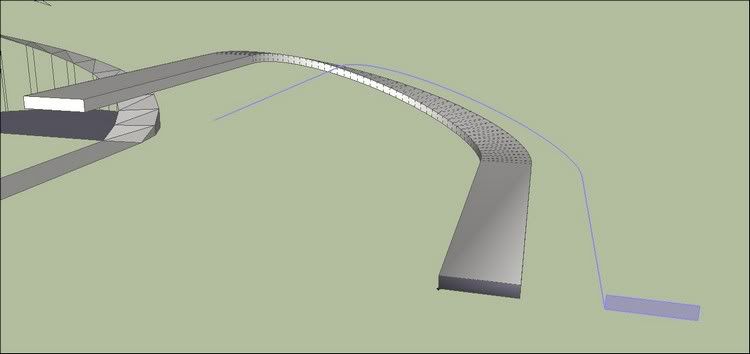
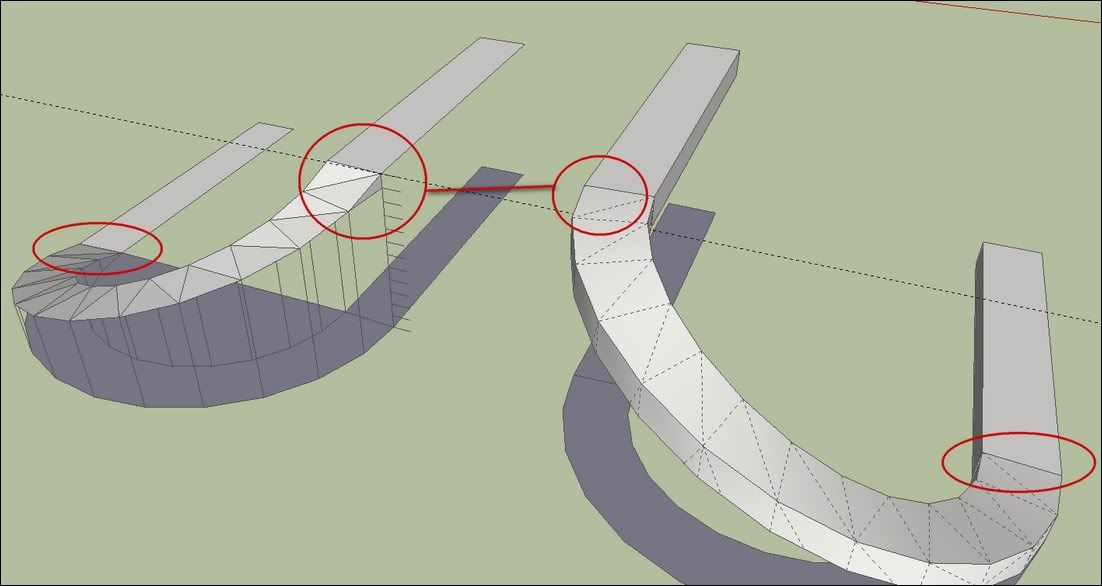
                            http://i274.photobucket.com/albums/jj245/Spendauballet/SketchUp/thSlantRamp002.jpg

                            How have you made the path?
                            Here I have applied my first solution:the 48s arc and two edges drawn on the ground, then the left edge selected and moved up!
                            This seems to me to be good but! may be Majid will object something. There is something in the problem I don't understand. 😳

                            Simon.

                            1 條回覆 最後回覆 回覆 引用 0
                            • majidM 離線
                              majid
                              最後由 編輯

                              😄
                              my only objection is : by moving up/dn and scaling an arc, we will not reach a helix, while mimicing it, BTW if we need a ramp that is tangented to horizon start, it is a fast way.
                              (also I am aware of draw helix, and FaK plug) .apart from them and using native SU, there are only 2 ways in my sight, point to point , and tricky Gai way.

                              My inspiring A, B, Sketches book: https://sketchucation.com/shop/books/intermediate/2612-alphabet-inspired-sketches--inspiring-drills-for-architects--3d-artists-and-designers-

                              1 條回覆 最後回覆 回覆 引用 0
                              • GaieusG 離線
                                Gaieus
                                最後由 編輯

                                Yeah, back then there was no Follow me and keep so one would either use helix.rb (which existed) and painstakingly connect the endpoints or do some trick to mimic something in a faster way.

                                I ma glad though that I started to learn SU back when there were not so many, excellent plugins as nowadays. It forced me to find out workarounds and if nothing helped, there was always "had stitching". I think this approach would still be useful for many newbies before they rely themselves to the easiest methods with plugins.

                                Gai...

                                1 條回覆 最後回覆 回覆 引用 0
                                • majidM 離線
                                  majid
                                  最後由 編輯

                                  yea Gai, agree with you... as somewhere Solo called plugins as "drugs"... relying on them is not always fair, specially for noobs. I've experienced that using plugs is even confusing for noobs in some cases (using "tab" ,"F3", "F4",...in different plugs is really confusing. hope we had saome "standards".)

                                  My inspiring A, B, Sketches book: https://sketchucation.com/shop/books/intermediate/2612-alphabet-inspired-sketches--inspiring-drills-for-architects--3d-artists-and-designers-

                                  1 條回覆 最後回覆 回覆 引用 0
                                  • majidM 離線
                                    majid
                                    最後由 編輯

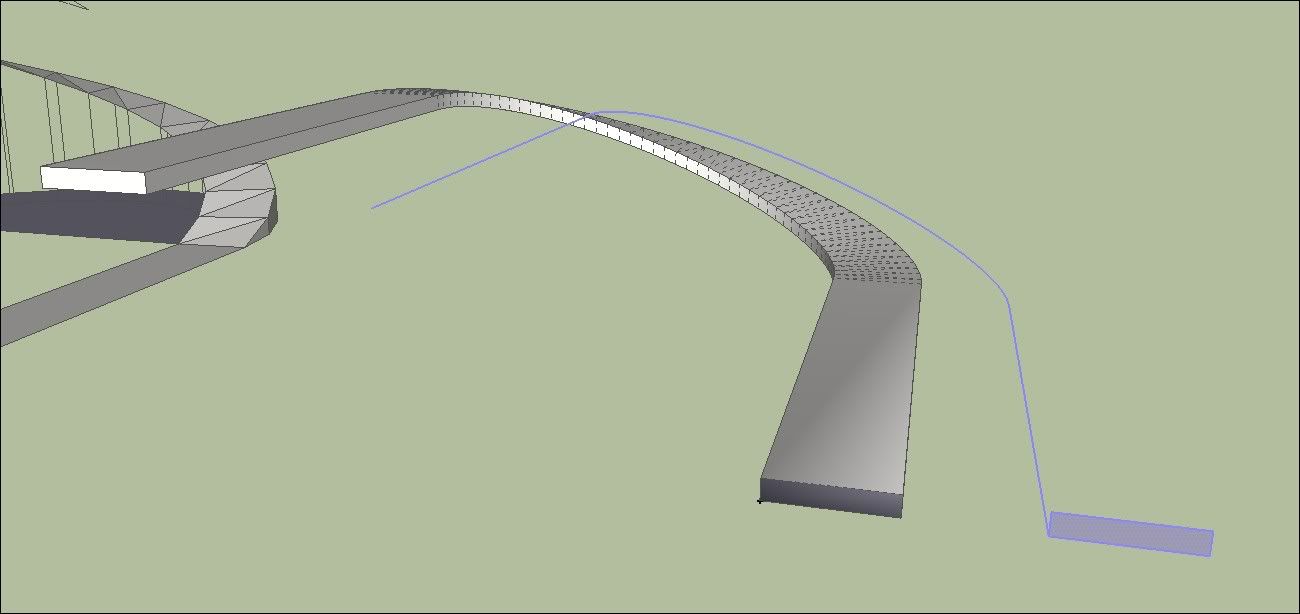
                                    I have prepared another "Smart" solution. as nowadays I have a trend to avoid using Plugins.
                                    hope you like it


                                    ramp.skp

                                    My inspiring A, B, Sketches book: https://sketchucation.com/shop/books/intermediate/2612-alphabet-inspired-sketches--inspiring-drills-for-architects--3d-artists-and-designers-

                                    1 條回覆 最後回覆 回覆 引用 0
                                    • 1
                                    • 2
                                    • 2 / 2
                                    • 第一個貼文
                                      最後的貼文
                                    Buy SketchPlus
                                    Buy SUbD
                                    Buy WrapR
                                    Buy eBook
                                    Buy Modelur
                                    Buy Vertex Tools
                                    Buy SketchCuisine
                                    Buy FormFonts

                                    Advertisement