sketchucation logo sketchucation
    • Login
    Oops, your profile's looking a bit empty! To help us tailor your experience, please fill in key details like your SketchUp version, skill level, operating system, and more. Update and save your info on your profile page today!
    ⚠️ Update | Sketchucation Tools 5.0.8 released with licensing improvements and bugfixes Download

    Modlumi - Easy 3D modelling


    Scheduled Pinned Locked Moved Corner Bar
    92 Posts 7 Posters 2.2k Views 6 Watching
    Loading More Posts
    • Oldest to Newest
    • Newest to Oldest
    • Most Votes
    Reply
    • Reply as topic
    Log in to reply
    This topic has been deleted. Only users with topic management privileges can see it.
    • pilouP
      pilou
      last edited by pilou

      @ntxdave
      All of your "silly" questions are generally answered on the left Bottom line! πŸ˜‰
      For your number sides'Polygon for example! ;
      Just Press + or - πŸ˜‰

      And in general, MOdLumi is quasi the same than the old SU functions!

      PLus.jpg

      Frenchy Pilou
      Is beautiful that please without concept!
      My Little site :)

      1 Reply Last reply
      Reply Quote 2
      • pilouP
        pilou
        last edited by pilou

        @pixelcruncher
        Yes you right, i was deceived by the CTRL as Copy for the Move, Rotate! πŸ™‚
        ALT was the key!
        But request is for a "move copy" with Scale !
        Same for " copy rotation + Scale"
        So like this!
        (not ModLumi here of course!
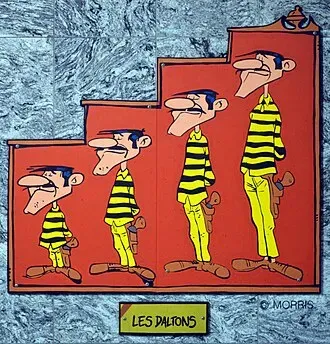
        330px-Charleroi_-station_Janson-Les_Daltons-_01.webp
        scaler.jpg
        28831ac4-7e37-44d9-8e80-4d14f1002a6f.jpg

        Frenchy Pilou
        Is beautiful that please without concept!
        My Little site :)

        pixelcruncherP 1 Reply Last reply
        Reply Quote 1
        • pixelcruncherP
          pixelcruncher Extension Creator
          last edited by

          Hey folks, another release is out. Here are the release notes (and also the ones I forgot to post earlier.

          Modlumi 0.4 – 0.8

          Version 0.8 (2026-10-07)

          New features

          • Start a new, empty model with File β†’ New (Ctrl+N, or Cmd+N on macOS). Previously the only way to start over was to restart the app. If the current model has unsaved changes, you can save or discard them first.
          • Paint with image materials. In the Materials panel, choose New image material and pick a PNG, JPEG or BMP file. Set the size of one repeat in your model's units, keep the image's proportions, and optionally tint it. Image materials show thumbnails; click one, or right-click any material, to resize, replace or remove its image. Images are saved in the project file.

          Improvements

          • Imported SKP models keep their textures. Textured faces previously showed only the material's color.
          • Editing models with many nested groups and components is faster. After an edit, Modlumi now updates only the edited part and the objects that contain it, instead of every copy in the model.

          Version 0.7 (2026-10-07)

          Fixes

          • Large arrays of copies no longer look partly transparent. As an array grew away from the origin, edges behind faces could show through. Faces now hide them at any model size. (Original forum report)

          Version 0.6 (2026-10-06)

          New features

          • Round and cut edges with the new Fillet, Chamfer and Bevel tools. Select edges or a face, or click an edge, then drag or type a size. Fillet accepts a segment count, such as 8s, and Bevel accepts a distance with an angle or a second distance. Scripts can use entities.fillet, entities.chamfer and entities.bevel.

          Fixes

          • Scripts that run out of memory now say so instead of reporting "null".

          Version 0.5 (2026-10-06)

          Maintenance release with no user-facing changes.

          Version 0.4 (2026-10-06)

          New features

          • Select everything with Edit β†’ Select All (Ctrl+A, or Cmd+A on macOS). Selects every visible item in the group or component you're editing.
          • Select related geometry from the new Select submenu. In the Edit menu and the right-click menu, choose All Connected, Connected Edges, Connected Faces, Bounding Edges or Same Material.

          Improvements

          • Drawing and extruding stay fast in larger models. These operations now work on the nearby geometry instead of searching the whole model, so extrusion previews stay responsive next to thousands of unrelated faces.
          • Scripting is now available only in the desktop app. The browser app no longer has Run Script, the Script Console or the Script Editor.

          Full release notes: https://modlumi.com/docs/release-notes/

          I'm the developer of Rayscaper: https://rayscaper.com/ - Fast and easy rendering for SketchUp.

          1 Reply Last reply
          Reply Quote 0
          • pixelcruncherP
            pixelcruncher Extension Creator @pilou
            last edited by

            @pilou Cool feature, I will have a look at this.

            I'm the developer of Rayscaper: https://rayscaper.com/ - Fast and easy rendering for SketchUp.

            1 Reply Last reply
            Reply Quote 0
            • pilouP
              pilou
              last edited by pilou

              @ntxdave
              Is that more clear ?
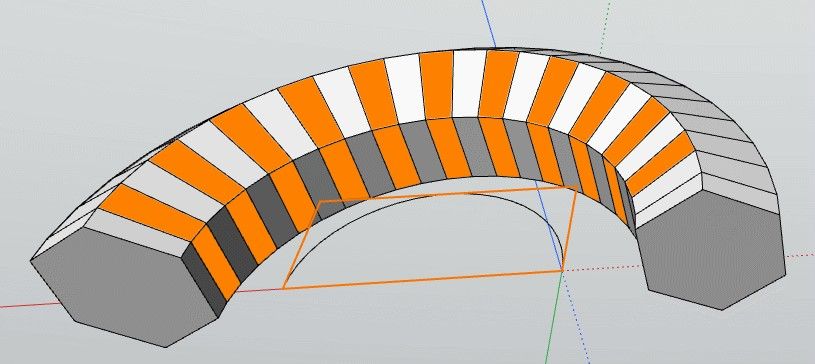
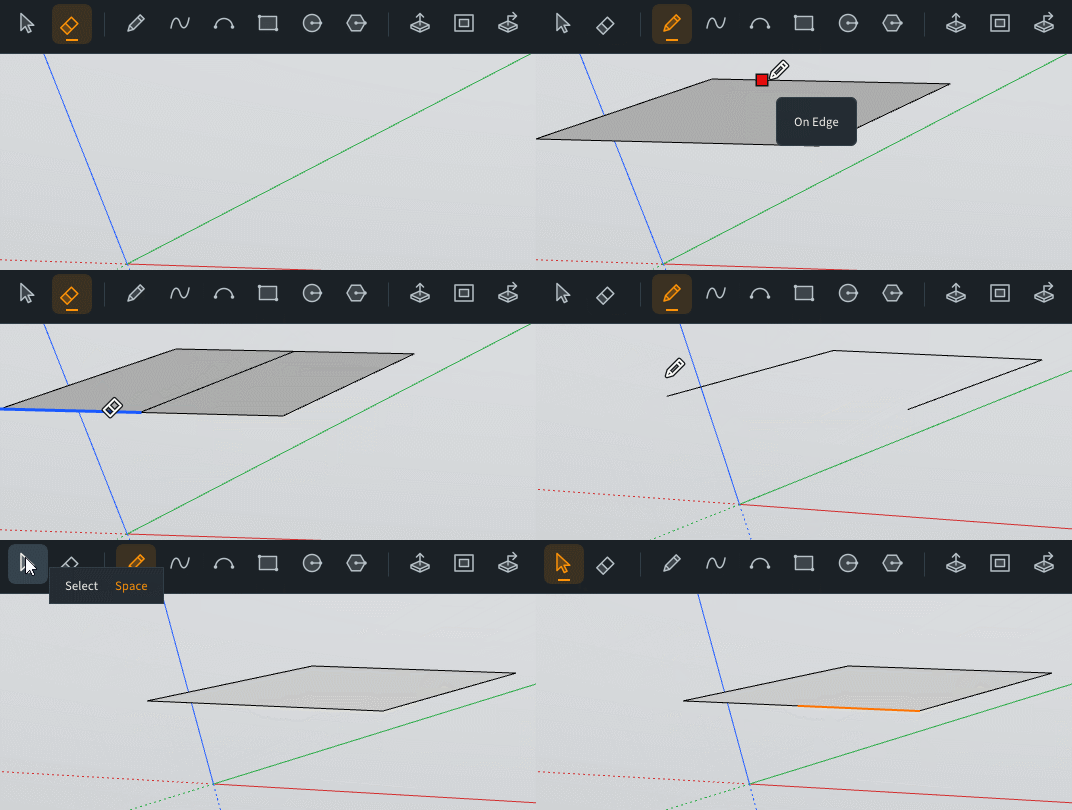
              Here Arc Circle is a group! Like this you can select it first on the Ouliner!
              Draw directely the Offset on the polygon and make the Sweep will not work :the first face will be bad drawn!
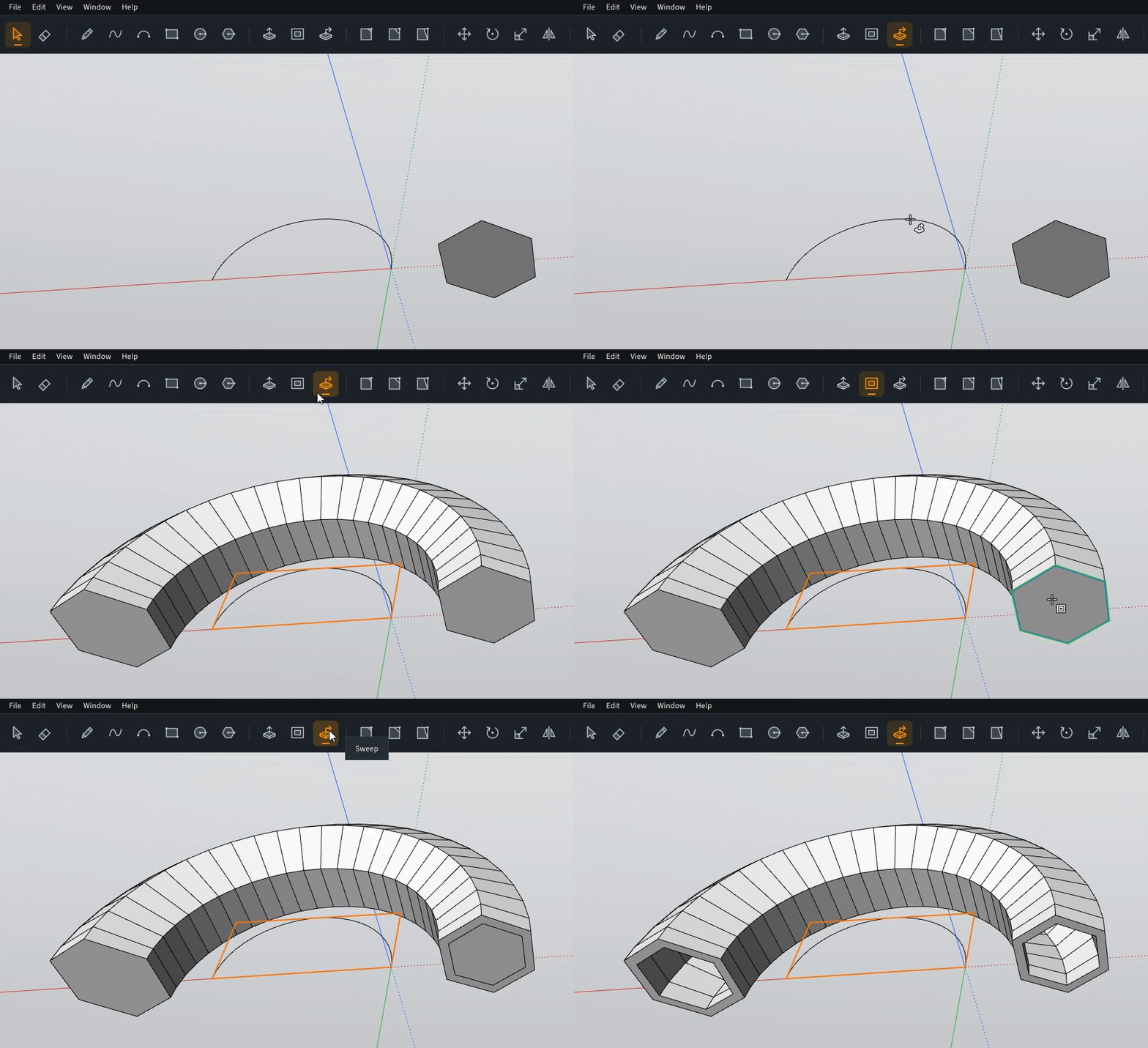
              GIF_davenext.if

              The bad way... (for the moment! i suppose a little bug again πŸ™‚
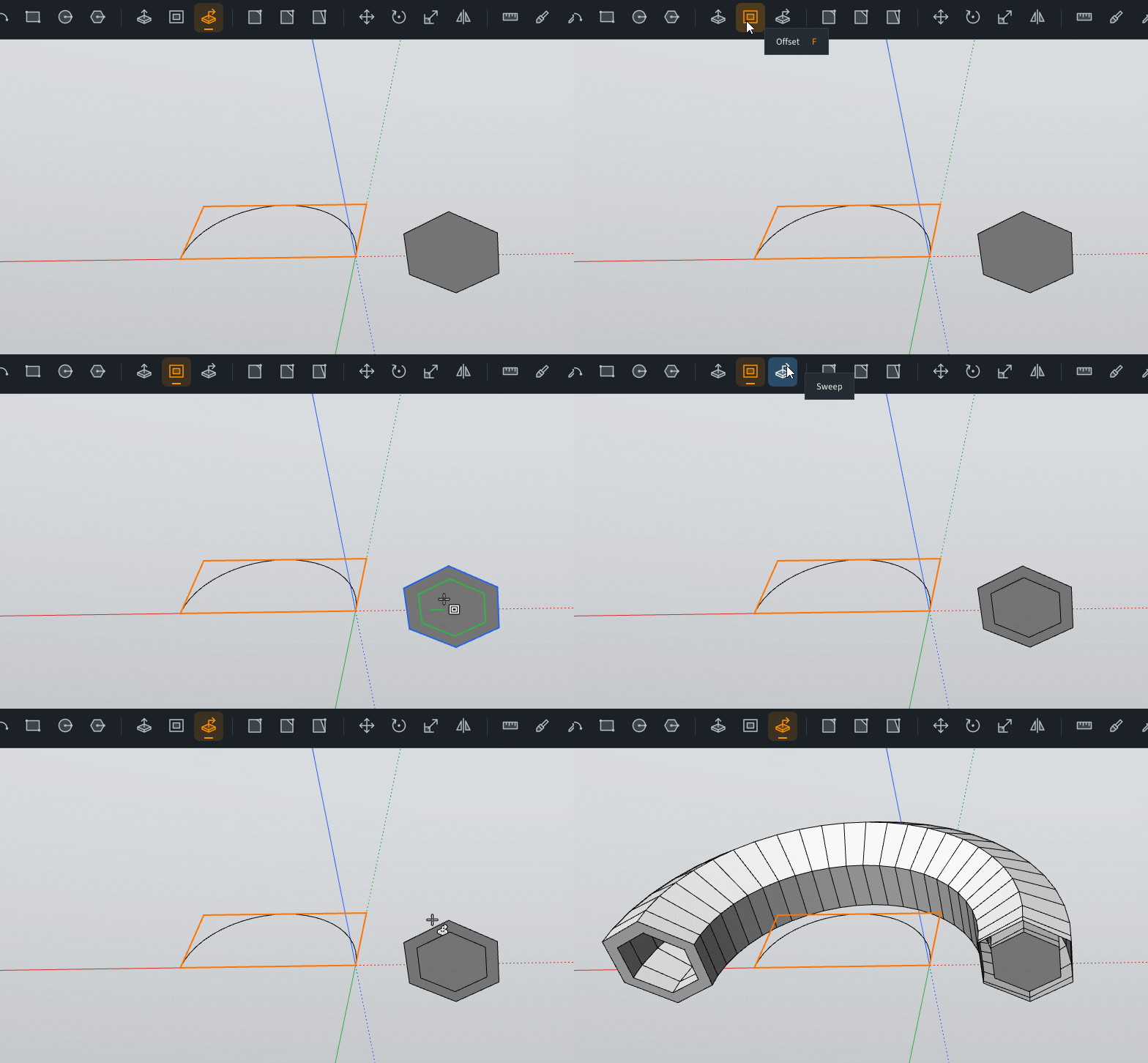
              GIF-badnext.gif

              Frenchy Pilou
              Is beautiful that please without concept!
              My Little site :)

              1 Reply Last reply
              Reply Quote 2
              • pilouP
                pilou
                last edited by

                piop.jpg

                b1a96b57-c2c4-4ef5-86ff-cdb89de52363.jpg

                Frenchy Pilou
                Is beautiful that please without concept!
                My Little site :)

                1 Reply Last reply
                Reply Quote 2
                • pilouP
                  pilou
                  last edited by pilou

                  Request : a tool selection πŸ™‚
                  If we want select only one face / 2 ... πŸ™‚ (Loop, ring selection...
                  face2.jpg

                  Frenchy Pilou
                  Is beautiful that please without concept!
                  My Little site :)

                  1 Reply Last reply
                  Reply Quote 1
                  • pilouP
                    pilou
                    last edited by pilou

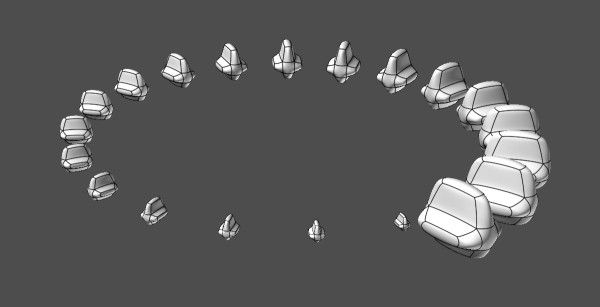
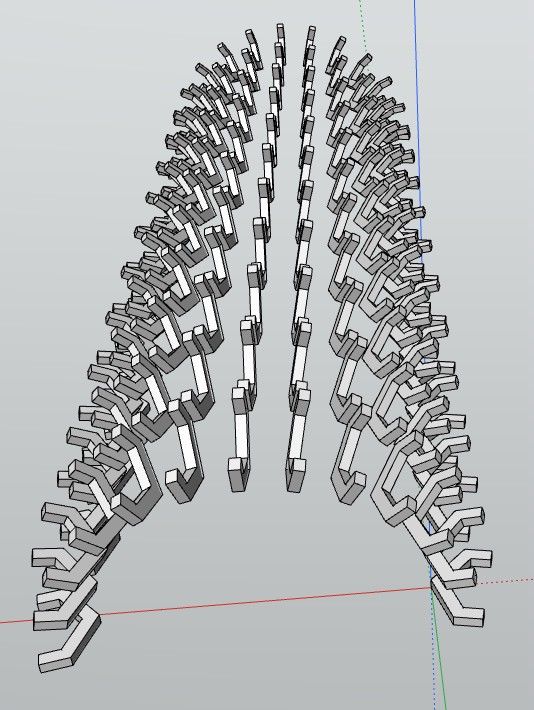
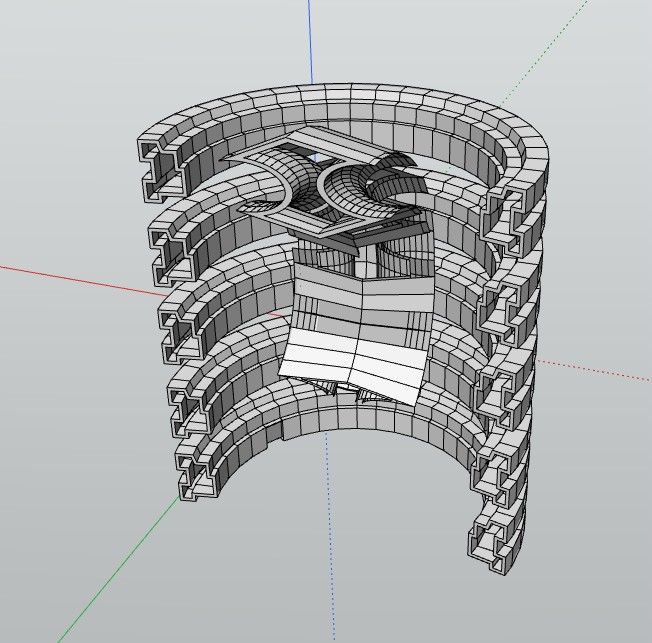
                    vaisseau.jpg

                    5a12637b-3d0b-45e3-b426-2aa96b3808bd.jpg

                    0b746305-4e1e-4003-bdcc-9ace26e4c206.jpg

                    Frenchy Pilou
                    Is beautiful that please without concept!
                    My Little site :)

                    1 Reply Last reply
                    Reply Quote 0
                    • KrassK
                      Krass
                      last edited by

                      Hello Thomas,
                      the bevel is great !
                      But I still can't do multiple copies that make new faces
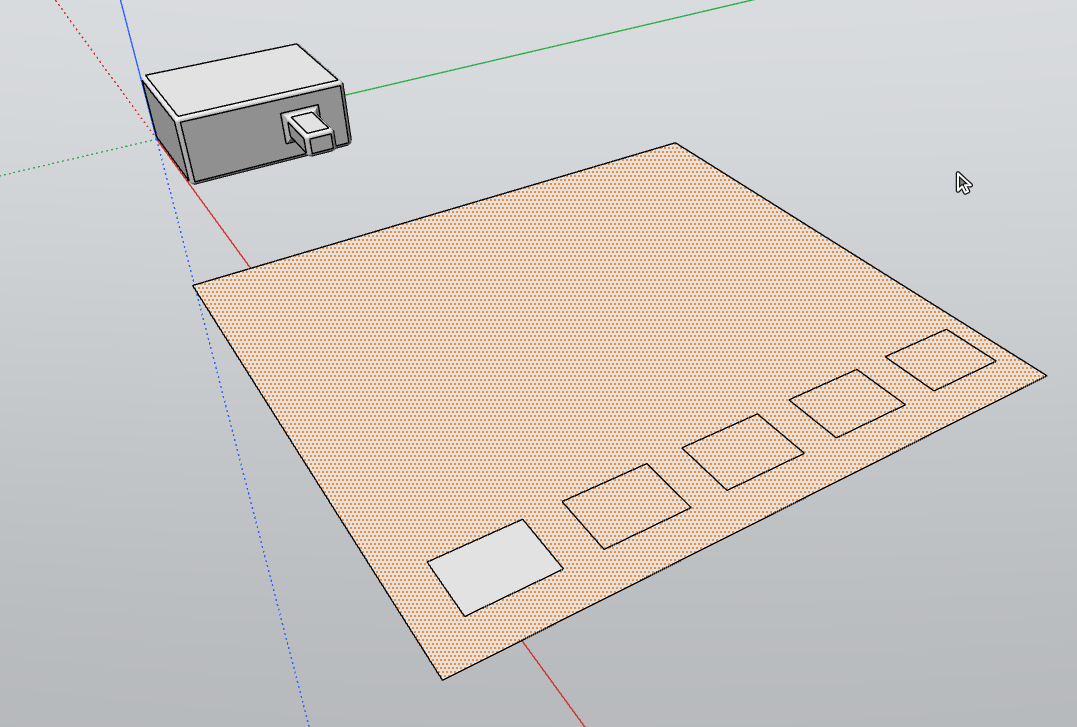
                      chrome_WkbMh7Lg63.png

                      Krass

                      1 Reply Last reply
                      Reply Quote 0
                      • KrassK
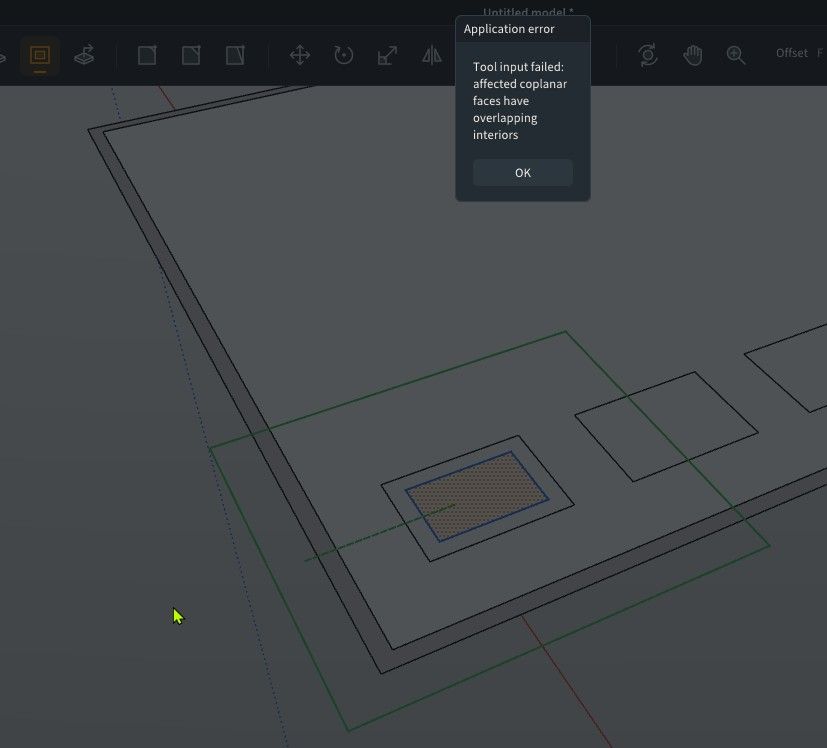
                        Krass
                        last edited by Krass

                        offset tool issue

                        image.jpeg

                        Krass

                        1 Reply Last reply
                        Reply Quote 0
                        • pilouP
                          pilou
                          last edited by pilou

                          @krass
                          For help, you can post a fil .modl ! (Save as)
                          I believe that is not yet Multiple selections!
                          (you can select some faces but some functions will not work on them)

                          For your lat problem above you can try that (i have tested πŸ˜‰
                          Select that you want Offset
                          Inverse selection
                          Group (and hide if necessary)
                          Offset on your remake selection...

                          Frenchy Pilou
                          Is beautiful that please without concept!
                          My Little site :)

                          1 Reply Last reply
                          Reply Quote 0
                          • KrassK
                            Krass
                            last edited by

                            Pixelcruncher,
                            will you build a Rayscaper version for Modlumi?

                            Krass

                            pixelcruncherP 1 Reply Last reply
                            Reply Quote 0
                            • pilouP
                              pilou
                              last edited by

                              I believe a bug! Of course the same in 3D! πŸ™‚
                              Maybe not a refresh ?

                              GIF_bug refresh.gif

                              Frenchy Pilou
                              Is beautiful that please without concept!
                              My Little site :)

                              1 Reply Last reply
                              Reply Quote 0
                              • pilouP
                                pilou
                                last edited by pilou

                                Cool fillets are positive or negative following edges/faces! Excellent!
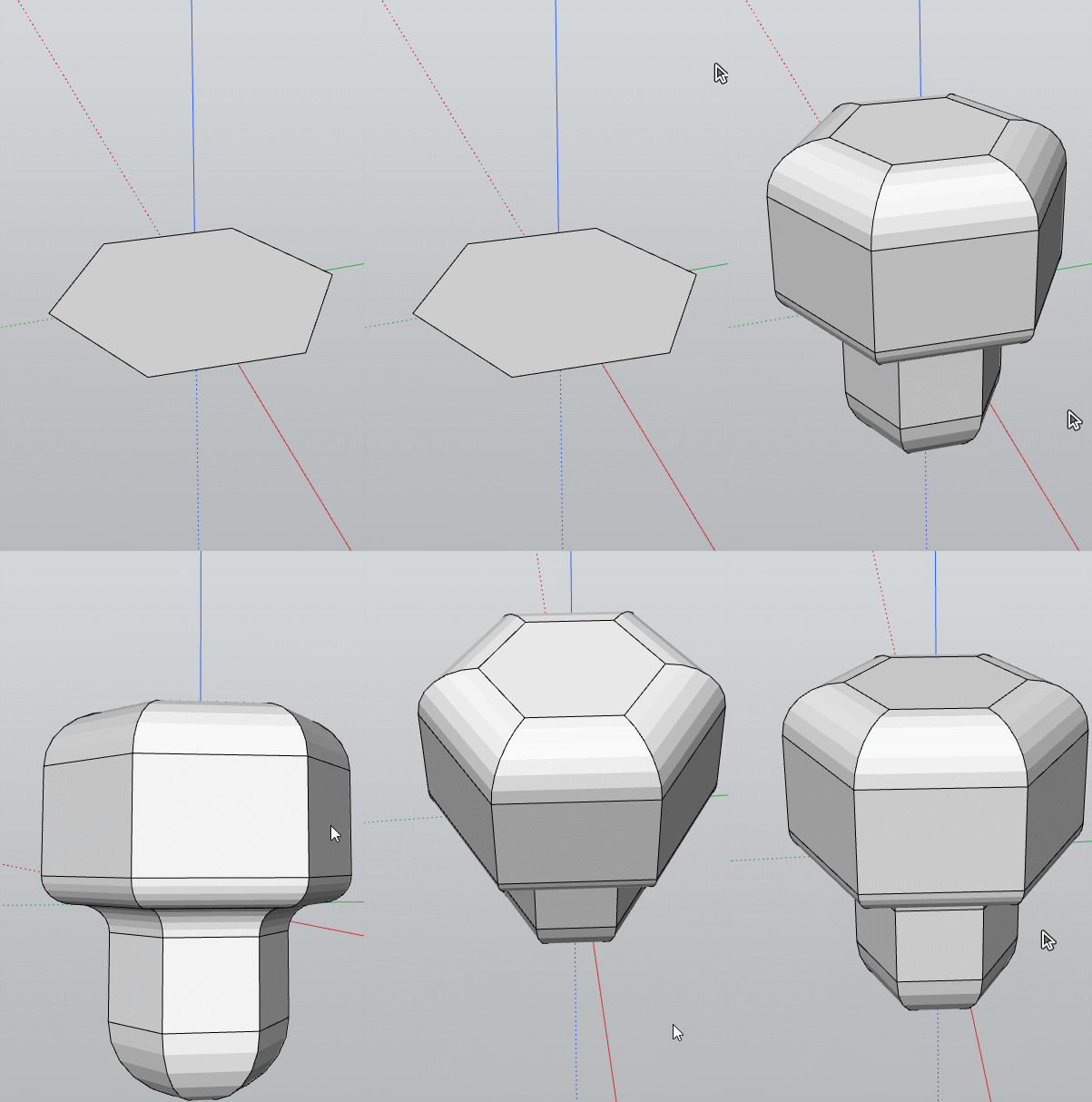
                                GIF_champ.gif

                                Frenchy Pilou
                                Is beautiful that please without concept!
                                My Little site :)

                                1 Reply Last reply
                                Reply Quote 0
                                • pilouP
                                  pilou
                                  last edited by pilou

                                  You must make compoents, and component of components!
                                  If not the direct Copy Move * will freeze or take minutes!
                                  With components it's instant! πŸ™‚
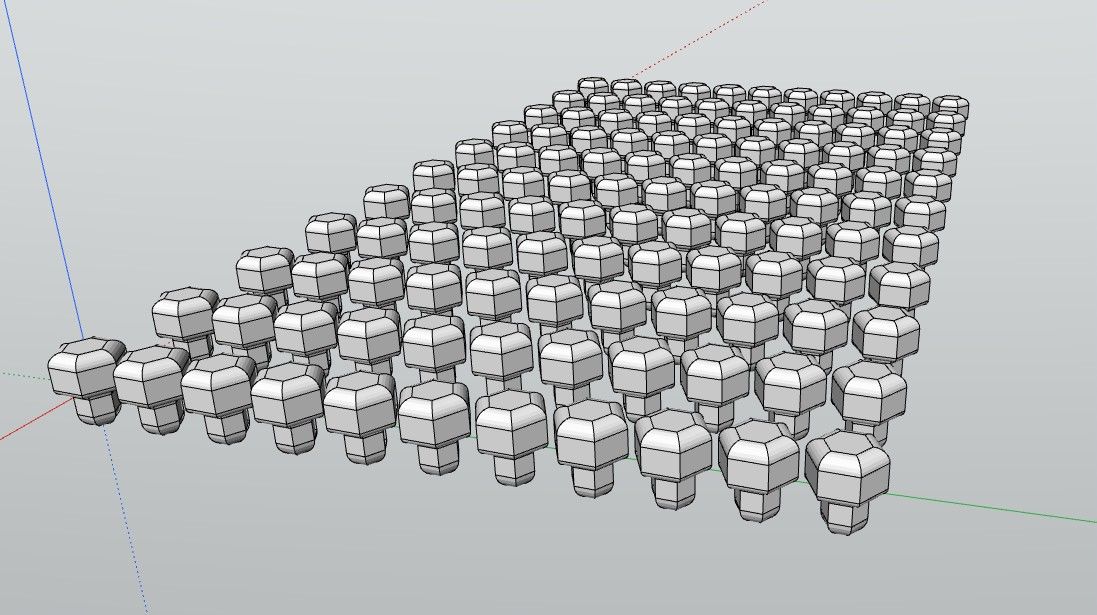
                                  champi3.jpg
                                  e79c4653-45ba-4d00-bb83-e48d334e18d5.jpg

                                  Frenchy Pilou
                                  Is beautiful that please without concept!
                                  My Little site :)

                                  1 Reply Last reply
                                  Reply Quote 1
                                  • pixelcruncherP
                                    pixelcruncher Extension Creator @Krass
                                    last edited by pixelcruncher

                                    @Krass Yes! But integrated directly into the software, not as a plugin. It's easier to have it directly in modlumi.

                                    I'm the developer of Rayscaper: https://rayscaper.com/ - Fast and easy rendering for SketchUp.

                                    1 Reply Last reply πŸ‘
                                    Reply Quote 0
                                    • Rich O BrienR
                                      Rich O Brien Moderator
                                      last edited by

                                      There's a part of me that's wants to know what @pilou types for his prompts.

                                      But there's another part of me that says don't stare into the abyss

                                      Download the free D'oh Book for SketchUp πŸ“–

                                      1 Reply Last reply
                                      Reply Quote 1
                                      • pixelcruncherP
                                        pixelcruncher Extension Creator
                                        last edited by

                                        Thanks @pilou and @Krass for the reports and examples! Four fixes went into the code today:

                                        Copies now create separate faces
                                        Copying rectangular outlines onto an existing face now splits the surface into independently selectable regions.
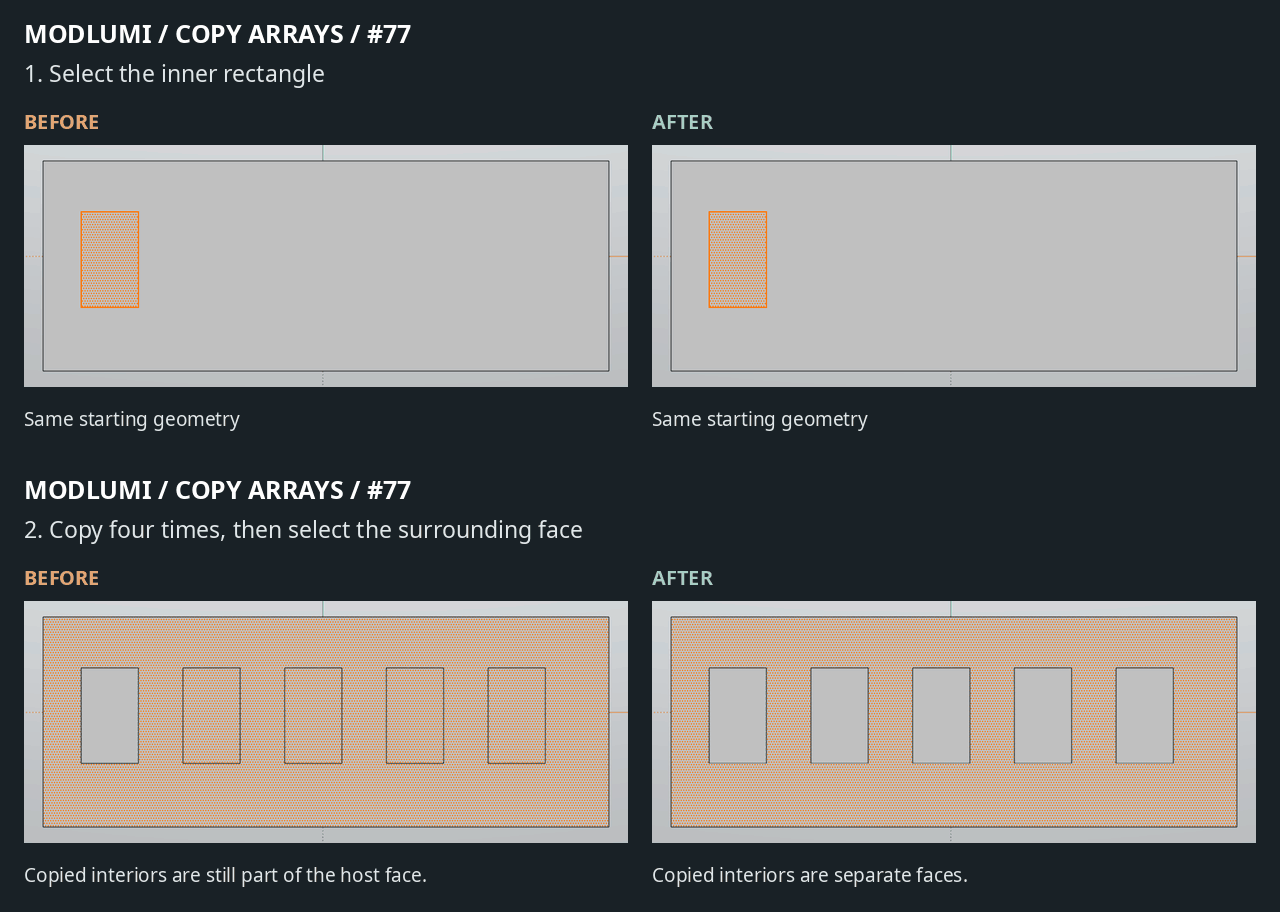
                                        77-copied-faces-before-after.gif

                                        Offset works on the copied regions
                                        The related β€œaffected coplanar faces have overlapping interiors” error is fixed. Copied geometry now integrates with the surrounding surface, allowing Offset to work normally.
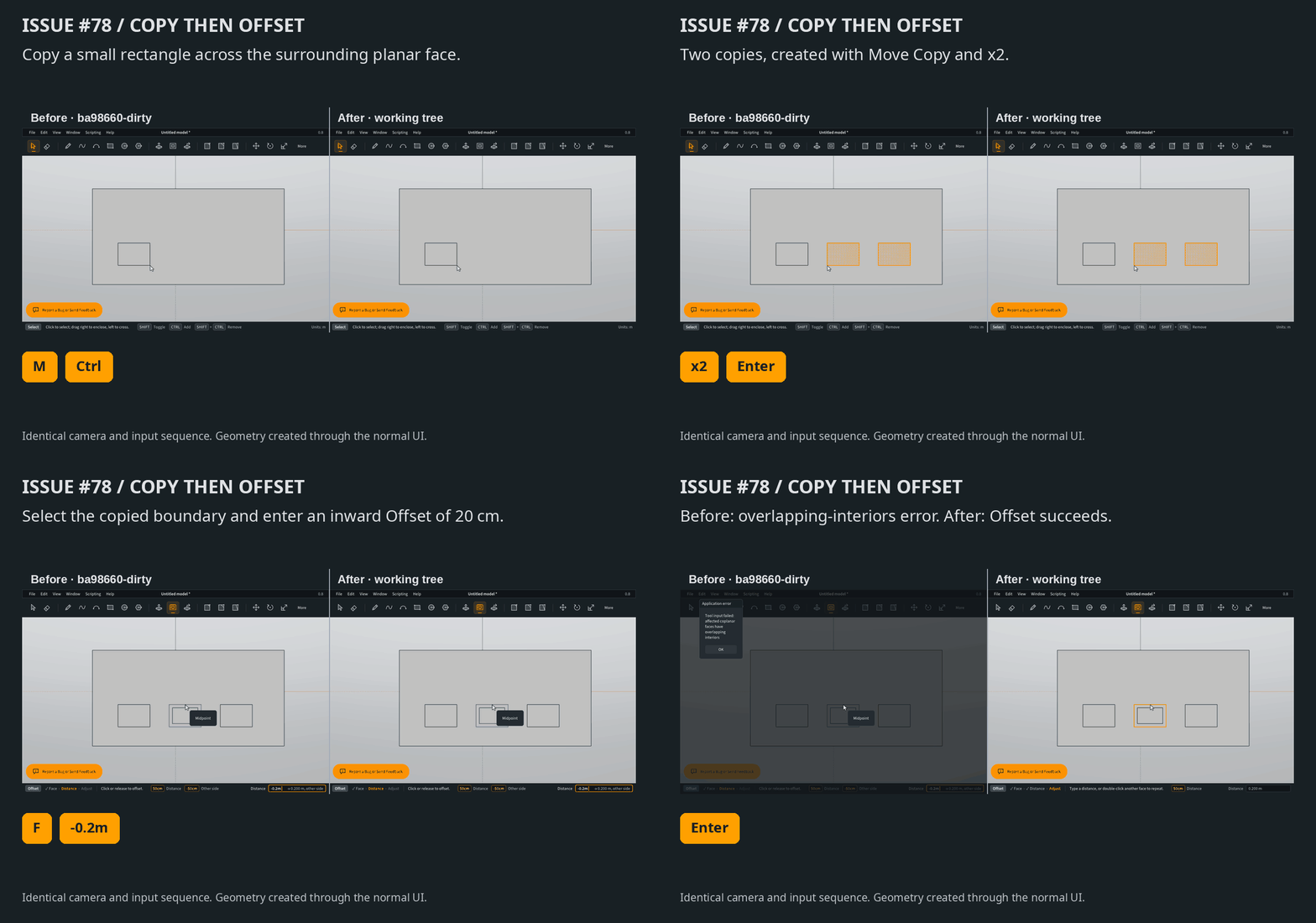
                                        78-offset-before-after.gif

                                        Sweeping an offset ring leaves both ends open
                                        Offsetting the flat polygon first and sweeping the outer ring now produces the expected hollow shape, without blocking the starting opening.
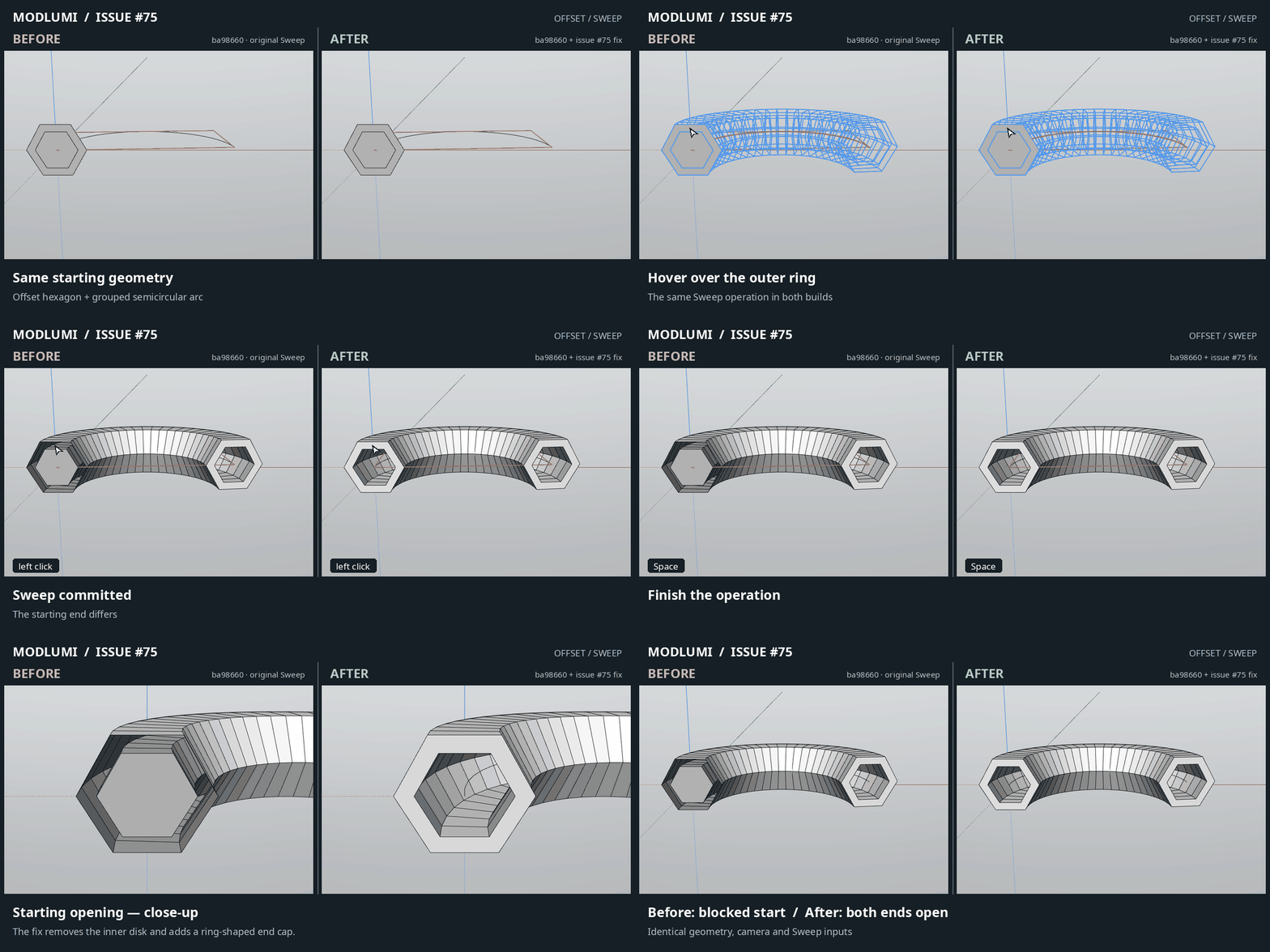
                                        75-sweep-ring-before-after.gif

                                        Move copy arrays are much faster
                                        An 11 Γ— 11 array of loose cylinders took 34.8 seconds before and 0.61 seconds after in our desktop test. Components remain useful, but loose geometry should no longer suffer that particular slowdown. Browser timings haven’t been measured yet.
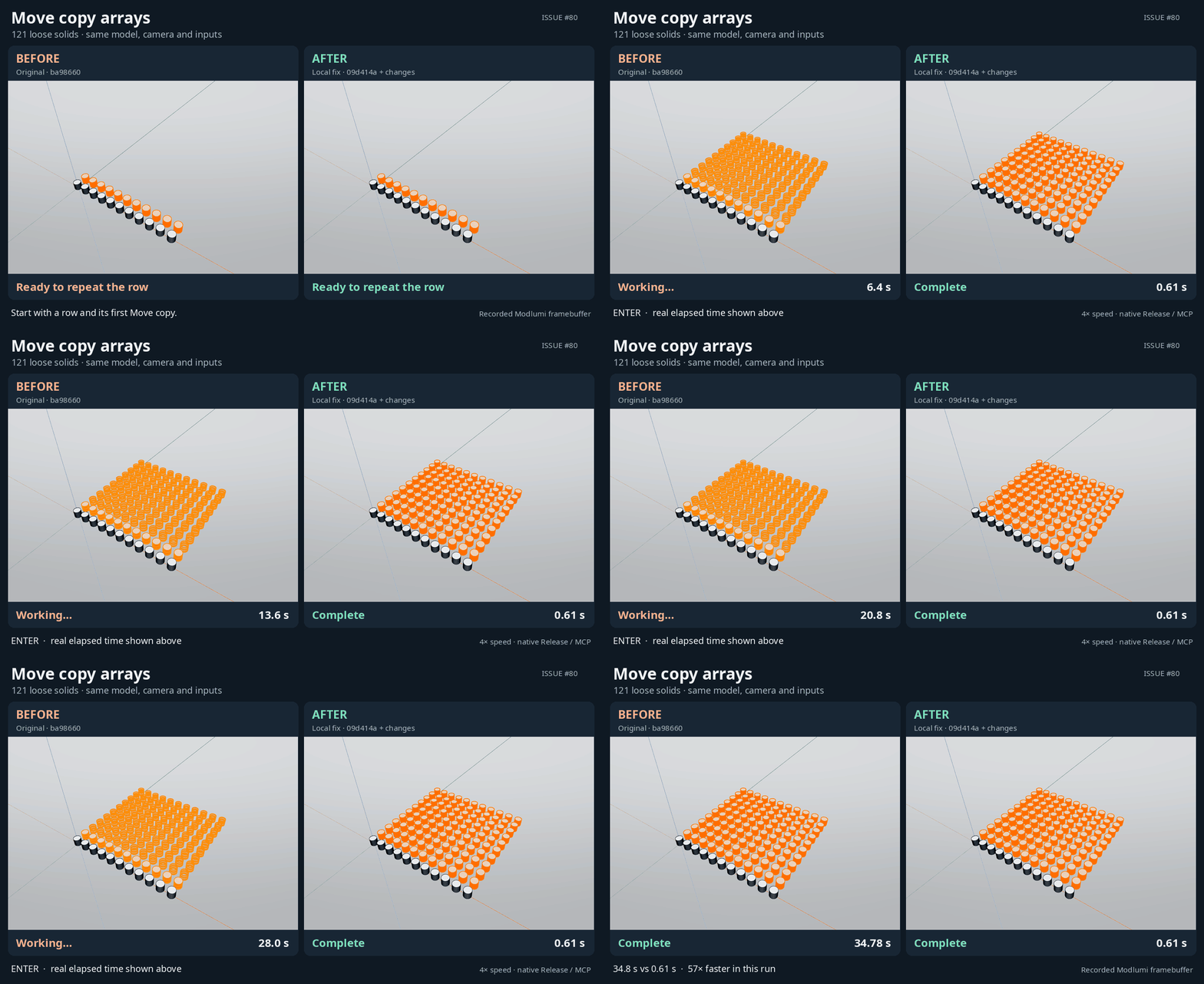
                                        80-copy-array-performance-before-after.gif

                                        Keep the bugs coming; I'll keep squashing!

                                        Cheers!
                                        Thomas

                                        I'm the developer of Rayscaper: https://rayscaper.com/ - Fast and easy rendering for SketchUp.

                                        1 Reply Last reply
                                        Reply Quote 1
                                        • majidM
                                          majid
                                          last edited by

                                          The improvement is really crazy! Thanks for sharing...

                                          My inspiring A, B, Sketches book: https://sketchucation.com/shop/books/intermediate/2612-alphabet-inspired-sketches--inspiring-drills-for-architects--3d-artists-and-designers-

                                          1 Reply Last reply
                                          Reply Quote 1
                                          • KrassK
                                            Krass
                                            last edited by

                                            great ! thanks

                                            Krass

                                            1 Reply Last reply
                                            Reply Quote 0

                                            Hello! It looks like you're interested in this conversation, but you don't have an account yet.

                                            Getting fed up of having to scroll through the same posts each visit? When you register for an account, you'll always come back to exactly where you were before, and choose to be notified of new replies (either via email, or push notification). You'll also be able to save bookmarks and upvote posts to show your appreciation to other community members.

                                            With your input, this post could be even better πŸ’—

                                            Register Login
                                            • 1
                                            • 2
                                            • 3
                                            • 4
                                            • 5
                                            • 5 / 5
                                            • First post
                                              Last post
                                            Buy SketchPlus
                                            Buy SUbD
                                            Buy WrapR
                                            Buy eBook
                                            Buy Modelur
                                            Buy Vertex Tools
                                            Buy SketchCuisine
                                            Buy FormFonts

                                            Advertisement