sketchucation logo sketchucation
    • Login
    Oops, your profile's looking a bit empty! To help us tailor your experience, please fill in key details like your SketchUp version, skill level, operating system, and more. Update and save your info on your profile page today!
    Mac User? | Join the Rayscaper Beta for Mac Learn More

    Modlumi - Easy 3D modelling
    Scheduled Pinned Locked Moved Corner Bar
    408 Posts 9 Posters 71.1k Views 9 Watching
    Loading More Posts
    • Oldest to Newest
    • Newest to Oldest
    • Most Votes
    Reply
    • Reply as topic
    Log in to reply
    This topic has been deleted. Only users with topic management privileges can see it.
    • pixelcruncherP
      pixelcruncher Extension Creator
      last edited by

      Folks, I'm still alive; I've just been a bit focused on RAyscaper and other stuff. Will get back to this and address the feedback & bugs.

      I'm the developer of Rayscaper: https://rayscaper.com/ - Fast and easy rendering for SketchUp.

      1 Reply Last reply
      Reply Quote 2
      • Mike AmosM
        Mike Amos
        last edited by

        One thing at a time mate, spread too thin we achieve zero.

        Absentia mortis praesentiam vitae probat, vita autem est argumentum constantiae.

        1 Reply Last reply β™₯
        Reply Quote 2
        • pilouP
          pilou
          last edited by

          Take your time! πŸ™‚
          Waiting the requests with cionfidence! πŸ™‚

          Frenchy Pilou
          Is beautiful that please without concept!
          My Little site :)

          1 Reply Last reply
          Reply Quote 0
          • ntxdaveN
            ntxdave @pilou
            last edited by

            @pilou said:

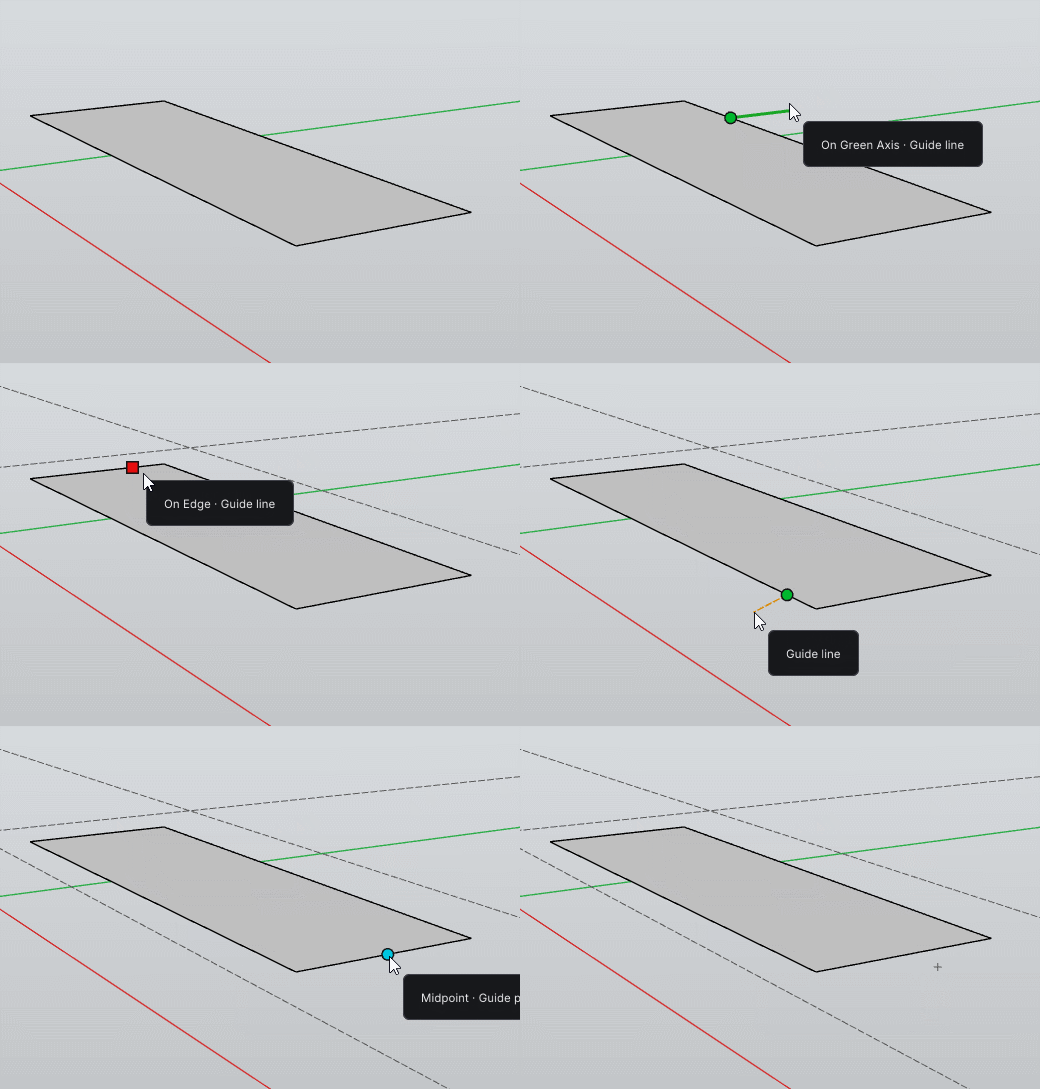
            Seems there is a little bug with the Draw Helper Line guides but

            Draw a Rectangle
            Press T
            Don't snap on a middle of a segment!
            That must works as expected! πŸ™‚
            Snap middle (or a corner) gives a Point Guide!
            GIF_guides.gif

            @pilou I also found out that another easy was to create some guides is to just draw a line perpendicular to the way you want to create a guide and then use the measure tool to create a guide(s). I also did some fooling around and found that if you want to create a number of guides that are the same distance apart, you can select a guide and then use the move+ctrl keys to create multiple copies of the guide.

            Just thought I would pass along some additional "exploring".

            Press F1...thank me later

            1 Reply Last reply
            Reply Quote 0
            • ntxdaveN
              ntxdave @pilou
              last edited by

              @pilou said:

              Seems there is a little bug with the Draw Helper Line guides but

              Draw a Rectangle
              Press T
              Don't snap on a middle of a segment!
              That must works as expected! πŸ™‚
              Snap middle (or a corner) gives a Point Guide!
              GIF_guides.gif

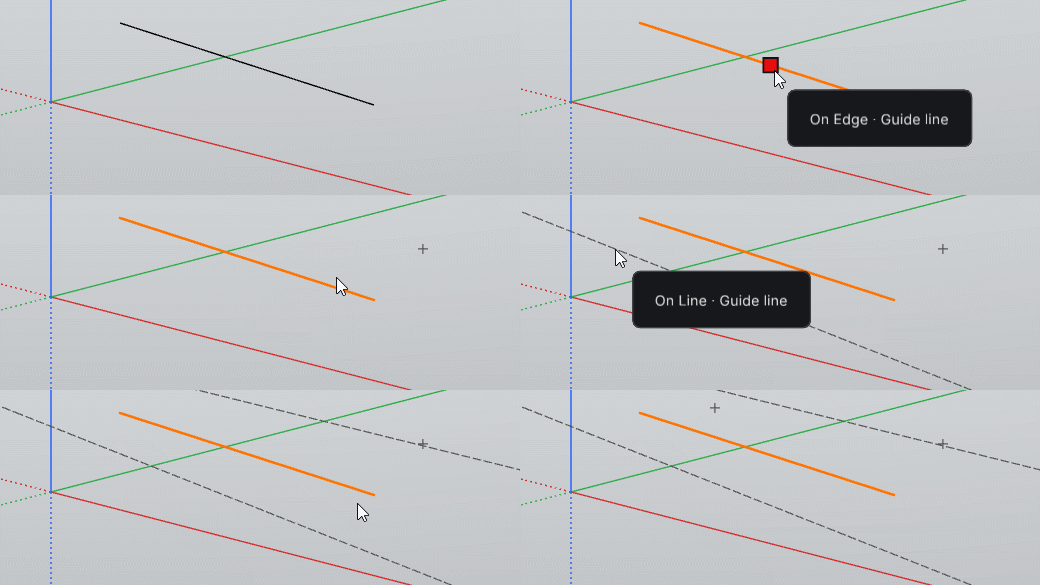
              I did some testing and found that you also can create guides if you just draw a line that is perpendicular to the place you want to create the guides and then use that line to draw the guide(s).

              Press F1...thank me later

              pilouP 1 Reply Last reply
              Reply Quote 0
              • pilouP
                pilou @ntxdave
                last edited by

                @ntxdave said:

                you also can create guides if you just draw a line that is perpendicular to the place you want to create the guides and then use that line to draw the guide(s).

                Yes of course with a cross guide if you start from the middle of this line: πŸ˜‰

                Frenchy Pilou
                Is beautiful that please without concept!
                My Little site :)

                ntxdaveN 1 Reply Last reply
                Reply Quote 0
                • ntxdaveN
                  ntxdave @pilou
                  last edited by

                  @pilou said:

                  @ntxdave said:

                  you also can create guides if you just draw a line that is perpendicular to the place you want to create the guides and then use that line to draw the guide(s).

                  Yes of course with a cross guide if you start from the middle of this line: πŸ˜‰

                  No, you do not have to click in the middle of the line. I was able to do it from multiple locations on the line.

                  Press F1...thank me later

                  1 Reply Last reply
                  Reply Quote 0
                  • pilouP
                    pilou
                    last edited by pilou

                    I said bug but maybe not one: πŸ˜‰
                    The cross guide from the mid point
                    Other case works fine in any 3D space : your guide will be drawn at the extremity of your line in any 3D direction!

                    No looGIF_ligne.gif k this gif When you start from a middle or extremity line you will obtain a Cross guide, when you click
                    a snap elsewhere on the line you will obtain a guide line! πŸ˜‰

                    Frenchy Pilou
                    Is beautiful that please without concept!
                    My Little site :)

                    KrassK 1 Reply Last reply
                    Reply Quote 0
                    • KrassK
                      Krass @pilou
                      last edited by

                      Hello,
                      I know, of course, that this promotional video for ModLumni won’t be selected, but it’s an exercise full of good intentions...

                      Krass

                      1 Reply Last reply
                      Reply Quote 2
                      • pixelcruncherP
                        pixelcruncher Extension Creator
                        last edited by

                        @krass It's awesome! I can't get you nominated on film festivals though πŸ™‚

                        I'm the developer of Rayscaper: https://rayscaper.com/ - Fast and easy rendering for SketchUp.

                        1 Reply Last reply
                        Reply Quote 0

                        Hello! It looks like you're interested in this conversation, but you don't have an account yet.

                        Getting fed up of having to scroll through the same posts each visit? When you register for an account, you'll always come back to exactly where you were before, and choose to be notified of new replies (either via email, or push notification). You'll also be able to save bookmarks and upvote posts to show your appreciation to other community members.

                        With your input, this post could be even better πŸ’—

                        Register Login
                        • 1
                        • 2
                        • 7
                        • 8
                        • 9
                        • 10
                        • 11
                        • 20
                        • 21
                        • 9 / 21
                        • First post
                          Last post
                        Buy SketchPlus
                        Buy SUbD
                        Buy WrapR
                        Buy eBook
                        Buy Modelur
                        Buy Vertex Tools
                        Buy SketchCuisine
                        Buy FormFonts

                        Advertisement