Edge Loop Insert – Insert loops like Maya/Blender
-
I'm working on a new plugin: Edge Loop Insert.
It lets you select an edge and insert a new loop across your mesh – just like the "Insert Edge Loop" tool in Maya, Blender, or 3ds Max.
Two modes:
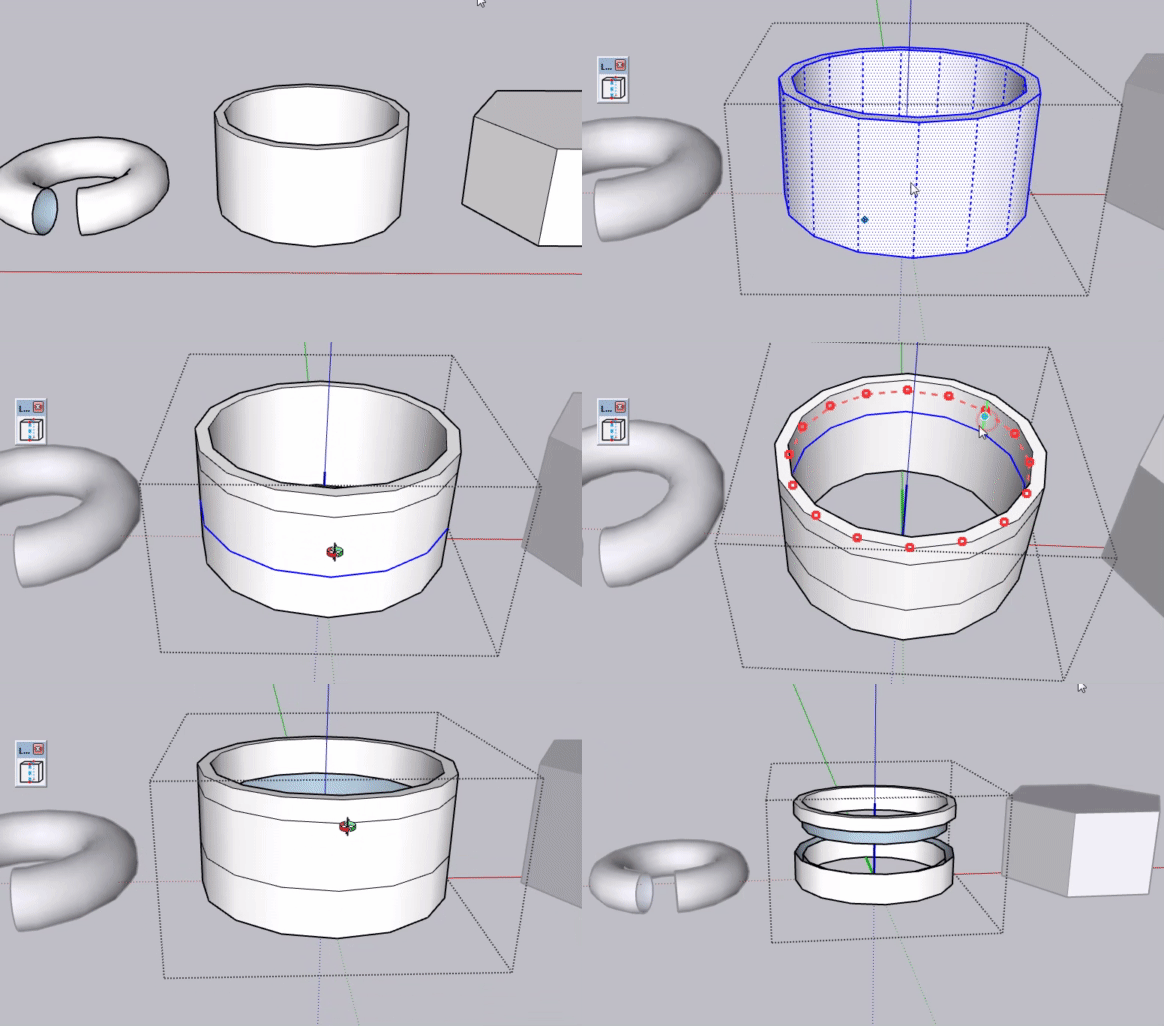
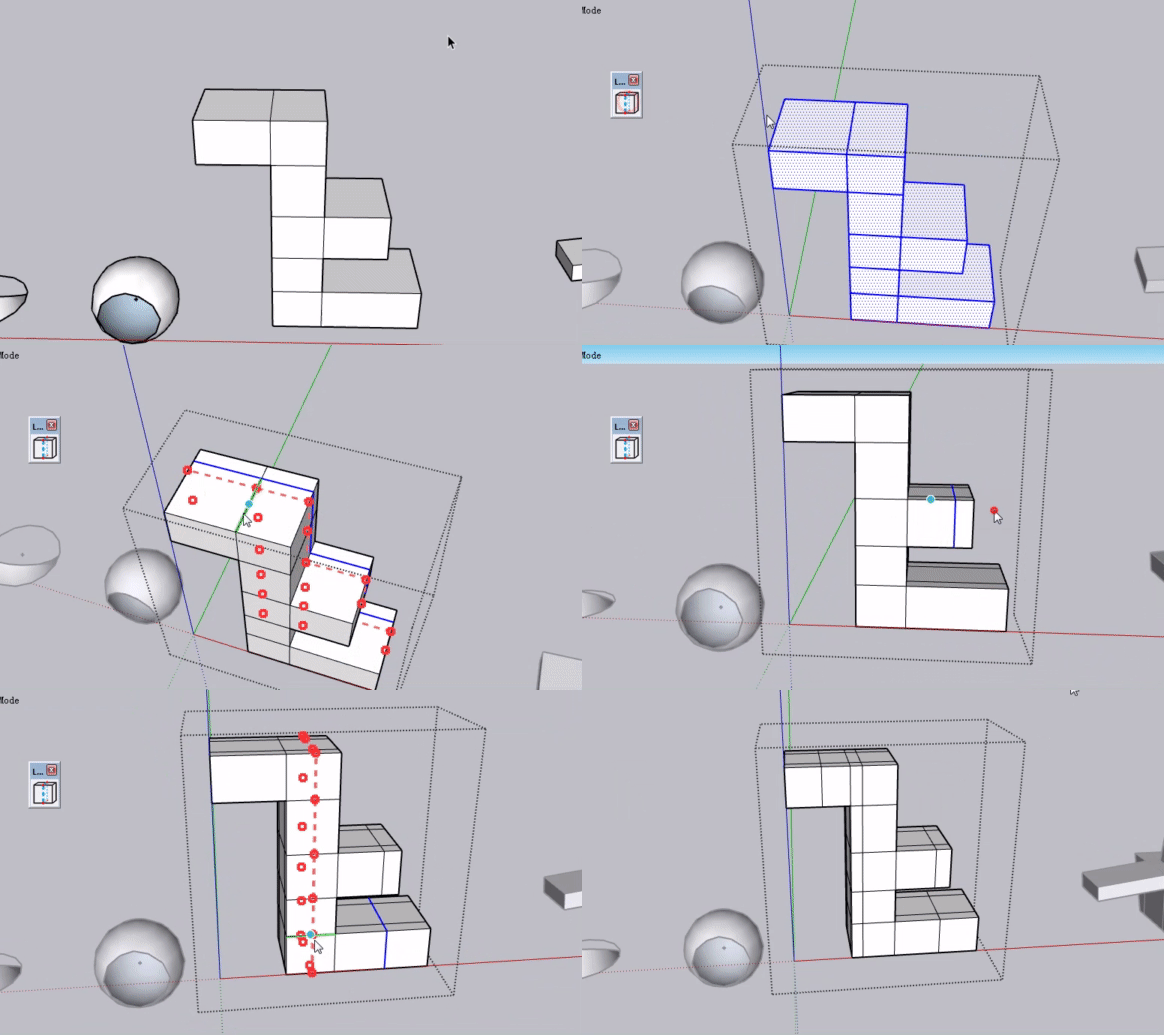
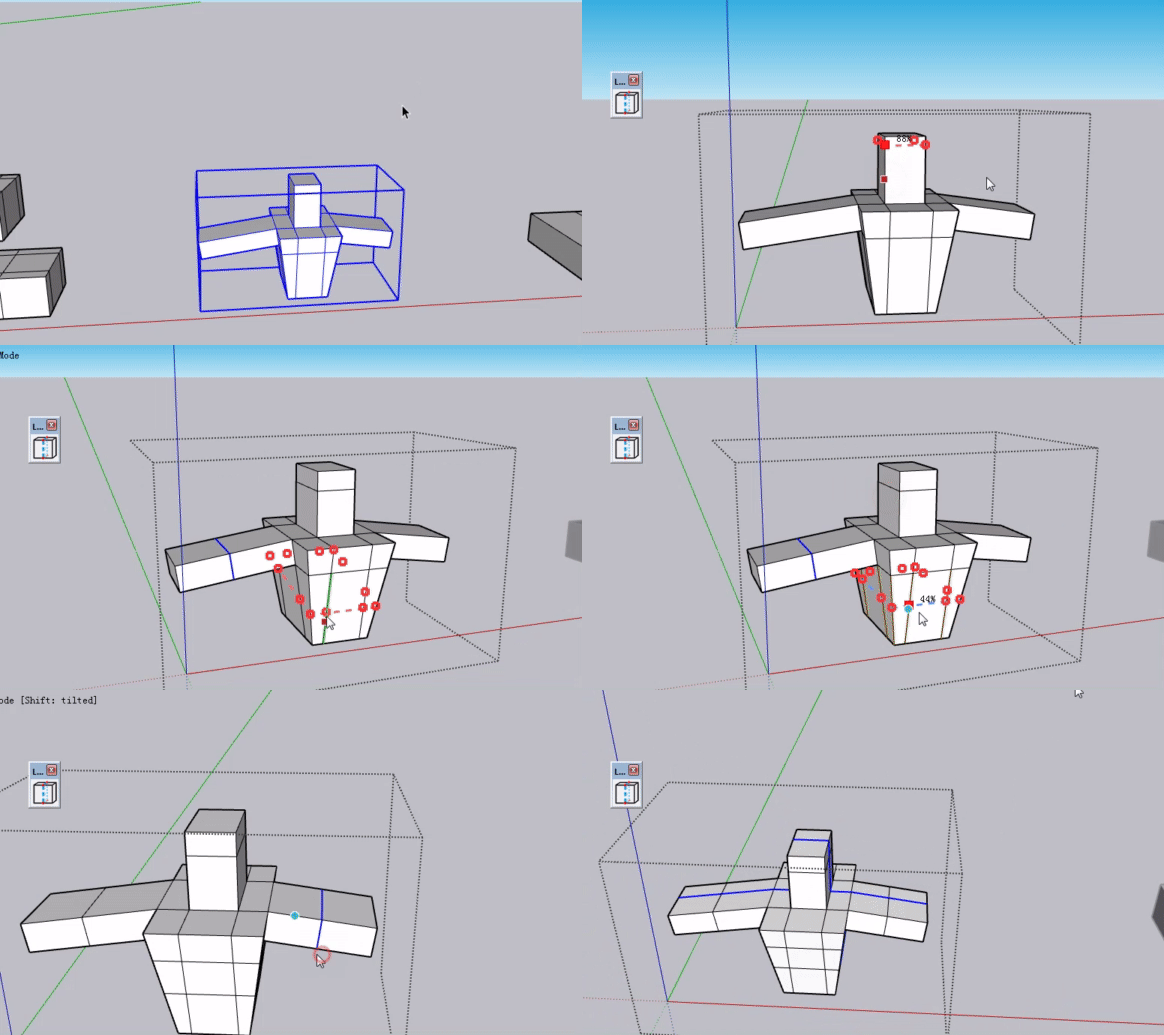
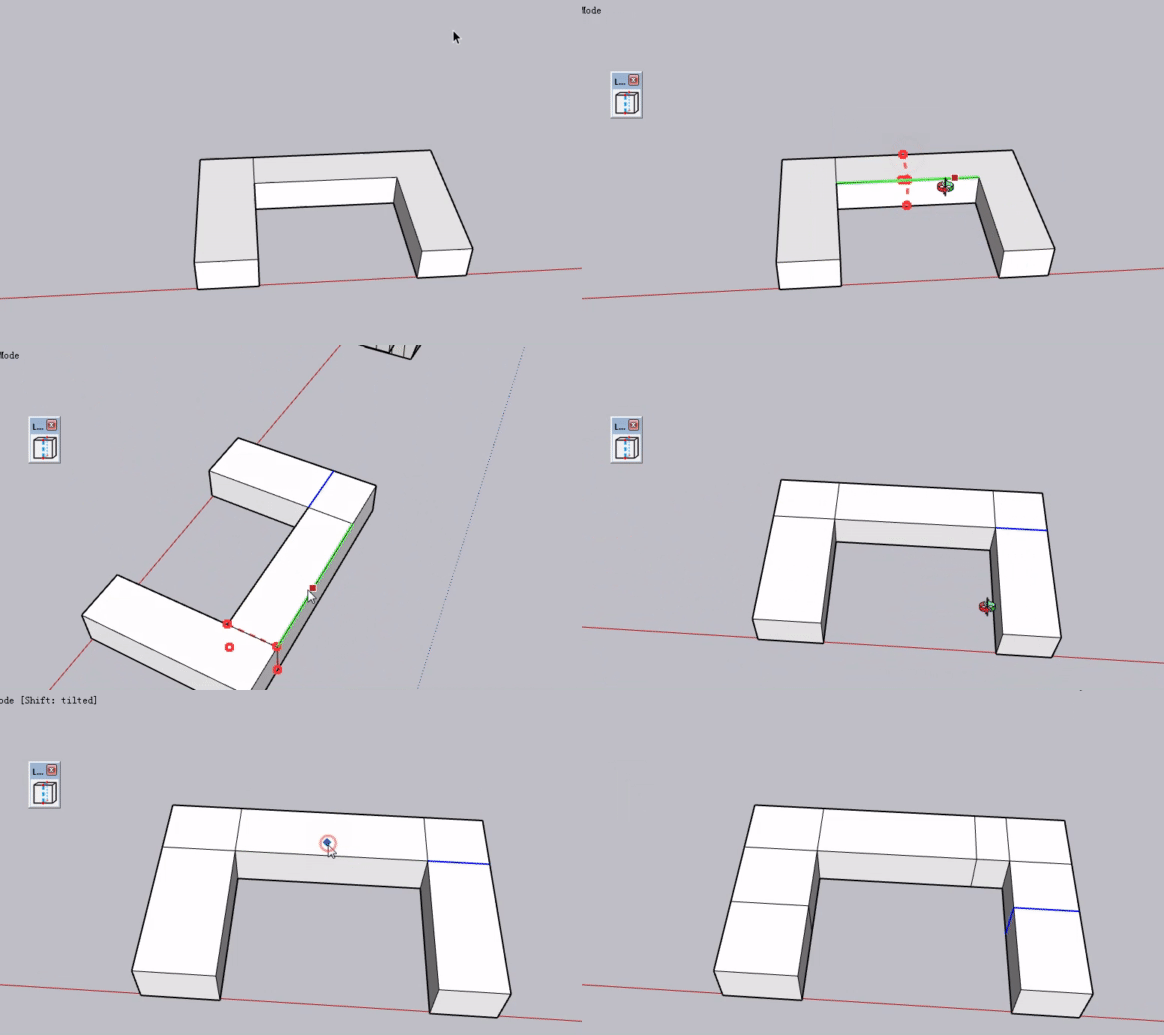
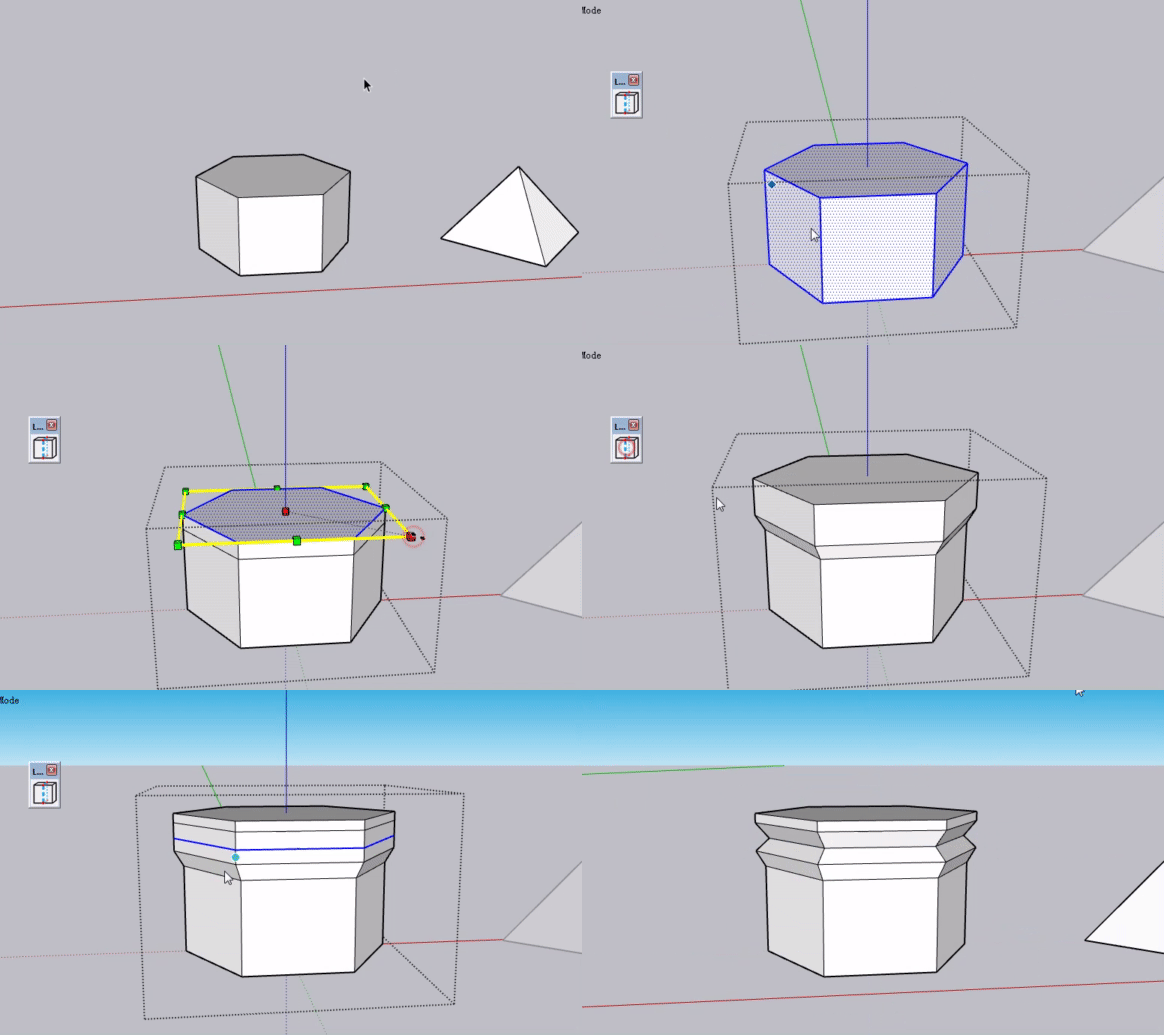
Topology Mode – works on quad meshes. Follows the edge flow cleanly.
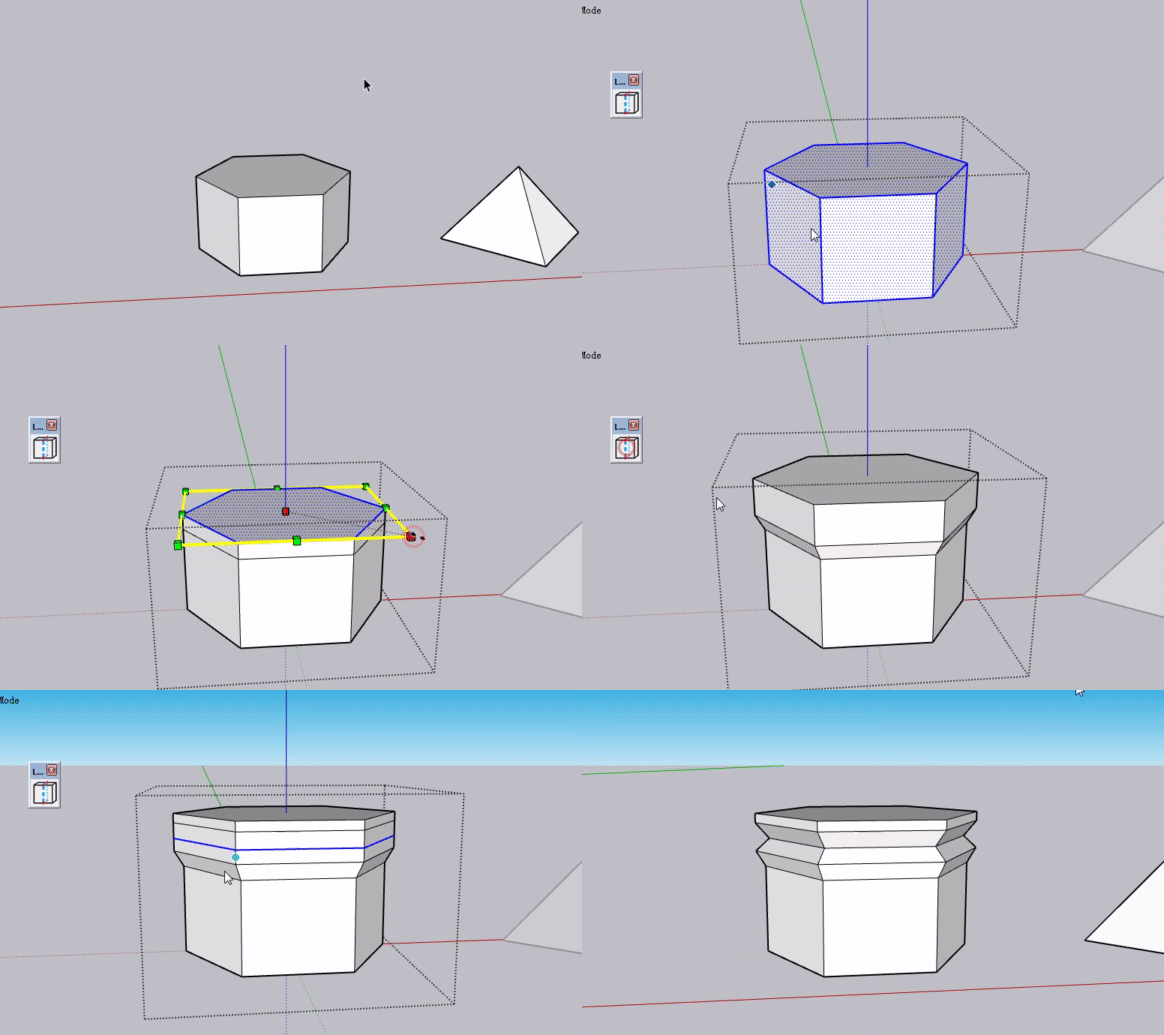
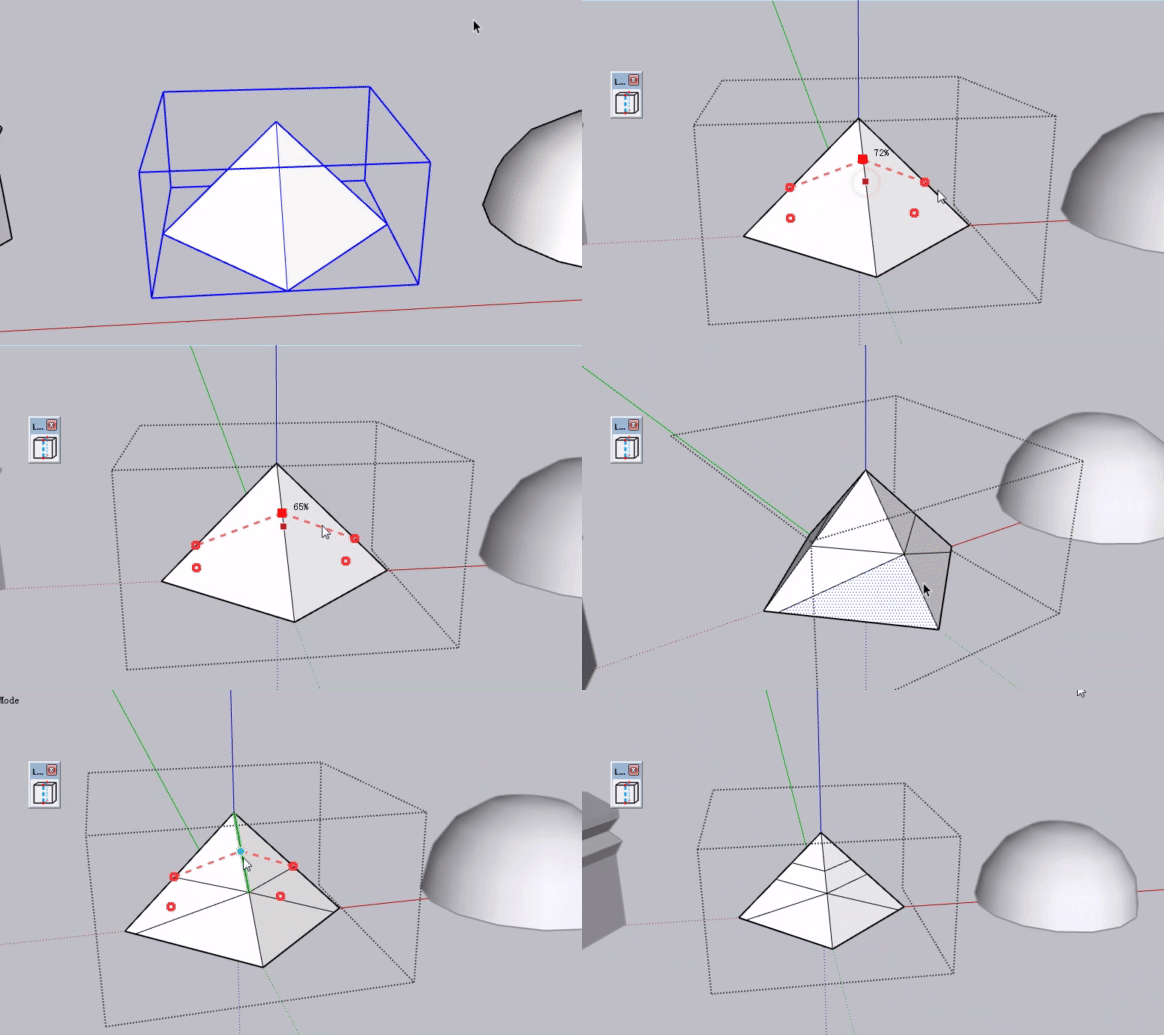
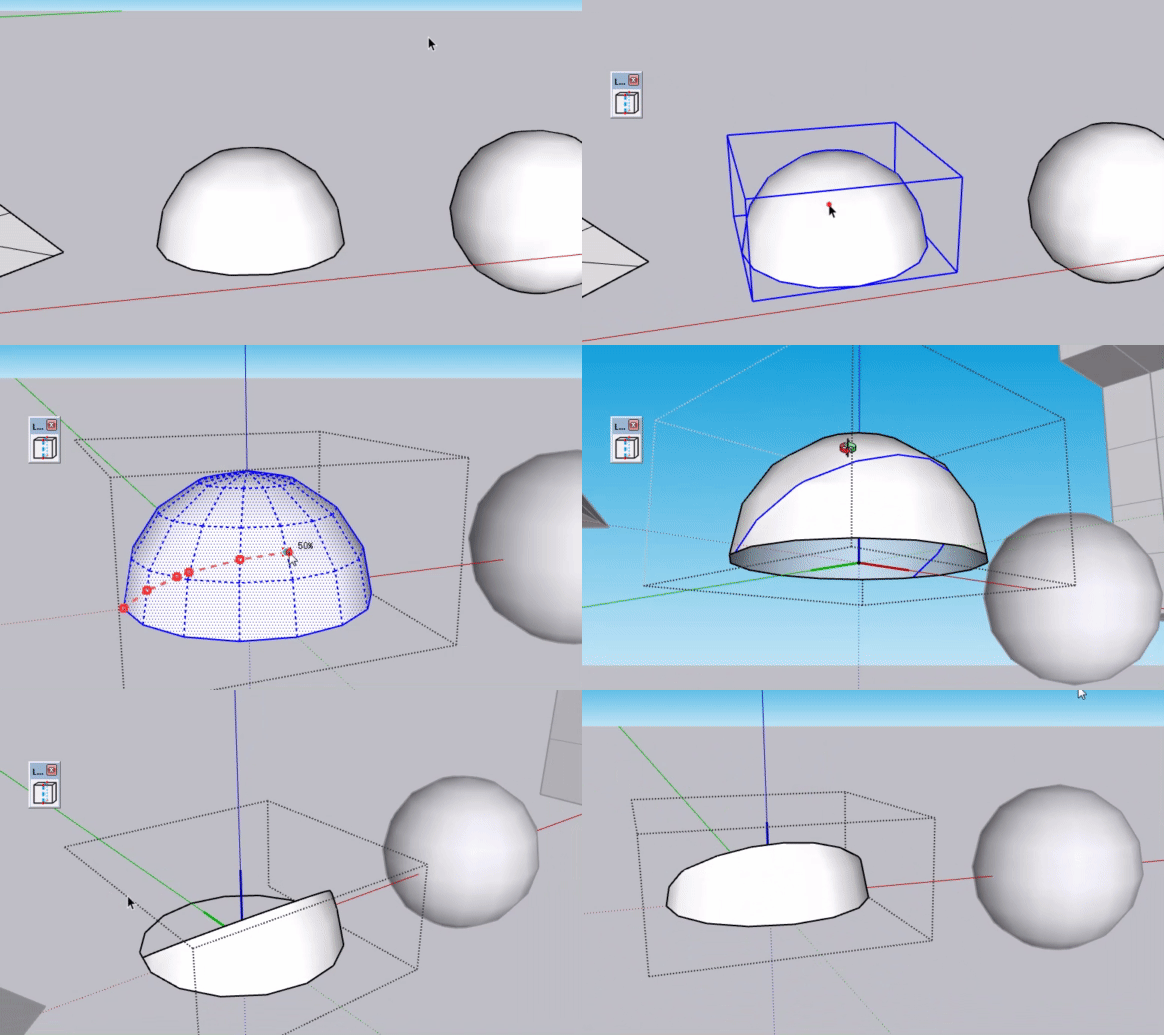
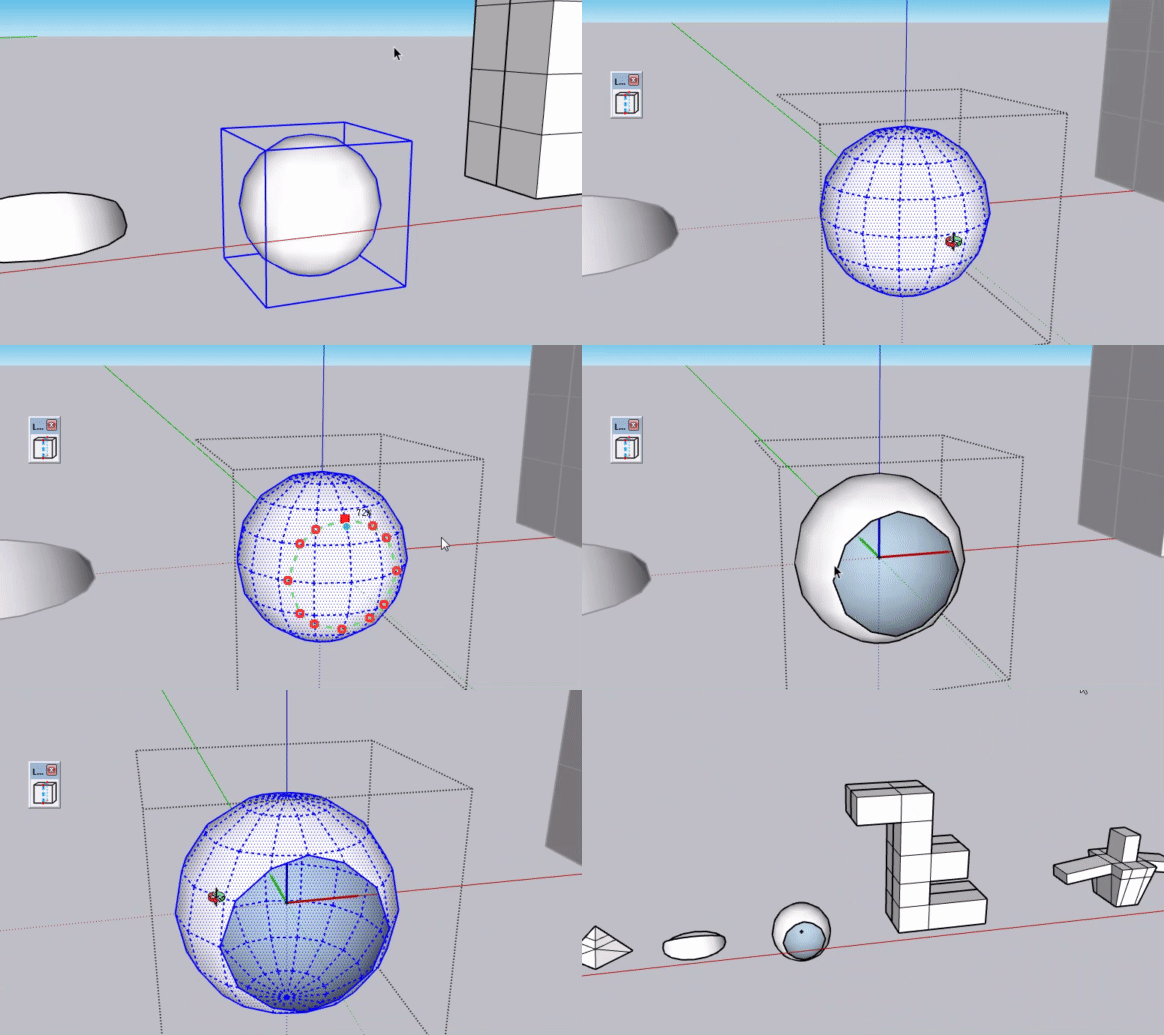
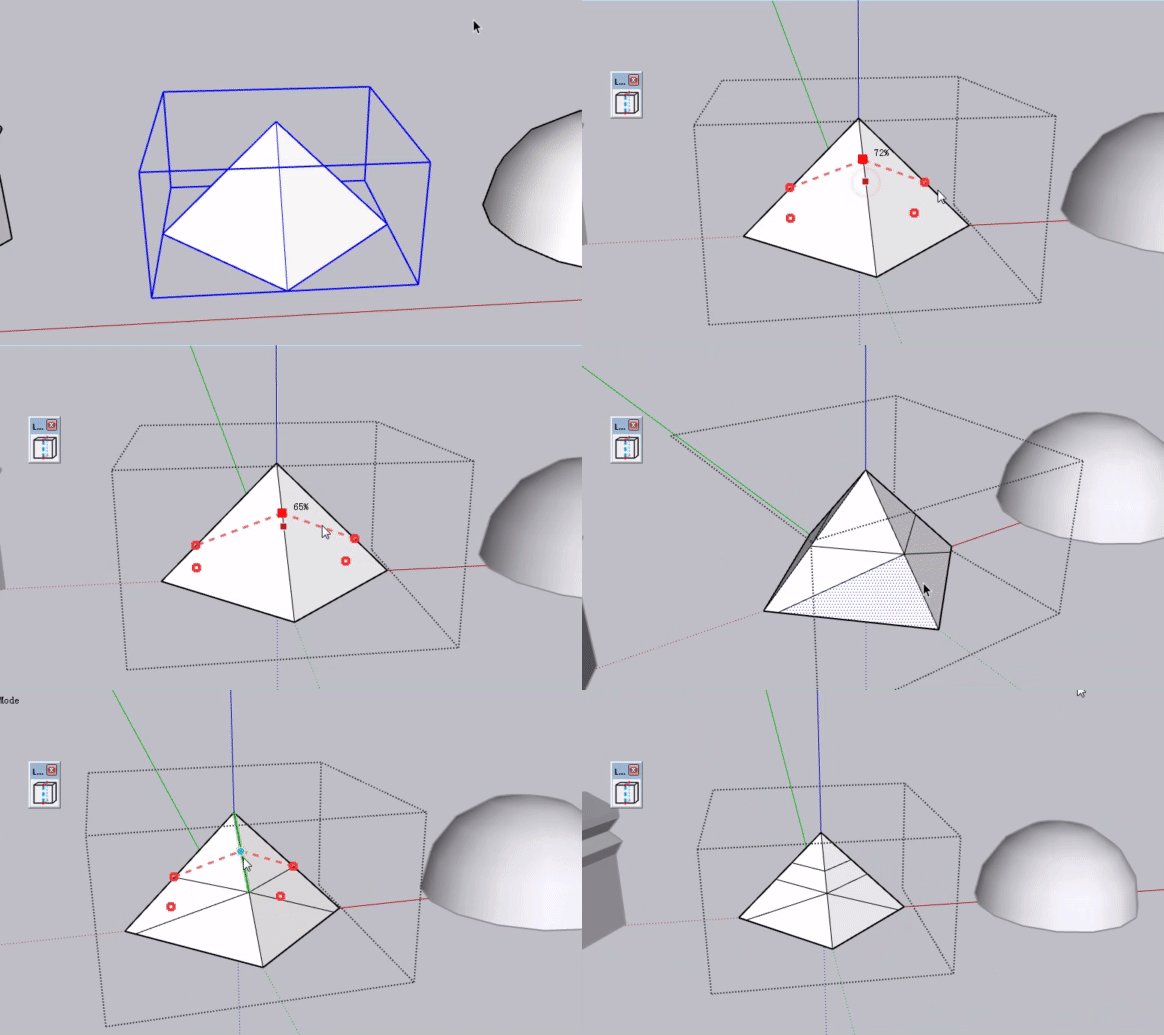
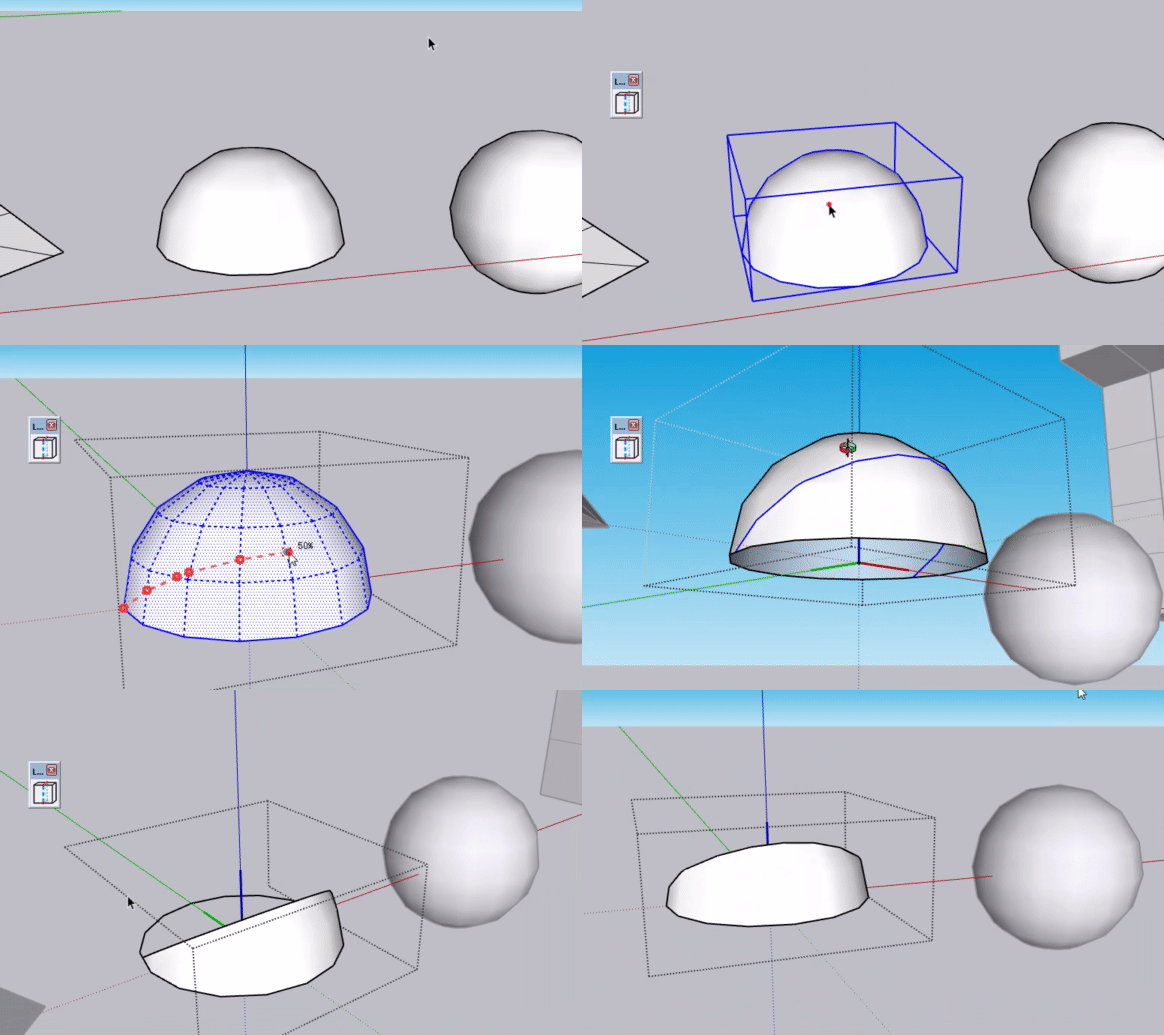
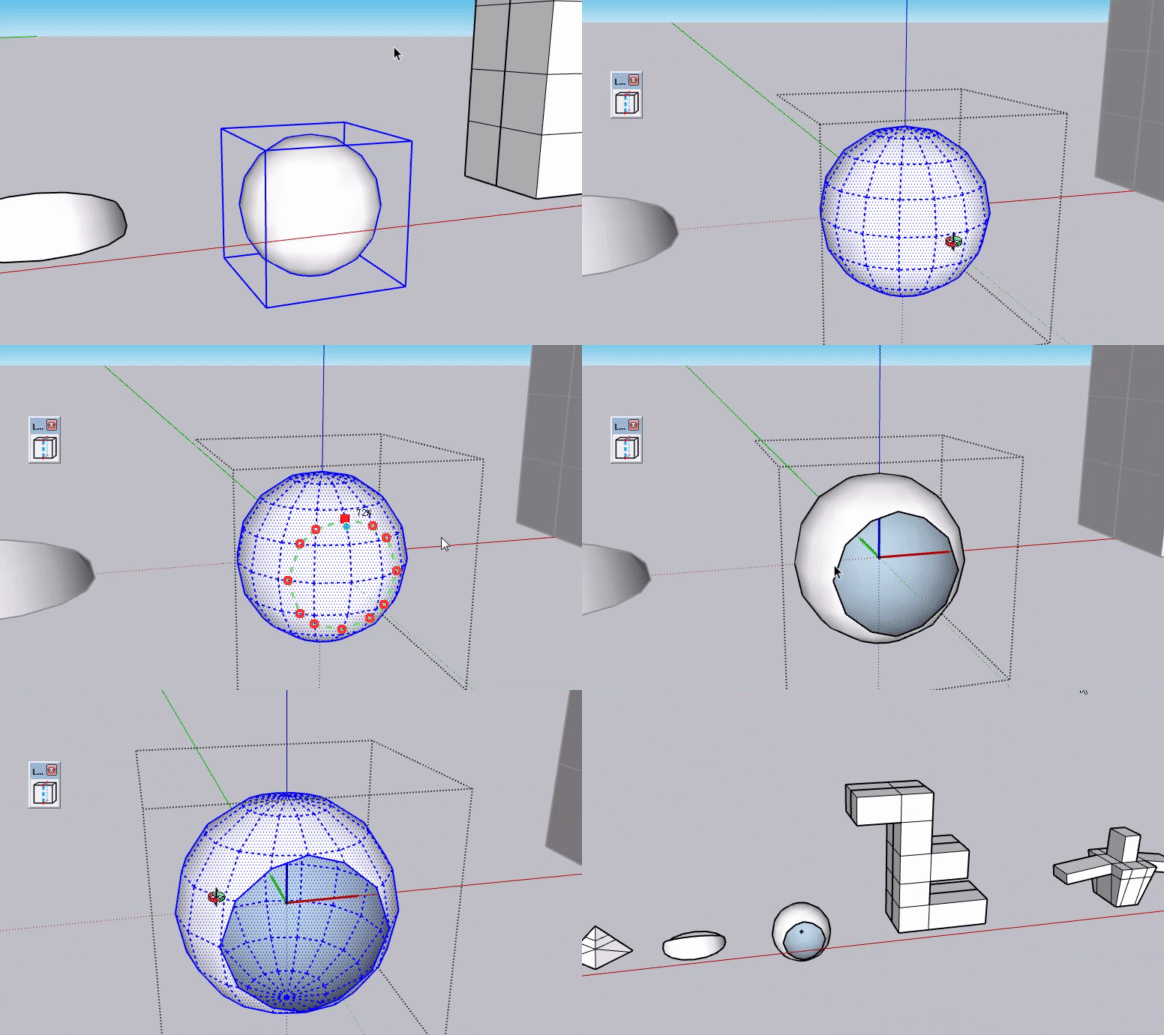
Geometry Mode – works on any mesh (tris, N-gons, imported models). No topology rules, just cut.
Quick demo:
Status: Alpha stage. Looking for beta testers!
Questions for you:
Would you use this?
Which mode matters more to you?
can it help your.
Drop a comment or DM me. Thanks!
-
hellow sir! long waiting feature!
-
Which mode matters more to you? I think both
-
This post is deleted! -
@turbodizayn Thanks for the feedback! Glad to hear both modes are useful – they'll both be in the final release, which is coming very soon.
By the way, I have a quick question: can you guys see the demo GIF in my post? I uploaded it, but for some reason I can't see it on my end. Not sure if it's just me or if there's an issue with the upload. Let me know if you can see it – thanks!
-
There's no embedded images. Maybe you uploaded too many and too large in size GIFs.
-
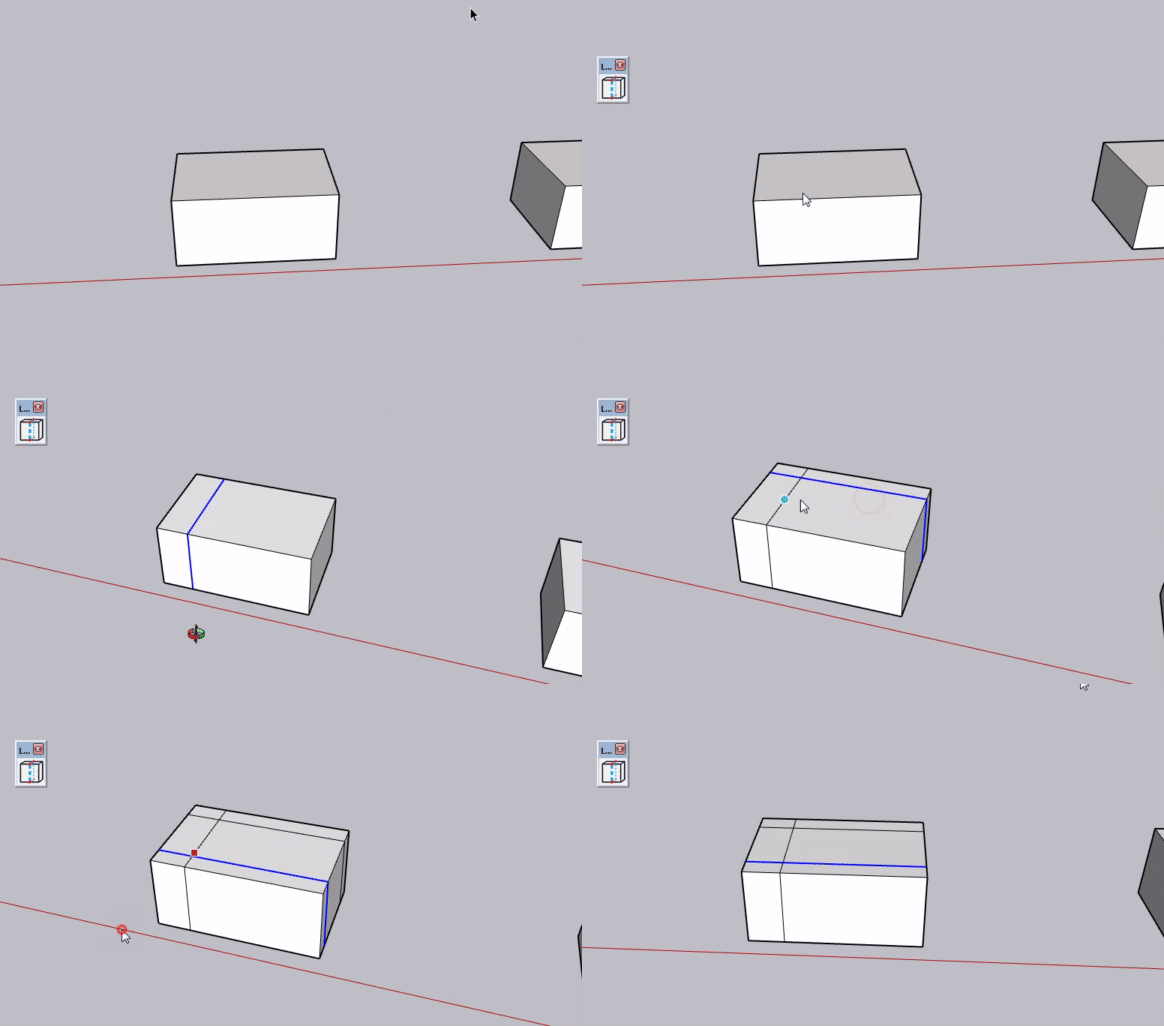
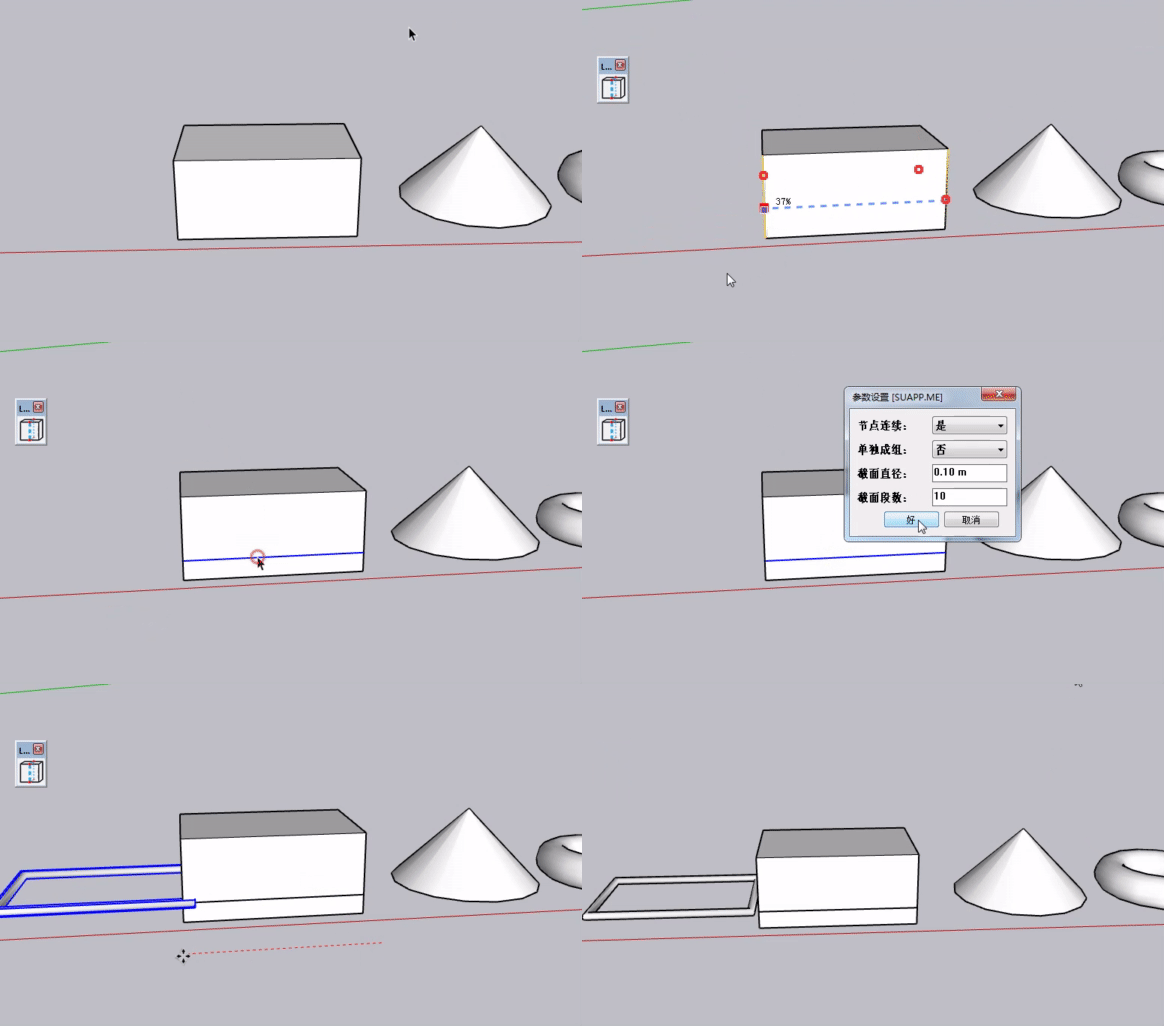
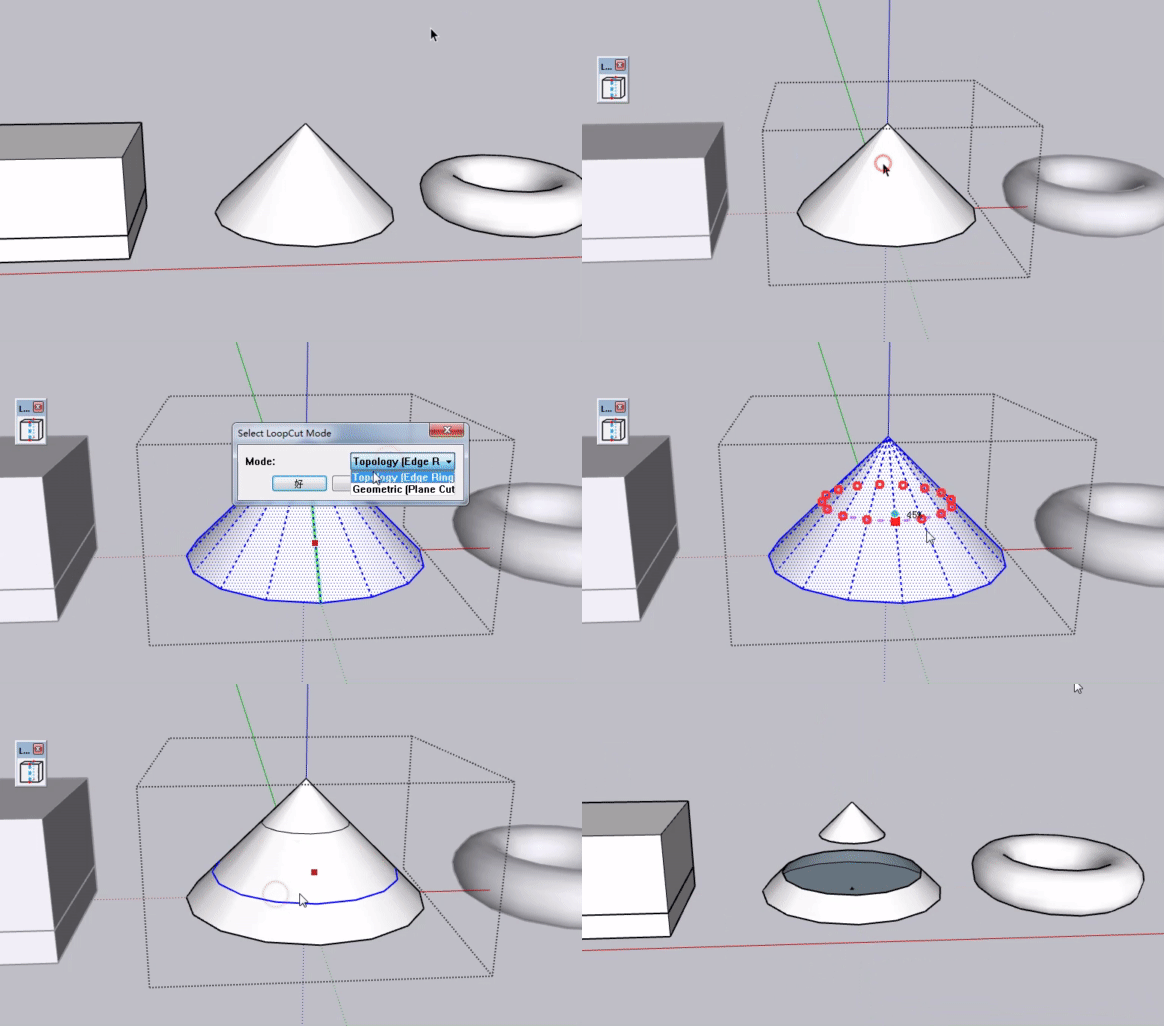
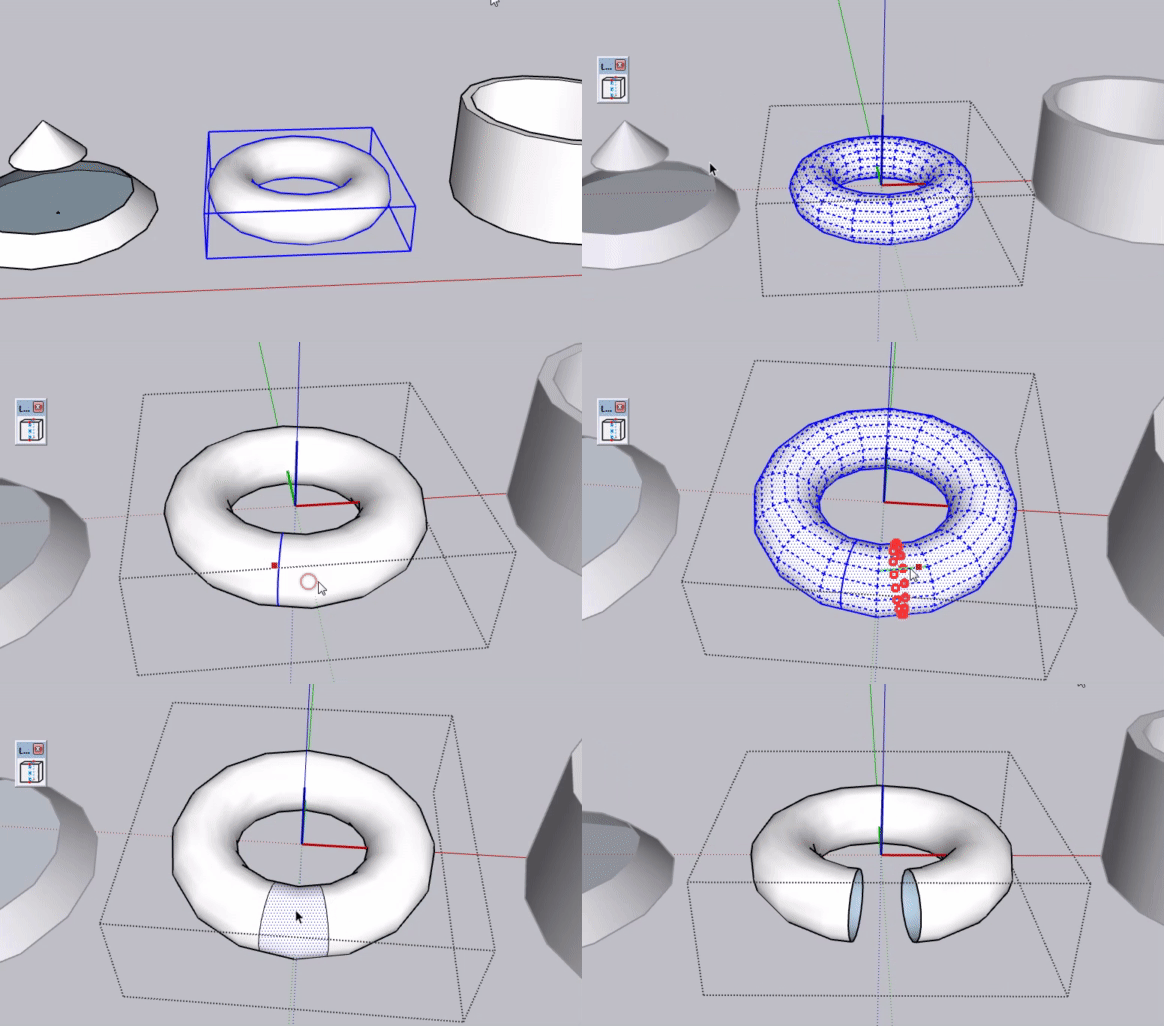
-
-
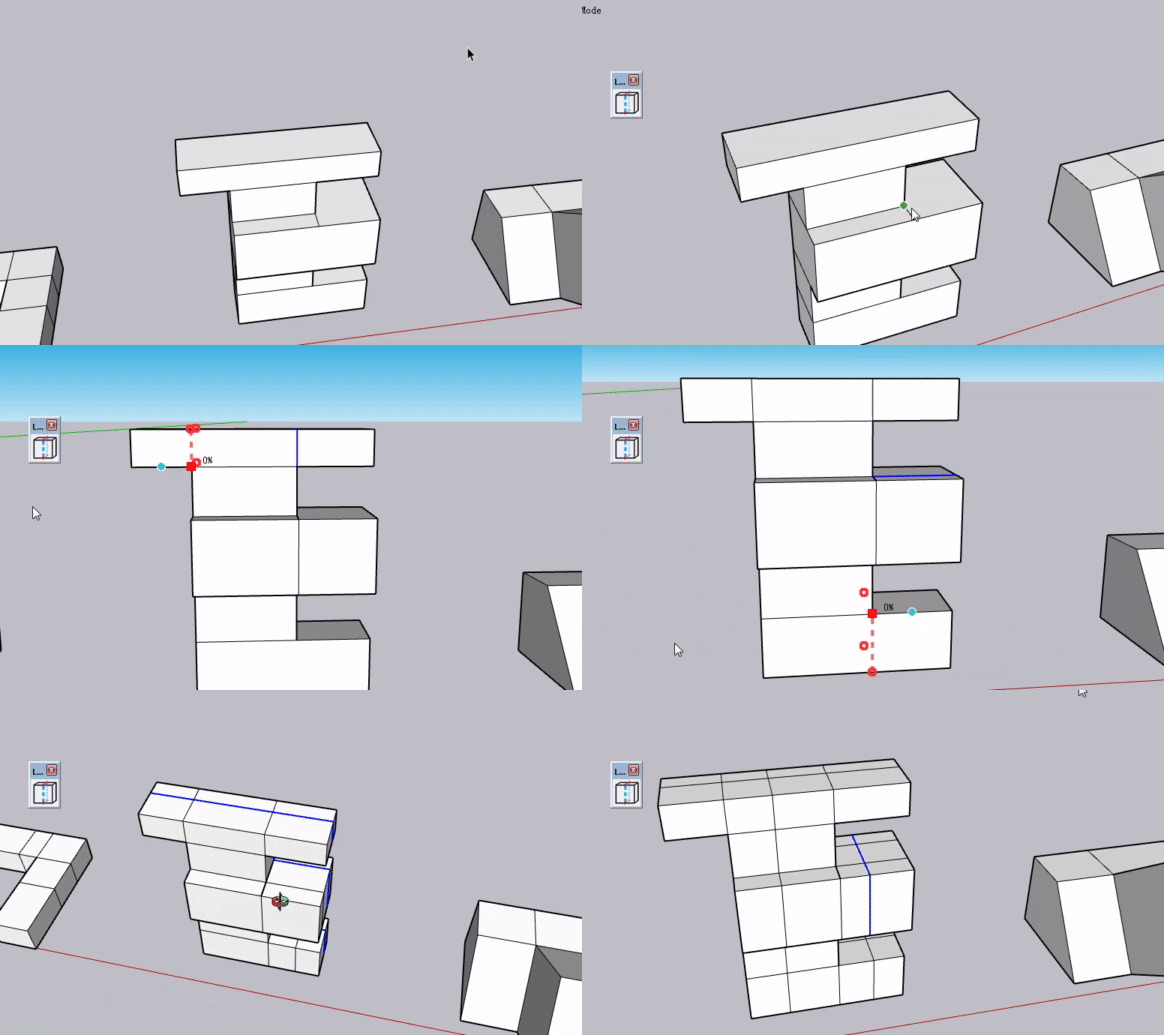
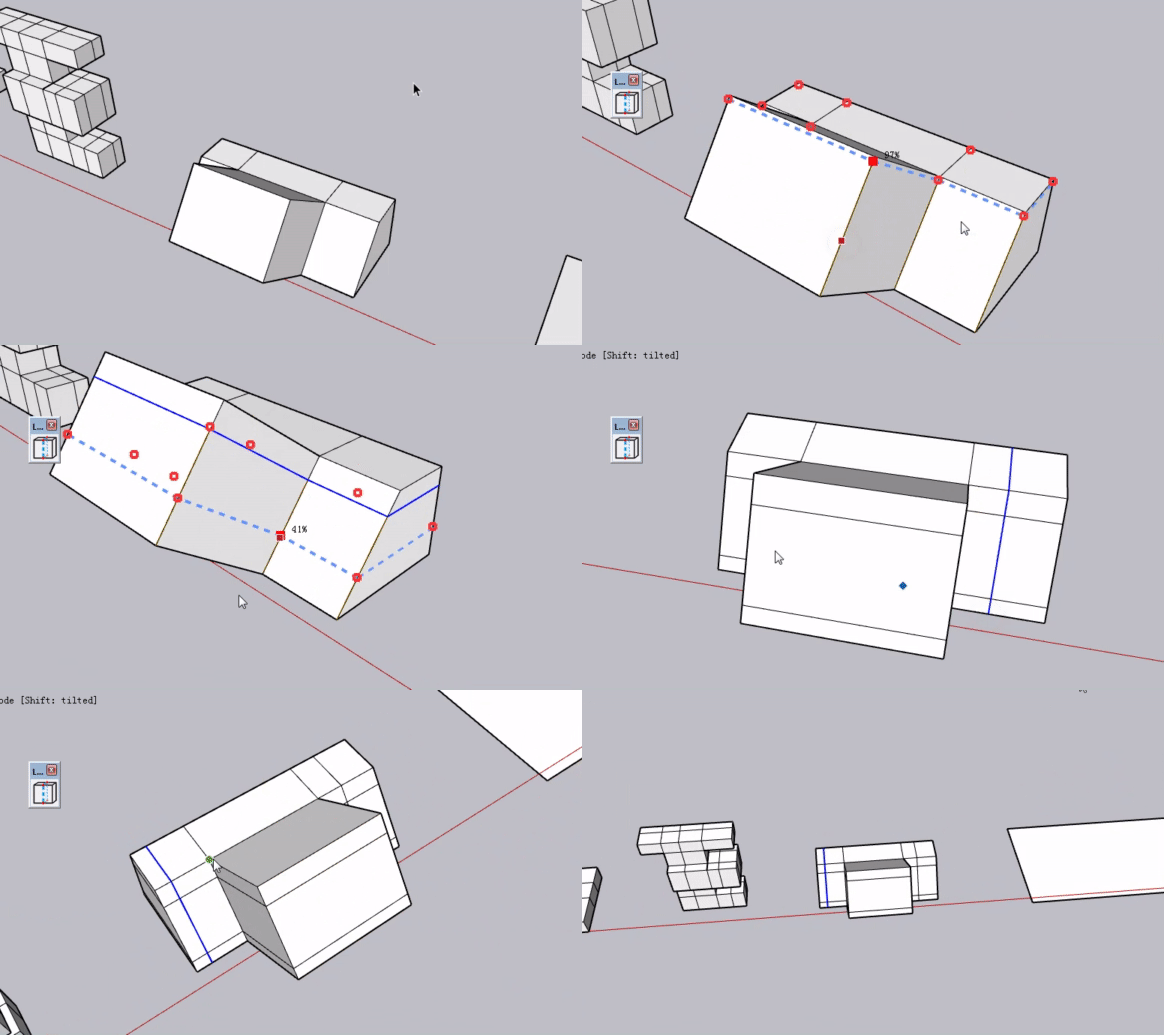
-
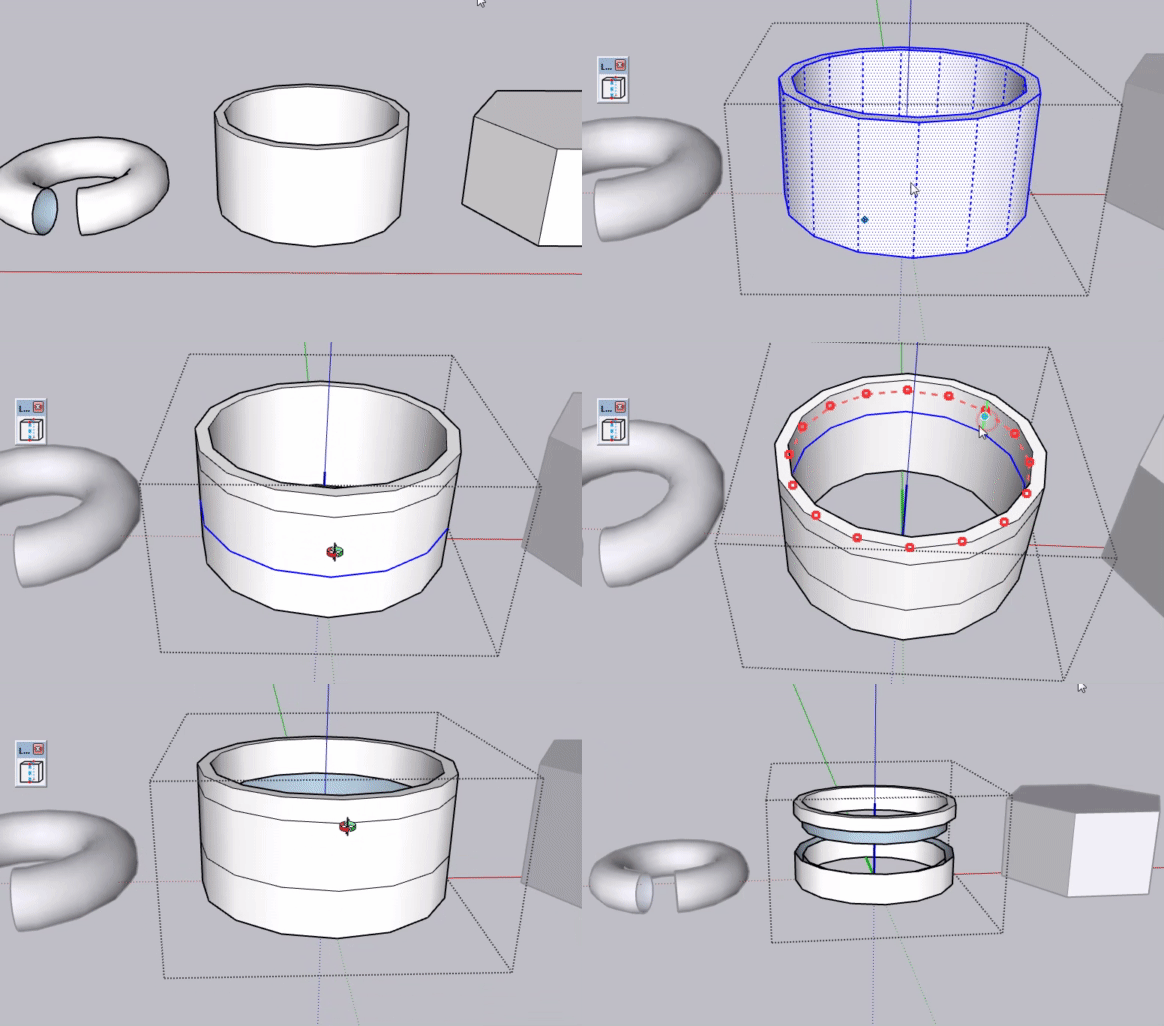
-
Wow! It is cool!
-
@Jianming-Mo Interesting idea. I like that you’ve separated the topology-based and general geometry workflows instead of trying to make one mode handle everything.
For architectural users, I can see the geometry mode being especially useful when working with imported or imperfect models. I’d be interested to see how it handles heavier geometry and undo/recovery when a loop can’t be completed cleanly.
-
Very cool. Very similar to the Reshape tools in FormZ. Good job
-
@immaxy The plugin is still in the testing phase. I’ve tested it on simple and common models, and it works fine. For native SketchUp files, most models are not that heavy. I also think the geometry mode is quite practical. It can split non‑quad faces into standard quad faces. Thanks for your positive feedback. I will test its performance on complex geometry as well. Once the official release is ready, I hope more people can try it out and give me suggestions
-
@Glenn-at-home Thank you for your recognition. I will keep working on it.
-
Looks really nice. Does it respect Quadface quad convention?
-
@Rich-O-Brien
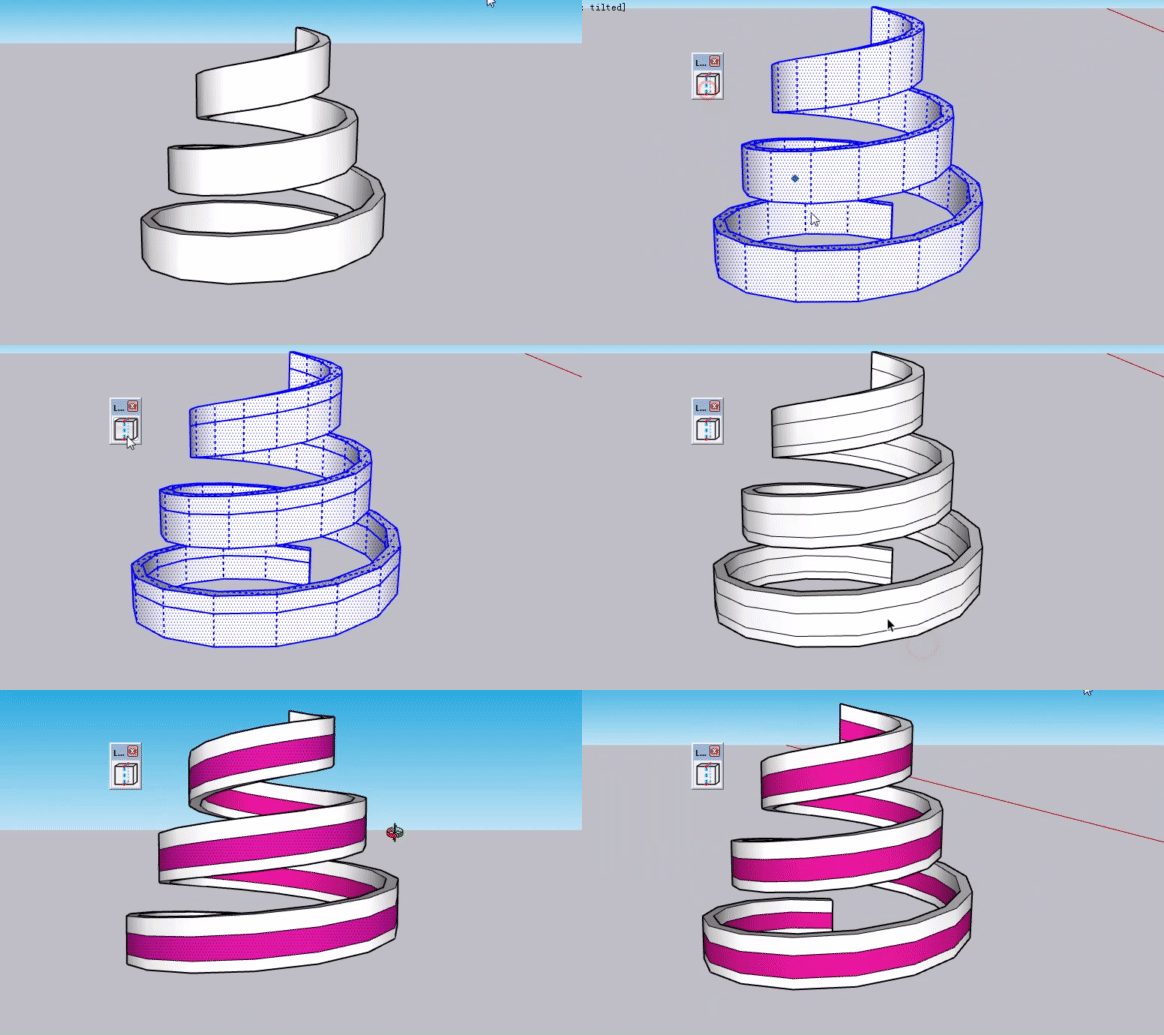
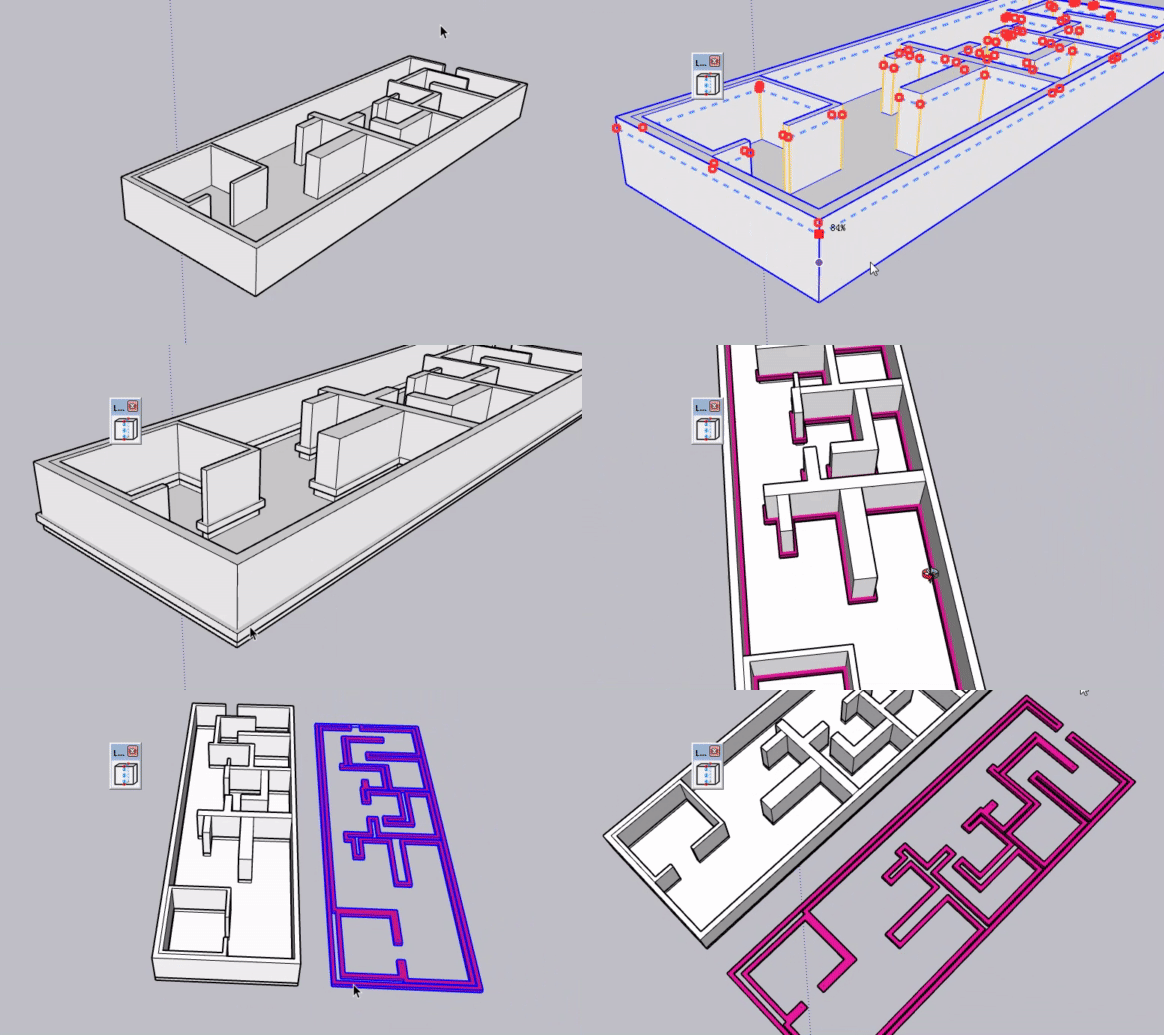
Is this quad‑face based? Is this considered complex geometry? -
Can you share the rbz so I can test it? richob@sketchucation.com
-
@Rich-O-Brien In a few days I'll publish the plugin on Sketchucation. I'm currently adding a point positioning function to LoopCut, allowing users to input VCB values to set exact positions for loop cuts, which I consider essential.
-
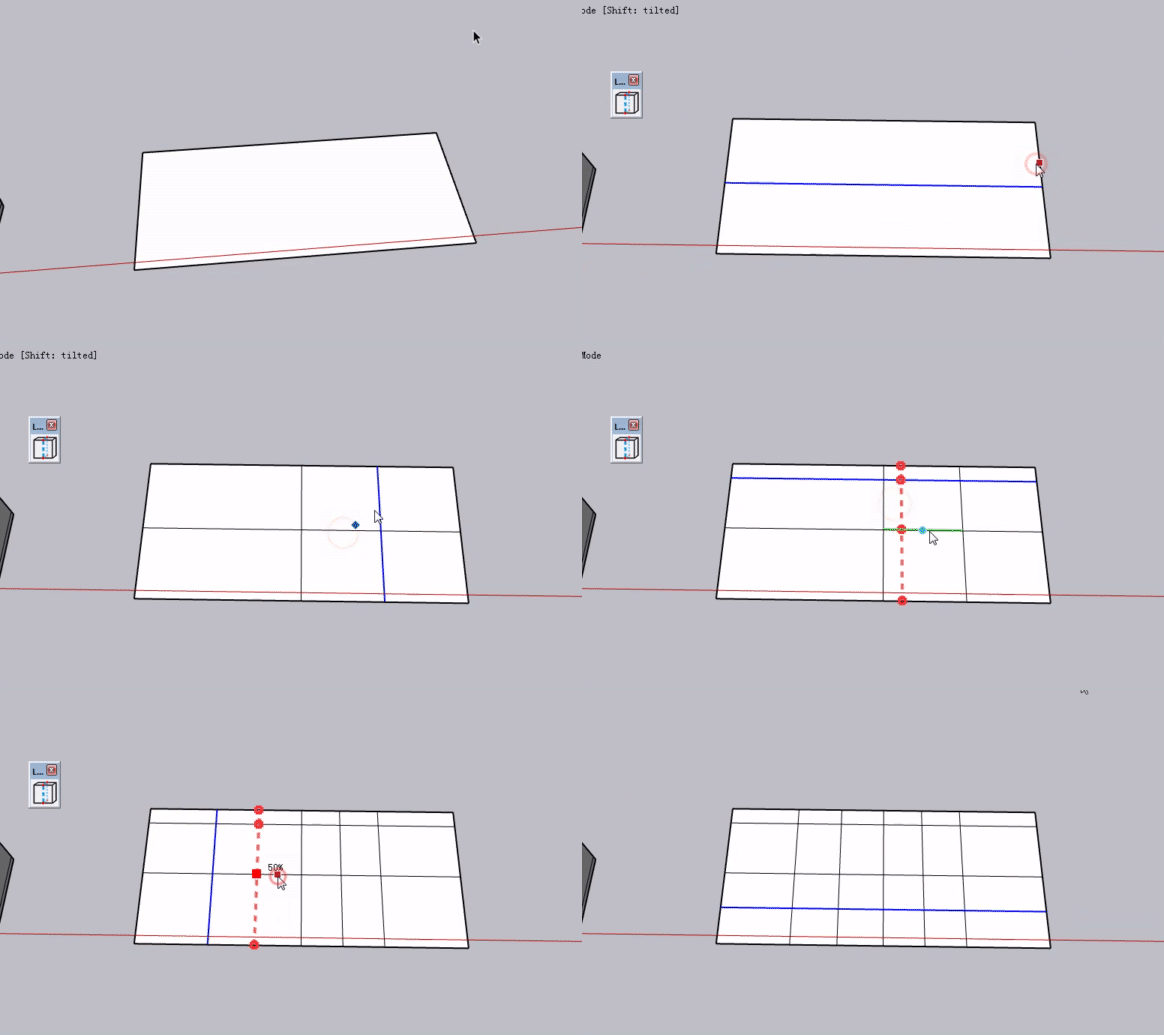
I’m back! After days of development, LoopCut’s VCB value input is finished. Let me show you how it works:
Basic function: cut non-quad faces into clean quad faces with value input support. Double-click any spot on an edge to add a center cut line.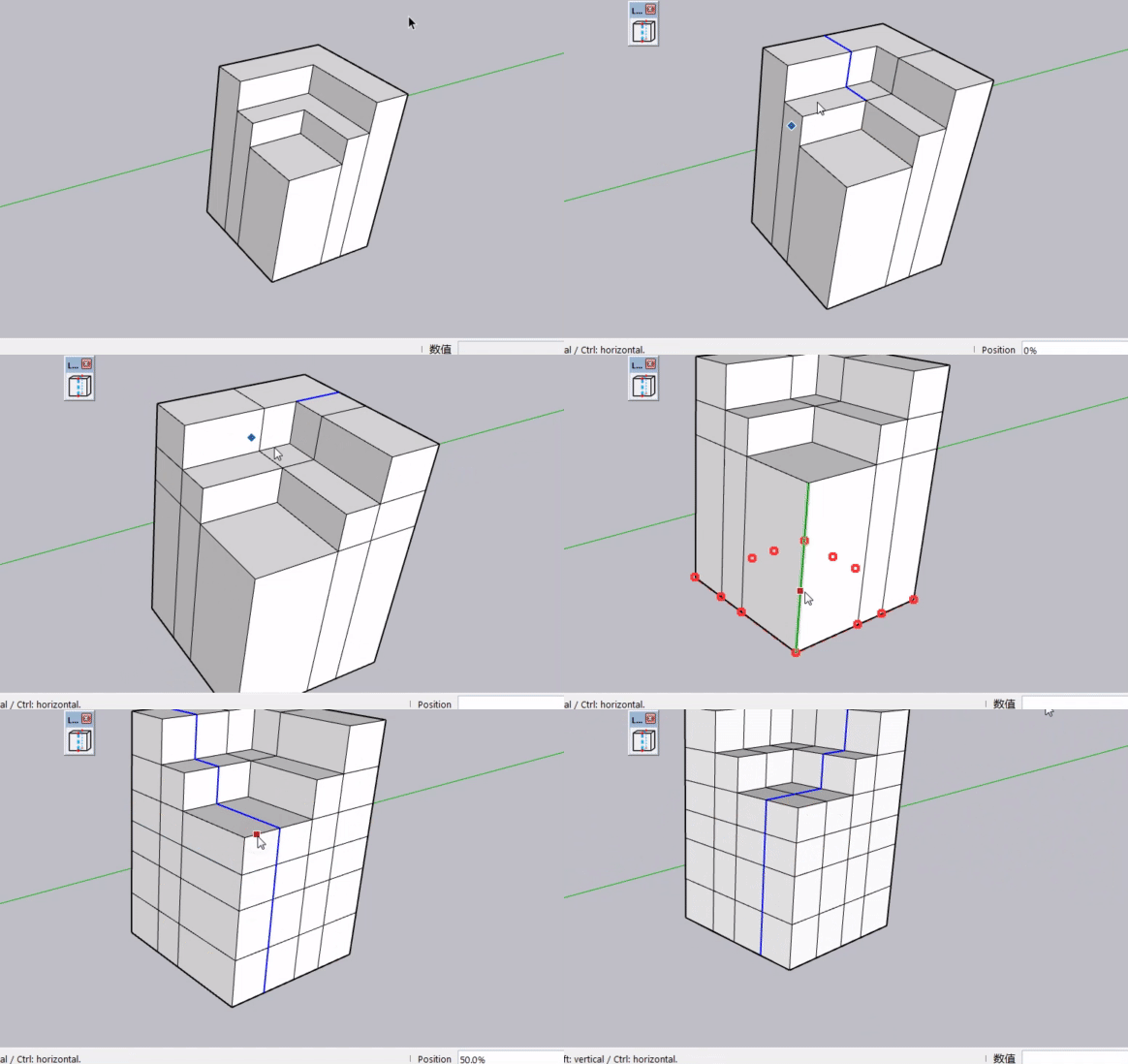
Use percentages for positioning – enter 20, 30, 70 for 20%, 30%, 70% of the edge length (50 = center). Mouse dragging is also supported for visual positioning.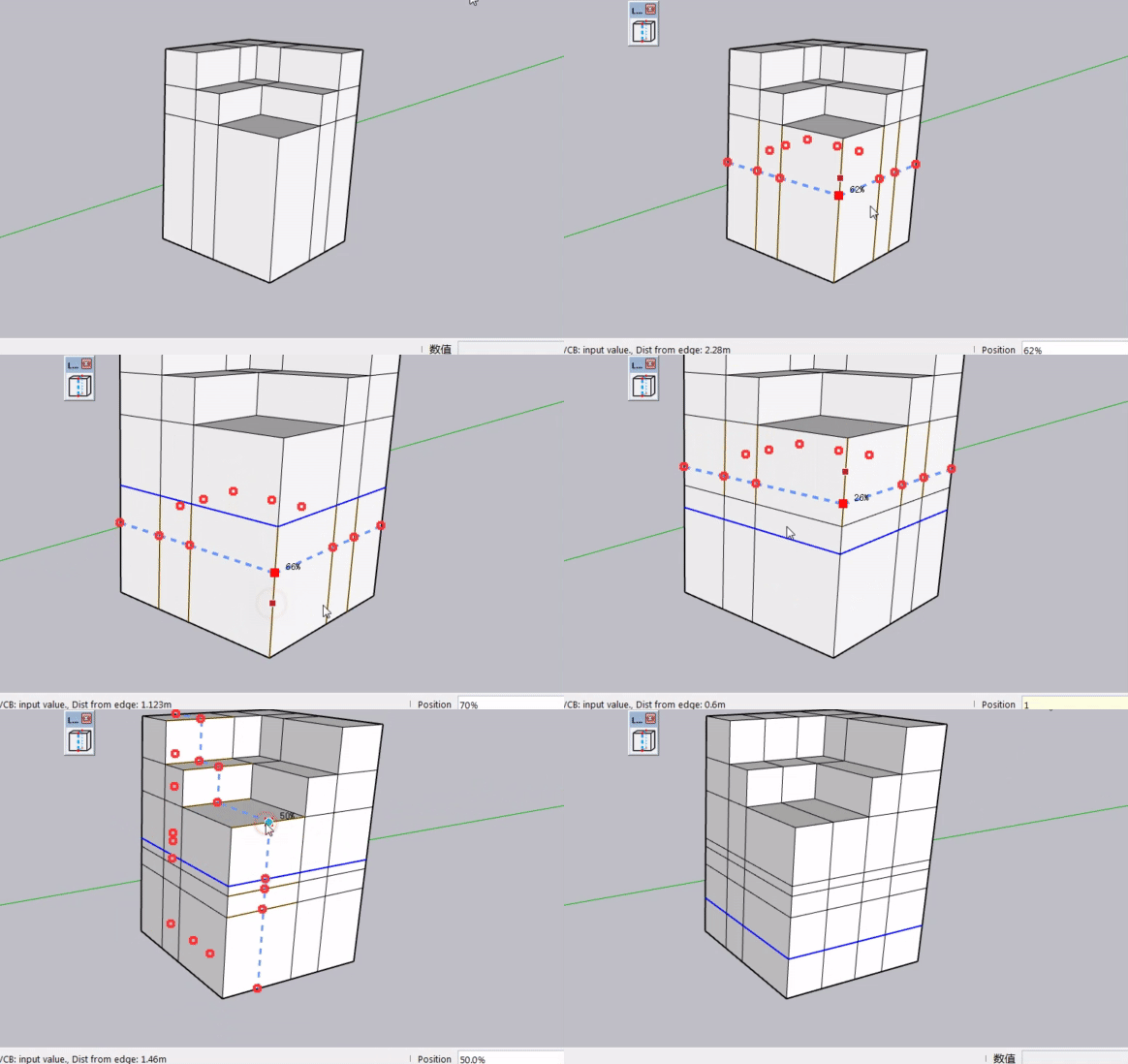
For exact measurements, type values with units in the VCB. The edge under your mouse becomes the starting point: 0–49 references one end, 51–100 the other. Hover to pick your start edge, then type 1m or 200mm to get a precise cut.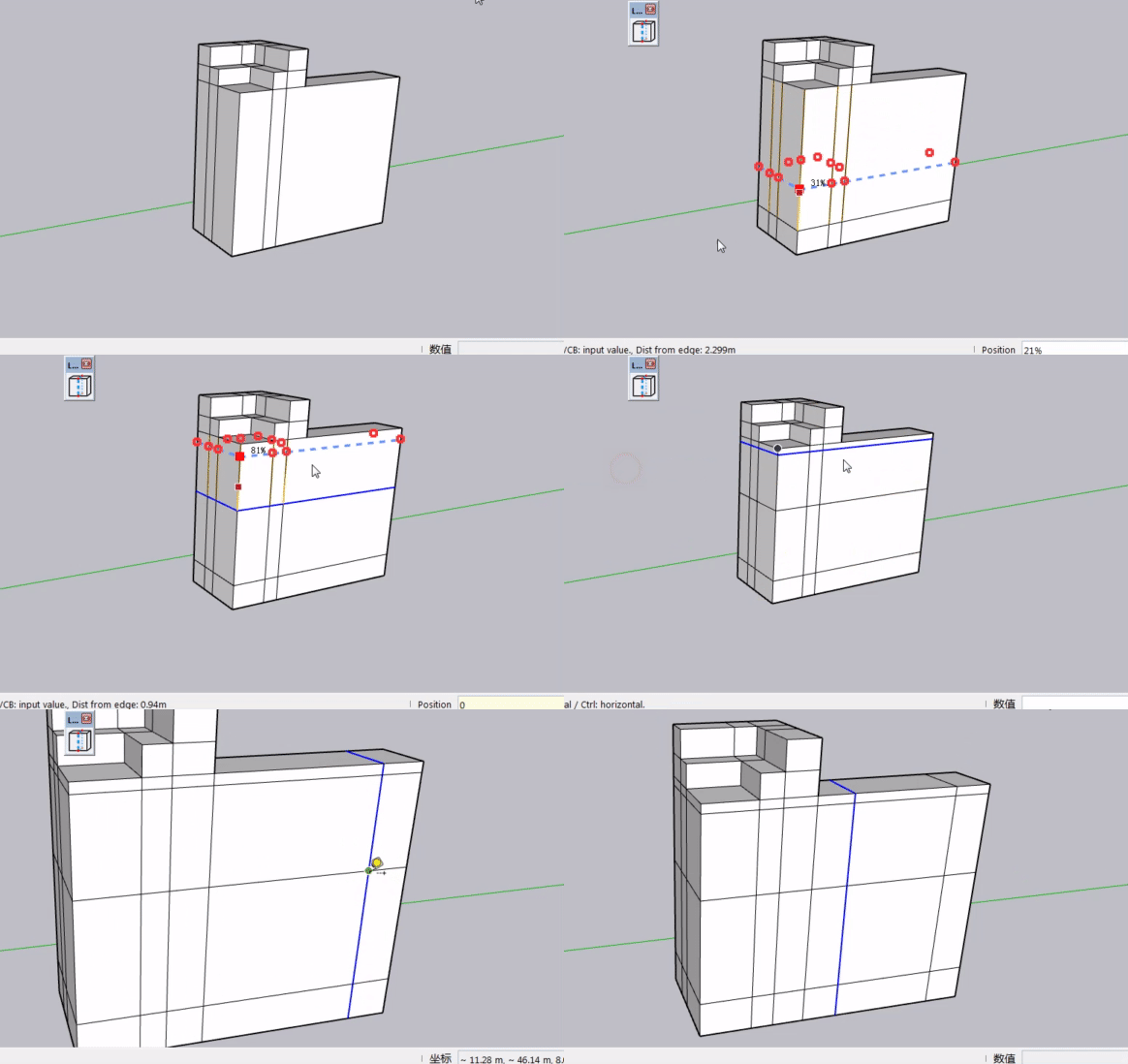
How do you like this VCB implementation?



Hello! It looks like you're interested in this conversation, but you don't have an account yet.
Getting fed up of having to scroll through the same posts each visit? When you register for an account, you'll always come back to exactly where you were before, and choose to be notified of new replies (either via email, or push notification). You'll also be able to save bookmarks and upvote posts to show your appreciation to other community members.
With your input, this post could be even better 💗
Register Login


Advertisement